
Most phone lines in the U.S. no longer run over copper. In June 2025, the Federal Communications Commission (FCC) counted 63 million internet-based phone subscriptions and only 15 million traditional landlines. An internet phone number is one of those 63 million lines. Calls reach it over Wi-Fi or mobile data instead of a landline.
You probably searched for one for a practical reason. Maybe you just registered a company and don't want clients texting your personal cell at 10 p.m. Or maybe you need a second line without carrying a second phone.
Getting an internet phone number takes minutes. Picking the right one takes more thought, because the free options at the top of the search results come with catches a business can't afford.
This guide explains what an internet phone number is and how to get one. We compared five business phone providers and two free options to show which fits each situation, from a personal second line to a number your whole team answers.
What is an internet phone number?
An internet phone number runs on a cloud phone service instead of a subscriber identity module (SIM) card or a copper line. People call and text it like any other number. You answer through an app on your phone or computer.
You'll also see it called a virtual phone number, a VoIP (voice over internet protocol) number or an online number. For a buyer, all three names mean the same thing.
Most providers offer two kinds of numbers:
- Local numbers come with the area code of your choice, even if you live somewhere else.
- Toll-free numbers start with a prefix like 800 or 888, and callers don't pay for the call. Vanity numbers (that spell a word) are usually a paid extra.
Some apps and banks won't send verification codes to internet numbers, so they shouldn't be the only number on your important accounts.
We cover why in the verification section below.
Why use an internet phone number?
The appeal of an internet phone number is practical:
- Your personal number stays private. Clients get a business number, and you can switch it off after hours without switching off your phone.
- You can be local anywhere. A Chicago area code works the same whether you live in Chicago or Lisbon.
- More than one person can answer. A business number can ring several phones at once, which a personal SIM can't do.
- The number follows you, not the device. Switch phones or work from a laptop, and the number stays the same.
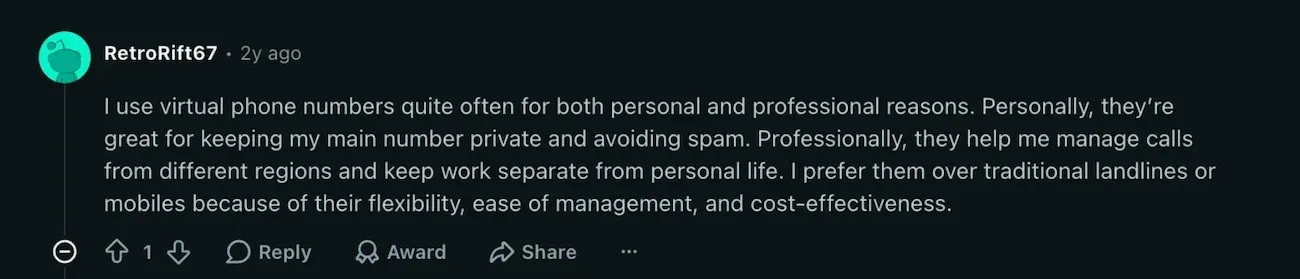
A Redditor sharing why they like Internet phone numbers so much
Why free internet phone numbers don't suit a business
Free internet numbers are fine for personal use. But for anything printed on an invoice, they're a risk.
Here’s why:
- They can be taken back. TextNow, a free calling and texting app, says there's no fixed rule for how long a number can stay inactive before it's released. To keep a free number, you have to call or text from it every day, or pay $1.99 a week for its Lock In Number add-on. Once a number is released, TextNow can't give you that exact number back. Google applies a similar rule to its free plan. It may reclaim a Voice number after three months without calls or texts, and you get 45 days to recover it. After that, the number is gone.
- The Free Internet numbers lack essential business features. For example, the free Google Voice plan leaves out 3-way calling, call recording, auto attendants and 911 emergency support.
Recycled numbers come with a history. A released number goes back into the pool, so the next owner can get calls and texts meant for the last one.
- Business texting needs registration. Carriers require businesses that text customers from a local number to register under a system called A2P 10DLC (application-to-person messaging over 10-digit long codes, meaning standard local numbers). Free consumer apps aren't set up to register a business, so plan on a paid business plan if you'll text customers.
Do you need a number or a phone system?
This is the real decision you have to make.
A number alone is enough when you're the only one answering. Forward it to your cell and record a greeting, and you're set.
The day a second person needs to answer, a number stops being enough. You need calls to ring more than one phone, and a shared inbox so two people don't reply to the same text. That's what a phone system adds.
[shared inbox screenshot]
A phone system also keeps a record of your calls. Most business plans include call recording and transcripts, so you don’t have to take notes while you talk.
Some also sync calls and texts with your customer relationship management (CRM) tool, so each client’s history is in one place.
It also covers the calls you can’t take. A forwarded number won’t help when you’re on a ladder or with a client, and voicemail only works if the caller leaves one. An AI receptionist answers those calls for you. It can book the appointment or take a message, then send you a summary.
Most of the providers below offer one, priced anywhere from a flat monthly fee to per-call credits.
How to get an internet phone number
With most providers, you can pick a number and make your first call on the same day.
Porting a number you already have and getting business texting approved take longer. Under FCC rules, a simple port should take one business day, but the timing depends on the number.
At Allo, mobile numbers usually port in 2 to 4 business days and landlines in 7 to 10, while toll-free numbers can take up to 14. Texting approval adds another 3 to 7 business days.
The steps below are in the order that keeps those delays from holding you up.
- Decide whether you need a personal or business number. A personal second line can be free. But a number customers will save in their phones should come with a paid plan you control.
- Choose the number type. Pick a local number for a local business, or a toll-free number if you sell nationwide.
- Pick a provider and plan. Our recommendations by use case are below.
- Choose a new number or port your existing one. Porting means moving a number you already have to the new provider. More on that in the next section.
- Install the apps. Set up the app on your phone and computer. Then record a greeting and choose where calls ring.
- Register for business texting. If you'll text customers, complete the A2P 10DLC registration in your provider's dashboard. That takes about a week.
- Add your 911 address. The FCC requires internet phone providers to collect a location for 911 calls, so emergency services know where to go. Keep it up to date when you move.
Can you keep your number? Porting in and out
Technically, nobody owns a phone number. Numbers are a public resource the FCC assigns to carriers, and carriers assign them to you. What you do have is the right to take your number with you.
FCC rules require providers, including internet phone providers, to port a number when you ask, as long as you stay in the same area.
A simple port, one line with no complex setup, should take one business day. Ports with several lines take longer.
Remember to keep your old service active until the new provider confirms the port is done, or you could lose the number in between.
Before you sign up with any providers, ask four questions:
- How do I get the account number and personal identification number (PIN) I'll need to port out later?
- Is there a fee to port in or out?
- Does the number stay on my account if I downgrade or pause my plan?
- How long do I have to port the number out after I cancel?
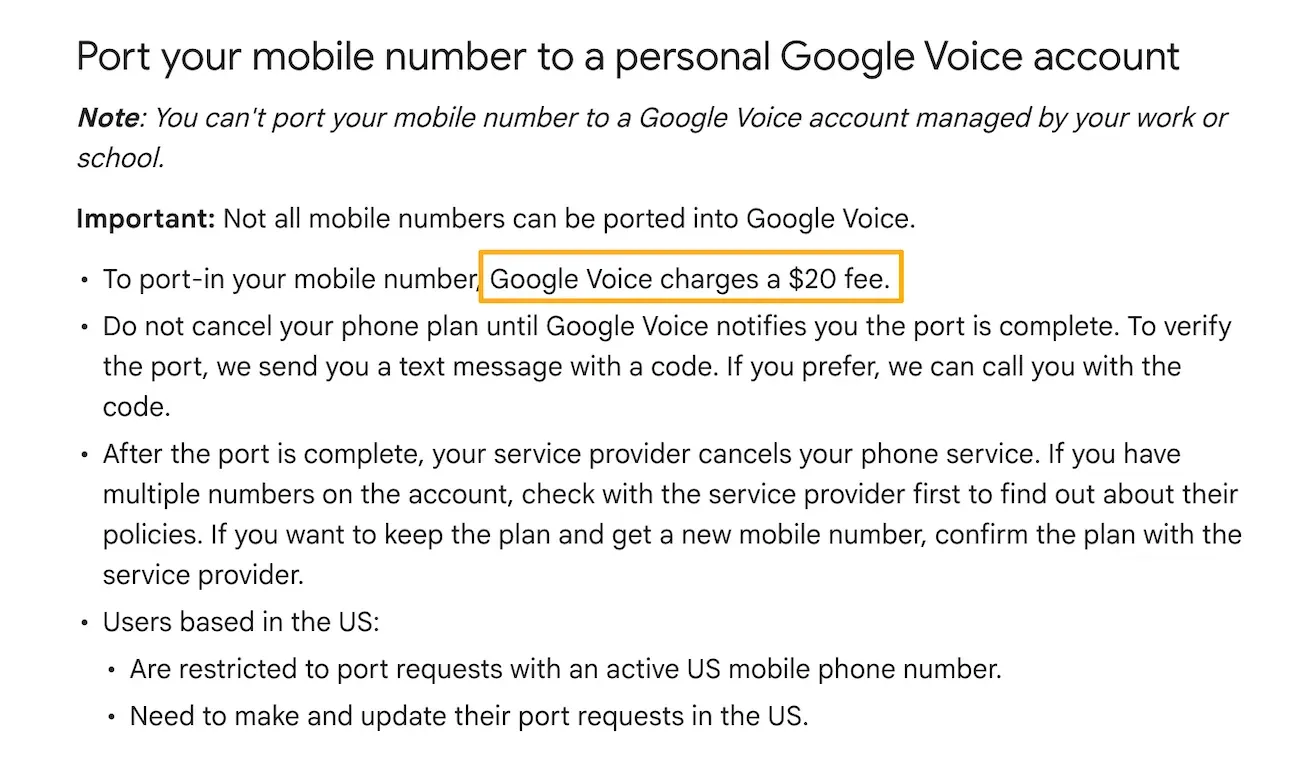
The answers tell you whether the number is really yours to keep.
Best internet phone numbers for business, compared
Prices below are for the cheapest setup that gives a business a number with calling and texting, billed annually unless noted.
They're not always each provider's cheapest plan, because some entry plans leave out texting or business use. Most providers also pass on carrier fees to register business texting, which aren't included here.
| Tool | Best for | Starting cost with calling and texting | Standout features | G2 rating |
|---|---|---|---|---|
| Google Voice | Solo owners who run their business from Gmail | $10/month on the standalone Starter plan. On Google Workspace: $10 + $7 Business Starter = $17/user/month | Built into Gmail, Google Calendar and Meet. Works with certified desk phones | 4.1/5 (167 reviews) |
| Allo | Businesses that lose work to missed calls | $10/month for Solo ($15 billed monthly), which receives texts but can't send them. $32/user/month for Business to send texts | AI call summaries and CRM sync included in every seat. AI receptionist at a flat $32/month | 4.7/5 (209 reviews) |
| Grasshopper | Small businesses that want a flat price and extensions | $14/month for True Solo ($18 billed monthly): 1 user, 1 number | Extensions on every plan, plus unlimited users at a flat price from the Solo Plus plan. Virtual receptionist through Smith.ai, AI or human | 3.9/5 (162 reviews) |
| Quo | Small teams that share one number | $15/user/month for Starter ($19 billed monthly) | Shared numbers and a shared inbox built for teams. Sona AI agent with 10 free calls a month | 4.7/5 (3,419 reviews) |
| Dialpad | Teams that work in Google Workspace or Microsoft 365 | $15/user/month for Standard ($27 billed monthly) | Real-time AI transcripts and call summaries on every plan. Google Workspace and Microsoft 365 integration | 4.4/5 (4,216 reviews) |
1. Google Voice, best for solo owners who run their business from Gmail
Google Voice is the cheapest way to get a real business number, as long as you're the only one answering.
At $10 a month, nothing here beats it on price. It stops short of what a team needs, though. On G2, it scores 4.1/5 from 167 reviews.
Who Google Voice works best for
Freelancers and solo owners who already live in Gmail and Google Calendar, and want a business number without another app to learn.
Top features
- One business number on your phone, computer and supported desk phones
- Unlimited calling and texting within the U.S.
- Voicemail transcription and call recording on the Starter plan
- Phone menus on the Standard plan, plus ring groups on Workspace
Integrations
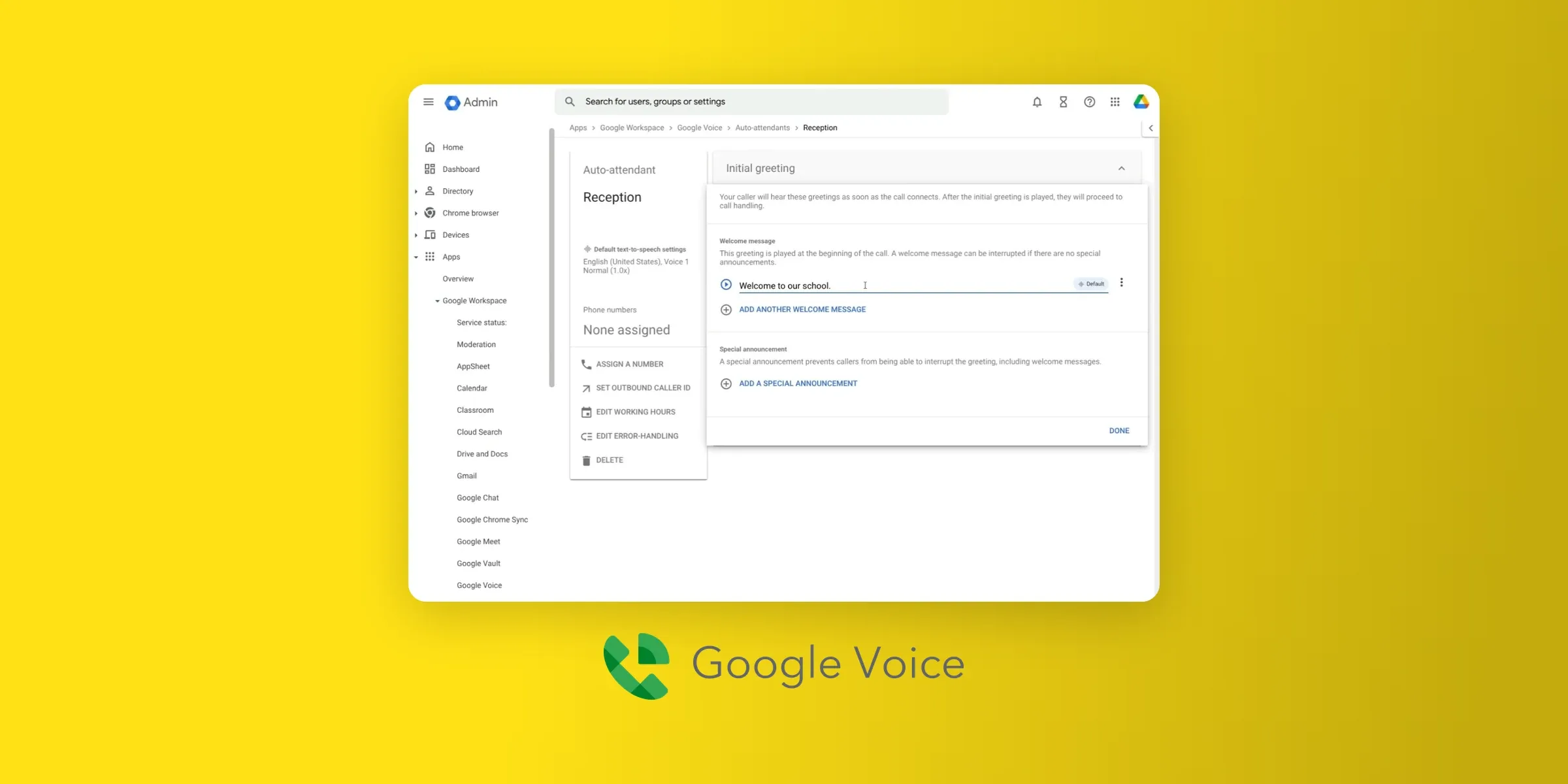
Google Voice's integrations are Google's own: Gmail, Google Calendar, Google Meet and Vault, plus certified desk phones.
If you need calls logged in a customer relationship management (CRM) tool, look at the other options below.
Google Voice pricing
- Voice Starter (standalone): $10 a month for one user on a personal Gmail account. Adds call recording, 3-way calling, desk phone support and 911 calls to the free plan.
- Voice Standard (standalone): $20 a month. Adds auto attendants plus AI transcripts and summaries.
- On Google Workspace: Voice Starter ($10 per user, up to 10 users, no auto attendants) or Standard ($20 per user, adds ring groups and auto attendants), on top of a Workspace subscription. The cheapest, Business Starter, costs $7 per user/month billed annually.
Google's account types page lists the plans side by side.
Google Voice pros and cons
Pros
- The lowest price for a business number with calling and texting.
- Your number works across devices: "I really like being able to respond to texts via a desktop computer, I can type way faster than I can text!" (Lizzy O., Aug. 2025, G2 review).
- Familiar Google admin console, with nothing new to learn.
Cons
- No integrations outside the Google ecosystem
- Starter has no phone menu, and the Workspace Starter plan caps out at 10 users.
- Numbers can still disappear: "It deleted my number and I lost it previously." (Matt G., April 2026, G2 review).
- Your business name may not show on outgoing calls: "they were not able to register our number with the national registry so that our name would appear when we made calls." (A T., March 2025, G2 review).
Google Voice demo
2. Allo, best for small businesses that lose work to missed calls
Allo is the pick when the problem isn't the number but the calls you can't take. AI call summaries and CRM sync come with every seat, and its AI receptionist picks up whenever you're busy. G2 reviewers give it 4.7/5 across 209 reviews.
A quick disclaimer: Allo is our own product. To keep this guide fair, we gave every tool the same structure and linked each major claim to its source. We also quoted third-party reviews, including critical ones.
Who Allo works best for
Small businesses and teams that can’t always get to the phone, like a small medical practice with a busy front desk or a sales team in back-to-back meetings.
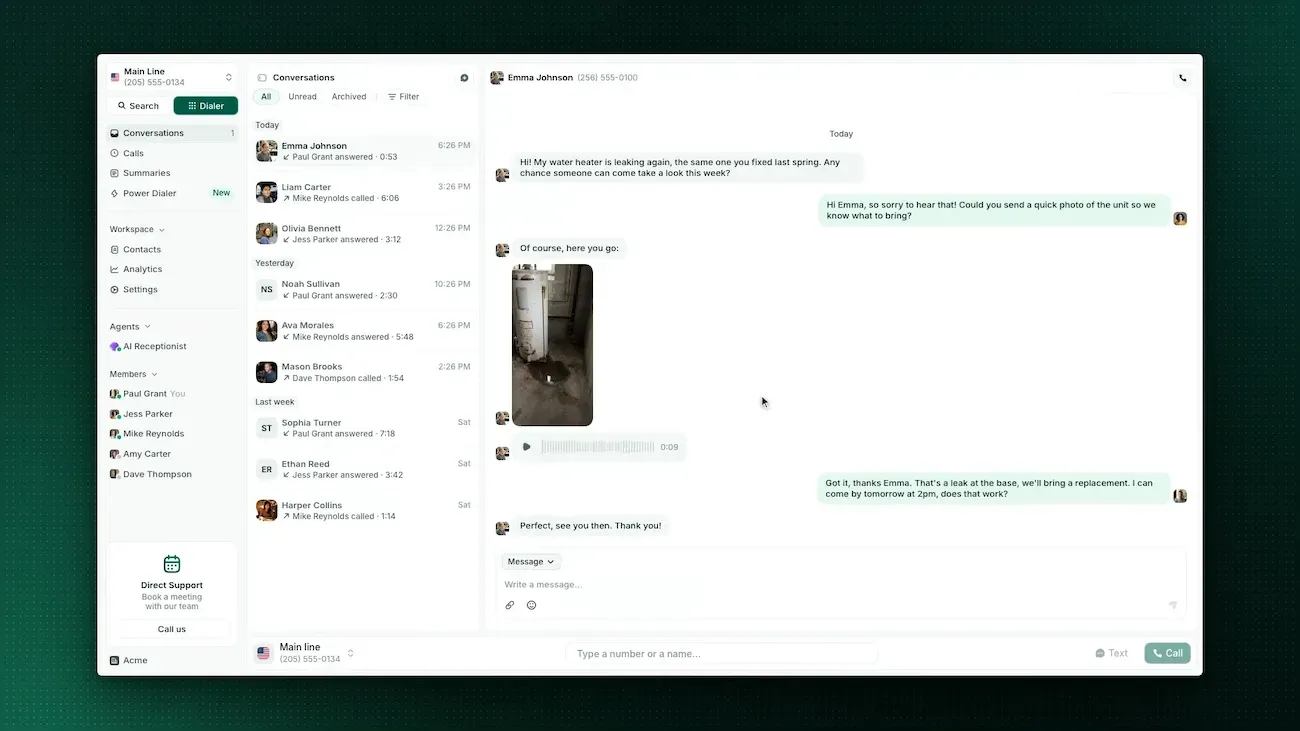
The Business plan is built for teams of 2 to 250 people, with a shared inbox and CRM sync, and the AI receptionist picks up when everyone’s busy.
Top features
- AI summaries and transcripts on every call, included in every seat
- An AI receptionist add-on that answers calls and books appointments into tools like Google Calendar or Calendly
- Numbers in 80+ countries, with free porting of the number you already have
- Mobile and desktop apps
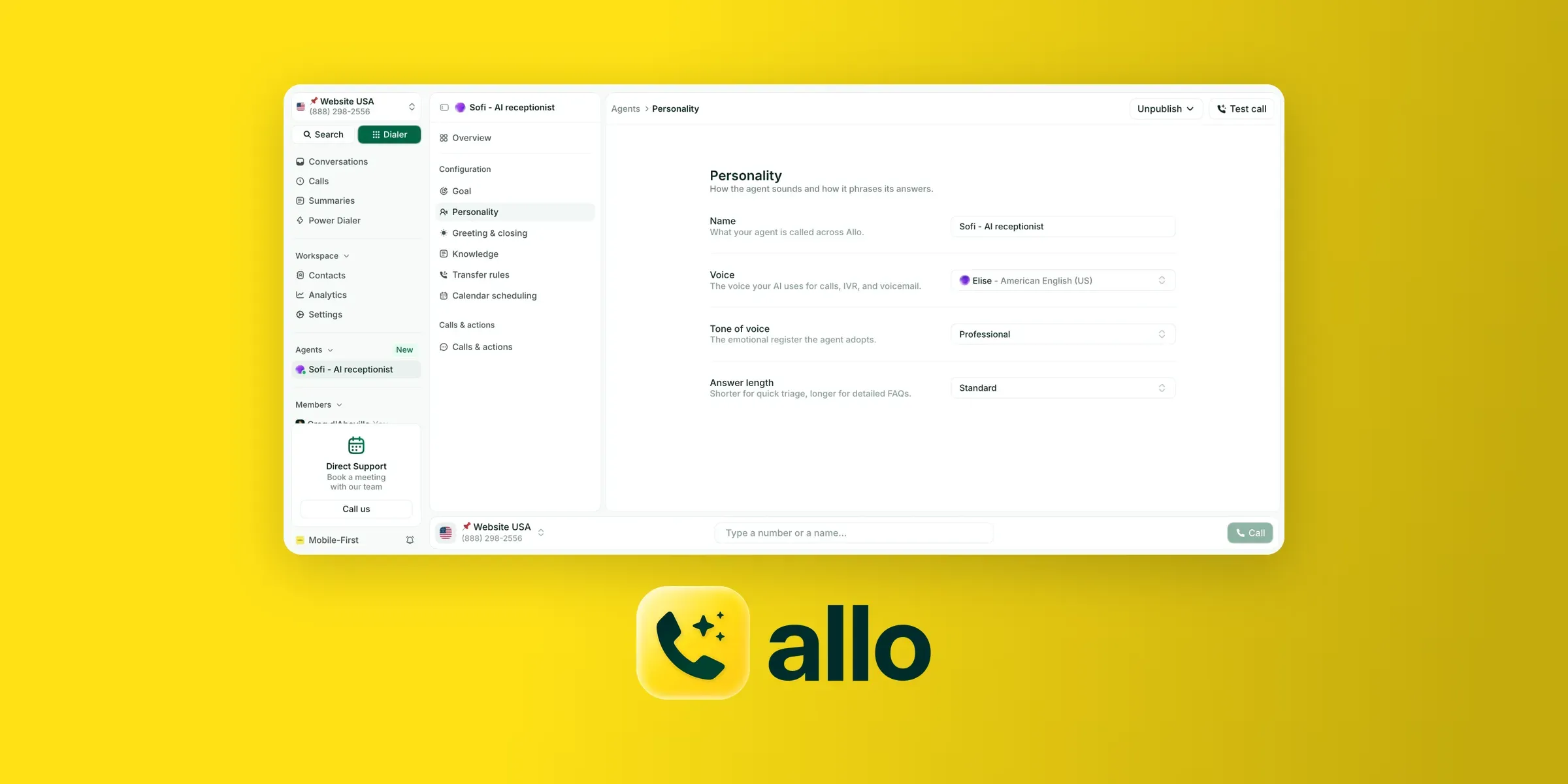
Integrations
Allo's Business plan syncs calls with HubSpot, Pipedrive, Attio, Salesforce and other CRMs.
Allo pricing
- Solo: $10/month billed annually ($15 monthly) for one person. It includes a number with call recording and AI summaries, but it can only receive texts, not send them.
- Business: $32 per user/month billed annually ($45 monthly). Each seat gets its own number, with texting, a shared inbox, CRM sync and call analytics.
- AI receptionist: $32/month billed annually, on top of any plan. It's a flat price, not a per-call charge, so you know the bill before the month starts. It answers calls day and night, books appointments or takes messages, sends a text follow-up and updates your CRM after each call.
- Extra numbers: from $5/month each.
Allo pros and cons
Pros
- An AI receptionist that answers when you can't, at a flat monthly price.
- A $10/month Solo plan for one person (billed annually), with call recording and AI summaries.
- Local numbers abroad: "What I appreciate the most is the ability to keep a French number while working from abroad." (Medhi D., July 2026, G2 review).
- Pricing that works for one person: "I switched to Allo because the prices are realistic for a solopreneur and it works really well." (Gaylord D., Dec. 2025, G2 review).
Cons
- The Solo plan can receive texts but not send them, so solo owners who text customers need the Business plan.
- The phone menu could be more flexible: "The only addition I would like is a more customizable IVR tree." (Brandon K., March 2026, G2 review).
- Call quality can dip on weak connections, a complaint shared across VoIP tools.
Allo demo
3. Grasshopper, best for a flat price and extensions
Grasshopper suits a small business that wants a main number with extensions at a flat monthly price, and doesn't need integrations.
It has the lowest G2 rating in this list, at 3.9/5 from 162 reviews, and canceling takes a phone call.
Who Grasshopper works best for
Small businesses that want a "press 1 for sales" phone menu and several people on one number, without paying per user.
Top features
- Local or toll-free numbers, including vanity numbers, or port the one you have
- Extensions and a phone menu, with custom schedules per extension
- Shared numbers and a shared inbox for calls and texts
- Unlimited users from the Solo Plus plan up
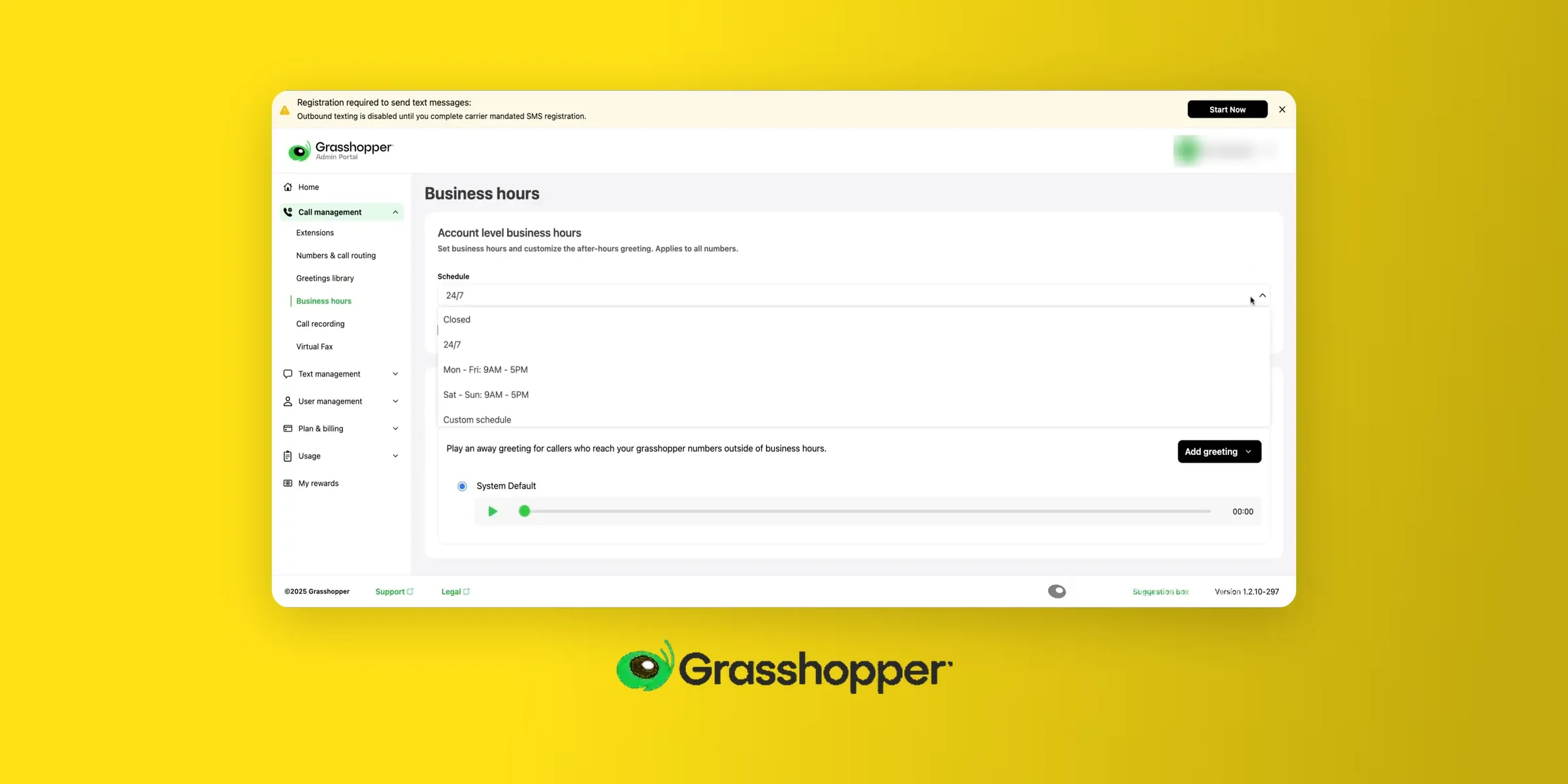
Integrations
Grasshopper doesn't offer native CRM integrations. It’s one of Grasshopper’s main limitations.
Grasshopper pricing
- True Solo: $14 a month billed annually ($18 monthly), for one user with one number and one extension.
- Solo Plus: $25 a month billed annually ($32 monthly). Unlimited users share one number, with 3 extensions.
- Small Business: $55 a month billed annually ($70 monthly). Unlimited users across 4 numbers, with unlimited extensions.
- Texting registration: Grasshopper passes the registry's fees through at cost, with $4 for the brand and $15 per campaign, then $2 to $10 a month.
Every plan comes with a 7-day money-back guarantee.
Grasshopper pros and cons
Pros
- One flat price, with unlimited users from Solo Plus (very convenient if you manage a team but don’t want to pay for seats for all your team members).
- Extensions plus calling and texting in one tool: "Altogether, we haven't found another software that allows multiple extensions plus calling and texting." (Marisa M., May 2026, G2 review).
- Quick setup, with a large choice of numbers.
Cons
- Canceling is a chore: "You can't cancel through the website or the app. You have to call customer service and answer a bunch of questions." (Justin B., June 2025, G2 review).
- The app can be unreliable: "Sometimes calls drop without a notice, and if they close the call, then it freezes and we have to restart the app." (Samuel M., July 2025, G2 review).
- The lowest G2 rating in this list, at 3.9/5.
Grasshopper demo
4. Quo, best for small teams that share one number
Quo (previously OpenPhone) is the easiest way to give a small team one number they all answer, with calls and texts in a shared inbox. It shares the top G2 rating here with Allo, at 4.7/5 from 3,419 reviews.
Who Quo works best for
Small teams where two or more people answer the same line, like a front desk and an owner, or a sales rep and a support rep.
Top features
- Shared numbers and a shared inbox for calls and texts
- Call recording and transcription
- Sona, an AI agent that answers calls, with 10 free calls a month per workspace
- A 7-day free trial, with no seat minimum
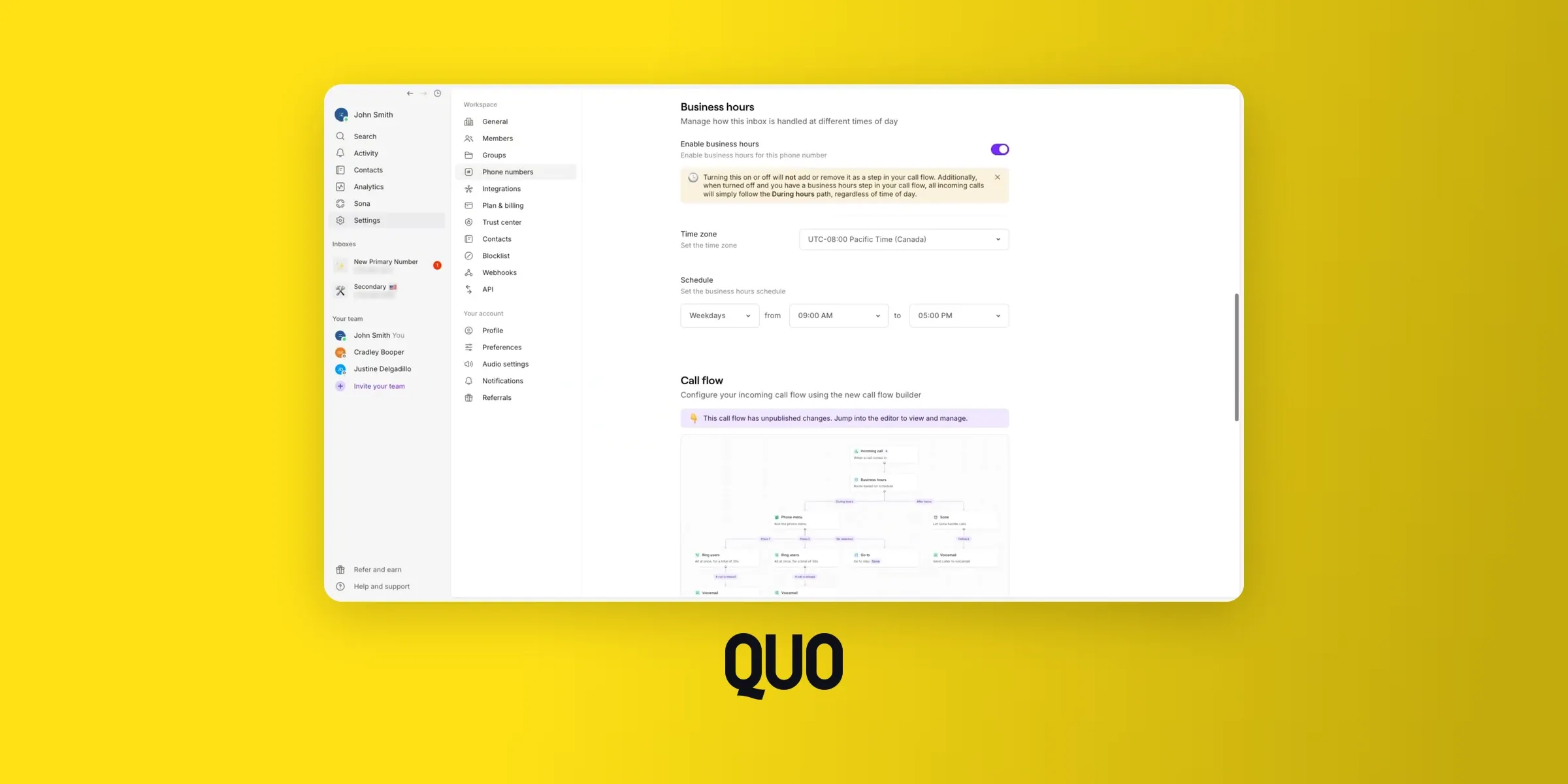
Integrations
Quo integrates with HubSpot, Salesforce, Pipedrive, Slack and Zapier. The CRM integrations require the Business plan or higher.
Quo pricing
- Starter: $15 per user a month billed annually ($19 monthly). Includes one number per user with calls and texts to the U.S. and Canada, plus voicemail transcripts.
- Business: $23 per user a month billed annually ($33 monthly). Adds phone menus, call transfers, AI call summaries and HubSpot and Salesforce integrations.
- Scale: $35 per user a month billed annually ($47 monthly). Adds AI call tags and faster support, including inbound phone support.
- Sona (AI answering): every plan includes 10 AI-answered calls a month per workspace. After that, credit packs cost from $25 a month for about 40 calls to $199 for about 600, or $1 a call with overages turned on.
Quo pros and cons
Pros
- Built for shared numbers, so a small team can split the work.
- Reviewers praise its ease of use more than anything else, in 700 mentions on G2.
- Business hours keep work and life separate: "I really like the fact that I can keep my same phone and use Quo during business hours and then set up the settings so that I don't get any calls or texts after business hours." (Owen C., Sept. 2026, G2 review).
Cons
- AI answering gets expensive past 10 calls a month.
- Connection issues are the top complaint on G2, in 184 mentions.
- Costs add up for a new business: "The price also feels somewhat expensive for a small business that's just starting out." (Taylor C., Aug. 2026, G2 review).
Quo demo
5. Dialpad, best for teams that work in Google Workspace or Microsoft 365
Dialpad makes sense when your team already lives in Google Workspace or Microsoft 365 and wants calls inside those tools.
For a solo owner who just needs a number, it's more phone system than you need, and the monthly price nearly doubles without an annual contract.
It's also the most-reviewed tool here, with 4.4/5 from 4,216 G2 reviews.
Who Dialpad works best for
Growing teams that want click-to-call from Gmail or Outlook, and AI transcription on their calls.
Top features
- Click-to-call and messaging buttons inside Gmail and Google Calendar
- AI call transcription, which G2 reviewers single out in 60 mentions
- Call recording and a multi-level auto attendant on every plan
- Business texting
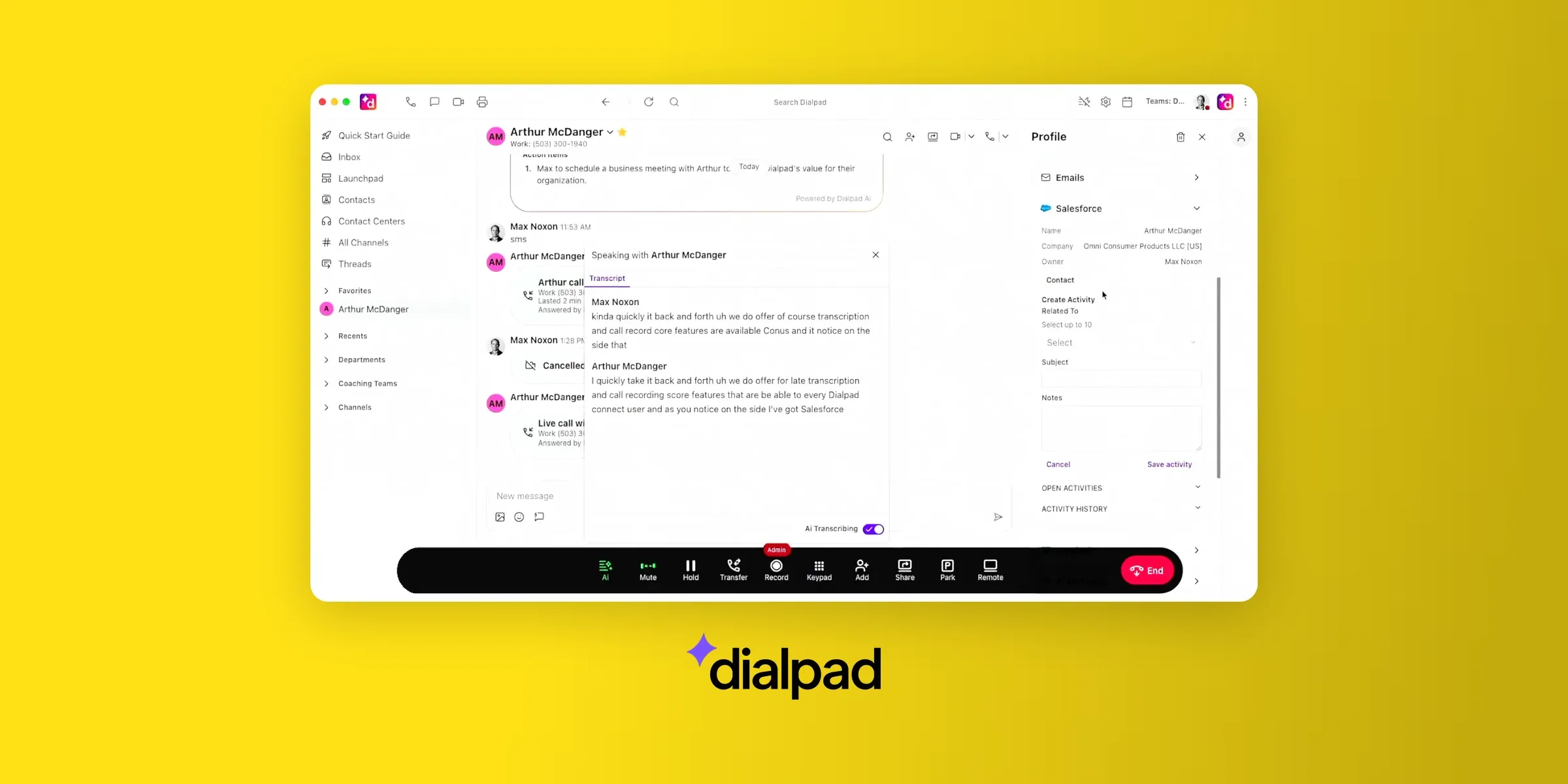
Integrations
Every Dialpad Connect account can connect to Google Workspace or Microsoft 365. CRM integrations like Salesforce and HubSpot start on the Pro plan.
Dialpad pricing
- Standard: $15 per user a month billed annually ($27 monthly). Includes one local number per user with unlimited calls and messaging. You also get up to 3 ring groups, plus real-time transcripts and AI call summaries.
- Pro: $25 per user a month billed annually ($35 monthly). Adds CRM integrations, 24/7 support, hold queues and up to 10 offices. It requires at least 3 users.
- Enterprise: custom pricing. Adds single sign-on (SSO) and extensions, plus unlimited offices and ring groups. It requires at least 100 users.
Dialpad pros and cons
Pros
- Works inside the email and calendar tools your team already uses.
- AI transcription that reviewers rate highly: "I like having transcripts of my conversations and voice messages." (Alina M., June 2026, G2 review).
- A large review base, with 4.4/5 from more than 4,200 G2 reviews.
Cons
- Monthly billing costs nearly twice the annual price on Standard.
- Call quality is the top complaint on G2, in 57 mentions: "The quality of the calls might be poor in case of the unstable internet connection." (Darshan K., Feb. 2026, G2 review).
- Extensions are only available on the Enterprise plan, which requires at least 100 users.
Dialpad demo
Best free internet phone numbers for personal use
If you just want a second number for personal use, two free options stand out. Neither is a good home for a business number, for the reasons already mentioned.
Google Voice (free plan)
Google Voice's free plan is the best free option if you live in the U.S. and have a Gmail account. You get a U.S. number with unlimited domestic calls and texts, plus voicemail transcription.
To sign up, you have to verify with a personal mobile number (landline and VoIP numbers can't be used for that step). The free plan doesn't support 911 calls, and Google can reclaim the number after three months without use.
TextNow
TextNow gives you a free number without a Google account, paid for by ads. It's a reasonable pick for a short-term second line.
Keeping the number takes effort. You have to call or text from it daily, or pay for the Lock In Number add-on at $1.99 a week. Removing ads costs $6.99 a week with Ad-Free+, which also locks your number, according to TextNow.
Internet phone numbers for verification codes
Free online short message service (SMS) inboxes are websites, like Receive-smss (there’s no typo the URL ends with two “s”!), that list shared phone numbers anyone can use. Every text those numbers receive shows up on a public page, so you can get a verification code without giving out your own number.
They cause two problems:
- Many apps won't send codes to these numbers. Google, for example, can reject VoIP numbers and limits how many accounts one number can create.
- When a code does arrive, anyone can read it, or later use the same number to reset your password.
Instead, use a number you control. For personal accounts, that's your own mobile number. For business accounts, use a number from your business phone provider, and test it with the service first, since some apps still reject internet numbers.
Conclusion
Picking an internet phone number comes down to who answers it and how long you plan to keep it.
For anything a customer will save, skip the free apps. Free numbers can be reclaimed, and they can't be registered for business texting. Before you sign up anywhere, ask how you'd port the number out later. The answer tells you whether it's really yours.
If you work alone, a number that forwards to your cell is enough, and Google Voice Starter is the cheapest way to get one. Once a second person answers, you need a phone system.
Quo is built around a shared inbox, and Grasshopper gives you extensions at a flat price. Dialpad fits teams that work in Gmail or Outlook.
If you want calls logged and summarized without extra work, Allo includes AI call summaries and CRM sync with every seat, and its AI receptionist picks up the calls you miss while you're working.
For a personal second line, the free Google Voice plan or TextNow is enough. For verification codes, use your own mobile number.
Frequently Asked Questions
How can I get an internet phone number?
Sign up with an internet phone provider and choose a new number, or port your existing one. Then install the app on your phone or computer. For a business, choose a paid plan like Quo or Allo, so you control the number and can register it for texting. For personal use, Google Voice and TextNow offer free numbers.
How can I get a free Wi-Fi phone number?
Google Voice and TextNow both give you a free number that works over Wi-Fi. Google Voice requires a Gmail account and a personal U.S. mobile number to verify. TextNow is ad-supported and reclaims numbers that aren't used often enough, so call or text from it daily to keep it.
Is there an internet phone service?
Yes. Internet phone services, also called VoIP providers, include Google Voice, Allo, Grasshopper, Quo, and Dialpad. They give you a phone number plus apps to call and text from it, and most business plans add features like voicemail transcription and call routing.
Can you get a landline with just internet?
Yes, in practice. An internet phone service gives you a number that works like a landline, and you can answer it on a desk phone that plugs into your router or through an app. The FCC counted four times more internet-based phone subscriptions than traditional landlines in 2025.
Who has the cheapest internet and phone bundle?
That depends on which internet providers serve your address, so compare local cable and fiber offers directly. If you already have internet, you may not need a bundle at all. An internet phone number from Google Voice starts at $10 a month for business use, and the free personal plan costs nothing.