
 (512) 555-0147
01
An Allo pill on every number
The extension finds the phone numbers on the page, in your CRM, on Google, on LinkedIn or in an email, and marks each one with the Allo icon.
Every phone number in Chrome gets an Allo button. One click, and the call goes out from your Allo number.
Trusted by 6,000+ businesses
Sales teams dial faster with Allo's click to call.
Right from your CRM
Click a number in your CRM or browser and Allo dials it.
Click to dial
One click connects the call, no typing a number by hand.
GDPR compliant
Calls and recordings handled to Europe's strictest standard.
Included from $32 / user
Click to call on every plan, with no extra add-on.
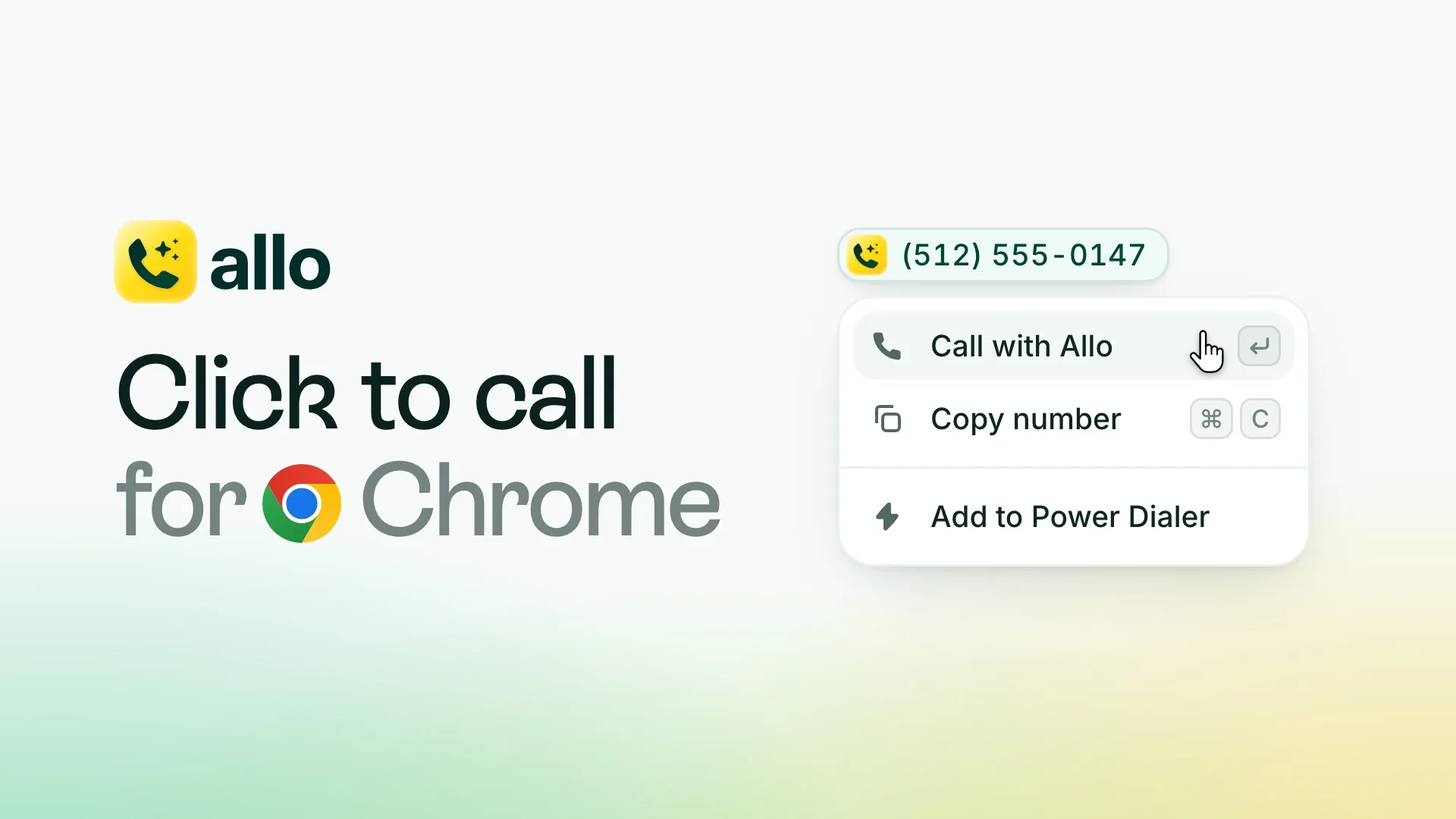
Add the extension to Chrome, sign in with your Allo account, and every number you see becomes a call.
Add to ChromeThe extension finds the phone numbers on the page, in your CRM, on Google, on LinkedIn or in an email, and marks each one with the Allo icon.
Click the pill and the call goes out from your Allo number. A green note at the top of the page shows the number being dialed.
Rest the pointer on a number to call it, copy it or add it to a Power Dialer campaign. Or press Enter to call and ⌘C to copy (Ctrl+C on Windows).
On a contact list in HubSpot, the extension picks up every name and number and adds them all to a Power Dialer campaign. The Power Dialer, an add-on, then calls them one after the other.
 Reps copy a number from a page, or retype it digit by digitA single wrong digit means a wasted dial and a callbackA call list gets built by copying numbers one at a timeCalls get logged later from memory, or not at all
 One click on the Allo pill and the call goes outNumbers dial exactly as shown, so there are no misdialsA CRM list goes into the Power Dialer in one clickEvery call is recorded and logged to your CRM for you
Click to call dials a phone number the moment you click it, instead of you typing it into a dialer. With Allo, numbers in the Allo apps and in supported CRMs are clickable, and the Click to call for Chrome extension does the same for any web page. A rep connects the call in one click and never mistypes a digit.
Add Click to call for Chrome from the Chrome Web Store and sign in with your Allo account. From then on, the phone numbers on the pages you visit carry an Allo pill. Click one and the call opens in the Allo app, from your Allo number.
Not inside Allo: in the Allo desktop, mobile and web apps and in supported CRMs, click to call works on its own with nothing to install. The extension is for everywhere else in Chrome, like Google, LinkedIn, an email or a CRM without a built-in dialer.
Rest the pointer on a number for a moment and a small menu opens: Call with Allo, Copy number, and Add to your Power Dialer campaign, which puts that number in the campaign you picked. The Power Dialer is an add-on.
Yes. With the pointer on a number, press Enter to call it or ⌘C to copy it (Ctrl+C on Windows). While you type in a field the keys do what they always do, and a text you selected still copies as usual.
Yes, with the Power Dialer add-on. On a contact list in HubSpot, open the extension's panel: it picks up every name and number on the page and adds them all to a Power Dialer campaign in one click. The Power Dialer then calls them one after the other. Attio has its own Allo integration for this.
Yes. Every call you place with click to call is recorded, transcribed and summarized, then logged to your CRM automatically the moment it ends, so there is no manual note-taking. Allo handles calls and recordings to the GDPR standard.
Click to call is included on every Allo plan from $32 per user per month, with no extra add-on, and the Chrome extension costs nothing to install. The Power Dialer, which calls a whole list for you, is a paid add-on. You can try Allo free for 3 days and keep your number.