
Article overview
We scored 39 phone systems on nearly 100,000 reviews from G2, Trustpilot, HubSpot and Pipedrive, weighted by review count, and kept the six highest-scoring virtual phone systems rated on at least two of those sites.
Three stand out, depending on the kind of team you run:
- Allo (4.63/5): best for small teams that want AI to do the admin. AI summaries, transcripts and customer relationship management (CRM) logging come with every plan, and an AI receptionist is a flat add-on. Starts at $10/month for one person on the Solo plan, or $32/user/month for teams on the Business plan, billed yearly.
- Quo (4.56/5): best for solo operators and texting-heavy service businesses. It puts a business line on your own phone, with a shared inbox for calls and texts. It stays inside the U.S. and Canada.
- Zoom Phone (4.52/5): best for teams already living in Zoom. Calls, meetings and chat share one app. The AI extras and HubSpot logging are its weak spots.
- The biggest names fall apart once you add Trustpilot. RingCentral holds 4.2/5 on G2 but 1.7/5 on Trustpilot, for a combined 2.79/5. That's why it isn't on this list.
For weeks, I've been looking for a way to evaluate virtual phone systems objectively.
Last week, it hit me: why not use the reviews people leave online?
Thousands of real users have already done the testing. If we weight their ratings properly, we should get an accurate and complete picture of how these tools really rank.
This article is the result of that approach. It ranks the best virtual phone systems of 2026 by what their users say, then tells you which kind of team each one suits.
Enjoy your read!
The best virtual phone systems at a glance
The cost column is what one user pays per month, billed yearly, for the cheapest plan that includes AI call summaries.
| Tool | Recommended to | Weighted score | Starting cost with AI call summaries | G2 rating |
|---|---|---|---|---|
| Allo | Small teams (1 to 20) that want AI to do the admin | 4.63/5 (276 reviews) | $10/mo (Solo plan, 1 user, AI summaries included). 5 users = $160/mo ($32/user, Business plan) | 4.7/5 |
| Quo | Solo operators and texting-heavy service businesses | 4.56/5 (4,603 reviews) | $23/user/mo (Business plan: AI summaries and CRM integrations start here). 5 users = $115/mo | 4.7/5 |
| Zoom Phone | Teams already standardized on Zoom | 4.52/5 (2,762 reviews) | $16/user/mo (US & CA Unlimited, AI post-call summaries included). 5 users = $80/mo | 4.6/5 |
| Nextiva | Traditional offices that want desk phones or HIPAA | 4.50/5 (12,372 reviews) | $75/user/mo (AI transcription and summaries are on the Scale plan only). 5 users = $375/mo | 4.5/5 |
| CloudTalk | Outbound sales teams calling many countries | 4.29/5 (3,427 reviews) | $34/user/mo ($25 Starter + $9 AI Conversation Intelligence add-on). 5 users = $170/mo | 4.4/5 |
| Dialpad | Salesforce teams with mid-market AI needs | 4.25/5 (7,650 reviews) | $15/user/mo (Standard, AI transcription and recaps included). 5 users = $75/mo. CRM integrations need Pro: $25/user, 3-seat minimum | 4.4/5 |
Methodology: how we scored and chose the tools
The scoring
We didn’t want to publish another biased article that ranks us first because it’s our blog.
We wanted to use a methodology that would convince anyone. And we wanted it to be simple enough so that anyone can challenge it too.
Here’s how it works: each tool's score is the average of its ratings on four review sites, weighted by how many reviews each site holds:
Score = (G2 rating × G2 reviews + Trustpilot rating × Trustpilot reviews + HubSpot rating × HubSpot reviews + Pipedrive rating × Pipedrive reviews) ÷ total reviews
Take Allo. It's rated 4.7 on G2 (209 reviews), 4.1 on Trustpilot (22), 4.6 on HubSpot (30) and 4.5 on Pipedrive (15). That's 1,278 rating points across 276 reviews, or 4.63/5.
Weighting by review count matters. A 5/5 from twelve reviewers shouldn't outweigh a 3/5 from two thousand, and a simple average of the four sites would let it.
Two house rules kept the numbers fair:
- We only used each site's displayed score, never an average of a sample of reviews. In other words, you can go to G2 or Trustpilot and check the score for yourself.
- We ignored ratings that cover a whole company rather than its phone product. Zoom's Trustpilot page, for example, rates zoom.us as a whole, so it's left out of Zoom Phone's score.
We captured all ratings on October 16, 2026.
Why these four sources
- G2, because reviewers are verified as real users of the product, and it's where most B2B buyers start.
- Trustpilot, because anyone can post there. Reviews are open, and that's where you usually find the horror stories: the surprise charges, the cancellations that take three months, the support ticket nobody answers.
- HubSpot and Pipedrive marketplaces, because their reviewers are rating one thing: the integration. A phone system that can't log a call properly in your CRM costs you an hour of copy-pasting a day, and these two marketplaces are where that shows up.
Which tools made the cut, and which didn't
We scored 39 tools on 99,531 reviews, then kept the six highest-scoring virtual phone systems that are rated on at least two of the four sites. One glowing G2 score isn't enough to rank a tool against products judged by thousands of people on several platforms.
That rule cut a few tools that scored well on G2 alone: Talkroute (4.69 from 44 reviews), CallHippo (4.50), KrispCall (4.43), 3CX and MightyCall (4.40). Ringover (4.18) and JustCall (4.13) just missed the cut.
The big names you might expect are missing for a different reason: their users rate them poorly once you look beyond G2.
| Tool | G2 | Trustpilot | Weighted score |
|---|---|---|---|
| RingCentral | 4.2 (1,496) | 1.7 (2,010) | 2.79 |
| Vonage | 4.3 (504) | 2.1 (1,554) | 2.63 |
| 8x8 | 4.2 (261) | 2.8 (625) | 3.17 |
| Grasshopper | 3.9 (162) | 3.0 (357) | 3.28 |
| Aircall | 4.4 (1,673) | 3.0 (1,091) | 3.90 |
| Ooma Office | 4.5 (134) | 3.9 (2,742) | 3.92 |
Weighted scores also include HubSpot and Pipedrive ratings where they exist.
You can check each score yourself on Trustpilot: RingCentral, Vonage, 8x8, Grasshopper, Aircall and Ooma Office.
RingCentral is the clearest case. It tops most "best virtual phone system" lists, yet more than two thousand Trustpilot reviewers give it 1.7/5. Microsoft Teams Phone is out because it has no rating of its own: its G2 and Trustpilot pages rate Microsoft Teams and Microsoft as a whole. Google Voice (4.03) is a fine low-cost starting point, but it scores below all six picks.
We also left out power dialers (Nooks, Orum, Kixie) and standalone AI voice agents (Bland and Synthflow). They're excellent at one job, but they aren't phone systems.
Speaking of phone systems, let’s start by defining the category.
What is a virtual phone system?
A virtual phone system is a business phone line that runs over the internet instead of a copper wire or a box in your server room. You get business numbers, and your team answers them from their phones or computers, wherever they are. Calls can be routed, recorded, forwarded and transferred, all from a settings page rather than a technician's visit.
In practice, "virtual" means:
- No hardware. Your laptop and your cell phone are the desk phone.
- Numbers anywhere. You can pick a local number in a city you've never set foot in, or keep your existing one by porting it.
- Everything is software. Changing business hours or adding a teammate takes a minute, not a service call.
How AI changed the category
Until recently, a virtual phone system was judged on call quality, routing and price.
Those still matter, but buyers now also ask what a phone system does after the call.
The leading tools now:
- Transcribe and summarize every call, so nobody takes notes during a conversation.
- Log the summary in your CRM against the right contact and deal.
- Answer the calls you miss with an AI receptionist that can answer questions, qualify a lead and book a meeting.
- Suggest the next step, such as a follow-up email or text drafted from what was said.
Every tool on this list ships some AI. They differ in how much of it you get without paying for a higher tier, and in whether it works.
Reviews show the gaps: Nextiva's own users call its AI "immature," and Dialpad's say it struggles with accents.
Benefits of virtual phone systems
- Lower cost: no hardware, no installation, and most plans from about $10 to $35 per user per month.
- Work from anywhere: the same number rings on every device your team uses.
- A professional front: a business number keeps your personal number private.
- Less admin: with AI summaries and CRM logging, calls document themselves.
- Scales with you: adding a user or a number takes minutes.
A quick note: Allo is our product, and it comes first in this ranking. We didn't put it there; the formula did. To keep this comparison fair, we scored every tool with the same formula on public ratings, quoted real reviews (including Allo's worst ones), and linked every major claim so you can check it yourself.
1. Allo: best for small teams that want AI to do the admin
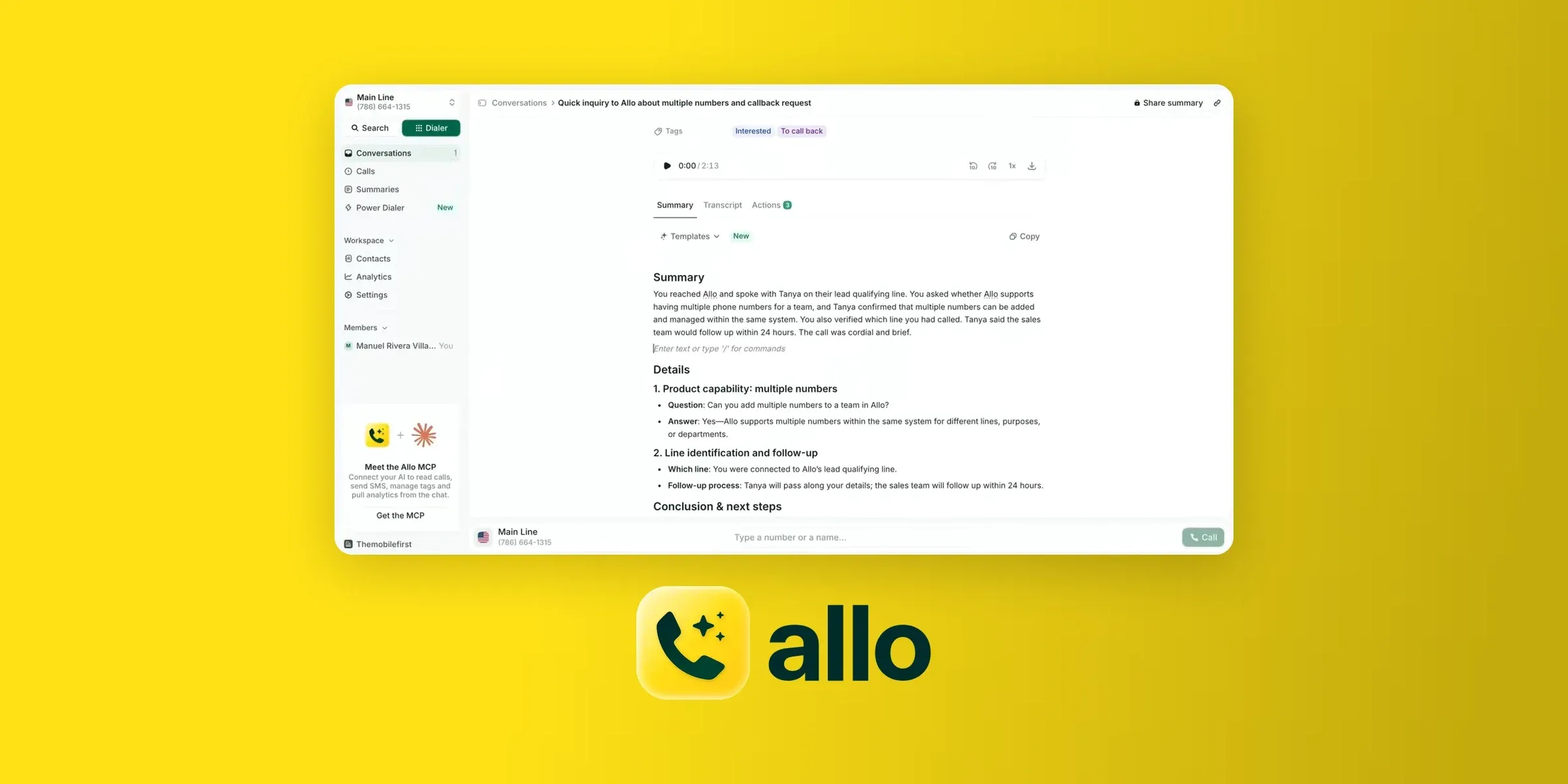
Verdict: If you're a team of 1 to 20 and want every call summarized, transcribed and logged in your CRM without paying for an enterprise tier, Allo is the strongest pick on this list. Skip it if you run a contact center or live inside Salesforce.
Weighted score: 4.63/5 from 276 reviews (G2 4.7, Trustpilot 4.1, HubSpot 4.6, Pipedrive 4.5).
Who Allo works best for
- Small teams of 1 to 20. That's Allo's core: reviewers describe startups and teams of three.
- Sales and prospecting teams on HubSpot, Attio or Pipedrive. CRM logging is the most common pro in Allo's reviews.
- Teams that want an AI receptionist without an enterprise contract. The receptionist answers, handles questions and books meetings for a flat monthly fee.
Top features
- AI call summaries and transcripts on every plan
- AI receptionist with calendar booking, unlimited minutes
- Post-call actions: follow-up tasks, CRM updates and drafted emails
- Power dialer (add-on), call recording, interactive voice response (IVR) and call routing
- Local numbers in 80+ countries, with number porting
- Desktop, mobile and web apps, with Allo usable as your default phone app
Integrations
Allo has 30+ native integrations, including HubSpot, Salesforce, Pipedrive, Zoho, Attio, GoHighLevel and Follow Up Boss. It also connects to Zapier, Make, a public application programming interface (API), webhooks and the Model Context Protocol (MCP), which lets AI assistants like Claude work with your calls. HubSpot is the deepest: every call logs with its AI summary, transcript and recording, contacts sync both ways, and you can call from inside HubSpot with the HubSpot dialer.
The known gap is Salesforce depth. You can't send texts or create tickets from inside Salesforce yet.
Allo pricing
- Solo: $10/month billed yearly ($15 monthly), for one person. Includes AI summaries.
- Business: $32/user/month billed yearly, or $45 monthly. Includes AI summaries.
- AI receptionist: a flat $32/month per agent billed yearly ($45 monthly), on any plan.
- Power dialer: $50/month per team.
- 7-day free trial. Full details on the pricing page.
Allo pros and cons
Pros
- AI summaries that land in the CRM. "I really appreciate how Allo integrates with our Attio CRM, which is great and simplifies follow-up thanks to AI-generated summaries." (Jules D., Jan. 2026, G2 review)
- Fast setup. "Setup took about ten minutes and we were taking business calls the same afternoon." (Sergey C., May 2026, Trustpilot review)
- An AI receptionist people actually like. "I can't say enough about the AI receptionist. Very easy to set up, can handle questions and also book appointments." (John P., Aug. 2026, Trustpilot review)
- Responsive support. "Response times are fast, and the founders themselves jump in when needed." (George T., May 2026, Trustpilot review)
- Fair price for a full system. "They offer a very complete and powerful solution for a very fair price which was something important to us as a startup." (Mehdi T., Dec. 2025, G2 review)
Cons
- Texting (SMS) is less mature than calling. "I think it would be great to add SMS templates because my clients always ask the same things." (Jules D., Jan. 2026, G2 review)
- Analytics are basic for managers. "I manage a team of SDRs, and it would be helpful to have more advanced call analytics and the possibility to tag each call." (Martin S., Jan. 2026, G2 review)
- Not built for contact centers. Call queues are still in beta, and there are no sub-teams or supervisor views.
Allo demo
2. Quo: best for solo operators and texting-heavy service businesses
Verdict: Quo (formerly OpenPhone) is the easiest way to put a business line on the phone you already carry, and its shared inbox makes texting customers painless. Pick it if you're a solo operator or a small service business in the U.S. or Canada. Look elsewhere if you dial out of your CRM all day or need numbers outside North America.
Weighted score: 4.56/5 from 4,603 reviews (G2 4.7, Trustpilot 4.2, HubSpot 3.4, Pipedrive 4.0).
Who Quo works best for
- Solo operators and teams under about 10. 92% of the G2 reviewers we read run small businesses.
- Texting-heavy service businesses such as therapists, attorneys, remodelers and pet services. Scheduled texts and auto-replies are built in.
- Teams that want AI answering on a small budget. Its AI agent, Sona, answers calls, qualifies leads and books appointments.
Top features
- Business numbers on your own phone, desktop and browser
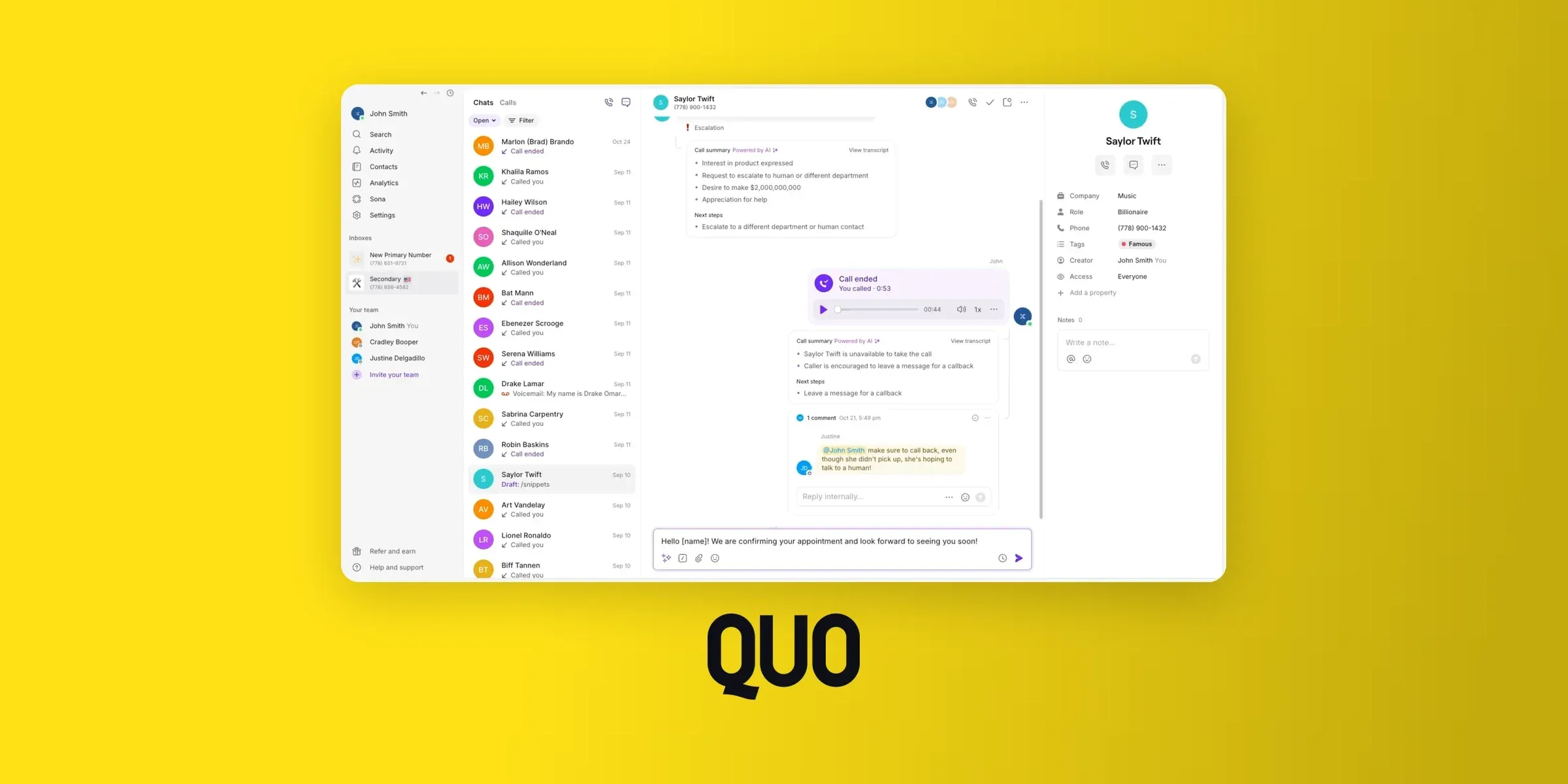
- Shared inbox for calls and texts, with numbers shared across teammates
- Sona, the AI voice agent, plus call transcripts and summaries
- Scheduled texts and auto-replies
- Drag-and-drop call flows
- API and MCP access
Integrations
HubSpot, Salesforce, Pipedrive, Zoho, Attio, HighLevel, Housecall Pro and Jobber are native, plus Slack and Zapier. The HubSpot integration is the weak point: HubSpot users rate it 3.4/5, mostly because it logs calls but dialing from HubSpot needs Quo's desktop app.
Quo pricing
- Starter: $15/user/month billed yearly ($19 monthly). U.S. and Canadian numbers only, and 10 free Sona calls a month.
- Business: $23/user/month billed yearly ($33 monthly). Adds AI summaries and transcripts, CRM integrations and HIPAA (Health Insurance Portability and Accountability Act) support.
- Scale: $35/user/month billed yearly ($47 monthly). Adds AI call tags and action items.
Beyond the free calls, Sona runs on credits, and one reviewer wished "the credits for Sona had been a little bit more clearly described" (Arthur D., Sept. 2026, G2 review). Note that CRM integrations start on Business, so a HubSpot user can't stay on Starter.
Quo pros and cons
Pros
- No learning curve. "It's so intuitive and simple to use. The learning curve is minutes, not hours or days." (Steven S., July 2026, G2 review)
- Business and personal kept apart. "The absolute best part about Quo is how easily it lets me keep my business and personal life completely separate." (Ocean Pines H., May 2026, G2 review)
- Sona earns its keep. "My favorite feature is Sona, the AI assistant. It helps answer calls, qualify leads, collect appointment details, and guide clients to the correct booking options when I'm unavailable." (Darshell H., June 2026, G2 review)
- Human support over email. "With Quo, I send an email and a real person looks into the issue or inquiry and resolves or provides a path." (Allan K., April 2026, G2 review)
Cons
- Limited dialing from HubSpot. "Just sync call log. No option to make calls." (Patel R., June 2026, HubSpot review)
- No phone line for support. "That there is no customer service number we can call, and no account rep we can call if there are any issues or questions." (Owen C., Sept. 2026, G2 review)
- Missed calls for some users. "Customers call but the phone does not ring 1/2 the time." (Michael F., July 2026, G2 review)
- Thin scheduling options. "It’s frustrating that I can’t set custom hours, like alternating weekend schedules." (Aug. 2026, G2 review)
- U.S. and Canada only. Quo only offers U.S. and Canadian numbers.
Quo demo
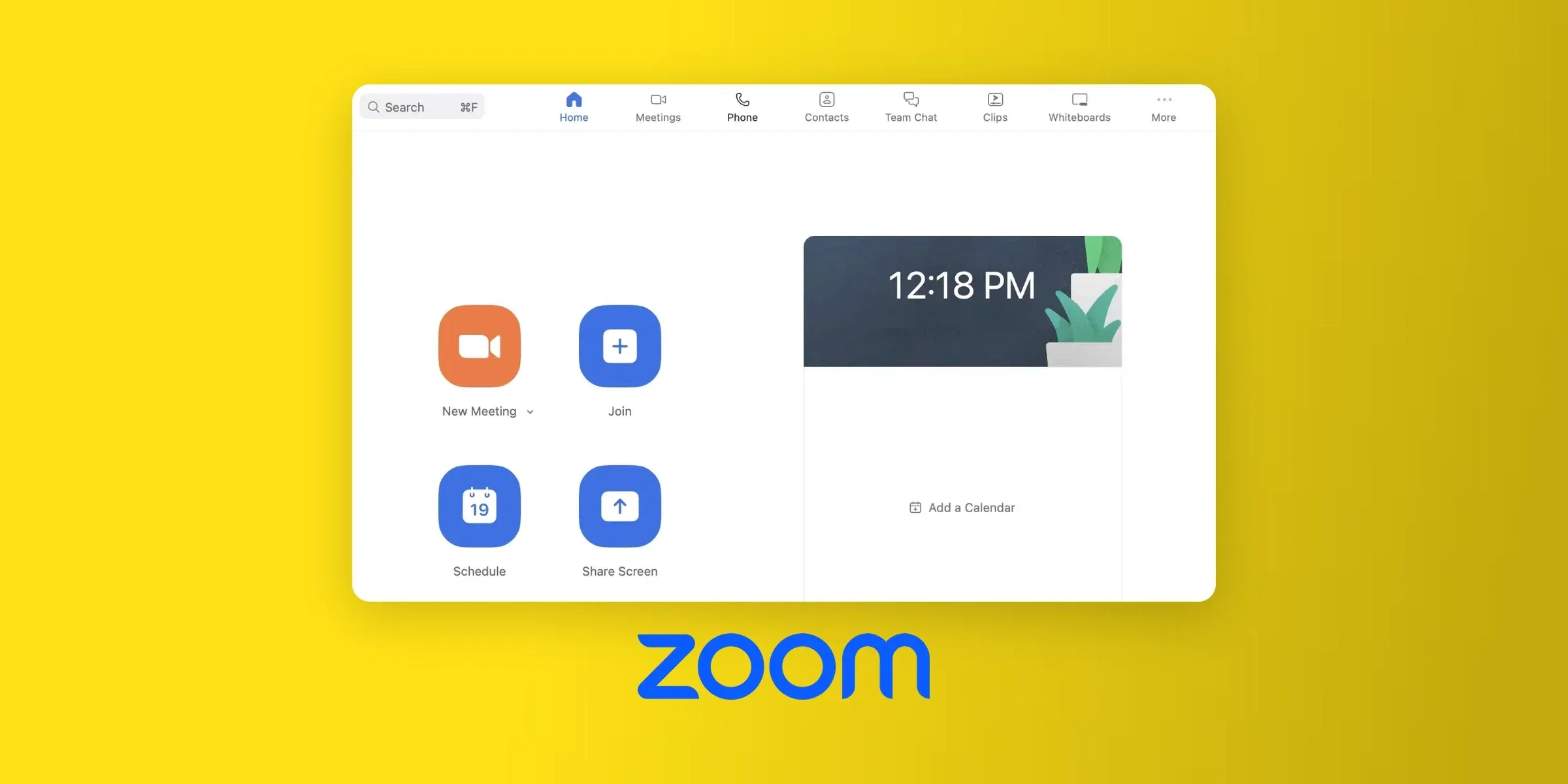
3. Zoom Phone: best for teams already standardized on Zoom
Verdict: If your team already runs on Zoom Meetings and Chat, Zoom Phone is the easy choice, with calls and meetings in the same app. Outside the Zoom ecosystem it's less compelling, because the AI extras cost more and the HubSpot integration frustrates its users.
Weighted score: 4.52/5 from 2,762 reviews (G2 4.6, HubSpot 2.1). Zoom's Trustpilot page rates zoom.us as a whole, so we left it out.
Who Zoom Phone works best for
- Teams already on Zoom Meetings and Chat. It's the strongest theme in its reviews.
- Remote and hybrid teams that move calls between laptop and mobile ("call flip").
- Salesforce and Dynamics 365 shops. Both integrations are native.
Top features
- Calls, meetings, chat and voicemail in one app
- Call flip between devices
- IVR, call queues, routing and recording
- AI Companion call summaries and voicemail transcription
- AI Receptionist (standalone or per minute)
- Desk phone support
Integrations
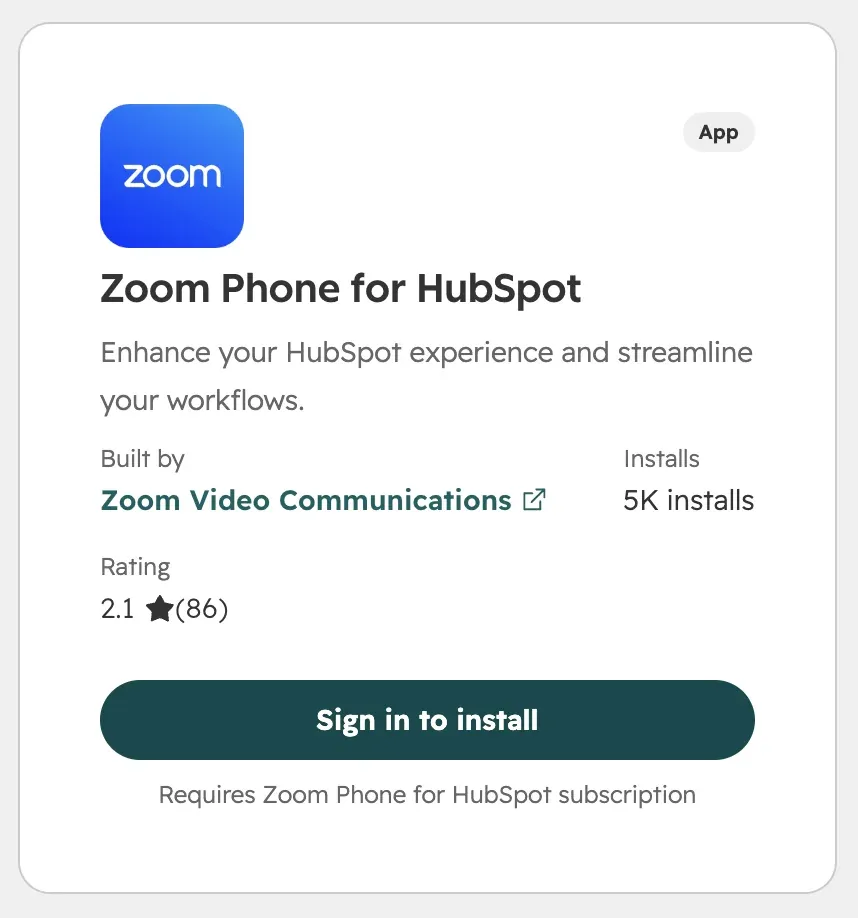
Salesforce, HubSpot, Zoho, Zendesk and Microsoft Dynamics are native. Pipedrive and Odoo connect through Zapier, and Attio, Close and GoHighLevel aren't supported. HubSpot users give the integration 2.1/5, mainly because calls and texts don't always log.
Zoom Phone pricing
- Metered: $10.50/user/month billed yearly ($12 monthly)
- US & CA Unlimited: $16/user/month billed yearly ($18 monthly). Includes call recording and AI post-call summaries.
- AI Receptionist: a 100-minute free trial is included with Phone plans. After that, it's $0.25/minute on top of Zoom Phone, or $25/month standalone for 100 minutes, both billed yearly.
Zoom Phone pros and cons
Pros
- One app for everything. "Integrates perfectly with Zoom meetings. No more app-switching." (Srishti J., April 2026, G2 review)
- Easy setup. "Zoom is the easiest platform to use and doesn’t require much onboarding. The initial setup was incredibly easy." (Oct. 2026, G2 review)
- Clear audio. "The audio quality is usually better than my cellular reception, which gives me more confidence talking to important customers knowing they can hear me clearly." (Vicky V., Jan. 2026, G2 review)
- Seamless device switching. "I really like the call flip feature because I can start a call on my laptop and then move it to my mobile instantly without hanging up if I need to step out." (Kala P., Jan. 2026, G2 review)
Cons
- AI and analytics cost extra. "It would also be helpful to have more advanced analytics and AI-driven features included without additional costs." (May 2026, G2 review)
- Unreliable HubSpot logging. Users say it "occasionally fails to auto-log calls and SMS messages, seemingly without rhyme or reason as far as we can tell." (Ellis S., Sept. 2026, HubSpot review)
- A shifting admin portal. "The Admin Portal is constantly changing and you often have to hunt for settings and features that have moved." (July 2025, G2 review)
- Shallower than specialist tools. "Certain advanced calling features, such as in-depth call analytics, more sophisticated call routing, or highly customizable auto-attendants, are not as fully developed." (Tiwari S., Jan. 2026, G2 review)
Zoom Phone demo
4. Nextiva: best for traditional offices that want desk phones and hand-holding
Verdict: Nextiva is a solid, conventional business phone system with desk phones, HIPAA compliance and onboarding support its reviewers praise. It's the right call for an office that wants a phone system that just works. It's the wrong one if AI matters to you: its AI summaries are only on the top plan, and its own users call the AI immature.
Weighted score: 4.50/5 from 12,372 reviews (G2 4.5, Trustpilot 4.5).
Who Nextiva works best for
- Small and mid-size offices that want a standard cloud phone system with easy admin.
- Teams that still want desk phones alongside the apps.
- Regulated businesses such as medical and law practices: HIPAA and single sign-on (SSO) are supported.
- Buyers who value hands-on onboarding.
Top features
- Calling, SMS, video meetings and team chat in the NextivaONE app
- Multi-level auto attendant, IVR and call routing
- Desk phone support
- AI Transcription & Summary (Scale plan)
- XBert AI receptionist (add-on)
- HIPAA and SSO
Integrations
HubSpot, Salesforce, Pipedrive, Zoho, GoHighLevel, Microsoft Dynamics, Zendesk and Freshdesk plus vertical tools such as ServiceTitan, athenahealth and Epic. CRM integrations are an add-on on the Engage plan, not a standard feature.
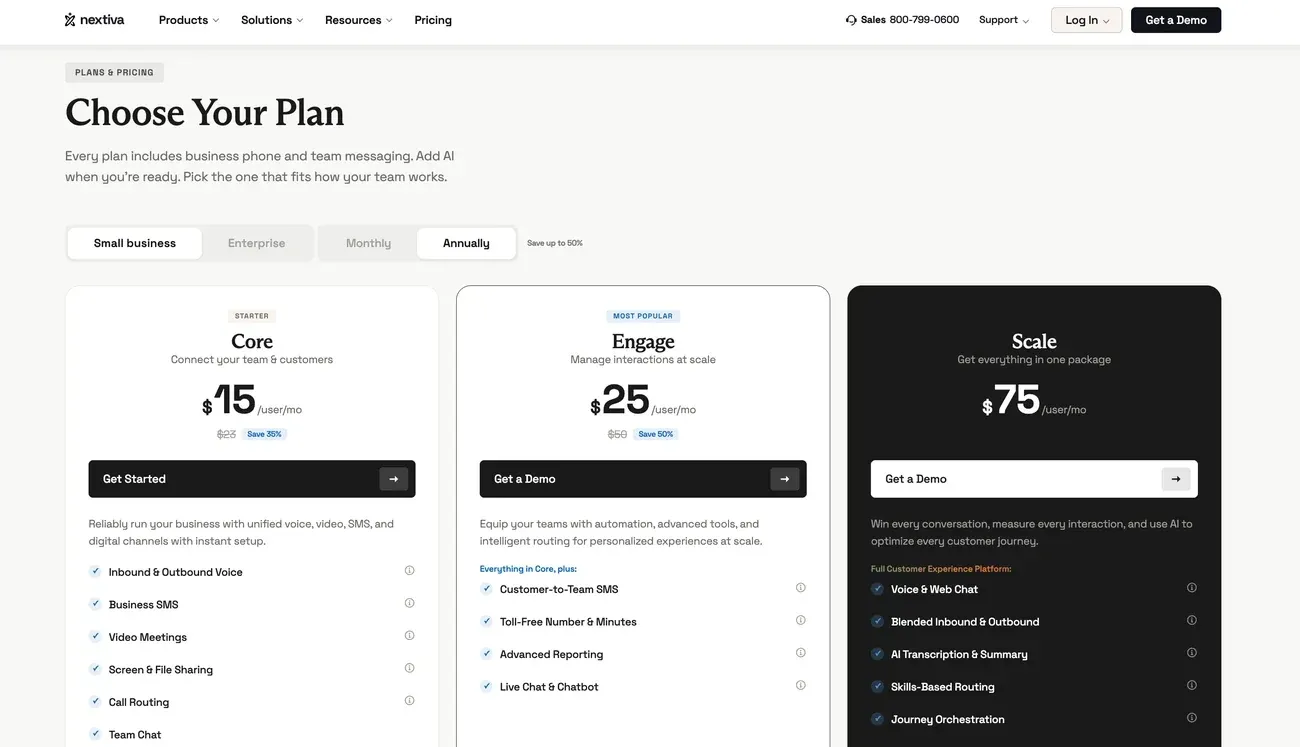
Nextiva pricing
- Core: $15/user/month billed yearly ($23 monthly). Call recording is an add-on.
- Engage: $25/user/month billed yearly ($50 monthly). Adds toll-free numbers and live chat, with CRM integrations as an add-on.
- Scale: $75/user/month, the only plan that lists AI Transcription & Summary on Nextiva's plan page
- XBert AI receptionist: from $99/month.
The Scale plan costs the same billed monthly or yearly. For a team of five that wants AI summaries, that's $375 a month before the receptionist.
Nextiva pros and cons
Pros
- Easy to run. "I like how easy Nextiva makes it to find extensions by name instead of memorizing numbers." (Angela M., Oct. 2026, G2 review)
- Helpful support. "Their representatives are consistently prompt, knowledgeable, and genuinely helpful, resolving any questions or configuration needs efficiently." (Oct. 2026, G2 review)
- Reliable calls. "Reliability has been excellent. We've never had any issues with connectivity, and voice calls have always been clear." (Sept. 2026, G2 review)
- Desk phones, desktop and mobile on one account. "I love that I can use Nextiva on my phone, my desktop, or on our desk phone system - all in one seamless integration." (Zachary D., Oct. 2026, G2 review)
Cons
- AI that hasn't caught up. "The biggest drawback is that some of the newer features, particularly the AI tools, still feel a little immature and not as polished or intuitive as I would like." (Taryn N., Sept. 2026, G2 review)
- Reports are hard to build. "Creating reports isn't the easiest. I usually have to ask my rep to create the report for me..." (Cindy R., Aug. 2026, G2 review)
- Price creep. "The price of Nextiva keeps increasing over time." (Oct. 2026, G2 review)
- 12-month contracts. One reviewer paid for an AI service for seven months without it working, then hit the contract: "they said sorry, you signed a contract for 12 months." (Levi F., Sept. 2026, Trustpilot review)
Nextiva demo
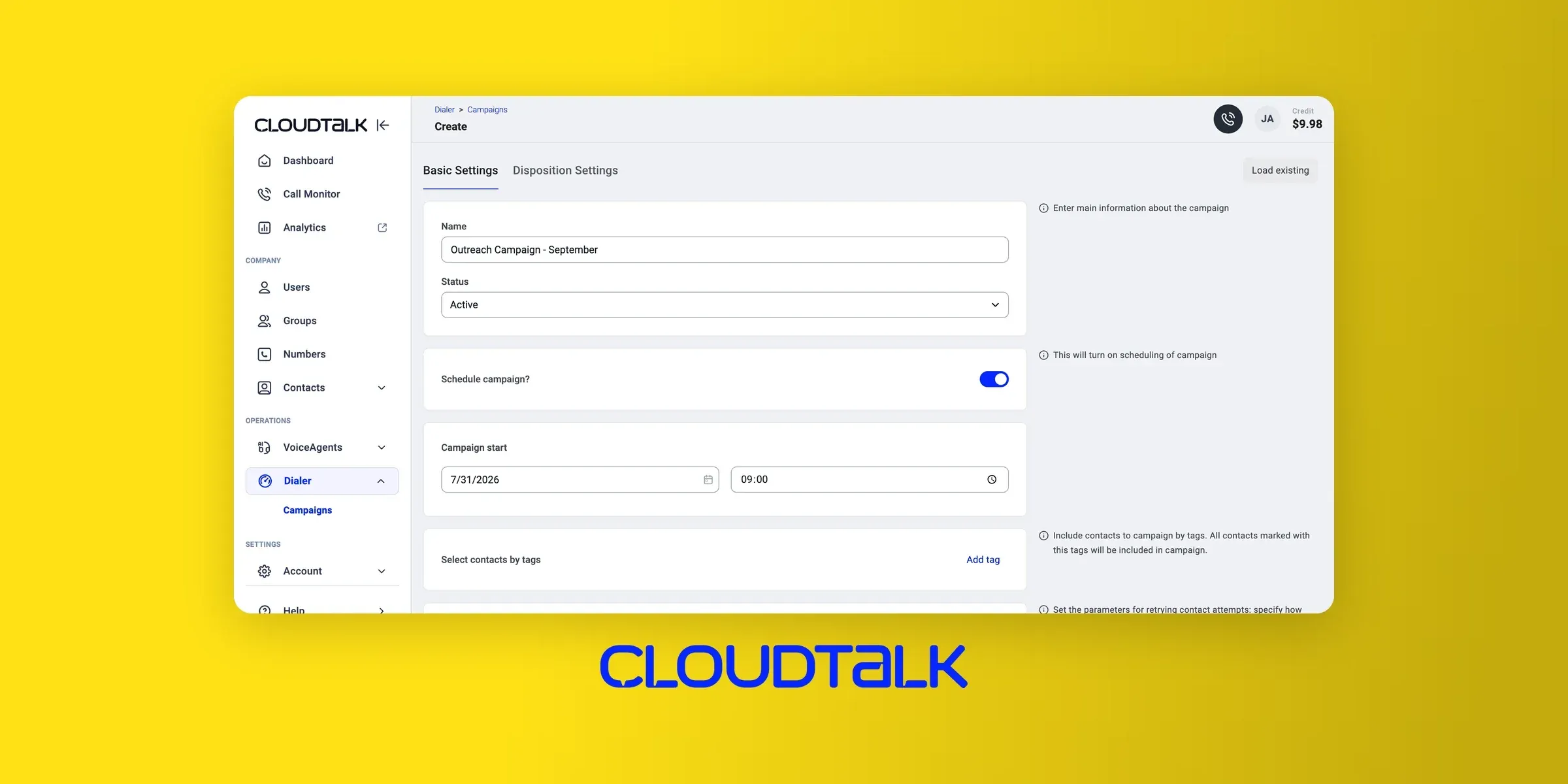
5. CloudTalk: best for outbound sales teams calling many countries
Verdict: CloudTalk is built for outbound: power and parallel dialers, local numbers in many countries, and HubSpot and Pipedrive logging that its reviewers praise. Pick it if your team cold-calls internationally. Budget carefully, because the dialers and the AI are each a separate per-user add-on.
Weighted score: 4.29/5 from 3,427 reviews (G2 4.4, Trustpilot 4.2, HubSpot 4.4, Pipedrive 4.0).
Who CloudTalk works best for
- Outbound sales and sales development rep (SDR) teams in HubSpot or Pipedrive.
- Teams calling many countries, thanks to local numbers and number rotation.
- Small call centers and support desks that need live monitoring and queues.
Top features
- Power dialer and parallel dialer (add-ons)
- Local numbers in many countries, with number rotation
- Call queues, live monitoring and analytics
- AI voice agent
- AI Conversation Intelligence: transcripts and summaries (add-on)
Integrations
HubSpot and Salesforce are verified native integrations that log calls and recordings. Pipedrive, Zoho, Attio and Close are also native. HubSpot users rate the integration 4.4/5, second only to Allo (4.6) among these six tools, though some report calls not marked as completed in sequences.
CloudTalk pricing
- Starter: $25/user/month billed yearly
- Essential: $29/user/month billed yearly
- Expert: $49/user/month billed yearly, 3-license minimum, Power Dialer included
- Power Dialer: +$15/user/month (included in Expert)
- Parallel Dialer: +$39/user/month
- AI Conversation Intelligence: +$9/user/month
That stacking adds up fast. An Expert seat with the parallel dialer and AI comes to $97/user/month, or $485/month for five reps.
CloudTalk pros and cons
Pros
- Quick onboarding. "The clean, user-friendly dashboard makes onboarding effortless, allowing agents to start making calls almost immediately without a steep learning curve." (Maxime L., Sept. 2026, G2 review)
- CRM logging that works. "The HubSpot integration is where we get the most value: calls log automatically against the right records..." (HubSpot review)
- Solid international calls. "The call quality is very stable even with international routing, which is not always the case with VoIP tools." (Sudhir P., June 2026, G2 review)
- Built-in spam protection. "Auto number rotation, useful when you want to use multiple numbers for cold calling, so a single number doesn't get overloaded or flagged as spam." (Nayan B., Sept. 2026, G2 review)
Cons
- Add-ons everywhere. "Essential tools like the Power Dialer, custom integrations, and advanced analytics are restricted to higher-tier plans, making it unexpectedly costly for smaller teams to scale." (Maxime L., Sept. 2026, G2 review)
- Occasional failed calls. "Sometimes I have to call a particular contact two or three times because CloudTalk couldn't make the call on the first attempt." (Sept. 2026, G2 review)
- Desktop app glitches. "There are times when the recent history simply doesn't load or gets stuck, and you have to open the web dashboard just to see previous calls or notes." (Carlos S., Sept. 2026, G2 review)
- Run out of credits, lose calling. "If your calling credits run out or dip into the negative, calling features are immediately disabled until topped up." (Umair A., Sept. 2026, G2 review)
CloudTalk demo
6. Dialpad: best for Salesforce teams that want AI built in
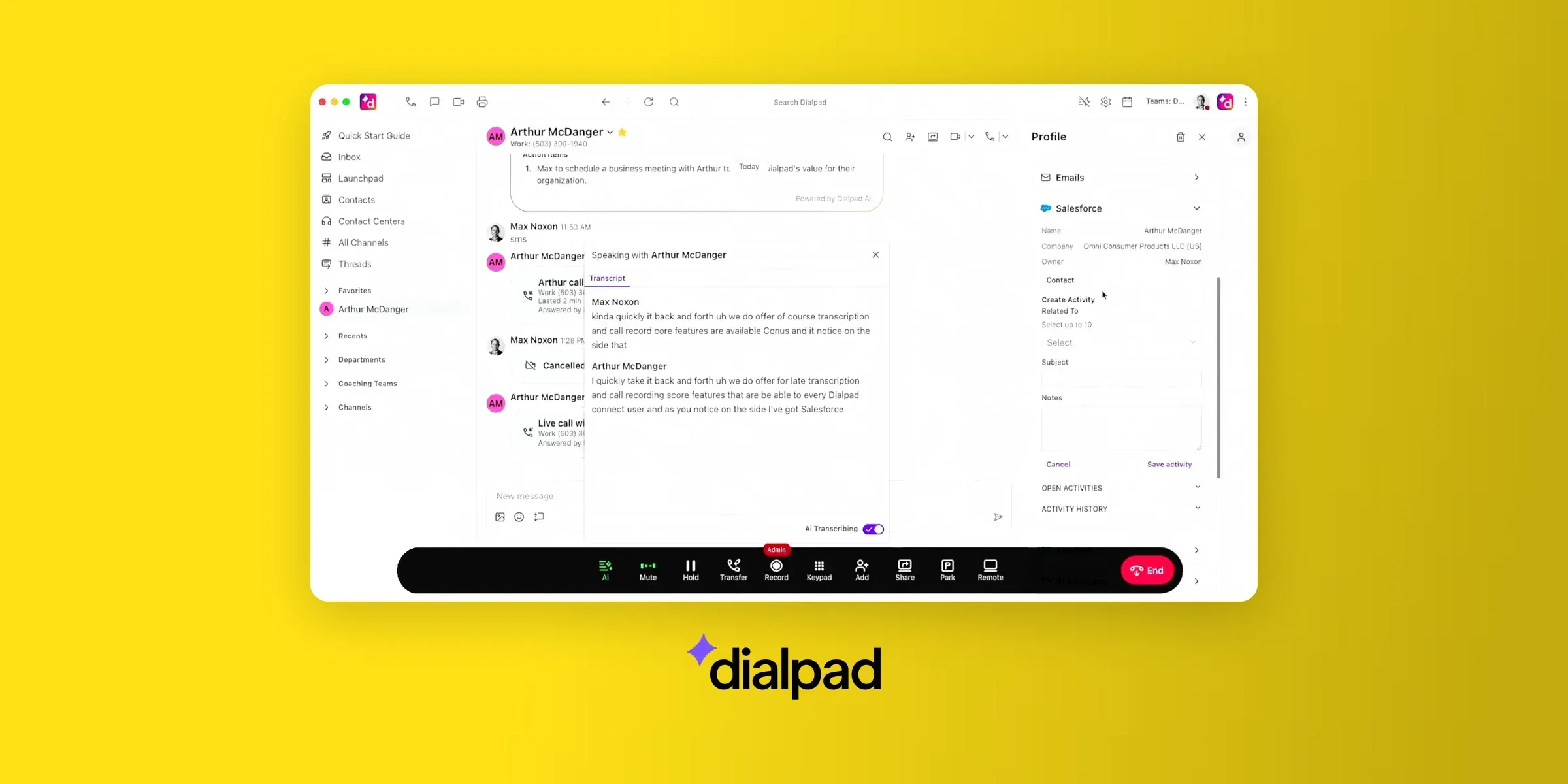
Verdict: Dialpad was early to AI, and you can tell: AI notes and summaries are the most-praised thing about it, and they come on the cheapest plan. It fits mid-size teams in Salesforce. HubSpot users should look elsewhere, and so should small teams who want simple admin and dependable billing.
Weighted score: 4.25/5 from 7,650 reviews (G2 4.4, Trustpilot 4.1, HubSpot 3.6).
Who Dialpad works best for
- Mid-market and small business teams that live in Salesforce. Calls, notes and recordings attach to the lead.
- Teams that want AI transcription and summaries without an add-on.
- Remote workers who move live calls between laptop and phone.
Top features
- AI transcription, summaries, call recaps and sentiment
- Live call handoff between desktop and mobile
- Power dialer
- AI agents for support (quote-based)
- Local and international numbers
Integrations
Salesforce works well for its reviewers. HubSpot is the problem: 16 of the 20 HubSpot Marketplace reviews we read gave it 1 or 2 stars, citing calls that stopped logging and duplicate contacts. Pipedrive, Attio, Close and GoHighLevel connect through Zapier.
Dialpad pricing
- Standard: $15/user/month billed yearly ($27 monthly). Includes AI transcription and recaps, with 250 texts per seat a month.
- Pro: $25/user/month billed yearly ($35 monthly), with a 3-seat minimum. Adds CRM integrations, international numbers, API access and call queues.
- Enterprise: on quote, with a 100-seat minimum.
Standard doesn't include CRM integrations, so the Salesforce workflow reviewers praise really starts at $75/month (three Pro seats). The AI agent is priced on quote.
Dialpad pros and cons
Pros
- AI notes straight into the CRM. "The AI notes are great - they automatically go into our CRM after each phone call, which saves us a lot of time typing up notes." (June 2026, G2 review)
- Little training needed. "It's not hard to learn where to go and how to use as a user, most of our users don't even need any type of training." (Sept. 2026, G2 review)
- Strong Salesforce workflow. "It saves our reps so much time because they can immediately call their leads and their notes/call recordings are instantly attached" (May 2026, G2 review)
- One number on every device. "I love that I can use it on my personal cell phone and not have to give clients my personal number." (Sept. 2026, G2 review)
Cons
- HubSpot logging breaks. "It created new contacts for every call, even if the phone number was already in HubSpot. Had to disable." (HubSpot review)
- AI that misses accents and languages. "AI doesn't understand our accents most of the time. We have to edit the entire call sometimes before we can attach it to their account." (Maggie B., Sept. 2026, G2 review)
- Overkill admin for small teams. "For a small company (20 employees), the administration side is needlessly complex." (Sept. 2026, G2 review)
- Slow support and billing disputes. "They take weeks to respond to anything. You have to follow up multiple times, and despite the issues, they just come back and say they can't help." (Scott T., Oct. 2026, Trustpilot review)
Dialpad demo
Conclusion
Weighting reviews across four sites tells a different story than G2 alone. The big names drop off once Trustpilot and the CRM marketplaces count, and the tools left standing are the ones whose AI and integrations hold up.
- Pick Allo if you're a small team that wants every call summarized, logged in your CRM and, when missed, answered by an AI receptionist.
- Pick Quo if you work solo or run a service business that texts customers all day, inside the U.S. or Canada.
- Pick Zoom Phone if your company already lives in Zoom.
- Go with Nextiva if you want desk phones, HIPAA and onboarding help more than AI.
- Choose CloudTalk if you run an outbound team calling many countries, and budget for the add-ons.
- Dialpad fits if you're a Salesforce shop that wants AI built in, and you don't rely on HubSpot.
Whichever you choose, check the Trustpilot page before you sign. G2 tells you how a phone system works; Trustpilot tells you what it's like to leave one.
For a wider comparison that includes desk-phone systems, see our guide to the best VoIP phone systems for small businesses.
What is the best virtual phone system?
It depends on your team, but Allo ranks first on reviews (4.63/5). Quo is the pick for solo operators and texting businesses, and Zoom Phone for teams already on Zoom. Dialpad is the cheapest way to get AI summaries, at $15/user/month, and Nextiva suits offices that care more about desk phones and HIPAA than AI. RingCentral (2.79) and Vonage (2.63) drop once Trustpilot is counted.
What are the top elements to check when choosing a virtual phone system?
Four things: The real cost of the plan that has your features. AI summaries are on a $15 plan at Dialpad but a $75 plan at Nextiva, and CloudTalk sells its add-ons separately.The CRM integration’s rating on HubSpot or Pipedrive.Where you can get numbers.The Trustpilot page, before you sign. That's where billing and cancellation problems show up.
How AI features can help phone system users?
AI summarizes calls, logs them in the CRM and drafts follow-ups, and an AI receptionist answers the calls you miss. Quality varies, though: Dialpad’s users say its AI struggles with accents, and Nextiva’s call theirs immature. Check whether the AI comes with your plan: Allo and Dialpad include summaries on their cheapest plans, while CloudTalk sells them as an add-on.