Introducing personal inboxes
Your own view of the calls and texts you follow, sorted by job, not by number. Calls still ring exactly as before.

Today we're launching personal inboxes in Allo. An inbox is your own view of the calls and texts you follow, and it sits right next to your lines in the switcher.
Teams coming from a desk phone system or a basic softphone know the old model: every line is its own list, and you check them one by one. We think a phone system should sort by job, not by number. And a calmer screen must never cost you a call.
Several lines, one list
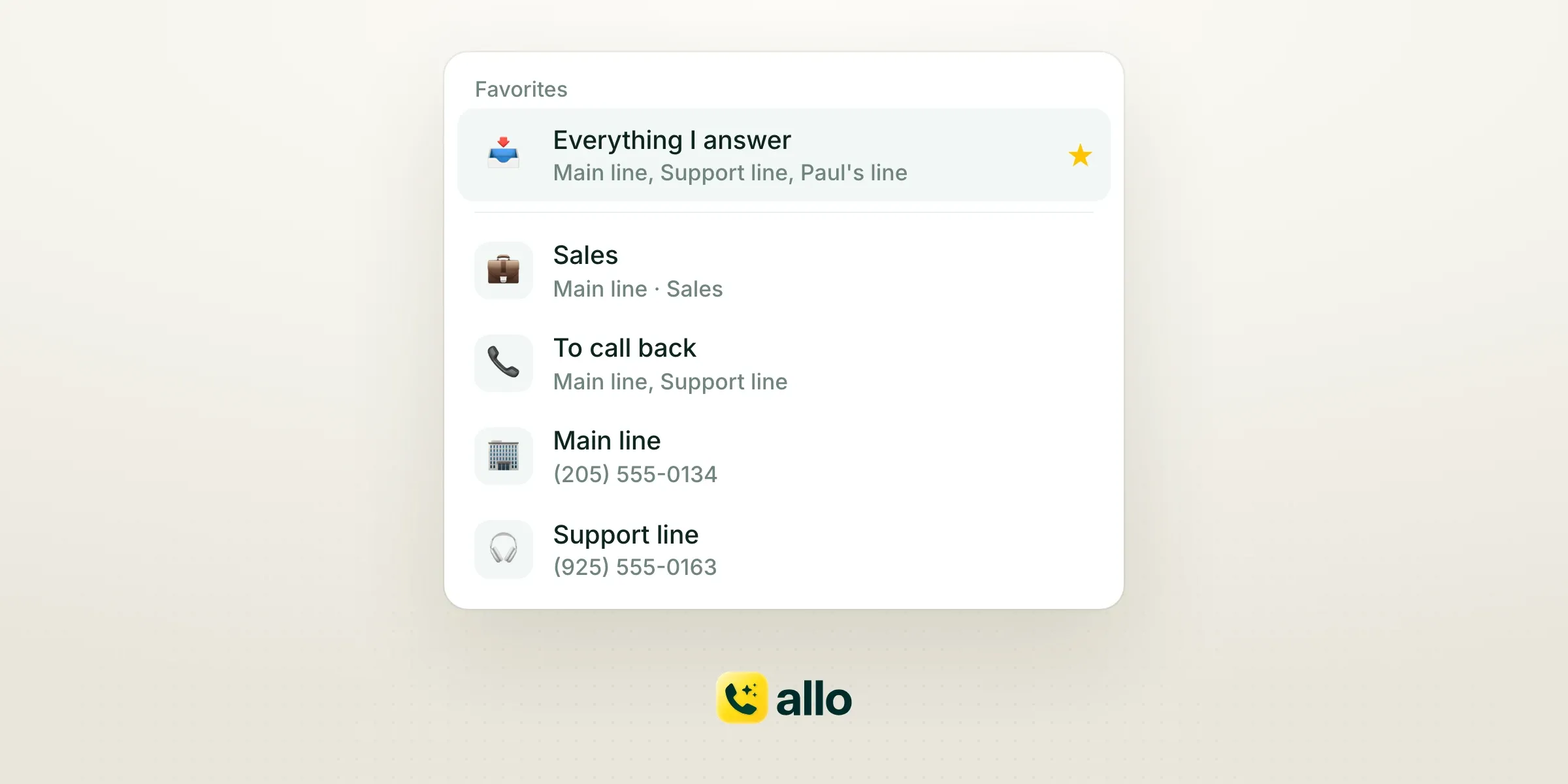
If you answer the main number, the support line and your direct line, put all three in one inbox and stop flipping between numbers. Name it "Everything I answer," then favorite it so it stays at the top of the switcher.
Each person can have up to 50 inboxes, and they're personal. Creating, editing or muting one never changes what your teammates see. Deleting one removes the view, not the conversations.
Split a phone menu without forwarding
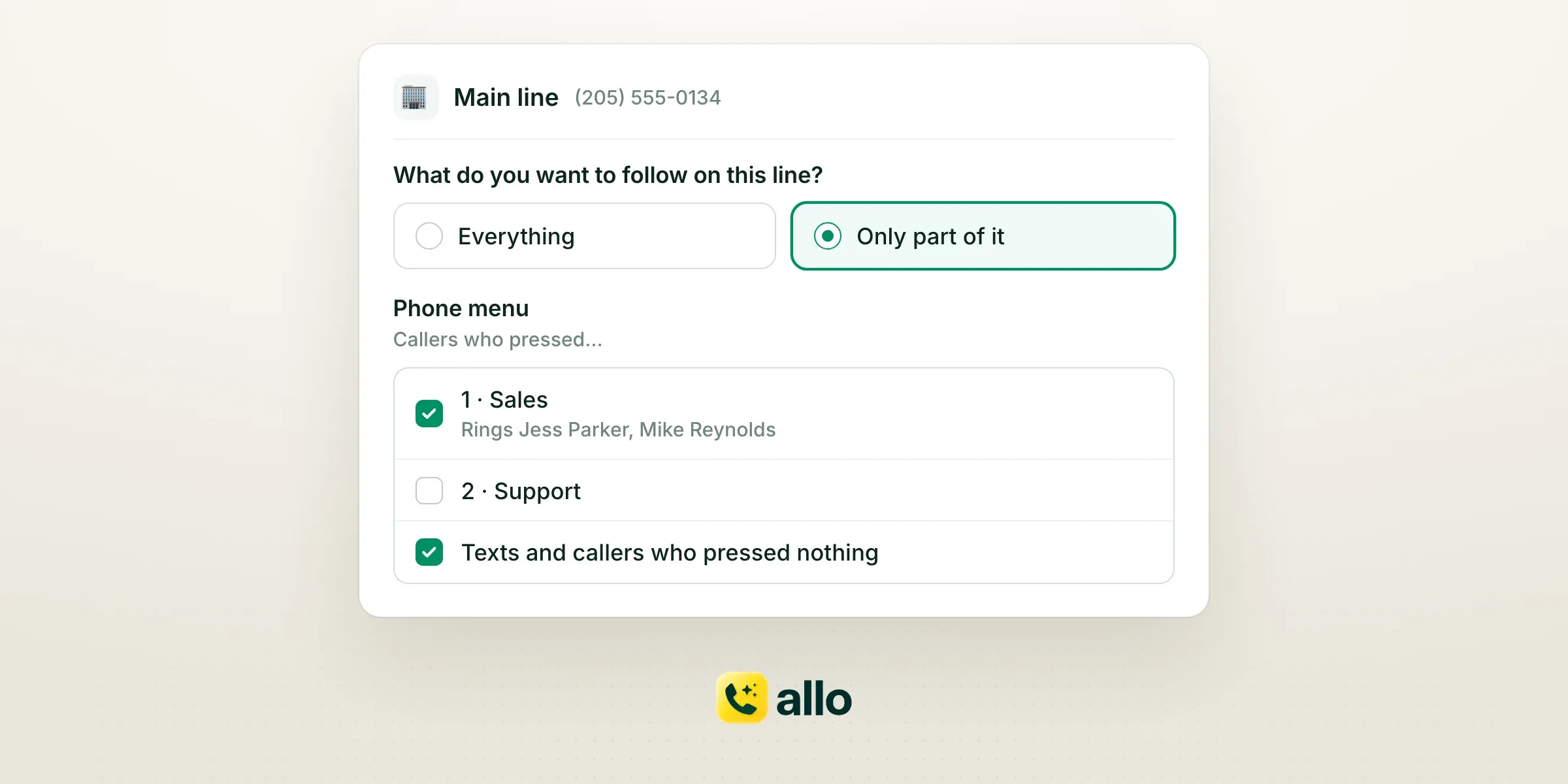
Your main number plays "Press 1 for Sales, 2 for Support." Your sales rep doesn't need the support calls. They pick the line, choose "Only part of it" instead of "Everything," and tick "Sales." Ticking an option follows everything under it.
Texts never go through the phone menu, so tick "Texts and callers who pressed nothing" to keep them in view. One inbox can also follow a whole line plus a single option from another line.
No more forwarding menu options to other lines just to sort who sees what. Each person gets a "Sales" or "Support" inbox instead.
A callback list that empties itself
Filter an inbox on the "To call back" tag and set tag matching to "Latest call." When you call the customer back, the conversation leaves the list, because its newest call no longer carries the tag. Choose "Any call" instead and a conversation stays once it's tagged.
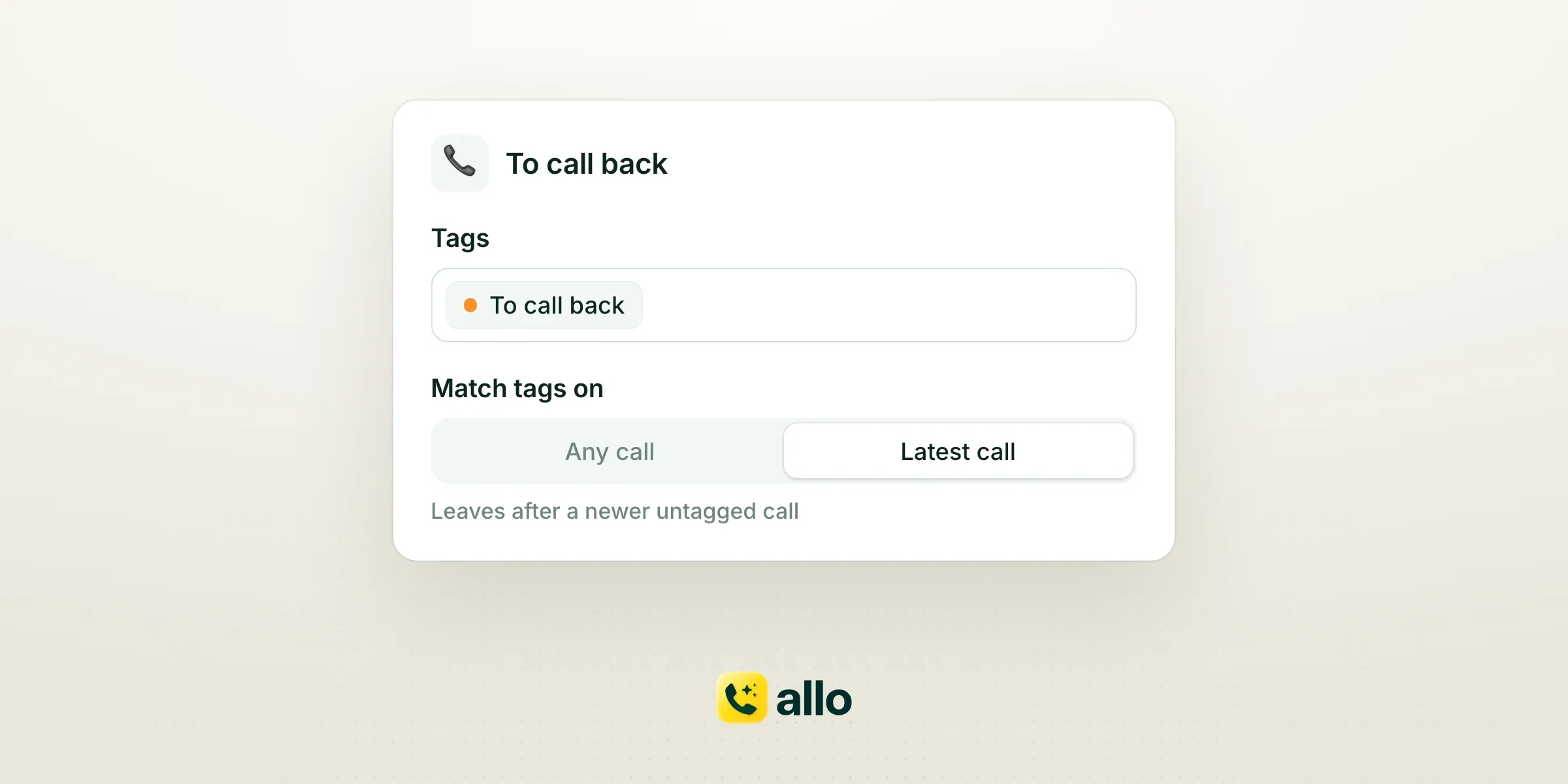
Tags work across lines too, whether Allo's AI added them or a teammate did. A "Porting" inbox can follow two support lines with the "Porting Issue" tag, so one person owns every porting case.
Built from how you already work
The first time inboxes are on, Allo sets some up from how you work. Keep them, edit them, or click Undo.
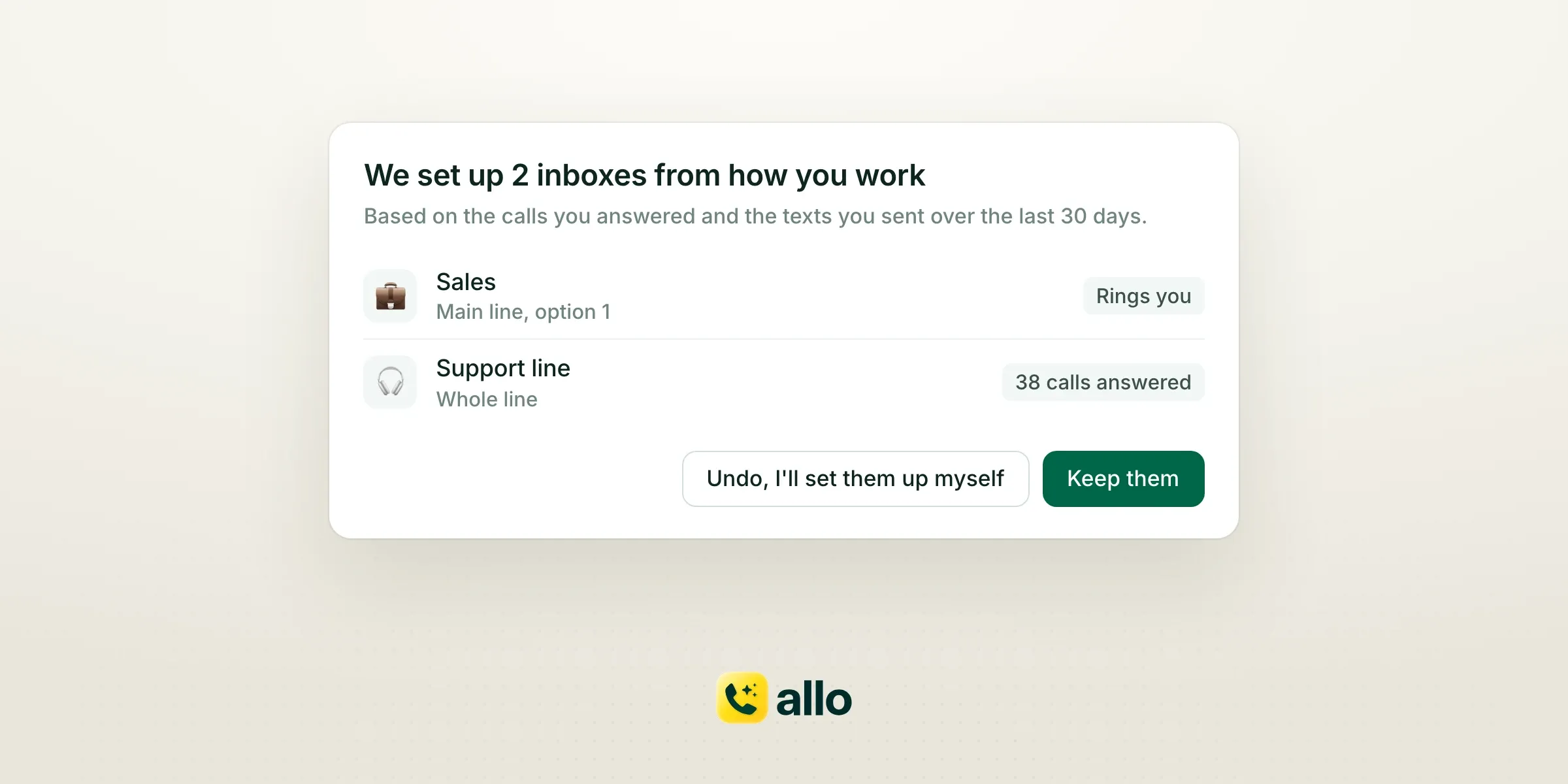
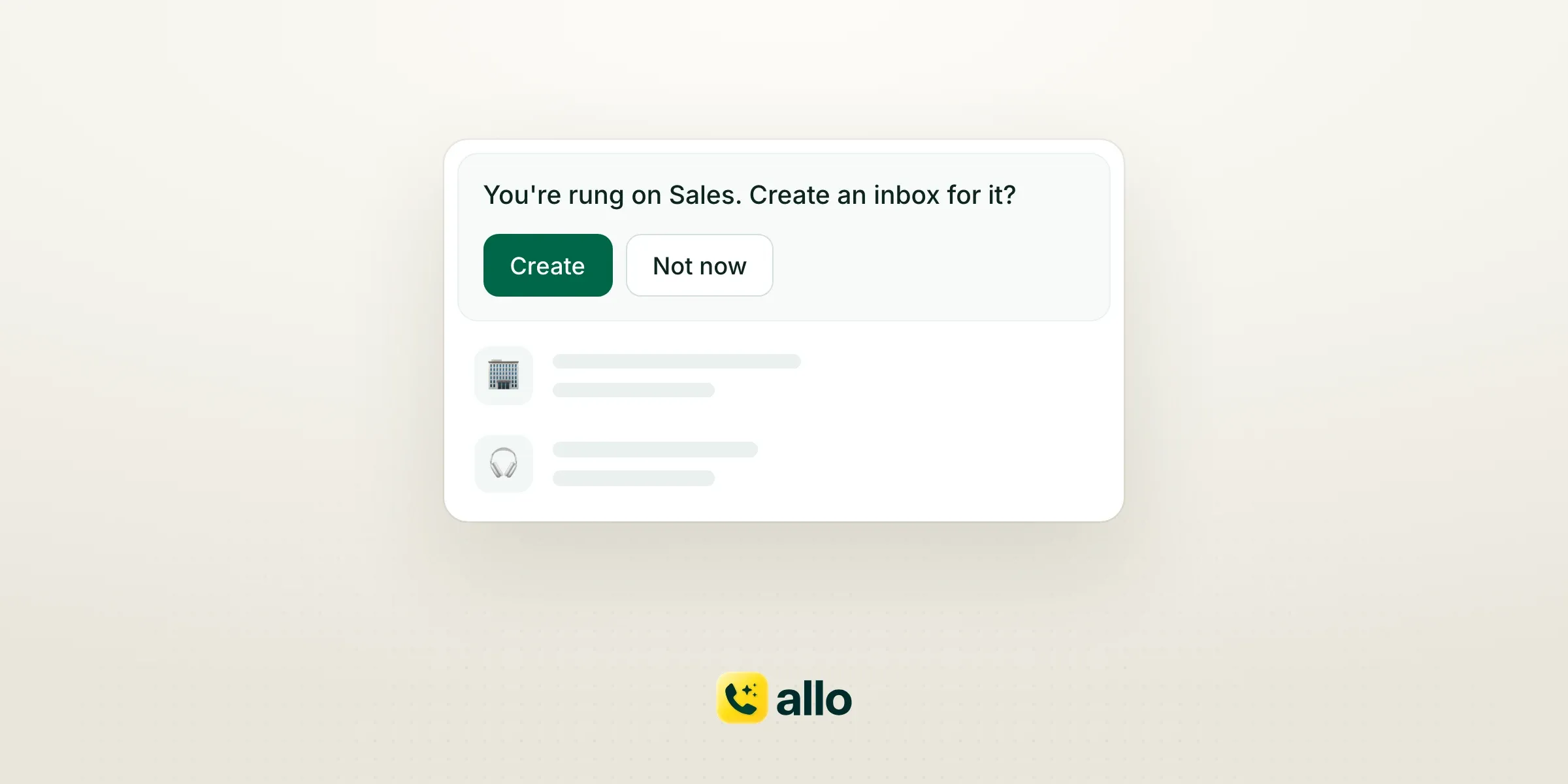
After that, the editor suggests inboxes from the phone menu options that ring you and the lines where you answered calls or sent texts this month. The switcher can offer one too: "You're rung on Sales. Create an inbox for it?"
Admins and managers can set up an inbox for a teammate with Allo MCP. It belongs to the teammate, so a new hire can open Allo to a ready "Support" inbox. There's also an Inboxes API, with up to 100 sources per inbox.
Ringing doesn't change
Inboxes never change who a call rings. The call flow decides that, exactly as before. Mute every inbox you have, and a call routed to you still rings.
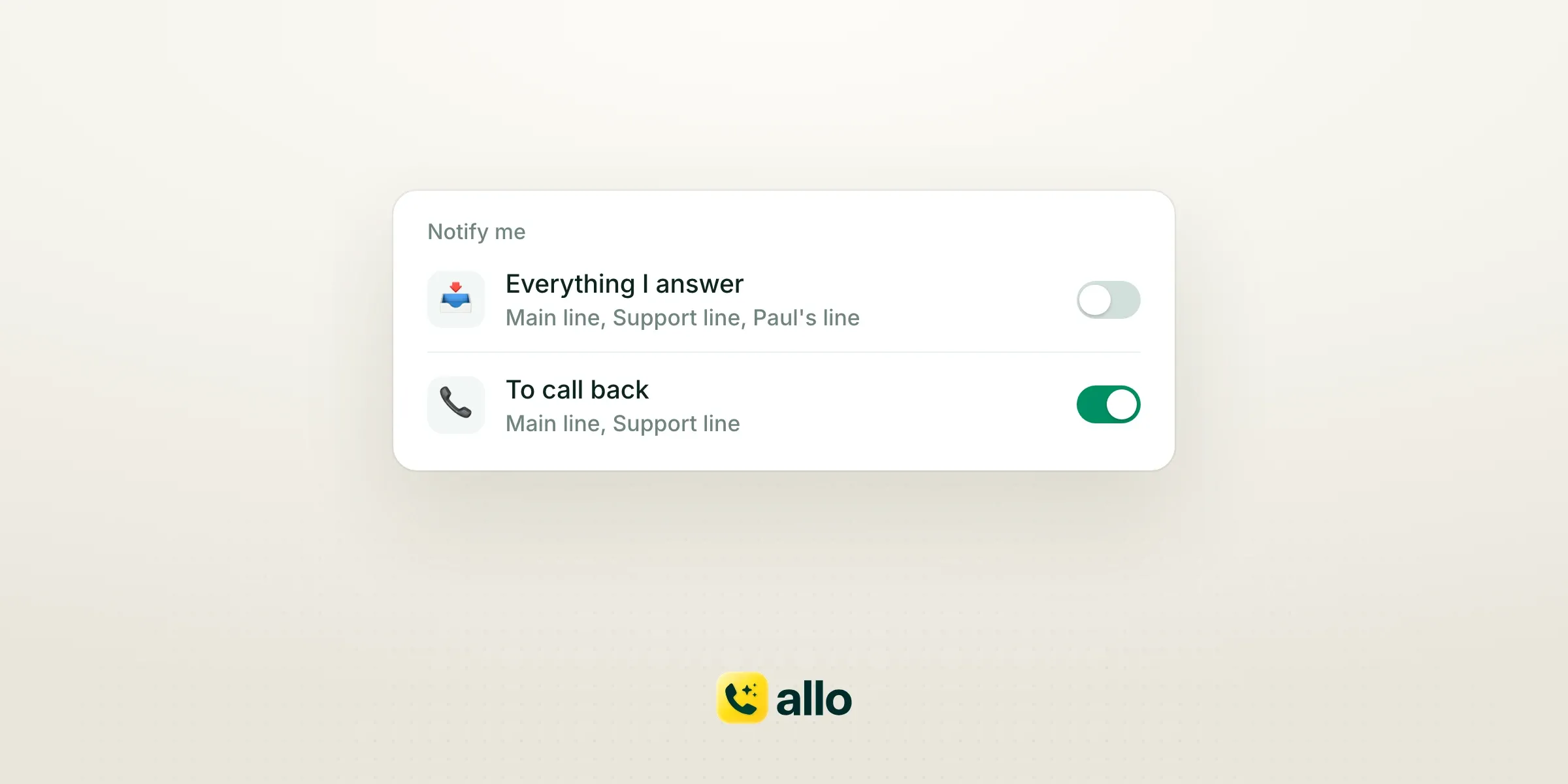
Inboxes add notifications; they never take one away. Lines you own, or whose call flow rings you, notify you as they always have, until you mute the line. Each inbox also notifies you for the conversations it shows, even on lines that don't ring you. When a line and an inbox cover the same conversation, you get one notification, not two.
Turn off "Notify me" on a broad inbox you only skim, and keep it on for "To call back." @mentions and thread replies always reach you. Notify me is set per inbox, so you can keep a broad inbox quiet and still get pinged on your own lines.
Ringing is a routing decision, made once for the whole team. What you watch is personal. We kept the two apart on purpose.
Availability
Personal inboxes are live today for every Allo team, in the desktop and web app.
Not there yet: mobile, an unread count per inbox in the switcher, and search across all lines of an inbox.