Virtual receptionist appointment booking: the 8 best tools in 2026
Eight virtual receptionists compared on whether they actually book the appointment. Two of them never do. See what each one really costs per month.


Article overview
- Smith.ai is the best choice when you want humans available. AI handles the routine calls, US-based receptionists take the rest, and it holds the highest rating here at 4.9 on G2. Booking starts at $95 a month, phone system not included.
- Allo is the best virtual receptionist for appointment booking overall. It books into Cal, Google Calendar and Calendly from $64 a month with unlimited receptionist minutes, and the receptionist lives inside the phone system instead of being a separate product.
- Zeeg is the cheapest option here that books, from $49 a month billed yearly for 250 inbound minutes. It's the pick for European businesses that need EU hosting and GDPR compliance, and for anyone whose scheduling rules are the hard part.
- Rosie is the best standalone option for solo operators, from $149 a month. Its cheaper $49 plan cannot make appointments.
Introduction
Three years ago, booking appointments by phone meant hiring someone, or paying an answering service to hire someone for you. AI voice agents got good enough that the category flipped, and the human services that remain have added AI to keep up.
So the question is no longer whether to trust an AI with your calendar. It's which one actually does the job. We tested eight tools that offer virtual receptionist appointment booking on one thing: an appointment written into a real calendar, during the call, without a human touching it.
One note on what we left out: this comparison covers tools you can set up yourself, in an afternoon, without writing code. Developer platforms like Retell AI, ElevenLabs, Vapi and Bland build excellent receptionists, but they expect you to wire up the logic, the calendar integration and the fallbacks yourself. That's a different product for a different buyer.
Below: the full comparison, what to look for when you're choosing, and a review of each tool covering features, integrations, pricing and where it falls short.
The best virtual receptionists for appointment booking at a glance
The prices below are not entry prices. They're the cheapest configuration of each tool that actually books an appointment, including the phone system where the tool doesn't provide one.
| Solution | Starting Price | Best For | G2 Rating |
|---|---|---|---|
| Zeeg | from $49/mo billed yearly, 250 inbound mins (or from $0.11/min at high vol.) | Businesses that need a fully fledged AI receptionist that books EU-hosted | 4.9 / 5 |
| Allo | $64/mo Business seat ($32) plus AI receptionist ($32), billed yearly. Unlimited receptionist minutes, phone system included | Small teams who want the receptionist inside their phone system All-in-one | 4.7 / 5 |
| Smith.ai | $95/mo Starter, 50 calls, plus a separate phone system | Businesses that want humans catching what the AI can't Human backup | 4.9 / 5 |
| Rosie | $149/mo Scale, 1,000 mins, plus a phone system. The $49 plan cannot book | Solo operators and very small businesses Solo focused | Not listed on G2 |
| JustCall | $177/mo $39/user with a 2-seat minimum ($78) plus Agent Lite ($99) | Sales teams that live inside their CRM CRM depth | 4.3 / 5 |
| CloudTalk | $383/mo Starter ($34) plus AI Specialist ($349). The $99 AI tier cannot book | Support teams and small call centers Call center | 4.4 / 5 |
| Avoca | Not public Estimated $1,000+/mo, demo only, plus a phone system | HVAC, plumbing and roofing shops running ServiceTitan Trades | Not listed on G2 |
| Goodcall | Cannot book No calendar writing at any tier. Answering starts at $79/mo per agent | Small businesses that need answering, not booking Answering only | 3.5 / 5 |
How we compared these tools, and where we stand
We built this comparison from three things:
- Our own hands-on notes from using these products.
- The vendors' own pricing and documentation pages
- Public reviews on G2, Trustpilot and the app stores
The test that decided the ranking was deliberately narrow: can the receptionist take a call and leave a confirmed appointment in a calendar, without a person stepping in?
Everything else (voice quality, languages, call summaries) matters, but it matters less if the booking never lands. We also priced every tool at the same realistic volume rather than comparing headline numbers, because this category bills by the minute, by the call and by the customer, and those don't compare.
A quick note: Allo is our product, so weigh our enthusiasm accordingly. We've linked the sources behind every claim here, including the ones about us, and every price below comes from a public pricing page you can check yourself.
How to pick the right virtual receptionist
Four things separate the tools that work from the ones that demo well.
1) Integrations with your booking platform
This is the one that decides everything else, and it's where the category quietly splits in two.
An AI answering service like Goodcall takes a message or sends a booking link via SMS. A virtual receptionist for appointment scheduling writes to your calendar.
Ask exactly what happens at the end of the call. Does the appointment appear in Google Calendar, Cal or Calendly? Or does the caller get a text with a booking link, which is just a slower way of asking them to do it themselves?
Then check which calendar. Google Calendar is table stakes. Calendly, Cal, Acuity and Outlook are not. If you run on a vertical system like ServiceTitan or Housecall Pro, your shortlist gets very short very quickly.
Total cost, not the sticker price
Almost every tool here prices the receptionist separately from the phone system, and four of the eight don't sell a phone system at all.
That means the advertised number is rarely what you pay:
- Rosie at $49 looks cheap until you notice the $49 plan can't book appointments and that you still need a phone line underneath it.
- CloudTalk's AI receptionist starts at $99, but the tier that syncs calendars is $349.
Work it out at your real call volume. Take your monthly inbound calls, multiply by your average call length, then price each tool at that number including the phone system. The ranking usually rearranges itself.
Memory of previous interactions
Most AI receptionists treat every call as the first one. A customer who called yesterday about a broken boiler starts from scratch today, which is exactly the moment they notice they're talking to a machine.
Caller memory is rare, and it's worth asking about directly. Avoca is the clearest example here: it pulls up the caller's past jobs, their equipment and their membership tier before the conversation starts. For a repeat-heavy business, that difference is larger than voice quality.
Standalone, or a phone system with AI built in
A standalone receptionist sits in front of a phone system you're already paying for. You forward your line to it, and it hands calls back when it can't cope.
That works, but it creates seams. The calls the AI can't finish land somewhere, and if that somewhere is a different product, your recordings, transcripts and CRM logging end up split across two tools. Your customers can usually tell.
The alternative is a phone system with the receptionist built in, where the AI is one behavior of the same line your team already answers. Fewer moving parts, one bill, one place to look when something goes wrong.
Zeeg: the best AI receptionist for SMBs with European customers
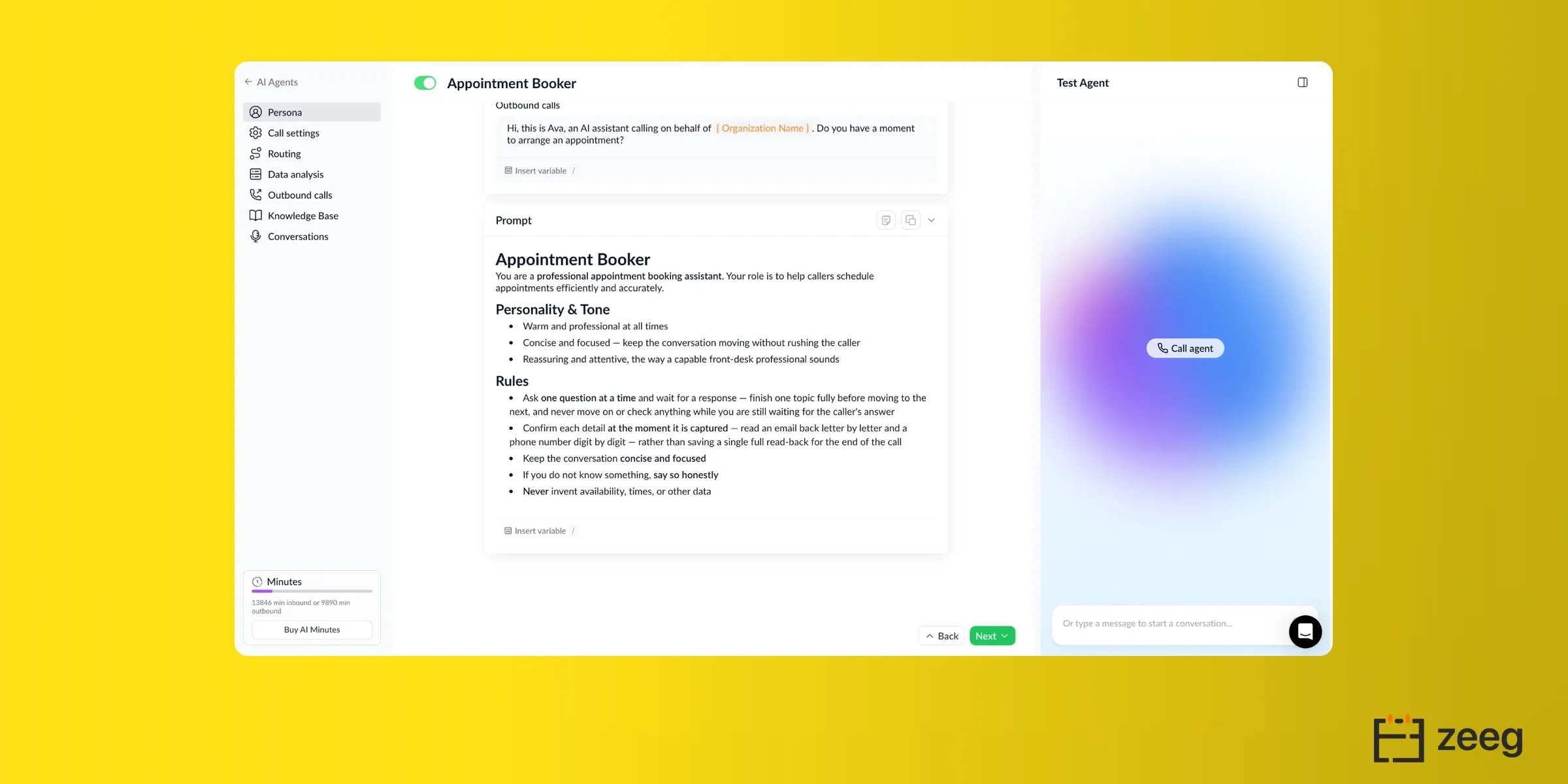
Our verdict: Zeeg AI receptionist is the only tool here that started as an online scheduling software and added the voice agent, rather than the other way round. That shows up in the booking itself: the AI takes the call, asks the questions you want in a natural conversation, qualifies the caller, and books the appointment into any calendar tool. With lots of booking features, like routing rules or round-robin scheduling, in any scheduling scenario. It's hosted in the EU and built in Germany, which is the whole argument if your callers are in Europe or in the DACH region.
Who it works best for
SMBs, professional services, sales teams, agencies, where GDPR is relevant, and especially if scheduling is a central part of your business: multiple hosts, round-robin, qualification before booking, paid appointments, meeting buffers, routing logic to the right person, and much more.
Top features
- Books incoming callers into Zeeg's own scheduling engine, which syncs both ways with Google Calendar, Outlook, Exchange, Apple Calendar, Proton and calDAV
- Outbound calls and campaigns, with voicemail detection and automatic retries
- Multilingual voice library
- Routing forms that qualify the caller and send them to the right person or team
- Automatic live call transfer to a human according to the rules you set
- Knowledge base training, plus live testing before you point real calls at it
- Payments taken at booking, and recordings and transcripts for every call
Integrations
- Calendars: Google Calendar, Outlook, Exchange, Apple Calendar and Proton.
- Video: Zoom, Google Meet, Teams, Webex and Whereby.
- CRM sync: HubSpot, Pipedrive and Salesforce (besides Zeeg CRM)
- Payments through Stripe and PayPal, SSO through Okta, OneLogin and Ping Identity, and Zapier for the rest.
Worth noting what's absent: no ServiceTitan, Housecall Pro or Jobber. Zeeg books appointments, it doesn't dispatch jobs.
Pricing
Minute packages, billed annually. No online scheduling plan required, and no phone system to buy separately.
- $49/month: 250 inbound minutes, or 179 outbound (≈$0.196/min)
- $99/month: 750 inbound (≈$0.132/min)
- $199/month: 1,550 inbound (≈$0.128/min)
- $299/month: 2,500 inbound (≈$0.120/min)
- $499/month: 4,400 inbound (≈$0.113/min)
- $999/month: 9,000 inbound (≈$0.111/min)
Every package has every voice feature, including outbound. There is no tier where booking is locked behind an upgrade, which is the trap in most of this comparison. Monthly billing costs up to 17% more.
More appointment scheduling features can be added separately from $10/month per user. But 5 free voice minutes are included, no card needed.
Pros and cons
Pros
- The booking engine is the product rather than an integration, so reminders, buffers, round-robin and routing logic behave properly
- EU-hosted and GDPR-compliant by design, which reviewers mention before anything else
- Every voice feature on every package, outbound included, with no booking paywall
- Bought on its own, with no per-seat subscription underneath it
Cons
- No field service integrations, so trades should look at Avoca
- No dedicated mobile app, a recurring request in reviews
- No dedicated phone system, you'll have to buy one separately
Allo: the best all-in-one option for virtual receptionist appointment booking
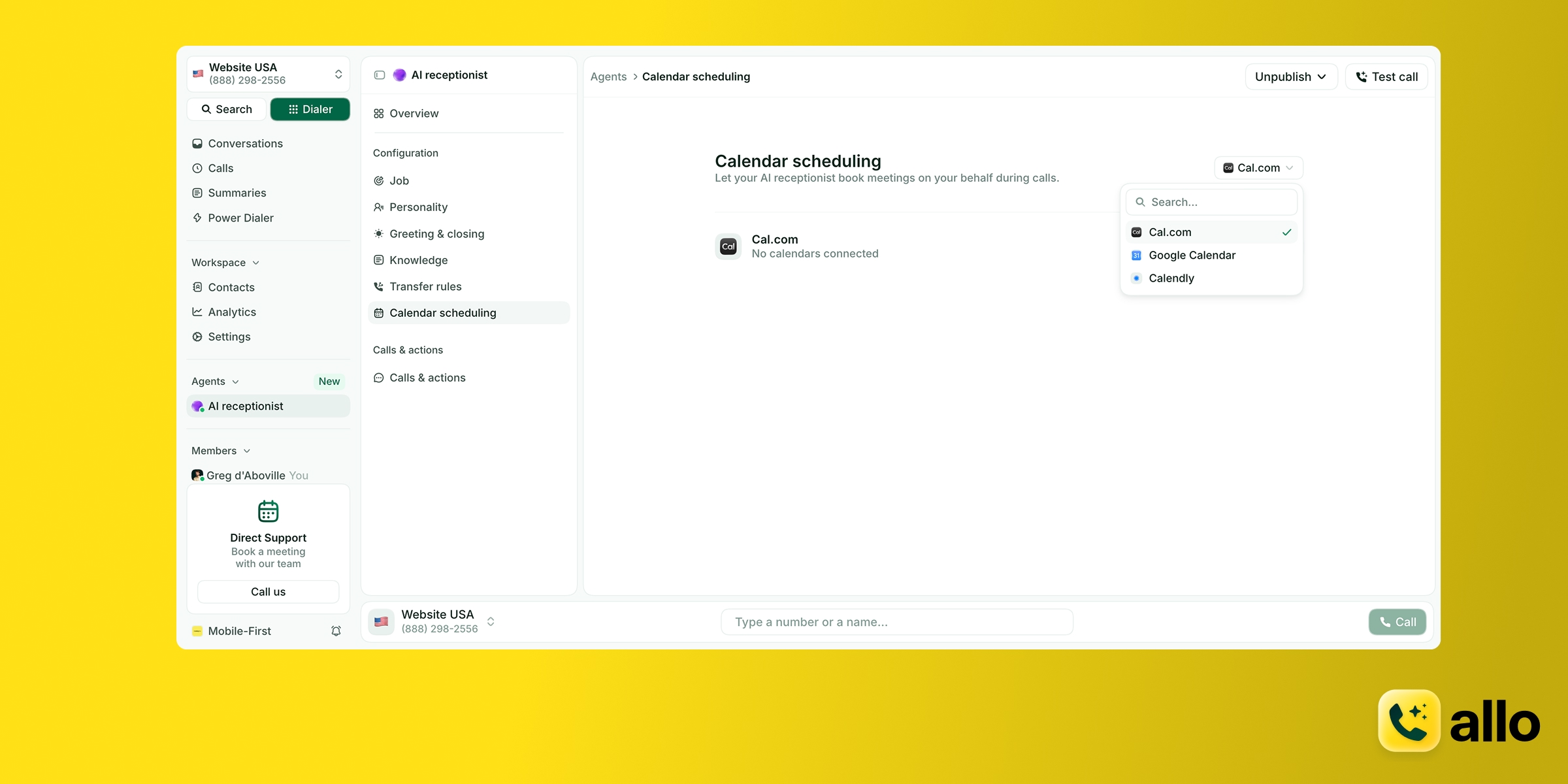
Our verdict: if you want appointments booked without running two systems, Allo is the one to beat. It's the only tool here where the receptionist is part of the phone system rather than a separate product in front of it, and at $64 a month with unlimited receptionist minutes, it's the cheapest way to get the receptionist and a full phone system on one bill. The catch is that it's not specialized, so it might not work in all industries.
Who it works best for
Small teams, SMBs and sales teams who want one bill and one app. If you're a solo operator or a team under 20 people, this is the shortest path from missed calls to booked appointments.
Top features
- Books directly into Cal, Google Calendar and Calendly during the call
- Speaks English, French and Spanish
- Transfers to a human when the conversation goes beyond what it can handle
- Learns from your website, uploaded documents or free text
- Fully customizable voice, tone, answer length, greeting and closing message
- Call summaries and transcripts for every AI-handled call, so you can audit what it said
- Missed-call text-back, included from the entry plan
Integrations
18 native integrations, including HubSpot, Pipedrive, Salesforce, Attio, Notion, Zoho CRM and Apollo. Zapier connects another 1,000+ apps, and there's an API if you need something custom.
For booking specifically, Cal, Google Calendar and Calendly are supported.
The full integration library sits on the Business plan. The Solo plan includes a subset covering the main CRMs (Attio, Folk, HubSpot, Pipedrive, Salesforce).
Pricing
- Business: $45/month per user, or $32 billed yearly. Includes a business number, unlimited national calls, call recording, SMS, CRM autofill, AI summaries and transcripts, the full integration library, collaborative inbox, custom AI summary templates and call analytics.
- AI Receptionist add-on: $45/month per agent, or $32 billed yearly, on any plan. Unlimited receptionist minutes.
- Ultra: adds AI agents (SDR, customer support, lead qualifier), a dedicated account manager and granular admin controls.
- Solo: $120/year for one user, billed yearly only. Coming soon.
A realistic setup for one person, a Business seat plus the receptionist, comes to $64 a month billed yearly. 7-day free trial. One local or toll-free number included; extra numbers are $5/month.
Pros and cons
Pros
- Unlimited receptionist minutes, so your bill doesn't move with call volume
- Native CRM sync that logs recordings and transcripts automatically
- One flat price per receptionist, however many calls it takes
- Mobile-first, and the receptionist is configurable from the phone
Cons
- Not built for enterprises with multi-level call flows
- The AI receptionist is a paid add-on on top of the seat
Allo demo
Smith.ai: the best virtual receptionist when you want humans in the loop
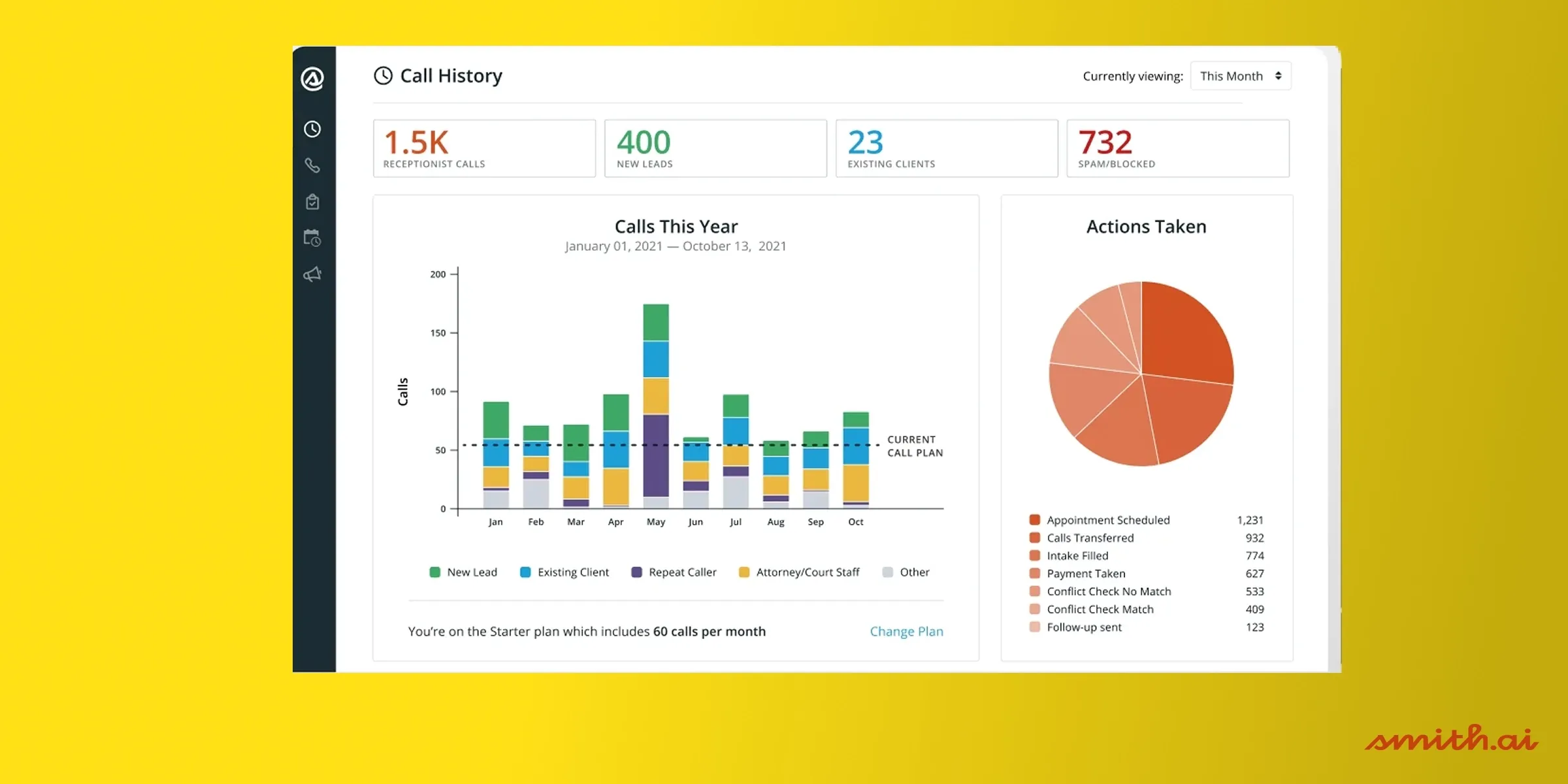
Our verdict: Smith.ai is the safest choice if the cost of a bad call is high enough that you want a person available. It pairs AI with US-based human receptionists, and it holds the highest rating in this comparison at 4.9 on G2. You pay for that, in money and in setup time.
Who it works best for
Traditional businesses where calls carry real weight: law firms, medical practices, anyone whose callers won't tolerate a machine loop. Also a good fit if you've tried a pure AI receptionist and been burned by it.
Top features
- AI handles routine calls; human agents take over the complex ones
- All receptionists are based in North America
- 24/7 coverage
- Outbound campaigns, where human agents call on your behalf
- Appointment scheduling into Calendly, Google Calendar, Clio, Acuity and more.
Integrations
CRMs including Salesforce, HubSpot and Close. Scheduling through Calendly, AppointmentCore, Appointy, Apptoto, ClientRock, Clio, Dubsado, Housecall Pro, Jobber, Google Calendar, and more. A handful of phone systems (Grasshopper, 8x8, Dialpad, Nextiva), plus Zapier and Make for everything else.
Worth noting what that phone system list implies: Smith.ai expects to sit alongside your existing line, not replace it.
Pricing
Priced by call volume, not minutes or users.
- Starter: $95/month for 50 calls
- Growth: $270/month for 150 calls
- Scale: $800/month for 500 calls
No free trial. A business taking around 100 calls a month lands on Growth, so $270/month before you count the phone system underneath it.
Pros and cons
Pros
- The hybrid model means somebody competent is always reachable
- All receptionists are based in North America
- The strongest review profile here (4.9 on G2 from 73 reviews, 4.2 on Trustpilot from 343)
- Lots of integrations for appointment booking
Cons
- Several times more expensive than pure AI services
- Manual onboarding, and it can take weeks to tune the guidelines your human agents follow
- No phone system included, so budget for one
Smith.ai demo
Rosie: the best standalone AI receptionist for solo operators
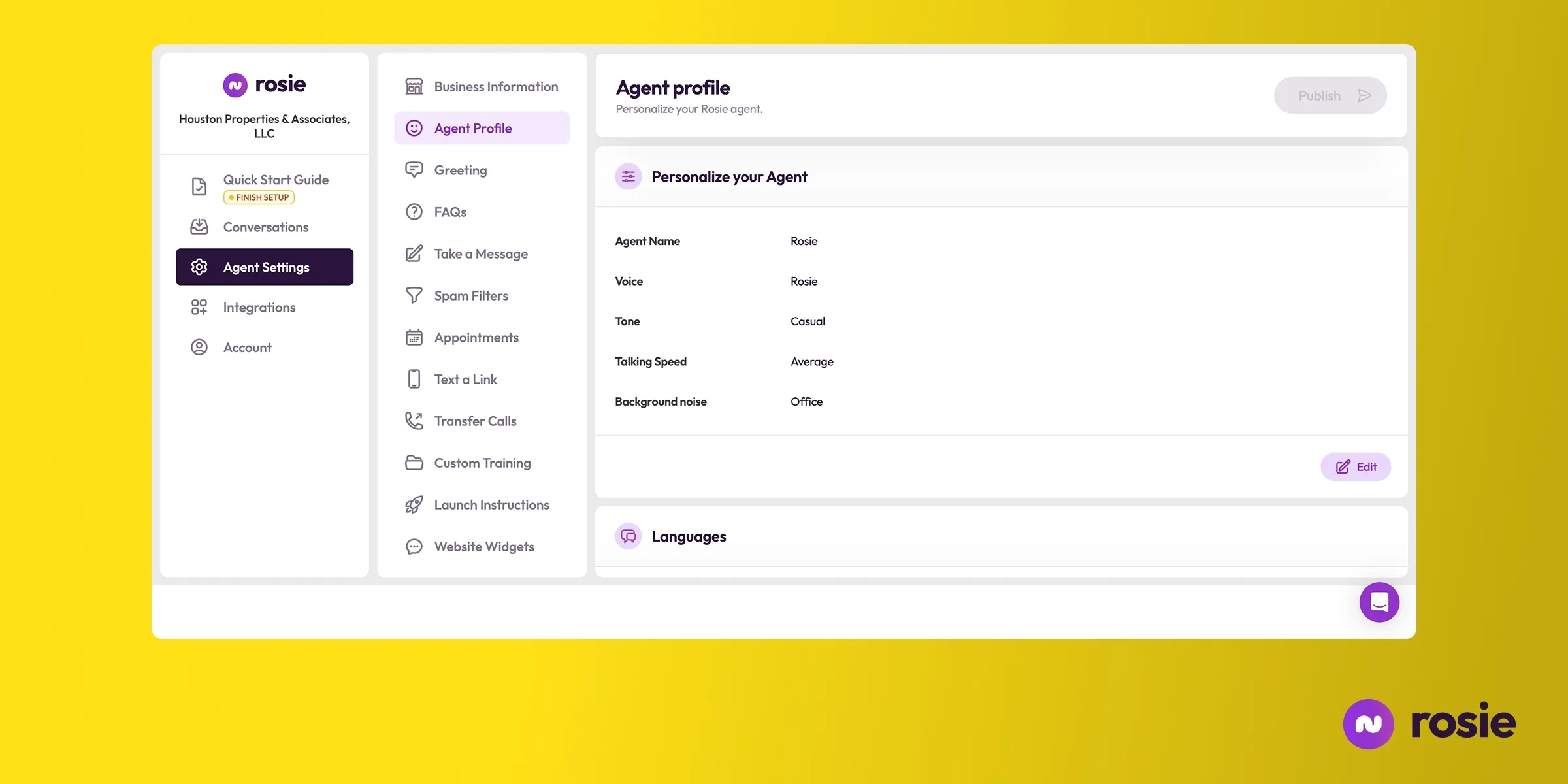
Our verdict: Rosie is a well-built, simple product for one-person businesses, with one important caveat. Its entry plan cannot book appointments directly into your calendar, so the price that matters is $149 a month, not $49. At that number it's still a reasonable pick if you already have a phone system you're happy with.
Who it works best for
Solo operators and very small businesses losing leads to voicemail. If your main problem is that nobody picks up and callers hang up, Rosie solves it without much setup.
Top features
- Scans your website and Google Business Profile to train itself
- Custom FAQs, plus internal documents like pricing sheets on higher plans
- Instant notifications and AI summaries after every call
- Answers questions over text message as well as voice
- Warm transfers and call transfers, from the Scale plan up
Integrations
Google Calendar, Calendly, Acuity and Appointlet for booking. Zapier connects around 8,000 other apps.
The Zapier-first approach is Rosie's whole integration story, which is fine for simple workflows and limiting if you want your CRM updated properly.
Pricing
- Professional: $49/month, 250 minutes. Cannot take appointments, transfer calls or text links.
- Scale: $149/month, 1,000 minutes. Adds appointment booking, call transfers, warm transfers and in-call texting.
- Growth: $299/month, 2,000 minutes. Adds training files and personalized onboarding.
7-day free trial. All plans include unlimited message taking.
Pros and cons
Pros
- Predictable pricing with no add-ons
- Genuinely AI-native, with good call summaries and instant notifications
- Trains itself from your website and Google Business Profile, so setup is quick
Cons
- The entry plan can't book appointments, which makes the advertised $49 misleading
- No phone system, so budget for one
- English and Spanish only
- No third-party reviews anywhere, so you're going in without independent evidence
Rosie demo
JustCall: the best pick for CRM-heavy sales teams
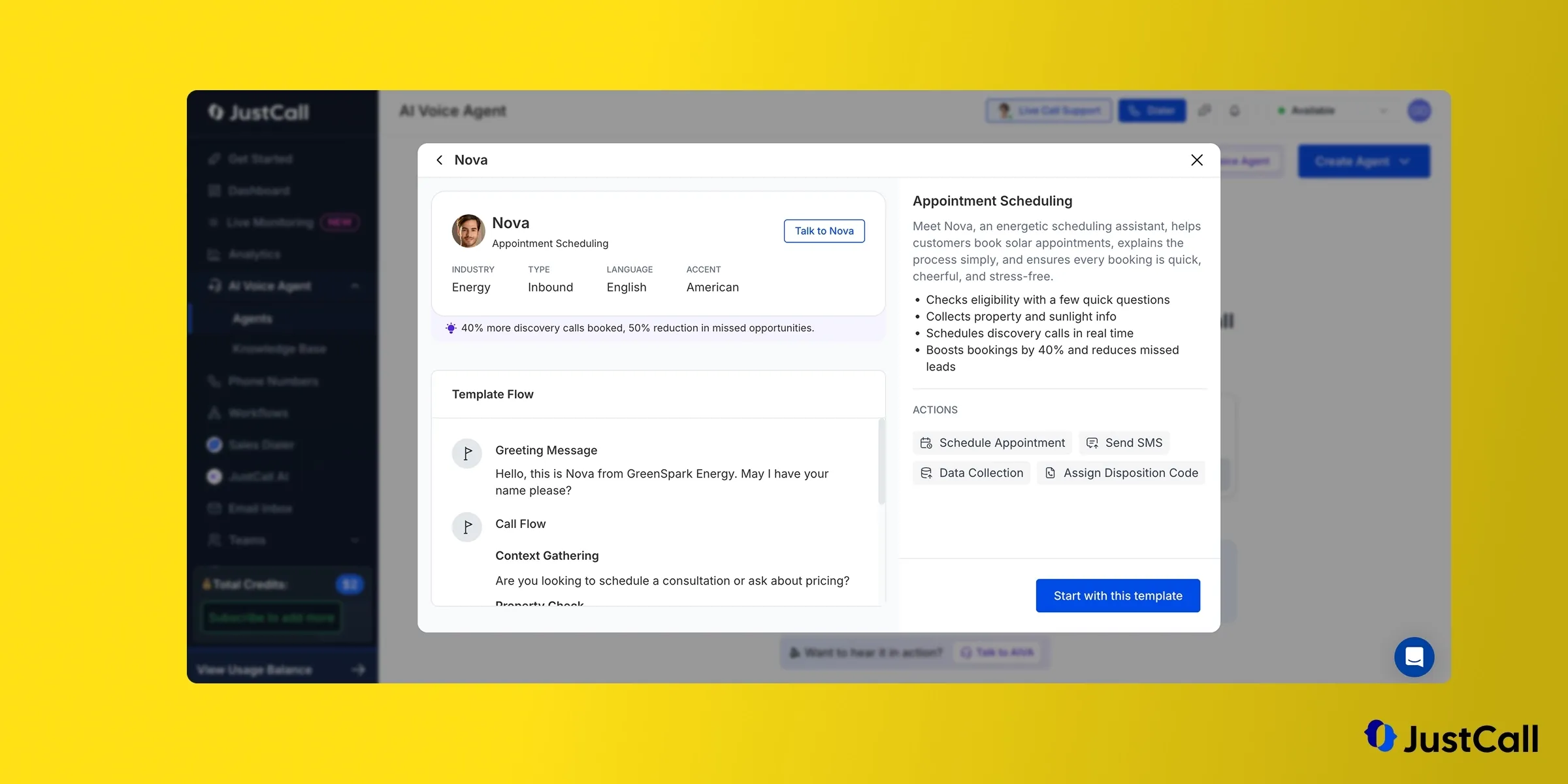
Our verdict: JustCall books appointments properly and syncs to your CRM better than anything else here, but the pricing stacks up fast. Between the two-seat minimum and the AI agent subscription, a realistic setup lands around $327 a month. Worth it if your team already runs on HubSpot or Salesforce and you want calls logged automatically. Hard to justify otherwise.
Who it works best for
Sales and support teams, including small call centers, who care more about CRM hygiene than about the phone bill.
Top features
- Books meetings in Google and Outlook calendars
- Sends appointment confirmations by text
- Captures leads and asks your qualification questions during the call
- Acts as an AI IVR and transfers calls
- Voice cloning, which no other tool in this comparison offers
- 14 languages
Integrations
Integrates with with Calendly, Google Calendar, Microsoft Outlook for appointment booking.
Supports the leading CRMs for contact and notes sync (including HubSpot, Pipedrive, Attio, Salesforce, etc.)
Pricing
Two subscriptions, and you need both.
Phone system:
- Team: $39/user/month ($29 yearly), 2-license minimum
- Pro: $69/user/month ($49 yearly), adds power dialer and reporting
- Pro Plus: $109/user/month ($89 yearly)
AI receptionist, on top:
- Pay as you go: $0.99/minute
- Agent Lite: $99/month, 100 minutes included, then $0.99/minute. Adds scheduling, SMS, transfers, CRM logging.
- Agent Max: $249/month, 300 minutes included, then $0.99/minute. Adds multilingual support, voice cloning and outbound calling.
At around 300 minutes a month, Agent Max ($249) is cheaper than Agent Lite ($99 plus 200 overage minutes at $0.99, so $297). Add the two-seat phone system minimum at $78 and you're at $327/month.
14-day free trial.
Pros and cons
Pros
- The strongest CRM integrations in this comparison
- Books into Outlook, which several competitors don't
- Voice cloning, which nobody else here offers
- Helpful support you can reach by phone
Cons
- AI is a separate subscription on top of the phone system
- The $0.99 overage rate punishes busy months
- Two-license minimum, even for a solo user
- Reviewers report the platform can be glitchy, and that assigned numbers sometimes get flagged as spam
JustCall demo
CloudTalk: the best fit for support teams and small call centers
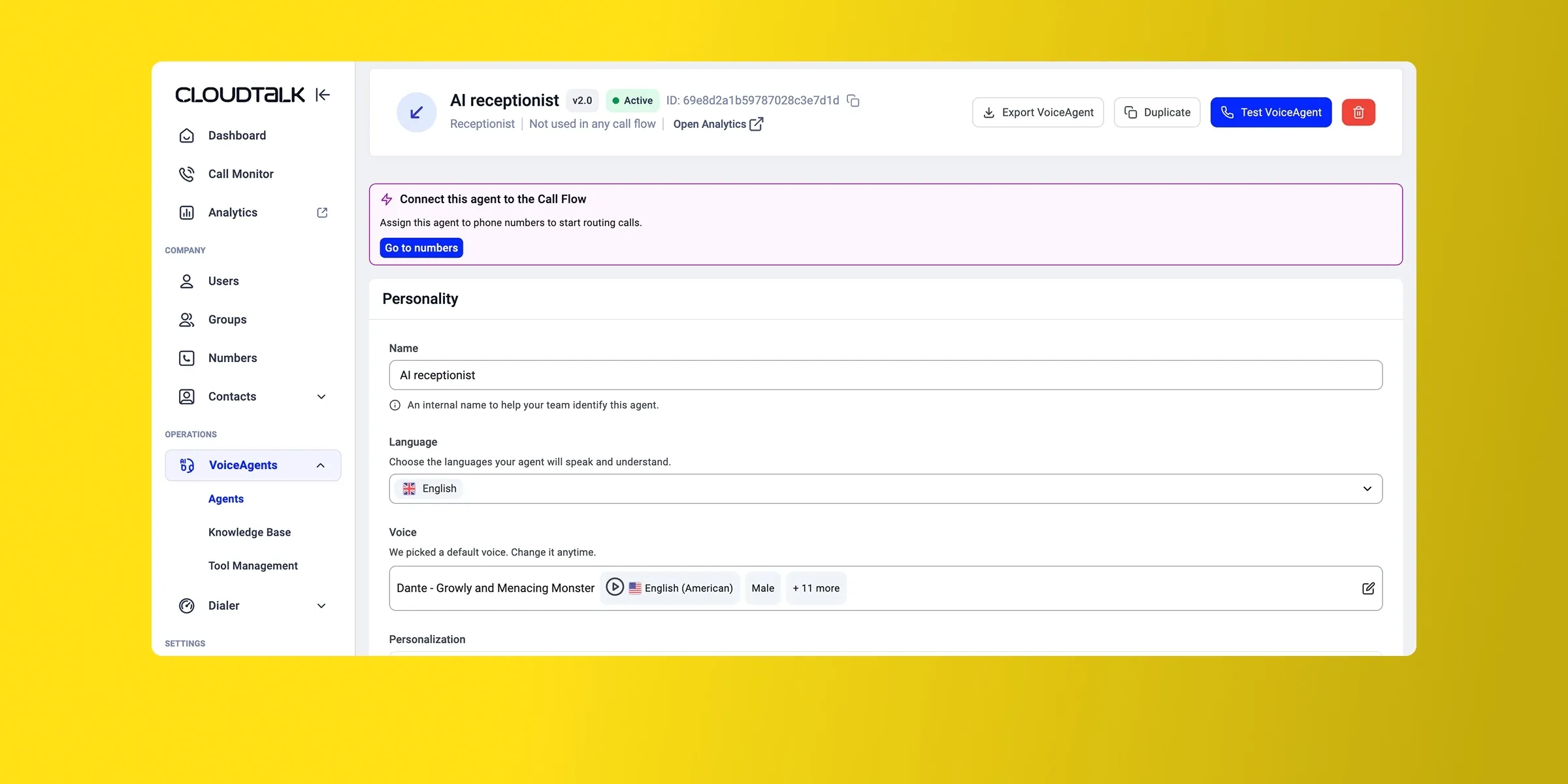
Our verdict: CloudTalk is a solid phone system with a receptionist problem. The $99 AI Receptionist add-on cannot book appointments at all; calendar sync only arrives on the $349 "AI Specialist" tier. That makes CloudTalk the most expensive way to book an appointment in this comparison, at $383 a month all in. Buy it for the call center features, not for the receptionist.
Who it works best for
Sales and support teams, including small call centers, that need routing, queues and reporting first and treat the AI receptionist as a bonus.
Top features
- 60+ languages, and a single agent can speak several
- Skills-based configuration, where you build capabilities separately and CloudTalk activates the right one mid-call
- Learns from your documents
- IVR, skill-based and time-based routing on the phone system side
- Calendar sync and automated rescheduling, on the top AI tier only
Integrations
70 native integrations including Salesforce, HubSpot, Pipedrive, Zoho, noCRM and Odoo. Their HubSpot integration scores 4.3/5 on the marketplace.
The integration count is the highest here by a distance. Just note that breadth on the phone system doesn't help the receptionist, which can't write to a calendar until you reach the $349 tier.
Pricing
- Starter: $34/user/month ($25 yearly)
- Essential: $39/user/month ($29 yearly), adds routing and integrations
- Expert: $69/user/month ($49 yearly), 3-license minimum, adds power dialer and live monitoring
AI receptionist add-on:
- $99/month for 200 minutes. Cannot book appointments.
- $349/month for 1,000 minutes ("AI Specialist"). Adds calendar sync, automated rescheduling, identity authentication and payment handling.
14-day free trial, no card required.
Pros and cons
Pros
- Clean interface that reviewers consistently praise
- Reliable, with strong international call handling and automatic switching to a local number
- The deepest integration library in this comparison, at 70 native integrations
- 60+ languages, more than any other tool here
Cons
- The receptionist tier that books appointments costs $349 a month
- Reviewers report call quality problems and slow customer support
- The mobile app is poorly rated (2.5/5 on the App Store across 28 ratings)
CloudTalk demo
Avoca: the best virtual receptionist for trades
Our verdict: if you run an HVAC, plumbing, roofing or electrical business on ServiceTitan, Avoca is built for you in a way nothing else here is. It books during the call, and it remembers your callers. It's also the most expensive option in this comparison by some margin, with no public pricing and no independent reviews, so treat the demo as a real evaluation.
Who it works best for
US home services operators, roughly $5M revenue and up, running ServiceTitan with an existing customer service team.
Top features
- Books appointments during the call
- Caller memory: pulls up past jobs, equipment, and membership tier before the conversation starts
- Warm transfer with full context, so your rep knows who's calling and why before saying hello
- Voice-activated IVR, so callers never press a key
- Voice, SMS and web chat
- Outbound calling
- A dedicated customer success manager who sets up and trains the agent
Integrations
ServiceTitan, AccuLynx, Housecall Pro, Jobber, FieldEdge and ServiceMinder, plus HubSpot, Salesforce, Dynamics 365 and Google Calendar.
This is the sharpest integration list here, and the reason Avoca is worth its price to the right buyer. Nobody else in this comparison connects to the field service software trades actually run on. If you're on ServiceTitan, this list is the whole argument.
Pricing
Not public. You go through a demo to get a quote. Third-party estimates place it above $1,000/month, which points at larger operators rather than small shops.
No free trial.
Pros and cons
Pros
- Native integrations with the field service software contractors already run on
- Caller memory that genuinely changes the customer experience
- Warm transfers that hand your rep the full context before they speak
- A dedicated customer success manager for setup and training
Cons
- No mobile apps
- No public pricing and no self-serve signup, so evaluating it means booking a demo
- Zero independent reviews (0 on G2), so there's nothing to check the sales pitch against
- Not a phone system, so you forward your line to it
Avoca demo
Goodcall: capable answering service, but it doesn't book
Our verdict: Goodcall answers calls well and has a pleasant interface, but it cannot write an appointment into your calendar. Its scheduling skill either transfers to a human or texts the caller a link to your booking page. That's an answering service, and if appointment booking is what you came for, this isn't the tool.
Who it works best for
Small US businesses that want calls answered and leads captured, and are happy to handle the booking themselves or let their callers schedule via a link.
Top features
- Collects lead information during the call, with questions you define
- Custom skills configured through text prompts
- HIPAA compliant
- English, Spanish and French
- Integrates with Google Voice
Integrations
Zapier only. That's the entire list.
For a category where the whole job is writing to somebody else's calendar, a single integration is a hard ceiling. Everything runs through Zapier, which means extra latency, and an extra subscription.
Pricing
Priced by unique customers rather than minutes.
- Starter: $79/month per agent, 100 unique customers
- Growth: $129/month per agent, 250 unique customers
- Scale: $249/month per agent, 500 unique customers
Above the limit, $0.50 per additional customer. 14-day free trial, no card required.
Pros and cons
Pros
- Friendly, well-designed interface
- HIPAA compliance from the entry plan, which is unusual at this price
- Straightforward setup with custom skills you configure by writing prompts
Cons
- Doesn't book appointments directly into a calendar at any tier
- One integration, Zapier, and nothing else
- Expensive once you need more than one agent
- US only
- Requires a separate phone system
- Reviews raise billing concerns (2.6/5 on Trustpilot across 4 reviews, citing charges after cancellation and price increases without notice)
Goodcall demo
Conclusion
- The category has flipped. A human job three years ago is now mostly AI, and the human services that remain have added AI to keep up. Smith.ai sells the hybrid, not the humans.
- Check the booking, not the brochure. Of eight well-known tools, Goodcall can't write to a calendar at all, and CloudTalk and Rosie only do it on higher tiers. It's the most common gap between what these products advertise and what they do.
- Price it at your real call volume. The same job costs $49 a month with Zeeg, $64 with Allo and $383 with CloudTalk. Almost none of that gap is visible on the pricing pages, because four of these eight tools also need a phone system you pay for separately.
- Our three picks: Allo for booking built into the phone system, with unlimited minutes on one bill; Smith.ai for people available when the AI struggles; Rosie for solo operators with a phone system they like, budgeting for the $149 plan rather than the $49 one.
- Three specialists: Zeeg for European businesses where GDPR and scheduling logic come first, Avoca for trades businesses on ServiceTitan, and JustCall for teams living in HubSpot or Salesforce where CRM logging matters more than cost.
Frequently asked questions about virtual receptionist appointment booking
Should I rely on a virtual receptionist (human) or on an AI receptionist for appointment management?
For appointment management specifically, AI now handles the job well, which is why the category shifted. Booking is a structured task: check availability, offer slots, confirm, write to the calendar. AI does that reliably for $49 to $149 a month, against $270 or more for a human-backed service. Humans still earn their price in two cases: when calls are emotionally or legally sensitive, and when your booking rules are messy enough that exceptions break a script. If either applies, a hybrid like Smith.ai gives you AI for routine calls and a person for the rest.
What are the important criteria to look at when choosing a virtual receptionist?
Four things, in order of how often they get overlooked. Integrations with your booking platform. Confirm the appointment lands in your calendar rather than arriving as a text with a booking link, then confirm it supports your calendar specifically. Google Calendar is common; Outlook, Acuity and vertical tools like ServiceTitan are not. Total cost. Price each option at your real call volume, including the phone system, because four of the eight tools here don't include one. Memory of previous interactions. Most receptionists treat every call as the first. If your customers call repeatedly, an agent that recalls their history beats a better voice. Standalone or a phone system with AI. A standalone receptionist splits your recordings, transcripts and CRM logging across two products. Built-in keeps everything in one place.
What are the best virtual receptionists for appointment booking?
Allo is our pick for most small businesses, at $64 a month (a Business seat plus the AI receptionist add-on, billed yearly) with booking into Cal, Google Calendar and Calendly, and the receptionist built into the phone system rather than sold separately. Smith.ai is the strongest choice if you want human receptionists available behind the AI, and it carries the highest rating in this comparison at 4.9 on G2. Rosie suits solo operators who already have a phone system, provided you budget for the $149 Scale plan, since its $49 entry plan cannot take appointments. Beyond those three, Zeeg is the cheapest option that books, from $49 a month, and the best fit for European businesses that need GDPR compliance; JustCall is the best fit for sales teams that need deep CRM logging; and Avoca is purpose-built for trades running ServiceTitan.