Bilingual AI receptionist: 5 options compared on total cost and features
Looking for an AI receptionist that can support your Spanish-speaking clients? We reviewed 13 tools and selected 5 that really understand Spanish.


TL;DR
- Allo is best for teams who want a powerful AI receptionist included in their phone system because the pricing includes the receptionist by default alongside other useful AI features.
- Rosie is best for a solo operator who already has a phone line, because $49/mo buys 250 minutes of English/Spanish answering without forcing you to migrate your phone system.
- JustCall is best for a sales team that needs voice cloning and 14 languages, because its AI Voice Agent auto-detects the caller's language mid-call, though you pay $177/mo minimum once you add the two-seat requirement.
Introduction
Here is a question worth asking your team: what happens right now when someone calls your business and starts speaking Spanish?
For most companies I talk to, the honest answer is that the call goes to voicemail. Or the caller gets a confused "hold please" and hangs up.
Not ideal when you know that 14% of the US population speaks Spanish at home.
A bilingual AI receptionist fixes it in a way a human front desk cannot. It answers on the first ring, in whichever language the caller uses, at 2pm and at 2am. It does not need a second hire who happens to be fluent.
This guide covers the five I would actually recommend: Allo, Quo, Zoom Phone, Rosie, and JustCall. For each one, I break down the bilingual support, the features, the real monthly cost, and what reviewers say.
I ranked them by total cost, cheapest first, because that is the number that gets buried in every pricing page I read.
What is a bilingual AI receptionist?
A bilingual AI receptionist is a voice agent that answers your business calls automatically in two or more languages. It picks up, understands what the caller wants, and responds in a natural voice. In English or in Spanish, depending on who is on the line.
The good ones detect the language on their own. The caller never presses 2. They just speak, and the agent switches.
That distinction matters more than the vendors admit. A dial-menu that routes Spanish speakers to a separate Spanish greeting is not a bilingual AI receptionist. That is an IVR with a translated recording, and it has existed since the 1990s.
What a bilingual virtual receptionist can actually do
The five tools in this comparison all handle some version of the following:
- Answer inbound calls 24/7, in English or Spanish, including nights and weekends.
- Respond to common questions using your website, your documents, and your business info.
- Book, reschedule, and confirm appointments in your calendar.
- Transfer or route the call to a human when the question goes beyond its training.
- Send a follow-up text with a link, a form, or directions.
- Record, transcribe, and summarize every call it handles.
The differences show up in the details. Which calendar it connects to. Whether it can text mid-call. Whether the summary lands in your CRM or in your inbox. I flag those per tool below.
How I compared these five tools
To provide a fair comparison (because our own tool is listed), I followed this simple methodology.
I applied three filters.
First, the AI has to be real. The tool needs a genuine conversational agent, not a dial-menu with a Spanish recording. Every tool here holds a two-way conversation.
Second, English and Spanish have to be confirmed. I checked the vendor's own documentation or support pages. I dropped anything where the language list was vague marketing copy. Sameday, for example, only lists multilingual voices on its undisclosed Enterprise tier, so it did not make the cut.
Third, the price has to be public. I calculate the total starting cost as the entry plan, times the minimum number of seats, plus the receptionist cost. Dialpad, for example, hides their receptionist pricing behind a sales call, so I could not run the math. They are out.
Prices below are monthly billing in USD unless noted, with the annual rate in brackets.
| Tool | Type | Total starting cost | Included at that price | Best for |
|---|---|---|---|---|
| Allo | Phone system, AI included | $18/user/mo | Unlimited AI receptionist | Small teams that want AI included |
| Quoformerly OpenPhone | Phone system, AI included | $19/user/mo | 10 AI calls, then $0.75/call | Low call volume, polished product |
| Zoom Phone | Standalone or add-on | $25/mo | 100 minutes | Teams already living inside Zoom |
| Rosie | Standalone | $49/mo + your phone system | 250 minutes | Solo operators keeping their line |
| JustCall | Phone system, AI add-on | $177/mo (2 seats) | 100 minutes | Sales teams needing 14 languages |
Allo: best bilingual AI receptionist for small teams
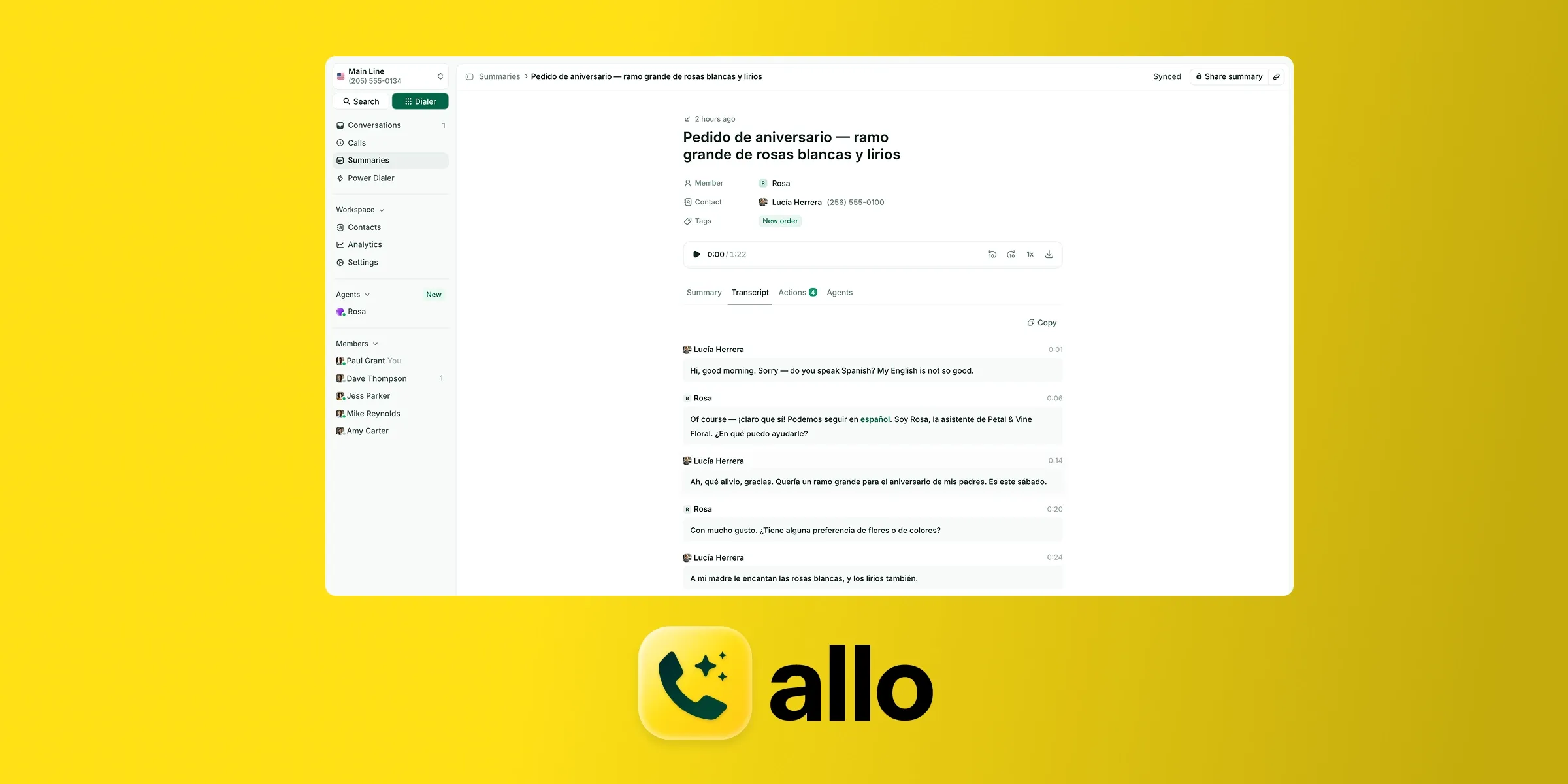
Allo is a mobile-first phone system built for small teams and salespeople. It was one of the first products to ship a real AI receptionist service, and that head start shows in how little friction there is in setup.
The reason it tops this list is the pricing model. Allo is the only tool here where the AI receptionist is unlimited and included in every plan. No add-on. No minute counter running in the background while you wonder whether a long call just cost you money.
Bilingual support
The AI receptionist speaks English, Spanish, and French.
Transcriptions go further, covering 36 languages. So even when the AI is not handling the call, the record of it is readable.
Key features
- Call memory. The agent reads previous calls and texts from the same contact, so it picks up the conversation where it left off. No other tool in this comparison does this, and it is the single feature I would miss most.
- Appointment booking through Cal, Google Calendar, and Calendly.
- Warm transfer to a human when the question goes past its training.
- Full customization of voice, tone, answer length, greeting, and closing message.
- Trains on your website, documents, and freeform text. Setup took me minutes, not an afternoon.
- Summaries and transcripts for every AI-handled call, so you can audit how it performed.
- 18 native integrations, including HubSpot, Pipedrive, Salesforce, Attio, Notion, and Zoho CRM, plus Zapier for another 1,000+ apps and an MCP server if you want to drive Allo from Claude or Codex.
Pricing
| Plan | Monthly | Annual | Notes |
|---|---|---|---|
| Solo | n/a | $18/user/mo | Unlimited AI receptionist, 1 number, unlimited national calls |
| Business | $45/user/mo | $32/user/mo | Adds all integrations, power dialer, analytics, MCP |
| Ultra | $120/user/mo | $100/user/mo | Adds AI agents (SDR, support, lead qualifier, sales coach) |
Total starting cost: $18 x 1 seat + $0 receptionist = $18/user/mo
One local or toll-free number is included. Extra numbers are $5/mo. International calling is pay-as-you-go on every plan. There is a 7-day free trial and a 30-day money-back guarantee on Solo.
Reviews
Allo scores 4.7 out of 5 on G2 across 209 reviews. Trustpilot sits at 4.1 out of 5, though on a thin sample of 21 reviews. The iOS app is rated 4.3 out of 5 across 101 ratings, and the HubSpot marketplace listing holds 4.7 out of 5 with 700+ installs.
The Android app is the weak spot at 3.9 out of 5. Worth knowing if your field team is on Android.
Pros and cons
Pros
- Unlimited bilingual AI receptionist included at $18/user/mo
- Call memory across previous calls and texts
- Deep CRM sync (recordings, transcripts, contact updates)
- Transparent pricing with no add-ons
Cons
- Newer product than the legacy players
- Most integrations require the Business plan
- Not built for large enterprises with complex workflows
- Local numbers in 11 countries, fewer than RingCentral or CloudTalk
My take: if your call volume is unpredictable, this is the safest bilingual AI receptionist on the list. Every other tool here bills you by the minute, the call, or the interaction. That means a busy month is a surprise invoice. With Allo, a busy month is just a busy month.
Quo: best bilingual virtual receptionist for low call volume
Quo, formerly OpenPhone, is one of the most polished phone systems in this category. It started in 2018 to solve a problem the founders saw firsthand: business owners running their companies from a personal number. It went through Y Combinator and now serves SMBs and startups.
Its AI agent is called Sona, released in April 2025.
Bilingual support
Sona speaks English, Spanish, and French.
Transcripts and summaries cover 34 languages.
Key features
- Automatic SMS during the call. Sona can send links, forms, and directions while still talking to the caller. It is a small thing that closes a surprising number of loops.
- Natural sounding voices, among the better ones I have heard.
- Deep configuration: operating hours, products and services, a detailed FAQ, and team member introductions.
- AI summaries and transcripts on every Sona call, even if your plan does not otherwise include AI summaries. That is a genuinely generous carve-out.
- Integrations with HubSpot, Salesforce, Attio, Jobber, Slack, Gong, Zapier, and Make.
Pricing
| Plan | Monthly | Annual | Notes |
|---|---|---|---|
| Starter | $19/user/mo | $15/user/mo | 10 Sona calls, then $0.75/call |
| Business | $33/user/mo | $23/user/mo | Adds AI summaries, transfers, analytics, HubSpot and Salesforce |
| Scale | $47/user/mo | $35/user/mo | Adds dedicated onboarding and phone support |
Total starting cost: $19 x 1 seat + $0 receptionist = $19/user/mo
Read the meter carefully. Ten AI calls is roughly one busy morning. After that, every call Sona answers costs $0.75. At 100 AI calls a month you are paying $19 plus $67.50, which lands you at $86.50. The headline price and the real price diverge fast.
One number per user is included. Extra numbers cost $5/user/mo. There is a 7-day free trial.
Reviews
Quo holds 4.7 out of 5 on G2 across 3,374 reviews, which is a serious sample size. The iOS app is 4.4 out of 5 across 11,000 reviews and Android is 4.6 out of 5 across 8,780.
Pros and cons
Pros
- Clean, genuinely easy-to-use product
- Summaries and transcripts on every Sona call, all plans
- Strong support reputation and large review base
- Sona texts links and forms mid-call
Cons
- Only 10 AI calls included, then $0.75 each
- Cold calling is prohibited and can get your account blocked
- Local numbers in the US and Canada only
- Weak spam filtering; SMS registration can drag on
My take: I would pick Quo if you get a handful of after-hours calls a week and you want the nicest interface on this list. I would not pick it if you are using the AI as your actual front desk. The per-call meter punishes exactly the businesses that need a bilingual AI receptionist most.
Zoom Phone: best for teams already inside the Zoom ecosystem
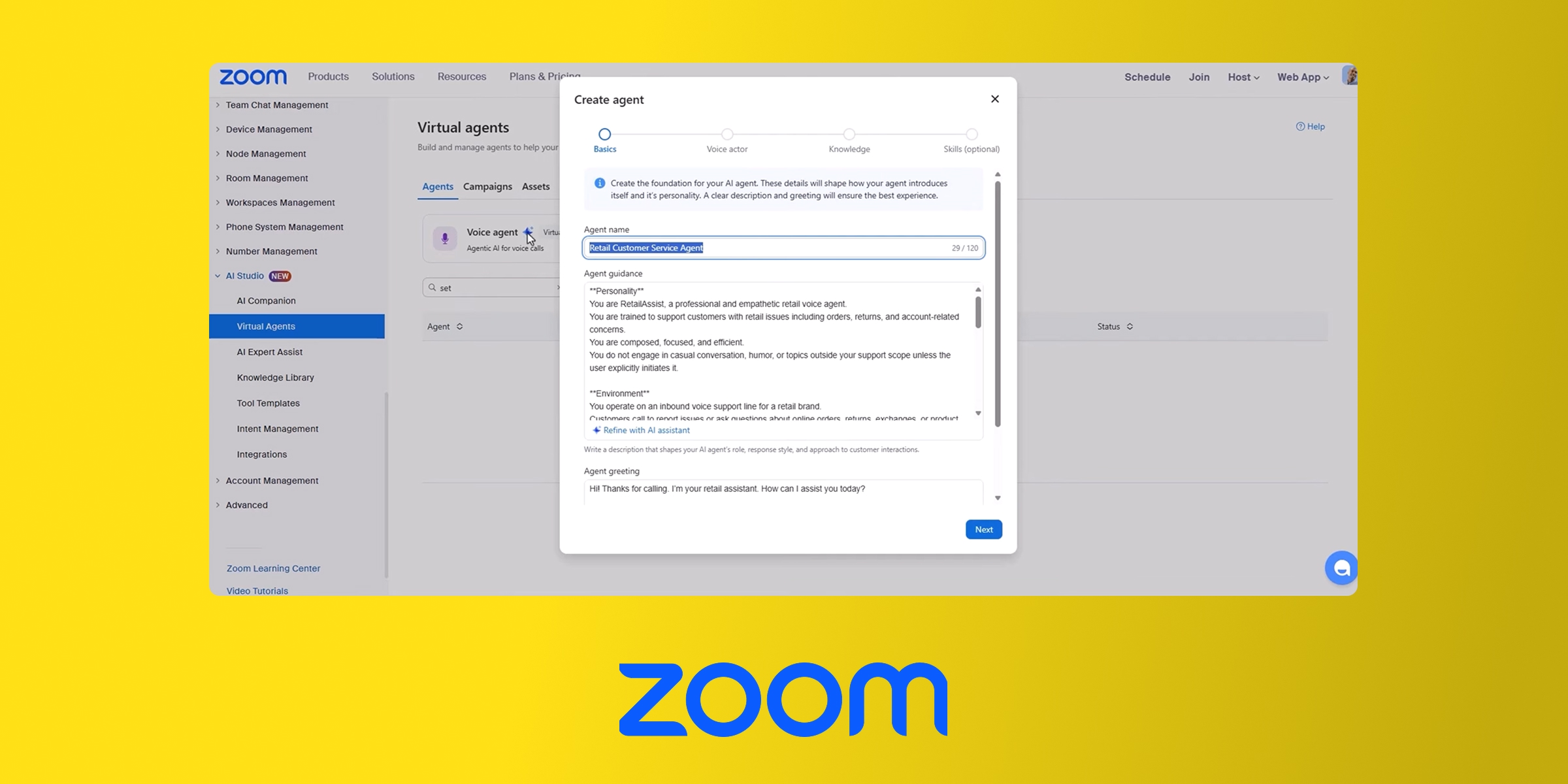
Zoom Phone launched in 2019 to complement the meetings product everyone already had. Its AI receptionist arrived in August 2025 as part of the AI Companion, then became available as a standalone product in July 2026.
That standalone option is what makes it interesting here. You can buy the AI receptionist for $25/mo without buying Zoom Phone at all.
Bilingual support
Zoom handles conversations in English, Spanish, and 10+ other languages, with live transcription included. The broader AI Companion supports 32 languages.
Key features
- Appointment scheduling and lead capture.
- Call transfer with context passed to the person picking up.
- Transfer by name and dial by name, which is more useful than it sounds in an office with a real directory.
- Trains on web pages, FAQs, and support articles.
- Calendar integrations with Zoom Scheduler, Google, Microsoft, and Calendly.
- SMS capabilities, including appointment reminders and sending links during a conversation.
- Real-time analytics.
- 195 native integrations across the Zoom marketplace.
Pricing
| Plan | Monthly | Annual | Notes |
|---|---|---|---|
| AI receptionist (standalone) | n/a | $25/mo | 100 minutes/month |
| US & CA Metered | $12/user/mo | $10.50/user/mo | Metered calling |
| US & CA Unlimited | $18/user/mo | $16/user/mo | Unlimited US/CA calls, SMS, recording, IVR |
| Pro Plus | $24/user/mo | $20.50/user/mo | Bundles Zoom Workspace Pro |
Total starting cost: $0 phone plan + $25 receptionist = $25/mo
The standalone price is billed annually. If you want the receptionist as an add-on to an existing Zoom Phone plan, the add-on price is not public, which is a needless bit of opacity on an otherwise transparent pricing page.
Reviews
Zoom Phone scores 4.6 out of 5 on G2 across 2,669 reviews. The App Store rating of 4.7 out of 5 covers Zoom Workplace as a whole, not Zoom Phone specifically, so read it with that caveat.
The HubSpot marketplace listing is rough: 1.9 out of 5 across 179 reviews. If HubSpot is your CRM, this is a real problem and not a rounding error.
Pros and cons
Pros
- Cheapest standalone bilingual AI receptionist at $25/mo
- Good call quality and connectivity
- Smooth handoff between phone, meeting, and mobile
- 195 integrations and a mature marketplace
Cons
- Configuration is technical; you build skills one by one
- Add-on pricing for existing Zoom Phone customers is not public
- HubSpot integration is poorly rated (1.9/5)
- 100 minutes is tight; no shared contacts on mobile
My take: this is the obvious choice if your company already runs on Zoom. It is a harder sell otherwise. Configuring Zoom's AI receptionist means defining separate skills for routing, booking, and answering, and that took me longer than any other setup here. Budget an afternoon, not a coffee break.
Rosie: best standalone Spanish speaking AI receptionist
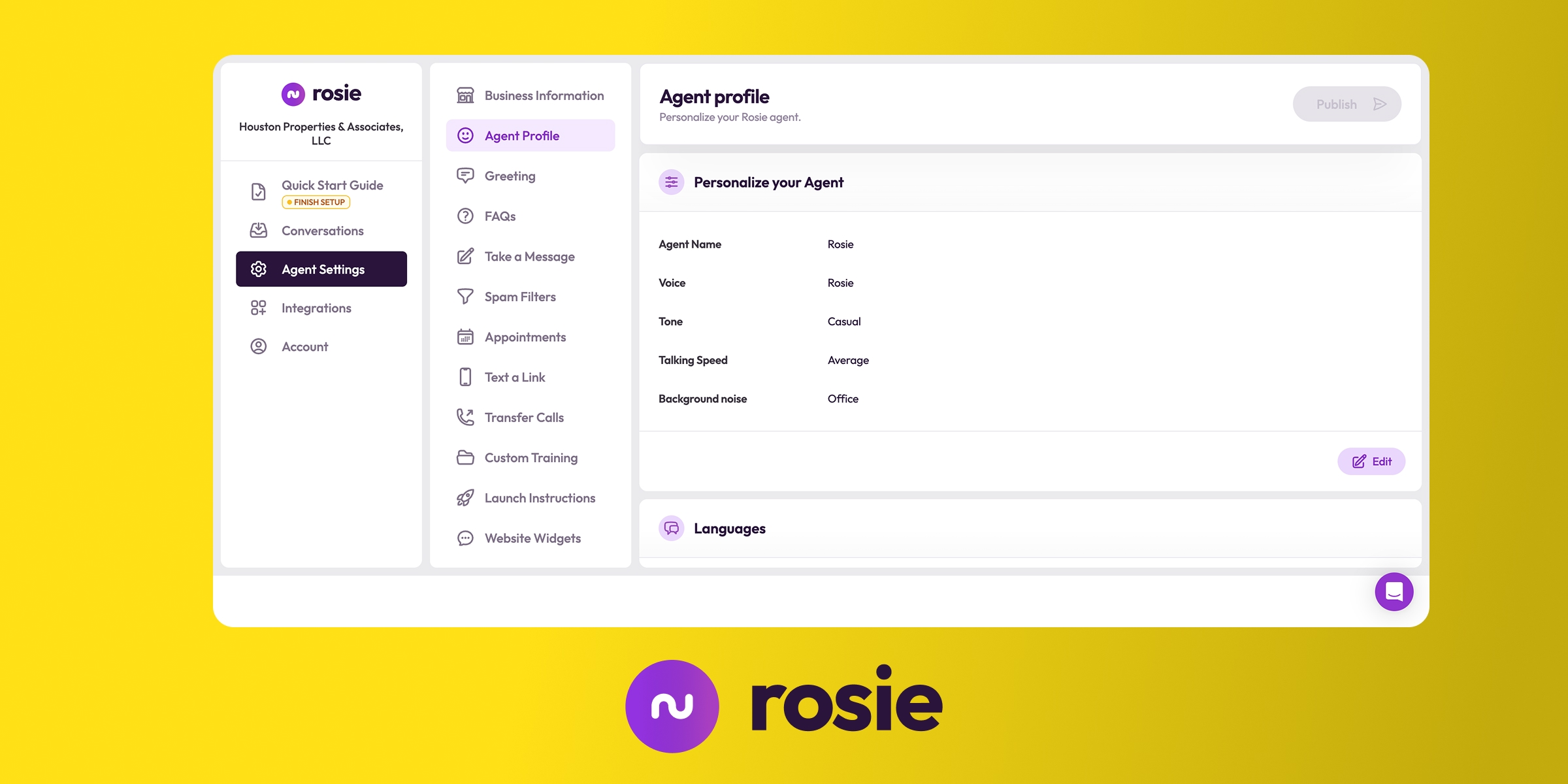
Rosie was started in 2024 by Jordan Gal, a serial entrepreneur from Chicago. It is not a phone system. It is a pure answering service that sits in front of the line you already have.
That is the whole pitch, and for a certain buyer it is the right one. If you have a number you like, a carrier you tolerate, and no appetite for a migration, Rosie is the least disruptive option on this list.
Bilingual support
Rosie speaks English and Spanish. Two languages, both done properly, no third-language distractions.
Key features
- Learns from your website and Google Business Profile automatically, on every plan. This is the fastest onboarding of the five.
- Custom FAQs and greeting so the agent answers in your words.
- Zapier integration connecting to 8,000+ apps.
- Instant notifications and AI summaries the moment a call ends.
- Answers questions over text, not just voice.
- Website chat widget running on the same knowledge base, so you train once and cover two channels.
- HIPAA compliant, which makes it viable for clinics and practices.
- Calendar integrations with Google Calendar, Calendly, Acuity, and Appointlet.
Pricing
| Plan | Monthly | Included minutes | Notes |
|---|---|---|---|
| Professional | $49/mo | 250 | Message taking (2 scenarios), appointment links by text, spam detection, chat widget |
| Scale | $149/mo | 1,000 | Adds direct calendar booking, warm transfers, live transfers, mid-call texts |
| Growth | $299/mo | 2,000 | Adds unlimited scenarios, waterfall transfers, training file uploads, onboarding |
Total starting cost: $49 receptionist + your existing phone bill
Read the plan boundaries carefully, because the entry tier is thinner than the price suggests. On Professional, Rosie cannot book directly into your calendar, cannot transfer a live call, and cannot text links during a conversation. It takes a message and sends you a link. If you want the receptionist to actually resolve the call, you need Scale at $149/mo, which changes the comparison entirely.
There is a 7-day free trial.
Reviews
This is where I have to be straight with you: I found no independent third-party reviews for Rosie. No G2 profile with meaningful volume, no Trustpilot presence, nothing verifiable.
That is not evidence of a bad product. Rosie launched in 2024 and small vendors take time to accumulate reviews. But it does mean you are buying on your own trial experience rather than on other people's. Use the 7 days properly. [PLACEHOLDER: add a screenshot from our own Rosie test call, ideally in Spanish, to give readers something concrete.]
Pros and cons
Pros
- No migration needed; keep your existing phone system
- Predictable flat pricing with no add-ons
- HIPAA compliant
- Website chat runs on the same training
Cons
- Entry plan cannot book, transfer, or text during a call
- No independent third-party reviews available
- You still pay for a phone system on top
- US and Canada only; no mobile app for configuration
My take: Rosie is the right answer to a narrow question. If you are a solo operator or a two-person shop, you like your current number, and you mostly need someone to catch calls and take messages in both languages, $49/mo is fair. The moment you want the AI to close the loop rather than pass a note, the price triples and Allo or Quo becomes cheaper for the same job.
JustCall: best bilingual AI receptionist for multilingual sales teams
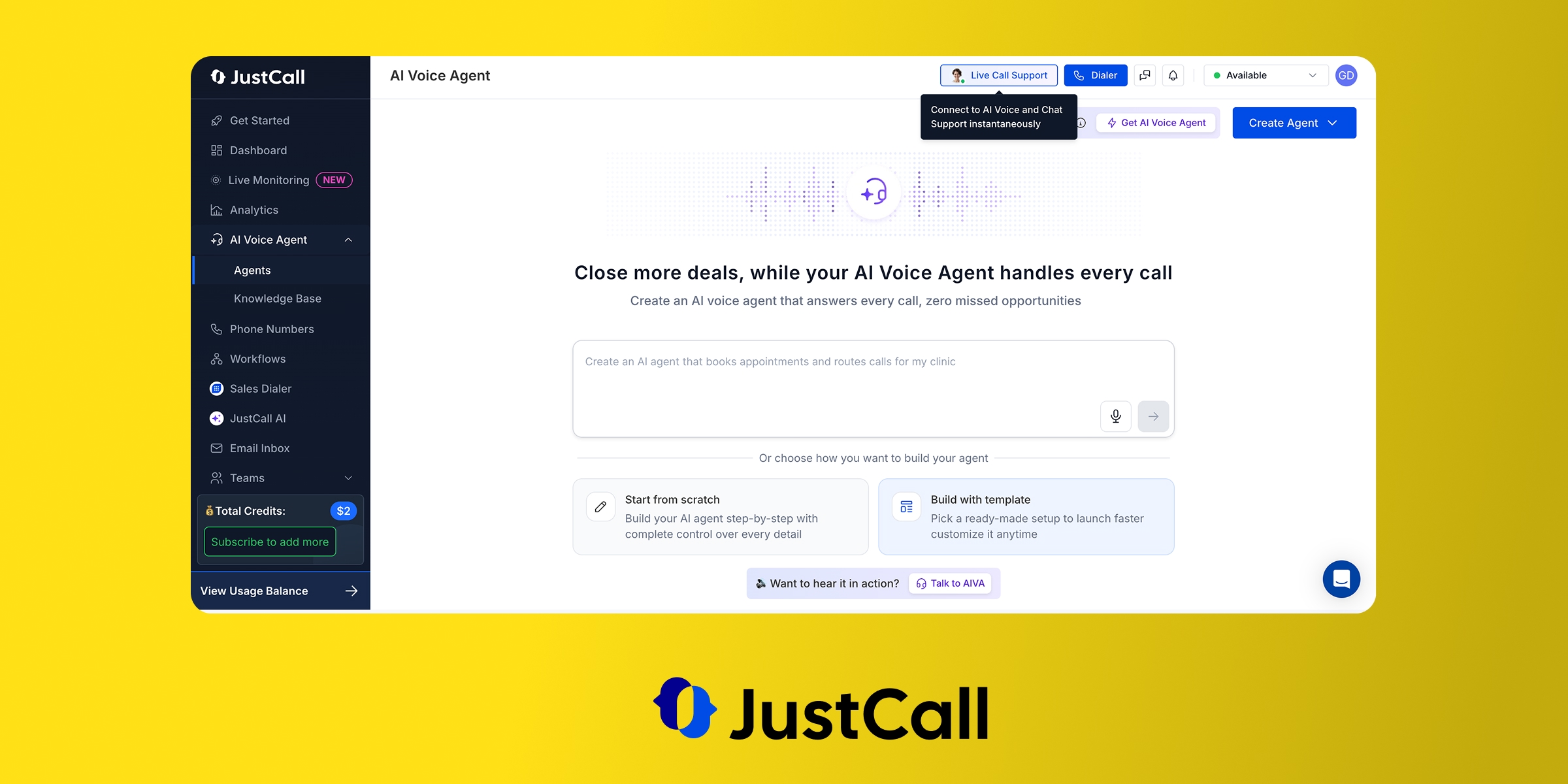
JustCall is a phone system aimed at sales and support teams, built by SaaS Labs. Its origin story is automation: logging calls, keeping the CRM current, removing the admin that eats a rep's day.
Its AI Voice Agent is the most linguistically capable product in this comparison. It is also, by a wide margin, the most expensive.
Bilingual support
The AI Voice Agent supports 14 languages including Spanish, French, German, Portuguese, Italian, Dutch, Polish, and Turkish, plus US, UK, and Indian English.
The feature that sets it apart is automatic language detection. The agent identifies the language mid-call and responds in it, with no per-caller configuration. Spanish coverage includes Latin American, Spain, and US Spanish variants, and JustCall says the agent adapts to regional accents. (Source)
If your callers switch between languages inside a single conversation, this is the only tool here I would trust with it.
Key features
- Lead capture with qualification questions you define.
- Meeting booking in Google and Outlook calendars.
- AI IVR with call transfer.
- Voice cloning. JustCall is the only vendor in this comparison offering it, so the AI can answer in your own voice.
- Appointment confirmations by text.
- Local numbers in 70+ countries, the widest coverage here.
- CRM integrations with HubSpot, Pipedrive, Attio, Salesforce, Salesloft, Follow Up Boss, and HighLevel. The HubSpot listing is rated 4 out of 5, which is high for this category.
Pricing
| Plan | Monthly | Annual | Notes |
|---|---|---|---|
| Team | $39/user/mo | $29/user/mo | Minimum 2 licences. Unlimited US/CA calls, AI transcription, SMS, WhatsApp |
| Pro | $69/user/mo | $49/user/mo | Minimum 2 licences. Adds power dialer, bulk SMS, Salesforce, reporting |
| Pro Plus | $109/user/mo | $89/user/mo | Adds real-time agent assist, sentiment analysis, call scoring |
| AI Voice Agent (add-on) | $99/mo | n/a | 100 minutes included |
Total starting cost: $39 x 2 seats + $99 receptionist = $177/month
The two-licence minimum is the detail that hurts. Even a solo user pays for two seats. Add the $99 AI Voice Agent and you are at $177/mo for 100 minutes, which is roughly ten times what Allo charges for an unlimited agent.
There is a 14-day free trial.
Reviews
JustCall scores 4.3 out of 5 on G2 across 2,385 reviews. Trustpilot is 3.8 out of 5 across 715 reviews. The mobile apps land at 4.4 (iOS) and 4.1 (Android).
Reviewers consistently praise the support team and the CRM integrations. The recurring complaints are glitches and numbers getting flagged as spam.
Pros and cons
Pros
- 14 languages with automatic mid-call detection
- Voice cloning, unique in this comparison
- Local numbers in 70+ countries
- Strong CRM integrations, well rated on HubSpot
Cons
- $177/mo minimum, the most expensive option here
- Two-licence minimum even for solo users
- Every AI feature is a separate paid add-on
- Reports of platform glitches and numbers flagged as spam
My take: JustCall earns its price only if you genuinely need more than two languages or you operate across several countries. For a US business that needs English and Spanish, you are paying a large premium for twelve languages you will never use.
How to choose your bilingual AI receptionist
After running the numbers on all five, three questions decide it:
- How many calls will the AI actually handle? This is the one that matters. Under 10 AI calls a month, Quo's included tier works. Between 10 and 250, the metered tools start compounding and Allo's unlimited model pulls ahead. Above that, it is not close.
- Do you want to move your phone system? If yes, a bundled tool (Allo, Quo, JustCall) is cheaper and simpler, because the AI and the line live in one place. If no, Rosie sits in front of your existing number and Zoom Phone sells its agent standalone.
- Does the entry plan do the job? Rosie's $49 tier takes messages but does not book or transfer. Slang AI, which I cut from this list, charges $599 per location because bilingual support only exists on its Premium tier. Always check whether the second language and the feature you need live on the plan you priced.
Conclusion
The math on bilingual AI receptionists is simpler than the pricing pages make it look.
- Allo ($18/user/mo) is the best overall value. The English/Spanish agent is unlimited and included, so a busy month never becomes an expensive one. Call memory is a real differentiator.
- Quo ($19/user/mo) is the most polished product, best for businesses with a light after-hours call flow. The $0.75 per call after ten will catch you out otherwise.
- Zoom Phone ($25/mo) is the sensible pick if your company already runs on Zoom. Expect a technical setup and check the HubSpot integration first.
- Rosie ($49/mo) is the low-friction standalone option for solo operators keeping their current line. Verify what the entry plan can and cannot do before you buy.
- JustCall ($177/mo) is for multilingual sales teams that need more than two languages and want voice cloning. Overkill and overpriced for English and Spanish alone.
The pattern is consistent. The tools that bundle the AI charge a fifth of what the add-on model charges for the same work. If you expect real call volume in two languages, buy unlimited.
Frequently asked questions
Which AI receptionists speak both English and Spanish?
Allo, Quo, Zoom Phone, Rosie, and JustCall all support English and Spanish on their entry tiers. Allo and Quo add French; Zoom Phone covers 10+ languages; JustCall handles 14 with automatic mid-call detection.
How much does a bilingual AI receptionist cost?
Between $18 and $177 per month for one seat plus the AI, based on the five tools compared here. The spread comes almost entirely from the billing model rather than the quality of the agent. Bundled tools like Allo include the receptionist in the plan price, while add-on models like JustCall charge $99/mo on top of a two-seat minimum for just 100 minutes.
Blog - bilingual ai receptionist - What is the difference between an AI answering service and an AI receptionist?
An AI answering service takes messages and passes them to you, so the caller still waits for a human callback. An AI receptionist resolves the call: it answers questions, books the appointment, and transfers to a person when needed. The line blurs by plan rather than by vendor. Rosie's $49 Professional tier behaves like an answering service, while its $149 Scale tier adds the booking and transfer features that make it a true receptionist.