
Looking for the best Quo (formerly OpenPhone) alternative? You're in the right place.
We've conducted an extensive, in-depth research into the most popular Quo competitors, analyzing everything from pricing to features and user feedback.
In this article, we’ll share our findings, offering you a comprehensive comparison of the best options available.
Our Selection Method
To ensure that we provide the most accurate and unbiased recommendations, we’ve spent the past six months conducting extensive research on these systems.
For each service, we thoroughly analyzed key features, signed up for trials, and reviewed user experiences. Whenever possible, we tested the tools directly by making test calls and evaluating customer support.
To ensure the accuracy of our findings, we also cross-referenced our results with third-party verified reviews to avoid any potential bias and present a balanced overview of each platform.
Without further ado, let's get started.
Summary
- Google Voice is best for freelancers and individuals who need a budget-friendly secondary phone line integrated with Google apps, but it may not be suitable for businesses with more complex needs.
- Allo is best for small teams that want an AI-powered phone system with native CRM integrations and simple per-user pricing, plus an AI receptionist available as an add-on.
- Ooma is best for small teams or companies with a limited budget that require essential VoIP features, but may not be suitable for larger businesses seeking advanced integrations.
- RingCentral is best for medium to large companies that need an all-in-one communication platform, with voice, video, messaging, and integrations for a unified experience.
- Nextiva is best for large enterprises looking for a scalable unified communications platform with AI and CXM capabilities, though the basic plan lacks some features included by competitors.
- Vonage is best for medium to large organizations, particularly call centers and customer service teams, that need advanced call management features and global coverage, but can manage additional costs for extra functionalities.
- Dialpad is best for companies that want an AI-enhanced communication system for real-time transcription, call analytics, and scalability, but it may have a steep learning curve for some users.
- Aircall is best for customer support and sales teams in medium to large businesses that require robust telephony integrations, frequent updates, and scalable licensing options, although the costs can escalate with add-ons.
| Solution | Best for | Starting price | G2 rating |
|---|---|---|---|
| Google Voice | Individuals and freelancers | Free for personal use, $10/user/mo for business | 4.1/5 (166 reviews) |
| Allo | Small teams | $32/user/mo billed yearly, AI receptionist add-on from $32/mo | 4.7/5 (209 reviews) |
| RingCentral | Mature organizations | $20/user/mo billed yearly | 4.2/5 (1,402 reviews) |
| Ooma Office | Very small businesses | $19.95/user/mo, monthly billing only | 4.5/5 (134 reviews) |
| Nextiva | Organizations with multiple channels | $15/user/mo billed yearly | 4.5/5 (3,653 reviews) |
| Vonage Business | Call centers | $13.99/line/mo billed yearly | 4.3/5 (504 reviews) |
| Dialpad | Large teams | $15/user/mo billed yearly | 4.4/5 (4,192 reviews) |
| Aircall | Large sales teams | $30/license/mo billed yearly, 3-license minimum | 4.4/5 (1,591 reviews) |
Google Voice, best for individual usage
What is Google Voice?
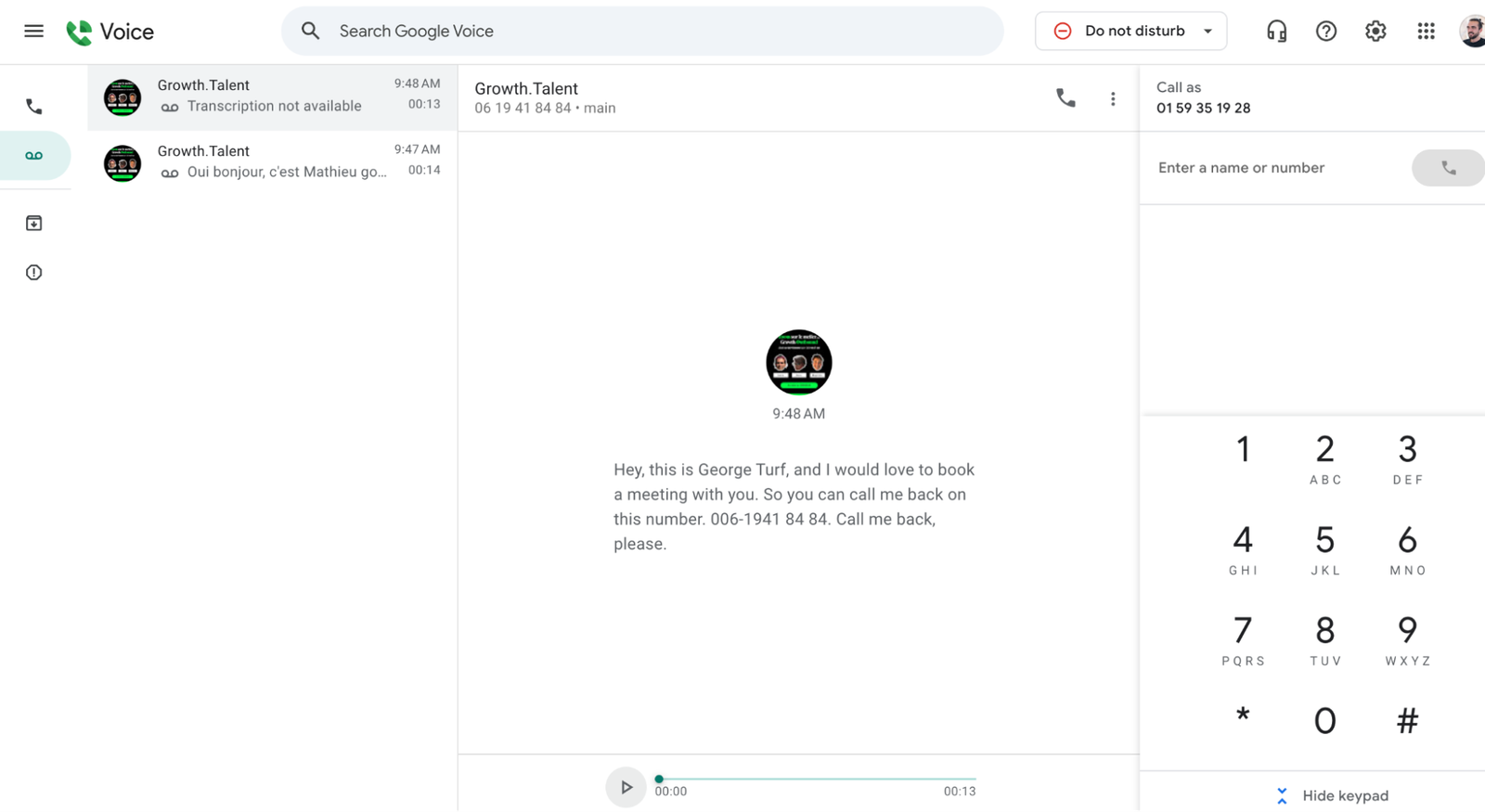
Unlike Allo and Quo, Google Voice offers a free plan for personal use, making it a budget-friendly option for individuals who want a simple phone system.
Google Voice is ideal for freelancers or anyone seeking a secondary phone number to maintain privacy. The paid business plans integrate seamlessly with Google Workspace, providing a convenient option for companies already using Google tools like Meet and Calendar.
For example, with the calendar integration, you can sync your calendar with Google Voice to automatically decline calls when you're in a meeting or set your availability based on your calendar working hours, while with Meet it is possible to identify incoming Google Voice calls.
Who is Google Voice best for?
- Personal users who want a free, secondary number for privacy
- Freelancers needing to manage calls across devices
- Small businesses looking for an affordable phone solution with basic features and Google Workspace integration
Pros & Cons of Google Voice
Pros
- Free for personal use
- Affordable pricing, ideal for SMBs
- Only charges for outbound calls, with low rates
- Large support community for resolving issues
- Integrates well with Google Workspace
Cons
- Requires a Google Workspace subscription for business use
- No customer support for the free version
- No CRM integrations
- Limited AI features
Google Voice Pricing
Google Voice offers a free personal account and three business plans:
- Personal use: free with any Gmail account.
- Starter: $10 per user per month. Up to 10 users. Without a Google Workspace subscription, it is limited to one user in the US.
- Standard: $20 per user per month. Unlimited users, on-demand call recording and call routing. Requires Google Workspace.
- Premier: $30 per user per month. Adds automatic call recording and advanced reporting with BigQuery. Requires Google Workspace.
Demo video of Google Voice
Google Voice Reviews
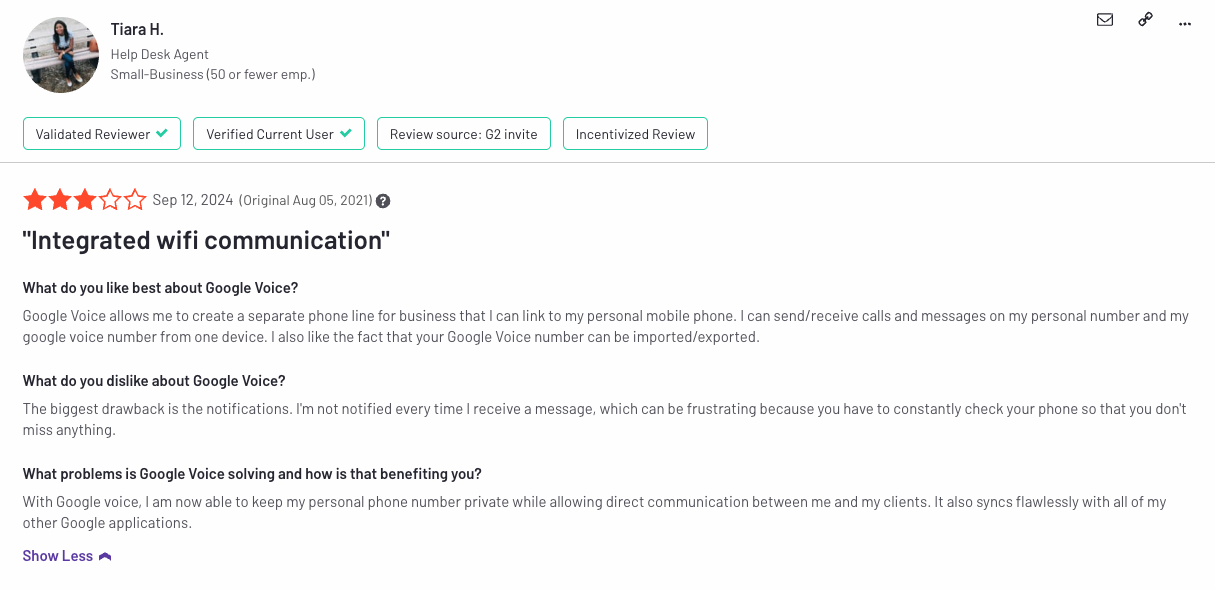
Google Voice holds a 4.1 out of 5 score on G2 across 166 reviews, with users praising its ability to provide a separate business line on personal devices, seamless integration with other Google apps, and cost-effectiveness compared to paid VoIP providers. However, some users expressed frustrations with notification issues, spam texts, and occasional call quality problems.
Allo, best for small teams
What is Allo?
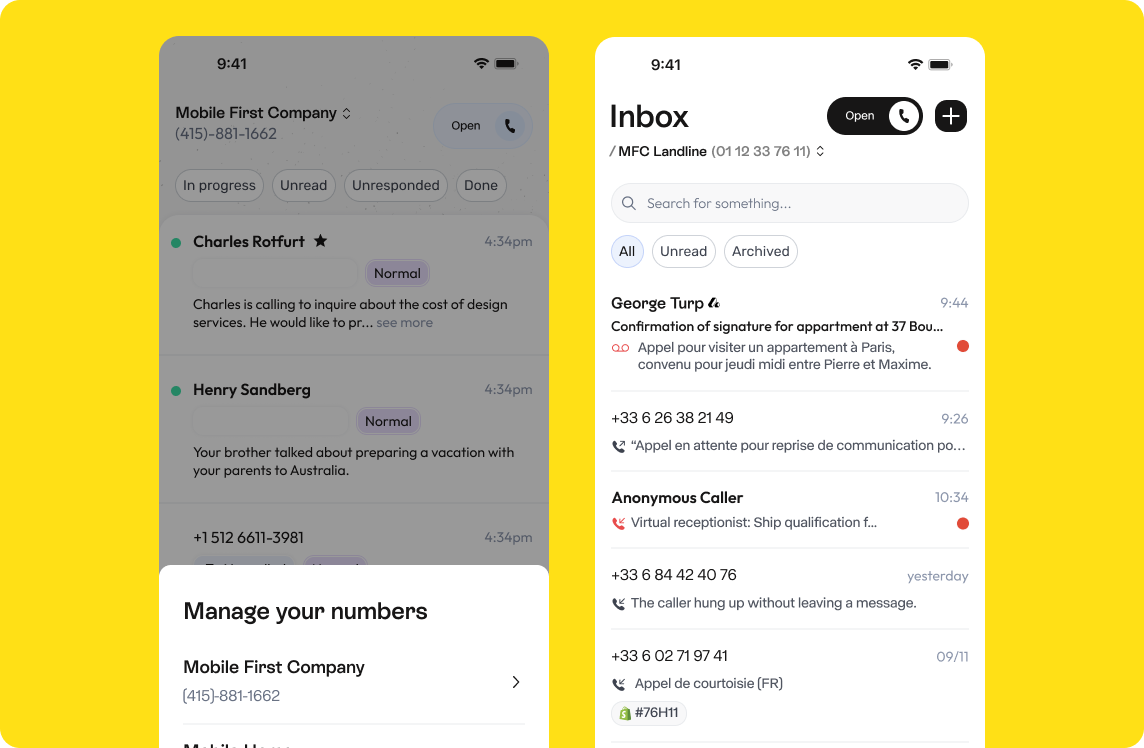
Like Quo, Allo is a phone system designed with small teams in mind. It boasts numerous AI features, including call transcripts, an AI receptionist, and an assistant that can generate draft emails and texts. You can also connect it to your LLM using the MCP.
Who is Allo best for?
Allo is ideal for small companies looking for an intelligent, user-friendly phone solution to manage customer interactions without the need for complex setup, a learning curve, or ongoing support.
Allo also offers two apps that you can download from the Apple App Store or Google Play Store. Once installed, simply set up your business by selecting a phone number, customizing greetings, setting preferences, and activating your AI Receptionist. After that, you're ready to start receiving calls.
Pros & Cons of Allo
Pros
- Simple per-user pricing, with the AI receptionist as a flat add-on with unlimited minutes
- Deep CRM integrations with HubSpot, Salesforce, Pipedrive, Attio, and more
- AI-powered virtual receptionist: Handles calls efficiently
- MCP to connect your phone system with your LLM for calls analysis and more
Cons
- Limited admin features for larger teams
- Porting process can take a few days
Allo Pricing
Allo's Business plan costs $32 per user per month billed yearly, or $45 per user per month billed monthly. It includes unlimited national calls, call recording, AI call summaries and transcripts, native CRM integrations, a power dialer and call analytics. Allo also covers both Europe and North America, whereas Quo is limited to the US and Canada.
The AI receptionist is sold separately, as a flat add-on at $32 per month billed yearly ($45 billed monthly) per agent, with unlimited minutes. In comparison, Quo's Business plan costs $23 per user per month billed yearly ($33 monthly), and its Starter plan caps its AI agent, Sona, at 10 handled calls.
Demo video of Allo
Allo Reviews
Allo holds a 4.7 out of 5 rating on G2 across 209 reviews, with users praising its simplicity, its native CRM integrations and its AI features. The mobile app also scores 4.3 out of 5 on the App Store.
RingCentral, best for mature organizations
What is RingCentral?
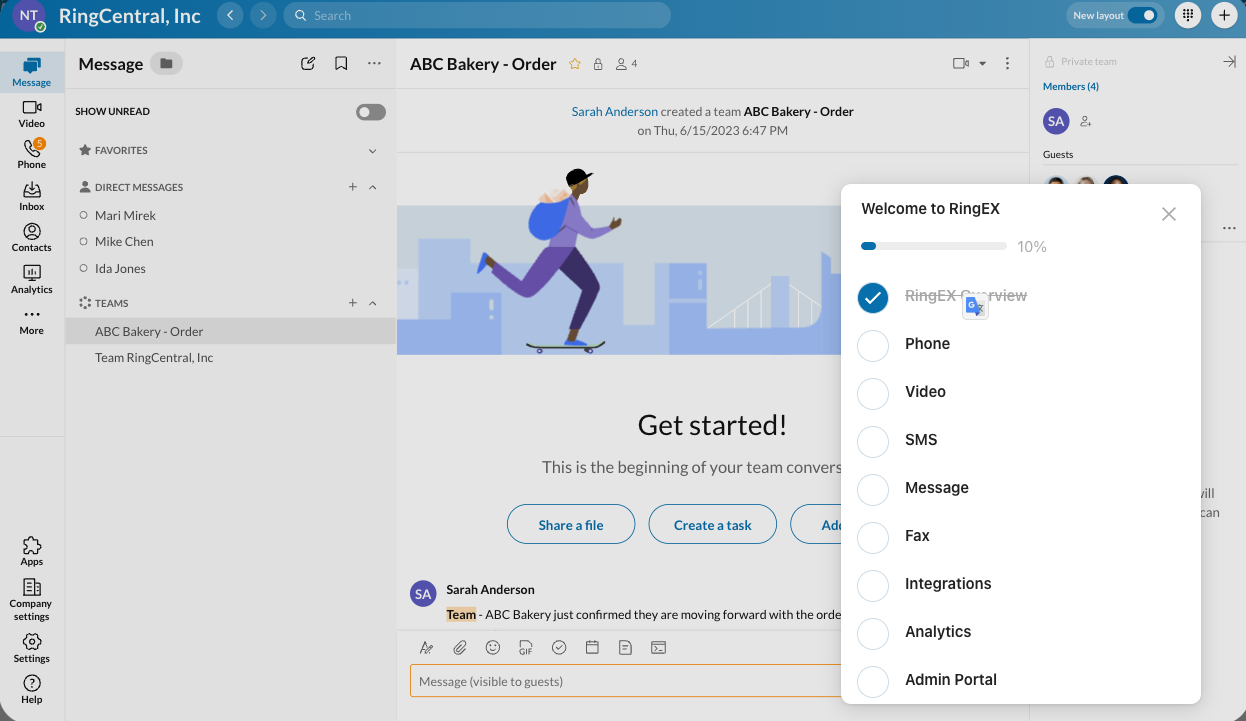
RingCentral is a robust cloud-based communication platform that goes beyond a traditional phone system, offering a unified solution for voice, video, messaging, and fax services, making it an ideal choice for businesses with complex communication needs.
However, its pricing may be a concern for smaller companies, as it primarily targets medium to large businesses.
Who is RingCentral best for?
RingCentral is best suited for medium to large companies that require enterprise-level capabilities and a unified communication platform.
Its extensive integrations with popular business tools and AI-powered automation make it an ideal choice for organizations that need to streamline their communication across multiple channels.
Pros & cons of RingCentral
Pros
- High-definition (HD) voice quality with AI-powered background noise reduction
- Extensive third-party integrations (Box, Zendesk, Salesforce, and more)
- Unified platform for voice, video, messaging, and team collaboration
- Fax service and AI-powered video conferencing
Cons
- Limited unlimited calling to the US and Canada, with additional fees for international calls
- Free trial has limitations (max five users, no international calling)
- Can be expensive for small businesses
- Prohibits lead generation and affiliate marketing
RingCentral Pricing
RingCentral's RingEX plans start at $20 per user per month billed yearly, or $30 billed monthly:
- Core: $20 per user per month billed yearly ($30 monthly)
- Advanced: $25 per user per month billed yearly ($35 monthly)
- Ultra: $35 per user per month billed yearly ($45 monthly)
Demo Video of RingCentral
RingCentral Reviews
In our investigation, we found numerous complaints regarding RingCentral's customer support, particularly about long wait times for assistance.
Many users also expressed frustration with the cancellation process, which requires calling customer service and often involves extended hold times. Feedback from sources like Reddit confirms these issues, with comments detailing experiences of over an hour spent waiting to cancel the service.

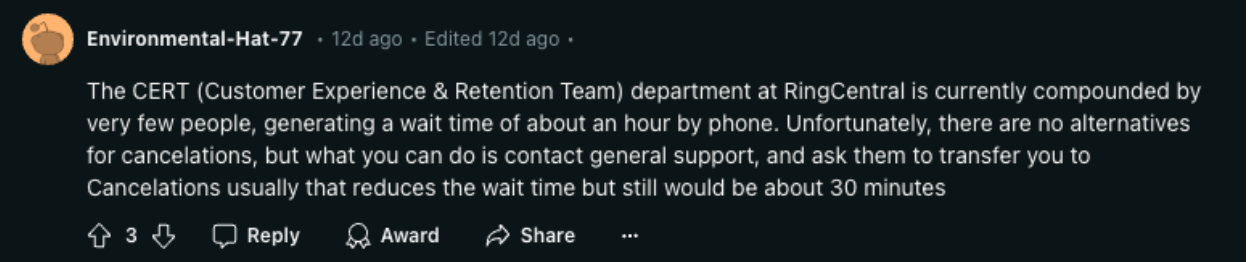
Users on Reddit expressed frustration with the cancellation process of RingCentral. However, RingCentral earns a 4.2 out of 5 score on G2 across 1,402 reviews, indicating that many users still find value in its comprehensive features despite the support challenges.
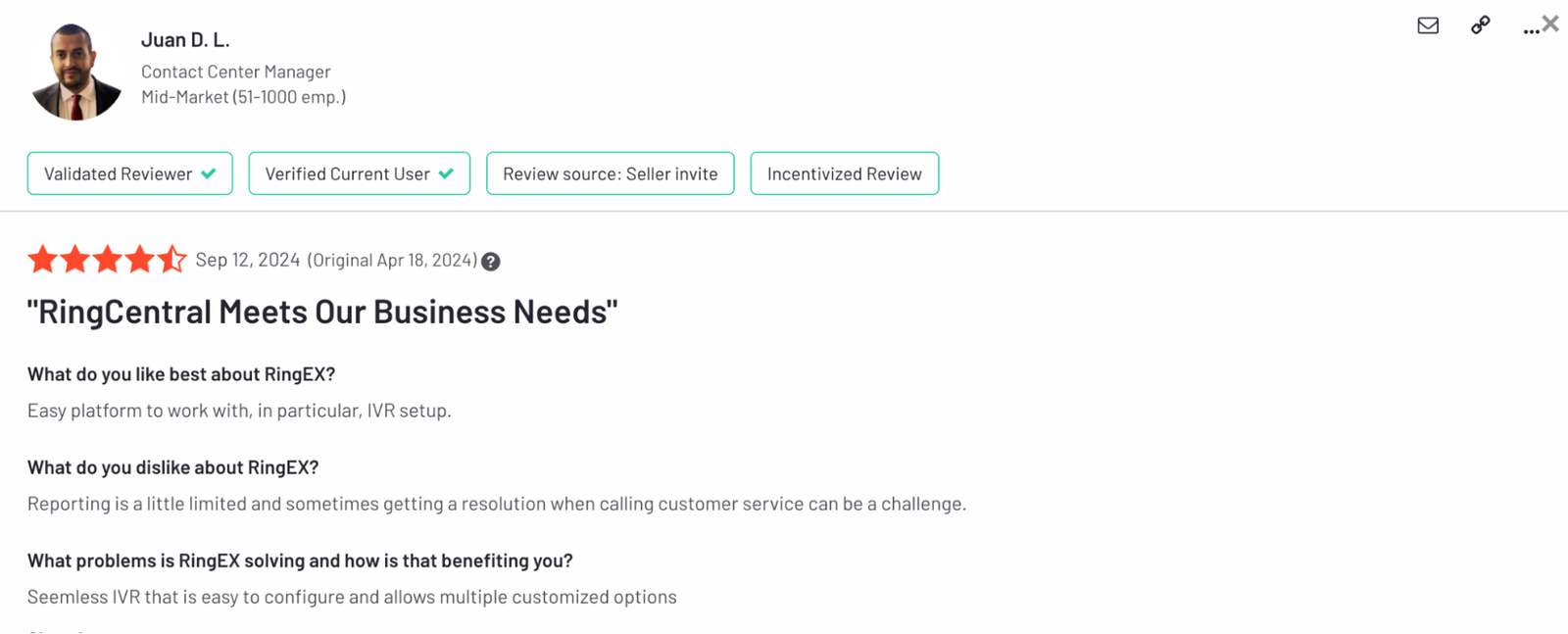
Positive reviews often highlight the platform's unified communication capabilities, high-quality voice service, and extensive integrations with third-party tools.
Ooma, best for very small businesses
What is Ooma?
Ooma is one of the oldest VoIP providers in this list (founded in 2003). The service made its name with consumers seeking to replace their residential landlines before expanding into the business market.
Ooma's pricing starts at $19.95 per user per month, billed month to month with no annual contract.
While it may not offer the advanced AI features of Allo or the extensive integrations found in RingCentral, Ooma provides a budget-friendly solution for small businesses seeking a basic phone system.
Ooma includes unlimited calling to the U.S., Canada, Mexico, and Puerto Rico, making it a more versatile option for businesses with cross-border communication needs.
Who is Ooma best for?
Ooma is best suited for small companies or teams with up to 25 users looking for an affordable, low-cost solution with essential communication features. It is ideal for businesses that prioritize budget-friendly options over advanced customization and integrations.
Pros & cons of Ooma
Pros
- Affordable pricing with plans starting at $19.95 per month
- No long-term contracts required, offering flexibility
- Comprehensive basic features even in entry-level plans
- Ooma Meetings included
Cons
- Limited plan options, offering fewer customization features
- Desk phone is not included in the basic package
- Integrations are only available with the Pro Plan
- No AI answer service, call transcript, or SMS support
Ooma Pricing
- Essentials: $19.95 per user per month
- Pro: $24.95 per user per month
- Pro Plus: $29.95 per user per month
Demo Video of Ooma
Ooma Reviews
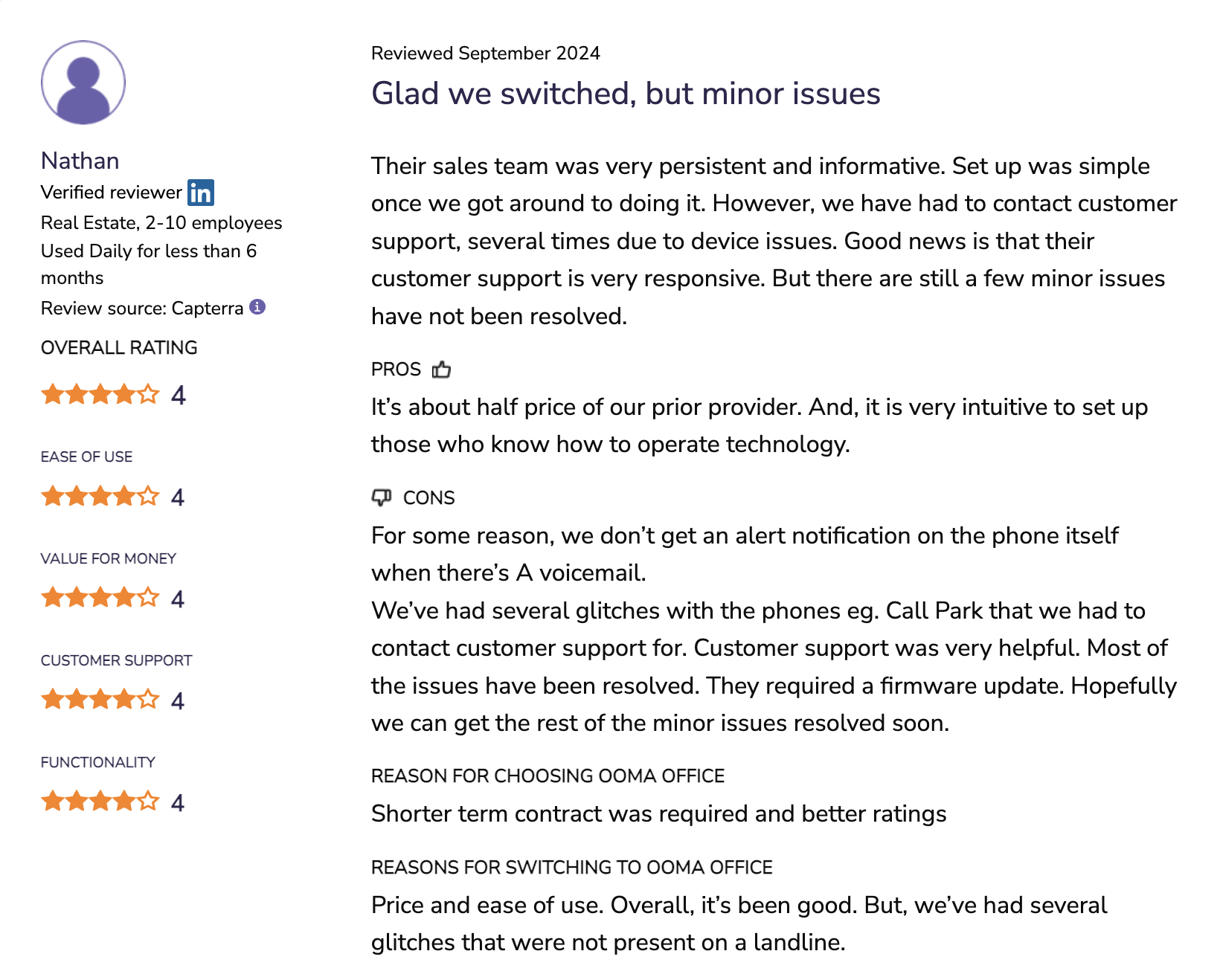
While Ooma Office has a respectable 4.5 out of 5 rating on G2, user experiences highlight some recurring challenges.
Many customers appreciate its affordable pricing and basic feature set, which includes call transfer and a virtual receptionist. However, there are frequent complaints about call quality issues, service interruptions, and problems with message delivery.
Nextiva, best for orgs with multiple communication channels
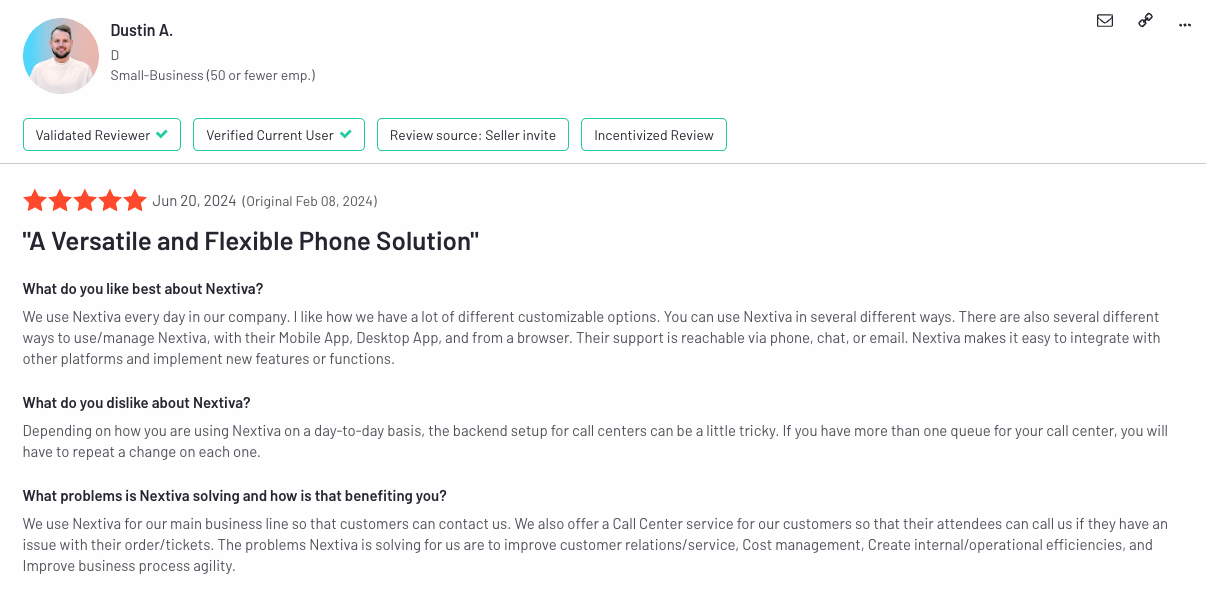
Nextiva offers a versatile communication platform that goes beyond traditional phone services, focusing on unified communication to manage teams and clients with features like video conferencing, NextivaONE (a platform for team and 1:1 chat), web chat and webinar hosting.
While its pricing is comparable to other VoIP services like Allo and Quo, Nextiva is better suited for larger companies that need comprehensive communication solutions across multiple channels. However, the basic plan may lack essential features found in competitors' entry-level offerings, making it less ideal for small businesses.
Who is Nextiva best for?
Nextiva is best suited for large businesses looking for a unified communication platform that integrates voice, chat, social media, and digital fax capabilities.
Its advanced IVR with conversational AI and extensive integration options make it a strong choice for companies needing a complete solution for managing customer interactions.
Pros & cons of Nextiva
Pros
- Supports various communication channels: live chat, voice, and email
- Smooth migration process with dedicated teams for onboarding
- Highly versatile with multiple ways to use and customize the service
- 24/7 live support with additional assistance options available
Cons
- Advanced reporting, web chat and a toll-free number require the Engage plan
- Essential plan does not include integrations like CRM software
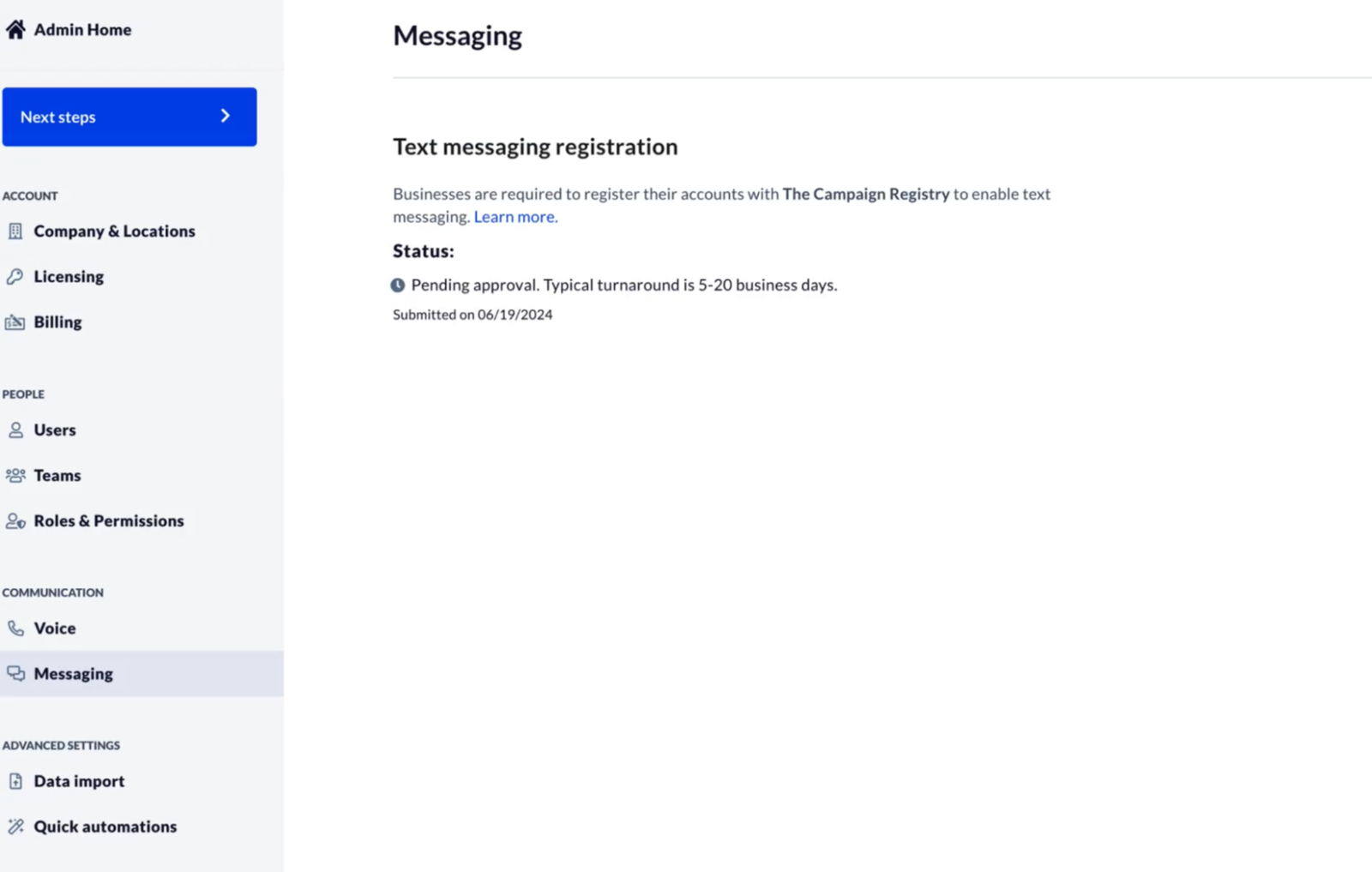
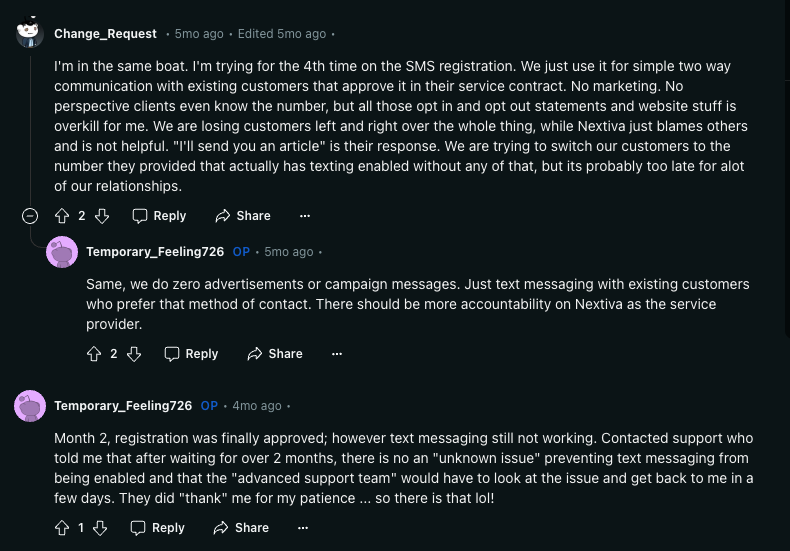
- SMS registration can be lengthy, taking up to several weeks
- N/A
Nextiva Pricing
Nextiva's entry plan, Core, starts at $15 per user per month billed yearly, but monthly billing raises it to $23.
The gap is wider on the next tier: Engage, which adds advanced reporting, web chat and a toll-free number, costs $25 per user per month billed yearly but $50 billed monthly.
- Core: $15 per user per month billed yearly ($23 monthly)
- Engage: $25 per user per month billed yearly ($50 monthly)
- Power Suite CX: $75 per user per month, up to 100 agents
Demo Video of Nextiva
Nextiva Reviews
Nextiva holds a 4.5 out of 5 rating on G2 across 3,653 reviews, with users praising its flexibility and integration with various communication channels.
However, the basic plan is considered too limited for small businesses, as essential features require upgrading to higher-priced plans. Additionally, users report app reliability issues and lengthy SMS registration processes that can be frustrating.
Vonage Business, best for call centers
What is Vonage Business?
Vonage Business provides a unified communications platform that integrates voice calls, video conferencing, team messaging, and file sharing to enhance collaboration. It caters to medium to large organizations, particularly call centers and customer service teams, that need advanced call management features and global coverage.
While its entry plan is affordable at $19.99 per line per month ($13.99 billed yearly), it offers fewer features than competitors' entry-level plans like Allo and Quo.
Who is Vonage best for?
Vonage is best suited for medium to large companies that require a robust communication solution with advanced call management features.
It is particularly useful for call centers and customer service operations that need tools like call queuing, forwarding, and conferencing. Businesses handling high call volumes can benefit from Vonage’s infrastructure, such as the receptionist console, available in the U.S. and U.K.
Pros & cons of Vonage
Pros
- Unified communications platform: Voice, video, messaging, and more
- Advanced call management options like call forwarding and screening
- Wide range of integrations, including CRM systems
Cons
- Additional fees for advanced features like call recording
- Excessive add-on fees for features like toll-free numbers
- Customer service can be difficult to reach, with slow response times
Vonage Pricing
While Vonage's starting price of $19.99 per line per month seems competitive compared to Allo and Quo, the costs can quickly add up.
Many essential features, such as call recording and CRM integrations, are only available in higher-tier plans or as paid add-ons.
This pricing structure makes Vonage more suitable for larger companies that can justify the additional expenses for a robust set of communication tools, rather than smaller businesses looking for an all-inclusive plan at a lower cost.
- Mobile: $19.99 per line per month ($13.99 billed yearly), plus taxes and fees
- Premium: $29.99 per line per month ($20.99 billed yearly), plus taxes and fees
- Advanced: $39.99 per line per month ($27.99 billed yearly), plus taxes and fees
Demo Video of Vonage
Vonage Reviews
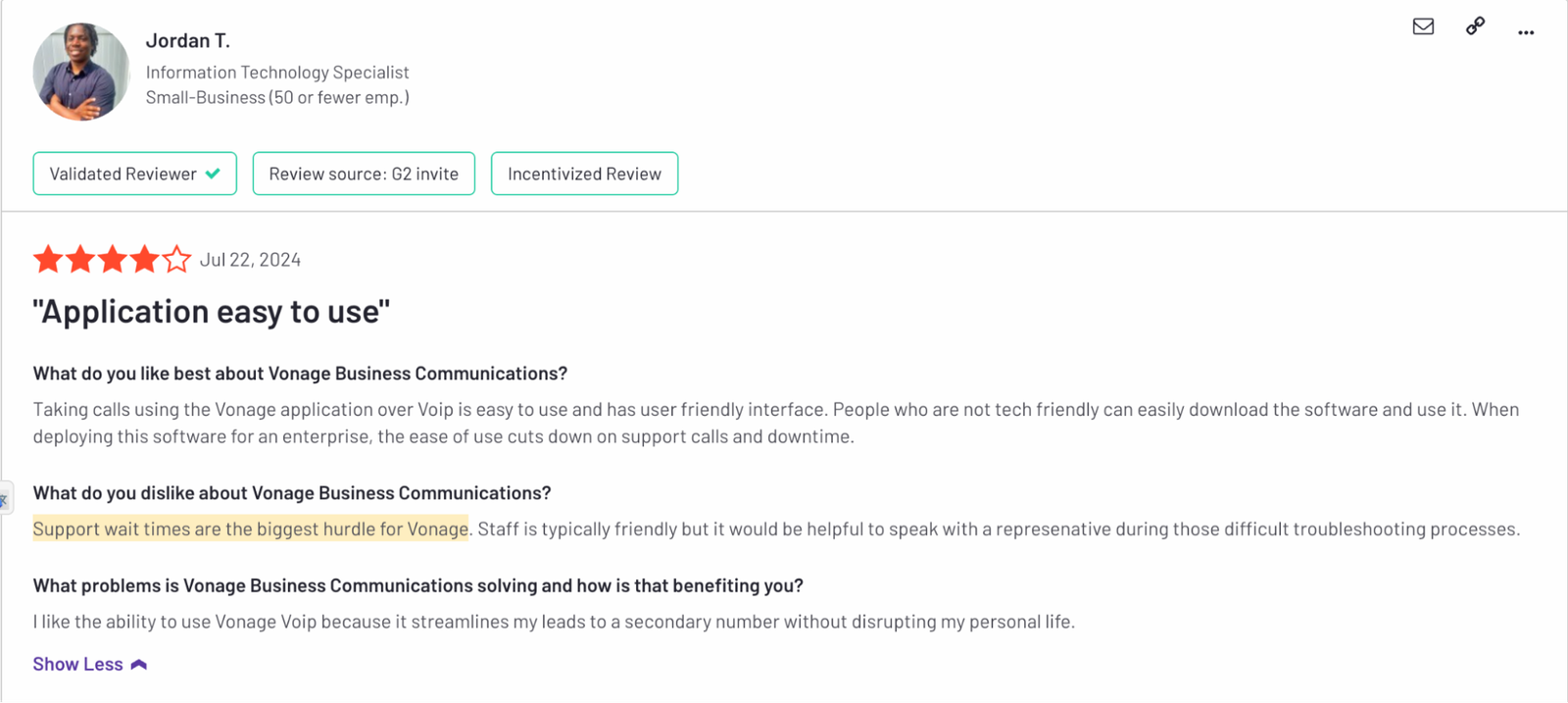
Vonage has received a rating of 4.3 out of 5 on G2, with users appreciating its unified communications capabilities and flexibility in managing calls.
The platform is praised for its clean design and HD voice quality, but some users express concerns over customer service with long wait times and difficulties reaching support.
Dialpad, best for large teams
What is Dialpad?
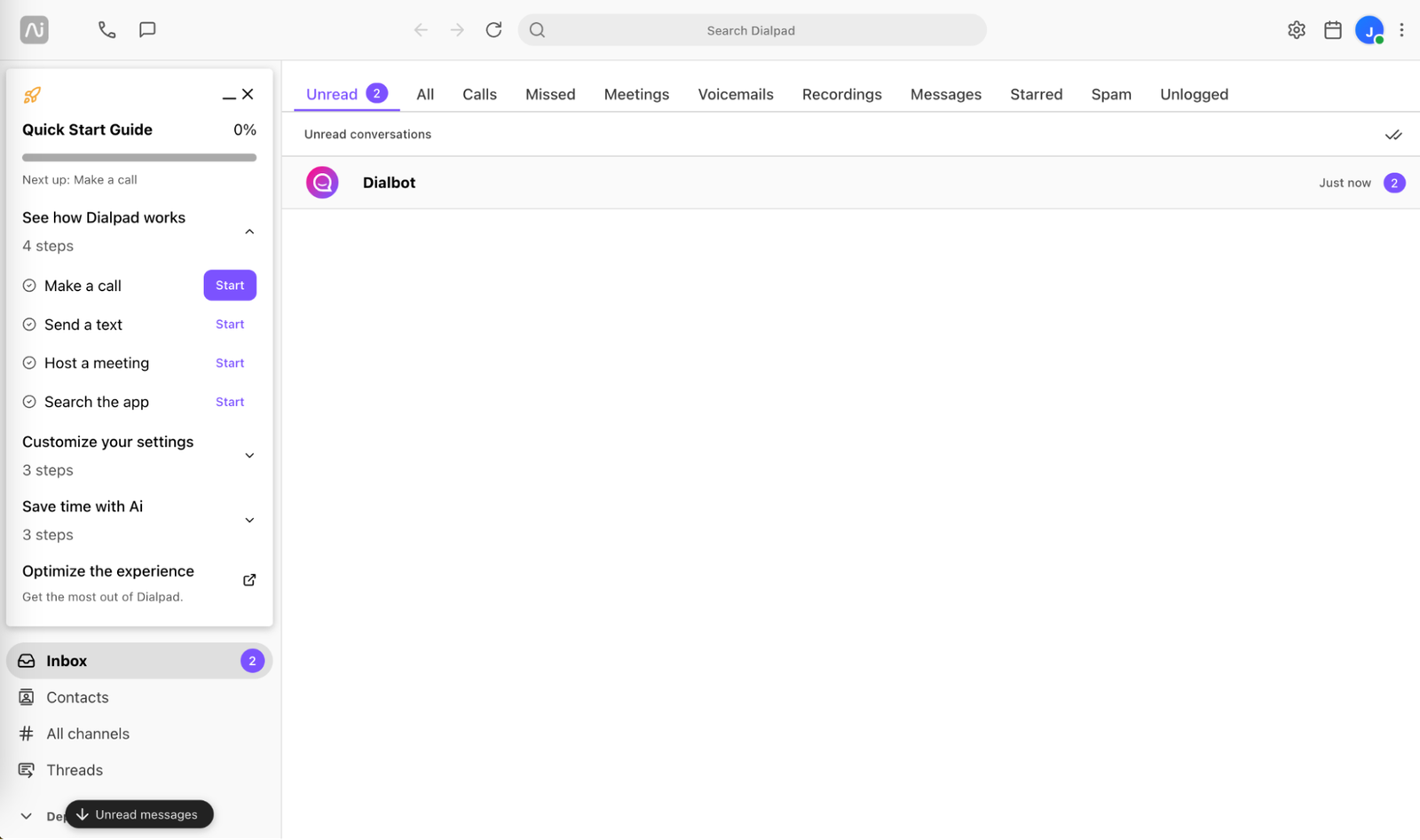
Dialpad is an AI-powered communication platform that stands out for its integrated AI features like real-time transcription and call coaching.
However, the platform’s learning curve and limited phone support for lower-tier plans may be challenging for smaller businesses.
Who is Dialpad best for?
Dialpad is best suited for medium to large companies seeking a scalable, AI-powered communication solution that can grow with their business needs.
It is ideal for organizations looking to streamline business interactions across various channels and leverage AI for tasks such as real-time transcription, call analytics, and automated coaching.
Pros & cons of Dialpad
Pros
- AI integration with real-time transcription and voice recognition
- Scalability allows easy addition of users and phone numbers
- Competitive pricing considering AI features included in plans
Cons
- Learning curve for mastering advanced features
- Limited 24/7 phone support for lower-tier plans
- Customer service has been reported as slow to respond at times
Dialpad Pricing
Dialpad Connect, its business phone system, offers two self-serve plans:
- Standard: $15 per user per month billed yearly ($27 monthly)
- Pro: $25 per user per month billed yearly ($35 monthly)
Demo Video of Dialpad
Dialpad Reviews
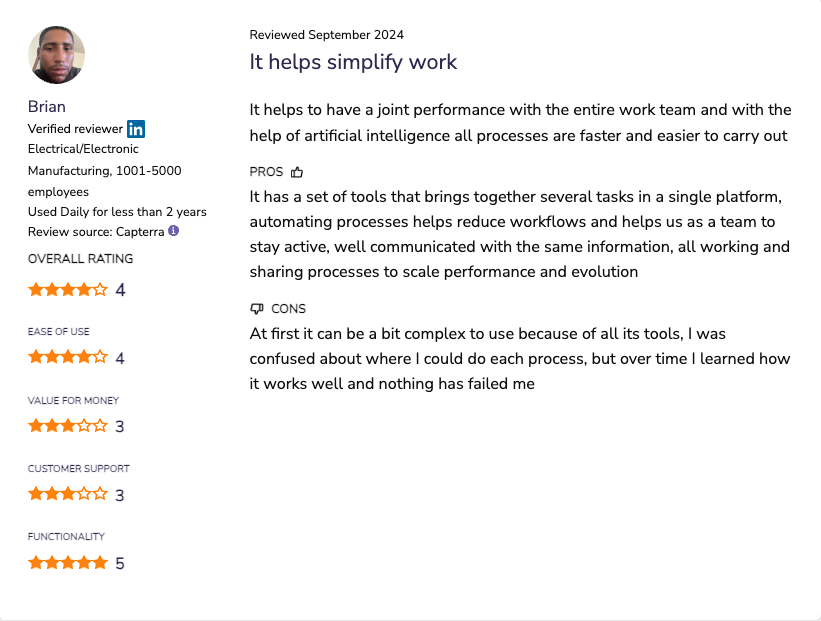
Dialpad maintains a 4.4 out of 5 rating on G2 across 4,192 reviews, with users highlighting the benefits of its AI capabilities, such as real-time transcription and process automation.
However, several users reported that the setup process can be challenging, and some experienced poor customer service response times.
Aircall, best for large sales teams
What is Aircall?
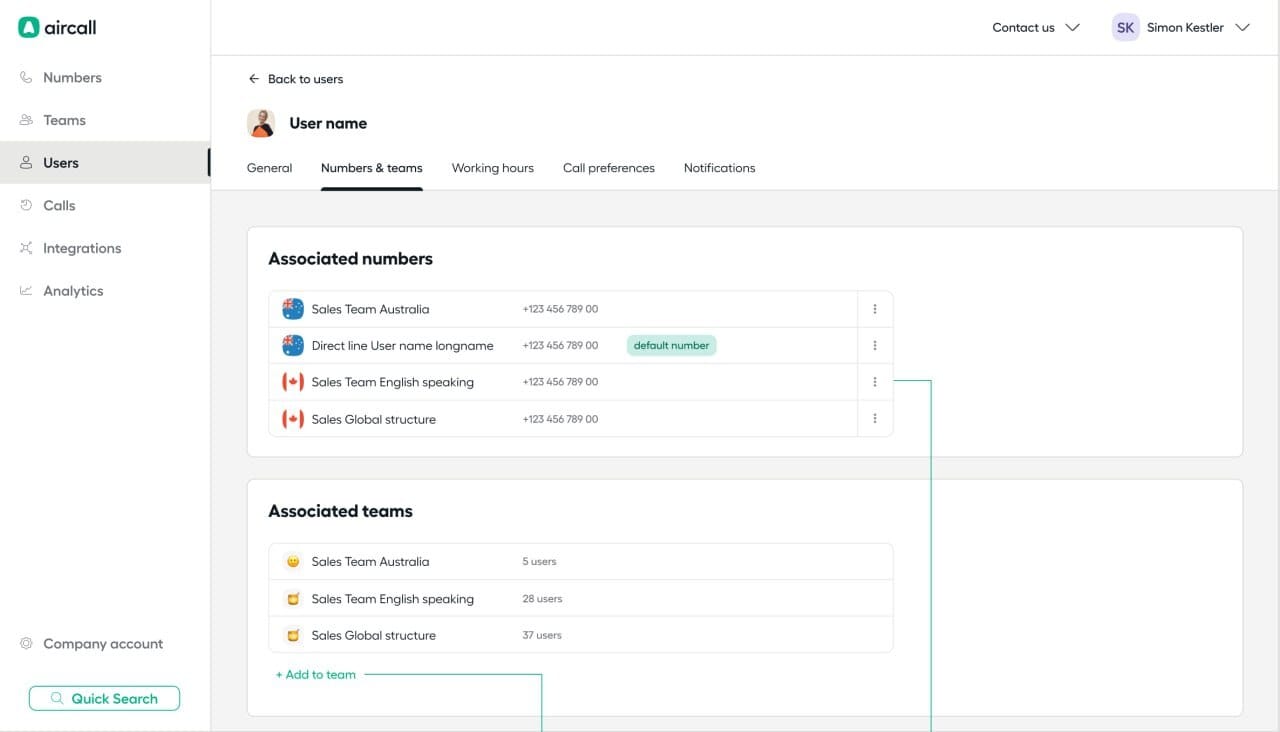
Aircall is a phone system that built its reputation through deep CRM integrations and was designed primarily for sales teams.
Who is Aircall best for?
Aircall is best suited for medium to large businesses with high call volumes and the need for multiple phone lines.
It is particularly beneficial for customer support teams and sales operations that require call logging, integrations with tools like Zendesk and Zapier, and access to advanced telephony features.
Pros & cons of Aircall
Pros
- Strong integrations like Zendesk and Zapier
- Frequent feature launches and updates
- Intuitive platform with a responsive customer support team
Cons
- Per-license pricing can lead to higher costs for growing teams
- Issues with call clarity in some foreign countries
- N/A
Aircall Pricing
Aircall offers two plans:
- Essentials: $30 per license per month billed yearly ($40 monthly). Includes a local number, unlimited calls within the US & Canada, IVR, call recording, and sending and receiving SMS and MMS.
- Professional: $50 per license per month billed yearly ($70 monthly). Includes advanced analytics, advanced sales features including a power dialer and voicemail drop, and unlimited call recordings.
Aircall has a 3-user minimum.
Demo Video of Aircall
Aircall Reviews
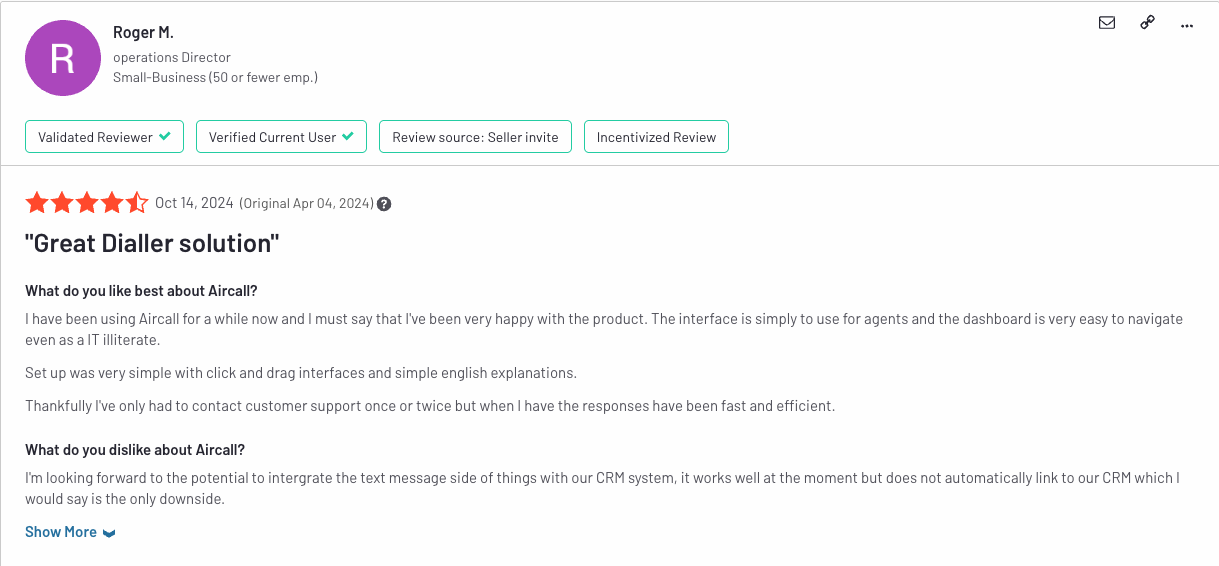
Aircall has earned a 4.4 out of 5 rating on G2 across 1,591 reviews, with users praising its integrations, ease of use, and customer support responsiveness.
The platform's ability to adapt and roll out new features frequently is appreciated by long-term customers. However, some users have noted occasional issues with call quality in certain regions and find that the SMS features are less comprehensive than desired.
Frequently Asked Questions About Quo Alternatives
What's better than Quo?
The answer depends on your company's size and needs. Google Voice is the cheapest option for a single user who needs a second number. Allo is best for small businesses that want an AI-powered phone system with native CRM integrations, simple per-user pricing and an optional AI receptionist with unlimited minutes. For larger organizations, RingCentral is better if you need an all-in-one communication platform with voice, video, messaging, and integrations for a unified experience. Aircall can also be a suitable option if you prioritize CRM integrations and are ready to spend a bit more.
What are Quo's main limitations?
Quo was designed for small businesses. While it works well for small companies and solopreneurs, larger teams may encounter limitations. Specifically, the platform offers superficial CRM integrations (their HubSpot app scores 3.3/5 on the HubSpot marketplace), prohibits cold calling, and lacks a robust spam filter.