Auto dialer software: which type you need, and the 7 best in 2026
Three dialer types, seven tools, and why the same 5-person team pays anywhere from $200 to $700 a month for a power dialer.


Cold calling is a numbers game, and the numbers are brutal. Across more than 175,000 dials logged in 2025, Belkins found a per-dial connect rate of 9.9%, and roughly 370 dials to book a single meeting. Our own analysis of 72,339 cold calls in 2026 tells a similar story: only 7.4% turned into conversations lasting at least one minute.
Nobody dials 370 numbers by hand without losing their mind (or their afternoon). That's the job of outbound auto dialer software.
The catch: "auto dialer" covers three very different machines. One is a polite assistant that queues up your next call. Another rings five people at once and hangs up on four of them. The third is a contact-center engine that can get a small team into legal trouble.
In this guide, we explain what each type does, help you pick the one that fits your team, cover what makes an auto dialer legal (and what keeps your numbers from being flagged as spam), and review seven tools, organized by the type of dialing they're built for.
What is auto dialer software?
Auto dialer software (you'll also see it called an automatic phone dialer) calls the numbers on a list for you. You load a list (from a CSV or your CRM), start a session, and the software dials the next number as soon as you're free. If someone answers, you’re connected. If not, it moves to the next number and often leaves a pre-recorded voicemail.
The real time-saver is cutting out the downtime between calls—like searching for the next number, dialing, waiting through several rings, and making notes. With a list of a few hundred contacts, this can save you hours.
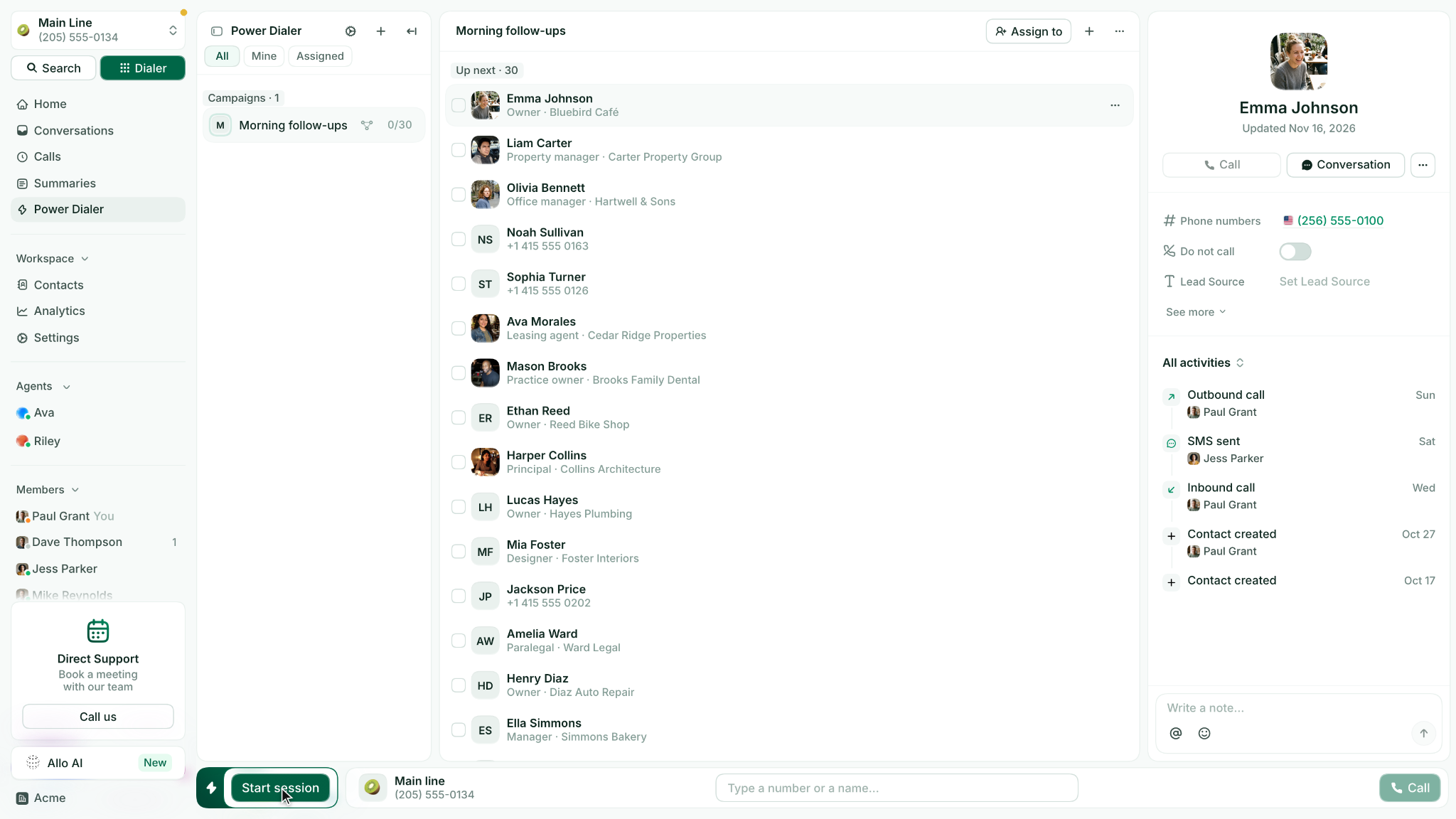
Most tools available today are VoIP auto dialers. They run in your browser or as an app over the internet, so you don’t need to install any hardware. They also pull call lists directly from your CRM.
The main differences between auto dialers are how many numbers they can call at once and how they handle situations when more people answer than there are reps available.
The 3 types of auto dialers
Power dialers (also called progressive dialers)
A power dialer calls one contact at a time, one after another. When your call ends, it dials the next number on your list. You always know who’s next, so you can check their CRM record before they answer.
Everyone who answers gets to speak with a real person, since the dialer only calls as many people as you can handle. That's why most of the compliance headaches below simply don't apply to power dialing. A preview dialer is a slower cousin: it shows you the record first and waits for you to click before dialing.
Parallel dialers
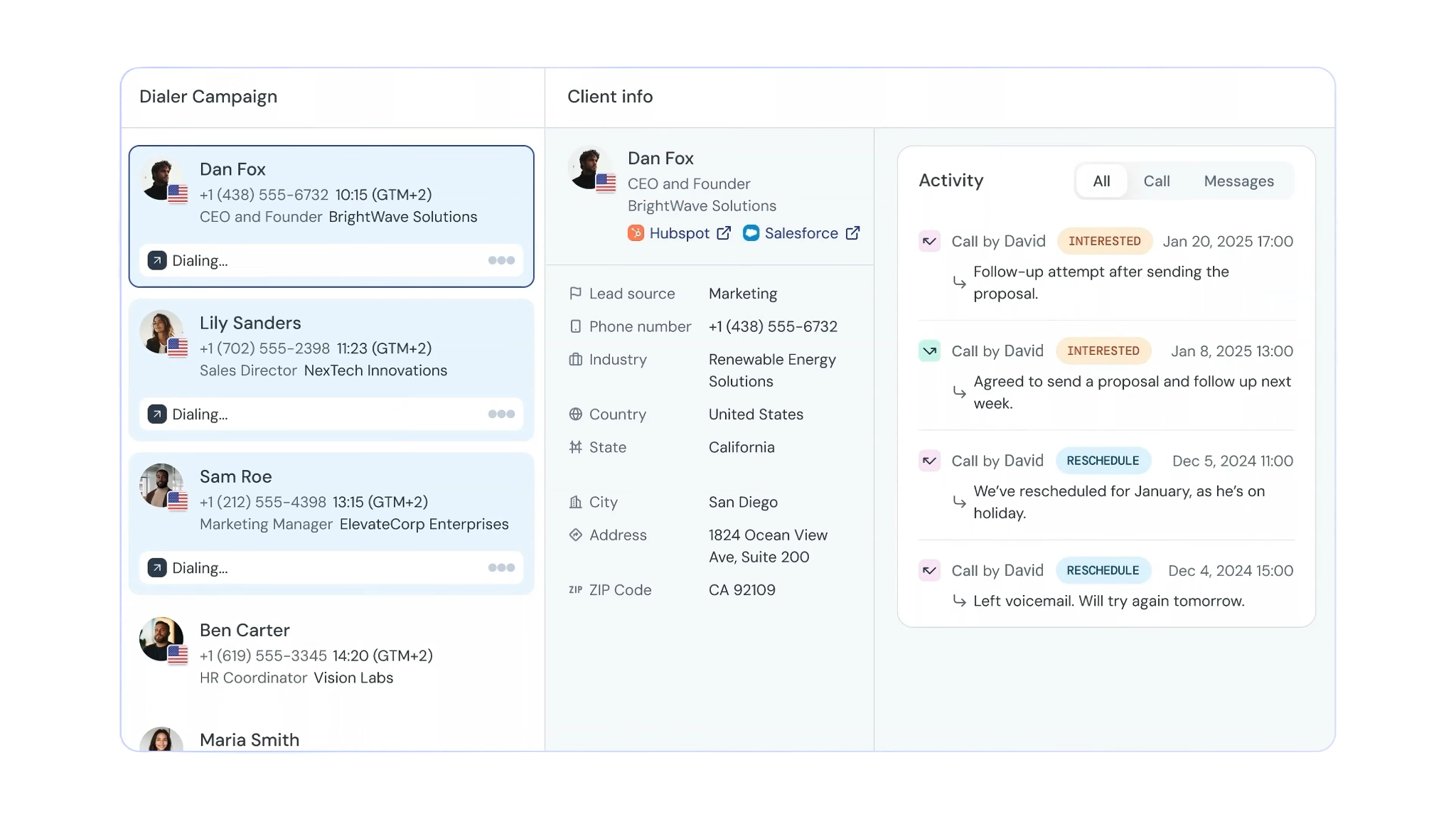
A parallel dialer calls several numbers at once, usually two to five lines per rep, and connects you to the first person who answers. On lists where only one call in ten connects, that's a lot less time spent listening to ringtones.
The downside is what happens to the others. If two people answer at the same time, only one speaks to you. The other hears silence or gets hung up on, which can make people distrust unknown numbers. Parallel dialing gets you more connections, but not always better conversations. You’re often saying hello before you know who you’re talking to.
Predictive dialers
A predictive dialer is the contact-center version. It decides how many numbers to dial based on how many agents are about to be free, and adjusts in real time. That "target abandon rate" is the key. Predictive dialing assumes some calls will be abandoned (someone answers, no agent is free) and manages that rate rather than eliminating it. With 30 agents, this approach works. With only four reps, the dialer is just guessing, and the people it guesses wrong about are your prospects.
Answering machine detection and voice broadcasting
Two features often get lumped in with auto dialers, and they're worth separating.
Answering machine detection (AMD) listens to the start of a call and decides if a person or a voicemail picked up. The dialer can then skip the voicemail, or wait for the beep and leave a pre-recorded message. Different tools handle this in their own ways.
JustCall only offers answering machine detection and drop-after-beep with its Predictive Dialer. CloudTalk includes automatic detection and drop with its Parallel add-on. Allo’s voicemail drop works with its auto-skip voicemails setting. The catch is that detection takes a moment, so the person who answers may hear silence for a short time (more on that below).
Voice broadcasting is a different product altogether. There’s no representative on the call; instead, the system plays a recorded message to everyone on your list. Because every broadcast call is prerecorded, it sits squarely under the consent rules in the legal section below. For a small sales team, this isn’t the tool you need.
Which type of auto dialer do you need?
| Your team | The dialer you want | Why |
|---|---|---|
| 1 to 20 reps, mixed warm and cold lists | Power dialer | Every answered call reaches a human, you see who's next, and the compliance risk stays low |
| SDRs working big cold lists with low pickup rates | Parallel dialer | More live connects per hour, if you accept a few dropped answers and less prep time per call |
| A contact center with many agents on the same campaign | Predictive dialer | Pacing calls across a large agent pool is what it's built for, and the abandonment rate stays manageable at scale |
If you're looking for the best auto dialer for small business sales teams, start with a power dialer. It's where the honest answers on most Reddit threads land too, and it's the easiest type to grow out of.
Is an auto dialer legal? What to check before you buy
Using an auto dialer is legal in the US, but there are rules you need to keep in mind. This isn't legal advice, but these are the federal rules every buyer should know (you can read more here):
- You need consent to make prerecorded or autodialed calls to mobile phones. For telemarketing, this means you must get the person’s prior express written consent.
- There’s a limit on abandoned calls. Over a 30-day campaign, no more than 3% of telemarketing calls answered by a person can be abandoned. If no rep is available, you must play a message within two seconds after the person answers.
- Calling hours are restricted. You can’t make solicitation calls to residential numbers before 8 a.m. or after 9 p.m. in the person’s local time.
- The Do Not Call Registry covers every outbound sales call, whether you dial by hand or use software.
In 2021, the Supreme Court decided in Facebook v. Duguid that the TCPA’s “autodialer” definition only applies to equipment that generates random or sequential numbers. If your dialer calls a set list, it usually isn’t covered. This doesn’t change the rules for prerecorded messages, abandoned calls, calling hours, or Do Not Call, and some states have even stricter rules.
In practice, this means:
- Power dialers are the safest option because a human answers every connected call, so the abandoned-call rule rarely applies.
- You need to watch parallel and predictive dialers, since every answered call that doesn’t reach a rep counts toward the 3% limit.
- How tools handle Do Not Call lists can vary a lot. Some automatically check your lists against the national registry, while others leave it up to you. We point out how each tool manages this wherever the documentation explains it.
Will an auto dialer get your numbers flagged as spam?
This is what most buyers really want to know, and the answer depends more on how you use the dialer than which tool you choose.
The telemarketer delay, from the other end of the line
Imagine what your prospect experiences. An unknown number calls. They answer: "Hello?" There’s silence. "Hello?" Then a click, and suddenly a rep starts speaking. That pause is the telemarketer delay—the dialer has reached a live person but is still trying to connect them to a rep.
Those two seconds are when the prospect decides you’re a robocall. Many people hang up before you even speak. If your number keeps making short, dead-air calls, it’s likely to get labeled as "Spam Likely."
The delay comes from dialing before a rep is free. Predictive and parallel dialers work this way on purpose, and answering machine detection can add another pause. A power dialer only calls when you’re ready, so you’re on the line as soon as the prospect answers. That’s why federal rules limit the wait to two seconds after the person’s greeting.
Caller ID reputation
Every number you use builds a reputation with carriers and call-labeling apps. Making lots of calls, having very short calls, getting few callbacks, and receiving complaints all hurt your reputation. An auto dialer amplifies whatever pattern you already have, good or bad.
You can protect your caller ID reputation by following a few habits:
- Spread your call volume across several numbers you own, instead of making hundreds of calls a day from just one number.
- Don’t keep calling the same contact repeatedly. For example, Zoom limits repeat calls to the same number by default and shows a compliance notice if you turn off that setting.
- Make sure you know what "spam protection" really covers before you pay for it. One PhoneBurner reviewer said, "I'm a bit disappointed with the Armor add-on, though, because it was sold to us as including the spam protector, and I had no idea it wasn't set up."
Local presence, done honestly
Local presence shows the prospect a caller ID with their own area code. Most tools in this guide offer it: CloudTalk matches the area code by default, JustCall includes it from its Pro plan, and PhoneBurner, RingCX and Zoom pick a local number from a pool you own.
The right way to use local presence is with real numbers that belong to you and ring back to your team. If a prospect calls you back, they should reach someone—not a dead line or an unchecked voicemail box. If you get this wrong, local presence can backfire and teach people to ignore unknown calls from their own area code. Also, never display a number you don’t control.
The 7 best auto dialer software at a glance
The prices below are for a 5-person team on annual billing, using the cheapest configuration that includes an auto dialer (plan plus any required add-on), not the cheapest plan on the pricing page.
| Tool | Recommended to | Starting cost for 5 users, with an auto dialer | Dialer types | G2 rating |
|---|---|---|---|---|
| Allo | Small sales teams that want power now and parallel later | $210/mo: $32/user x5 ($160) + Power Dialer add-on for the whole team ($50). Parallel: $500/month ($100/user × 5) | Power, parallel | 4.7/5 (209 reviews) |
| CloudTalk | Budget-conscious teams that handle compliance themselves | $200/month ($25/starter + $15 Power add-on) × 5. Parallel: $320/month ($25 + $39 add-on) × 5 | Power, parallel | 4.4/5 (1,939 reviews) |
| JustCall | Teams that want a predictive option on the same tool | $245/mo: $49/user × 5 on Pro (2-seat minimum). Predictive: quote only | Power, predictive | 4.3/5 (2,395 reviews) |
| Aircall | Teams set on sequential dialing only | $250/mo: $50/license × 5 on Professional (3-license minimum) | Power only | 4.4/5 (1,673 reviews) |
| RingCentral RingCX | Contact centers | $325/mo: $65/agent × 5 | Power, predictive | 4.2/5 (1,496 reviews), for RingCentral's phone system |
| PhoneBurner | Compliance-sensitive teams | $700/mo: $140/user × 5 on Standard | Power only (single-line) | 292 reviews |
| Zoom Auto Dialer | Teams already on Zoom Phone | Quote only: an add-on to Zoom Phone | Power, parallel, cascading | 4.6/5 (2,676 reviews), for Zoom Phone |
Looking for a tool that isn't here? Nextiva, Five9, Convoso, Genesys and Talkdesk keep their dialers in contact-center products, which sit outside this guide. Nooks and Orum come up in every Reddit thread about parallel dialing, but we couldn't confirm their current pricing, and Kixie doesn't publish a price for its dialer add-ons. Ringover and Dialpad have dialers too; we kept the list to the seven tools that come up most often. And Quo, popular with small teams, bans auto-dialers outright in its fair use policy.
A quick note: Allo is our product and it's at the top of this list. To keep the comparison fair, every claim about every tool, ours included, links to the vendor's own documentation so you can check it, and the pros and cons come from real G2 reviews.
1. Allo
Allo gives a small sales team power dialing now and parallel dialing later, inside the phone system it already uses. It isn't a contact-center predictive dialer, and it doesn't pretend to be one.
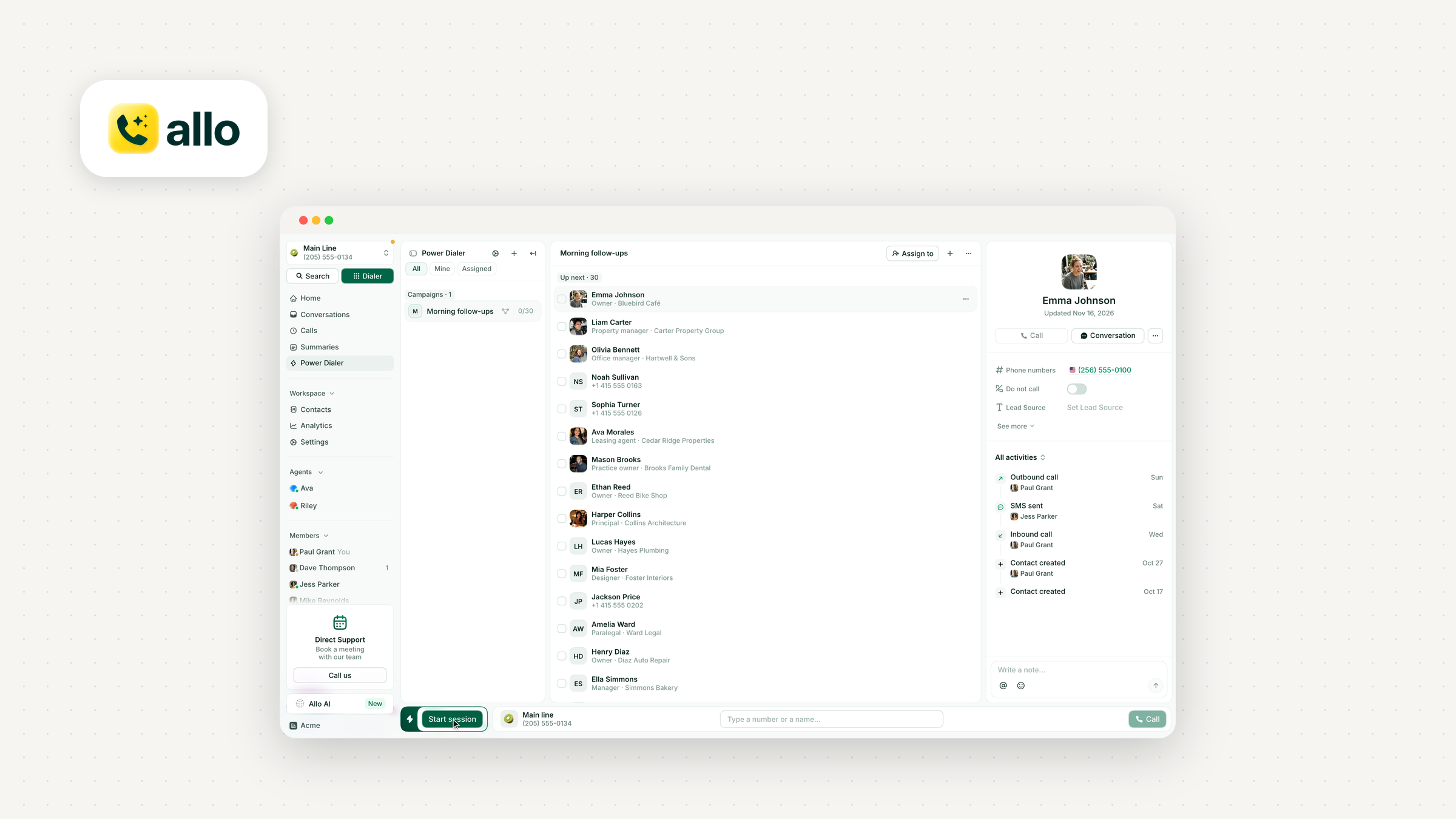
Who it works best for: sales teams of 1 to 20 reps who live in HubSpot or Salesforce and want their dialer, call logs, and AI summaries in one place, without paying per seat for the dialer.
Top features of Allo
- Power Dialer: turns a list of contacts into a single, uninterrupted calling session, one contact at a time, back to back.
- Parallel Dialer: rings 3 to 5 contacts or more at the same time and connects you to the first person who picks up.
- Voicemail drop: a message recorded in advance is left automatically when a call reaches voicemail. It's set per queue and needs auto-skip voicemails turned on.
- Two dialers, one tool: start with the power dialer and switch individual campaigns to the parallel dialer once you've seen whether the trade-off is worth it for your lists.
Allo integrations
You can push a filtered list from HubSpot or Salesforce straight into the dialer, so your call list is a CRM view rather than a CSV you exported last Tuesday.
Allo pricing
The Power Dialer is a $50 per month add-on for your whole team, on top of the Business plan at $32/user/month billed yearly ($45 monthly). For 5 reps: $32 × 5 + $50 = $210/mo. Because the add-on is per team rather than per seat, the dialer gets cheaper per rep the bigger your team grows.
The Parallel Dialer is included in the Ultra plan with no add-on fee, at $100/user/month billed yearly ($120 monthly). For 5 reps: $500/mo.
It’s also possible to have some users on the Business plan (power dialer only) and only your most active salespeople on the Ultra.
Pros and cons of Allo
Pros
- One add-on price for the whole team, instead of a per-seat dialer fee.
- Power and parallel dialing in the same tool, so you can test both on your own lists.
- Simple setup: "Synch with Hubspot very simple. I enjoyed the fact to have my phone number as soon as when i signed up which is not the case with other solution."
- Price for value: "They offer a very complete and powerful solution for a very fair price which was something important to us as a startup."
Cons
- No predictive dialer, so it's not built for large contact centers.
- Manager analytics are basic: "I manage a team of SDR, and it would be helpful to have more advanced calls analytics and the possibility to tag each call."
- Voicemail outcomes in HubSpot need cleanup: "By default in Hubspot, when landing on a voicemail, the output is flagged as 'Connected.' It leads to manual work for our team."
- Parallel dialing requires the top plan, Ultra.
Allo demo video
2. CloudTalk
CloudTalk is the cheapest way to get both a power and a parallel dialer in this list, as long as you're comfortable handling Do Not Call compliance yourself. It doesn't scrub your lists against the DNC registries; you check numbers before each campaign.
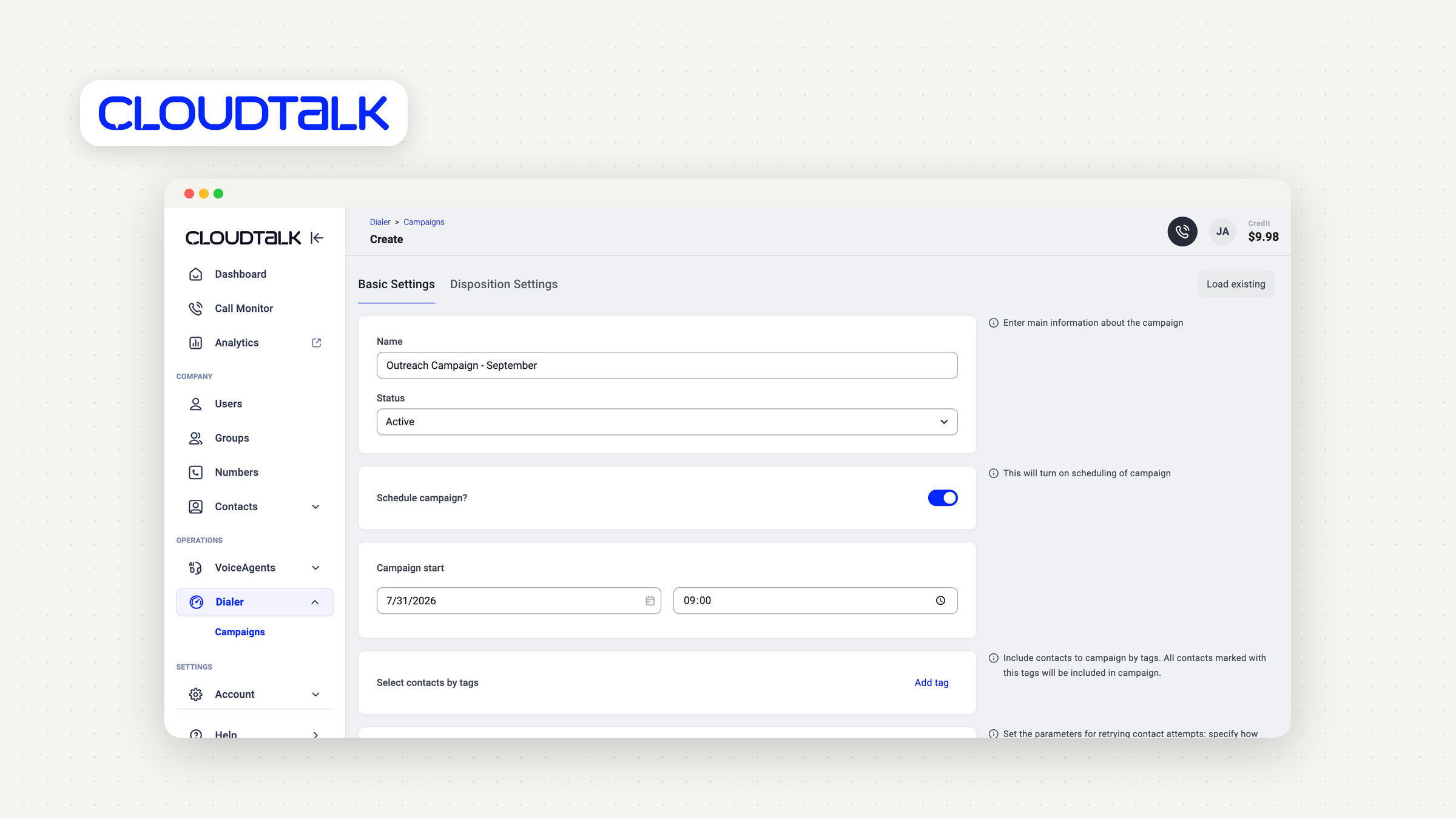
Who it works best for: small sales teams and small call centers that want parallel dialing on a budget and already have a compliance process.
Top features of CloudTalk
- Power Dialer as a per-user add-on, included on the Expert plan.
- Parallel Dialer: 2 to 5 lines per campaign, up to 10 on request.
- Voicemail drop: one click in Power mode, with automatic detection and drop on the Parallel add-on.
- Local presence: caller ID matches each contact's area code by default.
Integrations
Contact lists sync in from HubSpot, Salesforce, Pipedrive, and Zoho CRM, the widest CRM list support among the cheaper tools here.
CloudTalk pricing
The Power add-on is $15/user/month billed annually on Starter ($25/user/month billed annually, 1-license minimum), so $40 per rep. For 5 reps: $200/mo. It's included in Expert at $49/user/month billed annually, with a 3-license minimum.
The Parallel add-on is $39/user/month billed annually, on any plan. On Starter, that's $64 per rep, or $320/mo for 5.
Pros and cons of CloudTalk
Pros
- Lowest entry price for both power and parallel dialing in this selection.
- Local presence is on by default.
- Parallel dialing that reviewers actually use: "The ability to use the parallel dialler, which helps with increasing outreach while taking less time than ever before"
- Clean call logs for coaching: "having the automatic recordings right there makes it much easier to audit calls and provide feedback to the team."
Cons
- No built-in DNC scrubbing.
- Per-user add-ons stack up fast as the team grows.
- Feature gating: "Essential tools like the Power Dialer, custom integrations, and advanced analytics are restricted to higher-tier plans, making it unexpectedly costly for smaller teams to scale."
- Rough edges in the newer dialer: "The new AI dialler has a bug, with parallel dials. Where there is no voicemail drop uploaded, the system automatically drops a voicemail (empty)"
3. JustCall
JustCall is the tool to pick if you want a power dialer today and a true predictive dialer on the same platform tomorrow. The catch: the predictive dialer sits on a quote-only plan.
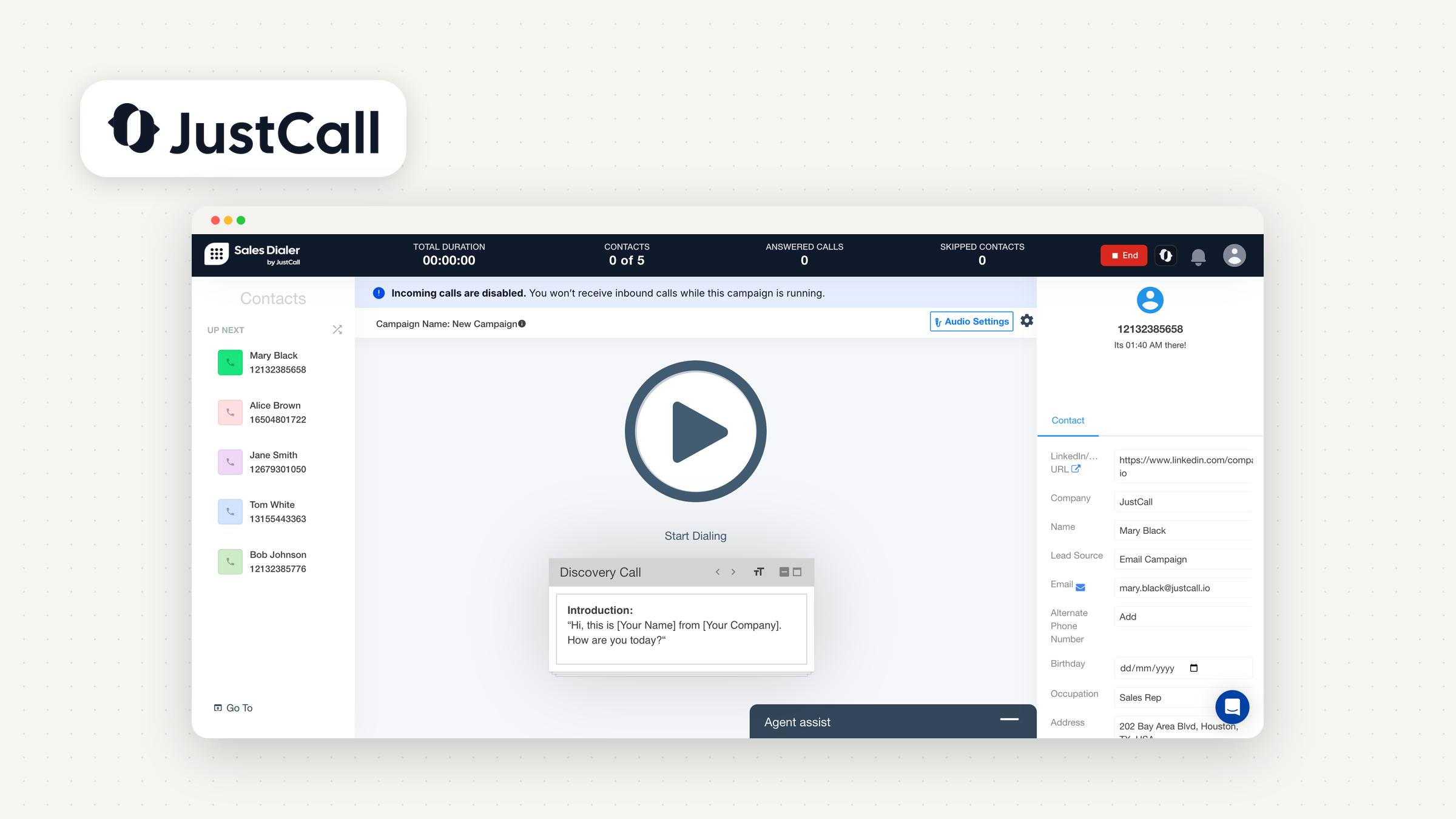
Who it works best for: growing sales teams that may move into higher-volume outbound and don't want to switch tools when they do.
Top features of JustCall
- Power Dialer: sequential, one call at a time, one agent per campaign.
- Predictive Dialer: dials multiple contacts per agent at once, up to 10 lines, on the SalesPro plan.
- Voicemail drop on all plans. Automatic drop after the beep is Predictive Dialer only.
- Local presence: built into Sales Dialer with no separate purchase from Pro upward. It matches the area code in the US and Canada, and the country elsewhere.
Integrations
You can run campaigns from HubSpot contact lists and sequences, and import contacts from Salesforce and Pipedrive.
JustCall pricing
The Power Dialer comes with the Pro plan at $49/user/month billed annually, with a 2-seat minimum, so from $98/mo. For 5 reps: $245/mo, local presence included. The Predictive Dialer needs SalesPro, which is quote-only, also with a 2-seat minimum.
Pros and cons of JustCall
Pros
- Local presence is included on Pro, not sold as an add-on.
- A real upgrade path from power to predictive.
- Reps like the dialer: "I also LOVE the power dialer as it makes it much easier to reach more people promptly when I am prospecting."
Cons
- The predictive plan has no public price.
- Automatic voicemail drop is reserved for the predictive plan.
- CRM extension speed: "Sometimes when you dial somebody from the crm it takes too long for the extension to load"
4. Aircall
Aircall is a power dialer, full stop, and that's a deliberate choice. The company explained why it built only a sequential dialer, not a parallel one. If you agree with that philosophy, it's a polished option. If you want to test parallel dialing, look elsewhere.
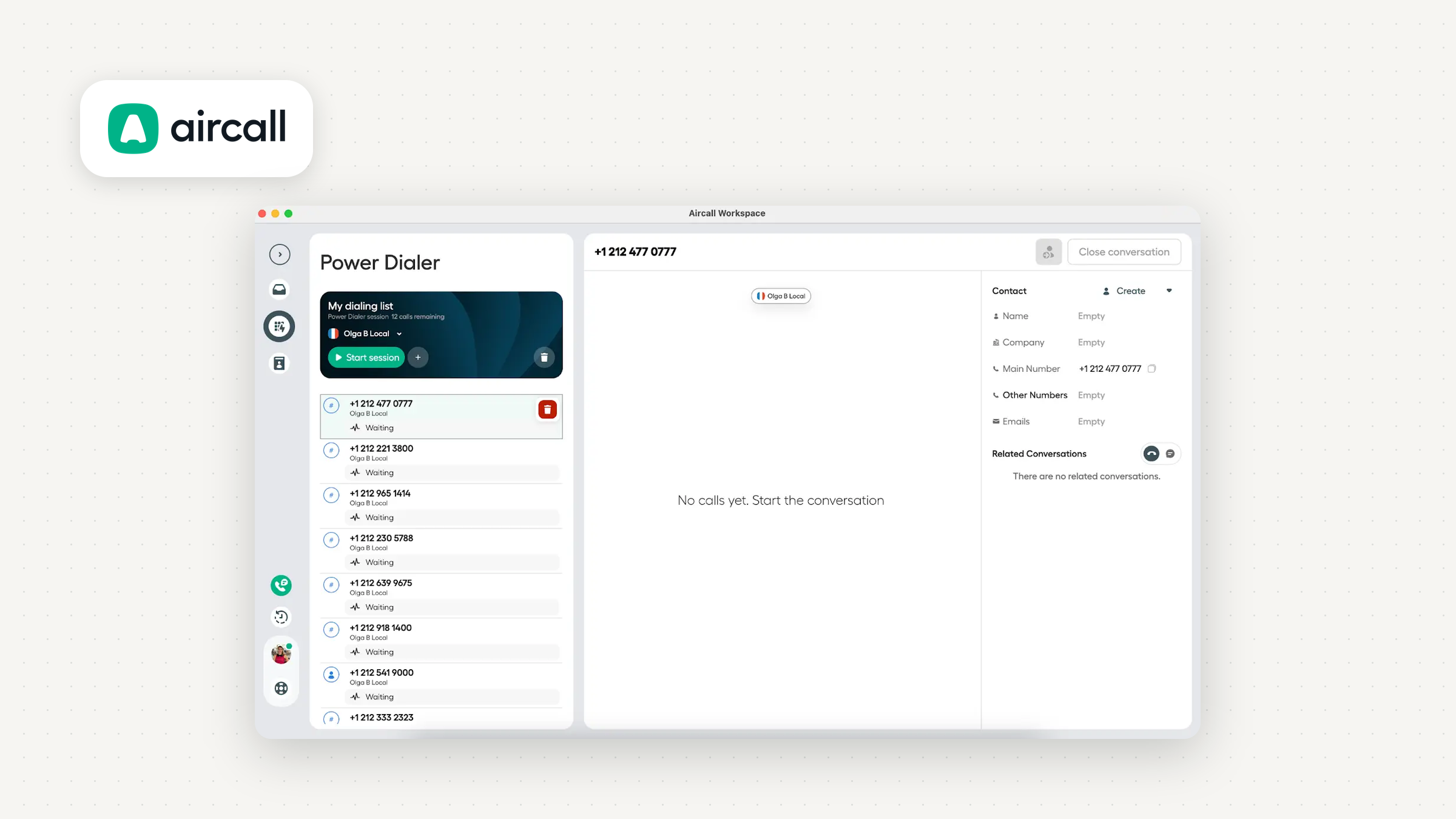
Who it works best for: teams of more than 3 reps who want simple sequential dialing inside a well-known phone system, and don't need to dial from their phones.
Top features of Aircall
- Power Dialer: automatically dials an imported list in sequence, on the Professional plan. It runs on desktop and web only, not on mobile.
- Voicemail drop: a one-click pre-recorded message after the beep, on standard outbound calls and Power Dialer sessions.
- Do Not Call outcomes: agents can flag contacts as do not call after a call, but excluding them from future lists is manual, and DNC list management is the customer's responsibility.
Integrations
Power Dialer lists come from CSV files, pasted numbers or the Chrome extension. Outbound Campaigns, still in beta, import HubSpot static lists, with no Salesforce import. So the CRM doesn't feed the dialer as directly as you might expect from a tool this established.
Aircall pricing
The Professional plan starts at $50/license/month with a 3-license minimum, so from $150/mo. For 5 reps: $250/mo.
Pros and cons of Aircall
Pros
- Simple, focused sequential dialing.
- Easy to use, according to reviewers: "I use the dialer and power dialer, and I can choose from multiple numbers when calling different regions. I like that it shows the local time zone so I know whether it's a good time to call."
- One-click voicemail drop on Professional.
Cons
- No parallel dialer.
- No Power Dialer on mobile.
- No Salesforce list import into dialer campaigns.
- Do Not Call exclusions are manual.
- Occasional call quality issues abroad: "Sometimes I have issues while dialing, with disturbances during calls where people aren't able to hear me. It happens rarely, but I've noticed it especially in the UK and some parts of Europe."
5. RingCentral RingCX
RingCX is the one tool in this list we'd recommend for a contact center that needs a genuine predictive dialer. For a 5-person sales team, it's more machine than you need.
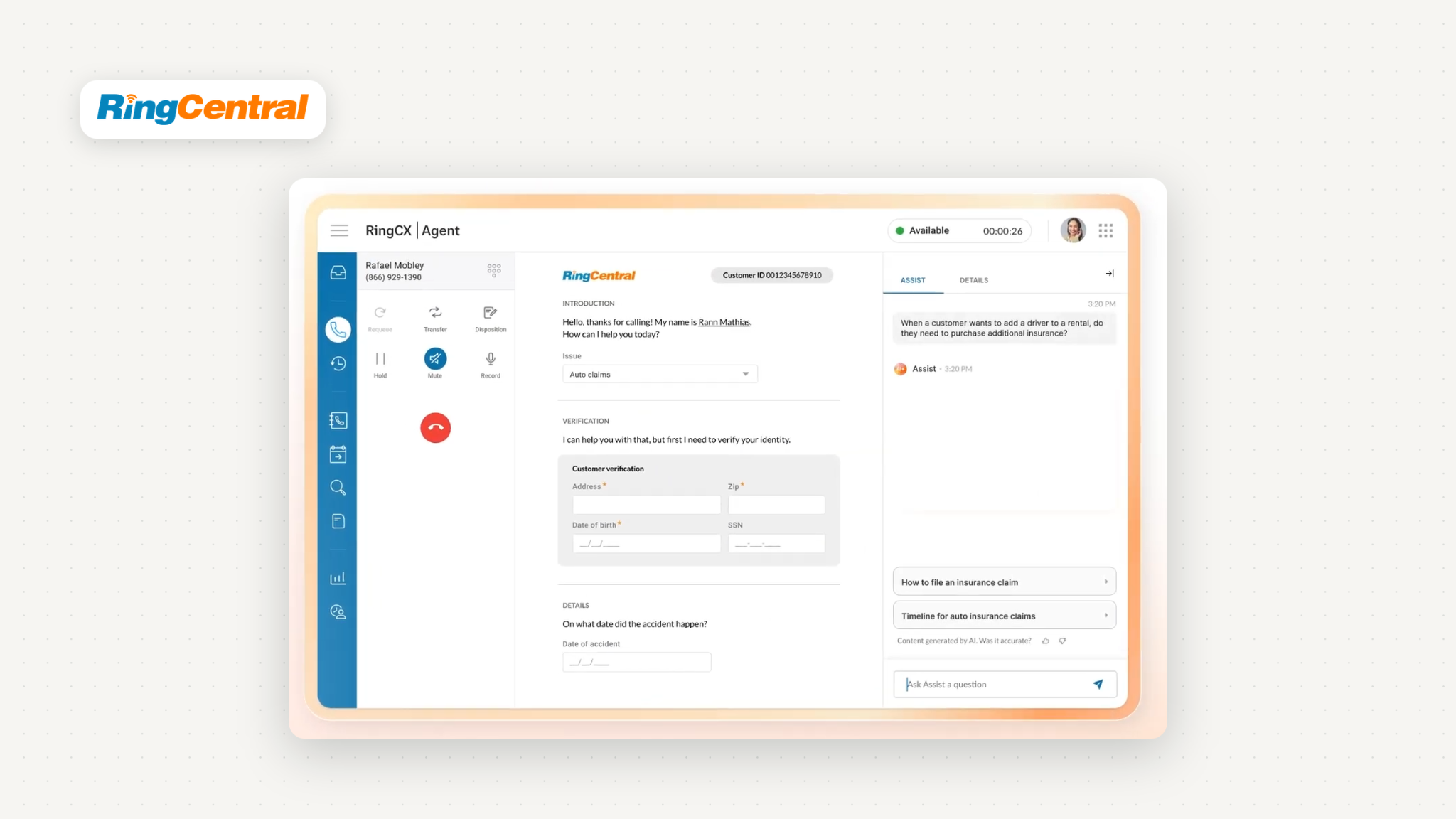
Who it works best for: contact centers with enough agents for predictive pacing to make sense, especially teams already running on Salesforce.
Top features of RingCentral RingCX
- Progressive (power) dialer: automatically dials the next lead after a pause you configure.
- Predictive dialer: decides how many numbers to dial at once based on available agents and your target abandonment rate, adjusting in real time.
- Local presence: a Caller ID bucket assigns a local number to every lead.
- DNC scrubbing: internal DNC lists, plus scrubbing against US state and federal lists through a DNC.com subscription. US cellular DNC scrubbing comes with the platform subscription, and RingCX checks the internal list right before each call.
- Voicemail drop: still a beta feature.
Integrations
In Salesforce, you can build a lead list from Account, Contact, Lead or Opportunity records, filter it, and upload it into the dialer, with an optional daily auto-sync.
Pricing of RingCentral RingCX
RingCX starts at $65 per agent per month when paid annually, with both progressive and predictive modes among its core features. For 5 agents: $325/mo.
Pros and cons of RingCentral RingCX
Pros
- The only true predictive dialer in this list with a published starting price.
- The most complete DNC tooling alongside PhoneBurner.
- Deep Salesforce list building.
Cons
- Overkill for small sales teams.
- Voicemail drop is still in beta.
- Real-time registry scrubbing needs a third-party subscription.
- Admin complexity, per reviewers of RingCentral's phone system: "I find the backend admin portal needlessly convoluted, with IVR, call-routing, and user settings buried in nested menus."
6. PhoneBurner
PhoneBurner is the most expensive tool in this list, and the one we'd pick if compliance is your main worry. It's a single-line power dialer by design: no parallel, no predictive, no dropped answers.
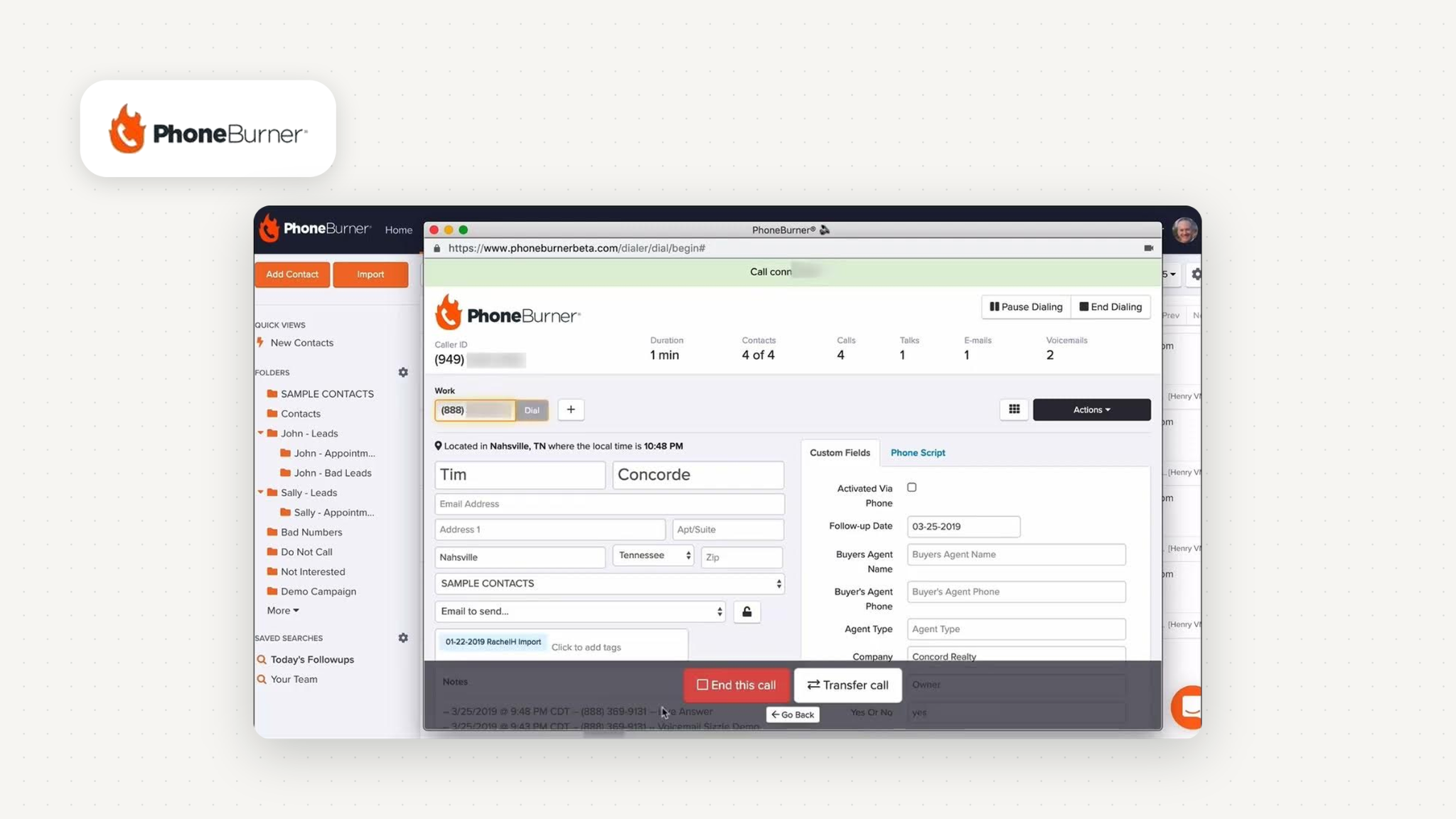
Who it works best for: reps and teams for whom one complaint costs more than a pricier seat, and who'd rather pay more than explain a dropped call.
Top features of PhoneBurner
- Single-line power dialing: it never dials more than one person at a time.
- Compliance built in: a personal do-not-call list, real-time National Do-Not-Call Registry and TCPA litigator scrubbing through a DNC.com integration, and no calls after 9:00 p.m. local time.
- Voicemail drop: leave a pre-recorded voicemail with one click while PhoneBurner instantly dials the next contact.
- Local presence: automatically matches a local number from your inventory to each contact's location.
Integrations
You can run dial sessions from Salesforce Reports and from saved HubSpot lists.
Pricing of PhoneBurner
The Standard plan is $140 per user/month billed annually, or $165 billed monthly, from a single seat. For 5 reps: $700/mo on annual billing ($825/mo on monthly).
Pros and cons of PhoneBurner
Pros
- The strongest built-in compliance in this selection.
- No seat minimum.
- Fast to get going: "I can go from signing up to dialing in a short amount of time."
Cons
- More than three times the per-rep cost of most tools here.
- No multi-line dialing, ever.
- Reviewers feel the price: "the price is kind of expensive, it would be great if the price was more affordable"
- Caller ID is locked per session: "not being able to change the number I'm dialing from once a session starts."
7. Zoom Auto Dialer
Zoom Auto Dialer only makes sense if your team already runs on Zoom Phone. It's an add-on to Zoom Phone with power, parallel and cascading dialing, and its price is quote only.
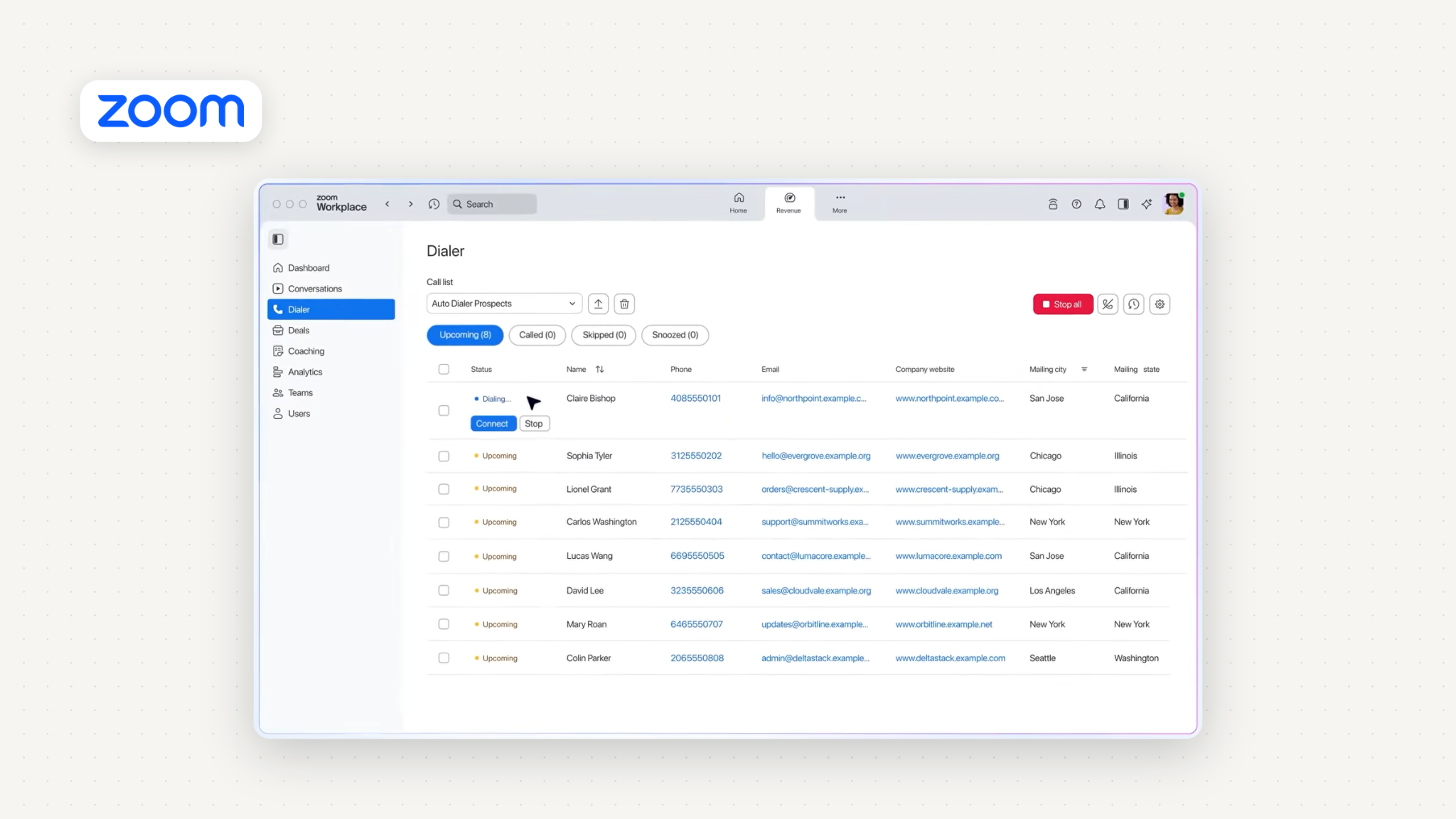
Who it works best for: sales teams standardized on Zoom who want dialing without adding another vendor.
Top features of Zoom Auto Dialer
- Power, parallel and cascading dialing in one add-on.
- Parallel dialing: the Number of Prospect per Dial setting goes from 2 to 4, with a maximum of 4.
- Voicemail drop: automatic, with up to 20 recorded messages, plus a manual button as backup. Add-on only.
- Local Dial: picks a number with the same area code from a pool of Zoom Phone numbers. Extra numbers need Zoom Phone number licenses.
- Repeat-call limits: limiting repeat calls to the same number is on by default, and turning it off shows a compliance notice. Reps can also add prospects to a no-call list.
Integrations
Call lists come from Salesforce contacts filtered by fields like Account Name or Contact Owner, with auto-sync of new matching prospects. HubSpot and Outreach imports, CSV and API are also supported.
Pricing of Zoom Auto Dialer
Quote only. Pricing goes through Zoom sales, and the Auto Dialer is an add-on on top of your Zoom Phone licenses.
Pros and cons of Zoom Auto Dialer
Pros
- Three dialing modes in one add-on.
- Strong Salesforce list sync.
- Sensible compliance default on repeat calls.
Cons
- No public price.
- Requires Zoom Phone underneath.
- Add-on costs add up, say reviewers of Zoom Phone: "The add-on costs can get quite expensive and the support can sometimes be quite slow."
Free, open-source and mobile auto dialers
None of the seven tools in this guide offer a free auto dialer forever. Each one charges for this feature, either through a paid plan, an add-on, or a custom contract.
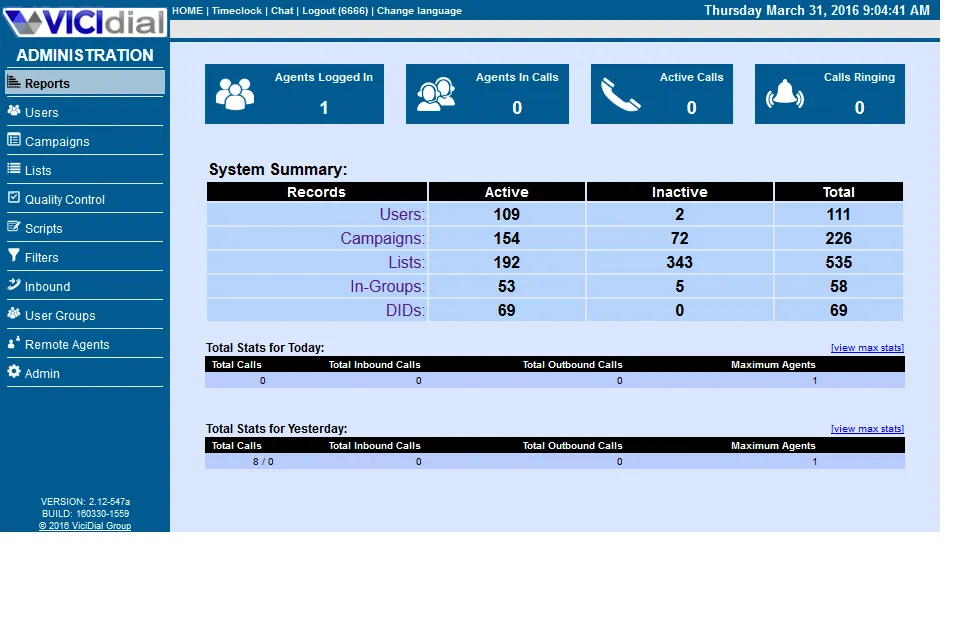
Free, open-source alternatives like VICIdial, GOautodial, and ICTDialer are mainly for businesses that can manage their own phone systems. You won’t pay license fees, but you’ll still need to cover hosting, phone numbers, and calling costs. Someone will also need to take care of setup, maintenance, and compliance.
Auto dialer apps for Android and iPhone
Most auto dialers are made for desktop use, where your CRM and call list are. Some don’t work on phones at all.
The free "auto dialer" apps you find in app stores do something different. They go through your contact list on your phone, using your personal number. Usually, they don’t log calls in a CRM, offer voicemail drop, or have compliance tools. They’re fine for calling a few customers between jobs, but they aren’t meant for sales.
If your reps really do their selling from their phones, be sure to include mobile support in your trial. Test it with a real call list before you commit.
Conclusion
Choosing auto dialer software mostly comes down to picking the right type first, then finding the right price.
For most small sales teams, a power dialer is the best fit. Every answered call goes to a rep, you can see who’s next before they answer, and compliance and spam risks stay low. Parallel dialing is more of a trade-off than an upgrade. It can boost live connects on large cold lists, but it takes more prep time and can miss some answers, so try it on one campaign before using it widely. Predictive dialing is best for contact centers with enough agents to keep the abandon rate low.
Seat minimums, per-seat add-ons, and Do Not Call scrubbing can vary more between tools than the main prices do. That’s why a five-person team might pay anywhere from $200 to $700 a month.
If you want a power dialer now and might want to try parallel dialing later, give Allo's power dialer a spin with your own call list. And if you'd like to go deeper on the sales side, our roundup of the best power dialers and our guide to cold calling software go further.
FAQ
What is auto dialer software?
Auto dialer software calls the numbers on a contact list for you and connects you when someone answers. Power dialers call one number at a time, parallel dialers ring several at once and connect you to the first person who picks up, and predictive dialers pace calls to how many agents are about to be free. All three cut the dead time between calls, so reps spend more of their day in conversations.
What is the best automated dialer software?
It depends on the type of dialing you need. For small sales teams, Allo offers both power and parallel dialing in one system, with the power dialer at $50 per month for the whole team. PhoneBurner is the safest single-line choice for teams focused on compliance, and RingCentral RingCX is a good pick for contact centers that need predictive dialing.
Is an autodialer illegal?
No. Auto dialers are legal in the US, but how you use them is regulated. Prerecorded and autodialed telemarketing calls to mobile phones need prior express written consent, abandoned calls are capped at 3% per 30-day campaign, and solicitation calls are limited to 8 a.m. to 9 p.m. in the recipient's local time.
Is there a free auto dialer?
Not among the tools in this guide: every one charges for its dialer, either as a plan feature, an add-on, or a quoted contract. Free and open-source dialers are out there, but they’re mostly for call centers that run their own phone systems, so you’ll pay for servers, carriers, and compliance yourself. For a small team, a paid power dialer starting at $40 per rep per month is usually cheaper when you factor in your time.