Parallel dialer: how it works and the 5 best tools in 2026
How parallel dialers work, the math on when they pay off, and 5 tools compared on price and lines.


Only 1 in 10 cold calls reaches a live person. That's what Belkins, an agency that runs cold calling campaigns for B2B companies, found when analyzing the 175,000+ dials its reps made in 2025.
A parallel dialer calls several numbers at once and connects you to whoever picks up first. That means you get to spend more time speaking to people and less time listening to rings.
This guide explains how parallel dialers work and gives you the math to decide whether one fits your team. Then it compares five tools on price and lines.
What is a parallel dialer?
A parallel dialer is calling software that rings several numbers at the same time, usually 2 to 5, and connects the rep to the first person who answers. Said differently, it's a power dialer on steroids.
The other lines are hung up or put back in the queue for a later attempt.
Sales development representative (SDR) and outbound teams use parallel dialers to work through large cold lists, especially those where most calls go unanswered.
How does a parallel dialer work?
The steps are close to identical across tools:
- You load a list from a comma-separated values (CSV) file or your CRM.
- You start a session, and the dialer rings a batch of numbers at once. Allo, for example, rings 5 numbers together after a 3-second countdown.
- The dialer listens to each line to tell a person from a voicemail (CloudTalk says its detection takes about 1.5 seconds per line).
- The first person who answers is connected to you, and the other ringing lines are released.
- Contacts who didn't get through go back in the queue. In CloudTalk, if two people answer at the same moment, the second one is requeued.
- You tag the call and take notes while the next batch rings, and the result syncs to your CRM.
Parallel dialer vs. power dialer vs. predictive dialer: what's the difference?
All three dial for you, but they differ in how many numbers ring at once and who ends up waiting.
| Dialer | Numbers at once | Who waits | Risk of dropped calls | Best for |
|---|---|---|---|---|
| Power dialer | 1 | The rep waits for each ring | None | Warm lists, account executives, small teams |
| Parallel dialer | 2 to 5 (some up to 10) | The prospect may wait a beat | Yes, when two people answer | SDR teams on large cold lists |
| Predictive dialer | Varies, paced by an algorithm | The prospect may hear silence | Yes, by design | Large call centers |
If you're still choosing between the first two, our comparison of the best power dialers covers the single-line side.
What is an AI parallel dialer?
"AI parallel dialer" gets used loosely.
Here's our own definition: a parallel dialer earns the AI label when it does at least one of two jobs:
- Telling a person from a voicemail or phone tree before it connects you
- Writing your call notes for you, by transcribing and summarizing each call into the CRM.
Some tools add a third: reordering the list by who's most likely to pick up.
Check which of these a tool actually does. Salesfinity lists "AI voicemail detection," and Allo transcribes and summarizes every call.
CloudTalk is unusually direct about it: its own page says the parallel dialer itself doesn't use AI, even though it detects voicemail on every line.
Is a parallel dialer right for your team?
A parallel dialer tends to pay off when only about 1 in 10 of your calls get answered, and your list is big enough that you won't run out of numbers in a few weeks.
It also needs room in the budget, from $39 more per rep each month for a built-in add-on to $249 for a dedicated tool. If your list answers more often or runs short, a power dialer is the safer pick.
The four sections below show how to check each factor, with the numbers to decide.
How often does your list answer?
With a parallel dialer, every extra person who answers while you're already talking gets hung up on. The more often a list answers, the more often that happens.
The table below shows the worst case: the share of answered calls that could be dropped if every answer in a batch came in at the same moment.
Real tools hang up the other lines as soon as one person answers, which keeps real numbers lower. The pattern holds, though.
| Lines | List where 5% answer | List where 10% answer | List where 30% answer |
|---|---|---|---|
| 3 | 4.9% | 9.7% | 27.0% |
| 5 | 9.5% | 18.1% | 44.5% |
On a cold list close to Belkins' 9.9% connect rate, three lines keep the risk low. On a warm list where a third of people answer, five lines can hang up on almost half the people you reached.
How many lines should you run?
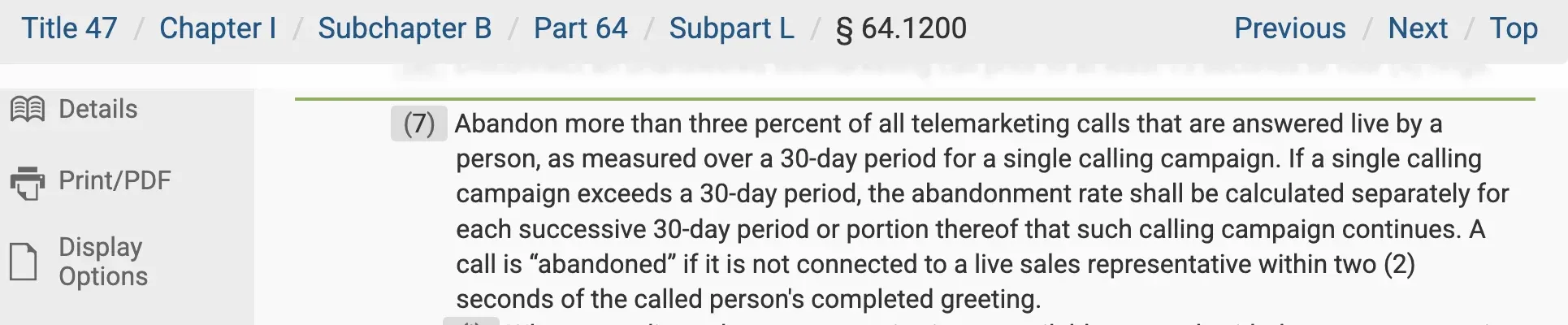
We recommend you start with 3 and raise it only while your list's answer rate stays low and your dropped calls stay well under the FCC's 3% limit(7)).
Reviewers of several tools mention a pause after "hello" while the system decides, and more lines means more calls to sort.
How big is your list?
A parallel dialer works through a list several times faster than a single-line dialer. If your list is small or full of accounts you only get one shot at, you'll run out of good numbers quickly.
What will it cost on top of your phone system?
Dedicated parallel dialers sit on top of the phone system you already pay for. Salesfinity's Gold plan is $249 per license/month.
Built-in options cost less for small teams. CloudTalk's Parallel Dialer add-on is $39 per user/month on any plan, and Allo includes parallel dialing in its Ultra plan.
Who shouldn't use one
- Account executives calling warm leads, renewals or existing customers
- Teams with small or hand-built lists
- Anyone calling consumers without written consent for automated calls
Pros and cons of parallel dialers
Pros
- More live conversations per hour on cold lists. When most calls go unanswered, ringing several at once means less time listening to rings. One Salesfinity user says their manual maximum was 100 dials a day, and they now make "about 1,000 dials in 4-6 hours" (Oct. 2026, G2 review).
- Less idle time. Reps move from one conversation to the next with fewer dead minutes in between.
- Automatic logging. Most tools sync each call, note and outcome to the CRM, and some add voicemail drops.
Cons
- The "hello delay." The prospect answers and waits a beat while the system confirms it's a person. One Orum user wrote that "there's a noticeable lag" and that "that delay can cost you the opening of a conversation" (Zak B., Aug. 2026, G2 review).
- Dropped calls. When two people answer, the second one hears silence or a hang-up, from your number.
- Spam labels. Lots of short or dropped calls from one number can get it flagged by carriers, which lowers the answer rate the dialer was bought to improve.
- Lists run out faster. Dialing 5 numbers at a time uses up a list about five times as fast.
- A second phone bill. Dedicated tools charge on top of your phone system.
Parallel dialers and compliance
In the U.S., the FCC's telemarketing rules apply directly to parallel dialing.
Under the FCC rule in the Code of Federal Regulations (47 CFR 64.1200(7))), a call counts as abandoned if no rep is on the line within 2 seconds of the person's greeting.
You can't abandon more than 3% of answered calls per campaign, measured over 30 days.
When no rep is free within 2 seconds, the system must play a short message that names the business and gives a number for Do Not Call requests, with an automated way to opt out.
The usual telemarketing rules apply too:
- Call only between 8 a.m. and 9 p.m. in the recipient's local time.
- Scrub your list against the National Do Not Call Registry and keep your own internal list.
- Get written consent before sending prerecorded messages or autodialing cell phones for telemarketing.
Caller ID reputation is the other half of staying out of trouble. Use local numbers and rotate them.
Register your business name with carriers, and make sure your provider signs calls under STIR/SHAKEN, the caller ID authentication standard the FCC requires.
This isn't legal advice. Check with your counsel before you scale a campaign.
The 5 best parallel dialers in 2026
We listed tools from cheapest to most expensive.
| Tool | Best for | Lines and standout features | Starting cost with parallel dialing | G2 rating |
|---|---|---|---|---|
| CloudTalk | Small teams that want the dialer inside their phone system | 2 to 5 lines (10 on request). Voicemail detection on every line, area-code caller ID | $64/user/month ($25 Starter + $39 Parallel Dialer, billed yearly) | 4.4/5 (1,941 reviews) |
| BatchDialer | Real estate and high-volume teams that want to pay monthly, with no yearly contract | 3 lines (Starter) or 5 (Pro). Answering machine detection, spam monitoring on every plan | $95/agent/month (Starter, 3 lines, billed monthly) | 4.3/5 (46 reviews) |
| Allo | Small teams that want AI notes on every call | Up to 5 lines. Every call transcribed and summarized, power dialer included | $100/user/month (Ultra plan, billed yearly) | 4.7/5 (209 reviews) |
| Mojo Dialer | Real estate agents | 3 lines. Real estate lead data, unlimited minutes | $149/month ($139 triple-line + $10 access, billed monthly) | 4.1/5 (28 reviews) |
| Salesfinity | SDR teams that want a dedicated dialer with voicemail detection and local caller IDs | Up to 5 lines. AI voicemail detection, rotating local caller IDs | $249/license/month (Gold, billed yearly) + your phone system | 4.8/5 (127 reviews) |
For a 5-rep team, that's $320 a month on CloudTalk, $475 on BatchDialer, $500 on Allo, $745 on Mojo and $1,245 on Salesfinity, plus Salesfinity's phone bill.
How we chose the tools
- We looked at well-known parallel dialers, from add-ons inside phone systems to dedicated tools for SDR teams.
- We kept tools that document true multi-line dialing on their own site, and we checked prices and features on each vendor's live pages in October 2026.
- We left out tools that only share prices through sales: Orum, Nooks, Kixie and the parallel dialing add-on for Zoom Phone. Apollo's pricing page doesn't say which plans include parallel dialing, and PowerDialer.ai's site doesn't state how many lines it dials. JustCall's predictive dialer (up to 10 lines) is only on a quote-based plan, and PhoneBurner and Aircall are single-line by design.
- We also filtered out the tools that had too many negative reviews on Trustpilot, G2, or Capterra.
CloudTalk
CloudTalk is a business phone system, and the cheapest option here for a small team that wants parallel dialing.
The Parallel Dialer is an add-on. You get multi-line dialing without paying for a second calling tool.
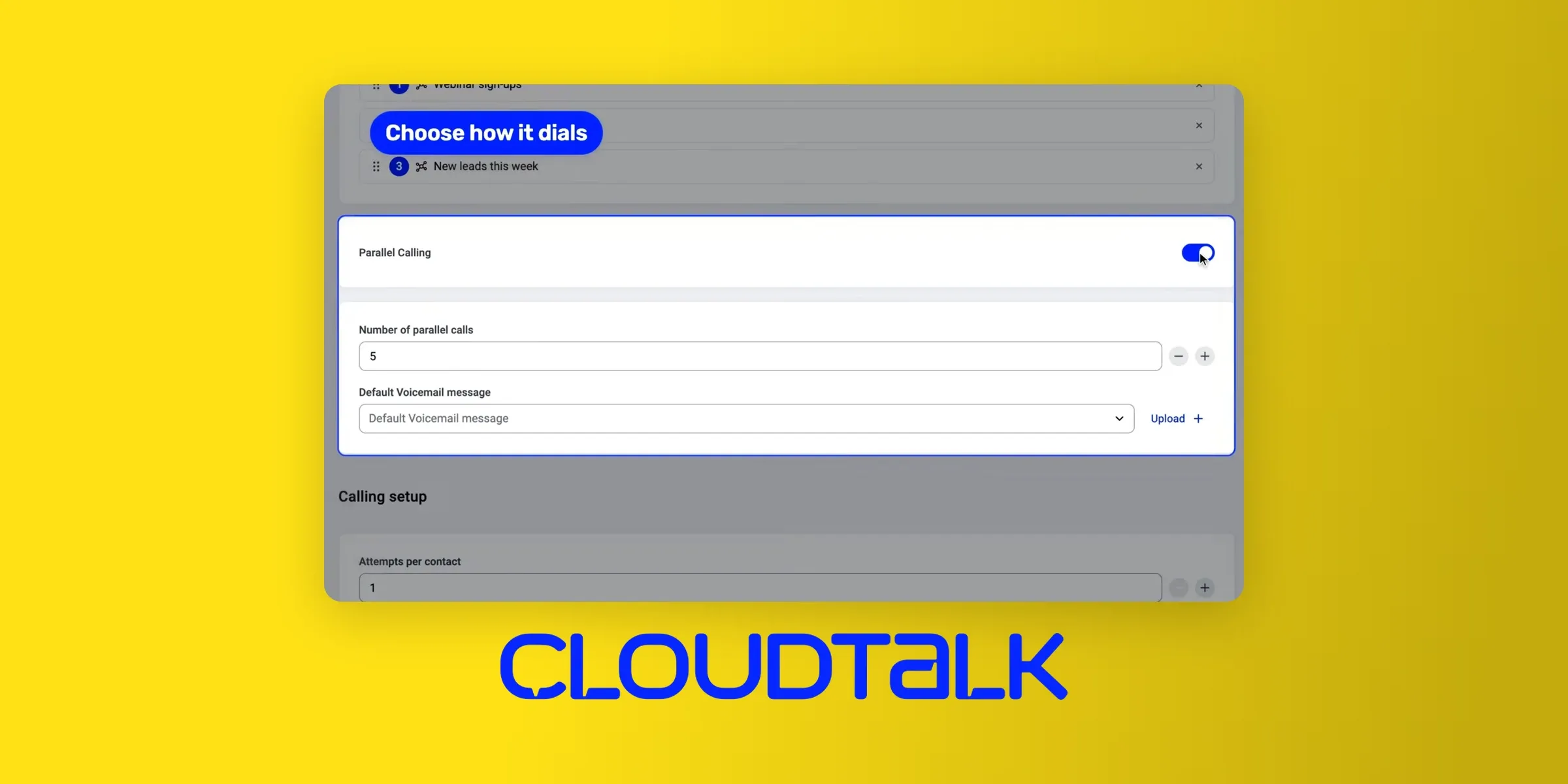
CloudTalk works best for small teams calling cold lists in several countries. With CloudTalk's parallel dialer, each rep's campaign rings 2 to 5 numbers at once, and up to 10 on request.
Top features:
- Voicemail detection on every line in about 1.5 seconds, with machines kept away from reps
- Automatic voicemail drop
- If two people answer at once, the second contact goes back in the queue
- Caller ID that matches each contact's area code, or rotates across your numbers
- Local numbers in 160+ countries
CloudTalk integrations
CloudTalk pulls contact lists from HubSpot, Salesforce, Pipedrive and Zoho CRM, and syncs call outcomes back.
CloudTalk pricing
The Parallel Dialer add-on is $39 per user/month billed yearly, on any plan. With the Starter plan at $25, the cheapest working setup is $64 per user/month, or $320 a month for 5 reps.
There's a 14-day free trial.
CloudTalk pros and cons
Pros
- Lowest 5-rep cost in this comparison ($320/month)
- Voicemail detection and requeuing are documented in detail
- Caller ID tools built into the dialer
- "Salespeople can call a list of leads very quickly without having to dial manually, and having the automatic recordings right there makes it much easier to audit calls." (Sept. 2026, G2 review)
Cons
- AI call summaries are a separate add-on
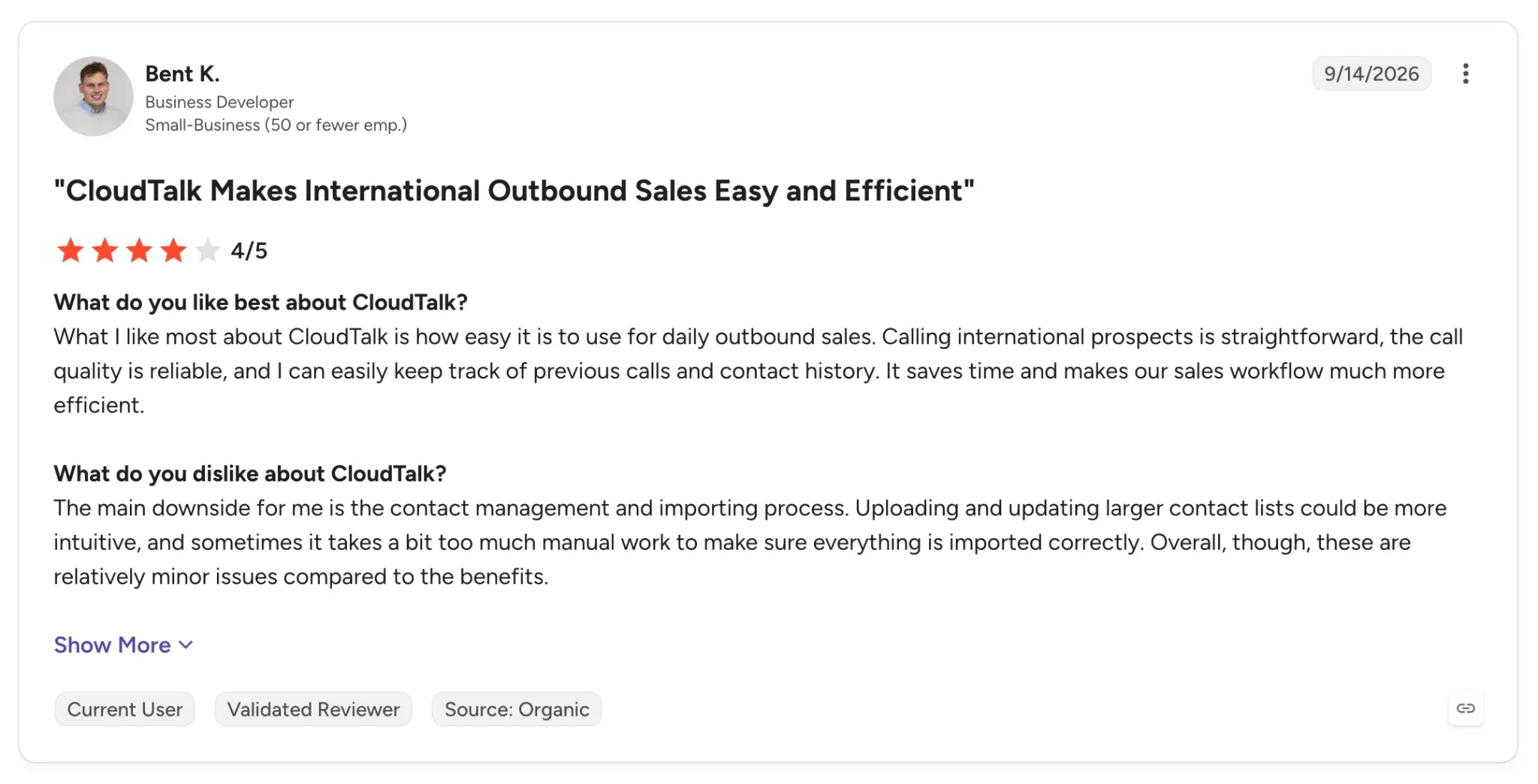
- Large list imports can be clunky: "Uploading and updating larger contact lists could be more intuitive" (Bent K., Sept. 2026, G2 review)
CloudTalk demo
BatchDialer
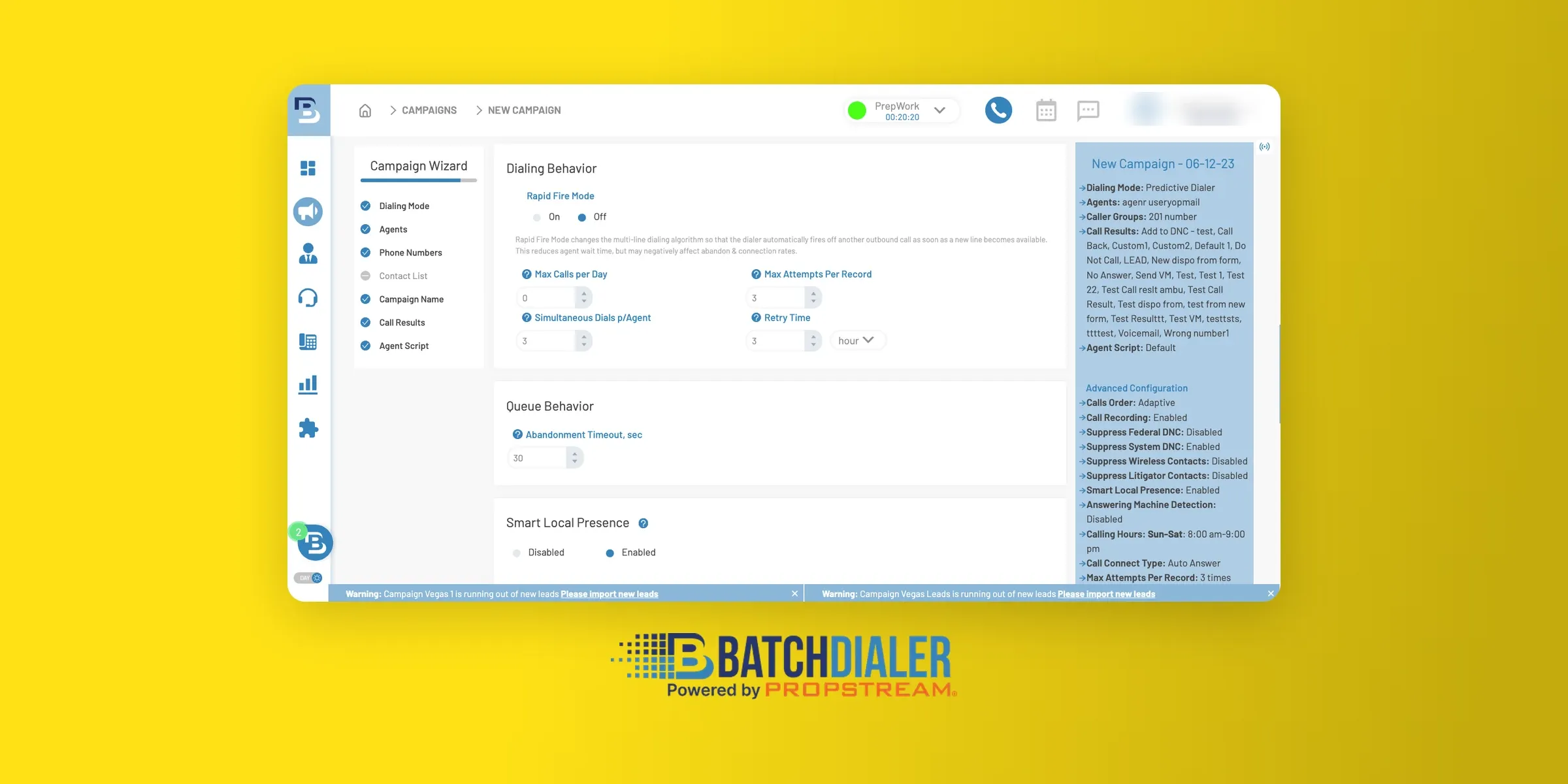
BatchDialer is a multi-line dialer for real estate investors and other high-volume callers, with up to 5 lines per agent.
Its Starter plan rings 3 numbers at once for $95 per agent a month, billed monthly. That makes it the cheapest way in this guide to try parallel dialing without a yearly contract.
BatchDialer recommends staying at 3 lines or fewer, even on plans with 5.
BatchDialer lists real estate, roofing and solar, call centers and collections among the industries it serves. It suits teams that cold call all day and want the dialer and a CRM in one place.
Top features:
- 3 lines on Starter, 5 lines on Pro and Enterprise
- Answering machine detection on every plan
- Local presence that matches each contact's area code
- Carrier flag and spam monitoring on every plan, with automatic number replacement on higher tiers
- Unlimited inbound and outbound calling
- Built-in CRM for call results, appointments, tasks and notes
BatchDialer integrations
BatchDialer connects to PropStream, BatchLeads, Podio and HubSpot, plus Zapier for other tools.
BatchDialer pricing
Starter is $95 per agent/month with 3 lines. Pro is $151 and Enterprise is $199, both with 5 lines.
Plans are month to month and can be canceled anytime, and there's a 7-day free trial that turns into a paid plan automatically. For 5 reps on Starter, that's $475 a month.
BatchDialer pros and cons
Pros
- Month-to-month billing with a 7-day free trial
- Answering machine detection and spam monitoring on every plan
- "the best feature is triple call dialing. Nothing can top that." (Aug. 2025, G2 review)
Cons
- Integrations lean toward real estate tools like PropStream, BatchLeads and Podio
- Connection delay: "The line takes so long to connect with the lead" (Mara M., April 2026, G2 review)
BatchDialer demo
Allo
Allo is the pick for small teams that want parallel dialing and AI notes in the same phone system. Its Ultra plan includes a parallel dialer that rings up to 5 numbers at once, plus the power dialer, with no add-on fee.
Allo works best for teams where a few reps prospect and everyone needs clean notes in the CRM afterward.
A quick note: Allo is our product. To keep the comparison fair, we used the same structure for every tool and linked each major claim to its source, including third-party reviews.
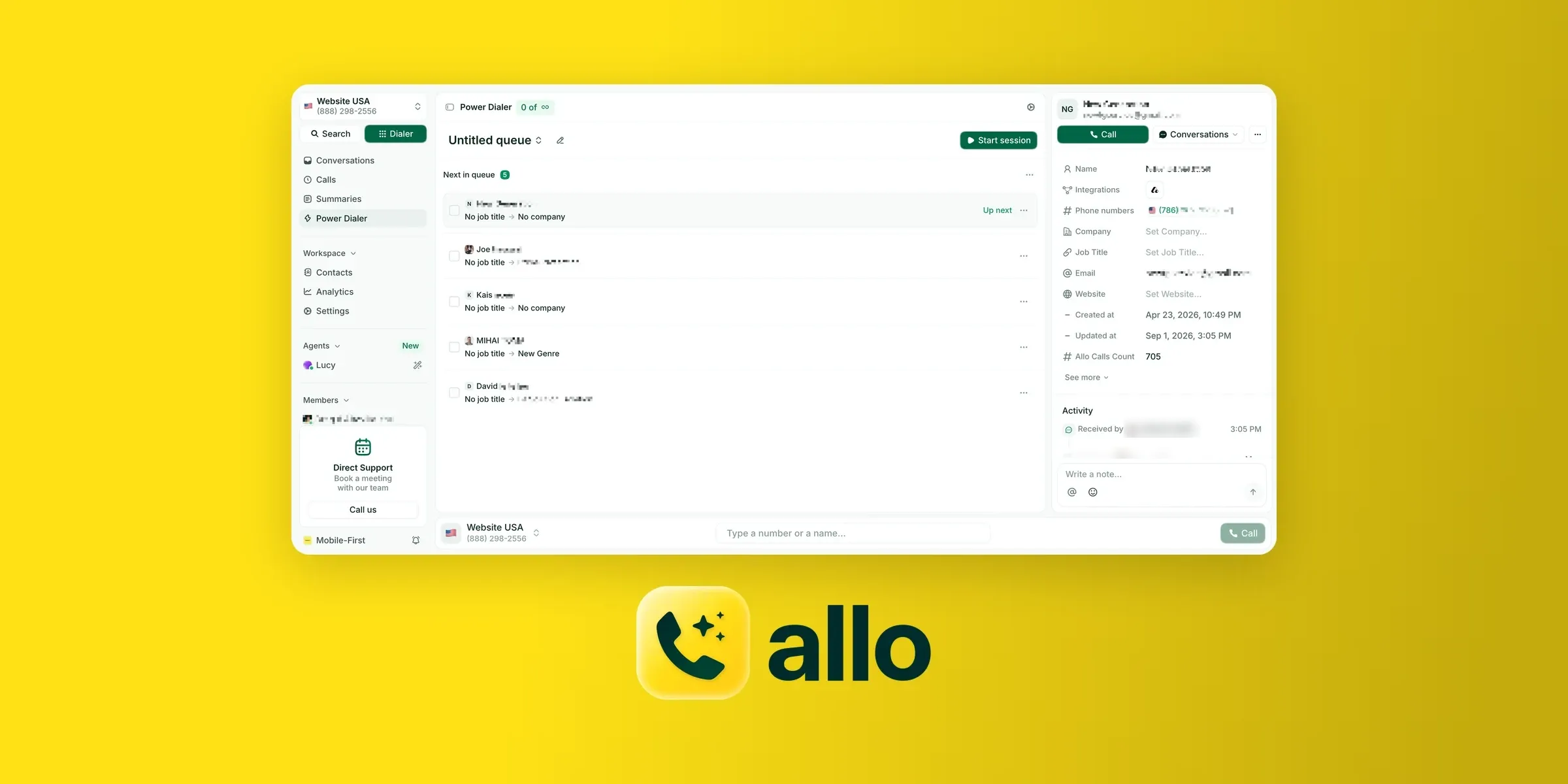
Top features:
- Up to 5 lines per dial, starting 3 seconds after you press Start session
- You're connected to whoever answers first, and the other lines are released
- Call card stays open for tags and notes while the next batch rings
- Every call recorded and transcribed, then synced to the contact
- Imports from a CSV file, HubSpot, Salesforce, Attio or Google Sheets
Allo integrations
Calls sync to HubSpot and Salesforce with their tags and notes. Allo also connects to Pipedrive, Attio, Folk and Odoo.
Allo pricing
The parallel dialer comes with the Ultra plan at $100 per seat/month billed yearly. For 5 reps, that's $500 a month, with the phone system, numbers and power dialer included.
The Business plan ($32 per user/month billed yearly) can add the power dialer for $50 a month per team, but not parallel dialing. See Allo pricing for the full plan list.
Allo pros and cons
Pros
- Phone system and both dialers on one bill
- Calls transcribed and synced to the CRM without extra licenses
- Strong CRM integrations. One user said on G2: "I really appreciate how Allo integrates with our Attio CRM, which is great and simplifies follow-up thanks to AI-generated summaries." (Jules D., Jan. 2026, G2 review)
Cons
- Parallel dialing only on the Ultra plan, the most expensive tier
- Up to 5 lines (CloudTalk goes to 10 on request)
Allo demo
Mojo Dialer
Mojo Dialer is a parallel dialer option built for real estate agents. Its triple-line dialer calls three numbers at once and connects you to whoever answers, which Mojo says can reach up to 300 calls per hour.
It works best for solo agents and investors who call all day and want month-to-month billing. Optional lead data, like expired listings, sits in the same tool.
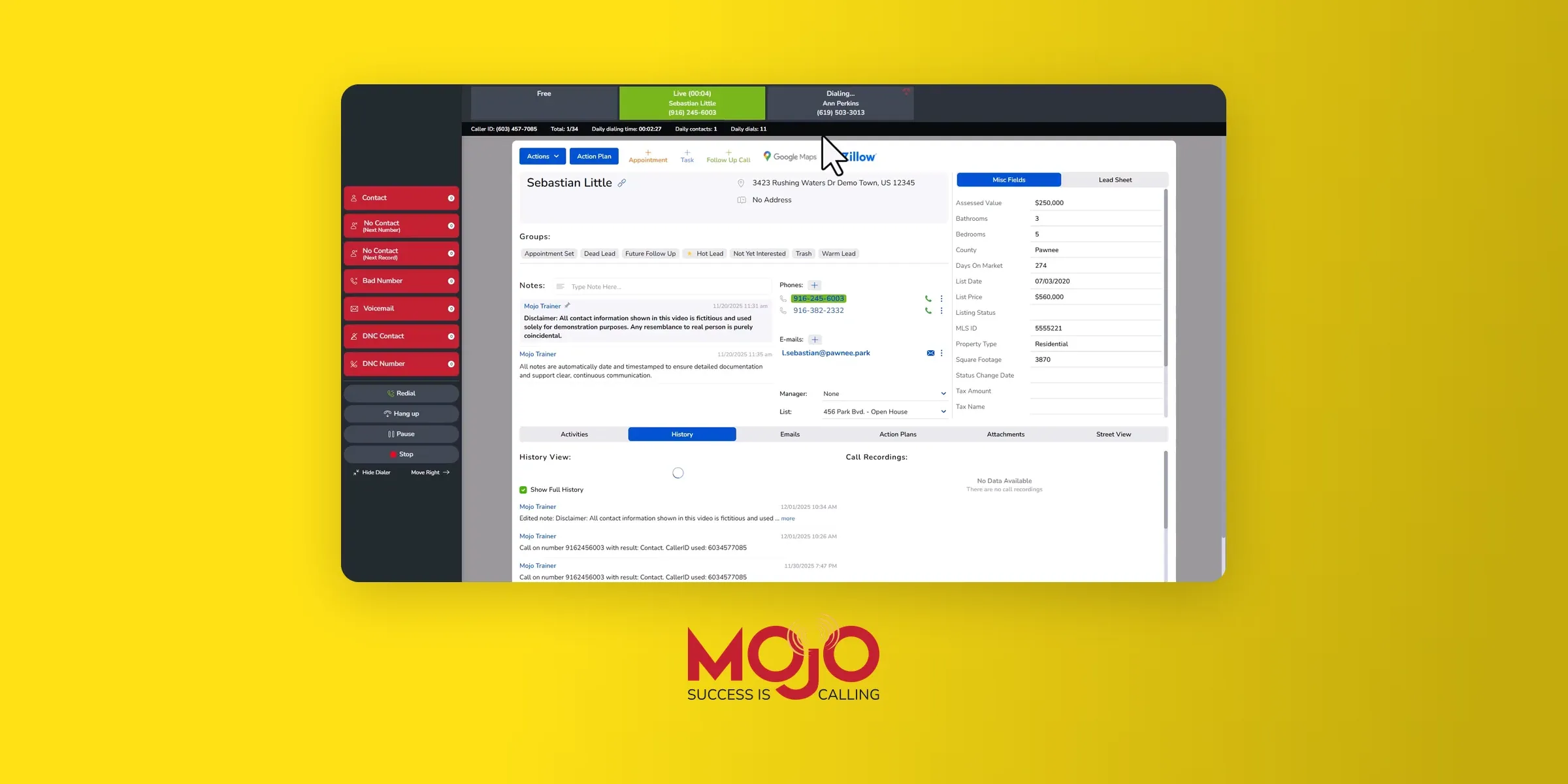
Top features:
- Triple-line dialing with unlimited minutes
- Mojo Lead Manager included
- Optional real estate data: expired listings, for sale by owner (FSBO), for rent by owner (FRBO), pre-foreclosures
- No contracts, setup fees or cancellation penalties
Mojo Dialer integrations
Mojo connects to other tools through Zapier and API Nation, and HighLevel is the one CRM it names.
Mojo Dialer pricing
The triple-line dialer is $139 per license/month plus $10 for agent access: $149 a month per caller, prepaid monthly. Call recording is $25 a month, and data packages run $25 to $50.
Mojo Dialer pros and cons
Pros
- Multi-line dialing for one person without a team contract
- Real estate data in the same tool
Cons
- Recording and caller ID cost extra
- Only one CRM named on its site (HighLevel)
- Some users report dropped calls: "it hangs up on customers mid sentence" (Oct. 2025, G2 review)
Mojo Dialer demo
Salesfinity
Salesfinity is a dedicated parallel dialer for SDR teams, and it publishes its prices. Its Gold plan dials up to 5 lines with unlimited dials for $249 per license/month billed yearly.
It works best for SDR teams that already have a phone system and want local caller IDs and voicemail handling built into the dialer.
New Salesfinity seats start on 3 lines, and you can raise that to 5.
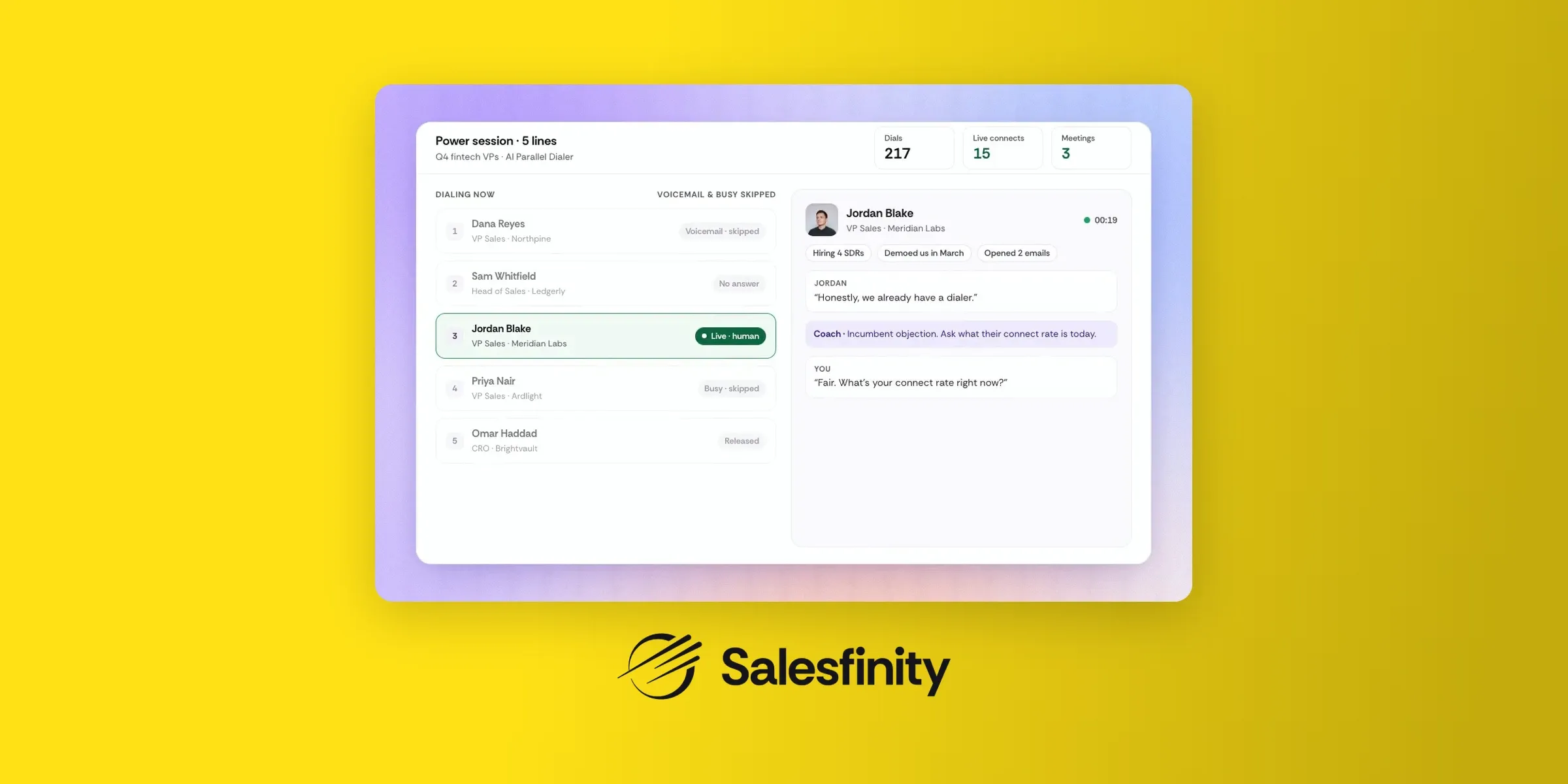
Top features:
- Unlimited dials on up to 5 lines (Gold and Enterprise)
- AI voicemail detection that skips voicemail and busy lines
- Voicemail drop
- Local presence with rotating local caller IDs
- Enterprise adds 200 mobile numbers per license a month and AI list building
Salesfinity integrations
Salesfinity syncs with HubSpot and Salesforce.
Salesfinity pricing
Gold is $249 per license/month billed yearly, or $299 monthly. Enterprise is $299 per license/month on a 12-month plan.
A Light plan at $99 a month covers account managers who don't need parallel dialing, and admin seats are free.
U.S. and Canada calling is included, and international calling adds $50 per license/month. For 5 reps on Gold, that's $1,245 a month on top of your phone system.
Salesfinity pros and cons
Pros
- Published pricing, which most dedicated parallel dialers don't offer
- Voicemail detection and local presence included
- Teams of 1 to 5 can pay by card and start the same day
- Skips bad numbers: "the AI capacity to not put me on with the numbers that are wrong or do not work, so I'm not wasting time" (Hami K., Aug. 2026, G2 review)
Cons
- No free trial listed (large teams get a 30-day pilot)
- The highest per-seat price among tools with published pricing
- No texting: "Only downside of the platform is it does not have the ability to send text messages" (Nathan M., Aug. 2026, G2 review)
Conclusion
A parallel dialer pays off on cold lists and causes problems on warm ones. Check your connect rate before you check prices.
- Pick CloudTalk if you're a small team and want the cheapest parallel dialing inside a full phone system ($64 per user/month).
- Pick BatchDialer if you want 3 to 5 lines on a monthly plan, with no yearly contract ($95 per agent/month).
- Pick Allo if you want parallel dialing, a power dialer and transcribed calls on one plan ($100 per seat/month on Ultra).
- Pick Mojo if you're a real estate agent who wants triple-line dialing on a monthly plan.
- Pick Salesfinity if you want a dedicated 5-line dialer with published pricing.
- Skip parallel dialing if you call warm leads, work small lists, or can't keep dropped calls under the FCC's 3% limit.
Whichever you choose, start at 3 lines, watch your dropped-call rate every week, and protect your caller ID before it gets flagged.
FAQ
Which parallel dialer is the best?
It depends on your team size and list. For small teams, CloudTalk is the cheapest built-in option at $64 per user/month. Allo bundles parallel dialing with the phone system on its Ultra plan. For a dedicated dialer with published prices, Salesfinity starts at $249 per license/month.
How much does a parallel dialer cost?
Built-in add-ons start around $39 per user/month on top of a phone plan (CloudTalk). Dedicated tools cost more: Salesfinity's Gold plan is $249 per license/month billed yearly, before your phone system.
How many lines should a parallel dialer use?
Three is a safe start for most cold lists. The tools in this guide run 3 to 5 lines per rep by default: BatchDialer's Starter plan and Mojo's triple-line dialer ring 3, while Allo and Salesfinity go up to 5. More lines only pay off when few people answer. On a list where 1 in 10 people picks up, our worst-case math shows 5 lines can drop almost twice as many answered calls as 3.
Are parallel dialers legal?
Yes, in the U.S., as long as you follow the FCC's telemarketing rules. The key one for parallel dialing: no more than 3% of answered calls can be abandoned per campaign over 30 days. A call counts as abandoned if no rep is on the line within 2 seconds of the greeting.
What are the best cold calling apps?
It depends on how many lines you need. For one call at a time, a power dialer is enough, and our guide to the best power dialers compares the main options. For cold lists where few people answer, a parallel dialer like CloudTalk, BatchDialer, Allo or Salesfinity lets each rep reach more people per hour.