
The Power Dialer and the AI Receptionist are add-ons: they are billed on top of your plan. You add them and cancel them yourself, from the same place in Allo. You don't need to contact support.
How to add an add-on
Open Billing
In the web app or the desktop app, go to Settings > Billing.
Or open your subscription in Allo directly.
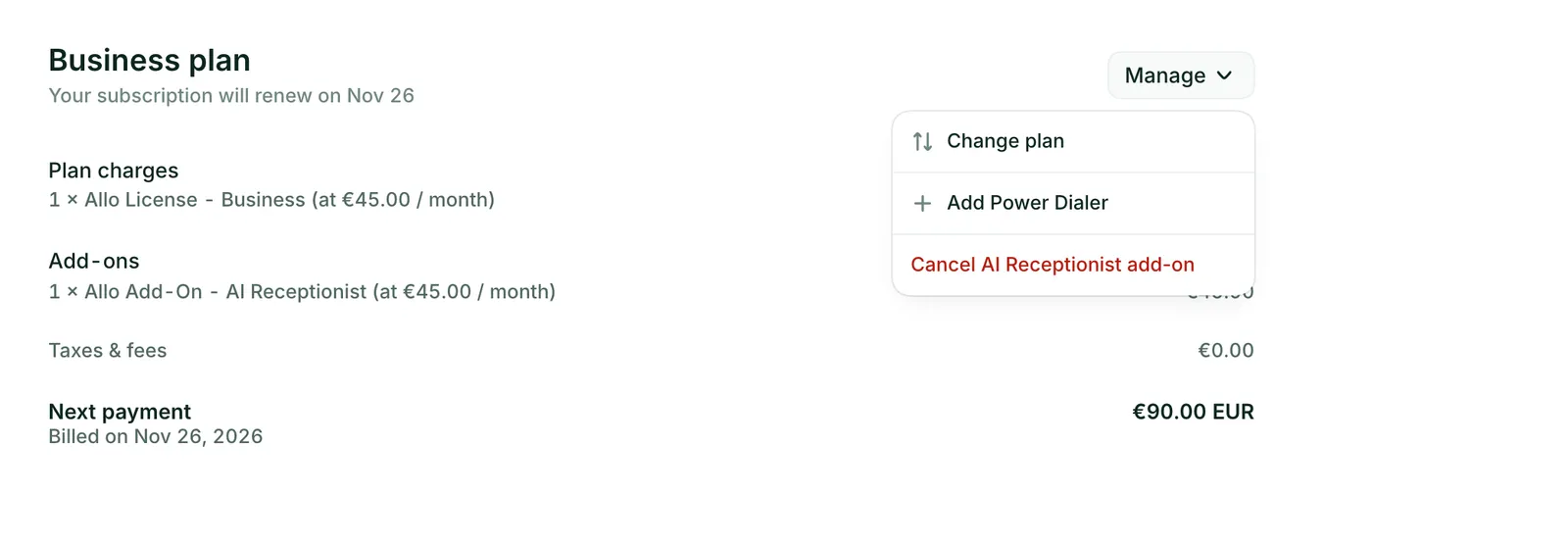
Open the Manage menu
Click Manage, next to your plan, then Add Power Dialer or Add AI Receptionist.
Check the price
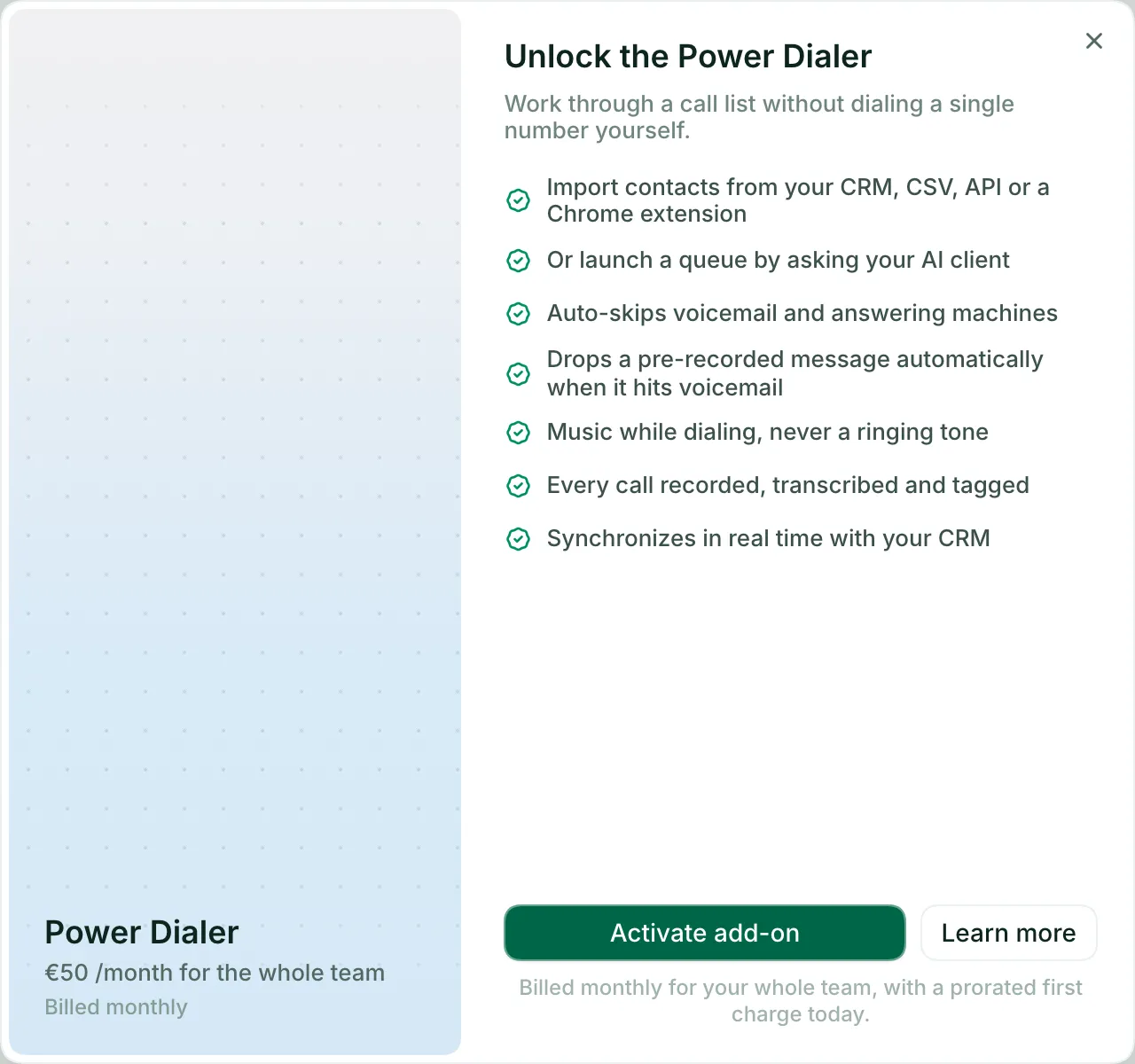
Allo shows what the add-on does and its price. Click Activate add-on.
Confirm
Allo shows what you pay today and what you pay each month after that. Click Pay & activate.
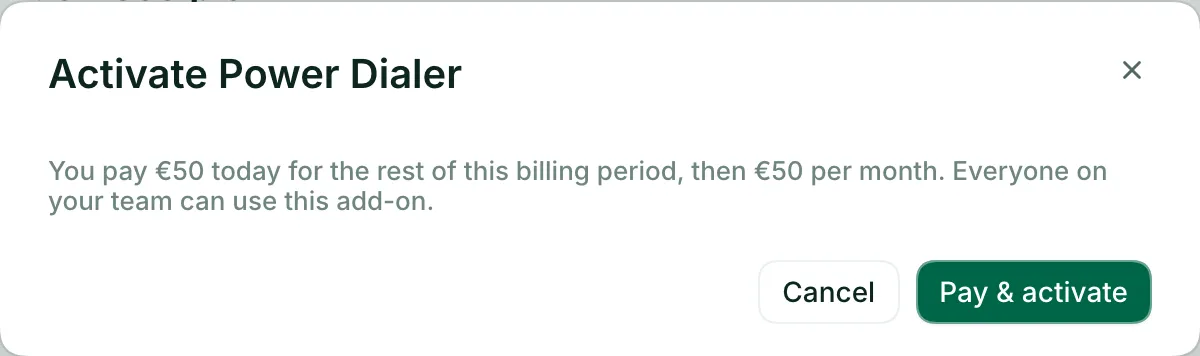
- On a paid plan, the first charge is prorated for the rest of your billing period, then the add-on renews with your plan.
- During your trial, the add-on is free until your trial ends. Cancel it before then if you don't want to be charged for it.
Prices are on plans and pricing.
How to cancel an add-on
Open Billing
In the web app or the desktop app, go to Settings > Billing.
Or open your subscription in Allo directly.
Open the Manage menu
Click Manage, next to your plan, then Cancel Power Dialer add-on or Cancel AI Receptionist add-on.
Confirm
Allo shows when the add-on ends, what it costs and what you keep. Click Remove add-on.
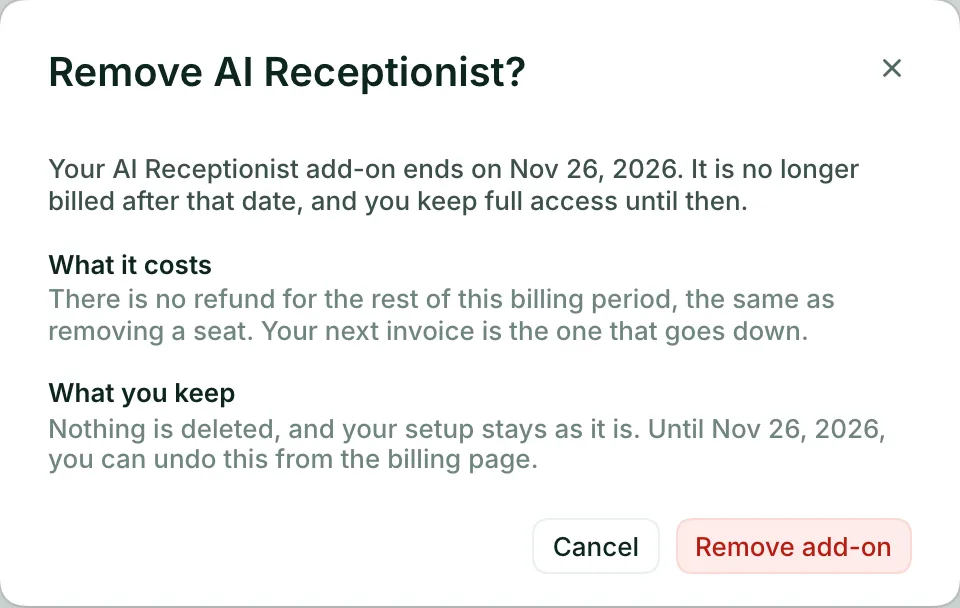
If you pay for several AI agents, Allo asks how many you want to keep. Only the others are removed.
What happens after you cancel
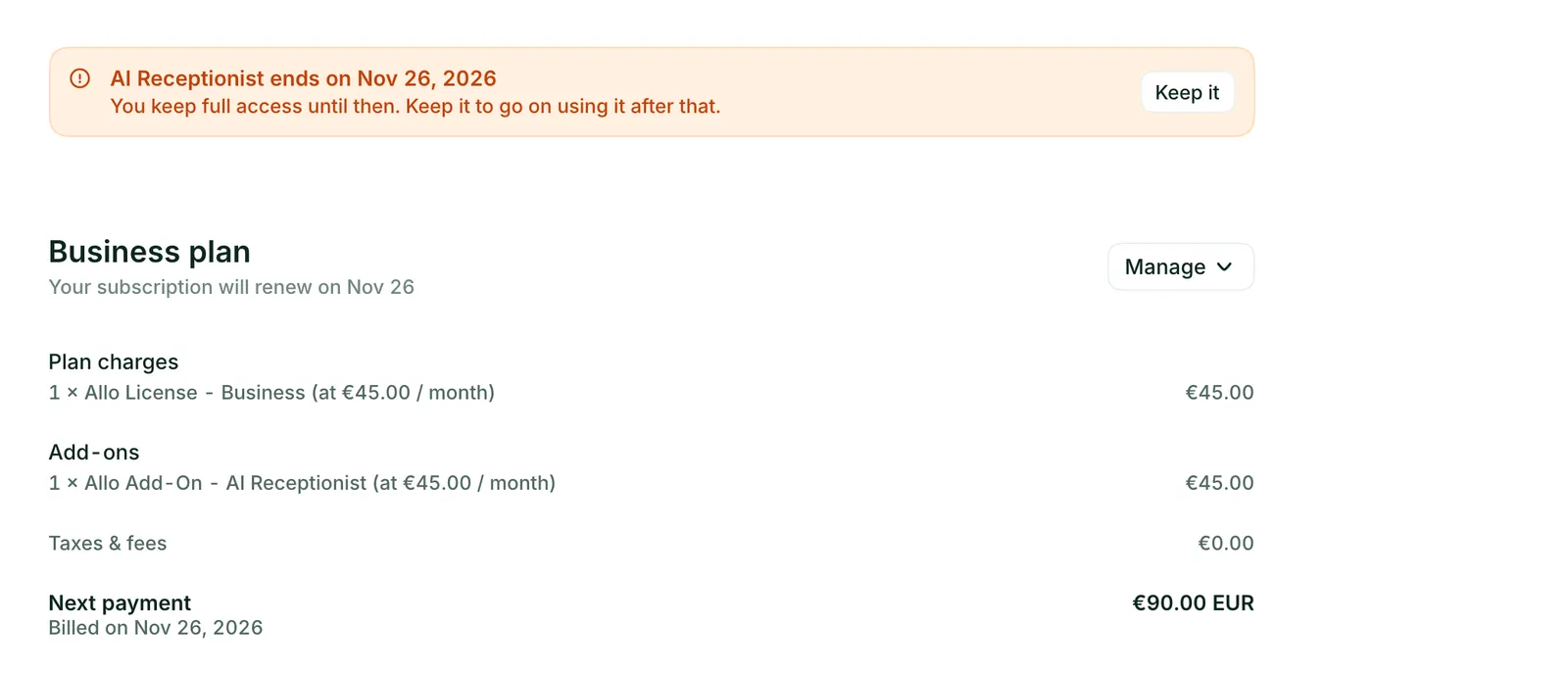
- Nothing changes today. You keep full access until the end of the period you have already paid for. The billing page shows the end date.
- Your next invoice goes down. The add-on isn't billed after that date. There is no refund for the rest of the current period, the same as when you remove a seat.
- Nothing is deleted. Your setup stays as it is. If you add the add-on back later, it picks up where you left off.
- You can change your mind. Until the end date, click Keep it on the billing page.
During your free trial
If you cancel an add-on during your trial, it ends when the trial ends. Nothing is charged for it, now or after the trial.
What stops working
Your team can't run dialing sessions anymore: no queue player, no pre-recorded voicemail drop, no automatic outcome logging. Your queues, their contacts, your voicemail recordings and the outcomes already logged are kept.
Your AI agent stops answering calls. From the end date, the calls it would have answered follow the rest of your call flow: voicemail, unless you set something else on the line. Your agent, its prompt, its knowledge base, its transfer rules and its past calls are kept.
Turning your agent off doesn't stop the bill. To stop being charged, cancel the add-on.
When you can't change it yourself
- Subscribed through the App Store or Google Play: contact support.
- Subscription managed by a partner: contact your partner.
- The HIPAA BAA: contact support to add or remove it.