5 affordable AI receptionists (tested and priced all-in)
We added up base plans and per-call fees for 16 tools to find the 5 truly affordable AI receptionists. See who wins on all-in price.


TL;DR
- Allo is best for small teams and salespeople because the AI receptionist is unlimited and baked into the $18/month plan, so your bill never moves with call volume.
- Quo is best for growing teams that live in a shared inbox because Sona sits inside a full collaboration tool, and you get 10 AI calls a month before paying $0.75 per call.
- RingCentral is best for larger businesses with complex stacks because its AI receptionist plugs into 500+ integrations (Shopify order lookups included), though you pay from $79/month all-in to get there.
Introduction
What does it really cost to never miss a call again?
That question is harder to answer than it looks. AI receptionists are far cheaper than a traditional answering service (I broke down those numbers in our guide on how much a phone answering service costs). The catch is that most AI services price per call or per minute, so the sticker price and the real price rarely match. A $0.99 per minute rate looks tiny until a few hundred calls land in your account.
So I did the math the boring way. I took our internal comparison of 16 phone systems, isolated the ones with a genuine AI receptionist (an AI voice agent that answers, talks, books, and routes, not just a voicemail transcriber), and added the base plan to the AI usage cost. That gave me one honest number per tool: the total monthly starting cost, all included.
In this article, I share the five most affordable AI receptionists that came out of that process.
I will be upfront about one thing early: Allo is our own product. To keep this fair, I leaned on third-party reviews (G2, Trustpilot, app stores), tested the tools where I could, and stuck to published facts. Where I lacked data, I left a clear placeholder rather than guess.
Here is how to think about the choice before we get to the list.
How to pick the right AI receptionist
Price is the reason you are here, but it is not the only thing that separates a good AI receptionist from a frustrating one. These are the five criteria I weighed.
- Pricing: factor in every cost. Look past the headline plan. Add the base subscription, the per-call or per-minute AI fee, and any seat minimum. A cheap base plan with a $99 AI add-on is not a cheap AI receptionist.
- Integrations. If you want your team to keep a record of every interaction, the receptionist needs to write back to your CRM. Otherwise you are rebuilding context by hand after every call.
- Voice quality. A robotic or laggy voice tells callers they reached a machine and hurts trust. Natural, low-latency speech is what makes the AI pass as a real front desk.
- Responsiveness. The agent has to understand messy, interrupted, real-world speech and answer without long pauses. Slow or off-topic replies make callers hang up.
- Advanced features. Transfer to a human, appointment booking, and SMS follow-ups are the features that actually save you time. They turn the receptionist from a gatekeeper into an assistant.
Affordable AI receptionists at a glance
| Solution | Starting Price | Best For | G2 Rating |
|---|---|---|---|
| Allo | $18/mo Unlimited AI receptionist, included on every plan | Small teams and salespeople who want a flat, all-in price. Best value | 4.7 / 5 |
| Quo | $19/user/mo 10 Sona calls included, then $0.75/call | Growing teams that want collaboration tools alongside AI answering. Team inbox | 4.7 / 5 |
| Ooma Office | from ~$35/mo Essentials $19.95/mo + AI receptionist add-on $14.99/mo per account | Budget FAQ answering and message-taking. Budget pick | 4.6 / 5 |
| Phone.com | from ~$48/mo Basic $18/mo + AI-Connect add-on $29.99/mo per 100 min | Small offices that need HIPAA compliance. HIPAA-ready | 3.3 / 5 |
| RingCentral | from $79/mo Core $30/user/mo + AI Receptionist $49/mo per 100 min | Larger teams needing deep integrations like Shopify and Salesforce. Most integrations | 4.2 / 5 |
Allo, best for small teams that want an unlimited AI receptionist
What's to know about Allo?
Allo is an AI and mobile-first phone system built for small teams, SMBs, and salespeople.
Full disclosure again: this is our product, so read the third-party scores below as the honest signal, not my pitch.
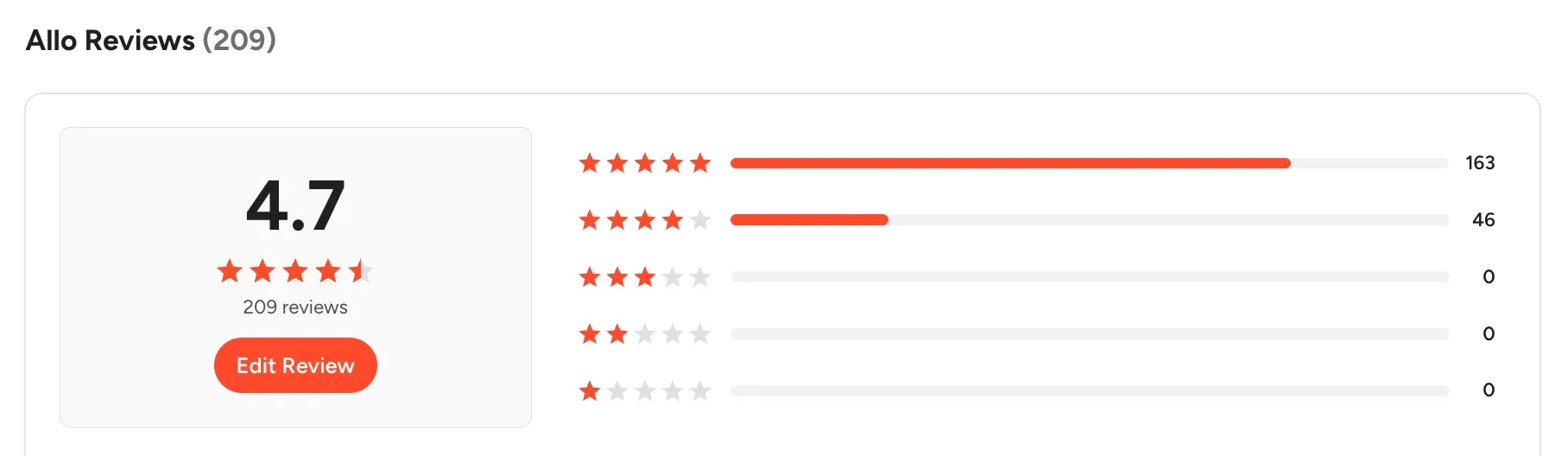
The short version is that Allo bundles the AI receptionist into every plan instead of selling it as an add-on. On G2 it holds a 4.7/5 across 209 reviews, with a 4.1/5 on Trustpilot and 4.3/5 on the App Store.
Allo's AI receptionist at a glance
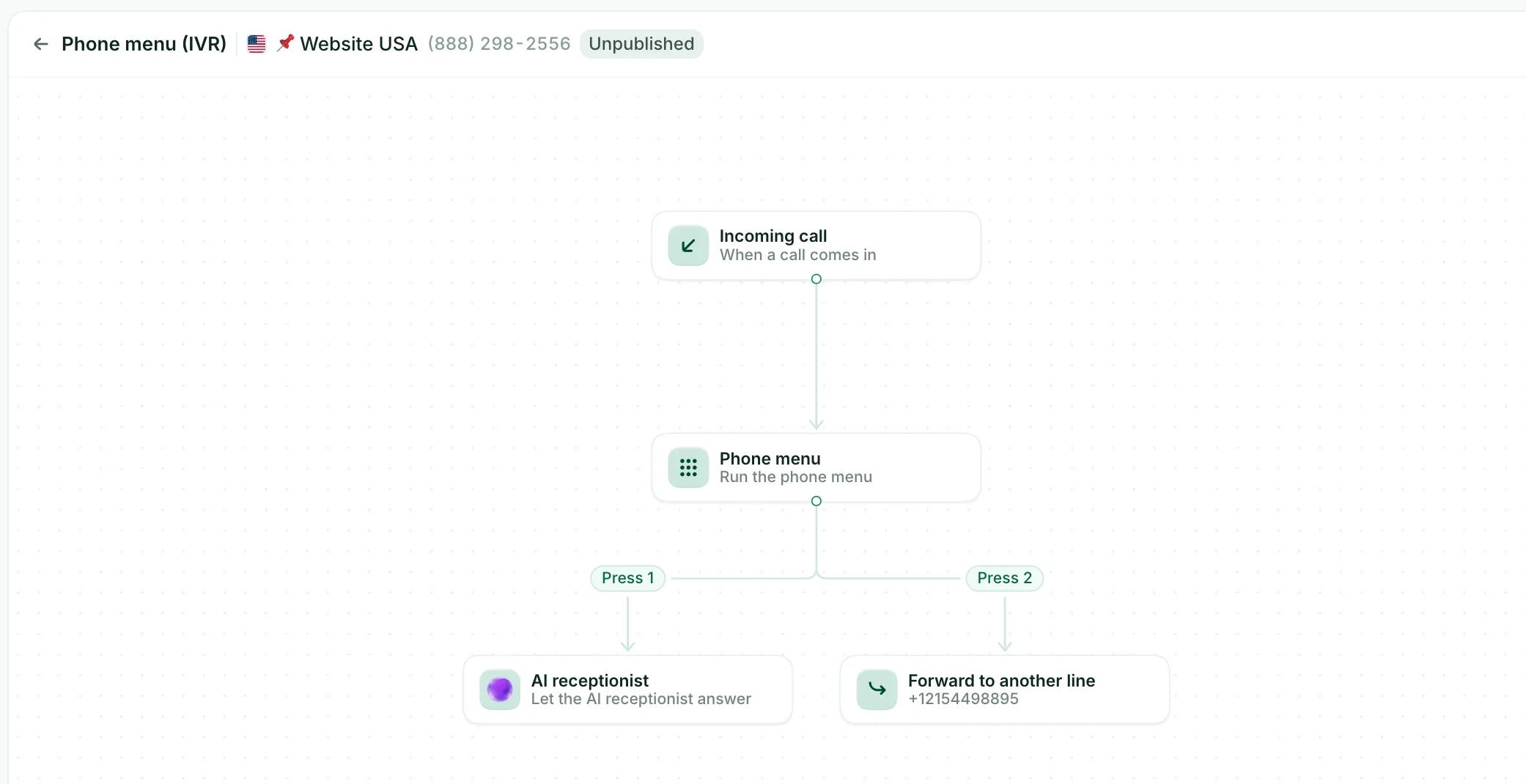
This is an advanced AI answering service, not a glorified voicemail. It was one of the first AI receptionists ever released, and it shows in the feature depth.
- It answers in three languages: English, French, or Spanish.
- It transfers calls to a human when needed.
- It books appointments, with native ties to Cal, Google Calendar, and Calendly.
- It is fully customizable: voice, tone, answer length, greeting, and closing message.
- It learns from your documents, your website, and freeform text you paste in.
- It logs every call it handles with a summary and a transcript, so nothing is lost.
I would recommend it for a team that wants the receptionist working from day one without a pricing spreadsheet attached.
Allo pricing
- Solo: $18/month for one user, billed yearly, with a 30-day money-back guarantee. It includes one business number, unlimited national calls, call recording, SMS, native CRM autofill, AI summaries and transcripts, missed-call text-back, and the unlimited AI Receptionist.
- Business: $45/month per user (yearly: $32). It adds all integrations, a collaborative inbox, the power dialer, custom AI summary templates, AI call tags, the Allo MCP, and analytics.
The number that matters here: the AI receptionist is unlimited on both plans, with no per-call or per-minute meter. That is why Allo lands first on total monthly starting cost.
Allo demo
Watch the AI receptionist in action:
Quo, best for teams that want an AI receptionist inside a shared inbox
What's to know about Quo?
Quo is the phone system formerly known as OpenPhone. It started in 2018 in Canada, and rebranded to Quo in 2025. It targets SMBs and small teams that collaborate on calls and texts.
Like Allo, Quo is a full phone system with an AI answering service on top, so it suits teams that also need a shared inbox, threads, tagging, and internal chat. Its reviews are strong: 4.7/5 on G2 across 3,374 reviews, and 4.4/5 on the App Store.
Quo's AI receptionist at a glance
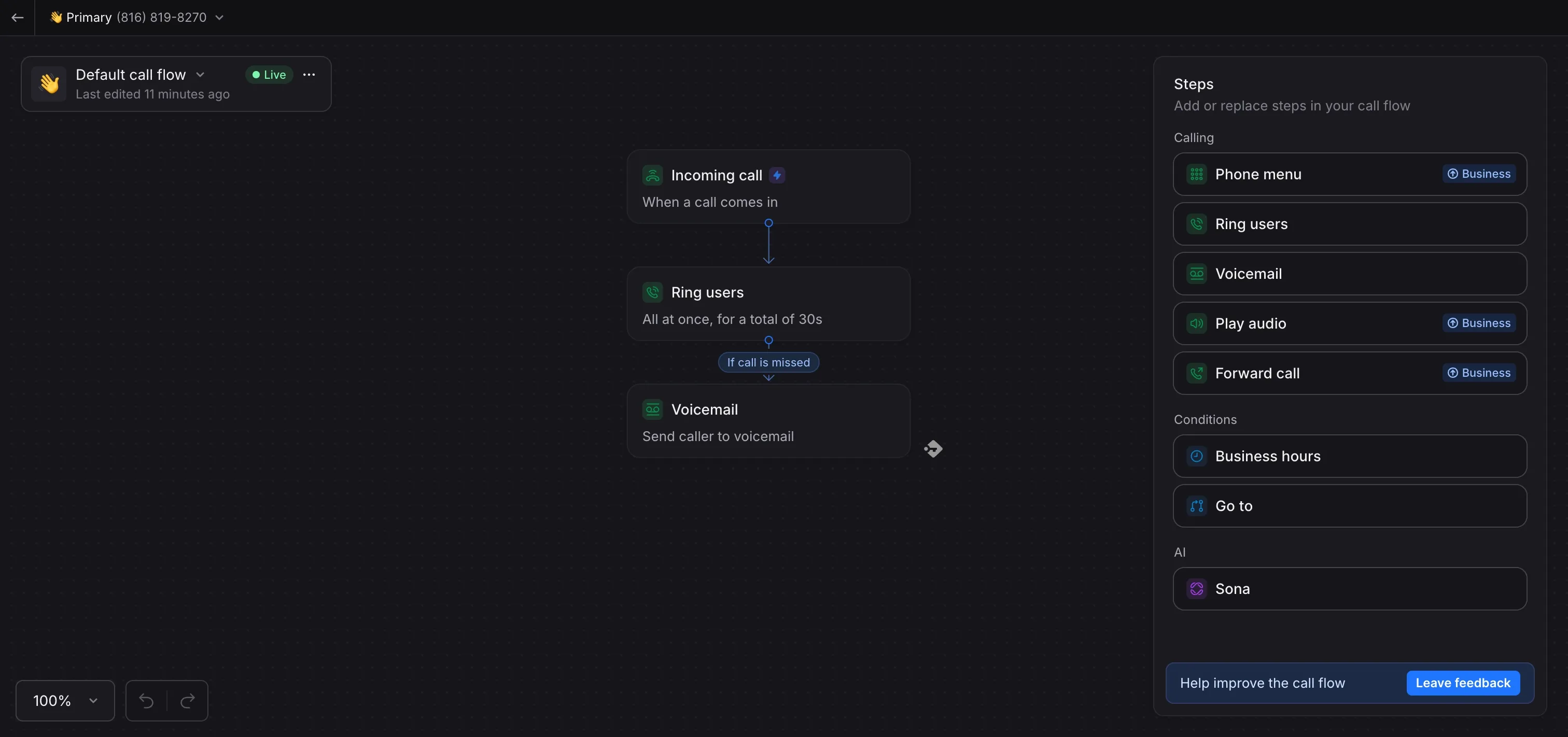
Quo's agent is called Sona, first released in April 2025. It is a capable, conversational answering service that leans on Quo's collaboration DNA.
- Sona can send links, forms, and directions by SMS while it is still on the call.
- The voices sound natural.
- You can customize it in detail: operating hours, your products and services, a full FAQ, and team member introductions.
- Every Sona call comes with an AI summary and transcript, included even if your plan does not otherwise bundle those.
One limit to note: Quo covers the US and Canada only.
Quo pricing
- Starter: $19/user/month (yearly: $15). It includes a local number, unlimited US and Canada calling and messaging, voicemail transcripts, and 10 Sona calls per month.
- Business: $33/user/month (yearly: $23). It adds AI call summaries and transcripts for all calls, group calling, call transfers, analytics, and HubSpot and Salesforce integrations.
- Scale: $47/user/month (yearly: $35). It adds dedicated onboarding and priority support.
After the 10 included calls, Sona costs $0.75 per call. For a solo operator taking a handful of calls a day, that stays cheap. For a busy front desk, the meter is worth modeling before you commit.
Quo Sona demo
See Quo and Sona:
Ooma Office, best for very small US businesses on a tight budget
What's to know about Ooma Office?
Ooma is a VoIP provider that many households and small businesses use to replace a landline, largely because it is cheap. The product feels like legacy software in places, and its Trustpilot score is the lowest I have seen for a business phone system at 1.4/5. That said, G2 sits at 4.6/5 and the App Store at 4.9/5, so experiences vary widely.
I am including Ooma because it recently shipped a real AI receptionist as a low-cost add-on. I would go in with eyes open on support quality though.
Ooma Office's AI receptionist at a glance
Ooma's AI receptionist is newer and less proven than most here, and its entry tier is genuinely cheap.
At the base level it covers the basics:
- It answers FAQs.
- It sends a missed-call text back and handles the replies.
- It records and transcribes every interaction.
- It flags priority callbacks for you.
Here is the catch, and it matters for a receptionist: the features most people actually want are gated behind a sales call with non-public pricing. Those include intelligent call routing, handling complex customer interactions, appointment booking and scheduling, SMS and email reminders, and multiple voice options. So the cheap tier answers questions and takes messages, but it will not book an appointment until you move up to the quote-based plan.
Ooma Office pricing
- Base plans: Essentials $19.95/user/month (mobile only, no recording), Pro $24.95/user/month (adds desktop app, recording, texting), Pro Plus $29.95/user/month (adds CRM and AI call transcription).
- AI receptionist add-on: from $14.99/account/month, and it attaches to any Ooma Office plan.
That puts the cheapest all-in at about $35/month (Essentials plus the add-on) for the FAQ-and-messages tier. Billing is month-to-month, and Ooma works in the US only. Be honest with yourself about which features you need: Allo and Quo cost less and already book appointments, whereas Ooma's booking sits behind a sales quote.
Ooma Office demo
Phone.com, best for small offices that need HIPAA compliance
What's to know about Phone.com?
Phone.com has been building affordable phone service for small businesses since 2008. The product is aimed squarely at small businesses that want the essentials without complexity.
Its AI receptionist, AI-Connect, launched in May 2024, and the whole service is HIPAA compliant. That sets it apart on this list for medical, dental, and other regulated offices.
The reviews are mixed: 3.9/5 on Trustpilot, 3.3/5 on G2 (a small sample of 34 reviews), and a healthier 4.6/5 on the App Store. The UI reads a little dated.
Phone.com's AI receptionist at a glance
AI-Connect is a competent answering service, though it asks for more setup work than the others here.
- You can customize the greetings and opening hours.
- It handles FAQs.
- It books appointments in Google and Outlook calendars, then sends confirmation texts.
- It can route calls using an AI-IVR approach.
- The whole service is HIPAA compliant.
One honest drawback: training it is more tedious than its rivals. It cannot scan your website, Google Business listing, or documents, so you enter everything by hand in the app. If HIPAA compliance is a must, that trade is probably worth it; if you want to be live in minutes or plan to update your config often, it will slow you down.
Phone.com pricing
- Basic: $18/month per user. Unlimited domestic minutes, one number, video conferencing.
- Plus: $27/month per user. Adds voicemail transcription and conversational texting.
- Pro: $40/month per user. Adds call recording, call analytics, and CRM integration.
- AI-Connect add-on: $29.99/month for 100 minutes, on top of a base plan.
That makes the realistic all-in starting cost about $48/month (Basic plan plus the AI-Connect add-on). There is no free trial, but Phone.com offers a 30-day money-back guarantee.
Phone.com demo
See AI-Connect in action:
RingCentral, best for larger teams that need deep integrations
What's to know about RingCentral?
RingCentral has been a fixture of business telephony since 1999. It is reliable, and it is now adding AI across the platform. The trade-offs are real too: it is legacy software that can feel overwhelming, its SMB support gets criticized, and it is known for sticky, hard-to-cancel contracts. Its Trustpilot score is a rough 1.8/5, while the RingEx product holds 4.2/5 on G2 and 4.8/5 on the App Store.
It is the priciest option here, but it earns its spot because of integration depth that the cheaper tools cannot match.
RingCentral's AI receptionist at a glance
RingCentral's AI Receptionist (AIR) is a capable, enterprise-grade answering service, available in English, French, and Spanish.
- It lets customers book appointments through Cal.com and Calendly.
- It answers FAQs, trained on your website and uploaded documents.
- It sends SMS for directions, links, and appointment confirmations.
- It transfers to a human when it cannot handle a question.
- It records and transcribes every AI call, with reporting on call volume, trends, and knowledge gaps.
- Its Shopify integration is a standout: the agent can look up a caller's recent orders by phone number and answer questions on pricing and availability during the call.
If you run on Shopify or Salesforce and want the receptionist wired into that data, this is the one on the list that delivers it.
RingCentral pricing
- RingEx Core: $30/user/month (yearly: $20). Unlimited domestic calling, call recording, meetings.
- AI Receptionist add-on: from $49/month for 100 minutes, on top of the base plan.
That makes the realistic all-in starting cost around $79/month. It is more than double the flat-price options above, so I would only reach for RingCentral when the integrations justify the premium.
RingCentral AIR demo
Product demo of the AI receptionist:
Conclusion
Affordable AI receptionists exist, and the gap between the cheapest and the priciest on this list is wide.
Here is who each one suits:
- Allo ($18/month): best for small teams and salespeople who want an unlimited AI receptionist with no per-call meter and no add-on.
- Quo ($19/user/month): best for growing US and Canada teams that want AI answering inside a genuine shared inbox, with 10 calls included before $0.75 per call kicks in.
- Ooma Office (about $35/month all-in): best for very small US businesses that mainly need FAQ answering and message-taking, as long as you accept that appointment booking sits behind a pricier, quote-based tier.
- Phone.com (about $48/month all-in): best for HIPAA-conscious small offices that can trade quick setup for compliance, since AI-Connect has to be trained by hand.
- RingCentral (from $79/month): best for larger teams that need the receptionist wired into Shopify, Salesforce, and a deep integration stack.
My honest takeaway: the flat-price tools win on predictability, and the per-minute or add-on tools win on ceiling and integrations. Add up your own call volume before you sign anything, because that single number decides which of these is actually the cheapest for you.
FAQ
Are there any affordable AI receptionists?
Yes. The two cheapest start under $20 per month all-in, including the base phone plan. Allo ($18/month) includes an unlimited AI receptionist on every plan, and Quo ($19/user/month) includes 10 AI calls before charging $0.75 per call. The rest cost more once you add the AI on top: Ooma Office lands around $35/month, Phone.com around $48, and RingCentral around $79.
What's the minimum price for a good AI receptionist?
Around $18 to $20 per month gets you a genuinely good AI answering service that talks to callers, books appointments, and transfers to a human. Below that, you usually find a keypad IVR rather than a conversational AI. Watch for per-call, per-minute, or add-on pricing, which can push a low base plan past $40 once you add the AI or need advanced features like appointment booking.
What are the top criteria to look at when choosing an AI receptionist?
Weigh five things. First, total cost, meaning the base plan plus any per-call fee and seat minimum. Second, integrations, so the AI writes call records back to your CRM. Third, voice quality, since a natural voice keeps callers engaged. Fourth, responsiveness, so the agent handles real, messy speech without long pauses. Fifth, advanced features like human transfer, appointment booking, and SMS follow-ups, which are what actually save you time.