Introducing Allo AI: ask it anything, or hand it the work
Stop digging through call logs. Ask Allo AI how your team did, or have it draft the texts. Nothing goes out until you press Send.

Today we're launching Allo AI. Ask it anything, or ask it to do the work. It knows your calls, texts, contacts and lines, so you ask in plain words and get a plain answer back.
If you came to Allo from a desk phone or a basic softphone, you know the old routine. The answer was in there somewhere, buried in a call log you had to scroll or a report you had to build first. Now you just ask. And we hold one opinion firmly: an assistant that texts your customers without asking is worse than no assistant. So Allo AI acts only when you ask. Nothing goes out until you press Send, and it never calls or texts anyone on its own.
Ask about what's on your screen
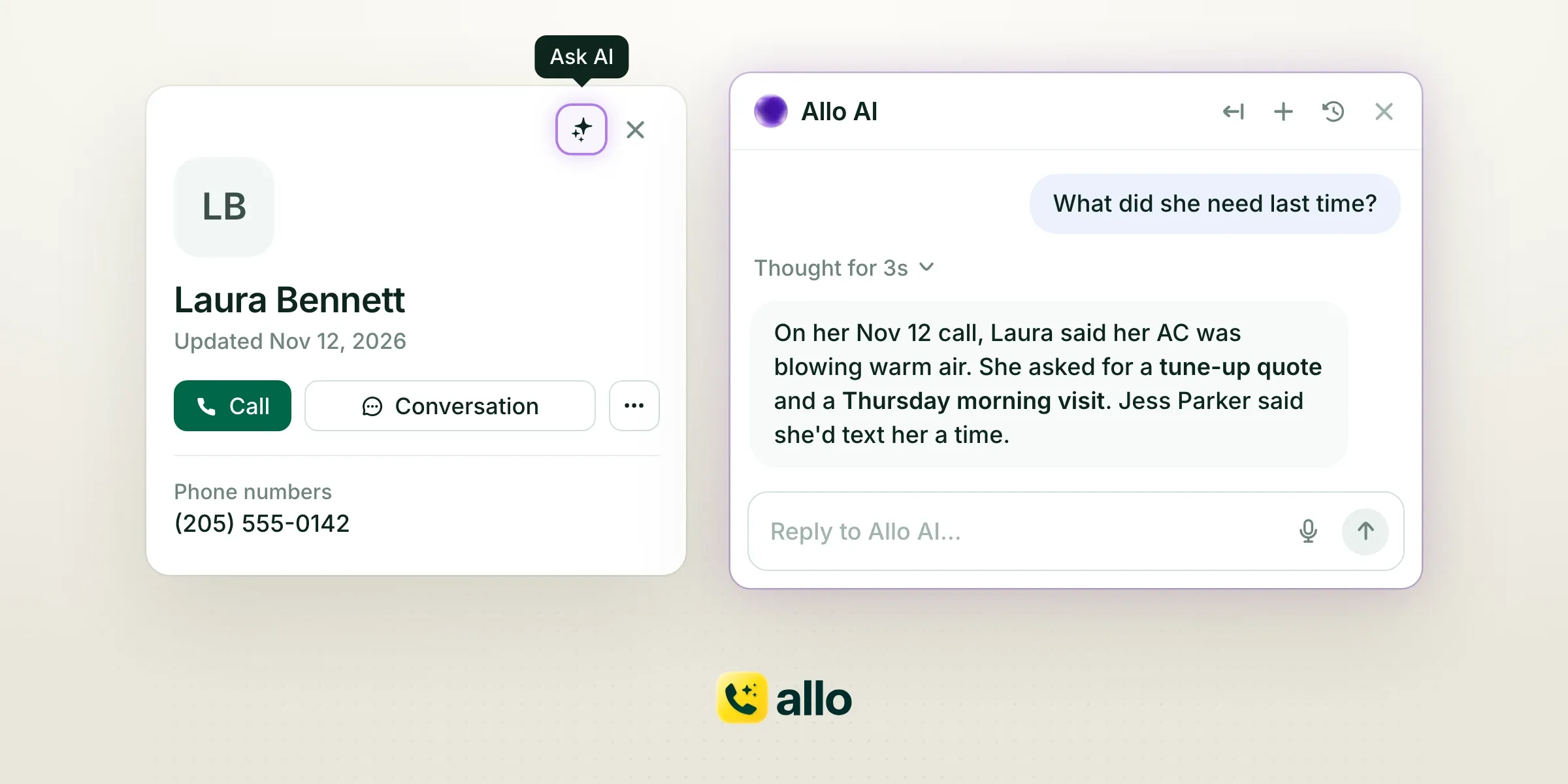
A call, a contact and a text conversation now each have an Ask AI button. Click it and the chat opens already knowing that record, so "what did she need last time?" works without searching first.
On web and desktop, Allo AI also sits in the sidebar. It opens next to the page you're on and knows what you're looking at. When a regular calls back, you ask one question instead of scrolling through her history.
Find anything in seconds
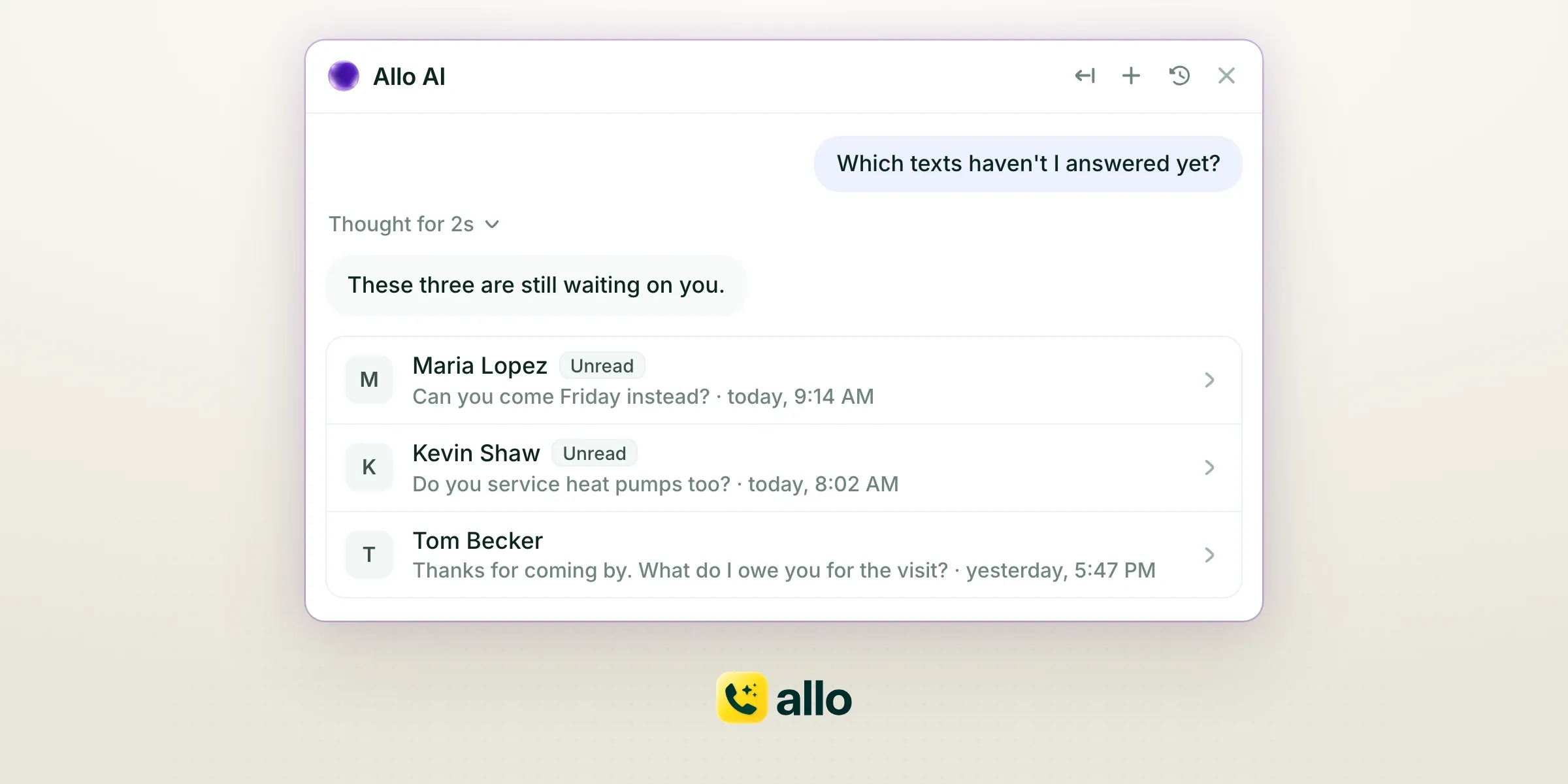
Who called most this week? Which texts haven't you answered yet? Allo AI looks through your calls and conversations and shows the answer as cards you can open. No filters to set, no list to scroll.
It's also a good way to start the day. Type "Brief me on today" before your first job, or "Sum up yesterday's calls" when you get back to the office. You can type or talk to it, so the question works from the truck as well as from the desk.
Get your numbers without building a report
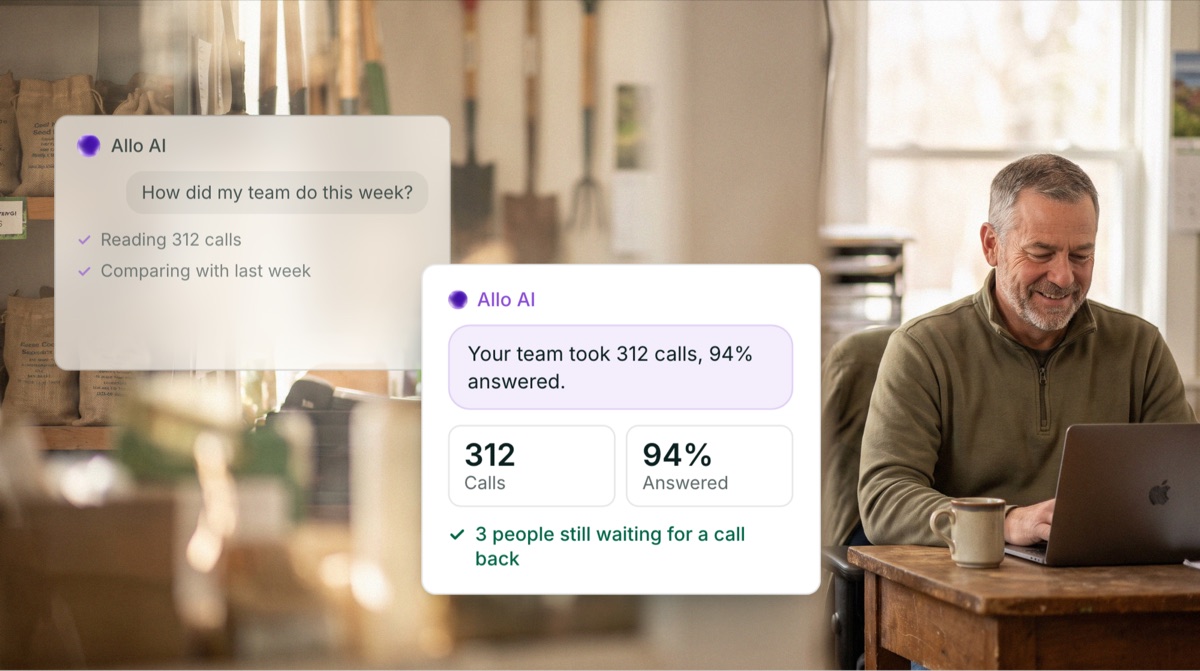
Ask "Tell me how my team did this week" and the answer comes with the figures, for the right period. Ask when your lines get the most calls, or how your last dialing session went.
That's the report you used to build by hand. Or, more honestly, the one you never got around to building. Now it's a sentence. One more worth asking once a month: "Find what I pay for but don't use."
Let it write the next text or email
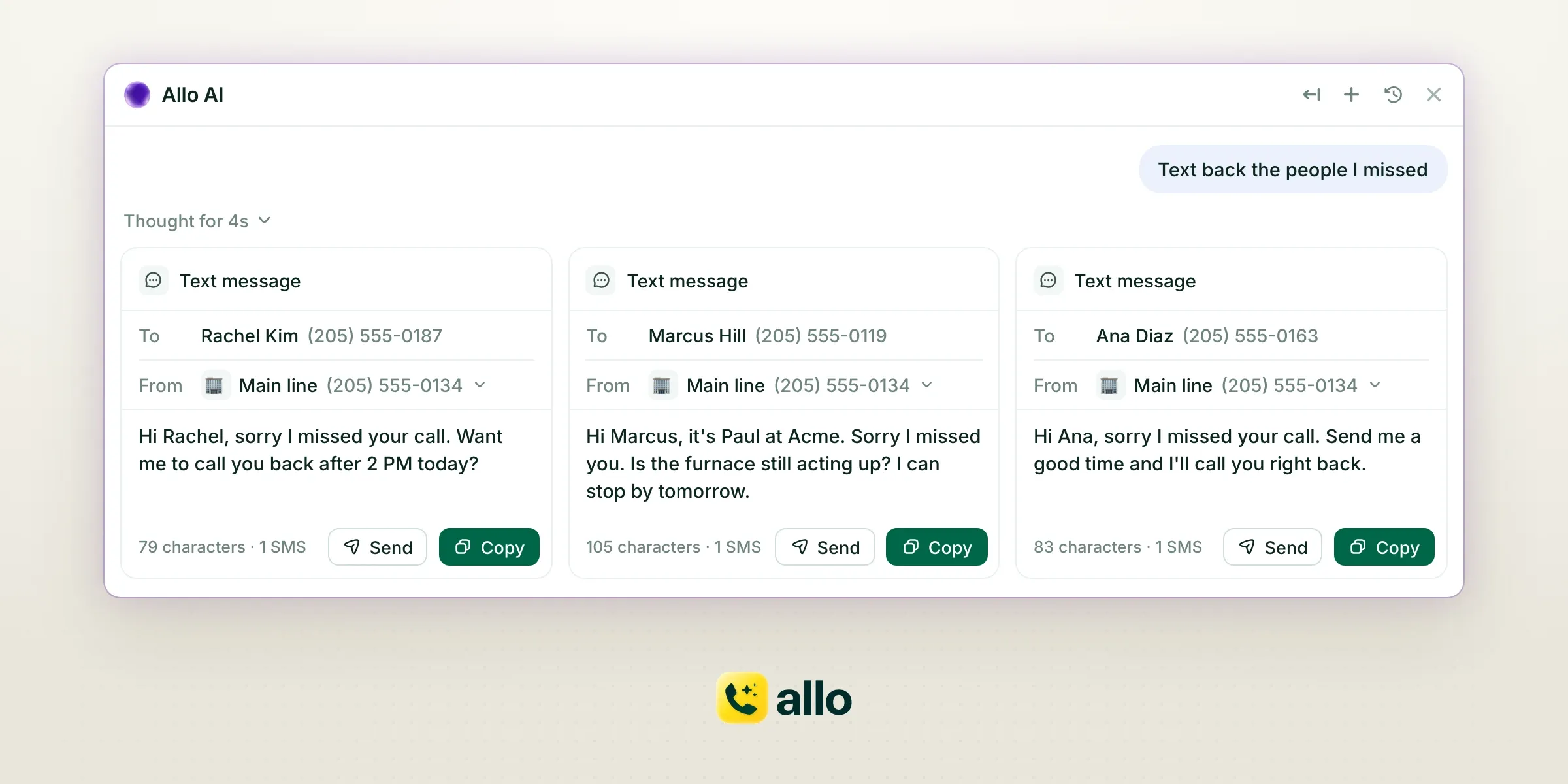
Ask for a reply or a follow-up and Allo AI writes it in a card you can edit. Say "Text back the people I missed" and you get a draft for each of them, for up to five people at once.
Read it, change a word, press Send. Nothing leaves before you do. It's your customer and your line, so the last word stays yours.
Hand it the small jobs
Allo AI doesn't stop at answers. Ask, and it does the job or offers to do it for you. It can:
- update a contact or a company in your CRM
- add leads to a Power Dialer campaign, if you use the Power Dialer (a paid add-on)
- block a number
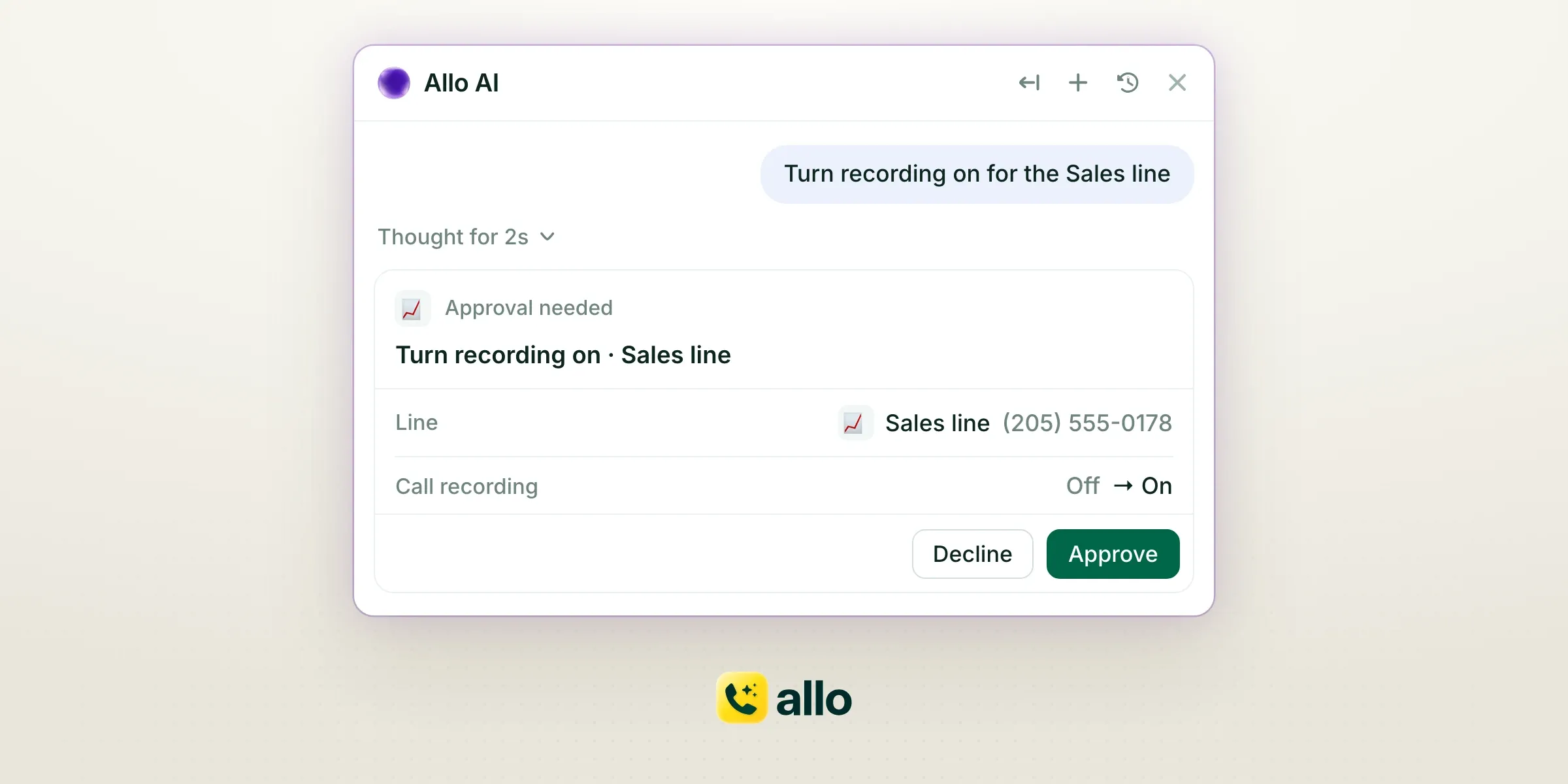
- turn recording on for a line
- send a message to a teammate
Ask "Turn recording on for the Sales line" and Allo AI asks you to confirm before it changes anything. Say yes, and it's done. Every one of these starts with your request. It never calls or texts anyone on its own.
Availability
Available on web, desktop and mobile. On web and desktop, click the Allo AI button in the sidebar. On a call, a contact or a conversation, click Ask AI to start a chat about it. On mobile, open the Allo AI tab, and update the app first if you don't see it.
Allo AI is live today for every Allo team, and it works in English and French. Included in every plan. Not available for teams under HIPAA.
Allo AI was built by Alejandro Maggi, George Turp, Mario Lucchelli and Gonzalo Rascón. Thank you, all four.