Best Call Recording Software of 2026: Top Picks & Features
We've tested and reviewed the top recording software. Included: Allo, Cube ACR, Gong.io, and more.

A few years ago, only large enterprises could afford call recording tools.
Now, they are not just accessible to everyone; they come with innovations in AI and mobile technology that make these solutions perfect for everyone, from SMBs to individual professionals.
Key benefits include:
- Automatic call transcription for follow-ups
- Enhanced productivity through AI call summaries
- Legal compliance and security features
Ready to find the perfect call recording solution?
We've done the research for you. This guide compares the leading call recording tools available today, helping you make an informed choice in 2026.
The Best Call Recording Software Solutions in 2026
Disclaimer: Allo is our own product. To keep this selection as fair as possible, we've relied on third-party reviews sourced from G2 and the app stores.
Best phone system with call recording: Allo
Platform
iPhone, Android & Web
Why it’s the best
Allo stands out because it’s more than just a call recorder—it’s a complete business phone system designed for small businesses and entrepreneurs.
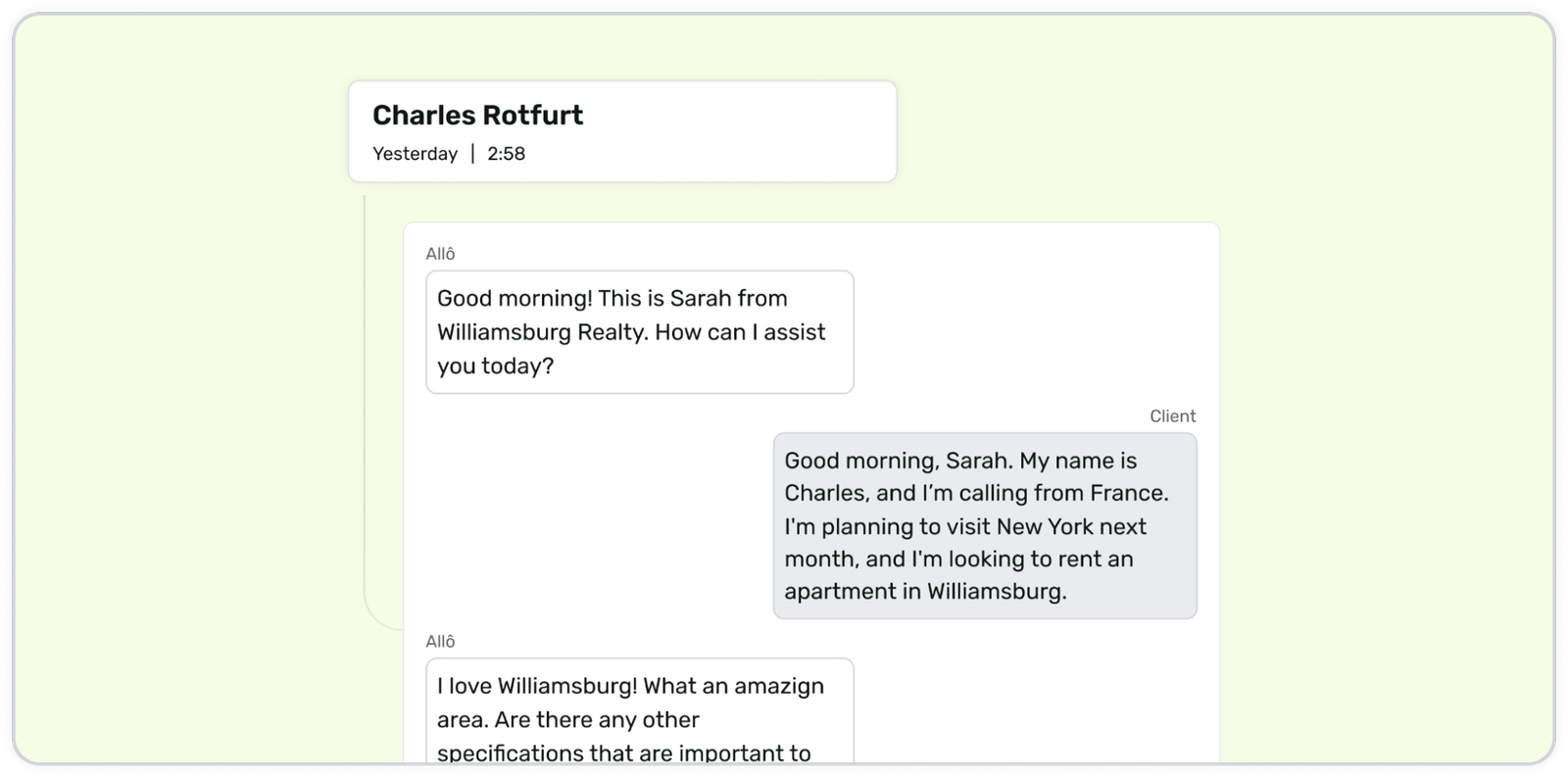
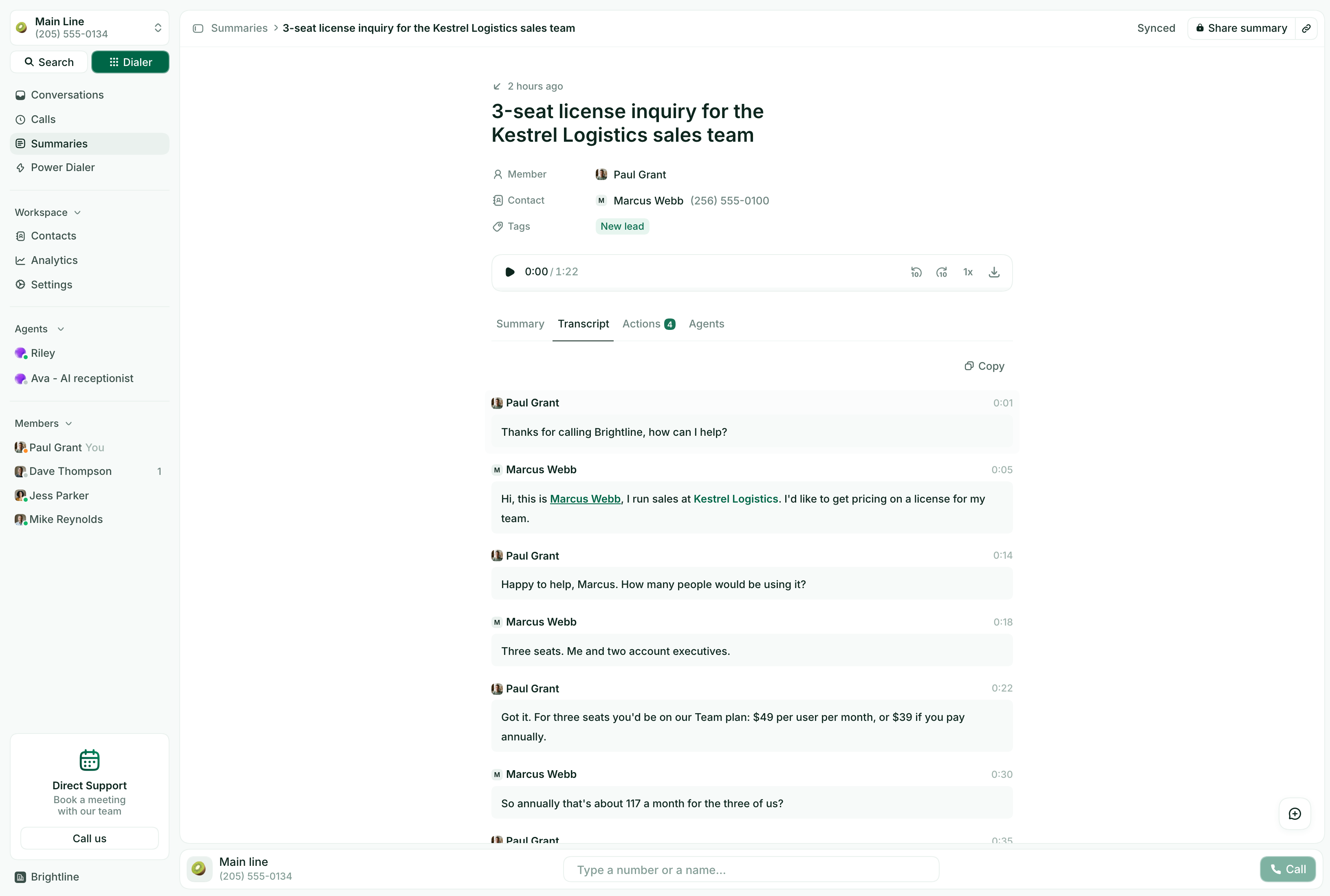
Its AI-powered call recording automatically transcribes conversations, making it easy to revisit, analyze, and review key details of important discussions. Unlike traditional recording apps that require complicated workarounds, Allo’s process is seamless, capturing both inbound and outbound calls automatically. There’s no need for complicated setup or extra equipment, it records calls automatically. The app prioritizes privacy and security, ensuring that recorded conversations stay encrypted and are easily retrievable through a clean, searchable dashboard.
For businesses, Allo integrates with CRMs (HubSpot, Pipedrive, Salesforce, etc.) and various business tools like Shopify and QuickBooks, helping teams stay organized and manage follow-ups efficiently.
Unique feature
Flexible playback options to slow down or speed up recordings, making review efficient.
What the reviews say
Allo is rated 4.7 out of 5 on G2.
"I also appreciate the call summaries by the AI, which save me time since I don't need to listen to the calls again."
- Pros: AI transcripts and summaries that save time on call review, setup in minutes, calls and texts synced to the CRM automatically.
- Cons: as for every VoIP product, you'll need a stable Internet connection to use it.
Best call recorder app for Android: Cube ACR
Platform
Android (an iPhone version is also available)
Why it’s the best
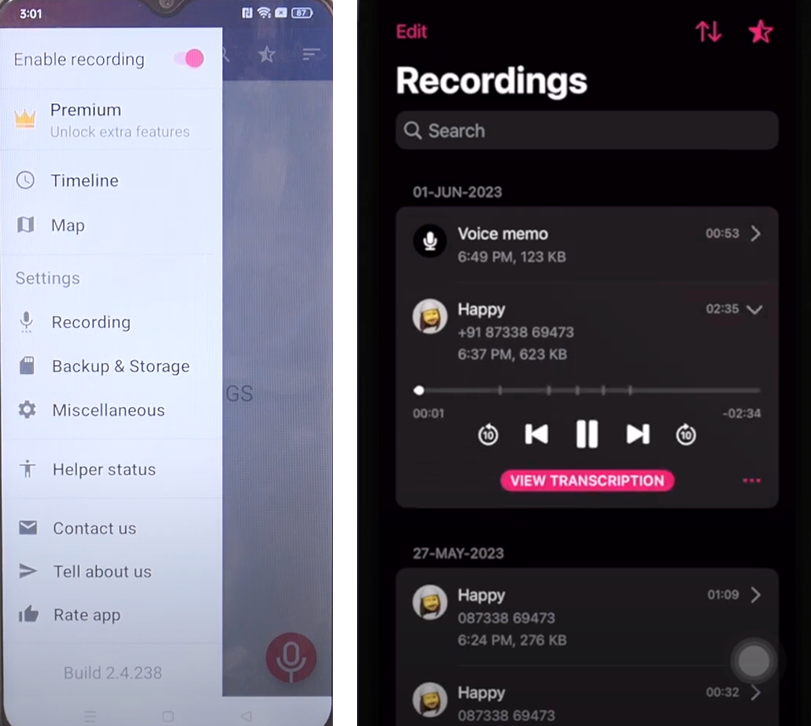
Cube ACR is widely regarded as the most reliable and versatile call recorder for Android users. Its ability to record calls across multiple platforms, including traditional phone lines, VoIP apps (like WhatsApp, Facebook Messenger, Skype), and online meeting apps, gives it a major edge over its competitors. With features like automatic call recording, custom lists for specific contacts, and secure cloud backups, Cube ACR is ideal for both personal and professional use. What truly sets it apart is its real-time caller identification, helping users decide whether to record or reject the call based on the context.
Unique feature
Cloud integration ensures that all your recordings are automatically saved and can be accessed from any device, even if you switch phones.
What the reviews say
Cube ACR is rated 4.1 out of 5 on Google Play, across more than 900,000 ratings and 50 million downloads, and 4.5 out of 5 on the App Store, across 1,300 ratings.
- Pros: a prompt to keep or delete each recording after the call, Google Drive backup, a guided setup.
- Cons: permissions take some work to set up, it can occasionally miss a call, the free version contains ads.
Best Sales Call Recording Software: Gong.io
Platform
Web-based.
Why it’s the best
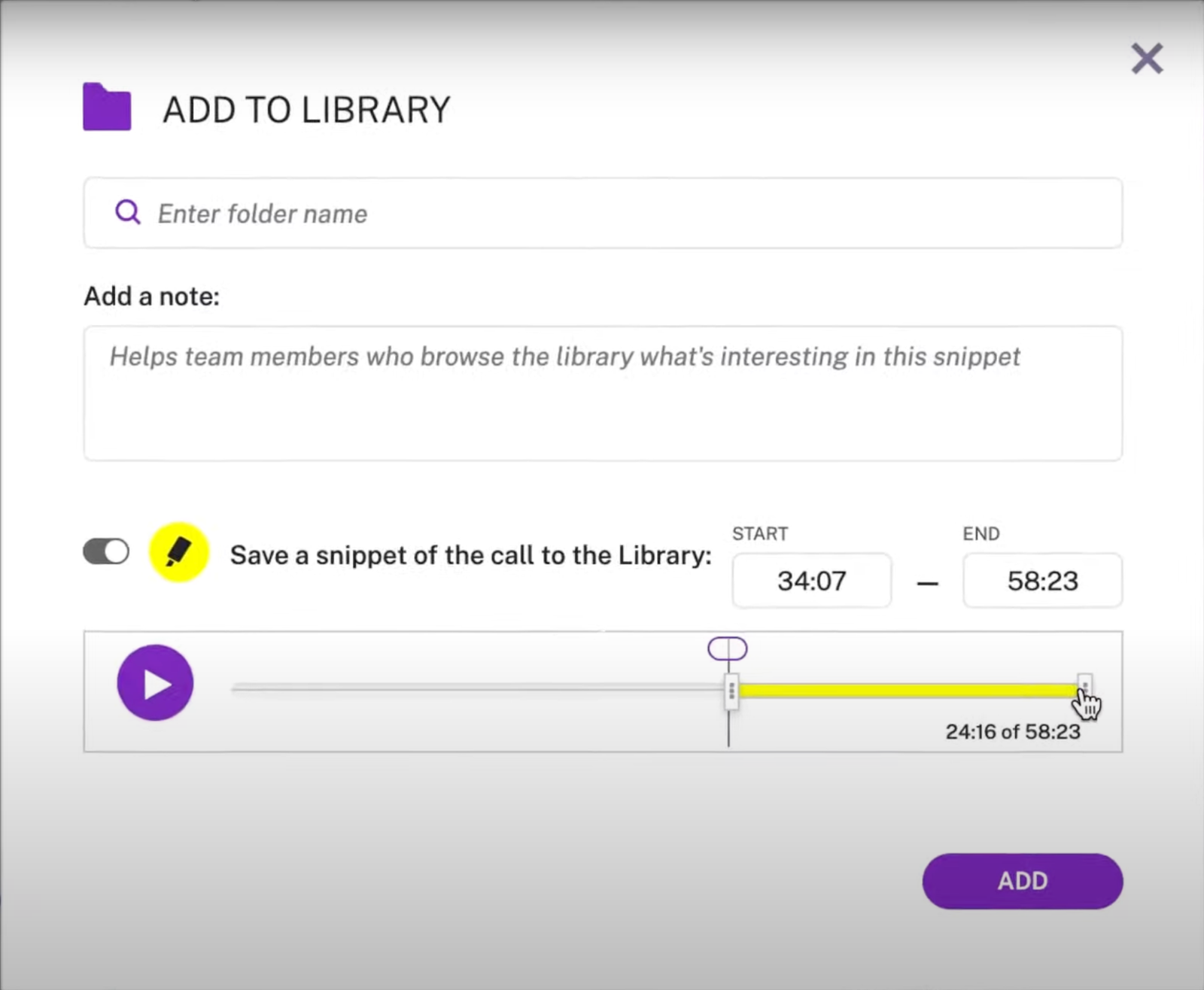
Gong.io helps sales teams optimize their operations by turning every call into actionable data. Unlike generic call recorders, Gong goes beyond simply recording conversations: it analyzes them using AI to identify sales patterns, successful tactics, and areas for improvement. It listens for key phrases, tone, and objections, providing reps with in-the-moment suggestions on how to pivot conversations to close deals.
The tool is invaluable for coaching, helping sales managers provide feedback based on actual performance rather than assumptions.
In case you want to explore more recording options for sales teams, we've reviewed more options in this article.
Unique feature
Real-time coaching during calls ensures that reps don’t miss opportunities to overcome objections or upsell.
What the reviews say
Gong is rated 4.7 out of 5 on G2, across 6,743 reviews.
"The transcript is very reliable and tends to miss very little."
- Pros: reliable recording with a searchable call library, AI summaries and follow-up emails, coaching insights like talk time and scorecards.
- Cons: AI outputs that need double-checking (“aren't always accurate or consistent”), credit-based pricing that runs out (“we run out of credits often”), a complex interface for finding a specific call.
Best Software to Record Call Center Calls: NICE
Platform
Cloud
Why it’s the best
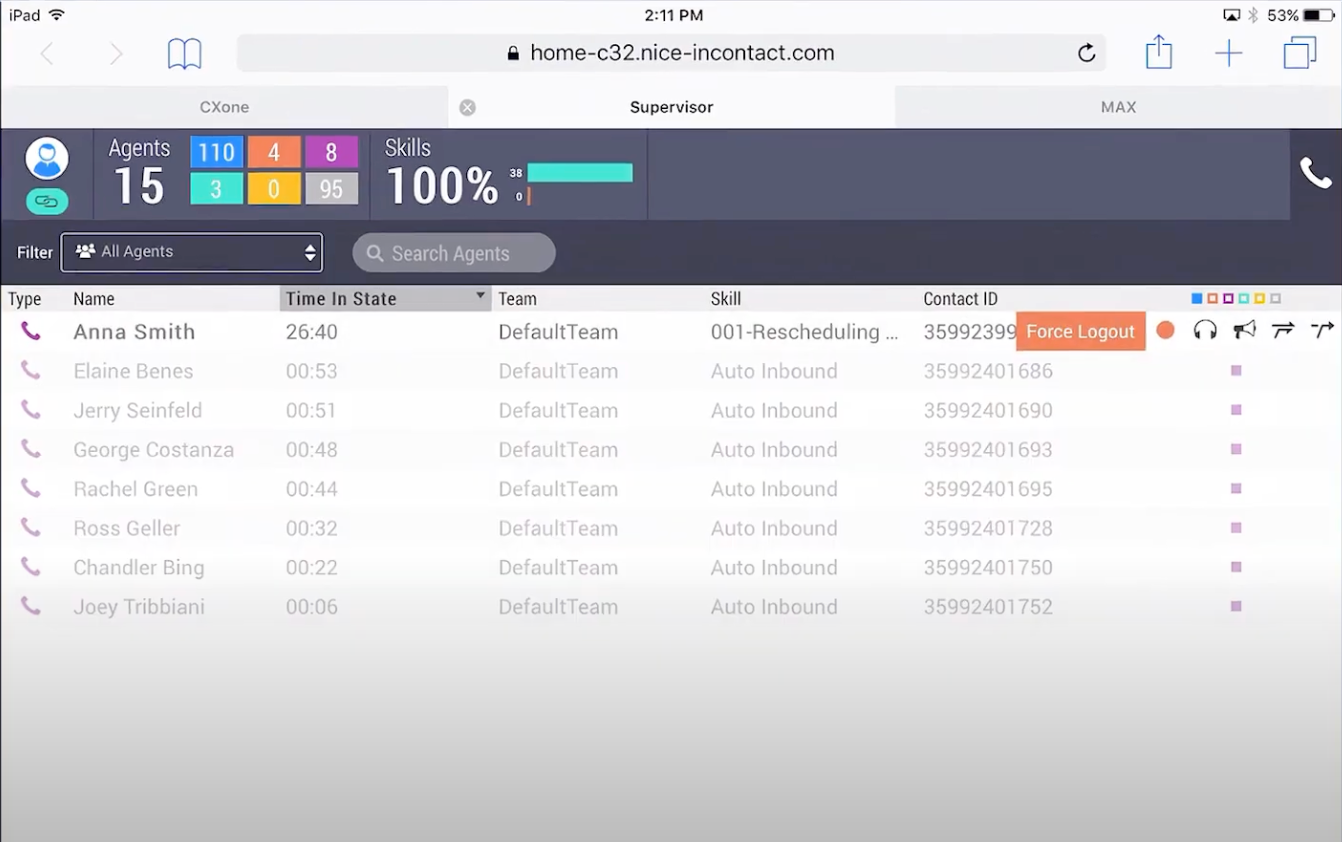
NICE is built specifically for businesses managing high call volumes, making it ideal for call centers, customer support teams, and enterprises. It offers a comprehensive suite of tools beyond call recording, including real-time call monitoring, performance analytics, and AI-powered feedback on customer interactions.
With features like automated quality assurance, live agent coaching, and advanced call routing, NICE doesn’t just help you record calls—it helps you improve service delivery. Managers can use the platform’s built-in reporting option to optimize scripts, monitor agent performance, and ensure compliance with legal standards. Its cloud-based nature ensures scalability as businesses grow.
Unique feature
Advanced AI quality monitoring evaluates tone, sentiment, and resolution rates, helping teams proactively address issues.
What the reviews say
NICE CXone is rated 4.3 out of 5 on G2, across 1,730 reviews (October 2026).
"Integrated workforce management, omnichannel capabilities, capable IVR, easy access to call recordings, and fairly robust reporting."
- Pros: easy to navigate, analytics that give supervisors visibility into agent performance, recordings that are easy to pull for quality review.
- Cons: dropped calls and glitches (“calls sometimes break down or drop randomly”), reporting that is hard to read and customize, slow customer support.
What Are the Benefits of Using Call Recording Software?
• Improved Customer Service:
Train new agents using recorded calls. For small businesses, every customer interaction counts, and ensuring that your team delivers a consistently excellent experience is critical. Call recording allows SMBs to review customer interactions and identify areas for improvement.
For example, a small real estate agency can review recordings of conversations with potential buyers and refine how agents present listings, highlight key features, or handle objections.
• Legal Compliance:
Meet requirements such as GDPR and HIPAA.
For SMBs handling sensitive customer data, compliance with legal regulations is essential. Call recording software ensures that conversations are securely stored and accessible for audits, reducing the risk of costly fines or legal action.
Regulations like the General Data Protection Regulation (GDPR) in the EU require businesses to protect customer data and inform individuals if calls are being recorded. Similarly, industries like healthcare or financial services must follow HIPAA (Health Insurance Portability and Accountability Act) or PCI-DSS (Payment Card Industry Data Security Standard) guidelines.
• Enhanced Dispute Resolution:
Have verifiable proof of agreements.
Misunderstandings and disputes with clients or vendors can be costly and time-consuming for small businesses. Call recordings act as proof of conversations, helping businesses resolve conflicts quickly. Whether it’s confirming a price quote, delivery schedule, or service scope, having a verifiable audio record ensures that misunderstandings don’t escalate into legal disputes.
• Sales Optimization:
Analyze calls to improve conversion rates.
Small businesses often don’t have large sales teams, so maximizing the effectiveness of every call is critical. Call recording software allows business owners to analyze successful conversations and identify techniques that convert leads into customers. Additionally, sales reps can listen to previous calls to better understand client needs and customize their approach in follow-up conversations.
Is Call Recording Legal?
The legality of recording phone calls depends on the country or region where you operate. Different jurisdictions have different consent requirements, and it’s crucial for SMBs to understand the laws to avoid legal consequences. Here's a breakdown of the major regions and their differences:
1. United States: Consent Requirements Vary by State
The U.S. does not have a uniform federal law governing call recording. Instead, each state has its own regulations:
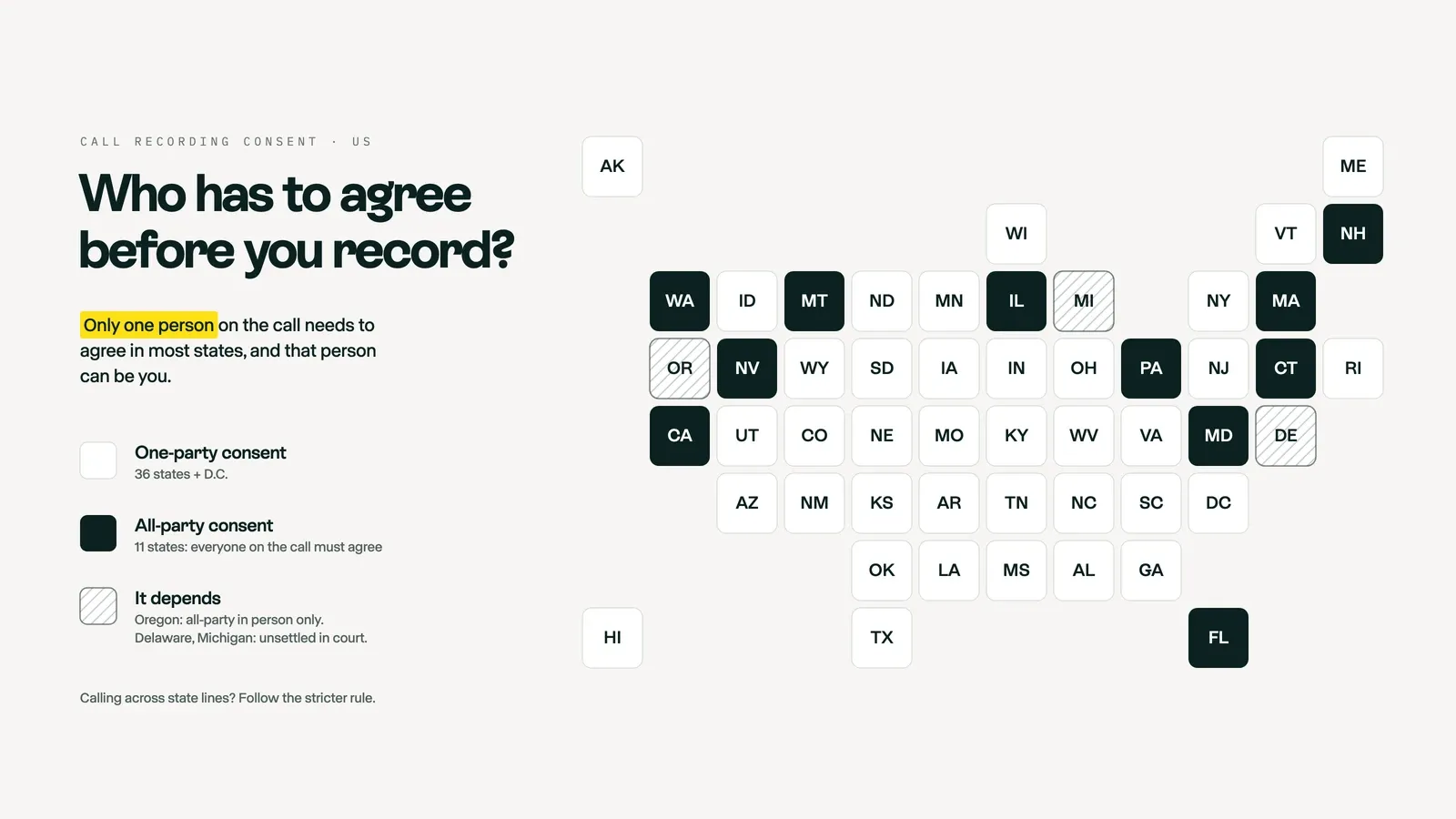
- One-party consent states (36 states and D.C.): Only one person involved in the call (typically the person recording) needs to be aware that the call is being recorded. This means if you are the one recording the conversation, you don’t need to notify the other person.
- All-party consent states (California, Connecticut, Florida, Illinois, Maryland, Massachusetts, Montana, Nevada, New Hampshire, Pennsylvania and Washington): All participants in the conversation must be notified and give consent before the call can be legally recorded. You will often see these called “two-party” consent states, which is misleading: it means “all-party” consent when more than two people are on the call.
- States where it depends (Delaware, Michigan and Oregon): Oregon requires one-party consent on the phone but all-party consent for in-person conversations. In Delaware and Michigan, the statutes and court rulings point in different directions, so the safe move is to get everyone’s consent.
Example:
- If you’re operating a business in New York (a one-party consent state), you can legally record a customer call without notifying them, as long as you’re part of the conversation.
- If your business is in California (a two-party consent state), you would need to notify the customer and get their agreement before recording. Many businesses achieve this through an automated disclaimer: “This call may be recorded for quality assurance purposes.”
2. European Union: Standardized Under GDPR (General Data Protection Regulation)
The EU has standardized call recording regulations through GDPR, which focuses heavily on data privacy and consent. Unlike the U.S., where consent laws vary, GDPR applies uniformly across all EU countries.
Key Requirements Under GDPR:
- Businesses must inform all participants in the call that the conversation will be recorded.
- Consent must be explicit, and businesses must have a valid reason for recording (e.g., improving customer service, legal obligations).
- The recorded data must be stored securely and only retained for as long as necessary.
Example:
- A French marketing agency recording calls to review sales discussions must inform participants at the beginning of the call and provide an option for them to opt out. Failure to comply could lead to fines of up to €20 million or 4% of global revenue.
3. United Kingdom: Follows GDPR + Additional Local Guidelines
Although the UK no longer falls under EU jurisdiction post-Brexit, it still largely adheres to GDPR principles under the UK GDPR, with similar requirements for consent and data protection. However, the UK also has additional local regulations, such as the Regulation of Investigatory Powers Act (RIPA), which regulates interception of communications.
Key Differences in the UK:
- Businesses can legally record calls without notifying participants if the recording is for internal purposes (e.g., training or preventing fraud).
- However, if the recording is shared externally or involves processing personal data, full consent and disclosure are required.
Example:
- A UK-based financial advisor could record calls with clients for compliance purposes without explicit consent, provided the recordings stay within the company and meet data protection requirements.
4. Australia: Consent Laws Vary by State (Similar to the U.S.)
Australia’s laws vary between states and territories, similar to how U.S. states differ in their requirements. The two key frameworks are:
- One-party consent states (e.g., Queensland): Only one person on the call needs to know the recording is happening.
- Two-party consent states (e.g., New South Wales, Victoria): All participants must give consent before a call can be recorded.
Federal regulations: The Telecommunications (Interception and Access) Act 1979 applies nationwide and prohibits recording calls without consent unless an exception applies (e.g., law enforcement).
Example:
- A small legal firm in Sydney must notify clients that their calls will be recorded and obtain their consent. Many businesses achieve compliance using verbal agreements or automated notifications.
Understanding One-Party vs. Two-Party Consent Laws
- One-party consent law:
- Only one participant on the call (typically the person recording) needs to know that the call is being recorded.
- This is common in the U.S. (most states), Australia (some regions), and Canada.
- Two-party (or all-party) consent law:
- Every participant in the conversation must be informed and give consent.
- Common in California, Germany, Australia (some states), and under GDPR in the EU.
Best Practices for Compliance: How to Legally Record Calls
- Notify Call Participants: Use automated pre-call announcements for inbound customer service lines (e.g., “This call may be recorded for quality purposes”).
- Obtain Consent Where Required: In two-party consent jurisdictions, actively seek verbal or written agreement before continuing the recording. A common approach is to ask:“Do I have your permission to record this call for quality and training purposes?”Log the consent (either as part of the recording or within a CRM system).
- Define a Valid Purpose: For EU businesses, this purpose must be documented in a privacy policy accessible to users.
- Securely Store and Manage Data: Ensure that recorded calls are stored in a secure system with limited access. For GDPR compliance, implement data encryption and retention policies.
- Provide an Option to Opt Out: Offer participants the option to decline recording, particularly in jurisdictions with stricter consent laws (EU, California).
How to Choose the Right Call Recording Software?
Small businesses and independent professionals need tools that offer additional value and can grow alongside their business needs. Here’s what to consider:
- Features beyond recording: Recording calls is only the first step. To maximize productivity, you should look for software that can automatically transcribe conversations, generate summaries, and integrate with your existing business tools like CRMs or project management software. This way, you can easily review key takeaways, action items, or agreements without listening to the entire recording.
.png)
- Pricing: Call recording software pricing can vary significantly, from free or low-cost plans for basic features to premium packages offering advanced functionality like AI and analytics. To find the right fit, evaluate what you truly need based on your business size and use case.
- Scalability: Choosing software that can grow alongside your business ensures you don’t outgrow the tool and have to switch platforms, disrupting workflows. Scalability means more than just adding new users—it includes the ability to integrate with new tools, handle higher call volumes, and provide advanced features as needed.
Frequently asked questions about call recording
Do I need to set up a third-party app to record calls?
Not always. iPhones running iOS 18.1 or later can record calls from the Phone app, and many Android phones have a built-in recorder in the Google Phone or Samsung Phone app, depending on the country and carrier. For a business line, a phone system like Allo records every call on its own and adds a transcript and an AI summary, so you don’t need a separate recorder app.
How do I record a live phone call?
On an iPhone (iOS 18.1 or later), tap the record button at the top left of the call screen. On Android, tap Record in the Phone app if your phone and region support it. With a business phone system, recording is usually switched on once in the settings and then runs on every call. Whatever you use, check the consent rules in your state first.
In which states is it illegal to record phone calls?
No state bans call recording outright. But 11 states make it illegal to record without the consent of everyone on the call: California, Connecticut, Florida, Illinois, Maryland, Massachusetts, Montana, Nevada, New Hampshire, Pennsylvania and Washington. Delaware, Michigan and Oregon have mixed rules. Everywhere else, one participant’s consent is enough.
How to record a call in a phone without an announcement?
The built-in recorders on iPhone and on Google’s Phone app always play an announcement that everyone on the call hears, and you can’t turn it off. Some third-party apps, such as Cube ACR on Android, and some business phone systems record without an audible notice. Skipping the announcement doesn’t change the law: in all-party consent states, you still need everyone’s agreement.
Can I record a phone call without the other person's permission?
In the 36 one-party consent states and D.C., yes, as long as you are a participant in the call. In all-party consent states like California or Florida, no: everyone must agree. If you call across state lines, follow the stricter rule. In the EU and the UK, GDPR requires you to tell people they are being recorded and to have a lawful reason to do it.
Can I set my phone to record calls automatically?
On Android, often yes: the Google Phone app can always record calls from numbers that aren’t in your contacts or from contacts you pick, and apps like Cube ACR record every call automatically. iPhone has no automatic recording; you have to tap record on each call. A business phone system like Allo records, transcribes and summarizes every call automatically, on mobile and on the web.