Sales Call Recording Software: 5 Options + Features & Pricing
Looking to improve your sales team's performance? Discover the best sales call recording platforms.

Tired of relying on secondhand reports from your reps? Or want to gather more data around common objections, buying signals, and closing trends?
Either way, you can use sales call recording software to eliminate the guesswork. The right platforms can help you revisit conversations quickly, coach incoming team members, and analyze patterns in your revenue.
To get you started, we’ve collected five of the best sales call recording tools — and compared their features and pricing — so you can choose the right option for your team.
Sidenote: please keep in mind that we’re not lawyers, and we don’t play any on TV. For this reason, this post does not constitute legal advice. It’s simply a guide that consolidates and simplifies call recording knowledge so you can make informed decisions for your sales team.
Article Overview
- Sales call recording software is a cloud-based tool that automatically records, stores, and analyzes sales-related phone or video conversations.
- The best sales call recording software platforms include Allo, Gong, Clari, Claap, and Modjo.
- Allo is the best overall AI sales call recorder because of its recording features, overall call quality, and ability to record calls on desktop and mobile apps.
What’s Sales Call Recording Software?
Sales call recording software is a type of tool that automatically records, stores, and analyzes phone or video conversations between sales reps and prospects. That way, you can use the resulting audio, text, and/or summary to:
- Onboard and coach new reps faster with real call examples
- Identify top performers and sales methodologies
- Capture commitments and action items without manually taking notes
- Review calls in order to improve messaging and objection handling
There are typically two different types of sales call recording software: traditional call recording tools and AI-powered tools.
So, how do they compare toe-to-toe? Here's a quick overview of what you can expect:
| FEATURE | TRADITIONAL | AI-POWERED |
|---|---|---|
| Call recording & storage | Yes | Yes |
| CRM integration | Yes | Yes |
| Compliance tools | Yes | Yes |
| Automatic transcription | No | Yes |
| Keyword & topic detection | No | Yes |
| Talk-to-listen analysis | No | Yes |
| Deal risk alerts | No | Yes |
| Rep coaching tools | Limited | Yes |
| Cost | Low–Medium | Medium–High |
| Setup complexity | Simple | Moderate |
| Best for | Small teams, compliance needs | Growth-focused sales orgs |
For the purposes of our article here, we’re going to focus on AI-powered software. That’s because most fast-growing sales teams need more than just a screen recorder to accurately gather information and close deals.
Best Sales Call Recording Software
First, let’s compare the best sales cal recording software at a glance:
| Provider | Price | On-demand call recording | Automatic call recording | Transcripts and summaries | CRM sync |
|---|---|---|---|---|---|
| Allo | $18/user/mo | No | Yes | Yes | Yes, with upgrade |
| Gong | Call for pricing | Contact sales | Yes | Yes | Yes |
| Clari | Call for pricing | Yes | Yes | Contact sales | Contact sales |
| Claap | $20/user/mo | No | Yes | Yes | Yes |
| Modjo | $15/user/mo | No | Yes | Yes | Yes |
Now, here’s a closer look at each call recording tool in detail.
Allo: Best AI Sales Call Recorder
What is Allo?
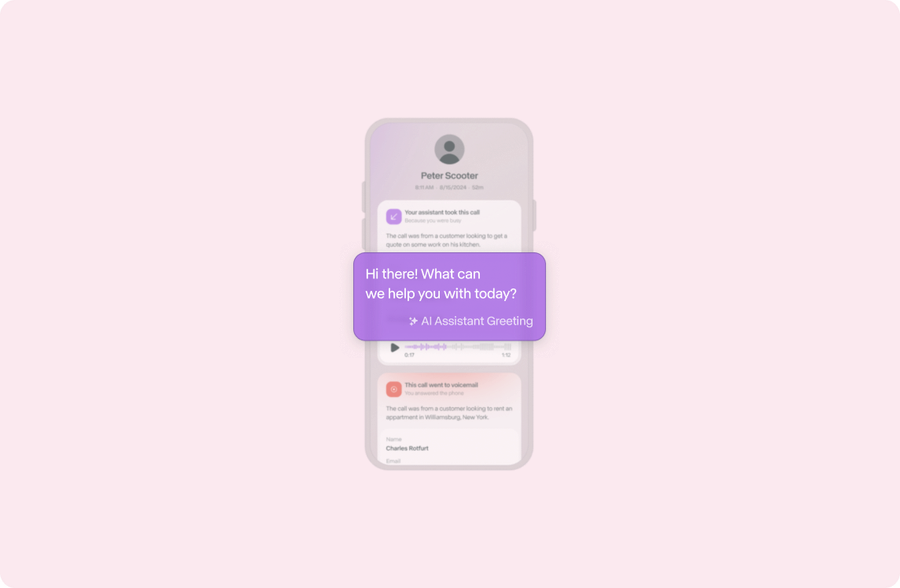
Allo is a business phone system that offers a unified platform for calling, texting, and call recording. You automatically record calls on every plan, with no upgrade needed to capture incoming calls.
Allo’s recording software helps you capture:
- Inbound calls, like when a prospect calls for a quote
- Outbound calls, like when sales managers call leads during full sales conversations
- Team member calls, like when your new hires ask experienced reps for help closing deals
- Transferred calls, like calls forwarded from a personal number or your AI receptionist
All you need is a phone, computer, or tablet, plus a WiFi connection. That way, you can record incoming calls whether you’re at the office or in the field.
You can use Allo to create shared phone numbers, which give your entire team access to a single business number. Now, any available rep can pick up the phone. And every call — regardless of who answers — is automatically recorded and logged in one place.
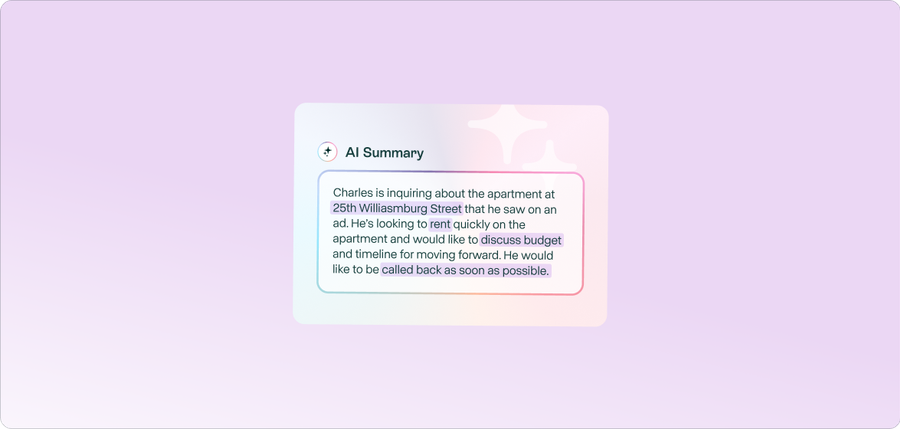
After every call, Allo automatically generates a transcript and pulls out key action items so you don’t have to relisten to entire conversations. You can quickly review what was discussed and what needs to happen next without revisiting a 60-minute sales call. This is also helpful for giving feedback to reps: simply skim the transcript for more information.
These transcripts, summaries, and action items can then be transformed into simple and easy follow-ups. Allo can use your call transcript to automatically draft follow-up emails and text messages. That way, reps can send a personalized, accurate recap to prospects just minutes after hanging up, while the conversation is still fresh.
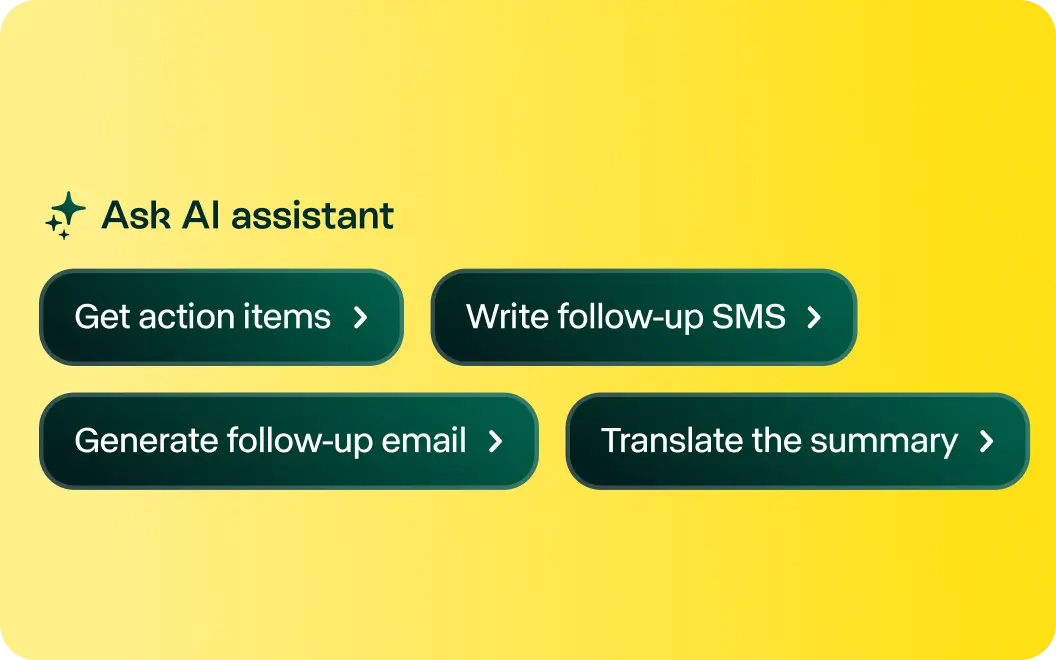
Looking for even more insights? You can upgrade your plan for intelligent call search. You can now search calls by keyword, speaker, date, or topic across your entire call library. Whether you want to find a specific objection or see how often parts of your script show up in calls, intelligent call search can provide you with more information.
Finally, you can keep your CRM up to date automatically by integrating directly with Allo. Allo’s business phone system pushes call logs, recordings, and full transcripts directly into your existing CRM so your team always has complete context on every deal, without manual data entry.
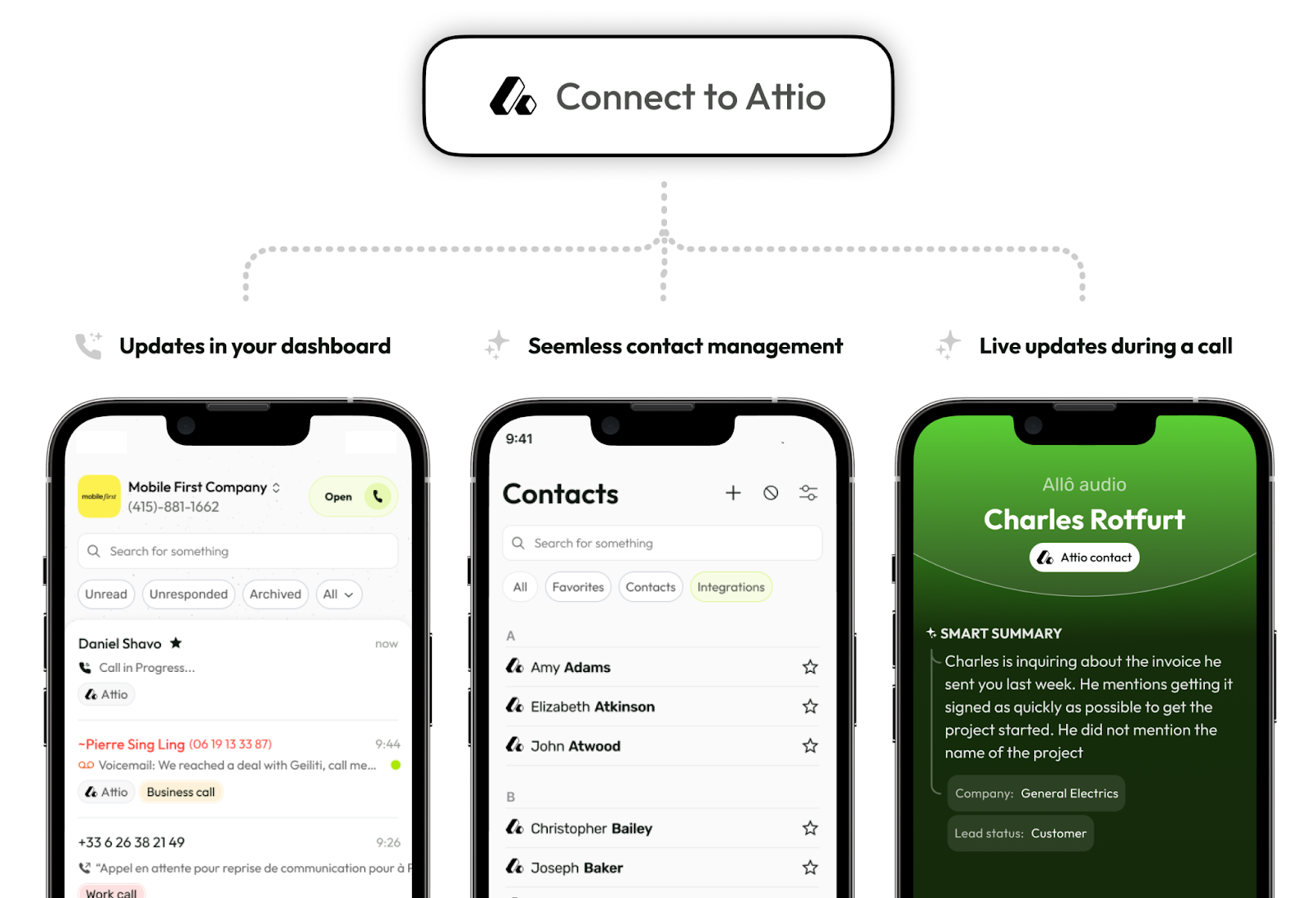
See for yourself why Allo is the best sales call recording software by signing up for a seven-day free trial.
Pros & Cons of Allo
Pros
- Record calls automatically
- AI-powered features like automatic call transcription
Cons
- No built-in sales coaching features*
- CRM integrations like HubSpot and Salesforce, with upgrade
*Most sales call recording software doesn’t offer built-in coaching features. You can also integrate your business phone system with tools specifically designed for performance tracking, which unlocks new ways to provide sales training to your team.
Key Features of Allo
- Automatic transcriptions and summaries
- CRM data sync with call logs, recordings, and transcripts
- Call recording on mobile and desktop apps
- Shared phone numbers
- Intelligent call search, with upgrade
- Action items for sales managers
- Draft follow-up emails based on call transcripts
Allo Pricing
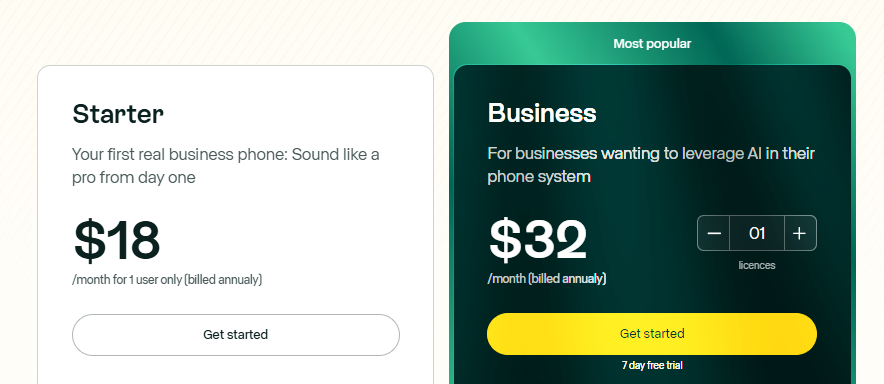
Both of Allo’s two pricing plans are designed to scale alongside your business:
- Starter: $18/user/month for unlimited domestic calling and texting, on-demand call recording, mobile and desktop apps, AI-powered insights from call transcriptions, the ability to draft follow-up emails and SMS messages from transcripts, and analytics from basic voice conversations (like dials, connections, and conversions)
- Business: $32/user/month for automatic call recordings, third-party integrations, shared phone numbers, ask AI with intelligent call search, more advanced call analytics, and AI call tags for easier organization
How to Set Up Sales Call Recording with Allo
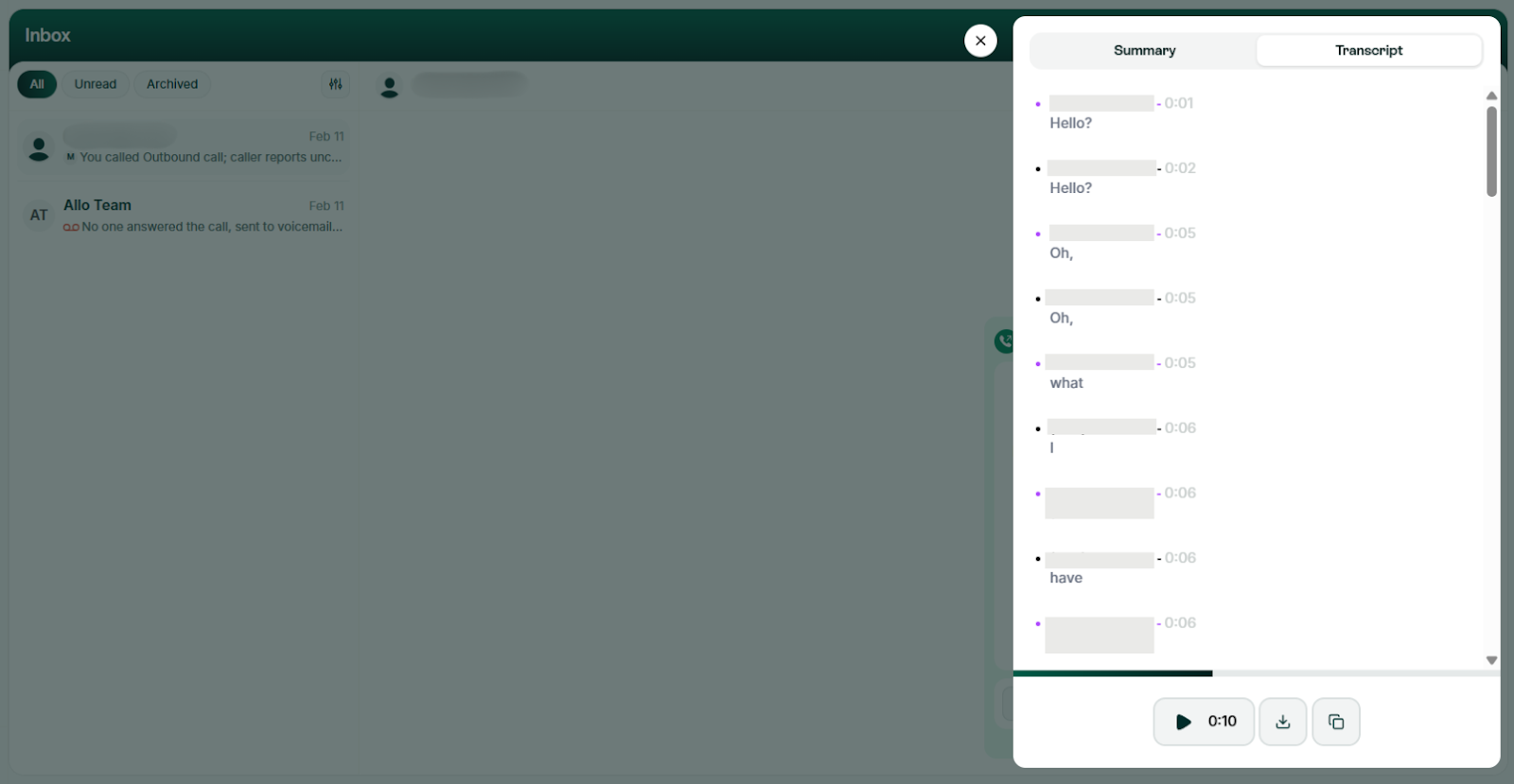
Allo’s call recording solution is ready out-of-the-box once you sign up.
That way, every time you make a call, you can access the call recording in:
- The Allo desktop or mobile app. Under Inbox, click on the contact you’d like to review recordings from. You can now play back the audio recordings automatically,
- Your email inbox. After every call, you’ll receive an email notification containing a call summary, full transcript, and caller information, plus a link to the audio recording with the exact length, date, and time.
- Your CRM. Allo syncs directly with your customer relationship management tools so you can store call logs, recording attachments, transcripts, and summaries in the same place.
Note: It’s possible to disable call recording by contacting Allo support. But keep in mind that you may no longer have access to certain key features, like transcripts and summaries.
Gong, Best for Enterprise Brands
What is Gong?
Gong is a sales call recording platform. It works by automatically transcribing and analyzing sales call recordings. This allows it to identify areas that may be of interest to your team, like specific client needs or repeated keywords. These may be useful when training your team or collaborating with multiple sales reps. There are also tools for action items, deal intelligence, and integrating with your existing phone solution (like Allo).
Gong makes sense for large sales teams needing more robust conversation intelligence tools. But keep in mind you get what you pay for: past customers say Gong costs thousands of dollars per year. See for yourself:
“There is an annual base price of $5k plus 1400$/year per user. it’s much more than call recording — it is a coaching platform. But you will need a manager to review the calls and give feedback to make full use of it. If you just need call recording - we use zoom phone and it works well. But Gong takes it to the next level so that your new reps or lower performers can learn from the top reps by listening to and reviewing their calls and emails.” — Reddit
Pros & Cons of Gong
Pros
- Automatic call recording
- Deal intelligence tools
- Objection handling and demarcation feature
Cons
- No transparent pricing
- Expensive monthly bills
- No on-demand recording
Key Features of Gong
- Sales engagement, which may be helpful in regulated industries
- Sales forecasting and conversation analytics
- Sales enablement, like tracking how reps close deals
- Trackers to help with objection handling
- AI ‘ask anything’ tool
Gong Pricing
Gong doesn’t list any pricing online, so you’ll have to contact sales for a quote. But keep in mind it’s rumored to be expensive, according to reviews from past customers.
Clari, Best for Revenue AI Data and Forecasting
What is Clari?
Clari is a predictive revenue system that helps you pull sales-related data out of your call recordings. Its biggest claim to fame is AI deal scoring and forecasting, which can help you better predict your team’s overall profits based on past win rates and call outcomes. That way, you can better adjust sales targets, monitor progress, and coach reps with specific, helpful insights.
But Clari comes with a few limitations:
- Call recordings are only stored for 30 days. This isn’t ideal if you have a valid reason for keeping them longer, like for legal or compliance purposes.
- There’s no publicly available pricing. That means there’s no way to know how many call recording minutes you get per month, or how much it will cost.
- Third-party integrations may cost extra. The only way to tell is to contact sales.
Compared to call recording software tools like Allo, Clari is less transparent, more limited, and likely more expensive.
Pros and cons of Clari
Pros
- AI deal scoring
- Revenue forecasting
- Workflow automations
Cons
- Limited call recording storage
- No public pricing
- Integrations may cost extra
Key Features of Clari
- Call recordings to review conversations
- RevAI to track revenue growth
- AI deal scoring
- AI-driven forecasting
- Workflow automations
Clari Pricing
Like Gong, Clari doesn’t post any pricing online. You’ll have to get in touch with the sales team to get a specific quote.
Claap, Best for Video Workspaces
What is Claap?
Claap is an AI agent platform specifically designed for sales teams using video meetings. It lets you add the Claap AI to any meeting — and syncs with tools like CRMs, Notion, and Slack — so you can keep your data up to date across all the platforms you currently use.
Claap currently integrates with video platforms like:
- Google Meet
- Zoom
- Microsoft Teams
Just keep in mind you only get a set number of call recording minutes to choose from. The free plan limits you to 300 minutes, or up to five hours. Upgrading unlocks up to 1,000/minutes/month, or roughly 16.5 hours. The only way to get unlimited call recording minutes is to upgrade to the business plan at $60/license/month. Consider this in light of providers like Allo which offer unlimited call recording minutes on every plan starting at just $18/user/month.
You should also know that Claap isn’t designed for audio calls. You can’t use it to record, say, a phone conference between yourself and a prospect. If that’s something you’re looking for, you’ll need a tool like Allo to support your business needs (BTW, Allo integrates with Claap in case you want to combine their forces).
Pros and cons of Claap
Pros
- Integrates with video platforms
- Syncs with CRMs
- 1:1 sales coaching for video
Cons
- Set number of recording minutes
- Isn’t designed for audio calls
Key Features of Claap
- Call summaries
- Recording software captures calls automatically
- Record video and take notes via integrations
- Sales coaching with 1:1 comments
- Automatically take notes on pain points and objections on calls
Claap Pricing

There are four unique plans for Claap:
- Basic: $0/user/month for 10 videos per user, 300 mins of recording, basic AI summaries, calendar syncing, and transcripts in up to 99 languages
- Pro: $32/user/month for 1,000 minutes of recording, advanced AI summaries, meeting insights, AI-powered video editing, 10+ integrations, and private channels
- Business: $60/user/month for unlimited recording time, CRM data sync, AI-generated emails, AI coaching, smart tables for advanced reporting, deal insights, and access to the AI “Ask Anything” tool
- Enterprise: Call for pricing to get SSO, user provisioning (SCIM), unlimited Basic licenses, onboarding support, and access to the Claap API
Modjo, Best for Real-Time Coaching
What is Modjo?
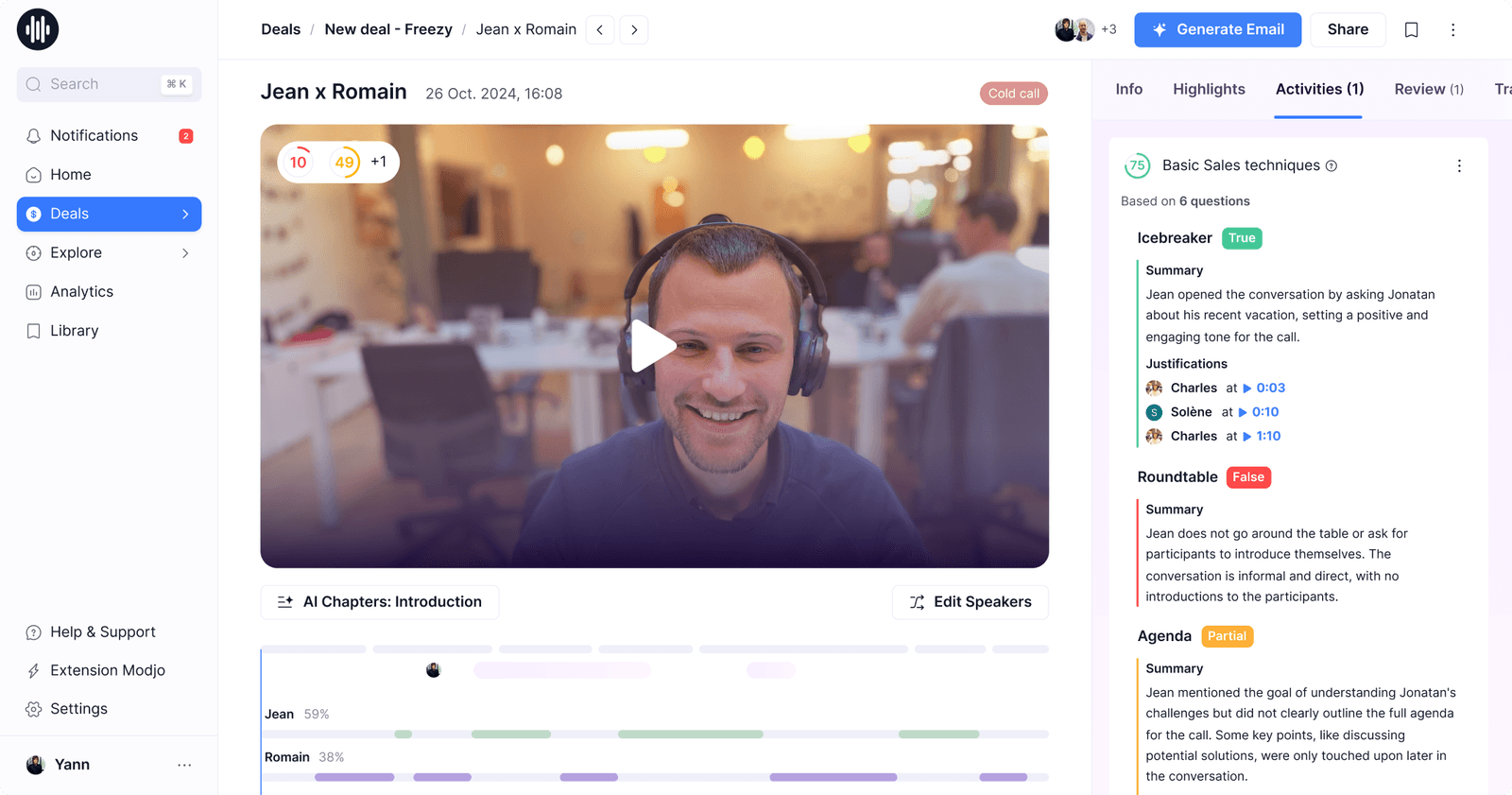
Modjo is an AI-powered call scoring platform that helps you analyze calls and provide feedback in real time. With it, you can upload your sales methodology and playbook, then let AI provide feedback based on the content of the call. It’s also available in all European languages, including English, French, Spanish, German, Italian, and Portuguese. This is particularly helpful if you make sales calls overseas, or if you need to switch languages for customer preferences.
You may find Modjo to be an adequate fit if you need real-time coaching to generate more deals for your team. But keep in mind this is a separate app for call analysis, and not a unified platform like VoIP. You’ll need to integrate it with your existing business phone system, like Allo, to automatically capture calls and analyze your findings in-app.
Pros and cons of Modjo
Pros
- Available in all European languages
- Track competitor mentions
- AI call scoring
Cons
- For call analysis, not unified recording
- No public pricing
Key Features of Modjo
- AI CRM sync
- AI call scoring
- Past call library
- Call reviews and summaries
- Track competitor mentions
Modjo Pricing
Like with many other software tools on this list, Modjo doesn’t publish any public pricing. The only way to get a custom quote is to contact the sales team.
Legal Considerations for Sales Call Recordings
Just because you can record a sales call in the background doesn’t mean you should — especially without your caller’s consent. This is a fairly tricky legal matter, since the laws look different from location to location.
There are two legal concepts you should know before pressing record:
- One-party consent: Only one person on a call must consent to being recorded. In other words, your sales reps are the only ones who need to know you’re recording calls with prospects. Many US states and international countries, but not all, follow one-party consent laws.
- Two-party consent (sometimes called all-party consent): Every member of a call must consent to being recorded. That means everyone present — your sales reps, your sales managers, the prospect, and anyone else with them — must assent to being recorded. If they don’t, they can either voice it out loud or leave the call. Under this law, you cannot legally keep any customer interactions without everyone’s express consent.
Whether you follow one-party consent or two-party consent depends on the location of your sales prospect. So if you’re in Virginia talking to another Virginian, for example, you’re technically subject to one-party consent. But if you’re in Alabama calling a prospect in California, for example, you’re subject to two-party consent laws.
As you can imagine, this gets complicated fast. We haven’t even accounted for specific industry regulations yet, like HIPAA, which has its own set of rules around recording and using caller data.
So the general rule of thumb is to treat all sales calls as though they need all-party consent.
But if you want more specifics, you can read a fuller break-down below.
United States
Approximately 39 US states (including the District of Columbia) require one-party consent, and the remaining 11 require two-party consent. But since you may not always know where a prospect hails from, and because you likely don’t want to risk a serious lawsuit, it’s best to err on the side of caution and obtain all-party consent for phone calls.
That means, before recording any sales calls, make sure that you:
- Inform callers that you would like to record before moving forward. You might be able to do this automatically with your call recording system. Otherwise, you can instruct new reps to read a script before continuing with their phone calls.
- Give callers an early heads-up by adding a disclaimer to your IVR announcement. In Allo, you can set this up in 15 minutes by customizing your auto-attendant greeting.
- Add a recording to your voicemail greeting. While yes, the fact that voicemails get recorded is relatively common knowledge, you don’t want to risk a legal altercation, especially if you deal with sensitive data like healthcare information.
- Document your consent process. If you don’t already have a clear process for this, be sure to carefully outline how you’ll get the ‘okay’ from participants. You may also want to explain exactly how you’ll use call data so you can answer questions if the need arises.
Europe
If you live and work within the European Union, you’re subject to the General Data Protection Regulation, or GDPR. Under GDPR, all parties in a given setting (including phone calls) must consent to being recorded.
In other words, you must obtain two-party consent.
Canada
Canada’s Personal Information Protection and Electronic Documents Act, also known as PIPEDA, requires all-party consent before recording calls. This means you must manually or automatically notify all Canadian prospects that there’s a recording in progress and you’re storing data for legal, compliance, or quality assurance purposes.
How to Select the Best Sales Call Recording Software
Before settling on an option for your sales team, be sure to ask the following questions:
- How much value do I get for the price? Will you have to pay extra for basic features, like conversation analytics? Or do you get everything you need on the base plan?
- What’s my current budget? Are you willing to spend more on a tool with hyperspecific conversation intelligence tools? Or do you just want simple recording features that capture important details and help you get more deals?
- Do I need any specific compliance features? For example, do you need to uphold specific data privacy laws for HIPAA, or GDPR requirements?
- Does the software match my sales approach? In other words, does it record both inbound and outbound calls, like Allo? Or does it only capture one or the other?
- How easy is it to get up and running? Most fast-growing sales teams don’t have time for complicated setups. Can you get started relatively quickly? Or will you need handholding for onboarding or configuring your system?
- Does it integrate with the tools I already have? It might be useful to set up CRM integrations, for example.
Frequently Asked Questions About Sales Call Recording
Can I record my sales calls?
Yes! There are two ways to record your sales calls: with a dedicated business phone system, or with a third-party app. Dedicated systems can help you record calls automatically, transcribe customer interactions, and support follow-up calls and emails. Third-party tools typically evaluate recordings after your phone system captures them. That way, you can produce valuable insights like team performance, analyze conversation intelligence, and coach reps with personalized feedback that nets them more deals. Just keep in mind you still need recording software that captures the initial audio recording.
Which states don't allow call recording?
All US states allow for sales call recording, although consent looks different depending on where you live. Callers in Alabama, Alaska, and Arizona, for example, are subject to one-party consent (meaning only one person needs to consent to the call). But callers in California, Florida, and Illinois are considered all-party states, meaning that everyone on your call needs to consent to the recording. Still other states, like Delaware, Hawaii, and Nevada have ambiguous laws that are difficult to interpret. For this reason, it’s best (and often easier) to simply assume all-party consent. That means notifying all callers on the line that you are about to record a call.
What’s the best software to record sales calls?
We’re biased, but based on hundreds of user reviews, the best software to record sales calls is Allo. Allo’s call recording solution can help you record calls on-demand or automatically. You can also empower your sales reps with AI-powered features like sentiment analysis with AI call tags, an AI receptionist, and conversation intelligence capabilities (i.e., AI audio search).
Is it legal to record a call without telling someone?
That depends on where you live. Some areas of the United States, for example, allow for one-party consent. Others require all-party consent, to record calls. For this reason, it’s best to notify all callers from all locations that you’re recording a phone call for legal or quality assurance purposes.
What states are 1-party consent for recording?
The states that allow one-party consent for call recording include: Alabama Alaska Arizona Arkansas Colorado District of Columbia Georgia Hawaii Idaho Indiana Iowa Kansas Kentucky Louisiana Maine Minnesota Mississippi Missouri Nebraska Nevada New Jersey New Mexico New York North Carolina North Dakota Ohio Oklahoma Rhode Island South Carolina South Dakota Tennessee Texas Utah Vermont Virginia West Virginia Wisconsin Wyoming This is a total of 39 states, the number including Washington DC.
What is the best AI sales call recorder?
The best AI sales call recorder depends on your business needs. If you’re a fast-growing business that wants to enable sales reps on existing devices, you can use Allo starting at $18/user/month. Enterprise teams may need more expensive conversation intelligence platforms, like Gong. Or, if you do most of your selling through web conferences and video calls, you may just want a lower-cost app that connects with Zoom or Microsoft Teams, like Claap.