Article Overview
- An auto-attendant is an automated phone menu that helps customers reach specific team members, departments, and pre-recorded information.
- The best auto-attendant phone systems include Allo (easy to use + strong AI receptionist), Nextiva (best for large organizations), RingCentral (best for multi-level IVR menus), Zoom Phone (best for Zoom customers).
- Allo is the best auto-attendant phone system for SMBs because of its affordable pricing and strong AI features.
Introduction
You became a business owner because you love what you do. But you didn’t think you were signing up to be a human switchboard. It seems like every time you get an incoming call, you’re manually forwarding customers to sales, support, or billing. And while this system does work (for now), it’s getting less and less viable with high call volumes.
Auto-attendant phone systems can help automate call management so you can route calls automatically, save money, and provide a better customer experience. You just need to phone the right auto-attendant system for your unique business and team.
To save you the trouble, we’ve rounded up and compared the seven best auto-attendant phone systems on the market, and compared their prices, features, and demos on your behalf. We also explain what auto-attendants are, how they work, and the benefits of setting one up.
What is an auto-attendant?
An auto-attendant is a type of phone menu that can route calls based on an inputted number. Incoming callers hear a pre-recorded auto-attendant greeting explaining which buttons to press to reach which locations. Then, once customers hear their menu options, they can select the right person, audio message, or right department to be routed to.
Let’s say a customer calls your business to get an estimate. First, they’ll hear a custom greeting listing off your menu options. Then, they can select from said menu options by either speaking or dialing the associated number. For example, your system might play the following custom greeting:
“Thank you for calling XYZ Business. For our business hours, press or say ‘one.’ To reach our contact center, press or say two. To direct calls to sales and billing, press or say three. To reach a live operator, press or say four.”
There are two different types of auto-attendants: single-level, and multi-level. Single-level auto-attendants interact with simple call routing — like “press one to speak to our contact center.” A multi-level auto-attendant can help you create menus within menus. For example, “press one for sales,” then, “press one for billing.”
You may also hear auto-attendants called:
- Virtual auto-attendant
- Phone menus
- AI call routing tools
- VoIP auto-attendant
What’s the Difference Between an Auto-Attendant and an IVR?
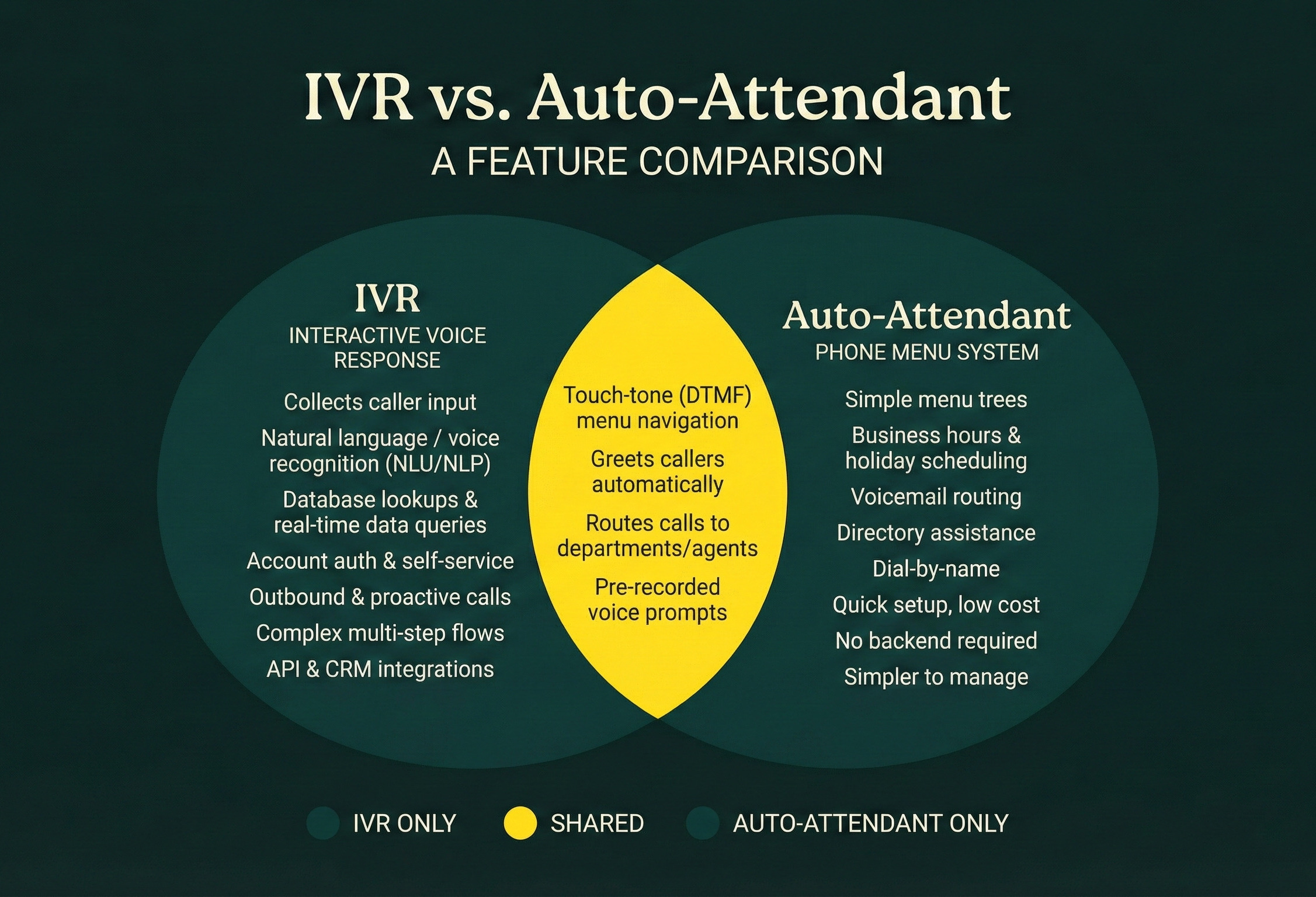
Auto-attendants and IVR systems are both different types of phone menus that can help route calls without a live operator. But auto-attendants only respond to the numbers you dial. IVR systems can respond to verbal input as well — which can direct callers to specific departments or people.
Here’s a visual breakdown of auto-attendants vs. IVR:
How Does an Auto-Attendant Work?
Here’s how an auto-attendant works from your customer’s perspective.
First, customers hear a pre-recorded greeting that presents them with menu options. Then, depending on how they respond, your auto-attendant system routes the call to the right destination. This could be to a specific person, line, department, or pre-recorded message.
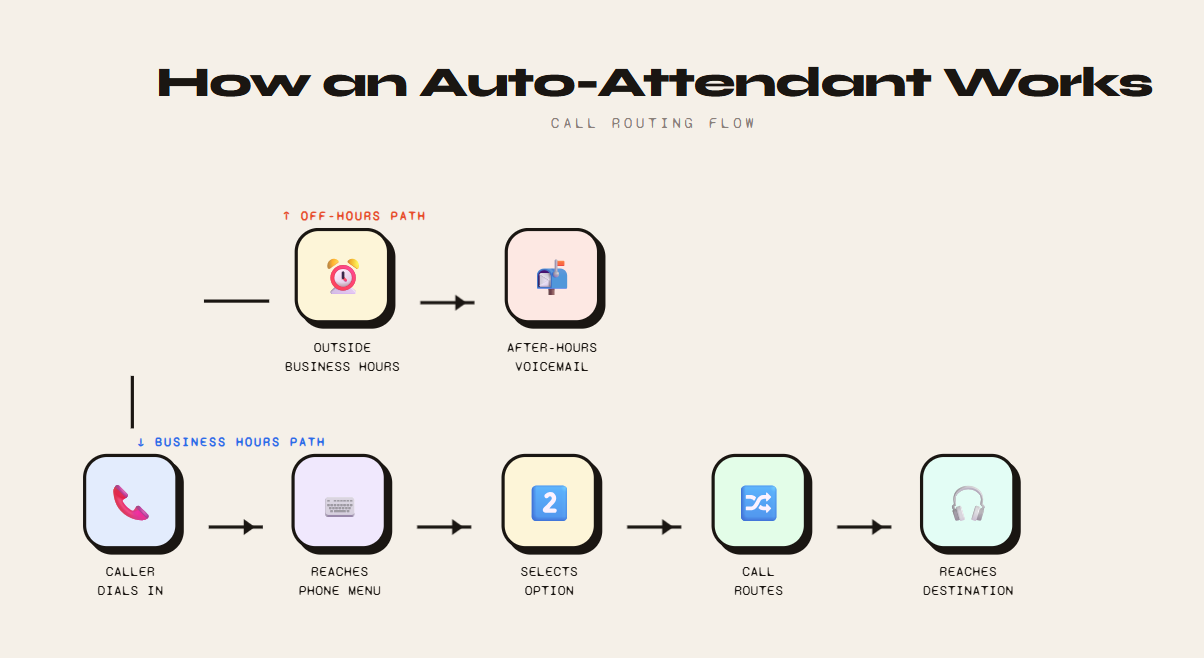
Unlike traditional phone systems, which require humans to route each incoming call, you can let your virtual auto-attendant help customers with:
- Touch-tone or dialpad navigation: Customers press numbers on their keypad to navigate your automated system.
- Interactive voice response: Some auto-attendant settings offer IVR so callers can use their voice to navigate menu options.
- Call routing rules: You can help customers navigate your virtual auto-attendant even better with set rules of engagement. For example, you might send customer calls to ring groups, toll-free numbers, number extensions, voicemail, or one of your AI answering services.
Benefits of Using an Auto-Attendant
Why bother setting up an auto-attendant in the first place?
Here are all the reasons you should consider an auto-attendant for your small business:
- Automatically routing calls. No more manually answering inbound calls and pushing them to various numbers. This automation can also help you save money: you and your team don’t have to waste precious time sending callers to different people or departments.
- Filters spam calls. Robocalls can’t press buttons or respond to phone menu options. That means they can’t get through your virtual receptionist to bother your team. This is a great tool for busy small business owners who don’t have time to sift through scammers on their own.
- Answer FAQs automatically. Auto-attendants let you play back audio recordings with frequently asked questions. That way, you can easily provide customers with the info they need without getting on live phone calls with your reps. For example, you could play back your regular business hours, locations, and anything else your customers expect.
- Support automatic call forwarding. Instantly route callers to individuals, departments, or shared phone numbers. This is also great for managing high call volumes, since everyone on your team can help out with inbound calls.
- Easier call prioritization. You can use your auto-attendant to prioritize calls based on how callers route themselves. For example, you can set up an emergency line for after-hours calls. That way, your system can forward calls from at-risk customers to the appropriate resource after business hours.
- Voicemail routing. What if someone calls after business hours and needs to leave a message? Or wants someone to call them back rather than waiting in a call queue? A great VoIP provider with an auto-attendant phone system can help you send calls to voicemail if you’re out for the day or on vacation.
How to Set up an Auto-Attendant?
Using Allo as our example, here’s how to complete an auto-attendant setup in a few easy steps:
- Sign up for a seven-day free trial of Allo. You’ll get a temporary number to confirm we’re a fit.
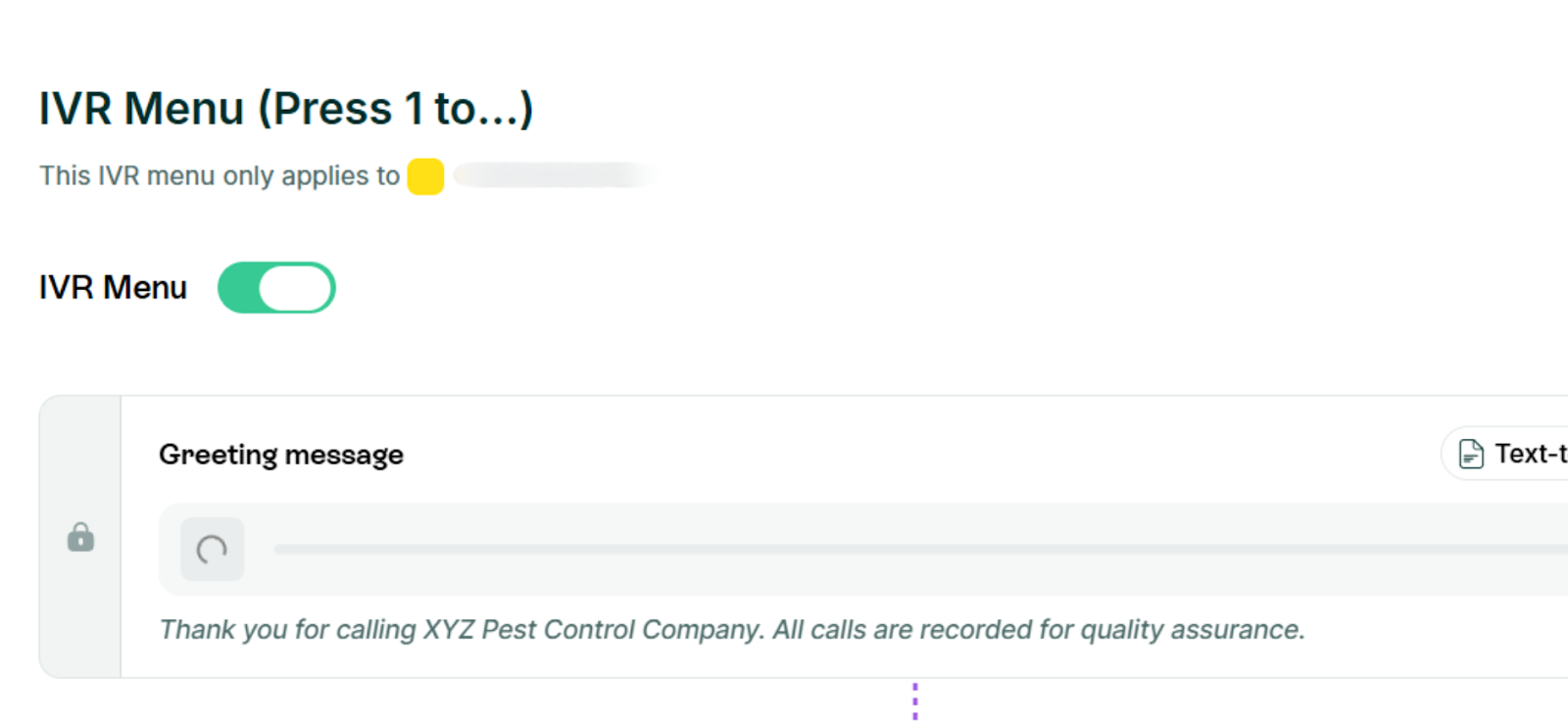
- Under Settings → IVR Menu, tap the toggle switch to enable your auto-attendant.
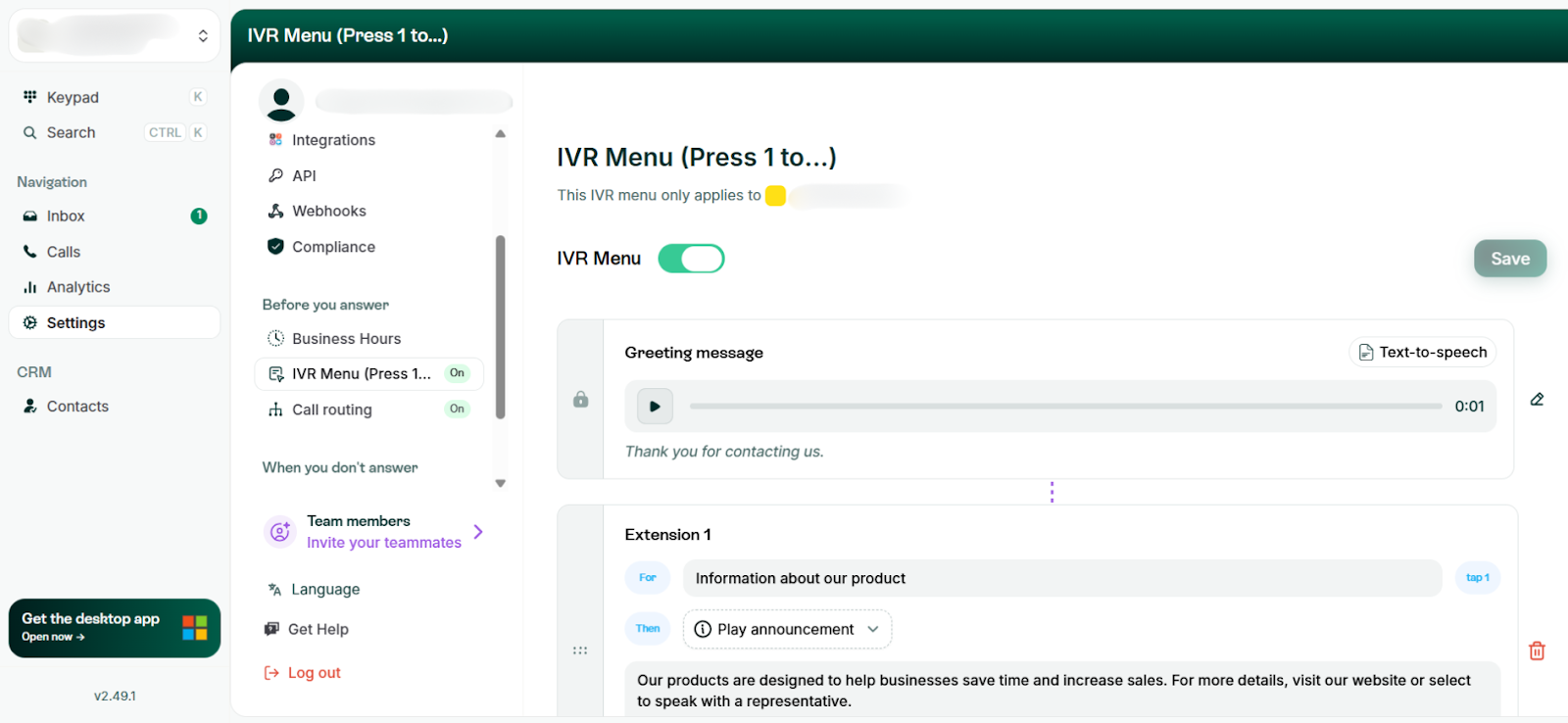
- First, customize your initial greeting. This is a text-to-speech AI tool, which means you simply write whatever greeting you want and let the AI transform it into audio.
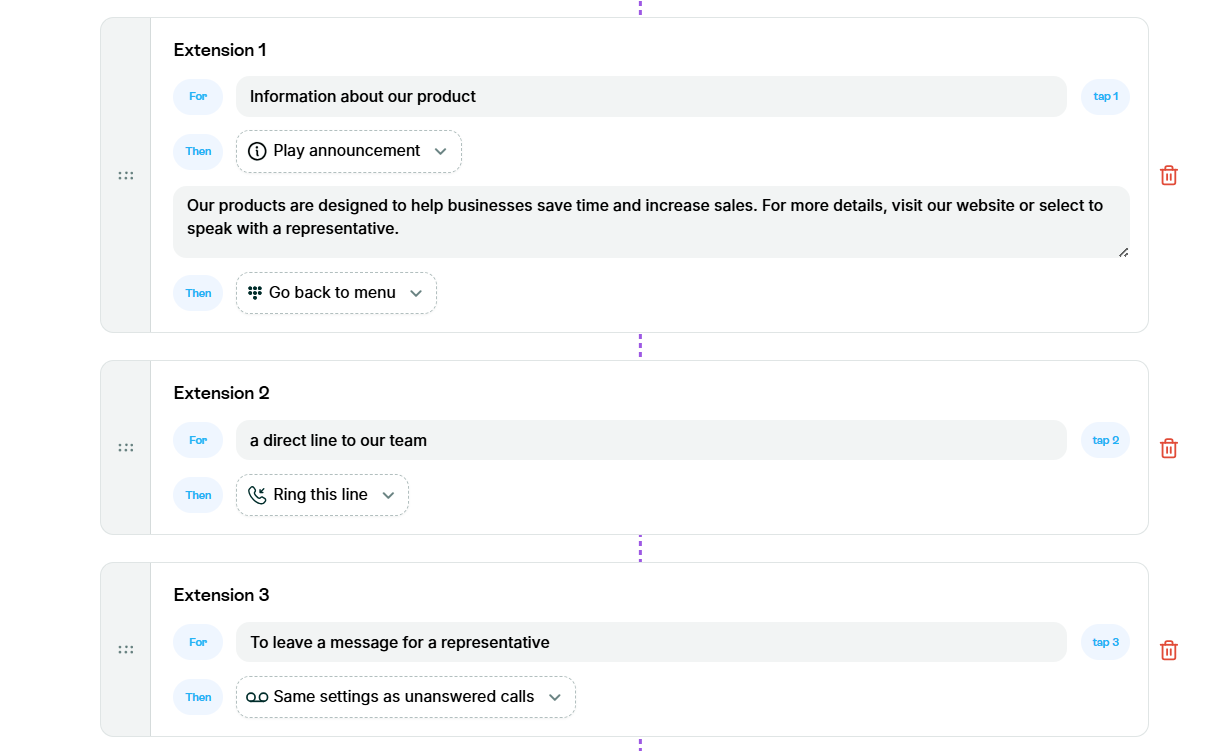
- Next, configure your remaining auto-attendant features. This means deciding what each extension does, and what your call routing software should do when it reaches the end of your menu (like send callers to voicemail or repeat menu options).
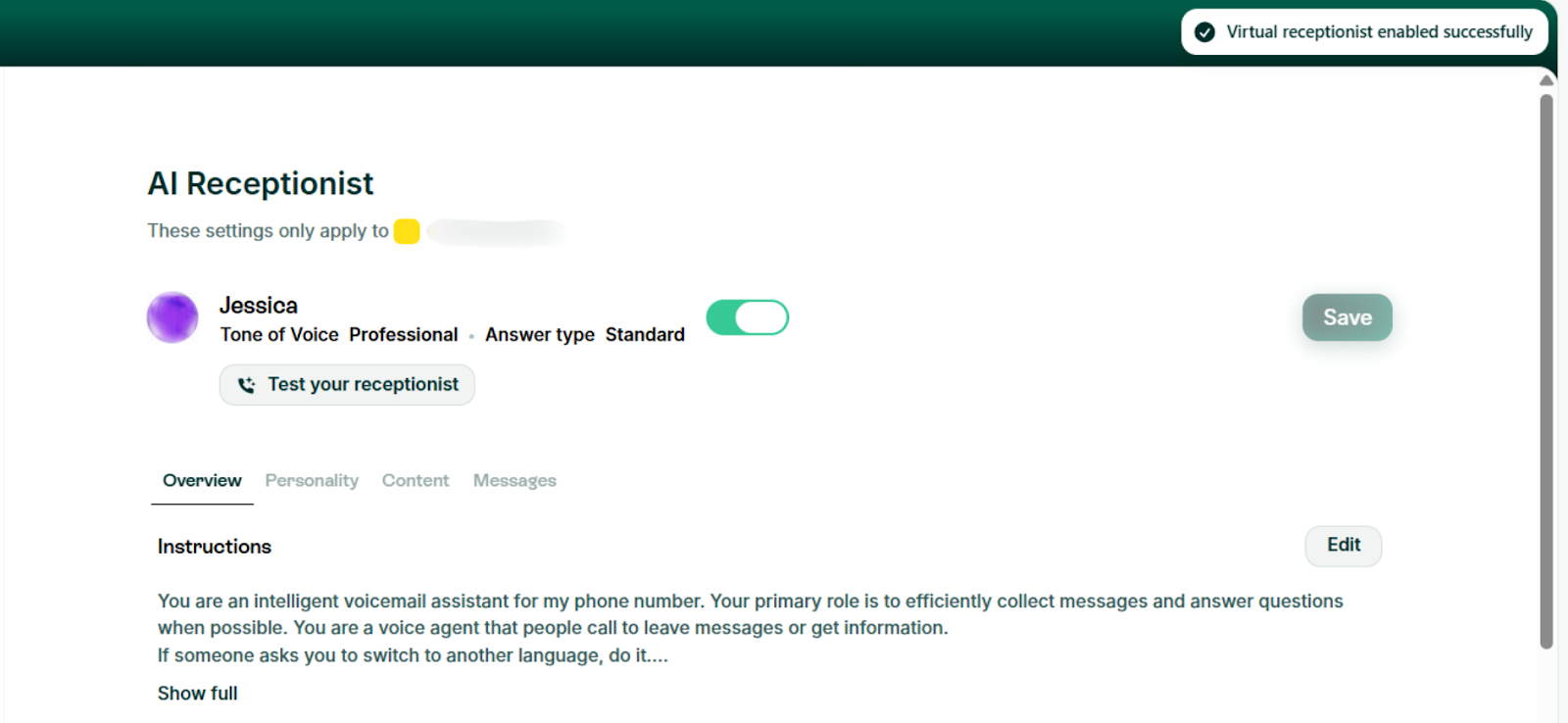
- Finally, set up what happens if no one answers the phone. This could be routing calls to voicemail so you can answer them later on. Or, you could transfer the call to an external number or personal mobile phones. Finally, you can set up AI answering services. These can help you efficiently collect messages, answer questions when possible, and collect more information for a future callback.
Best Auto-Attendant Phone Systems
Here’s a comparison of the best auto-attendant phone systems at a glance:
| Provider | Best For | Starting Price | Unlimited Calls | Texting | Video Calls |
|---|---|---|---|---|---|
| Allo | SMBs | $18/user/mo | Yes | Yes | No |
| Nextiva | Multi-Channel Management | $15/user/mo | Yes (US/CAN) | Yes | Yes |
| Vonage | APIs | $13.99/user/mo | Yes | Yes | With Upgrade |
| RingCentral | Physical Offices | $20/user/mo | Yes | Yes | Yes |
| Dialpad | Tight Budgets | $15/user/mo | Yes | Yes | Yes |
| Zoom Phone | Existing Zoom Users | $18.33/user/month | No | Yes | With Upgrade |
| 8x8 | International Businesses | Call for pricing | Yes (14+ Countries) | Yes | Yes |
Now, let’s take a closer look at each provider in detail.
1. Allo, Best for SMBs
What is Allo?
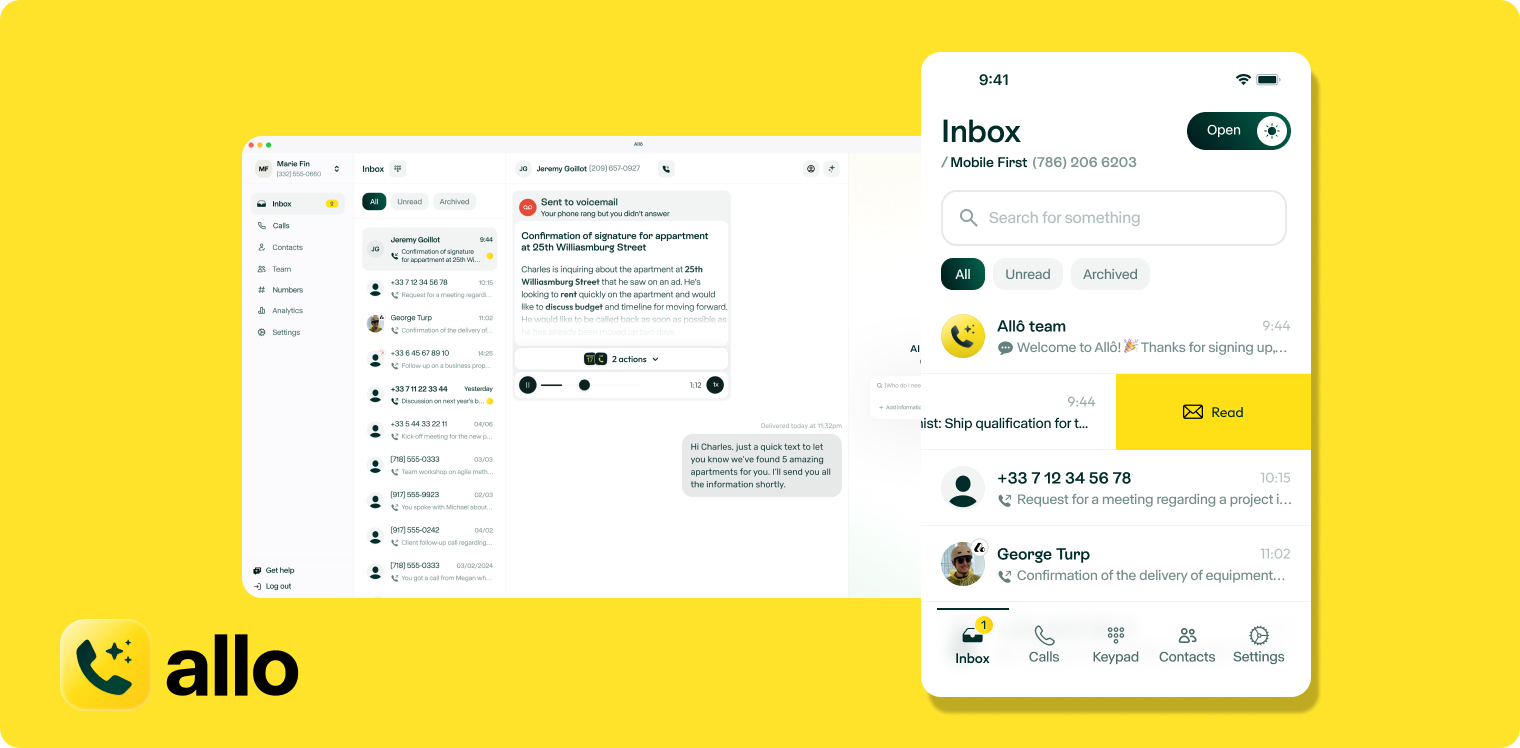
Allo is an AI-powered, VoIP phone system that offers virtual auto-attendants on every plan. It’s designed for fast-growing SMBs looking for better ways to manage incoming call flow: like with adjustable phone menus, auto-attendant features, and other call handling features you need on a modern business communications platform.
Allo’s VoIP auto-attendant features include:
- IVR and dialpad support
- Customizable business hours
- Call recording
- Unlimited domestic calls and texts
- Simple setup process with no coding necessary
With Allo, you can create single-level menus that route callers to people, departments, external lines, or your voicemail inbox. You can also set up custom audio that plays an audio with whatever information you type in (like your business hours or current locations).
Don’t want a single person in charge of incoming calls? With Allo, you can share the load with your team. Allo lets you set up two different types of call routing: cascading calls, and simultaneous ring.
Cascading calls ring team members in order of importance based on your virtual receptionist settings. For example, if someone wants to make an appointment, but your usual appointment setter is out of the office, your system will ring the next person on the list so they can pick up the phone.
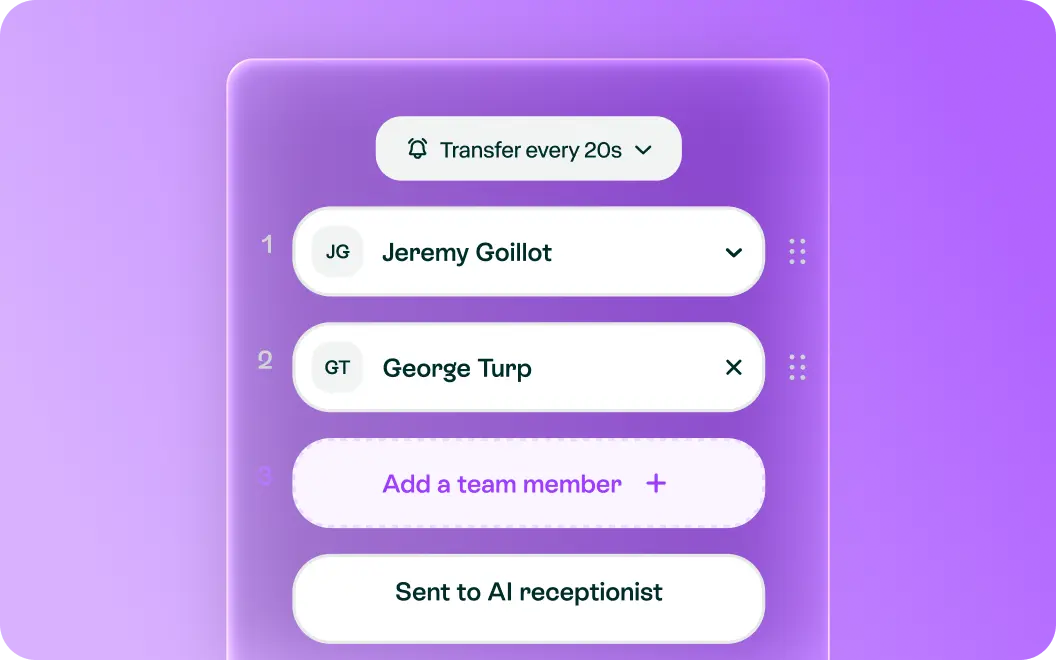
In contrast, simultaneous ring notifies all team members in a group that there’s an incoming call. Let’s say someone wants to contact sales for more information. Simultaneous ring notifies all people on the sales team that there’s an incoming call. That way, there’s always someone around to pick up the phone.
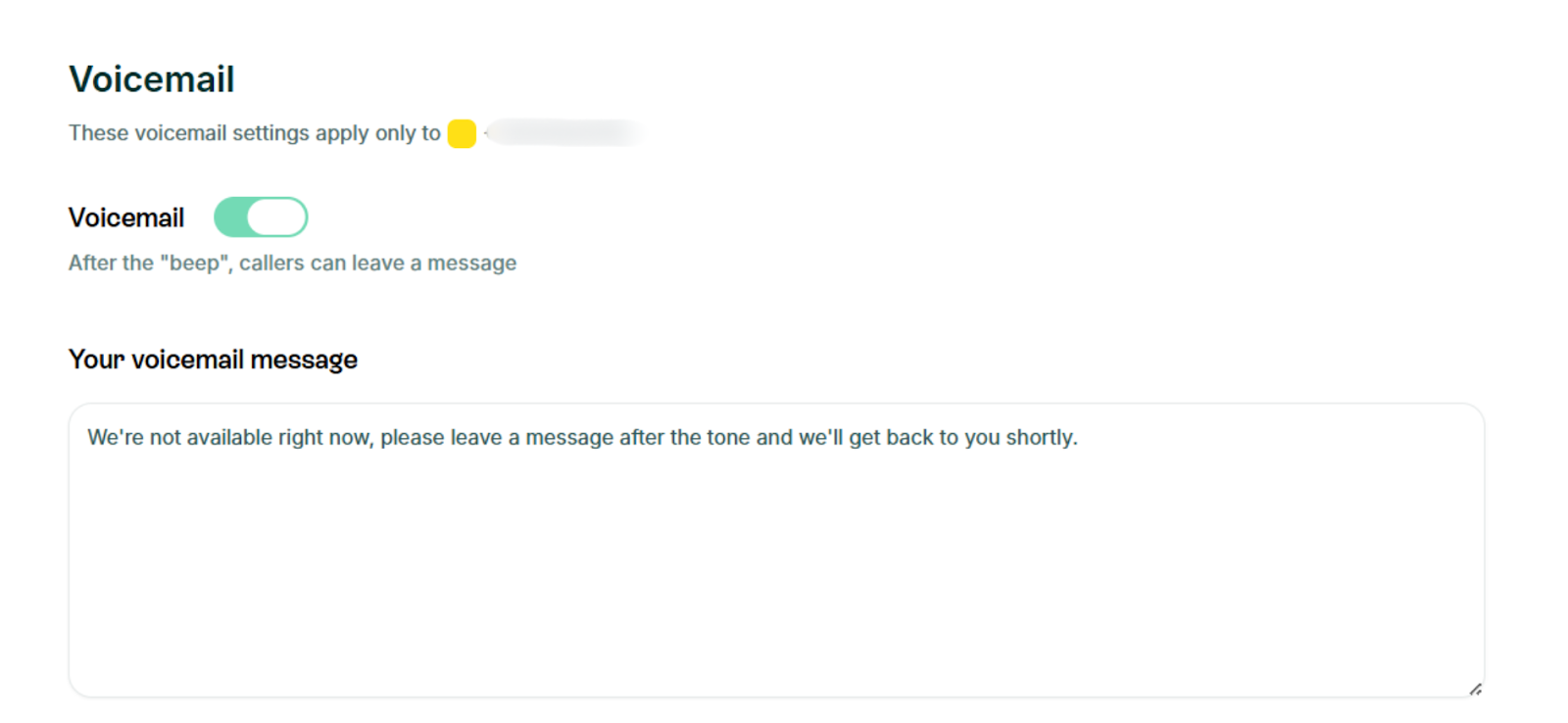
If there’s genuinely no one around to pick up the phone, you can automatically route them somewhere to take a message. Allo gives you two options: your voicemail inbox, or an AI receptionist.
Your voicemail inbox works exactly the way you might expect. If callers can’t get through to a team member, they can leave a voicemail message so someone can follow up later.
Or, with an AI receptionist, you can answer incoming calls just like a real person would. First, train your AI based on your website, uploaded files, and other details you provide to your AI. You can even set their personality (i.e., friendly or professional) and customize their instructions on how to respond in specific scenarios. Then, configure your greeting and closing message before testing your receptionist’s capabilities.
AI receptionists with Allo let you:
- Respond to frequently asked questions
- Prevent spam calls from reaching your team
- Record calls for you to review later
Who Does Allo Work Best For?
Allo works best for small and growing businesses that want to provide more consistent service to customers. It’s an excellent choice for routing callers to the right person without ever needing to manually pick up yourself.
Just keep in mind Allo was designed for modernized businesses. It’s not compatible with traditional desk phones, and it’s not set up to support outdated call handling features (like call queues). But if you’re looking for robust routing capabilities with cutting-edge, affordable business communications features, you can get started today for just $18/user/month.
Allo Pricing
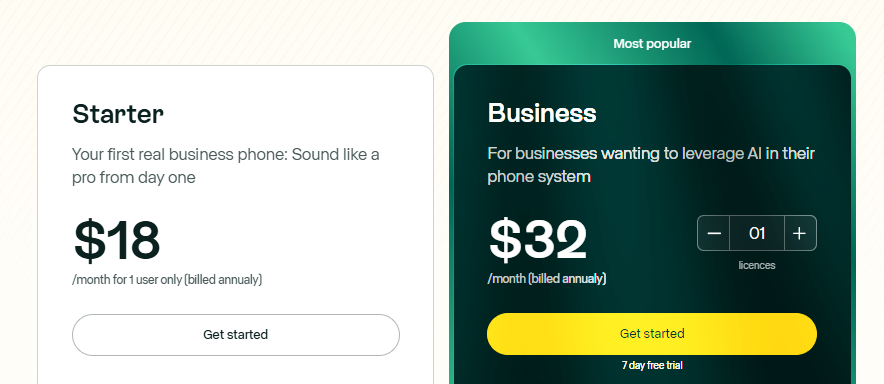
You have two Allo pricing plans to choose from:
- Starter: $18/user/month for unlimited domestic calling and texting, one local business number, intelligent call routing, on-demand call recording, personalized greetings, AI search for keywords, AI receptionist, AI call tags, and call transfers
- Business: $32/user/month for third-party integrations, international call support, shared phone numbers, ask AI tools, call whispering, intelligent call distribution, personalized onboarding, call analytics, and user roles or permissions
Demo Video of Allo
2. Nextiva, Best for Multi-Channel Management
What is Nextiva?
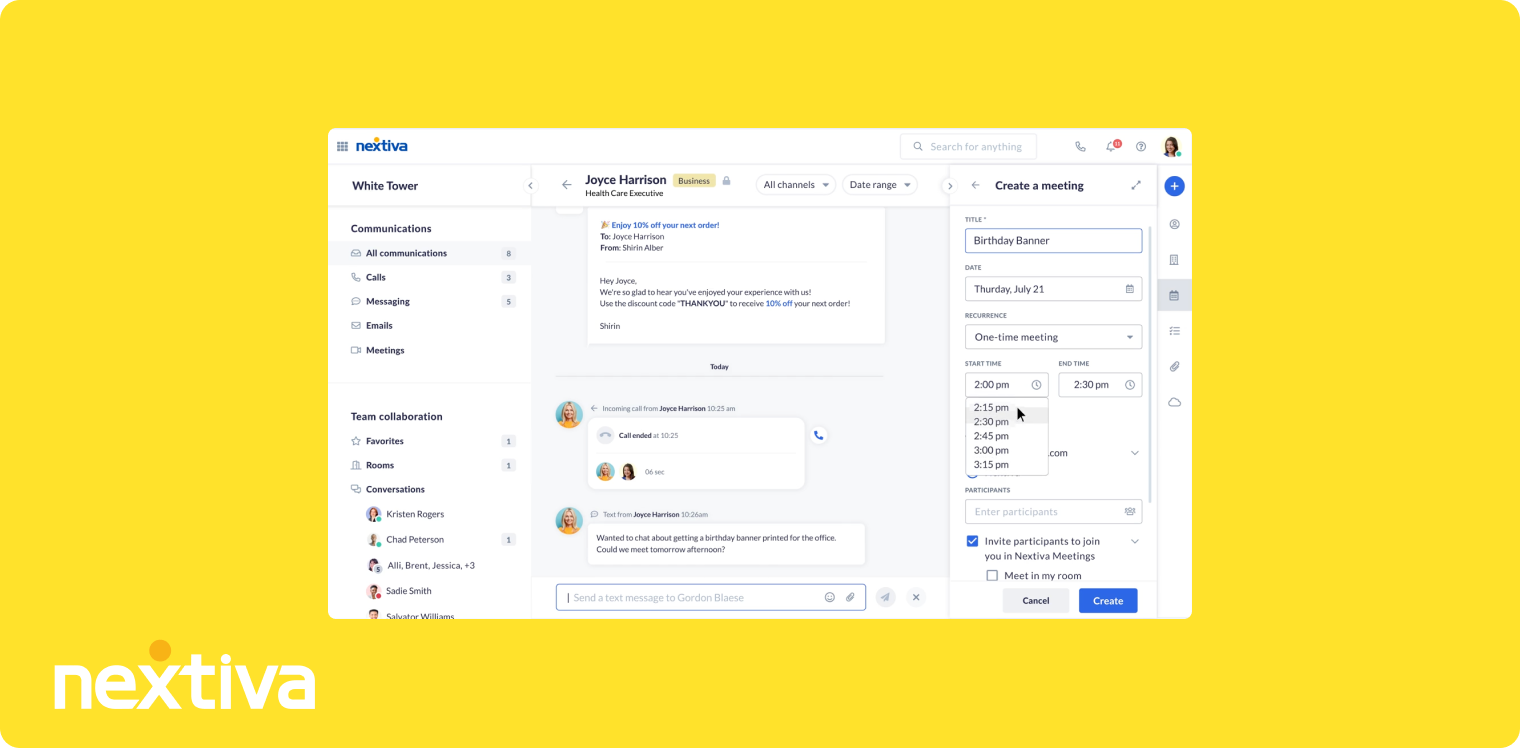
Nextiva is a unified customer experience management platform, which means it connects all the platforms you already use to support your customers. You get a simple auto-attendant/IVR on every plan, plus features like:
- Agent voice and digital platform
- Virtual receptionist call routing
- Team chat and collaboration
Other auto-attendant features, like Smart Call Routing and ACD callback, require you to purchase the most expensive plan. This costs 5x more than the Core plan and may come with additional features you don’t really need (like content center software, for example).
Who Does Nextiva Work Best For?
Nextiva’s auto-attendants work best for multi- or omni-channel businesses that need to manage customers across multiple tools and platforms. If you run social media pages, collect online reviews, or manage extremely high call volumes in a contact center, Nextiva’s high prices could make sense.
Why do we say ‘high prices’ here? For one thing, there’s no built-in AI-receptionist: Nextiva’s XBert AI Receptionist requires an add-on on every plan. So if you want to direct callers to a smart voicemail, for example, you’ll be forced to pay extra per month. You’ll also have to upgrade for many mission-critical auto-attendant features. For example, there are no toll-free minutes or numbers, smart call routing tools, unlimited SMS messages, or voice call recordings on the core plan. Compared to providers like Allo, which offer all this on the base plan, Nextiva’s auto-attendant system might require several upgrades to unlock all mission-critical features.
Nextiva Pricing

You can pick from one of three Nextiva pricing plans:
- Core: $23/user/month for basic auto-attendants for call management, SMS, and video meetings
- Engage: $50/user/month for advanced reporting tools and web chat capabilities
- Power Suite CX: $75/user/month for full AI transcripts and summaries, plus intelligent routing
Demo Video of Nextiva
3. Vonage, Best for APIs
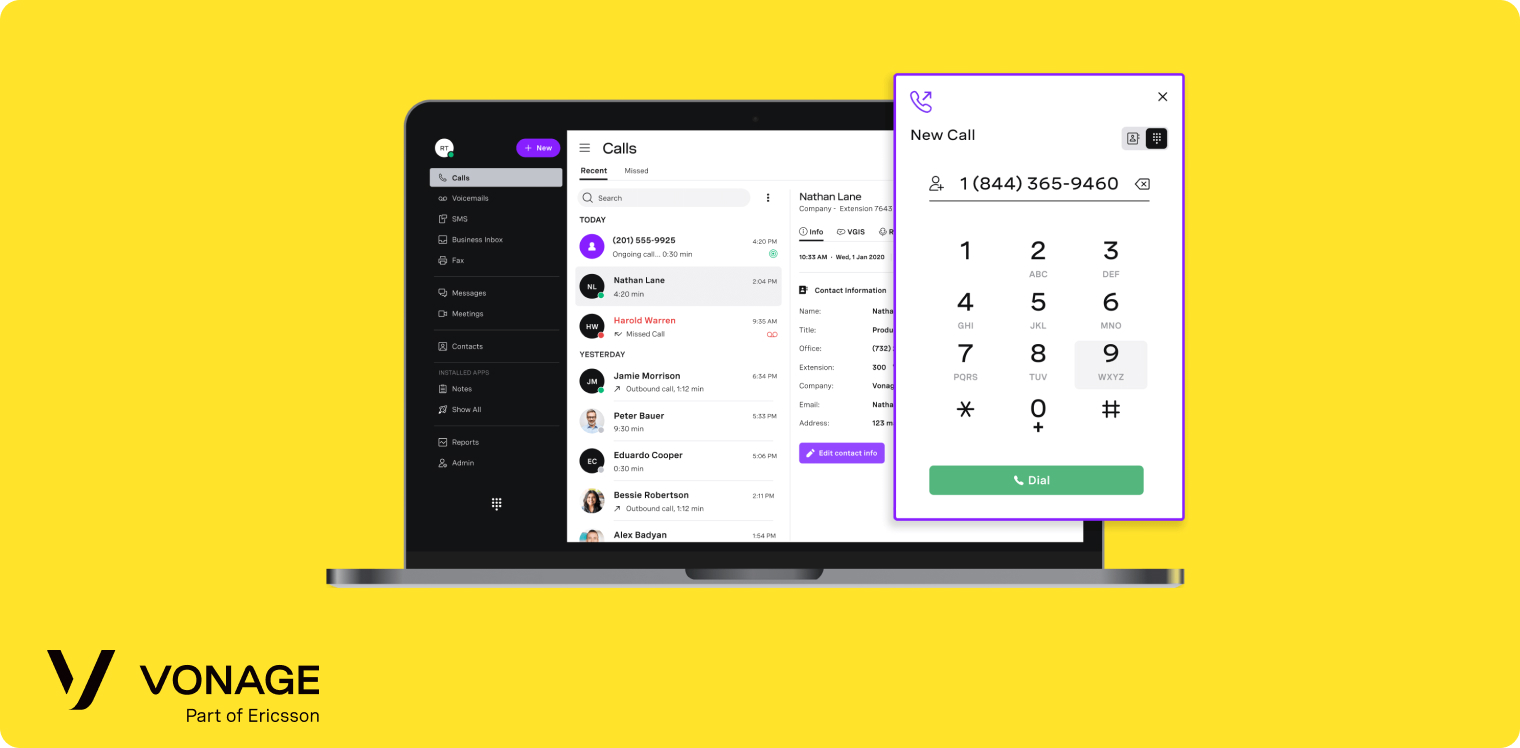
What is Vonage?
Vonage is a business communications platform with two separate offers: an out-of-the-box auto-attendant phone system, and an API-based platform so you can mix and match your own solution. Its business phone system offers all the basics you might expect from a VoIP platform (think unlimited domestic calling, SMS, and MMS). It also offers a virtual receptionist on every plan.
With Vonage’s base auto-attendant, you can:
- Set schedule priorities and overrides
- Share call flows and schedules
- Dial by extension
If you want to use Vonage’s APIs, you can set up your own solution via its Voice, Video, Verify, and Messaging modules. But keep in mind this is fairly technical and requires you to understand coding very well.
There is an AI receptionist available with Vonage, but it’s not accessible right out of the box. Instead, Vonage describes this as a “high-touch managed service both pre- and post-sale,” which means you need to work alongside a conversational designer if you want to route calls to AI. Every project has its own scoping and sizing, which means there’s no clear pricing per usage per month.
Who Does Vonage Work Best For?
Vonage is an excellent fit for technical businesses with plenty of IT resources for managing more complicated setups. It’s not the cheapest option on the list, and is somewhat complicated when considering all its API options. But if you want to build an auto-attendant into the tools you’re already using, it offers the tools to help you do so.
You should know that Vonage isn’t a fit for international businesses. That’s because Vonage’s auto-receptionist only supports English at this time. Other providers, like Allo, support English, French, and Spanish. Allo is also available in North America and Europe so you can easily support customers across multiple countries.
Learn more about Vonage alternatives.
Vonage Pricing
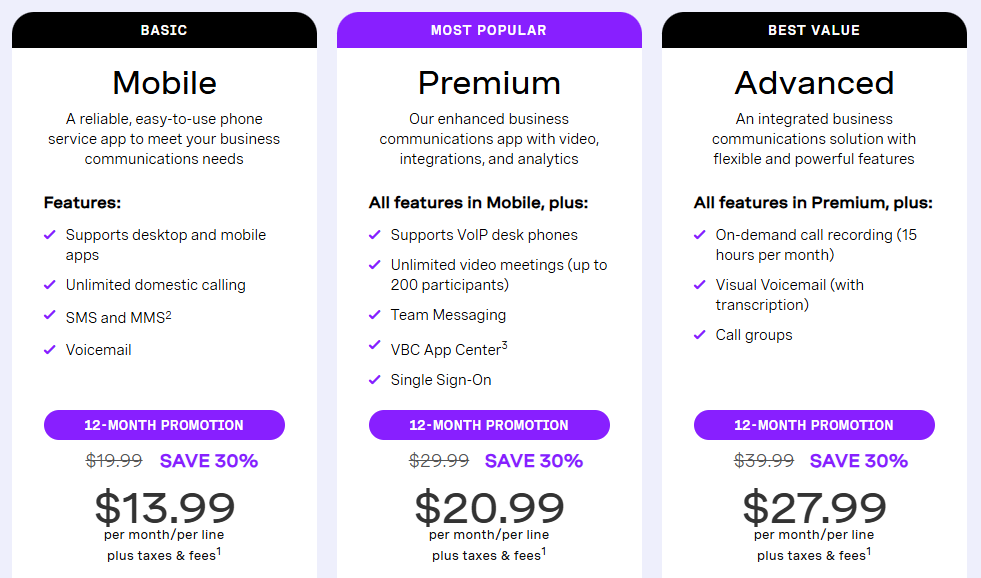
There are three Vonage pricing plans available:
- Mobile: $13.99/user/month plus taxes and fees for the virtual auto-attendant, unlimited domestic calling, SMS and MMS, voicemail, and access to desktop and mobile apps
- Premium: $20.99/user/month plus taxes and fees for unlimited video meetings (up to 200 participants) and team messaging, plus VoIP desk phone support
- Advanced: $27.99/user/month plus taxes and fees for on-demand call recording (15 hours per month), visual voicemail with transcription, and call groups
Vonage’s API pricing depends on a variety of other factors. The best way to get a quote is to contact sales.
Demo Video of Vonage
4. RingCentral, Best for Physical Offices
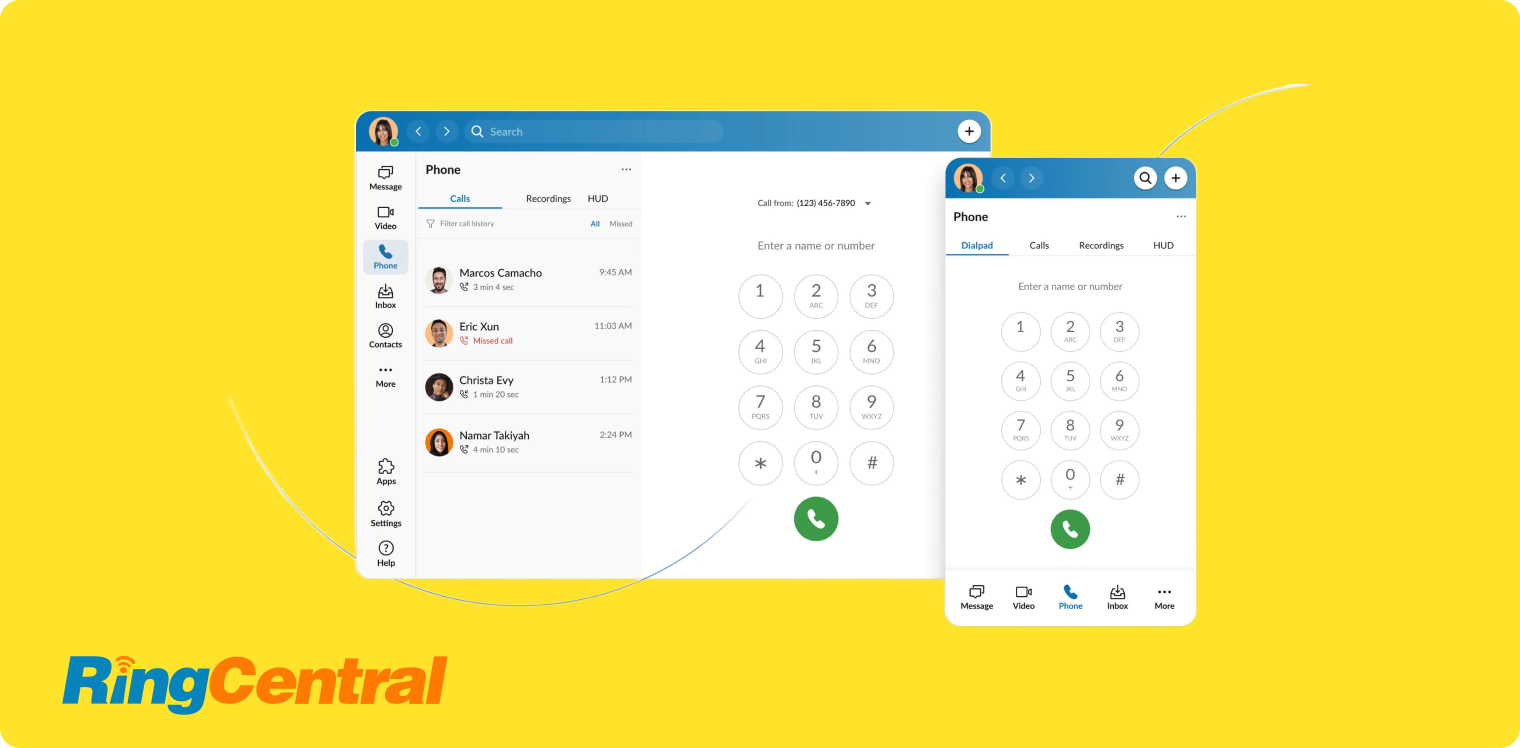
What is RingCentral?
RingCentral is a unified communications platform that supports voice calls, texts, and video meetings on every plan. It also connects with traditional desk phones if you still work from traditional office environments.
RingCentral’s multi-level auto-attendant offers IVR and allows you to build up to 250 voice menus and submenus per account. That way, you can:
- Build phone trees with a drag-and-drop “graphical editor”
- Connect your number to a Dial-By-Name Directory
- Route calls to a system extension, voicemail, or external phone number
You can also use RingCentral to set up an AI Receptionist, starting at $39/month. This allows you to set up intelligent call routing, automatically book appointments with customers, capture leads, and follow up with customers via SMS.
Who Does RingCentral Work Best For?
RingCentral works well for more traditional office environments that need to connect their phone systems to desk phones and handsets. But if you typically use mobile phones and laptops to manage your call flow, it might become expensive as your business grows.
For example, RingCentral only offers a set number of SMS messages and toll-free minutes on the base plan. If you want to send more texts and take more toll-free calls, you’ll need to upgrade your plan. The same goes for data storage: even the ‘unlimited’ option on the most expensive plan is still subject to time-based deletion policies.
Yes, RingCentral’s virtual auto-attendant is available on every plan. But if you want the AI receptionist, you’re going to need to upgrade multiple times to unlock tier-based pricing. Competitors like Allo offer an AI receptionist for free on every plan. You only need to pay extra as your call volume grows.
Learn more about RingCentral alternatives.
RingCentral Pricing
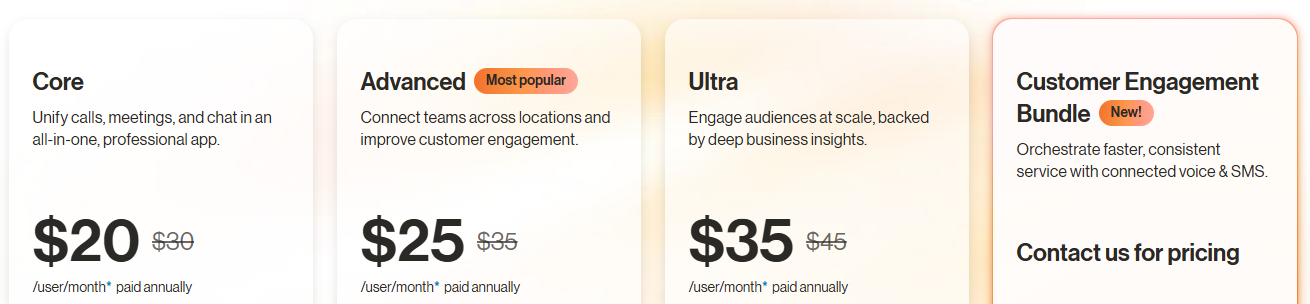
RingCentral’s pricing offers four tiers:
- Core: $30/user/month for unlimited domestic calling, business text messages, and video meetings (limited amounts per tier)
- Advanced: $35/user/month for more text messages and toll-free minutes, plus CRM integrations and advanced reporting
- Ultra: $45/user/month for unlimited storage and device analytics.
- Customer Engagement Bundle: Contact for pricing for extra SMS and automation capabilities
Keep in mind you’ll also have to pay add-on prices for things like:
- AI Receptionist: $39/month for 100 minutes
- RingCX Contact Center: $65/agent/month for full contact center capabilities
Demo Video of RingCentral
5. Dialpad, Best for Complex Menus
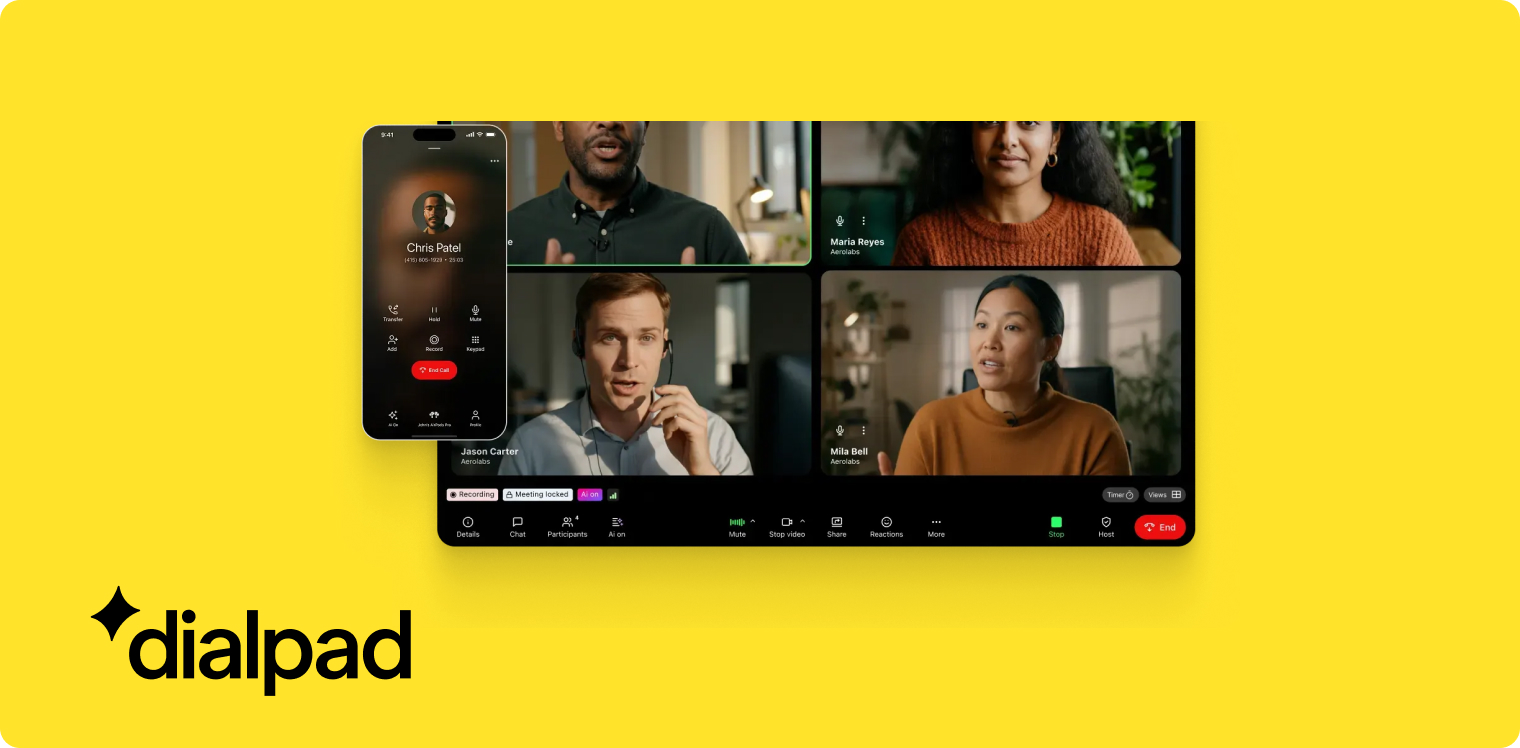
What is Dialpad?
Dialpad is a cost-effective auto-attendant phone system starting at $15/user/month. With it, you get multi-level auto attendants on the base plan so you can build menus within menus (like a billing account within your sales department).
You can use Dialpad to perform more complex tasks that other auto-attendant platforms can’t or don’t provide. For example, you might:
- Capture customer data to send to agents. That way, your reps can offer faster and more personalized service to callers.
- Connect your auto-attendant to external data sources (think Salesforce or HubSpot) to gather real-time data and route callers more dynamically.
- Set up API calls, logic decisions, variables, and other advanced operations for a nearly 100% automated call management.
Just keep in mind Dialpad won’t let you purchase additional numbers or extensions without upgrading your plan. This could make routing phone calls more difficult to manage, unless you send them to voicemail, hold queues, or external numbers.
Who Does Dialpad Work Best For?
Dialpad is a decent choice for ambitious startups that want to build more complex auto-attendants to support their agents. It’s not necessarily a good fit for small businesses — and especially not for those who are unfamiliar with code — but it can make it easier to connect multiple systems into the same automated workflow. If you don’t get lots of call volume, or if you don’t need features for call groups and phone queues, it might make more sense to settle for an out-of-the-box virtual auto-attendant. Allo, for example, lets you set up menus in seconds, then connect with an AI receptionist in 15 minutes or less.
Learn more about the best Dialpad alternatives.
Dialpad Pricing

There are three tiers of Dialpad pricing:
- Standard: $27/user/month for multi-level auto-attendants, one local number, unlimited calling, and AI summaries; one seat minimum
- Pro: $35/user/month for phone queues, CRM integrations, and 24/7 phone support; three-seat minimum
- Enterprise: Custom pricing for number extensions and SSO with Okta, Azure, and OneLogin; 100-seat minimum
Demo Video of Dialpad
6. Zoom Phone, Best for Existing Zoom Users
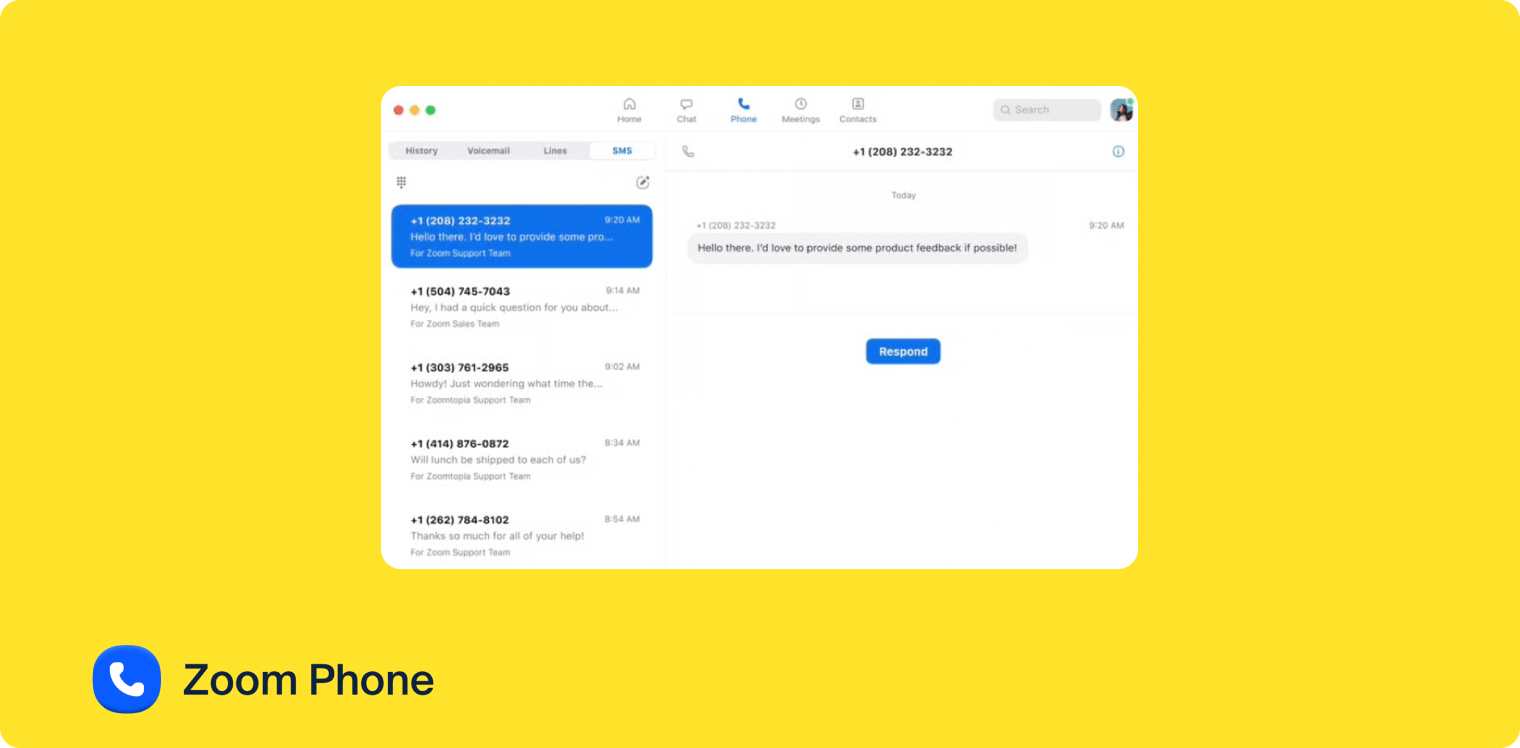
What is Zoom Phone?
Zoom Phone is the cloud VoIP arm of Zoom, the popular video platform. You can purchase Zoom Phone separately, or as an add-on to your existing workplace plan. This will allow you to make and receive calls. Although keep in mind it’s not unlimited unless you upgrade your plan several times.
Zoom Phone offers single and multi-level phone levels depending on what you’re looking for. It does connect with desk phones and handsets, but you’ll need to purchase an add-on first.
Keep in mind Zoom Phone lets you route calls to Zoom rooms, so you can turn any audio call into a video call to support customer satisfaction. Other options include forwarding to:
- Virtual agents
- Other users
- Common areas
- Cisco/Polycom rooms
- Auto receptionist
- Call queues
- Shared line groups
- Zoom contact centers
- Partner contact centers
Who Does Zoom Phone Work Best For?
Zoom Phone works well for existing Zoom customers who just want to tack on some basic calling tools. But for fast-growing SMBs, it’s likely a little underwhelming. You can’t access unlimited calls without upgrading your plan. Plus, modern features like auto-replies, AI receptionists, and CRM integrations aren’t available at all.
Similarly, Zoom Phone’s auto-attendants are only available on the Business and Pro plans. With them, you can route callers to an interactive voice response system, which is essentially an auto-attendant. You can set up voicemail greetings, forward callers to common areas, create call queues, and even create dial-by-name directories.
Keep in mind you will need to create a call flow that looks something like this:
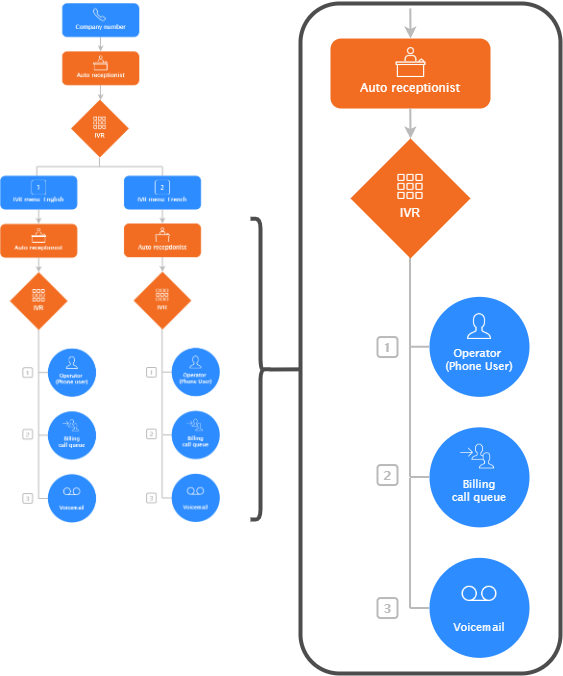
According to past users, this isn’t very intuitive and may require several weeks to learn.
Want an auto-attendant phone system that is quick and simple to learn?
Learn more about Zoom Phone alternatives here.
Zoom Phone Pricing
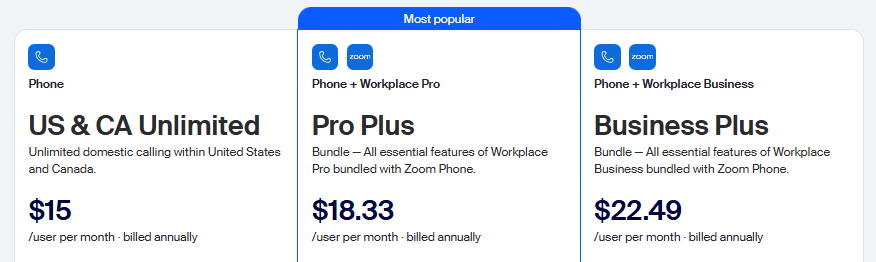
There are four Zoom Phone pricing tiers:
- US & CA Metered: $10/user/month for metered domestic calling in Canada and the US, international calling, desktop and mobile apps, and call recording
- US & CA Unlimited: $15/user/month for everything in Metered, plus unlimited domestic calling within the US and Canada
- Pro Plus: $18.33/user/month for auto-receptionists, plus free premium Zoom apps for one year, unlimited docs, instant messaging, three editable whiteboards, 10 GB of cloud storage, and workflow automations
- Business Plus: $22.49/user/month for unlimited whiteboards, 15 GB of cloud storage, for access to the Zoom scheduler
Demo Video of Zoom Phone
7. 8x8, Best for International Businesses
What is 8x8?
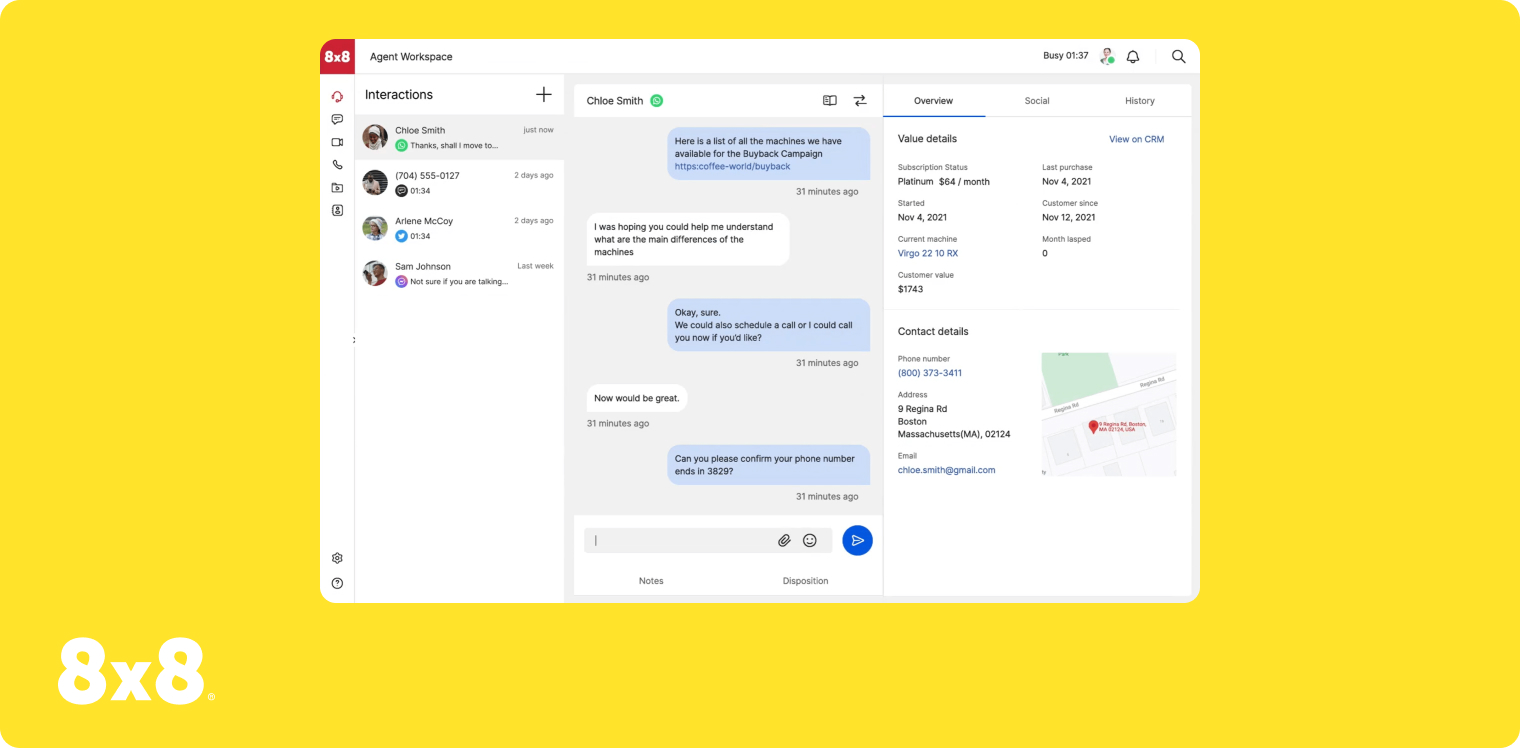
8x8 is a legacy auto-attendant service provider, which means it was initially designed for older, more traditional office environments. Its biggest claim to fame is supporting international companies. Some plans offer global coverage so you can connect with 14+ countries without needing to purchase additional international call minutes.
Just keep in mind 8x8 doesn’t list all its features on every plan, so there’s no way to know which versions come with an auto-attendant (and which versions don’t). You also need users, ring groups, and call queues before setting up a phone menu. This could make things more complicated without the right support.
The following is a list of everything you can do with 8x8’s auto-attendant feature:
- Create text-to-speech prompts in 50+ languages
- Build open, closed, and holiday menus
- Set lunch schedules so team members don’t get calls on break
- Design ring groups, call queues, and voicemail inboxes
Want a professionally-recorded greeting in a language you can’t speak? You can purchase professionally recorded greetings from the 8x8 Audio Production Store.
Who Does 8x8 Work Best For?
8x8 can help support your international business if you’re planning on expanding or reaching out to customers in different languages. Its auto-attendants aren’t incredibly complex, but they get the job done if you need multiple phone menus to serve your customers.
Again, keep in mind that 8x8 doesn’t list any of its prices and features. This can make it difficult to compare with other auto-attendant phone systems. It’s also not easy to estimate prices, since there’s no way to know if there are add-on costs.
You should also know 8x8’s auto-attendants may eliminate your ability to properly use caller ID. This may prevent customers from picking up the phone or make them feel concerned or nervous about answering outbound calls.
8x8 Pricing
There’s currently no public pricing available for 8x8. If you want a custom quote, you'll have to contact their sales team.
Demo Video of 8x8
Frequently Asked Questions About Auto-Attendants
What is an auto-attendant in a phone system?
An auto-attendant is an automated voice menu system that greets callers and directs them to the appropriate person or department via keypad prompts (e.g., "Press 1 for Sales"). It acts as a virtual receptionist, helping businesses manage high call volumes without needing a human operator to manually transfer every call.
How do you set up a phone auto-attendant?
Using Allo as an example, you can set up a phone auto-attendant in three steps: Sign up for a free trial of our business phone service Enable auto-attendant software in your number settings Start making and receiving calls with your auto-attendant system
Is an auto-attendant the same as IVR?
Both auto-attendants and interactive voice response systems, or IVR, act like phone menus for incoming calls. They both help customers route themselves to the right person or department. But auto-attendants only respond to dialpad entries, like pressing one or two. IVR menus also respond to voice commands. Allo’s auto-attendant system, for example, is technically an IVR menu. That means customers can either dial 1 or say “one” to reach whatever you set behind that menu option.
What’s the best auto-attendant phone system?
Based on independent reviews and customer satisfaction scores, Allo is the best auto-attendant phone system for growing SMBs. You can set up IVR and dialpad sequences, greet callers with custom messages, route calls to the right departments and people, and provide instant information like FAQs, business hours, and voicemail messages without a live agent.
Are there any AI auto-attendants?
There are AI auto-attendants that use natural language processing to help with: Self-service payments Texting links with more information Real-time call summaries and transcriptions Auto-attendants from Allo can also be paired with an AI answering service. That way, you never have to worry about missing another call.
How much does an automated phone system cost?
Automated phone systems range from $10/user/month to more than $50/user/month depending on the software in question. Allo, for example, starts at $18/user/month for auto-attendant functionality, unlimited calls and texts, and third-party integrations.