WhatsApp Business only trusts one phone with one number, and most growing teams hit that wall within months: an employee leaves, a second person needs the inbox, an agency picks up a third client.
Pick the wrong fix and you'll waste weeks on infrastructure the problem never needed.
Here's every real option, side by side, plus the one step almost every setup skips before any of it works.
TL;DR: your options at a glance
- Companion Mode (free): link up to 4 devices to one account. No routing between agents, so it works for 1–2 people, not a team.
- WhatsApp Business API + shared inbox (usage-based cost): no device cap, real conversation assignment and reporting. Built for teams of 5+.
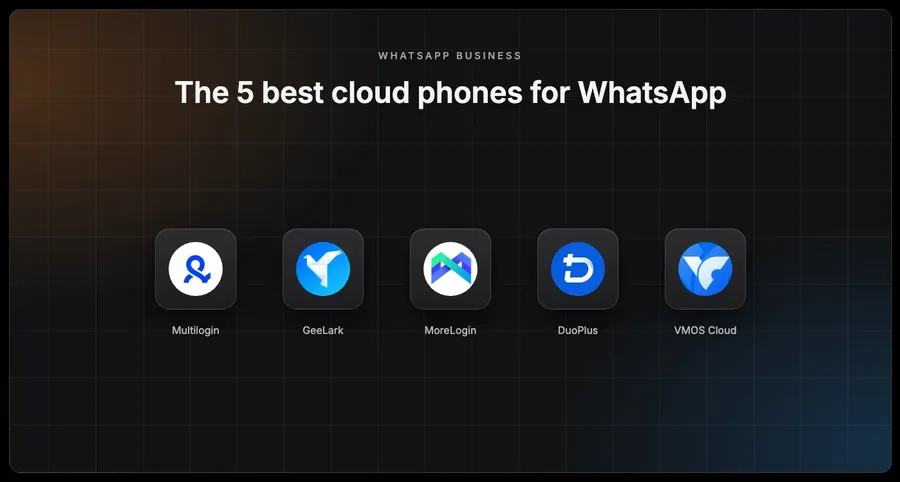
- A dedicated device per client (physical phone or cloud phone): for agencies running WhatsApp for several separate client businesses. Multilogin's Cloud Phone natively supports installing and running WhatsApp Business, alongside GeeLark, MoreLogin, DuoPlus, and VMOS Cloud, compared below.
- Getting the number verified in the first place: the step most setups skip, and where a lot of them quietly fail before any of the above matters.
Want the full breakdown? Scroll down.
A quick note on scope before the comparison: this isn't about running dozens of disposable, unlinked WhatsApp accounts to get around Meta's detection systems. That's a different (and much riskier) use case aimed at mass outreach, and most of the guides covering it skip past the fact that a real business (a restaurant, a law firm, an insurance agency) just needs its one legitimate number to work reliably for the people answering it.
Why this becomes a problem in the first place
WhatsApp Business was built around a single phone owning a single number. That's fine for a solo operator. It falls apart the moment a second person needs to answer messages, or the phone the number lives on belongs to an employee who might leave.
The reason this matters more than it used to: consumers have shifted hard toward messaging as their default way to reach a business. WhatsApp's own State of Business Messaging report, a Kantar survey of 11,056 consumers across 22 markets published in 2025, found that 73.3% of consumers now prefer messaging over calling or emailing a business. If WhatsApp is where your customers already expect to reach you, the account can't realistically live on one person's personal phone anymore.
Option 1: WhatsApp's own Companion Mode
This is the free, native answer, and it's worth understanding exactly what it does and doesn't do before assuming it's enough.
How does Companion Mode work?
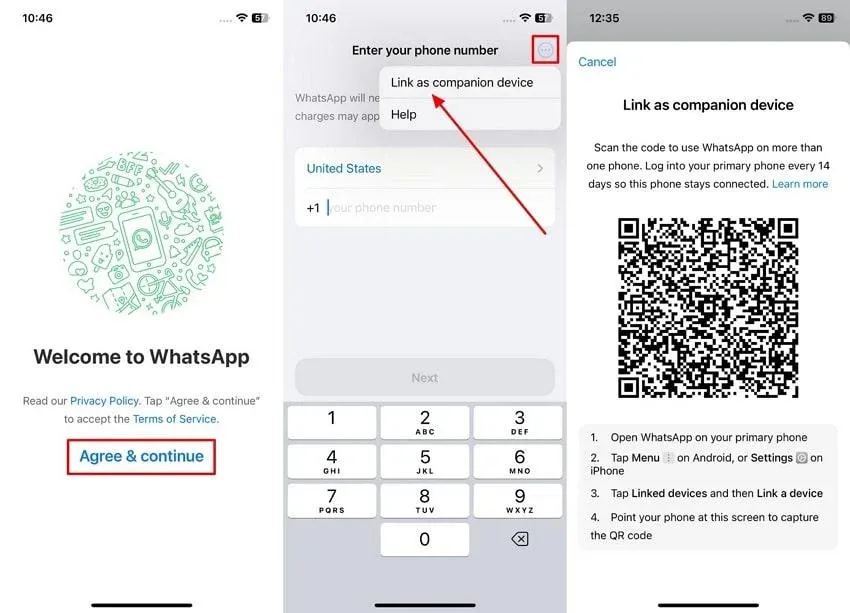
Companion Mode lets one WhatsApp Business account run on a primary phone plus up to four additional linked devices (a second phone, a tablet, a laptop, WhatsApp Web) in any combination. Meta rolled this out in April 2023, and it syncs messages across every linked device even when the primary phone is offline. Up to five devices total, one account, one number.
Who does it work best for?
For a two- or three-person operation, this is a manageable tradeoff: everyone can see and answer messages without extra setup or cost. Past that, it starts costing real customer conversations, because there's no way to divide the work.
WhatsApp Companion Mode pros
- Free, no subscription or extra tooling required
- Up to five devices synced to one account, primary phone plus four companions
- Keeps working even when the primary phone is offline
- Takes about ten minutes to set up, no technical knowledge needed
WhatsApp Companion Mode cons
- Every linked device sees every conversation, with no way to assign a chat to a specific person or track who answered what
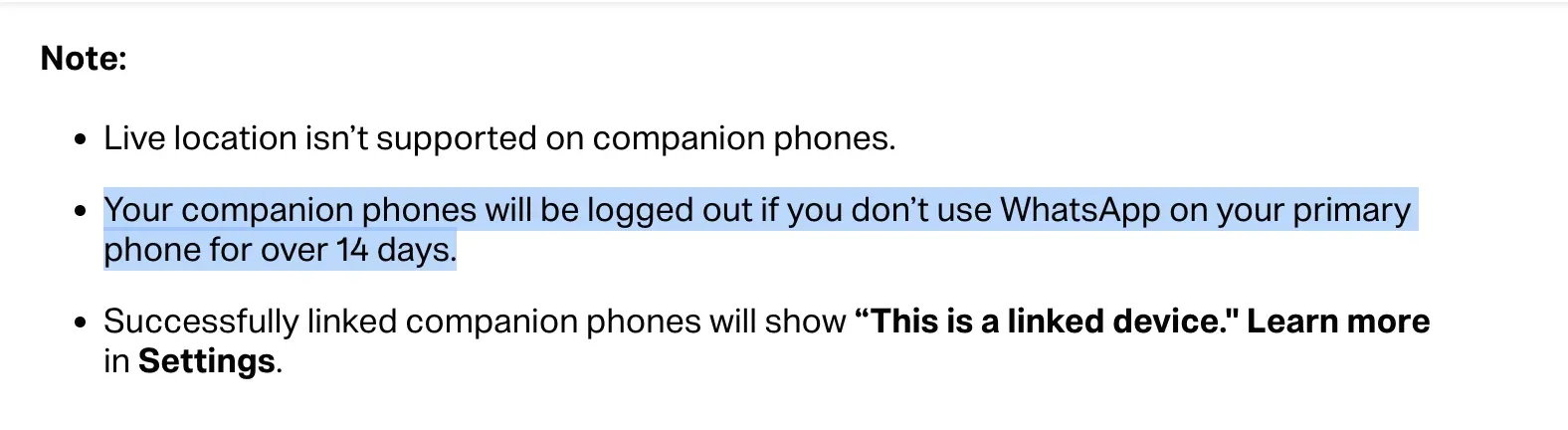
- If the primary phone goes 14 days without connecting to the internet, every linked device gets logged out automatically for security
- Three or more people on one account means messages get double-answered or missed entirely, since each person assumes someone else has it
WhatsApp's own documentation is explicit about Companion Mode's limits:
Option 2: The WhatsApp Business API with a shared inbox
Once a team outgrows Companion Mode, this is the standard move: real routing and reporting, at the cost of more setup than flipping on a phone's linked-devices menu.
How does the WhatsApp Business API work?
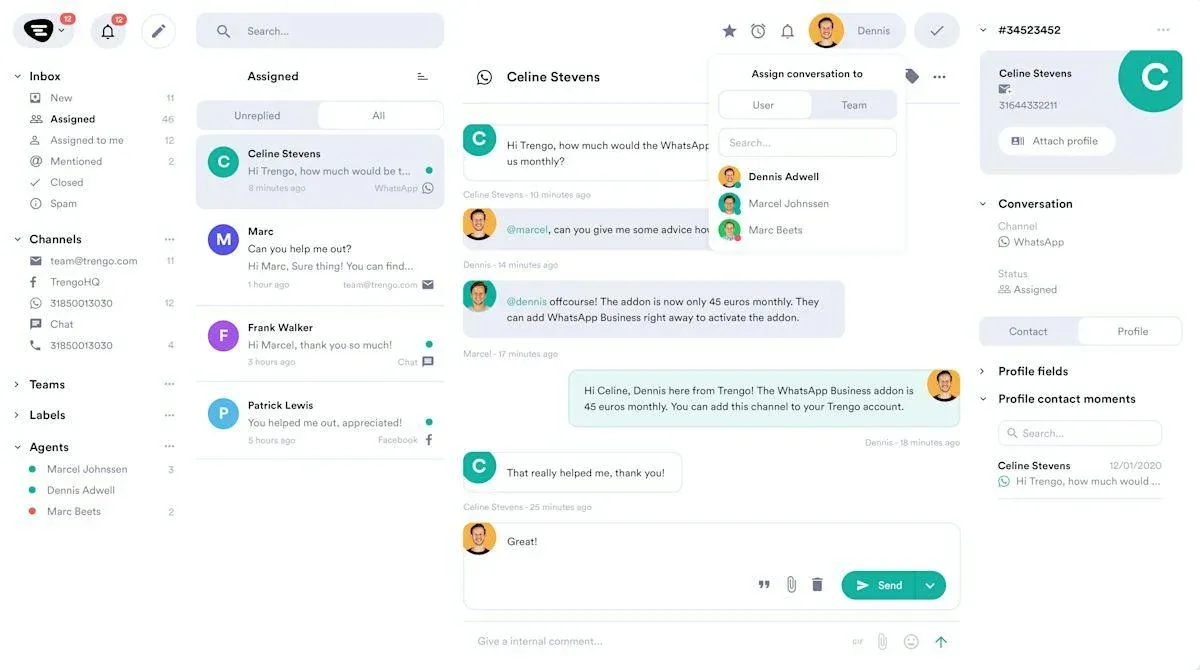
The WhatsApp Business API (officially the WhatsApp Business Platform) is accessed through a Meta Business Partner rather than the consumer app, and it removes the device cap entirely. "A business messaging platform" here means a Meta-approved Business Solution Provider (BSP), companies like Twilio, 360dialog, Wati, or Trengo, that give you a shared inbox and routing layer on top of the raw API.
Cost comes in two separate layers:
- Meta's own per-message fees (billed by destination country and message category since Meta moved to per-message pricing in July 2025; replies inside the 24-hour customer-service window are free)
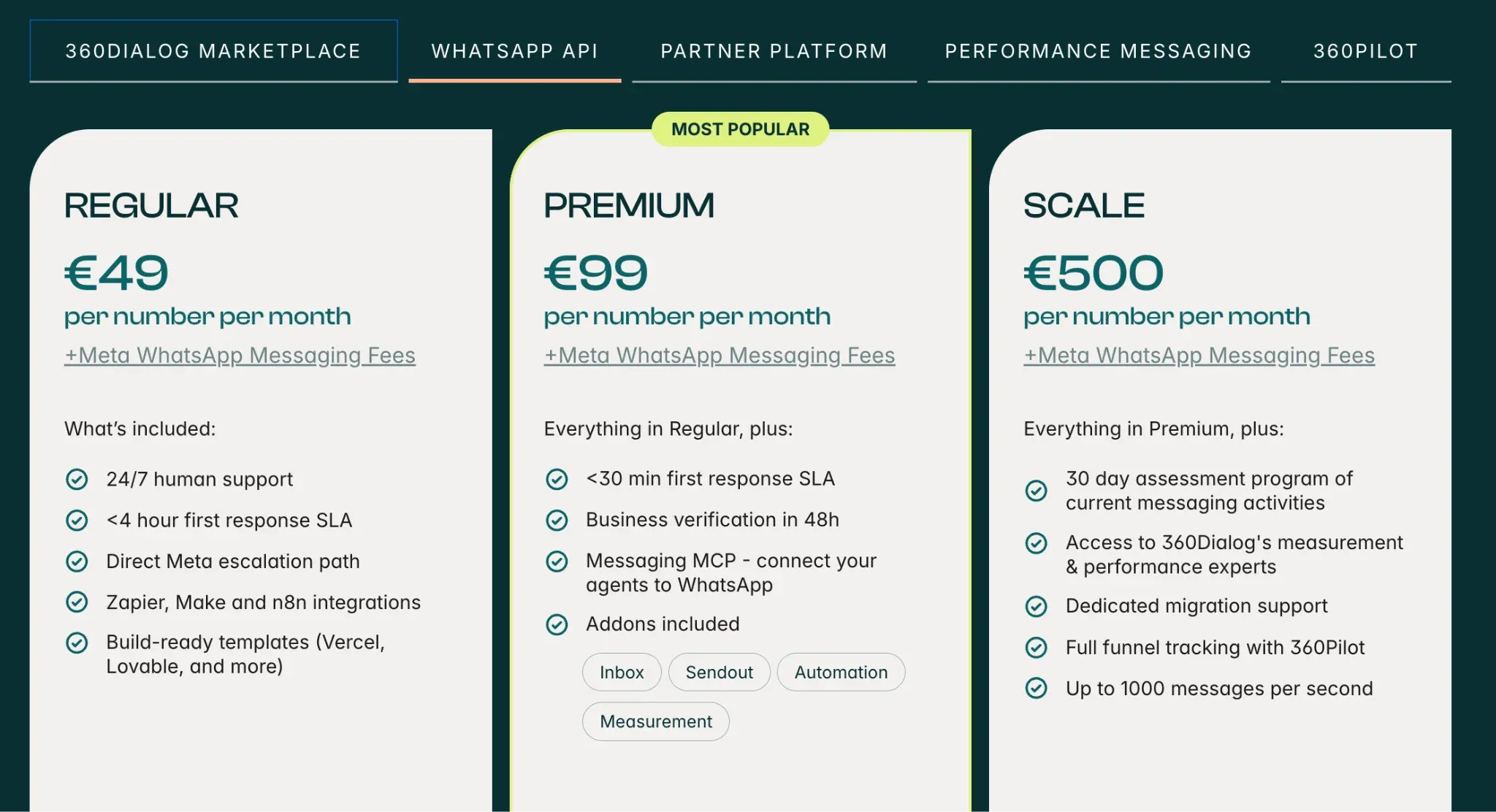
- The Business Solution Provider's own fee on top. That second layer varies widely: 360dialog charges a flat €49/month with no markup on Meta's fees, Twilio charges no monthly minimum but adds roughly $0.005 per message on top of Meta's rate, and inbox-first tools like Wati or Trengo bundle the UI into a subscription that typically runs $49–$99/month before Meta's per-message fees.
Who does it work best for?
For a business with five or more people actually answering WhatsApp messages day to day, this is usually the right call regardless of the added complexity. For a two-person team, it's often more infrastructure than the problem calls for: Companion Mode already covers that case for free.
WhatsApp Business API pros
- No device cap, add as many agents as the team needs
- Real conversation assignment and routing, so messages don't get double-answered or missed
- Role-based access and reporting on response times
- A choice of established BSPs (Twilio, 360dialog, Wati, Trengo) rather than one locked-in vendor
WhatsApp Business API cons
- Two separate cost layers to budget for: Meta's per-message fees plus the BSP's own fee
- Meaningfully more setup than Companion Mode, usually requires picking and configuring a BSP
- Overkill for one or two people handling WhatsApp
- Runs through the Business Platform and BSP tooling rather than the consumer WhatsApp app itself
Option 3: A dedicated device, physical or cloud-hosted
This is the option most relevant to a narrower group: agencies or consultants running WhatsApp Business for several separate client businesses at once, where each client genuinely needs their own isolated number and device rather than a shared inbox.
How does a dedicated device work?
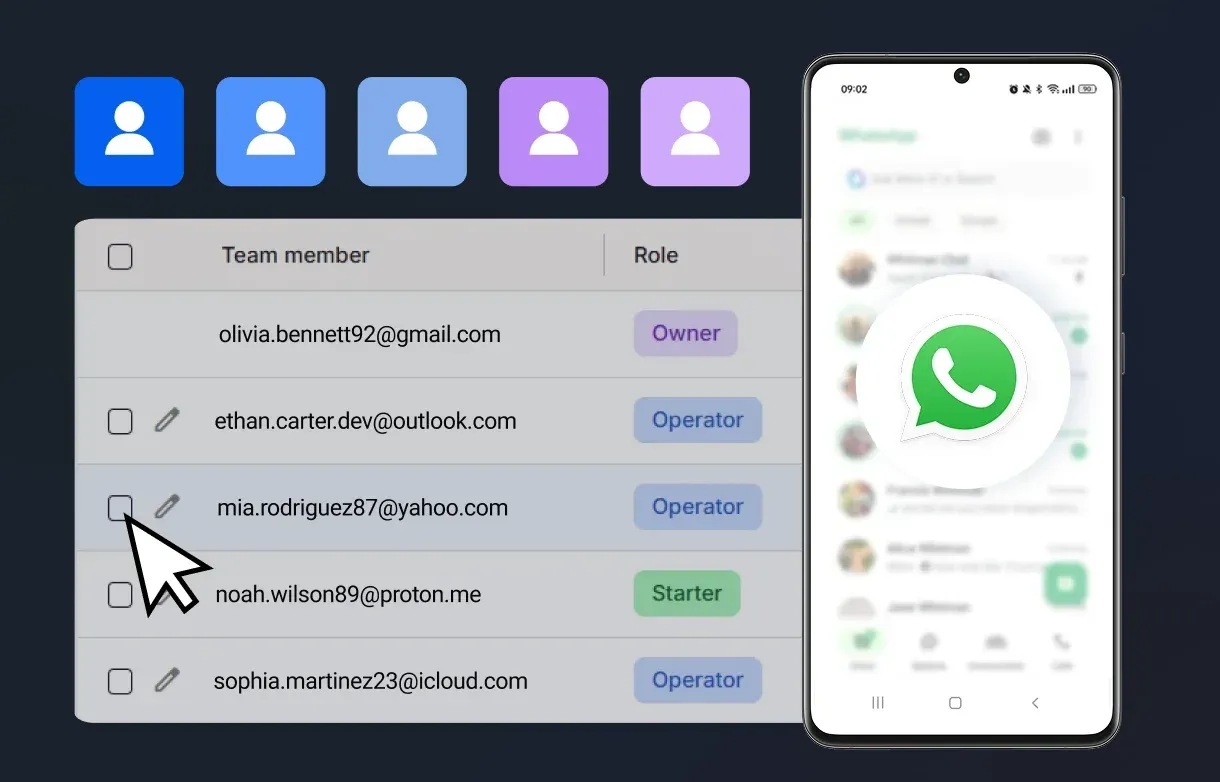
The straightforward version is a spare physical phone kept solely for that purpose, which avoids the number living on anyone's personal device. Past a handful of clients, that gets impractical fast: buying, charging, and replacing hardware for every client account. That's the actual gap cloud phones fill: a real or virtual Android environment hosted remotely, so each client's WhatsApp Business account runs on its own separate device without a drawer full of phones to manage.
Who does it work best for?
Worth being clear-eyed about this option: it solves a real but specific problem, keeping multiple genuinely separate client accounts apart, not a shortcut around WhatsApp's actual verification and usage policies. For most single businesses, this is more infrastructure than needed. It earns its place specifically when "multiple client accounts" is the real situation, not "multiple people on one account," which Companion Mode or the API already cover.
Dedicated device pros
- Each client gets a genuinely separate device and number, no shared inbox needed
- Cloud phones remove the hardware, charging, and SIM management burden of physical phones
- Scales from a handful of clients to dozens without a drawer full of phones
- Several providers keep cloud phones and browser-profile isolation in the same dashboard, useful if a client's web accounts also need separating
Dedicated device cons
- Doesn't fix a rejected phone number or WhatsApp's own account policies: it solves device isolation, nothing more
- Overkill if the real problem is more people on one account, not more separate clients
- Ongoing per-device or per-minute costs add up quickly across many clients
- No provider makes an account undetectable: device isolation isn't invisibility
How the main cloud phone providers compare
If a dedicated device per client is genuinely your situation, here's how the options in this space differ. None of these fix a rejected phone number or WhatsApp's own account policies; they solve device isolation, nothing more.
Multilogin
Overview: Runs each cloud phone as real Android hardware, not emulation, across roughly 30 device models from manufacturers including Samsung, Google, OPPO, and Redmi. Cloud phones and a separate browser-profile system live in the same dashboard, so a client's WhatsApp Web or Business Manager access can be kept separate too.
Best for: Agencies that need more than just WhatsApp isolated, such as a client whose Business Manager, WhatsApp Web, or other web accounts also need to stay separate, since it avoids running a second tool alongside the cloud phone.
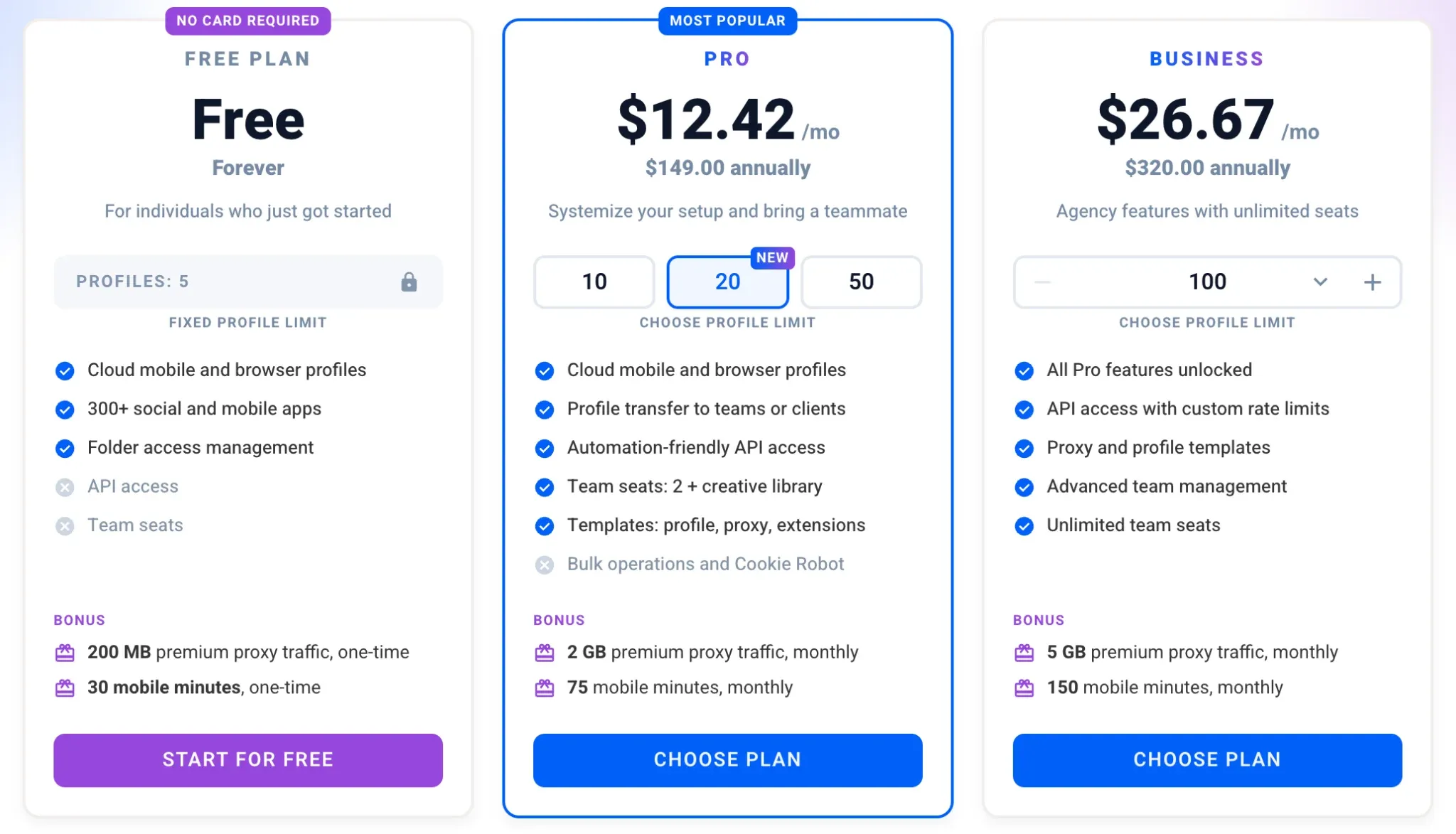
Pricing: The free plan includes 5 profiles, a one-time 200 MB of proxy traffic, and one mobile profile with 30 minutes of use, no card required. Paid plans start at $12.42 a month with the Pro plan ($149 billed annually), which includes 75 mobile minutes and 2 GB of premium proxy traffic a month. Extra mobile minutes run from about $0.0073 per minute and proxy traffic from about $3.50 per GB.
GeeLark
Overview: Was an early mover in this category, built on ARM-based Android instances.
Best for: Teams whose whole job is inside mobile apps, with no separate web or browser-based accounts to manage, and who want to keep per-device cost as low as possible.
Pricing: Requires a subscription tier that sets profile count (from $5–$13/month depending on tier and billing cycle), plus cloud phone usage billed separately at $0.007 per minute or roughly $29.90 per device for an unmetered monthly rental. Worth modeling against how many hours the phones actually stay active, since that second number matters more than the subscription price for ongoing cost.
MoreLogin
Overview: Pairs cloud phones with its own browser-based tool, and its standout feature is a synchronizer that mirrors one person's actions across several devices at once, useful if a team is setting up the same welcome flow across many client accounts.
Best for: Teams that want both browser profiles and cloud phones from one vendor, and that are comfortable requesting a custom quote rather than seeing a fixed price upfront.
Pricing: The free plan includes 2 browser profiles, 2 team members and 100 minutes of cloud phone usage, no card required. Paid plans start at $9 a month for 10 profiles, or $5.40 a month billed yearly. Cloud phones are billed separately at $0.006 per minute, capped at $1.50 per day, or $25 per device for 30 days of unlimited use.
DuoPlus
Overview: Leans toward cloud Android environments with built-in RPA workflows and API or ADB access for teams that want automation without building it themselves. A closer look at DuoPlus and its alternatives breaks down where that model tends to add up.
Best for: Agencies that want scripted, repeatable setup steps across many client devices and are comfortable managing usage-based billing rather than one flat monthly number.
Pricing: Each cloud phone costs $2 a month, with lower rates on larger orders. Running time is billed on top: $0.06 per 10 minutes, capped at $1.20 per device per day, or a $19.90 monthly Subscription Startup with no usage fees. One subscription can be shared across several phones, but only one of them can run at a time. Annual plans come with a 15% discount.
VMOS Cloud
Overview: Gives more technical users root access and custom ROM options, real depth if the setup needs configuring at the OS level, at the cost of a steeper learning curve than a simpler out-of-the-box tool. Multilogin's full VMOS Cloud review covers its GDPR-compliance gaps in more detail, worth a look if a client's data-handling requirements matter.
Best for: Technical users who want OS-level control and don't need EU data-residency guarantees for client data.
Pricing: The Standard Cloud Machine starts at $0.11 a day, but it is built for mobile games. The High-End Cloud Machine (Google Pixel 7 Pro profile, Android 13) is the tier that supports WhatsApp and other social apps, from $0.30 a day. For occasional use, a timed device is billed at $0.005 per minute, capped at $1 per day. New accounts get 75% off their first purchase.
The step that gets skipped: does your number even pass verification?
Here's a detail that trips up more businesses than any device limit does. WhatsApp Business registration commonly rejects numbers from VoIP ranges that Meta's systems flag as high-risk or associated with spam, which means a business setting up a brand-new number for exactly this purpose can hit a wall before any of the above matters. US numbers are typically the hardest to get approved, and a text-only verification code sometimes never arrives at all if the range is flagged.
Two things help here in practice: choosing the voice-call verification option instead of SMS when WhatsApp offers it, since a text delivery block doesn't affect a phone call, and using a toll-free number in the US specifically, since toll-free ranges are reserved for businesses and tend to clear WhatsApp's checks more reliably than standard local VoIP numbers. This is specifically the gap Allo's WhatsApp Business number is built around: it issues a genuine phone number rather than a commonly blocked VoIP range, supports voice-call verification, and offers a toll-free option for US registration.
What I'd actually recommend
If it's genuinely one or two people handling WhatsApp, Companion Mode costs nothing and takes ten minutes to set up. Don't reach for more infrastructure than that.
Once a team hits three or more people who need to see who answered what, the lack of routing in Companion Mode stops being a minor annoyance and starts costing actual missed conversations. That's the point to move to the API and a proper shared inbox, even though it's more setup than flipping on a phone's linked-devices menu.
The dedicated-device route only makes sense if the real shape of the problem is separate clients, not separate teammates. Conflating the two is the most common mistake I see: a business with one number and three staff doesn't need three isolated devices, it needs the API's routing. An agency with ten client numbers doesn't need a shared inbox, it needs isolation.
And regardless of which path fits, confirm the number itself will actually register before building a workflow around it. A perfectly set up multi-agent system built on a number WhatsApp won't verify is a wasted afternoon.
Frequently asked questions
Can I use WhatsApp Business on two phones at the same time?
Yes, through Companion Mode. Link a second phone as a companion device from the primary phone's Linked Devices settings, and both stay synced. This gives everyone on the linked devices the same inbox, not separate assignments.
How many devices can one WhatsApp Business account support?
Five total: one primary phone plus up to four linked companion devices, per WhatsApp's own Help Center documentation on linked devices.
Why did my new business number get rejected during WhatsApp registration?
Most commonly because the number comes from a VoIP range WhatsApp's systems have flagged, which happens more often with newly issued virtual numbers, particularly in the US. Requesting voice-call verification instead of SMS, or using a toll-free number, both improve the odds of a clean registration.
Do I need the WhatsApp Business API if I only have three employees?
Not necessarily, but it's close to the point where it starts to matter. Three people all seeing every message with no way to assign conversations is workable but starts creating dropped or duplicated replies. If that's already happening, it's a reasonable signal to move to the API.
Is a cloud phone or dedicated device overkill for a small business?
For most small businesses answering WhatsApp with a small team, yes. It solves a specific problem, running several genuinely separate client or brand accounts, not the more common problem of one number needing multiple people to answer it.
How do I create and manage a second, third, fourth or even more WhatsApp accounts?
This is exactly what Multilogin's Cloud Phone is built for. Instead of juggling spare handsets, you create a separate cloud phone profile for each WhatsApp account you need (second, tenth, fiftieth), and every profile is a fully isolated Android device with its own fingerprint, IP, and session data. You manage all of them from one dashboard rather than switching between physical phones, so scaling from one account to dozens is a matter of creating more profiles, not sourcing more hardware.
Which cloud phone should an agency actually pick?
It depends on what else needs managing beyond WhatsApp itself. Multilogin is worth a look specifically if a client's web-based accounts (Business Manager, WhatsApp Web) also need to stay separate, since it keeps cloud phones and browser profiles in one dashboard rather than requiring a second tool. If WhatsApp is the entire job with nothing else to isolate, GeeLark, MoreLogin, DuoPlus, or VMOS Cloud are reasonable picks too, and the right one comes down to budget and how much automation the setup actually needs.