How to revive lost deals from old sales calls
Your old sales calls are the warmest list you have. One Claude prompt sorts lost deals by reason and builds a lemlist campaign for each group.

Why lost deals deserve a second shot
"Lost" in your CRM rarely means lost forever. Most of the time, the prospect liked what they saw, then the timing got weird, the budget froze or their boss wanted to wait a quarter.
Research backs this up. Matthew Dixon and Ted McKenna analyzed 2.5 million sales calls for their book The JOLT Effect and found 40 to 60% of deals end in "no decision" rather than going to a competitor. In more than half of those cases, the buyer wanted to move forward and froze.
Those people already know you, already had a real conversation with your team, and already told you what was holding them back. Compared to a cold list, that's a huge head start.
The problem is nobody has time to go back and re-listen to calls from three or six months ago. CRM notes are usually a line or two at best, and "not now, follow up later" isn't enough to write a message that feels personal.
This is where your call history becomes gold. Allo records and transcribes every call, so the details are all there: the objection, the date they mentioned, the tool they were using. You only need a way to turn them into outreach.
Three ways to reactivate lost deals
Most teams we talk to handle lost deals in one of these three ways.
| Approach | How it works | Time | Personalization | Best for |
|---|---|---|---|---|
| Manual | The rep reopens the CRM record, re-reads notes, writes an email | Several minutes per deal | Depends on the notes | A handful of key accounts |
| Generic win-back campaign | One "checking back in" email sent to every closed-lost deal | Seconds | None | Large lists where volume matters most |
| LLM + MCPs | Claude reads the original calls through the Allo MCP and builds campaigns by loss reason in lemlist | About 15 minutes for the whole batch | High, based on what was said | Teams with months of call history |
The generic "checking back in" email is what most teams send, and prospects can tell. The third option keeps the personal touch of the first one, at the speed of the second.
How to revive lost deals with the Allo and lemlist MCPs
Here's the setup we use, step by step.
Step 1. Connect Allo to Claude
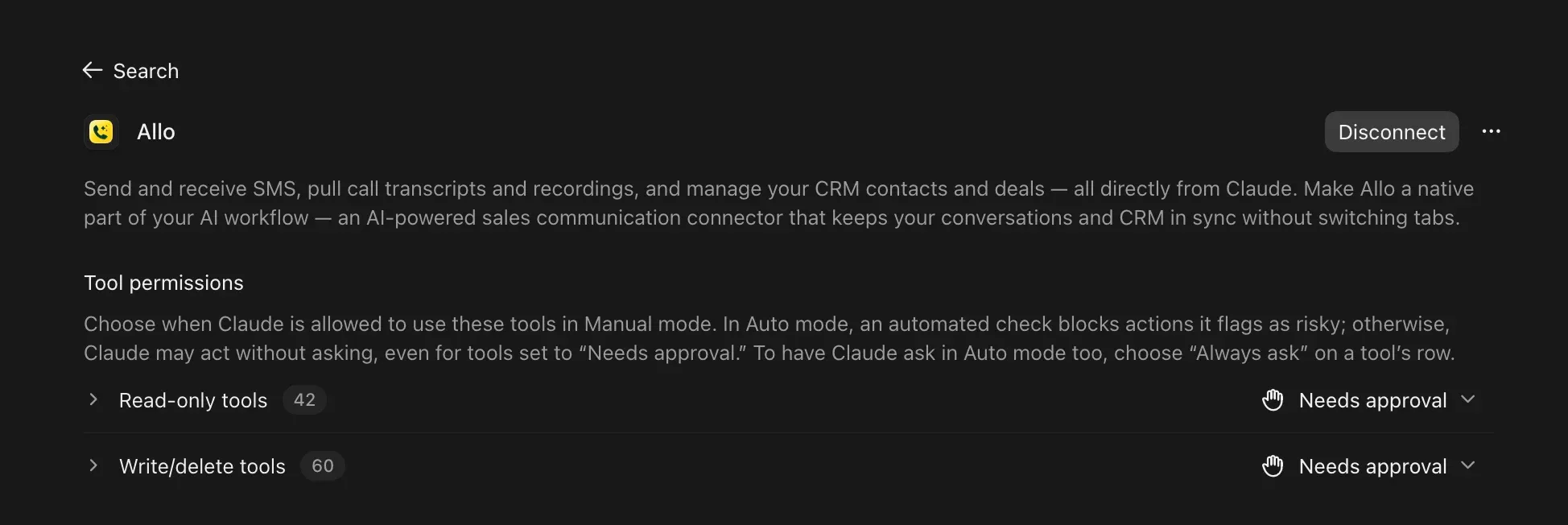
In Claude, go to Settings, then Connectors, and add a custom connector with the URL https://mcp.withallo.com/mcp. If you're using Claude Code, Cursor or ChatGPT instead, Allo's MCP setup guide walks you through those too.
Once it's connected, Claude can read your call transcripts, summaries and SMS, and update your contacts.
Step 2. Connect lemlist to Claude
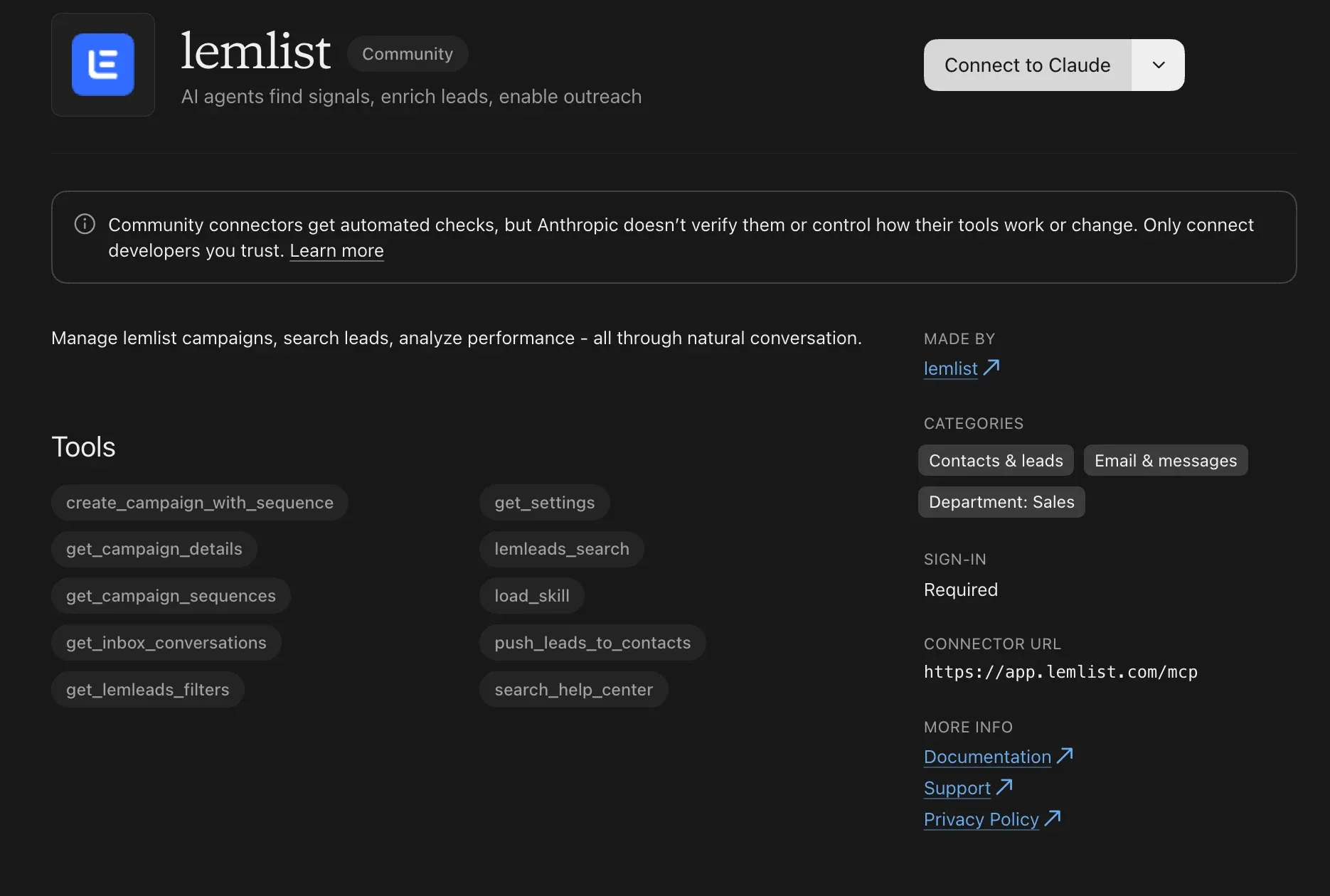
lemlist is already available as a native connector in Claude, so there's no URL to paste. Go to Settings, then Connectors, pick lemlist and sign in.
From there, the lemlist MCP lets Claude create campaigns, write sequence steps and add leads for you.
Step 3. Ask Claude to find the deals worth reopening
I'd start with a read-only prompt, so you can see who Claude picks before it impacts anything in lemlist.
Using Allo, go through my calls from the last 6 months that didn't
lead to a booked meeting or a signed deal.
For each one, give me the contact, company, a one-line summary,
and the main reason it didn't move forward. Sort them into groups:
1. Timing (they gave a date or a quarter to come back)
2. Budget
3. Went with another tool or kept their current setup
4. Wrong person or needed a decision-maker
5. Not a fit
Skip anyone who asked not to be contacted again.
When you go through the list, you'll often find a few prospects whose "come back in Q1" moment is right now. Those are the ones to start with.
Step 4. Build one lemlist campaign per reason
Once you're happy with the groups, hand them over to lemlist.
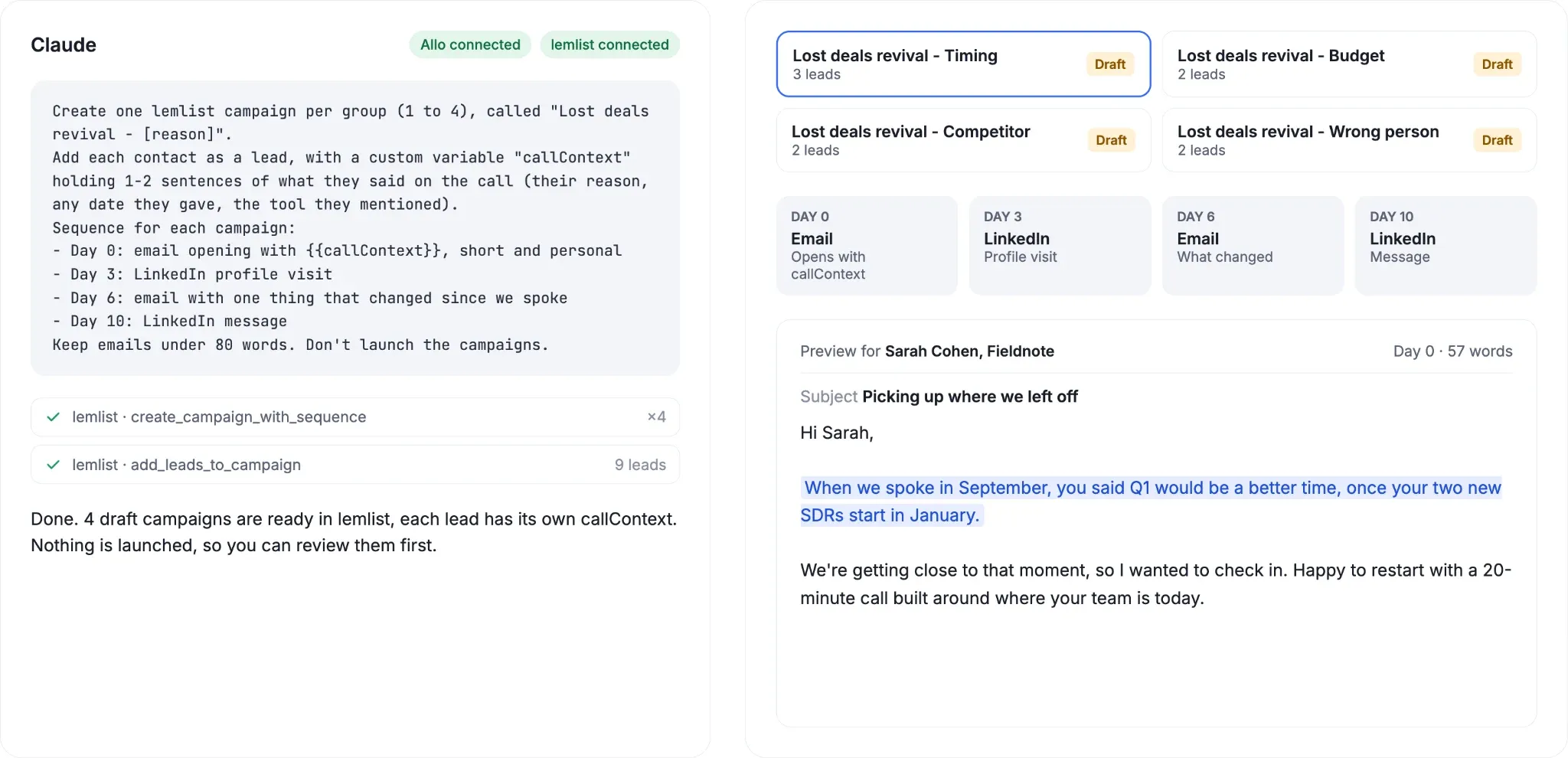
Create one lemlist campaign per group (1 to 4), called
"Lost deals revival - [reason]".
Add each contact as a lead, with a custom variable "callContext"
holding 1-2 sentences of what they said on the call
(their reason, any date they gave, the tool they mentioned).
Sequence for each campaign:
- Day 0: email opening with {{callContext}}, short and personal
- Day 3: LinkedIn profile visit
- Day 6: email with one thing that changed since we spoke
- Day 10: LinkedIn message
Keep emails under 80 words. Don't launch the campaigns.
Splitting by reason is what makes this work. A "timing" email can open with "you mentioned Q1 would be a better time", while a "budget" email can bring up a smaller plan or a pilot. One generic message for everyone would throw all of that away.
We added LinkedIn steps on purpose. In our lemlist data, sequences mixing email and LinkedIn get about twice as many replies as email-only ones.
Step 5. Review and launch
Before launching, open each campaign in lemlist, preview a few emails lead by lead, and fix anything that sounds off. Old calls can hold outdated details, like someone who has since changed jobs, so a quick check is worth it.
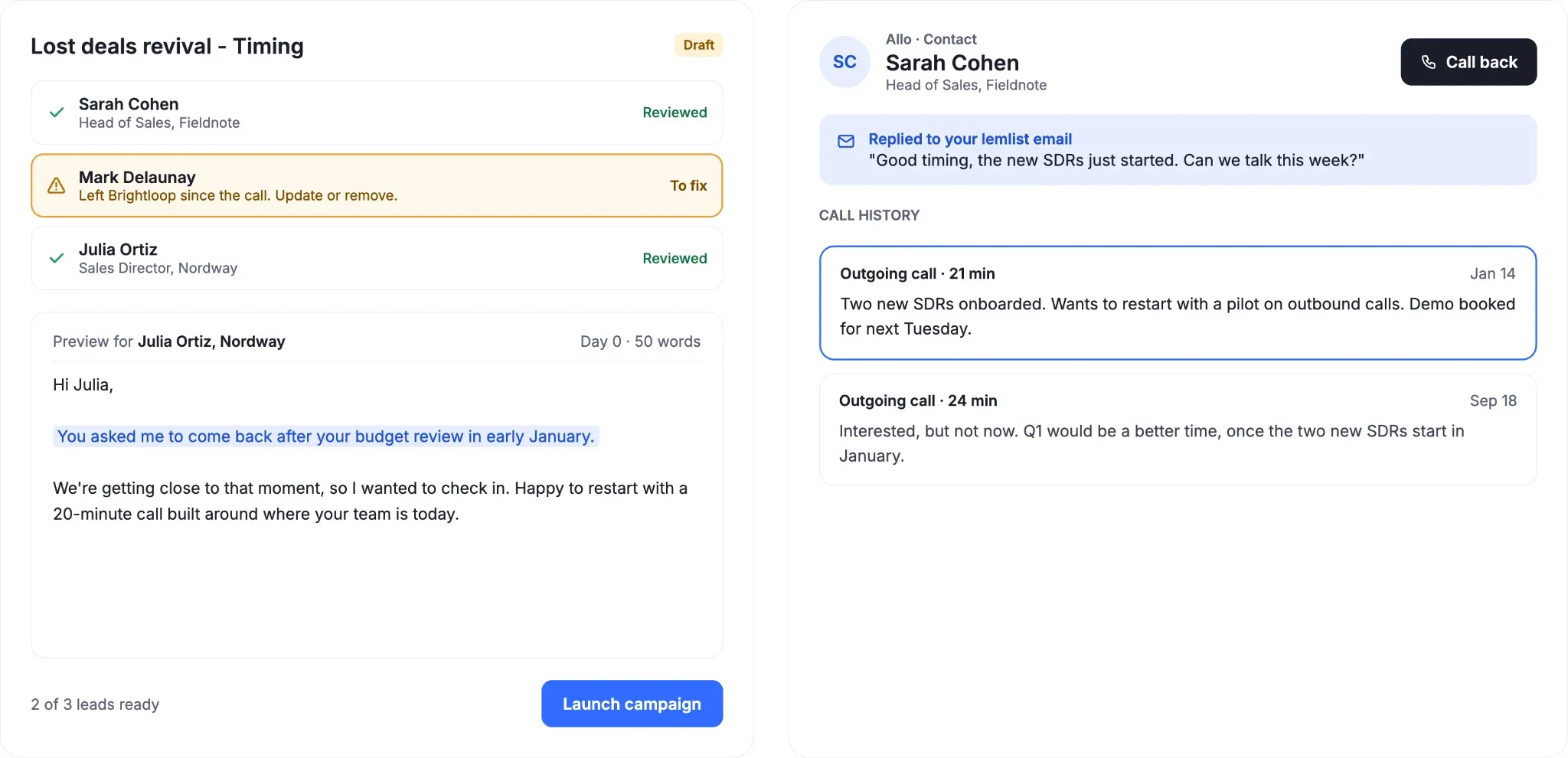
When a prospect replies and wants to talk, call them back from Allo, so the new conversation lands right next to the old one in their history.
What I like most about this setup is the opener. "Last time we spoke you said Q1 would be better, so here I am" sounds like a rep who remembers you, not like a sequence.
Limits and guardrails before you scale it
This workflow saves a lot of time, but it's not something you set up once and forget about. Here's what we'd keep an eye on.
- Always review before launch. Ask Claude not to start the campaigns, then check a few emails in lemlist yourself, because a wrong summary turns into a wrong email.
- Double-check the grouping. LLMs can read a polite "maybe" as real interest, or miss a clear "no", so spot-check each group the first time you run it.
- Respect consent. Leave out anyone who asked not to be contacted again, and keep the unsubscribe link. In Europe, GDPR rules on legitimate interest still apply, so stick to people you had a real conversation with.
- Don't go too far back. A call from two years ago is a cold lead again. Six to twelve months is a good range to start with.
- Keep one source of truth. Let Allo sync calls to your CRM and lemlist sync campaign activity there too, so nobody reopens the same deal twice.
Conclusion
Lost deals are often paused deals, and your old calls already hold everything you need to restart the conversation. Here's what we'd recommend:
- Go through 6 to 12 months of calls in Allo, starting with a read-only prompt.
- Group prospects by why they didn't move forward, not by date.
- Build one lemlist campaign per reason, with an opener based on what they said.
- Review every campaign before launch and leave out anyone who opted out.
- Take the replies back to Allo so the full history stays in one place.
My advice is to start with the "timing" group. These people told you when to come back, so reaching out at the right moment is the easiest win in your pipeline.
How do I revive lost deals?
Go back to why each deal stalled, then reach out with a message picking up from that conversation. With Allo and lemlist connected to Claude through MCP, one prompt can read your old calls, sort the deals by reason and build a campaign for each group.
What is an MCP?
MCP stands for Model Context Protocol. It's an open standard letting AI assistants like Claude read and take action in the tools you already use. Allo and lemlist both offer one for free to their users.
Do I need to code to set this up?
Not at all. You add Allo as a custom connector with its URL, turn on the native lemlist connector, and sign in. Everything else happens through prompts written in plain English.
How long should I wait before reaching out to a lost deal?
If they gave you a date, wait for it. If not, three to six months is a good window, long enough for things to change on their side and recent enough for them to remember the call.
What should I say when reopening a lost deal?
Start with what they told you, not with your product. Mention their reason or the date they gave, then share one thing that changed since, like a new feature, a pricing option or a relevant case study.
How many follow-ups should I send to a lost deal?
Three to four touches over about two weeks is enough, mixing email and LinkedIn. If they don't reply, let it rest for a few more months.