Unlocking seamless communication and centralized data management is essential for growing businesses.
That’s why integrating Allo with HubSpot makes managing customer interactions easier than ever.
If your team is already using HubSpot to organize your sales pipeline and customer communications, integrating it with Allo can save you time by automatically logging calls and messages, ensuring all your communication is stored in one place.
In this guide, we’ll explain everything you need to know to set up the Allo and HubSpot integration.
Why Use HubSpot?
HubSpot is one of the most popular CRM platforms used by businesses of all sizes to track customer interactions, manage leads, and organize sales pipelines.
Unlike competitors like Salesforce, HubSpot is more budget-friendly and allows you to start small and scale as your business grows.
With HubSpot, you can:
- Sync your emails and store centralized information on all your contacts.
- Track how leads interact with your marketing emails, landing pages, and website.
- Use HubSpot’s free tools, like form builders and calendar links, to nurture leads and convert them into paying customers.
- Create and manage deal pipelines, ensuring your team stays on top of every opportunity.
How Allo’s Integration with HubSpot Works
Allo’s HubSpot integration allows you to manage calls and messages directly within your CRM.
This integration ensures that every interaction with your customers is automatically logged in HubSpot, so your team always has the latest information at their fingertips.
1. Sync HubSpot Contacts
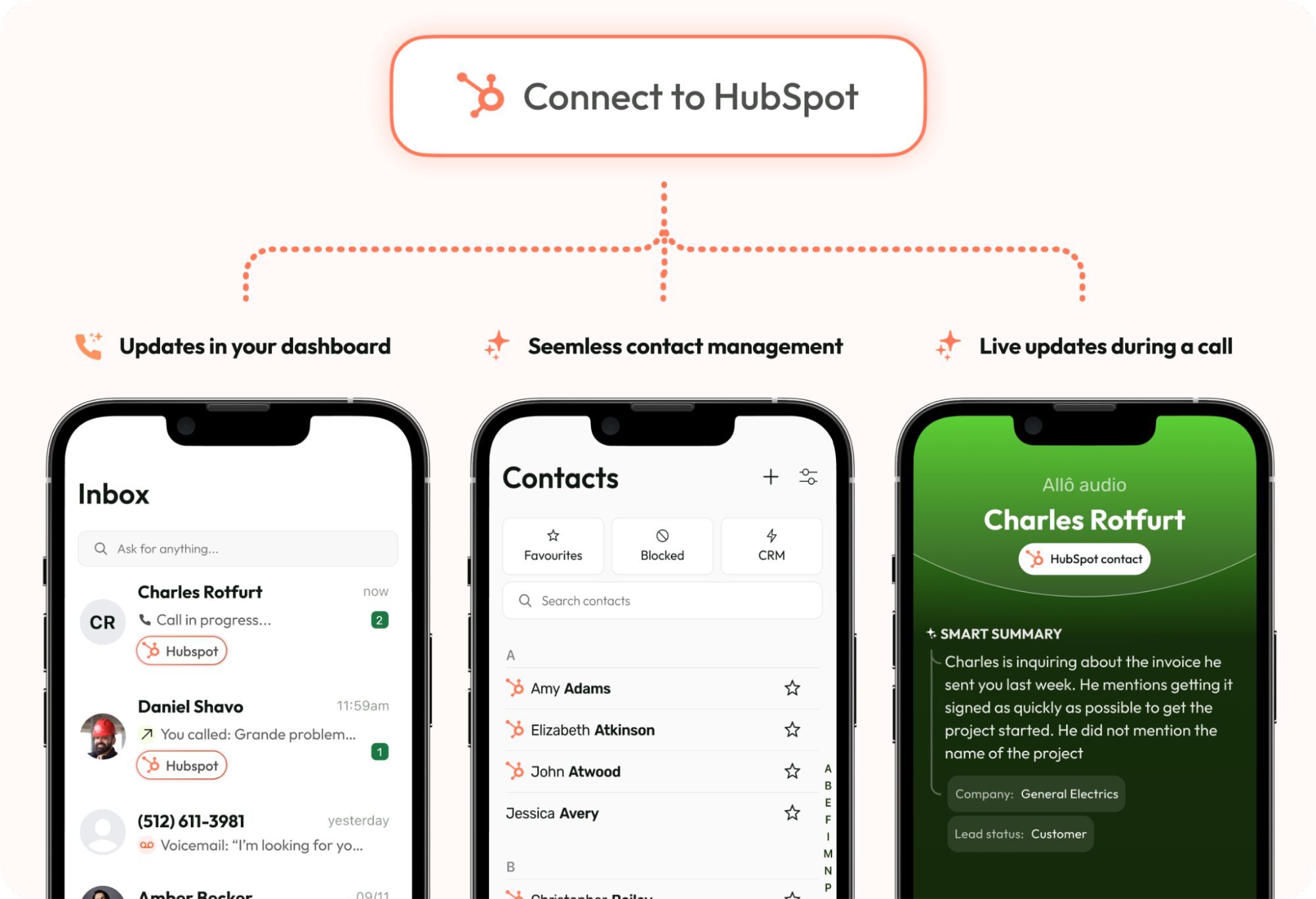
When you connect Allo to HubSpot, your HubSpot contacts will automatically sync with Allo. This means you can see contact names, phone numbers, and other details directly in the Allo app whenever you receive a call or message.
What’s Synced:
- Contact Name
- Company Name
- Email Address
- Phone Number
- Lead Status
2. Auto-Log Phone Activities
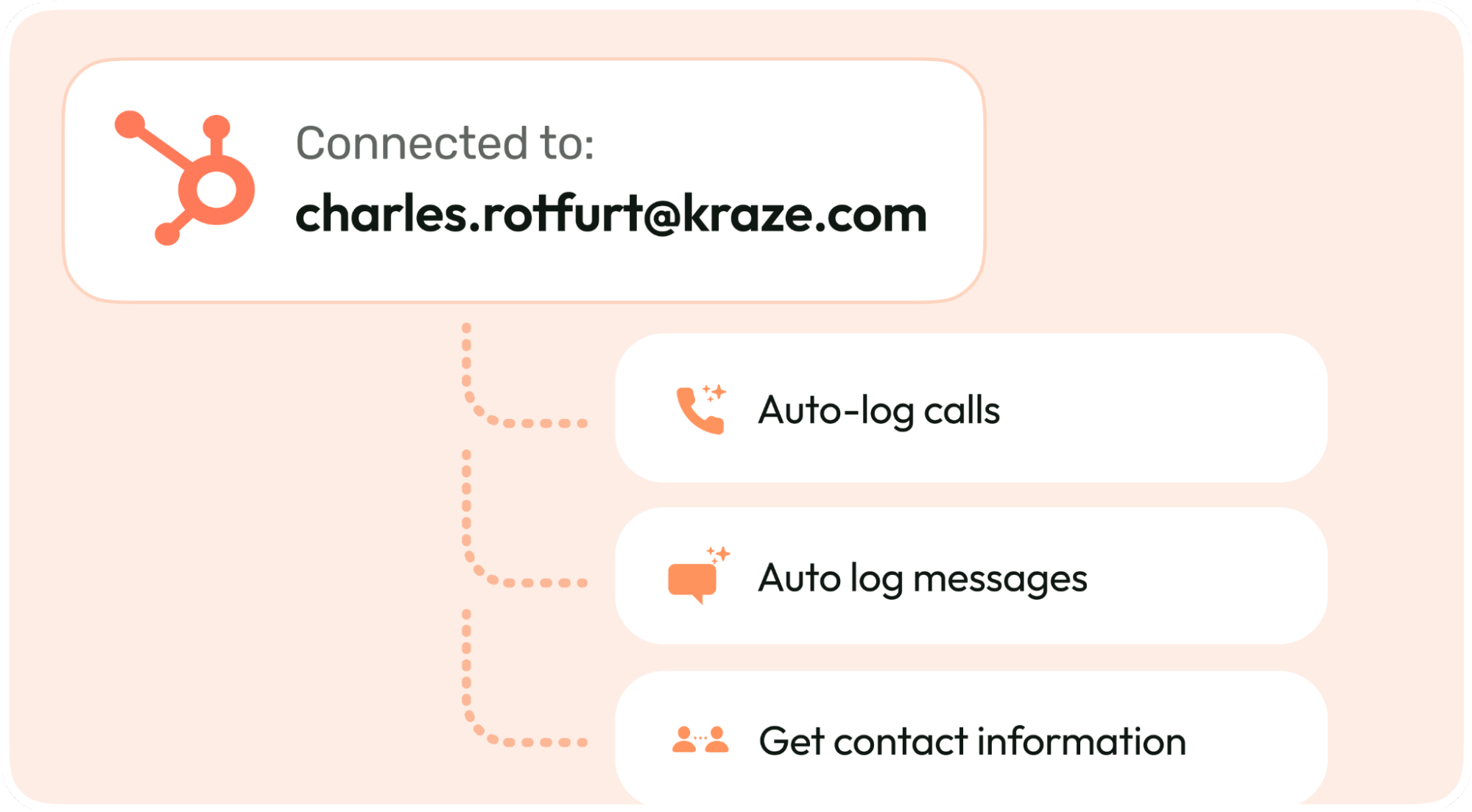
No more manual logging. Allo automatically captures and syncs every call and message with the associated HubSpot contact.
What’s Synced:
- Call Date
- Inbound or Outbound Status
- AI-Generated Call Summary (coming soon)
- Call Recording (in MP3 format)
- Call Duration
With these details logged, sales managers can quickly analyze team performance, identify opportunities, and optimize communication strategies.
What’s the Pricing for the Integration?
To access the integration, you’ll need the Allo Business Plan, which costs $35 per month. This plan includes:
- Unlimited inbound and outbound calls.
- +1000 integrations.
- Virtual AI Assistant.
- Custom Call Flow.
How to Get Started with the HubSpot Integration
Getting set up with Allo and HubSpot is quick and easy.
Requirements:
Before starting with the guide, take into account these two requirements:
- You must have super admin privileges in HubSpot.
- An active Allo account with access to the Business Plan.
Step-by-Step Guide:
- Log into your Allo Account
- Open the Allo app on your phone.
- Go to the “Integrations” section under the ‘Account’ menu.
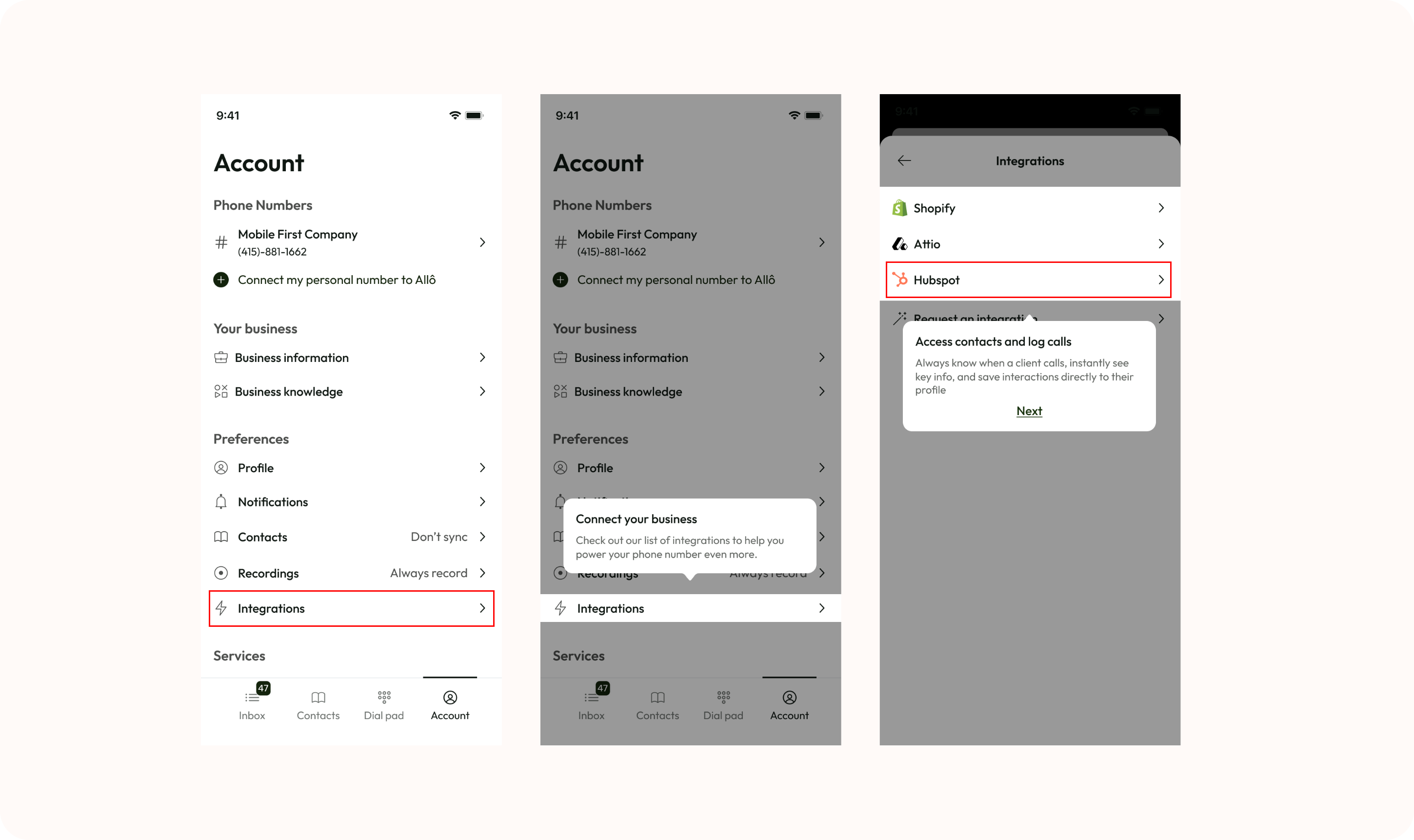
- Connect to HubSpot
- Select “HubSpot” from the list of available integrations.
- HubSpot will prompt you to confirm which HubSpot account you want to connect to Allo.
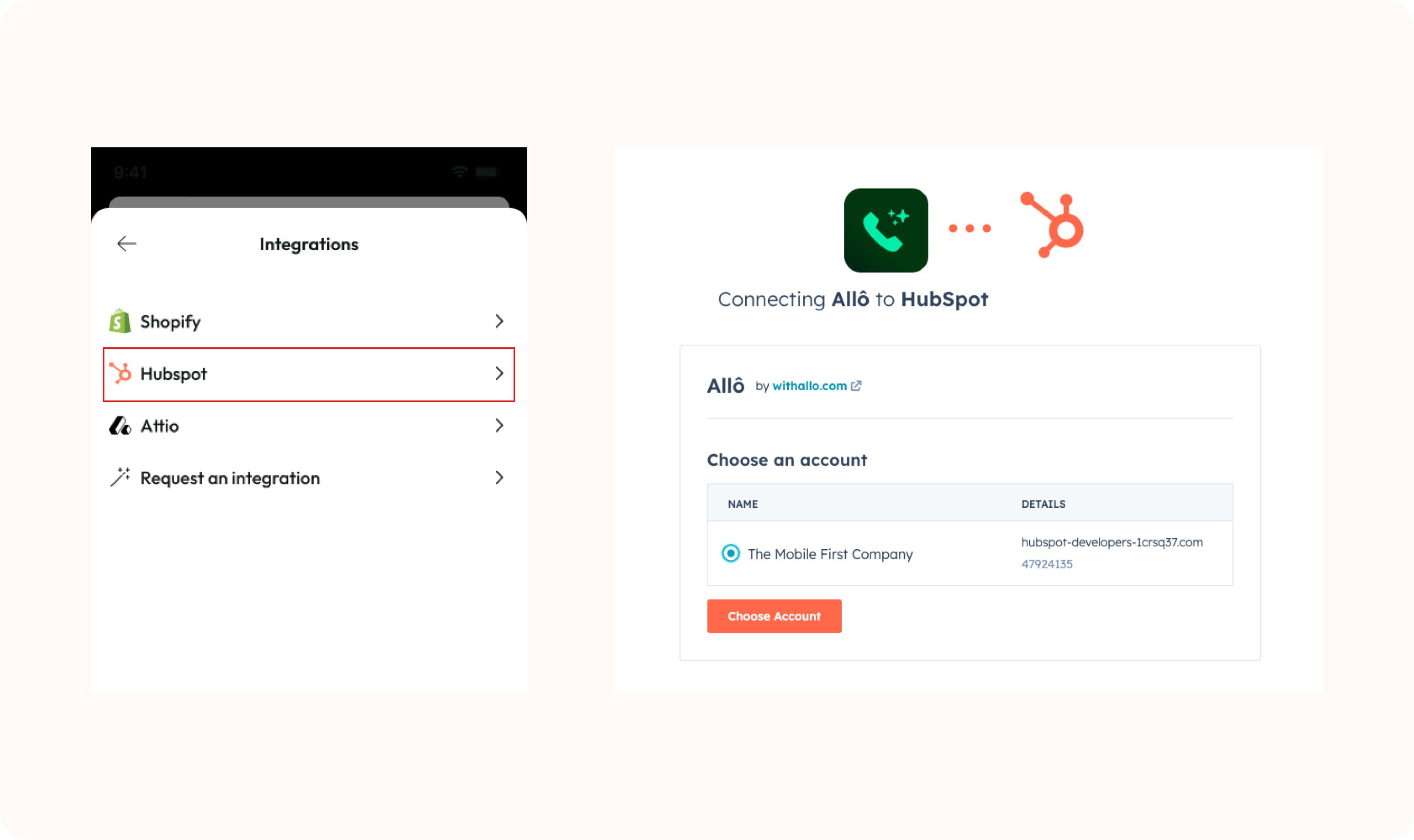
3. Configure the integration
- Turn on the toggle to activate the result of every Allo call into HubSpot.
Once connected, your HubSpot CRM will automatically log every interaction made through Allo.
This ensures your sales and support teams always have up-to-date information on customer interactions.