
A phone menu greets callers, reads out a list of options, and sends each caller where they need to go based on the key they press. For example: "For Sales, press 1. For Support, press 2."
The phone menu was called IVR or Interactive menu before. You build it in the line's call flow, with a Phone menu step. There is no separate menu section in the settings.
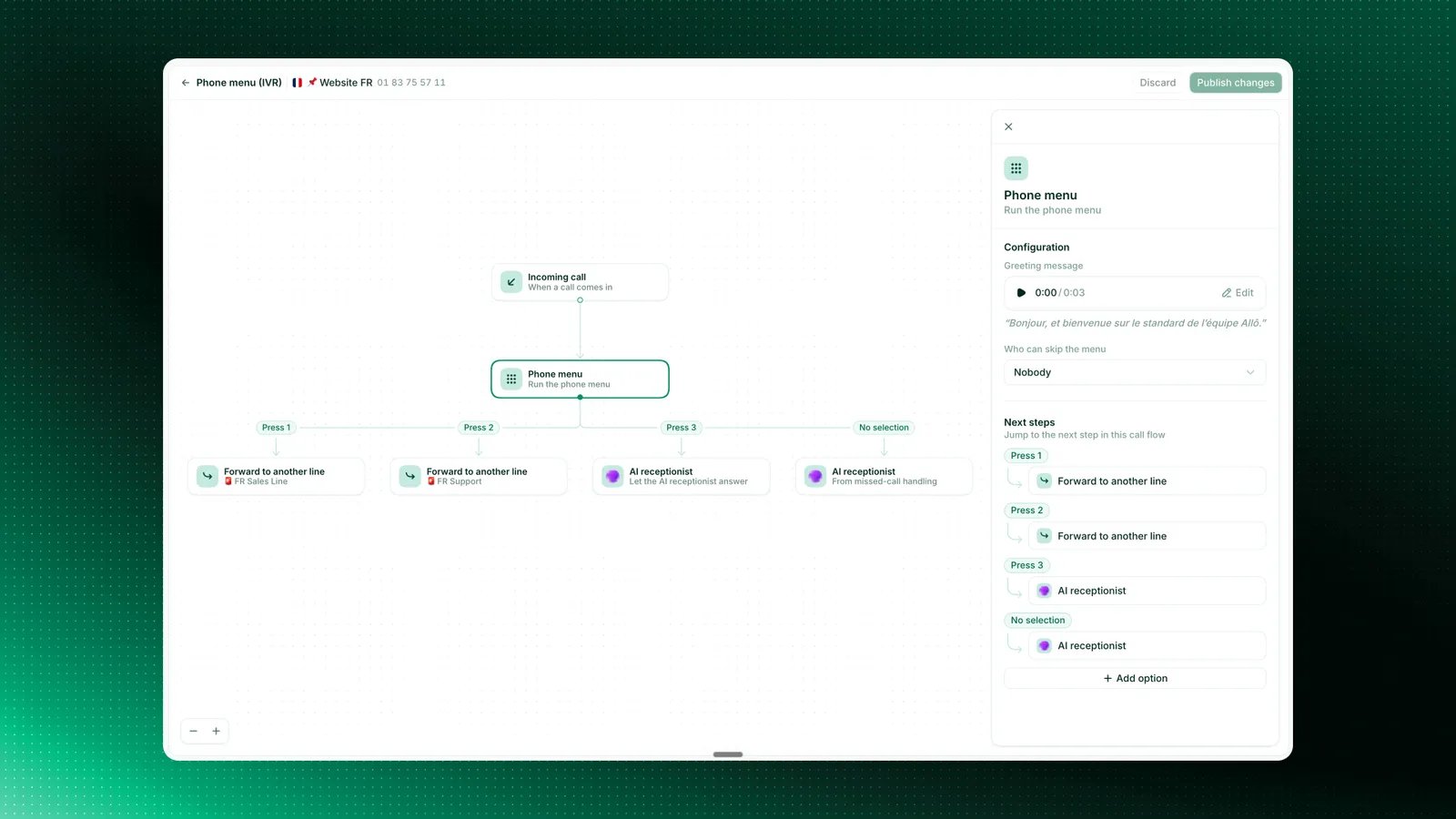
How to build a phone menu
Open the call flow
Go to web.withallo.com, then Settings and Numbers, and pick the line. Scroll to Call flow and select Open designer.
Or open the call flow in Allo directly, then select Open designer.
Add the Phone menu step
Select the plus under Incoming call and choose Phone menu.
Write the greeting
In the panel on the right, fill in Greeting message, such as "Thanks for calling Dupont Plumbing."
Add your options
Select Add option, pick a key, and give the option a short name, such as "Sales". Then choose the step that runs when a caller presses that key.
Fill in the No selection branch
No selection runs when a caller presses nothing or presses a key you have not used. Point it at voicemail or at ringing the line.
Save and test
Select Save, call the line from your phone and press each key.
The full walkthrough is in build a phone menu.
How the menu is read out
Allo plays your greeting, then reads one line per option built from the option name:
You write: Sales
Callers hear: "For Sales, press 1"
Options are read in keypad order, 1 to 9 and then 0.
What each key can do
Each key leads to a call flow step:
| The caller should reach | Put on the key |
|---|---|
| The team behind this line | Ring this line |
| One specific person | Ring this line with only that teammate |
| A department with its own Allo line | Forward to another line |
| Someone outside Allo | Forward to a number |
| Information only (hours, address) | Play announcement |
| An assistant that answers by itself | AI receptionist |
| A message box | Voicemail |
| More choices | Another Phone menu |
Forward to a number places a new outbound call from your Allo number, billed at your calling rates for the destination. The person who answers sees your Allo number as the caller.
Limits
| Keypad options per menu | 1 to 10 (keys 0 to 9) |
| Nested menus | 6 levels |
| Wrong key presses before No selection runs | 3 |
Keep it to 3 to 5 options and 2 levels. Callers forget the rest.
How to let known callers skip the menu
Use the Who can skip the menu setting on the Phone menu step. Known contacts skip the keypad and ring the line directly.
Example menus
Home services
"Thanks for calling [Company]."
1. A new job
2. An existing job
3. Billing
0. Anything else
Clinic
"Thanks for calling [Practice]."
1. Appointments
2. Prescriptions
3. Billing
Agency
"Thanks for calling [Agency]."
1. A property viewing
2. An agent
3. Our opening hours
Troubleshooting
The options sound wrong
Each option name is dropped into "For …, press 1". Rename long options to short noun phrases, such as "Support" instead of "If you need help with your order".
Related features
The step by step walkthrough
Use a recording instead of a synthesized voice
Choose who rings behind each key
Play a different menu when you are closed