Add Allo as a custom connector and use it inside any Claude.ai conversation.
How it works
Think of an MCP as a security badge you hand to Claude. Claude opens the rooms you authorized (calls, contacts, SMS, analytics) and stays out of the rest. You can revoke the badge any time from your Claude or Allo settings.
The setup takes around 60 seconds. You paste the values below, then sign in to Allo.
How to connect
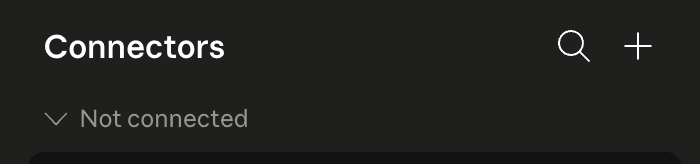
Open Claude → Connectors
Go to claude.ai/customize/connectors, click +, and pick Add custom connector. You're telling Claude you want to introduce it to a new tool.
Add Allo
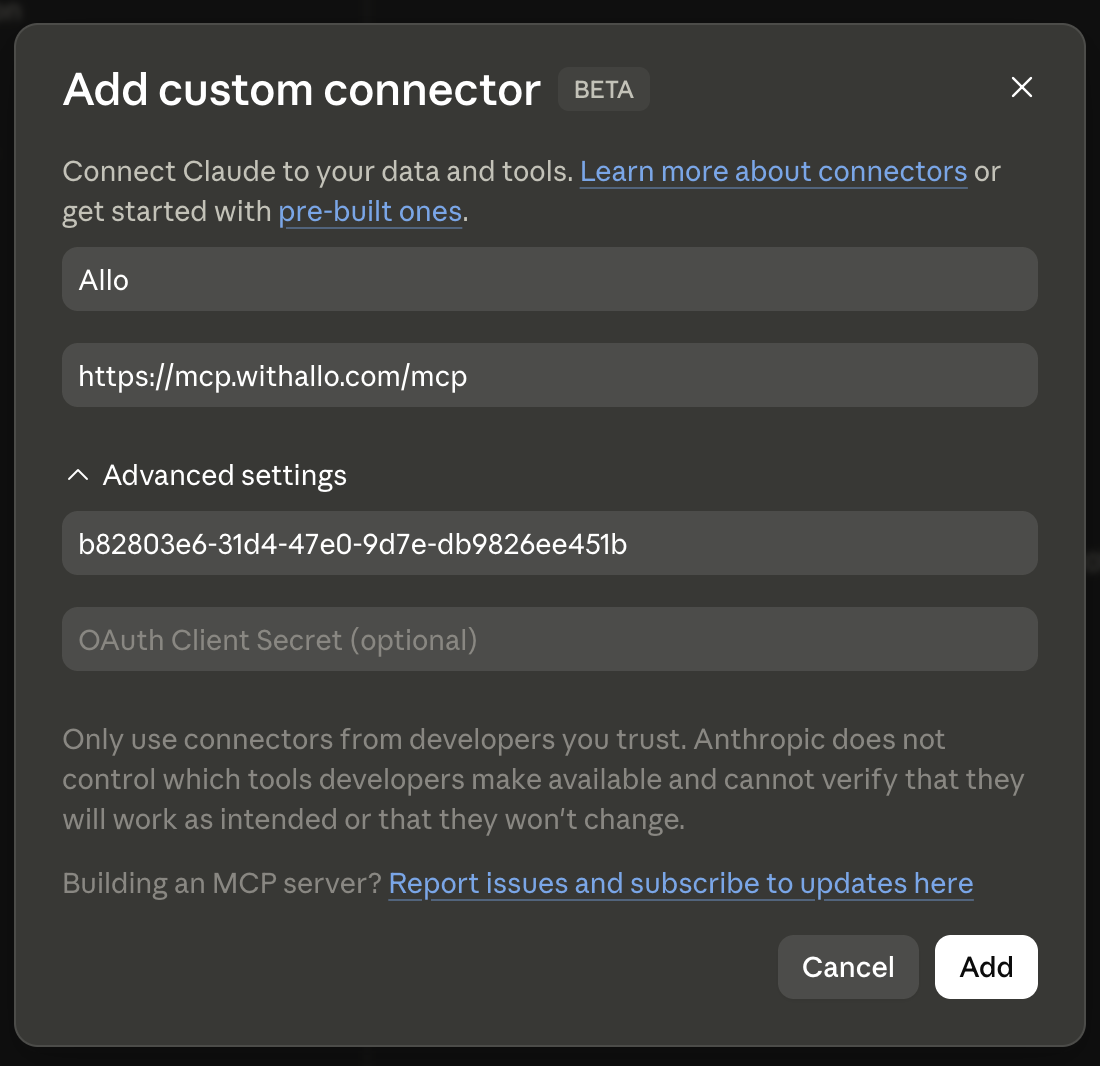
In the modal, paste the two values below, then click Continue. Copy them as they are. You don't need to understand what they mean.
- Name:
Allo - MCP server URL:
https://mcp.withallo.com/mcp
Add the Client ID
On the next screen, keep Sign in now under Authentication. Under OAuth client, Claude selects Use Claude's published identity. Select Use your own OAuth client. Paste the Client ID below, and leave OAuth client secret (optional) empty.
- Client ID:
b82803e6-31d4-47e0-9d7e-db9826ee451b
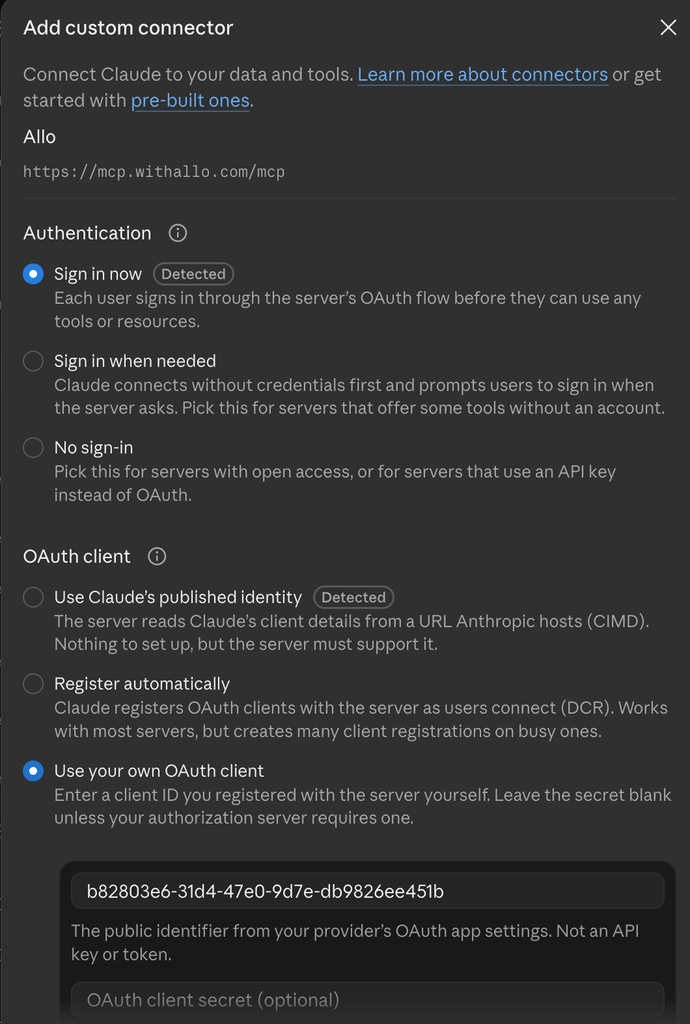
Here is that older screen.
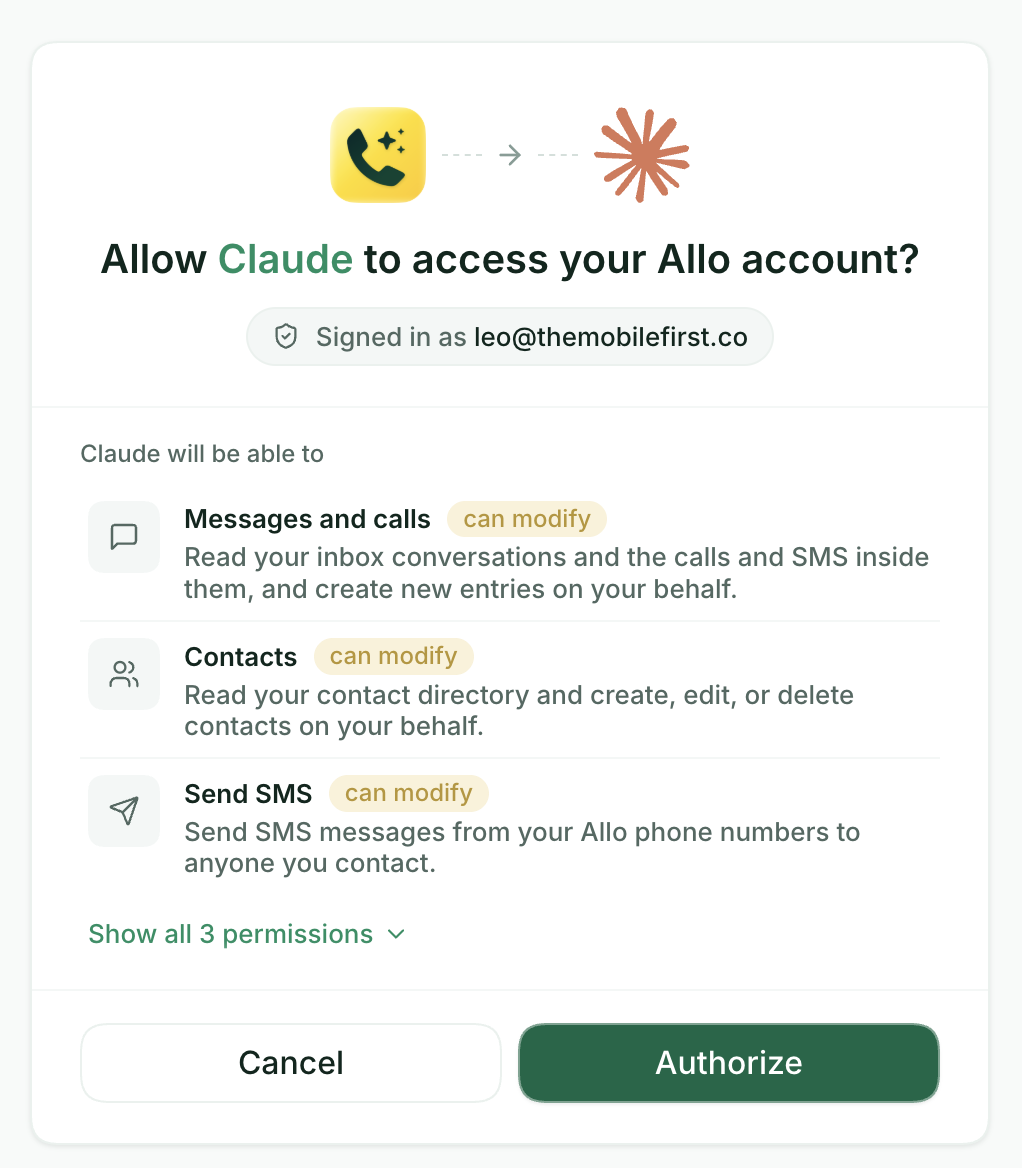
Sign in and authorize
Click Add, then Connect. Sign in to Allo, review the permissions, and Authorize. Allo never sees your Claude password.
Try it
Allo is now in your connectors. Open any Claude conversation and pick one of the prompts below to get started.
Try one of these
Copy any prompt below and paste it into Claude. Adjust the names and dates to match your team.
Show me contacts I called more than twice but never closed. Suggest a follow-up message
Compare my reps' connect rates this week vs last. Who's slipping?
Pull all calls tagged "enterprise" from the last 30 days. Summarise the top asks
List contacts who called 3+ times last week with no owner. Tag them "needs follow-up"
What you can do
16 tools to search calls, send SMS, manage contacts, and pull team analytics. The list includes the required scopes.
Troubleshooting
Authorization failed in Claude
A few things to check:
- You must be a workspace admin in Claude to add a Custom Connector.
- The Client ID must be exactly
b82803e6-31d4-47e0-9d7e-db9826ee451bwith no extra spaces. - The account you're signing in with on the Allo consent screen must have an active Allo account.
Using Claude Code instead?
For Claude Code, Claude Desktop, Cursor, or any other MCP client. Cursor can use the Allo plugin, the other clients use an API key.
Using ChatGPT or Grok?
 ChatGPT connector
Install the Allo plugin in ChatGPT. You sign in to Allo. A custom MCP server is the alternative.
 Grok connector
Install Allo for Grok Bot. You sign in to Allo. A custom connector on grok.com is the alternative.