Best property management answering services in 2026
We selected and ranked 8 AI answering services based on their real pricing, features and forwarding options.


Maintenance is what determines whether tenants stay. According to AppFolio's 2026 survey of 3,002 US renters, residents satisfied with their repairs are 81% more likely to renew.
The problem is that repairs never happen on a set schedule. If a pipe bursts at 2 a.m. or the heating fails on the first cold night of the year, someone needs to answer the phone, decide if it's a real emergency, and get the right person to help.
In this guide, we'll cover how to route calls to the right people, what to watch out for with per-minute pricing, and how eight AI-powered answering services compare in cost at 100, 500, and 1,000 calls per month.
What a property management answering service actually does
Whether you call it a property telephone answering service or an after-hours line, the main job of an answering service for property management companies is triage. Leasing questions and rent reminders are important, but the most critical call is when a tenant reports a problem after hours.
Every one of those calls lands on one of three rungs:
| Rung | Examples | What should happen |
|---|---|---|
| Emergency | Gas smell, active flooding, fire, no heat in freezing weather, a lockout with a child inside | Reach the on-call technician immediately, by phone, and keep trying until someone answers |
| Urgent | No hot water, a broken lock on an exterior door, a dead fridge | Log it with full details and alert the on-call contact, but it can wait a few hours |
| Routine | A dripping faucet, a squeaky door, a question about rent | Log it, confirm receipt to the tenant, handle it during business hours |
Most after-hours calls fall into the bottom two categories. That's good news, since these are the calls an AI receptionist can handle well. It collects the unit number, the problem, and a callback number, then confirms to the tenant that the request has been logged.
The top category is where your answering service proves its value and where liability risks are highest. Failing to respond to an “I smell gas” call could put tenants in danger and expose your company to a lawsuit. To avoid situations like this, you need to know exactly how the service handles emergencies: which numbers it calls, in what order, and what happens if no one answers.
How AI receptionists handle leasing calls and tour bookings
Leasing calls are just as important as maintenance requests. If someone calls about an available unit at 8 p.m. and gets voicemail, they may move on to another listing. An AI receptionist can answer questions about the property and schedule a showing before the prospect loses interest.
Booking features vary between services, so check whether they work with the calendar your leasing team already uses:
| Tool | How it books a tour |
|---|---|
| Allo | Books into Google Calendar, Cal.com or Calendly, with rules for hours, blocked dates and notice, then texts the caller a confirmation |
| Goodcall | Books into Google Calendar on its newer platform, or texts a booking link |
| Rosie | Books into Google Calendar, Calendly, Appointlet or Acuity; can't reschedule or cancel yet |
| Quo | Collects the caller's details and texts a booking link |
| Zoom | Books through a Zoom Scheduler page, which needs its own license; can't reschedule or cancel during the call |
| Nextiva | Books on Google Calendar or Outlook, and can reschedule |
| RingCentral | Books in real time across team calendars on Google or Outlook, or texts a booking link |
| JustCall | Books on a selected calendar during the call |
If your prospects often need to reschedule showings, only Nextiva and Goodcall (when used with Boulevard) keep a record of these changes. With other services, your team will need to handle rescheduling the next morning.
What to check before choosing a property management answering service
An answering service isn't much help in an emergency if the call never reaches the right person. Before comparing vendors, establish how emergency calls should be handled and check that the service can reach the maintenance people you already rely on.
Build your escalation list before you pick a tool
Before you start comparing vendors, make a list of three things:
- Your emergency list: the exact situations that justify waking someone up. Be specific, for example, "water coming through the ceiling" instead of just "plumbing issue."
- Your on-call chain: who gets the call first, who is second, and who is the backup. Many teams rotate this list each week.
- Where the record goes: every call should be logged somewhere your team can see it in the morning, such as your phone system, CRM, or property management software.
Check how the service transfers calls to outside contractors
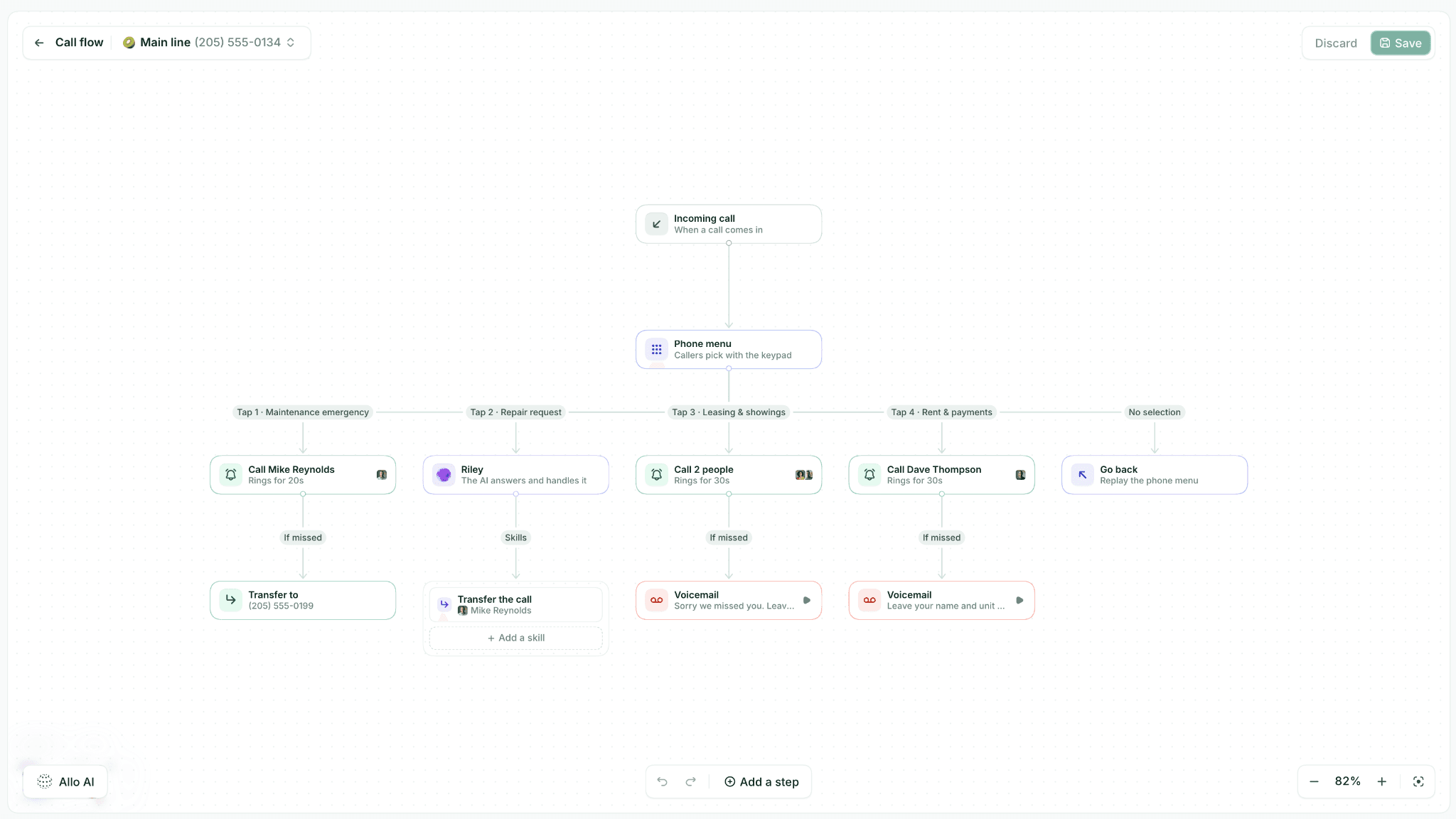
Your on-call chain doesn't have to be a single list of contacts. You can set up different routes based on the type of emergency, so a burst pipe goes directly to your plumber instead of whoever happens to be first on the list. If your contractors take after-hours calls, the answering service can connect tenants with them without involving your team.
Before setting this up, check whether the answering service can transfer calls to outside numbers. Not every service allows it, and some have restrictions:
- Allo, Nextiva, and RingCentral: All three can transfer calls to external numbers, including your contractors' cell phones.
- Goodcall: You can transfer calls to a contact's personal number, as long as they're in your directory.
- Quo: External transfers are possible, but the caller has to confirm first. The service then makes a cold transfer.
- Rosie: On the Growth plan, you can set up a sequence of up to five numbers to try if nobody answers.
- JustCall: Transfers only work with team members, user groups, or JustCall numbers. Your contractors would need to use JustCall too.
Check these restrictions against your existing list of contractors before choosing a service. You'll want one that can reach the people you already rely on, without forcing everyone to change how they handle calls. Then you can compare costs based on how many calls you expect each month.
Live answering service or AI receptionist?
For property management companies with large portfolios, having a person answer every call may justify the higher cost. But most services charge by the minute or by the call, so a particularly busy night can quickly increase your bill.
AI receptionists cost significantly less and can answer calls around the clock, even when your team is busy. They can handle routine questions and maintenance requests, although unusual situations may still require human intervention.
For most residential property managers, a combination works well: your team handles calls during business hours, the AI takes over at night and on weekends, and emergencies go directly to your on-call technician.
Why per-minute pricing breaks on storm nights
Most comparison articles miss this point: call volume in property management can change quickly. If there’s a freeze, a storm, or a building-wide outage, every tenant in the building may call at once.
That's exactly when per-minute and per-call billing explodes. The table below shows the monthly cost for each tool at three different call volumes. We use a 3-minute average call, so 500 calls add up to 1,500 minutes, but you can adjust this to fit your own numbers. If a tool is an add-on, the price includes the lowest-cost phone plan needed for one user.
| Tool | Pricing model | 100 calls | 500 calls | 1,000 calls |
|---|---|---|---|---|
| Allo | Flat fee per AI agent | $64 | $64 | $64 |
| Goodcall | Flat, by unique caller | $79 | $299 | $299 |
| Rosie | Flat, with included minutes | $149 | $299 | $299 + extra minutes |
| Quo | Per call, after a credit bundle | $85 | $385 | $760 |
| Zoom | Per minute, plus Zoom Phone | $91 | $391 | $766 |
| Nextiva | Per conversation, after 100 | $99 | $699 | $1,449 |
| RingCentral | Per minute, after 100 | $149 | $749 | $1,499 |
| JustCall | Per minute, plus a JustCall plan | $316 | $1,504 | $2,989 |
If your call volume jumps from 100 to 1,000 calls, flat-fee tools stay about the same in price, but per-minute plans can cost ten to twenty times more.
The best answering services for property management at a glance
The prices below show what a property management company would pay each month for an AI receptionist to answer 500 calls (1,500 minutes), including any required phone plan. These are not the starting prices listed on each vendor’s website.
| Tool | Recommended to | Cost at 500 calls/mo, with an AI receptionist | G2 rating |
|---|---|---|---|
| Allo | Property managers who want their team and the AI receptionist on one phone system | $64/mo at any volume: $32 Business plan + $32 AI agent, no minute limit | 4.7/5 (209 reviews) |
| Goodcall | A standalone AI answering service with flat pricing | $299/mo: Scale plan, up to 2,000 unique callers, phone number included | Not yet rated |
| Rosie | On-call rotations that need several numbers tried in a row | $299/mo: Growth plan, 2,000 minutes included | Not yet rated |
| Quo | Small teams already on Quo | $385/mo: $15 Starter plan + $25 for ~40 calls + 460 extra calls × $0.75 | 4.7/5 (3,400 reviews) |
| Zoom | Teams already on Zoom Phone | $391/mo: $16 Zoom Phone plan + 1,500 minutes × $0.25 | 4.6/5 (2,676 reviews, Zoom Phone) |
| Nextiva | Teams that want a big-name vendor | $699/mo: $99 for 100 conversations + 400 × $1.50 | 4.5/5 (3,669 reviews) |
| RingCentral | Teams that want an AI receptionist on top of any phone system | $749/mo: $49 for 100 minutes + 1,400 minutes × $0.50 | 4.2/5 (1,496 reviews, RingEX) |
| JustCall | Teams already running sales and support on JustCall | $1,504/mo: $19 Essentials plan + 1,500 minutes × $0.99 | 4.3/5 (2,390 reviews) |
How we chose the tools
- What qualified a tool. An AI receptionist that answers 24/7 and can hand a call to a person, plus a published price we could turn into a monthly cost at a realistic volume. Tools without one didn't make the cut.
- How we judged them. The monthly cost at 100, 500 and 1,000 calls, how each one transfers an emergency to your on-call contact, where the call record ends up, and recent reviews on G2 and Trustpilot.
- How the list is ordered. By what you pay per month at 500 AI-answered calls, cheapest first, because cost at volume is what separates these tools for a property management company. The body follows the same order.
- Who we left out, and why.
- MAP Communications, Smith.ai, Ruby, AnswerConnect and Ansafone are live answering services, with human agents billed by the minute or the call. They're a different category, and this guide compares AI receptionists.
- Retell AI and Bland are developer platforms for building voice agents, not ready-to-use receptionists for a property management office.
- Dialpad and Phone.com don't publish a price for a volume like 500 calls a month, so we couldn't compare them fairly.
- Ooma's AI receptionist is still in beta, and its pricing beyond the first 100 minutes isn't published yet.
A quick note: Allo is our product, and it's first on this list because it's the cheapest at every volume we tested. To keep the comparison fair, every price and feature below links to the vendor's own pages so you can check it, and the pros and cons draw on real user reviews.
1. Allo
Allo is the right choice if you want your team and an AI receptionist on the same phone line, at one flat price that doesn't move on storm nights. It's not an outsourced call center: there are no human agents behind the AI. If you want a person on every after-hours call, look at a live answering service instead.
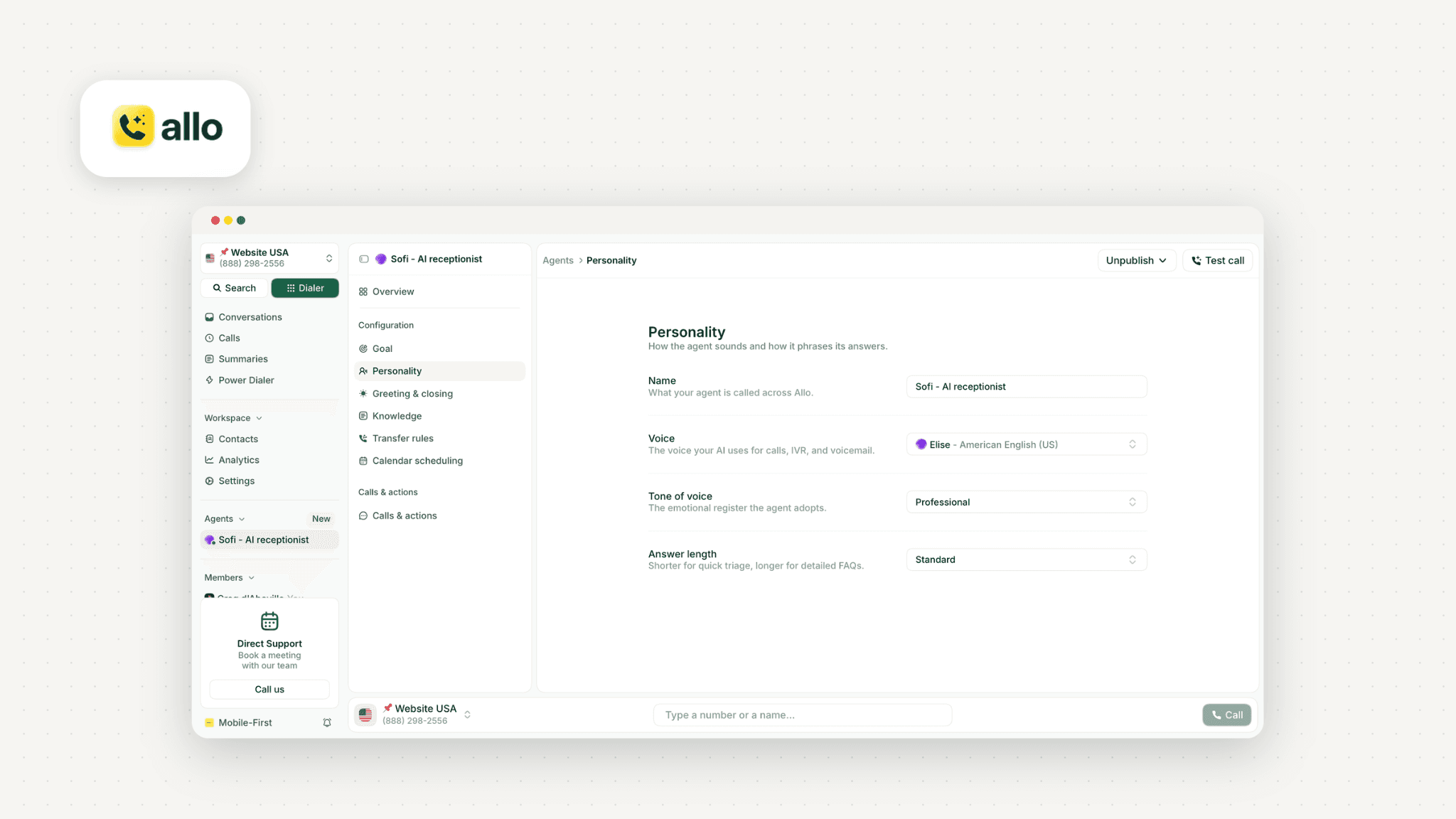
Who Allo works best for
Allo works best for property management companies with a small office team that already answers calls during the day and wants the after-hours and overflow calls covered without paying per minute. Because the AI receptionist lives in the same system as your team's phones, every call, whether a person or the AI took it, ends up in the same history with its recording and transcript.
Allo top features
- A flat-fee AI receptionist. The add-on is billed per agent, not per minute, with no conversation or minute limit.
- Transfers to a person. It transfers directly by default, to a teammate, another inbox or an external number such as your on-call technician's cell. A warm transfer (in beta) announces the caller's name and reason first and only connects if the person accepts.
- A record of every call. You get a summary, transcript, recording, the details the caller gave and suggested next steps.
- Context on repeat callers. It answers with the caller's earlier call history in front of it, so the tenant who called about the leak yesterday doesn't start from scratch.
- It knows your buildings. You can train it on your website, up to three files (PDF or TXT) and free-text facts, such as your emergency list and office hours.
- Languages. English and French voices, with Spanish listed on the feature page.
Allo integrations
Allo syncs every call to your CRM (HubSpot, Salesforce, Attio, Pipedrive, Zoho, GoHighLevel and others) or to webhooks, Zapier and Make. After each AI receptionist call, it fills in empty contact fields and never overwrites existing values. It also books appointments into Google Calendar, Cal.com or Calendly, which is handy for property tours.
Allo pricing
The AI receptionist is $32 per agent per month billed yearly, or $45 billed monthly, and it's available on every plan. The Business plan is $32/user/per month billed annually ($45 monthly). So one user plus the AI receptionist comes to $64/mo, and that's the same at 100 calls or 1,000.
Allo pros and cons
Pros
- The only tool here whose price doesn't change with call volume.
- Your team's calls and the AI's calls share one history, with recordings and transcripts.
- Transfers to any external number, so your on-call tech doesn't need a special app.
- Users say it handles calls well: "It actually understands what the caller wants instead of just dumping a voicemail, and we get a clean summary so nothing slips through."
Cons
- Voice only: the AI receptionist answers calls but doesn't handle chat or incoming texts.
- Warm transfer is still in beta.
- Reporting is basic for managers: "it would be helpful to have more advanced calls analytics and the possibility to tag each call."
Allo demo video
2. Goodcall
Goodcall is the pick if you want a standalone AI answering service with predictable pricing and don't need it tied to your phone system. Its pricing model counts unique callers, not minutes, which suits property management well: the tenant who calls back three times about the same issue counts once.
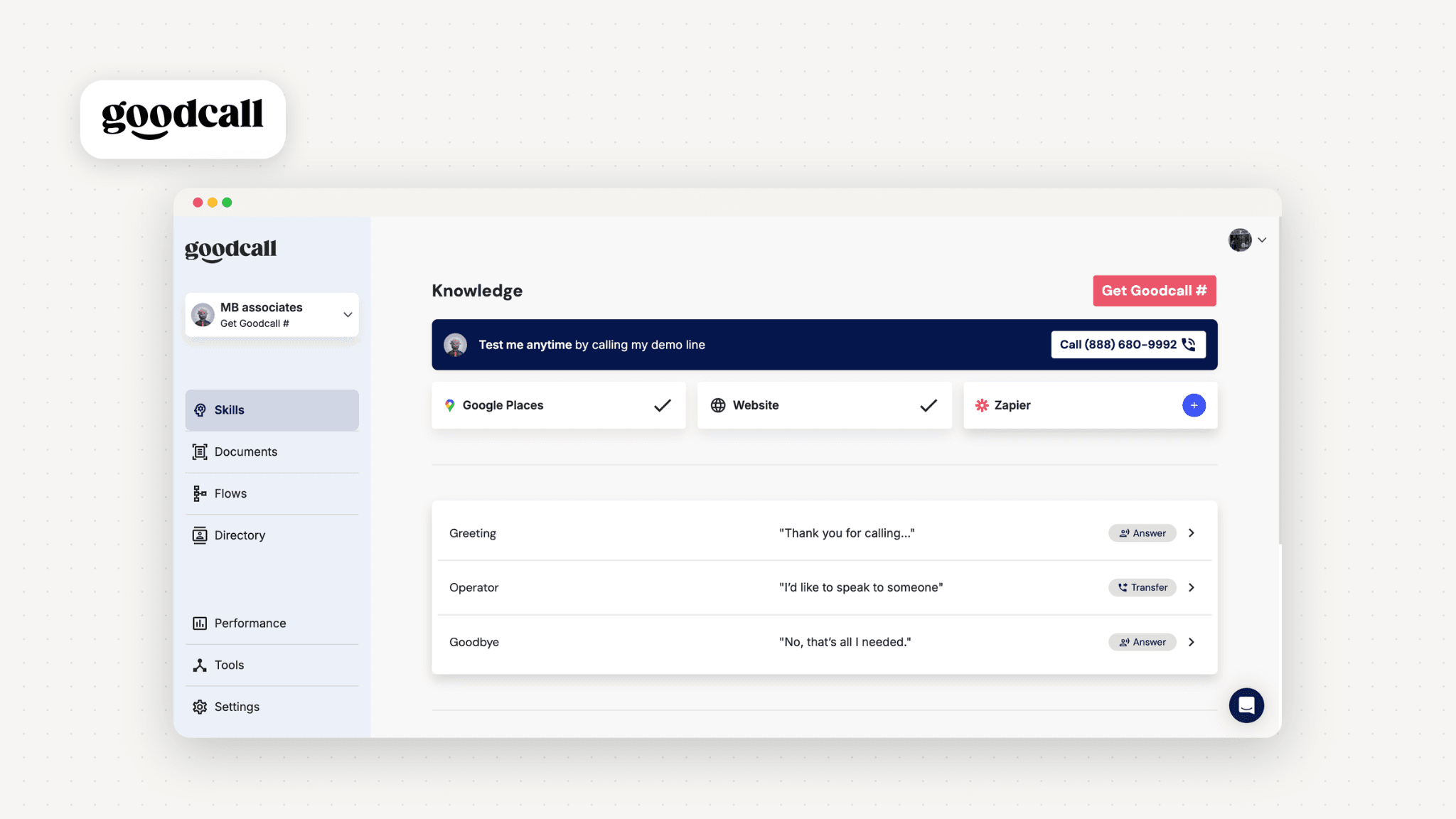
Who Goodcall works best for
English-speaking portfolios that want to forward after-hours calls to a dedicated AI line without changing phone providers. The phone number is included, so there's no separate phone bill.
Goodcall top features
- Flat pricing by unique caller, with no per-minute or per-call charges.
- Transfers to your on-call contact. It transfers to a named directory contact's personal number or to the business line.
- Lead details by text and email, plus a transcript and recording of each call in the dashboard.
- Text links. It can text a link (a maintenance form, say) when the caller agrees, but it can't receive replies yet.
Goodcall integrations
Goodcall connects to your CRM through Zapier, with native HighLevel and Google Sheets connections on its newer platform. It can also look up returning callers by phone number through a Zapier lookup on a Google Sheet or CRM.
Goodcall pricing
The Starter plan is $79/month for 100 unique customers, phone number included. Extra unique customers bill at 79 cents on Starter. At 500 calls, the Scale plan is the better deal: $299/month for up to 2,000 unique customers.
Goodcall pros and cons
Pros
- Pricing by unique caller means repeat calls from the same tenant don't add up.
- The Scale plan covers a large portfolio at a flat price.
- Transfers to a person's own cell phone.
Cons
- English only, a real limit for many residential portfolios.
- It can text tenants but can't read their replies.
- CRM connections mostly go through Zapier.
- Some customers report billing surprises: "Service started out at $59 then no notice moved in $99 a month and then this last month they now they are charging me $130 a month with no notice."
3. Rosie
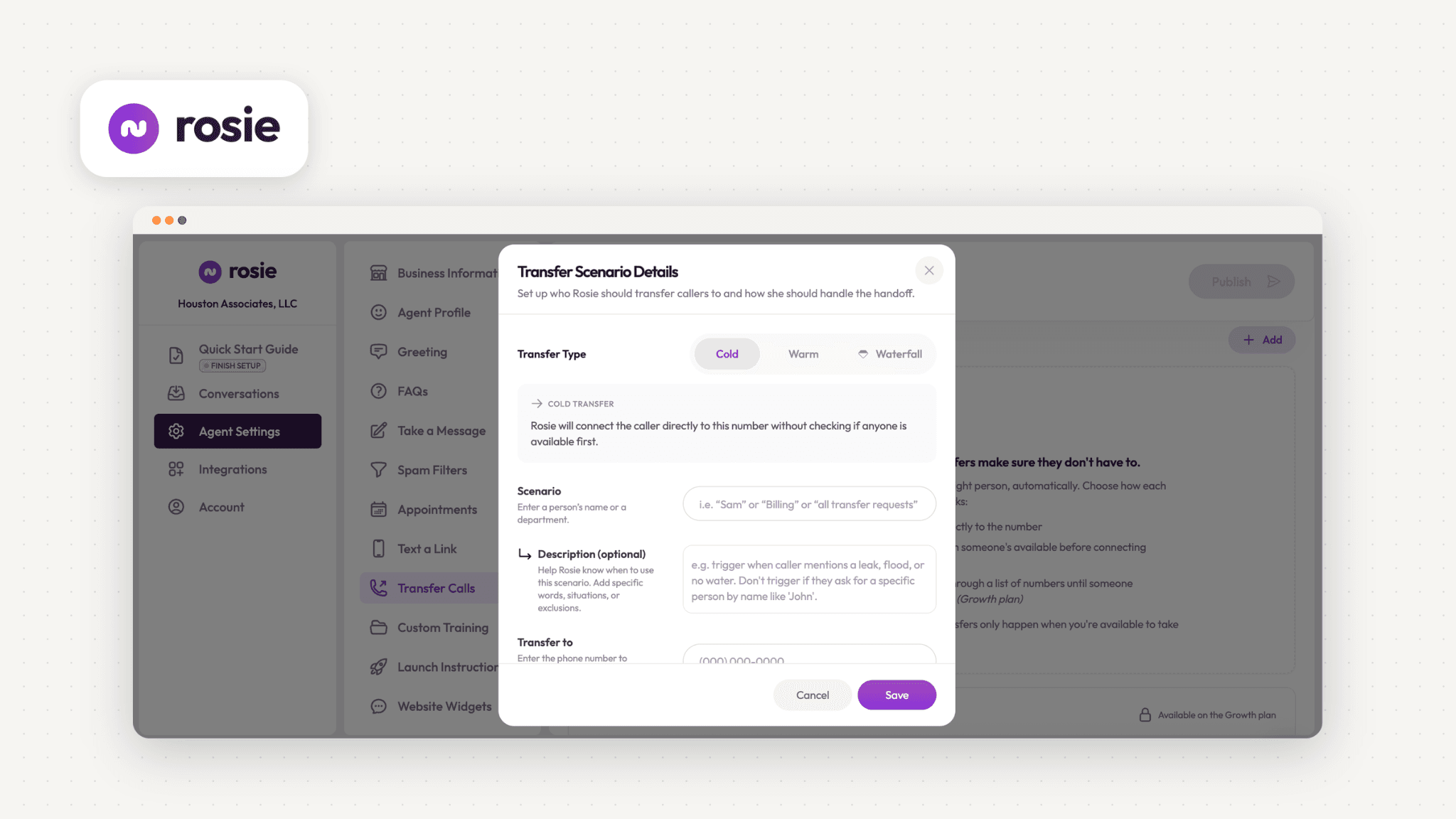
Rosie is the pick if your emergency plan relies on an on-call rotation. Its waterfall transfer tries up to five phone numbers in a row until someone picks up, which is exactly what an escalation list needs.
Who Rosie works best for
Property managers with a bilingual tenant base and a rotation of maintenance techs. Rosie gives you a custom number and you forward your existing line to it, so it works with whatever phone system you already have.
Rosie top features
- Warm, cold and waterfall transfers. Waterfall transfers try up to 5 numbers; warm and cold transfers are on the Scale and Growth plans, waterfall on Growth.
- English and Spanish.
- An AI summary of every call, with a link to the full call details. Recordings reach some CRMs and stay playable for 30 days.
- Appointment booking through Google Calendar, Calendly, Appointlet and Acuity, though rescheduling and cancelling aren't available yet.
Rosie integrations
Rosie connects natively to 18 CRMs, including HubSpot, GoHighLevel, Pipedrive, Zoho CRM and Follow Up Boss, plus field-service tools like Jobber and Housecall Pro. Anything else goes through Zapier.
Rosie pricing
Rosie starts at $49/month for 250 minutes on Professional. The Scale plan is $149/month for 1,000 minutes, and Growth is $299/month for 2,000 minutes, which covers 500 three-minute calls. Minutes beyond the plan are billed as overages, but Rosie doesn't publish the rate.
Rosie pros and cons
Pros
- Waterfall transfers to up to five numbers, a ready-made on-call rotation.
- Flat plans with plenty of included minutes.
- Bilingual in English and Spanish.
Cons
- The overage rate isn't published, so a storm month past 2,000 minutes is a gamble.
- Waterfall transfers are only on the top plan.
- No G2 reviews yet to judge it by.
4. Quo
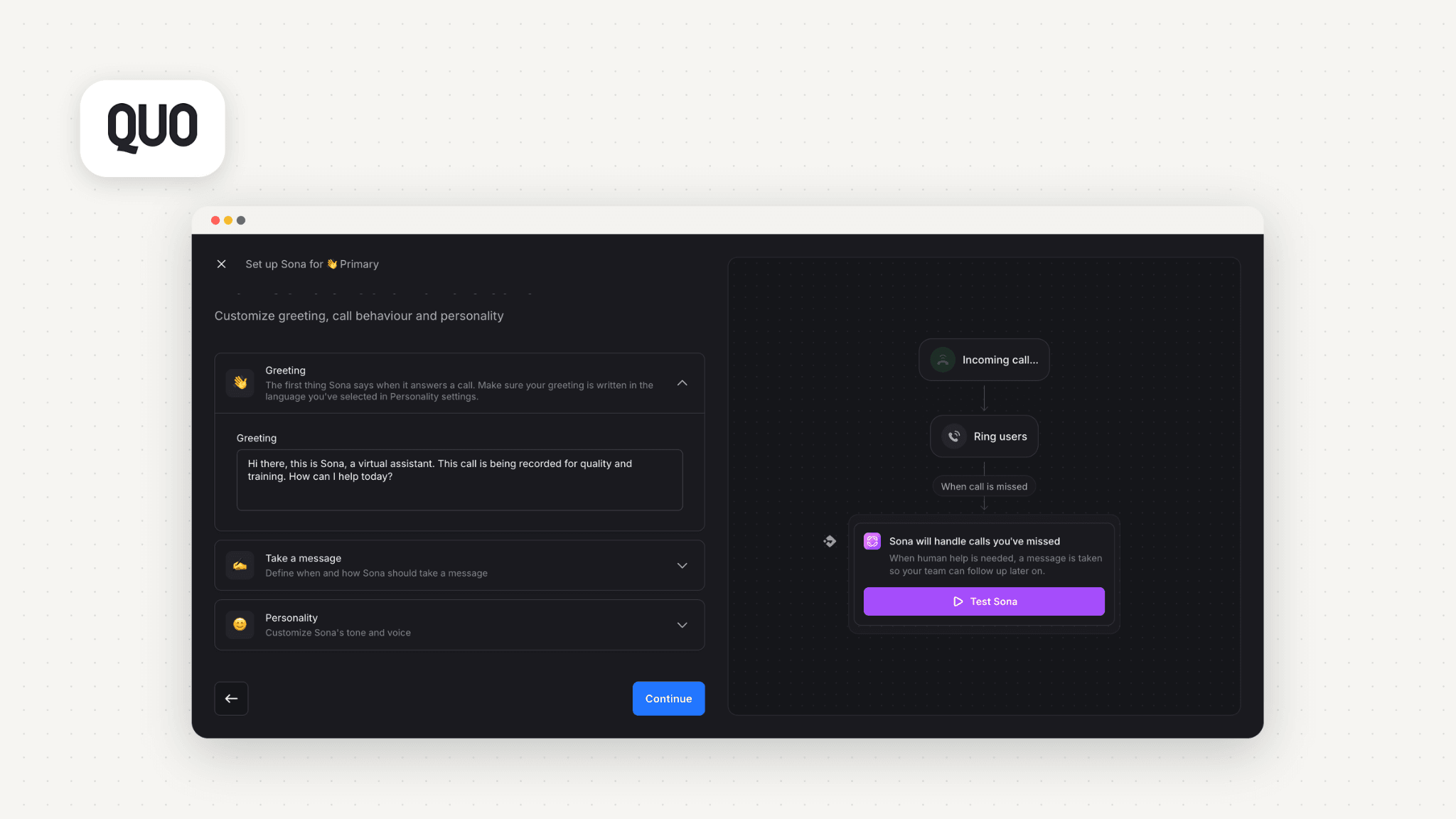
Quo's AI agent, Sona, is a sensible add-on if your team already runs on Quo, but its credit system needs watching in a property management setting. By default, when the credits run out, Sona simply stops answering.
Who Quo works best for
Small property management teams in the US or Canada that already use Quo as their business phone and want an AI to cover the gaps.
Quo top features
- Credit-based pricing. Sona uses 100 credits per call, from monthly credit packs.
- Transfers after the caller confirms, to a teammate, a shared inbox or an external number. They're cold transfers: Sona leaves the call when it hands off.
- Caller history. Sona can see past calls, messages and voicemails from the same inbox over the last 21 days.
- Texts during the call, such as a link to a maintenance form.
- English, Spanish and French (beta).
Quo integrations
Sona logs calls to the CRMs Quo integrates with: HubSpot, Salesforce, Pipedrive and Jobber. Every call comes with a recording, a transcript and an AI summary (summaries are always in English).
Quo pricing
Every workspace gets about 10 Sona calls a month free, then Tier 2 is $25/month for about 40 calls. Overages are off by default; turned on, extra calls cost $0.75 each on Tier 2 (down to $0.45 on Tier 5). Sona requires a paid plan, from $15 per user per month on Starter billed yearly. At 500 calls, that’s $385/month.
Quo pros and cons
Pros
- Cheap for low volumes, with a free tier to test it.
- Remembers recent conversations with the same caller.
- Users find it easy to set up: "The instructions and path forward are usually made pretty clear, from everything from registry to text messages to Sona and having her receive calls."
Cons
- With overages off, Sona stops answering when credits run out, the worst possible failure on a storm night.
- Cold transfers only.
- Users report transfer problems: "When Sona transfers customers to our Quo app, it rings briefly and sends them to voicemail before we can answer."
- The credit system confuses some users: "I wish the credits for Sona had been a little bit more clearly described…"
5. Zoom
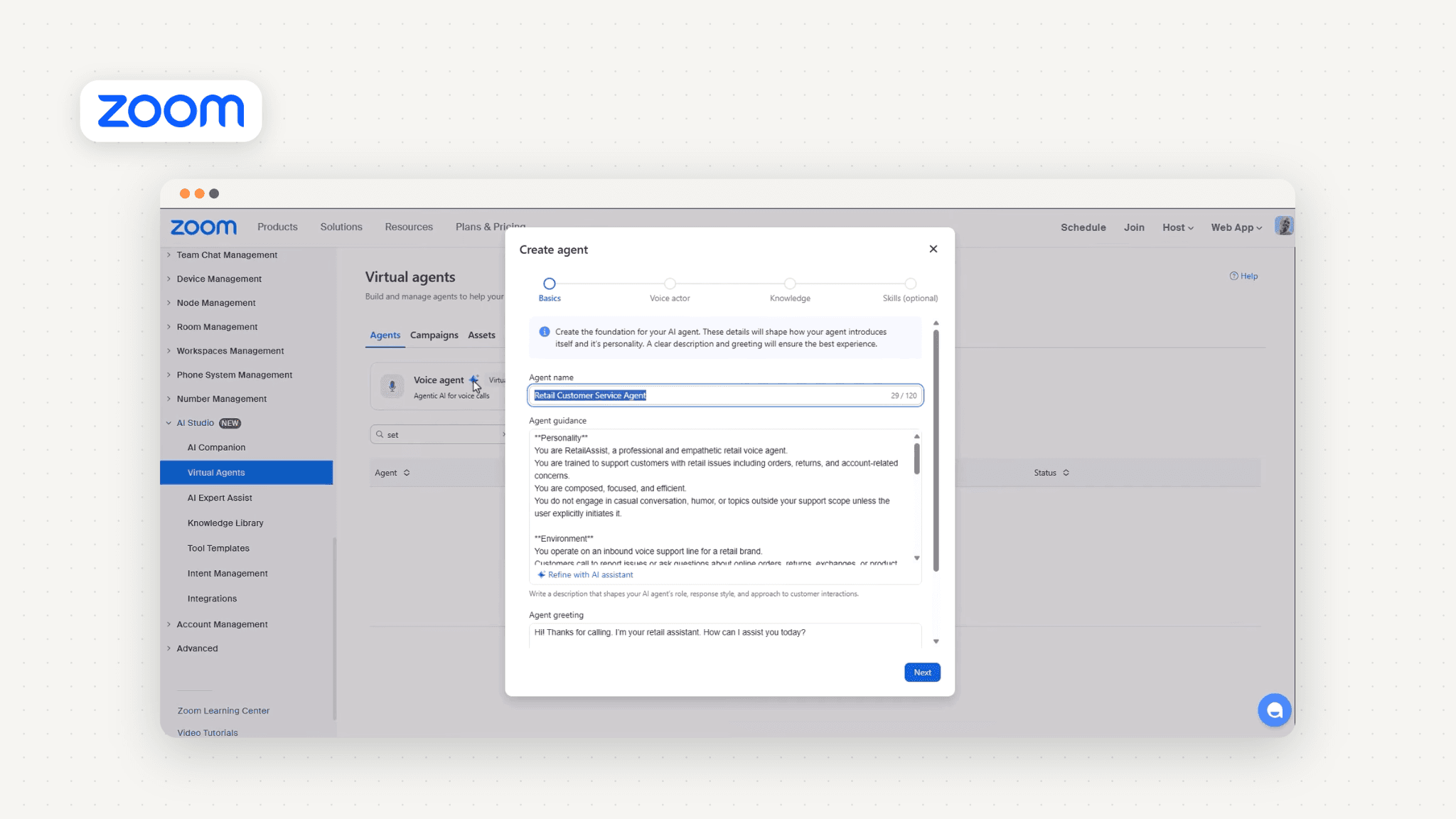
Zoom's AI receptionist makes sense if your team already lives in Zoom Phone; otherwise, its per-minute rate adds up fast. At 1,000 calls a month, it costs more than ten times what a flat-fee tool does.
Who Zoom works best for
Property management companies already standardized on Zoom for meetings and phones, with moderate after-hours volume.
Zoom top features
- Warm transfers to a user, call queue or shared line group, with the caller's intent and key details captured.
- 12+ languages, including English and Spanish, and it can switch languages automatically mid-call.
- Texts during a live call, once your Zoom Phone number has an approved messaging campaign.
- Recording, transcription and analytics on call volume, caller intent and how each request was handled.
Zoom integrations
In Advanced Mode, the AI receptionist can log calls to Salesforce and connect to Zendesk, Jira and ServiceNow, with HubSpot tools available in AI Studio. Booking requires a separate Zoom Scheduler license.
Zoom pricing
A standalone plan is $25/month billed annually for 100 minutes, and works with any phone system. Zoom Phone customers pay from $0.25 per minute billed annually, plus Zoom Phone itself: $16 per user per month billed annually on US & CA Unlimited. At 500 calls, it adds up to $391/month.
Zoom pros and cons
Pros
- Warm transfers that pass the caller's intent to the person picking up.
- Strong multilingual support with automatic language switching.
- Fits naturally if your team already uses Zoom.
Cons
- Per-minute pricing that grows quickly on busy nights.
- Booking needs an extra Scheduler license.
- Admin can be fiddly: "Options like call queues, auto attendants, and user permissions are spread across several menus, so even small changes take longer than they should."
6. Nextiva
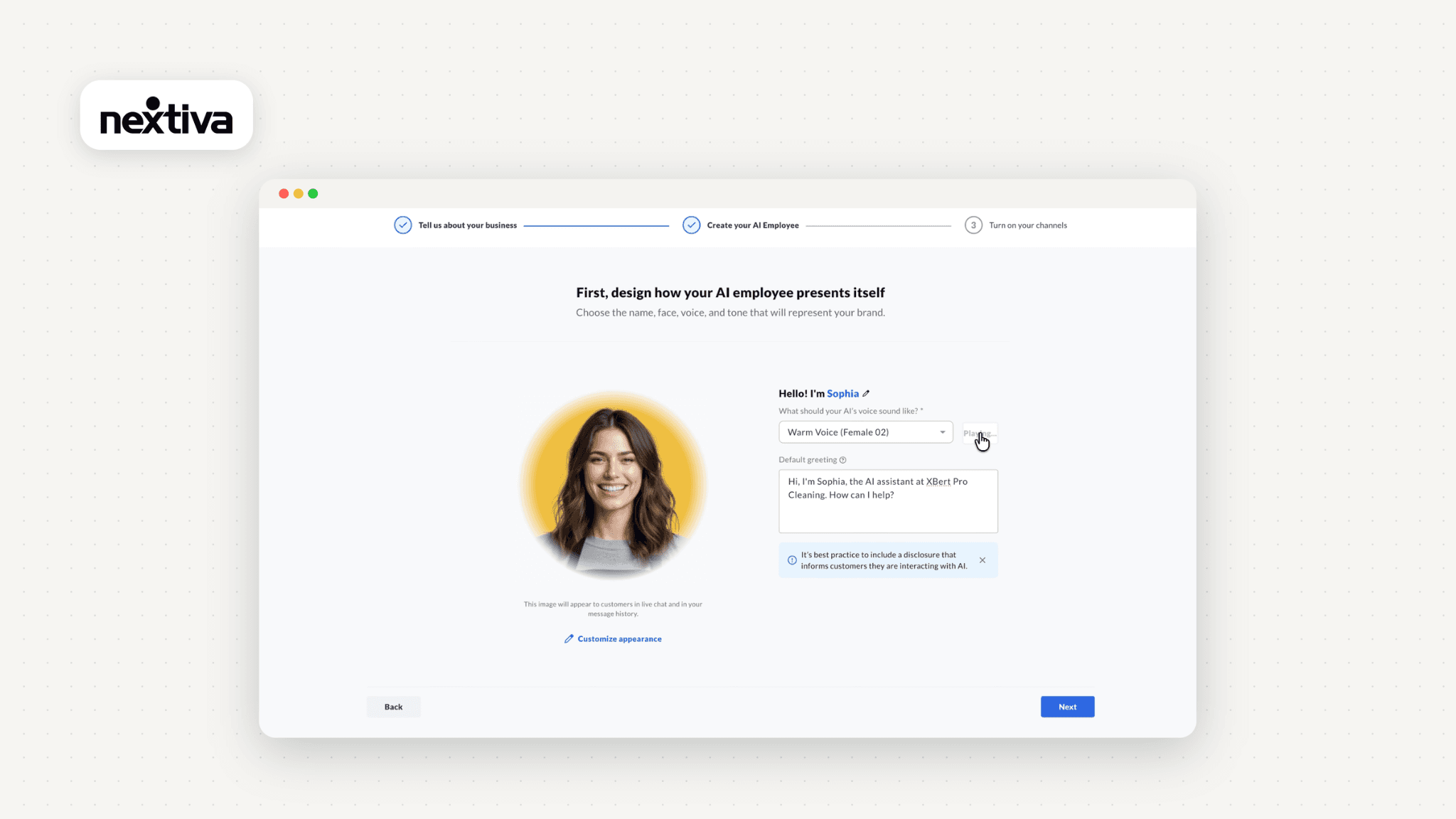
Nextiva is the safe big-name option, and some of its happiest reviewers are property managers, but its per-conversation pricing makes it expensive at volume. At 500 calls, it costs more than ten times what Allo does.
Who Nextiva works best for
Mid-size property management companies that want an established vendor and moderate after-hours volume. It's sold as a standalone product or as an add-on to a Nextiva phone plan.
Nextiva top features
- Transfers to any number. It transfers the call to an external phone number you set, on any platform.
- A detailed summary of every call, including the caller's issue, actions taken, collected details and the reason for any escalation, plus a transcript and recording.
- Voice, SMS and live chat.
- Booking and rescheduling on Google Calendar or Outlook, with Calendly and Cal.com also listed.
Nextiva integrations
Nextiva says its AI receptionist triggers follow-up workflows through your CRM, with Zoho live and Salesforce, HubSpot, Pipedrive, GoHighLevel, and others available on request within 2 to 4 days.
Nextiva pricing
The AI receptionist is $99/month including 100 conversations, then $1.50 per extra conversation. A conversation counts when a call lasts 30 seconds or more. At 500 calls, you’re paying $699/month.
Nextiva pros and cons
Pros
- Escalation summaries explain why the AI handed a call off.
- Answers by voice, text, and chat.
- Property managers like it: "I like that Nextiva lets me set up call flows the way we want for each property, including English and Spanish options."
Cons
- $1.50 per conversation adds up fast at volume.
- Most CRM integrations are on request rather than ready to go.
- Support access can be rigid: "I find it a little cumbersome that only authorized users can call in for troubleshooting support…"
7. RingCentral
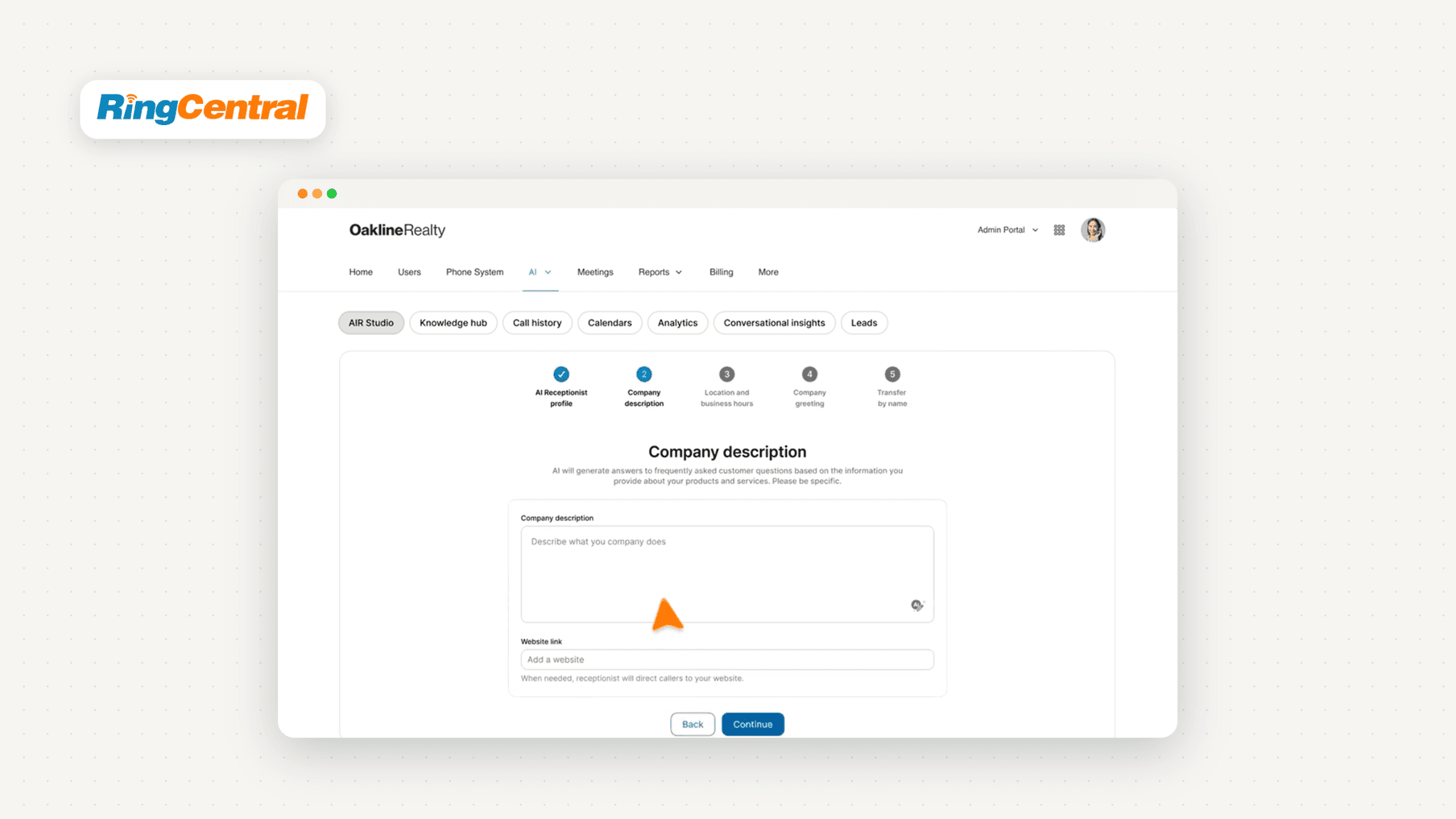
RingCentral's AI Receptionist (AIR) is a capable product that works with any phone system, but at $0.50 a minute, it's hard to justify for after-hours maintenance volume. It's a better fit for lower-volume offices that need many languages.
Who RingCentral works best for
Larger organizations already on RingCentral, or any team that wants an AI receptionist in front of an existing phone system and doesn't expect big call spikes.
RingCentral top features
- Transfers by name or by context to an extension or external number, and the person receiving the call sees a summary before answering in the desktop app.
- 11 languages and variants, including English, Spanish, and French.
- Two-way texting with callers, including booking links.
- Recordings, transcripts, and post-call summary emails for admins.
RingCentral integrations
AIR creates or updates lead records in Salesforce, HubSpot, and Zoho from the answers it collects, and books on Google or Outlook calendars.
RingCentral pricing
The standalone AI receptionist is from $49/month with 100 minutes, and works with any phone system. Extra minutes are $0.50 each, billed in 30-second increments. 500 calls cost $749/month.
RingCentral pros and cons
Pros
- Works in front of any phone system.
- The person taking a transfer sees a summary first.
- Users like the receptionist: "I enjoy the automated notes and call recalls, and the receptionist feature is also handy."
Cons
- $0.50 per minute makes busy months expensive.
- No caller memory from the CRM; it only recognizes contacts from an uploaded directory.
- Costs climb with add-ons: "Pricing seems costly once you start adding advanced features…"
8. JustCall
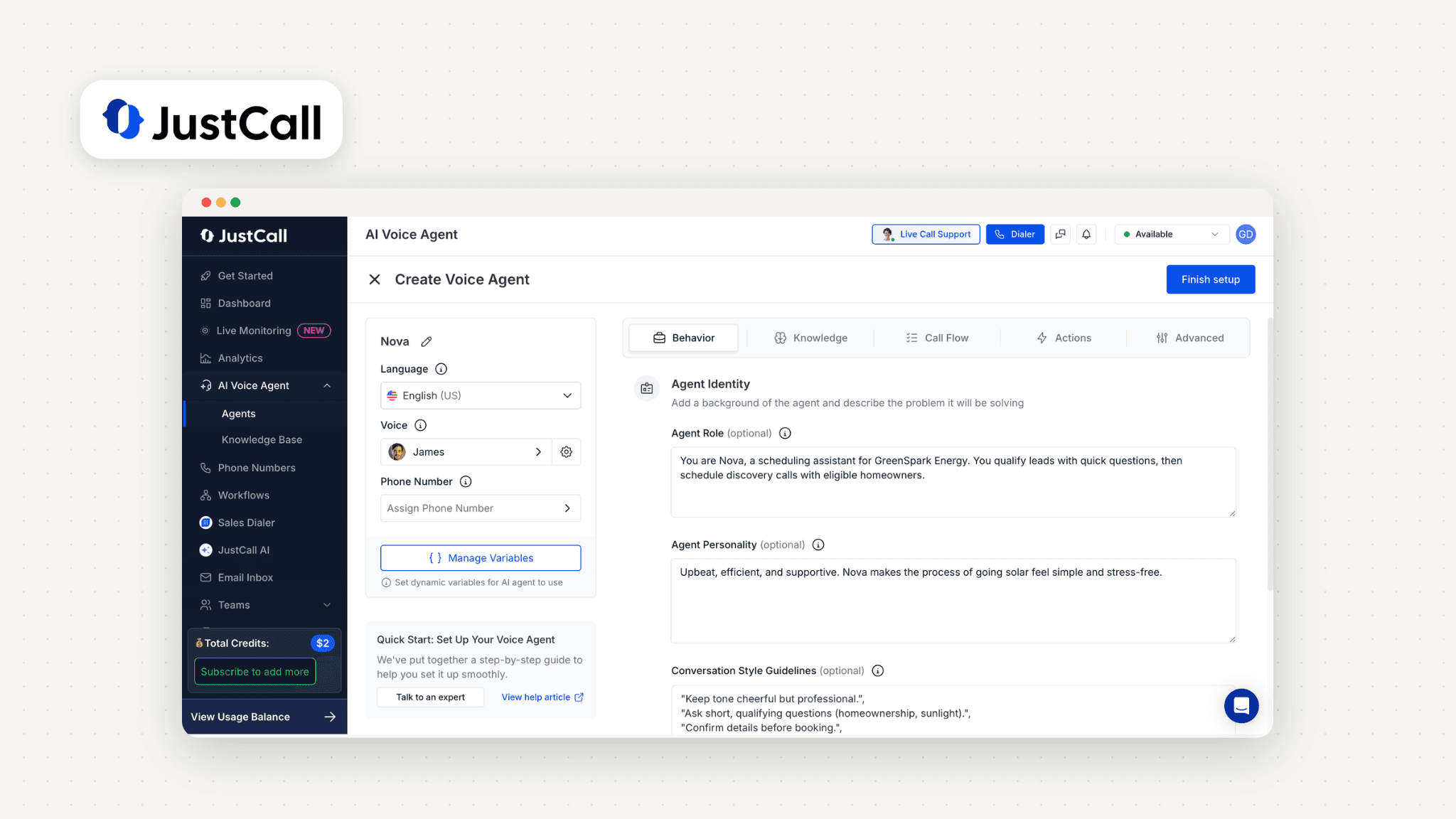
JustCall's AI Voice Agent is strong on languages and CRM logging, but it's the most expensive tool here for property management volume, and it can't transfer to an outside number. It makes sense mainly if you already run JustCall.
Who JustCall works best for
Teams already using JustCall for sales or support who want an AI to qualify after-hours callers before they reach a person.
JustCall top features
- 14 languages with automatic language detection.
- Warm and cold transfers. Warm transfers go to a team member or user group, and cold transfers to a team member, user group, or JustCall number, not to an outside number. Your on-call tech needs to be on JustCall.
- Texts during and after the call.
- Caller context from your CRM before each call, through a custom action.
JustCall integrations
JustCall logs AI-handled calls with summaries and action items in every CRM it integrates with natively, including HubSpot, Pipedrive and Salesforce.
JustCall pricing
The AI Voice Agent is $0.99 per minute pay-as-you-go, or $99/month for 100 minutes, and it requires an active JustCall subscription, from $19 per user per month on Essentials billed annually. Unused minutes don't roll over. 500 calls will cost you $1,504/month.
JustCall pros and cons
Pros
- The widest language support in this guide.
- Logs AI calls with summaries in your CRM.
- Users like it for after-hours coverage: "The AI Voice Agent is fantastic, acting like an extra team member who works 24/7, handling after-hours leads…"
Cons
- The most expensive option at every volume we tested.
- Can't transfer to an outside number.
- Setup takes work: "The initial setup for the AI Voice Agent flows took a bit more trial and error than I expected."
Where AI answering services fall short
An AI receptionist works well when it has clear instructions and a good handoff process. It can easily handle a simple call like "my faucet is dripping," but may struggle with unexpected situations, like a tenant reporting a neighbor's flooded unit or a caller who is too upset to answer questions in order. This is why being able to transfer to a person is the most important feature.
Each tool in this guide has its own ways it can fail, and it's important to know about them before you sign up:
- Credits can run out. Quo's AI agent will stop answering once its monthly credits are used up, unless you allow extra charges. After that, calls go to the fallback option you set up in your call flow.
- Cold transfers lose context. When Quo's agent transfers a call, it leaves the call, so the next person has to start from the beginning. Allo's warm transfer, which shares the caller's name and reason before connecting, is still being tested.
- Language gaps. Goodcall only answers in English, a real limitation for many residential portfolios.
- Transfers stay in-house. JustCall can't transfer calls to an outside number, so you can't reach an on-call tech or vendor who isn't using JustCall directly.
- Overage rates are not always clear. Rosie charges extra for minutes beyond your plan, but doesn't publish the rate, so you might get an unexpected bill during a busy month.
None of these is a dealbreaker on its own. But each one is a scenario to include in your 2 a.m. test.
How to test a property management call answering service before you sign up
Don't take any vendor's word for how it handles emergencies, ours included. Run this test during the trial instead:
- Set up your escalation list. Give the AI your emergency triggers and the order of your on-call numbers.
- Call it yourself at 2 a.m. Use a scripted emergency: "Water is pouring through my ceiling in unit 4B." Time how long it takes to reach your on-call phone.
- Let the first on-call number ring without answering. Check if the service tries the next number or just leaves a message and moves on.
- Make a call with a routine request. Make sure the service logs the details without waking anyone.
- Check the record the next morning. Are the call, the recording and the transcript where your team will see it?
If a service fails step 2 or 3, no price makes it a good deal.
Conclusion
When choosing a property management answering service, focus on how it handles urgent calls and what you'll pay as call volume grows. A service that works well on a quiet weekday may become expensive during a busy weekend, especially if it charges by the minute or per call.
A few services stand out for different needs:
- Allo: Our pick for a single phone system with a flat-rate AI receptionist, costing $64/month regardless of call volume.
- Goodcall: Offers a standalone AI answering service with flat pricing based on unique callers.
- Rosie: Supports on-call rotations with sequential transfers to up to five numbers.
Want to handle tenant calls without adding more work for your team? Try Allo and see how its AI receptionist can help you manage calls around the clock.
FAQ
How much does a property management answering service cost?
It depends on the pricing model more than on the vendor, so price it at your real call volume rather than at the entry plan. For an AI receptionist answering 500 calls a month, the tools in this guide range from $64/month with Allo's flat fee to $1,504/month with JustCall's per-minute pricing, and the gap widens at 1,000 calls. Live answering services with human agents usually bill by the minute or by the call, which makes the cost climb with every storm, freeze or building-wide outage.
Can an answering service tell a real emergency from a routine request?
Yes, if you tell it exactly what counts as an emergency. Give the AI receptionist a specific list of triggers, such as a gas smell, active flooding, a fire or no heat in freezing weather, along with the numbers to transfer those calls to, in order of who should pick up first. Then test it yourself before you sign: call at 2 a.m. with a scripted emergency, check that it reaches your on-call technician quickly, and make sure routine requests like a dripping faucet get logged for the morning without waking anyone.
Is an answering service worth it?
For most property management companies, yes, because the alternative is someone on your team sleeping with the work phone on the nightstand. A good service handles routine calls on its own, logs them for the morning, and only wakes your on-call technician for a real emergency. Most of the AI receptionists in this guide also keep a recording and transcript of every call, which settles the inevitable dispute about when a tenant first reported a repair.
Should I choose a live or an AI answering service?
For most property management companies, the best answer is neither one on its own. A mix works better: your team answers during business hours, an AI receptionist takes nights, weekends and overflow, and emergencies go straight to your on-call technician. Live answering services remain a good option for very large portfolios that want a person on every call and can absorb per-minute costs. For everyone else, an AI receptionist on a flat fee covers storm-night spikes without a surprise bill, and keeps every call record in one place for your team.