
We were among Aircall’s very first customers back in 2015.
At the time, Aircall felt revolutionary: no expensive hardware, quick setup, and the promise of a phone system that finally worked in the cloud.
But since then, many competitors have emerged, offering AI-powered features, mobile-first apps, and greater reliability. As a result, more teams are starting to feel Aircall’s limits: dropped calls, costly add-ons, and a clear focus on larger accounts.
If you’re considering making a switch, this guide is for you. We’ve reviewed 25 tools and selected the strongest alternatives to Aircall for 2026.
Aircall alternatives compared
| Tool | Best for | Starting price (per user/month, yearly) | Seat minimum | G2 rating |
|---|---|---|---|---|
| Allo | Small teams | $32 | None | 4.7 (209 reviews) |
| Dialpad | Contact centers | $15 | None listed | 4.4 (4,215 reviews) |
| Ringover | EU-based teams | $15 | 3 users | 4.6 (497 reviews) |
| MightyCall | Small call centers | $20 | 3 users | 4.4 (about 320 reviews) |
| CloudTalk | Teams calling worldwide | $25 | None (3 on Expert) | 4.4 (1,938 reviews) |
| JustCall | Outbound sales teams | $29 | 2 users | 4.3 (2,395 reviews) |
| Nextiva | Multichannel communication | $15 | None listed | 4.5 (3,652 reviews) |
| 3CX | Large teams with IT support | Free edition, then priced per system | None | 4.4 (548 reviews) |
| Aircall (for reference) | Mid-sized sales and support teams | $30 | 3 licenses | 4.4 (1,668 reviews) |
Pros and cons of Aircall
Aircall is a VoIP leader for a reason. The product is good. But during our interviews with Aircall users, we heard both sides of the story: the strengths they appreciate, and the limits they’ve run into.
Aircall’s strengths
- Recognized and trusted brand that feels safe to choose.
- Quick to set up, with a clean interface most sales and support teams pick up fast.
- 250+ integrations, including Salesforce, HubSpot and Zendesk.
- Unlimited inbound calls in the US and Canada, plus 1,000 outbound minutes a month, even on the entry plan.
- Wide geo coverage (100+ countries).
Aircall’s weaknesses
- Call quality issues: frequent reports of dropped calls, echo, and lag.
- Inconsistent support: some users feel left on their own when problems arise.
- Expensive add-ons: AI Assist Pro ($49 per user/month), Analytics+ ($15 per user/month), WhatsApp ($10 per user/month).
- Three-license minimum, so the cheapest plan costs $90/month. That's steep for a small team.
- AI call summaries start on the Professional plan ($50/license), so smaller teams on Essentials miss out.
- Several users report unexpected charges and a rigid refund policy.
- Dedicated onboarding and SLAs only come with Enterprise, which requires 25+ licenses.
If you’re exploring alternatives, you’re in the right place. We reviewed 25 Aircall competitors and picked our favorites.
Our selection methodology
To make this article useful, here’s how we built our ranking:
- Testing methods: We tested call quality, mobile apps, pricing, and AI features across 25 tools.
- User reviews: We read recent G2 reviews for every tool on this list. We also interviewed Aircall users about why they stayed or left.
- Evaluation criteria:
- Ease of use (can a small business owner onboard in 10 minutes?)
- Pricing transparency
- AI and automation features
- Integrations (CRM, helpdesk, productivity tools)
- Call quality and reliability
- What users say (recurring praise and complaints in reviews)
- Scope: 25 tools reviewed, narrowed down to 8 alternatives.
Disclosure: Allo is our product, and it's on this list as our pick for small teams. To keep the comparison fair, we took every price from each vendor's public pricing page (checked in September 2026). We also listed Allo's limitations next to its strengths and quoted real G2 reviews, critical ones included.
Allo, best for small teams
We recommend Allo for small teams whose business runs on the phone: owners, sales reps, and anyone who takes calls on the go.
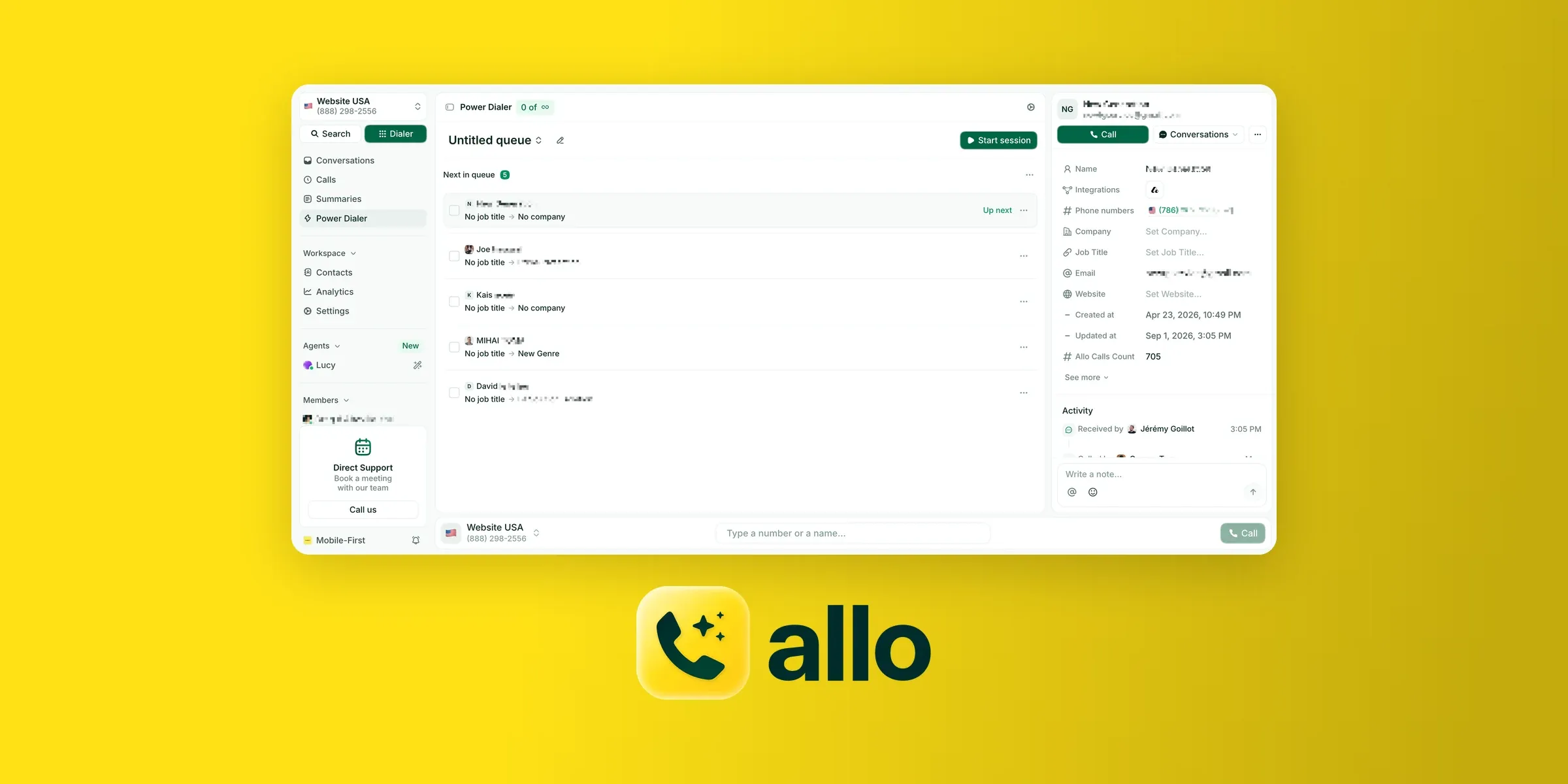
Why is Allo a solid Aircall alternative?
Allo is a business phone system your team and AI agents run together. Your people take the important calls. The agents pick up the overflow, text customers back, book meetings and update the CRM, day and night.
It's built for small teams, not call centers: contractors, real estate agents, consultants and small sales teams.
Setup takes minutes and doesn't need IT or a sales call. Buy a number (or port yours for free), set up your call routing, and start calling from the mobile, desktop or web app.
And unlike Aircall, there's no three-license minimum. AI call summaries, transcripts and CRM sync come with every seat instead of sitting behind a higher plan.
Our Allo vs. Aircall comparison goes through the differences feature by feature.
Allo user reviews
Allo has a 4.7/5 rating on G2 from 209 reviews. Users praise how easy it is to use and the automatic call summaries, followed by the quick setup and CRM integrations.
On the critical side, a few reviewers mention calls with a weak connection, and several would like more advanced analytics dashboards.
"Allo combines crystal-clear call quality with a beautifully simple interface, so reps actually want to use it. The tight integrations with CRM tools – especially Attio – mean every call is automatically logged with the right context, saving hours of manual work. Setup took minutes, and the team is incredibly responsive to feedback. [...] If I had to nitpick, I’d love to see even more analytics around call outcomes (conversion rates, follow-up tracking) [...]." – Giacomo C., G2 review
Allo pros and cons
Pros
- AI call summaries, transcripts and CRM sync are included in every plan.
- One flat price per seat, with unlimited national calls and no seat minimum.
- Setup takes minutes on mobile, desktop or web. No IT needed.
- Native integrations with HubSpot, Salesforce, Apollo, Pipedrive, Attio and Zoho.
- Support that answers fast, a point reviewers bring up often on G2.
Cons
- Managers can't listen in on live calls. They review the recording, transcript and summary afterward.
- The AI Receptionist and Power Dialer are paid add-ons.
- Some G2 reviewers ask for more advanced analytics.
Allo pricing
Allo has three plans, and every one of them includes AI call summaries, transcripts and CRM sync.
- Solo: $120/year ($10/month) for one person. It's aimed at freelancers and solopreneurs.
- Business: $32 per user/month billed yearly, or $45 billed monthly. It adds unlimited users, outbound SMS, call analytics and team features.
- Ultra: $100 per user/month billed yearly, for larger teams that want AI agents doing more of the work.
Two add-ons are priced separately and listed up front: the AI Receptionist ($32/month per AI agent, billed yearly) and the Power Dialer ($50/month for the whole team).
You can compare every plan and add-on on the Allo pricing page.
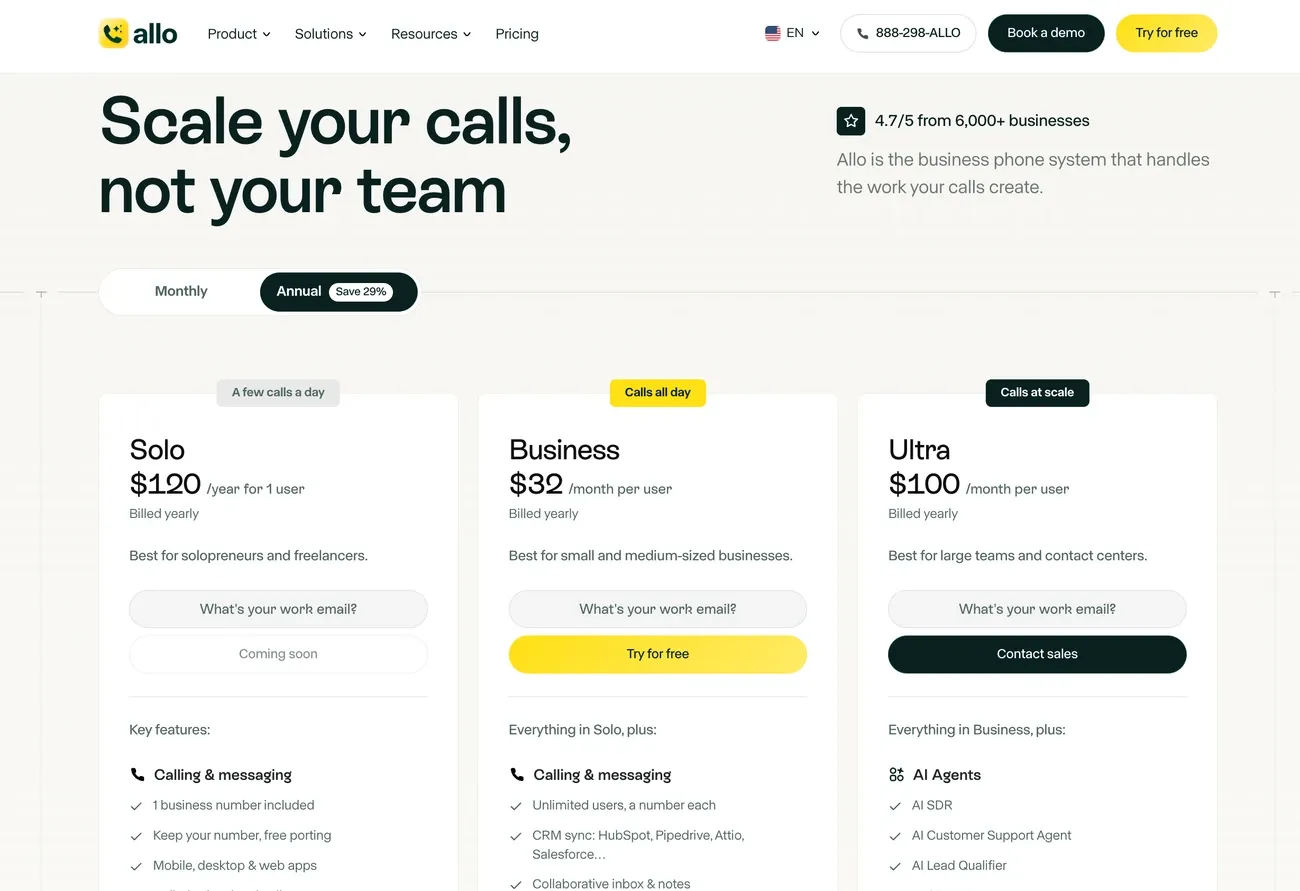
At $32 per user, Allo Business sits between Aircall Essentials ($30) and Aircall Professional ($50). It costs about the same as Essentials but includes AI call summaries and transcripts, which Aircall only offers on Professional.
Allo has no seat minimum, so a solo user pays $32/month instead of Aircall's $90 minimum.
Allo demo
Curious to see Allo in action? Check this video:
Dialpad, best for contact centers
Next on our list of Aircall alternatives is Dialpad, one of the most recognized names in business phone systems.
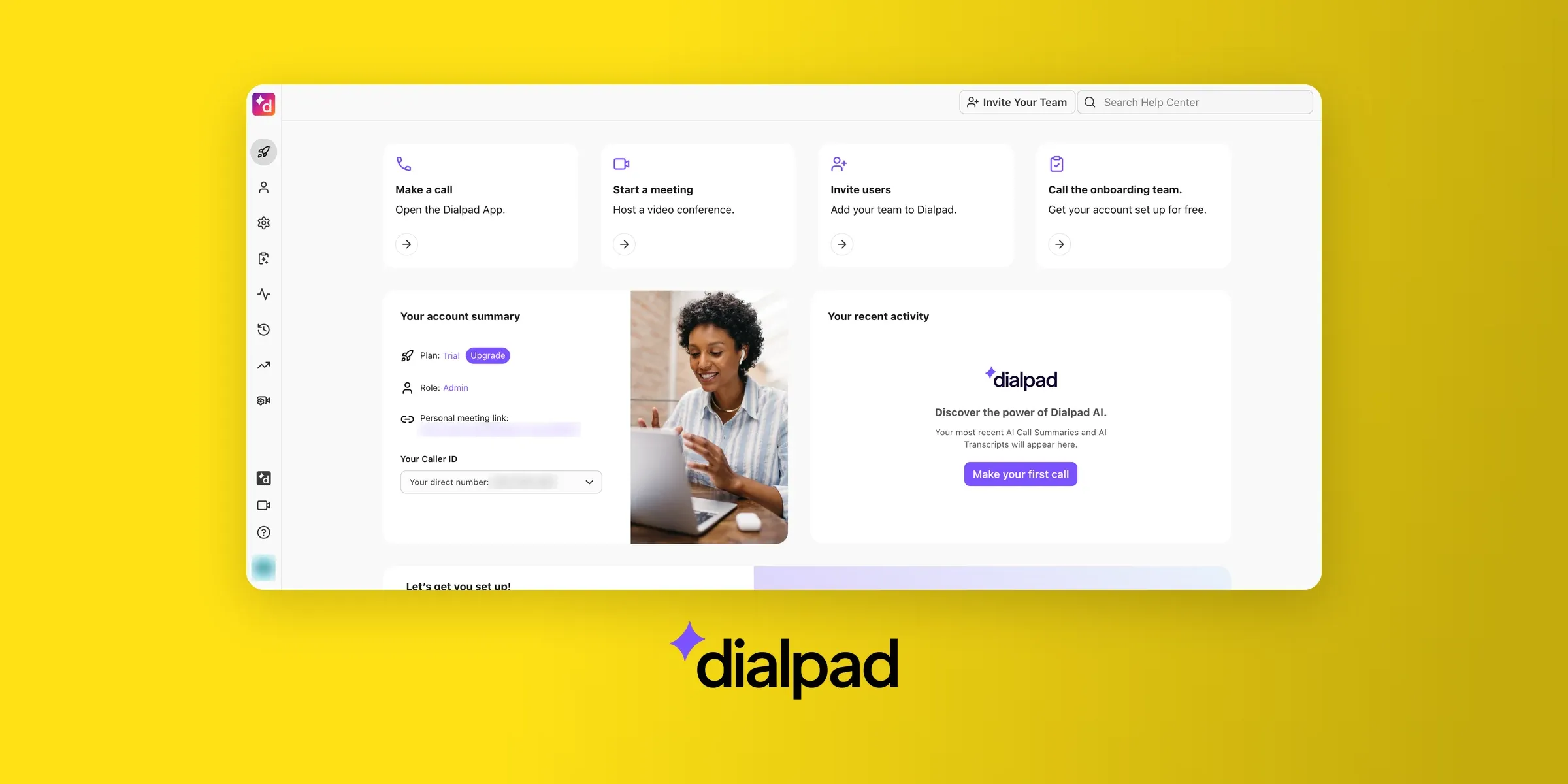
Why is Dialpad a good alternative?
Dialpad works for teams that expect to grow into a contact center. You can start on its business phone system, Dialpad Connect, and move up without changing vendors.
For sales teams, Dialpad Sell adds live coaching during calls. For support teams, Dialpad Support is a full contact center with call queues, real-time agent status and coaching cards that pop up mid-call.
Everything runs on the same Dialpad platform.
Aircall's Professional plan covers call center basics like queues and live monitoring. Dialpad goes further for large support teams: its top Support plan adds AI quality scoring and CSAT on every call, with workforce management available as an add-on.
Dialpad user reviews
Dialpad Connect, the business phone system, earns 4.4/5 on G2 from 4,215 reviews. Reviewers like how easy it is to use and the real-time transcripts, which let teammates catch up on a call without asking.
The most common complaints are about call quality on a weak internet connection. Some recent reviewers also say the app and web version can feel slow, and a few had trouble getting business texting to work.
"One thing I love about using Dialpad connect is how easy it is to use with fellow employees. We can easily take over each other‘s conversations and see past text threads. It also helps that we are able to see all of the call transcripts so we can immediately be up-to-date on any questions a customer might have about a previous conversation. One thing I dislike is that I cannot find call transcripts on the app, and I can only do certain things on Safari." – Sarah P., G2 review
Dialpad pros and cons
Pros
- One vendor from phone system to full contact center.
- Live coaching cards guide agents during calls (Support Advanced and Sell Advanced).
- AI transcripts and call summaries on every plan.
- Video meetings included.
Cons
- The contact center product starts at $80 per user/month.
- CRM integrations like Salesforce and HubSpot need the Connect Pro plan.
- 24/7 support only comes with Connect Pro and above.
- AI Agents are sold through sales, with no public price.
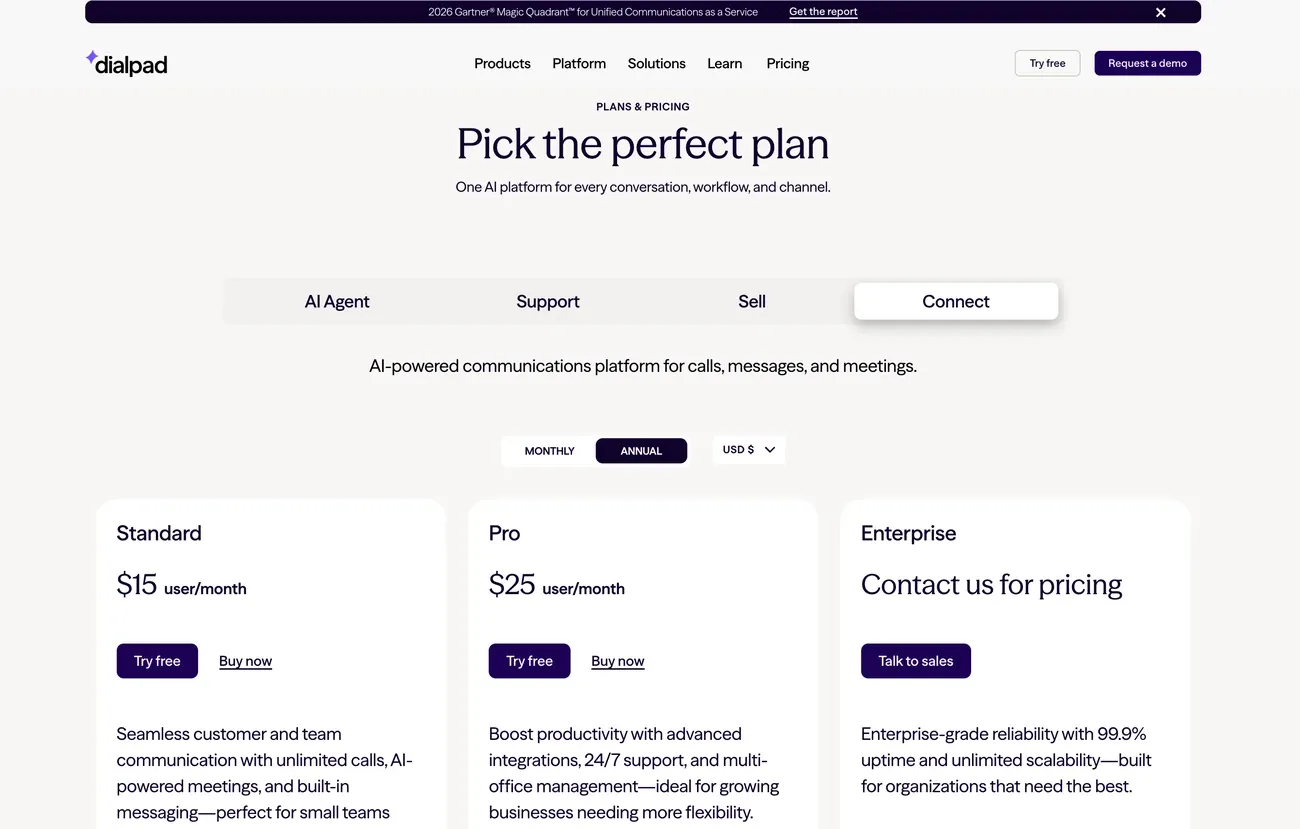
Dialpad pricing
Dialpad prices each product separately:
- Connect (business phone system): Standard at $15 per user/month and Pro at $25, billed yearly.
- Sell (outbound sales): from $39 per user/month.
- Support (contact center): from $80 per user/month, with live coaching cards from the $115 Advanced plan.
Next to Aircall, Dialpad's phone system costs less on both main plans, and AI call summaries come with the entry plan instead of starting on Professional.
Its contact center product costs more than any Aircall plan with public pricing, but it adds coaching cards, AI quality scoring, and CSAT tracking.
Dialpad demo
Curious to see how Dialpad works? Here’s a quick demo video.
Ringover, best for EU-based teams
Small and mid-sized European teams that call across borders should put Ringover on their shortlist.
Why is Ringover a good alternative?
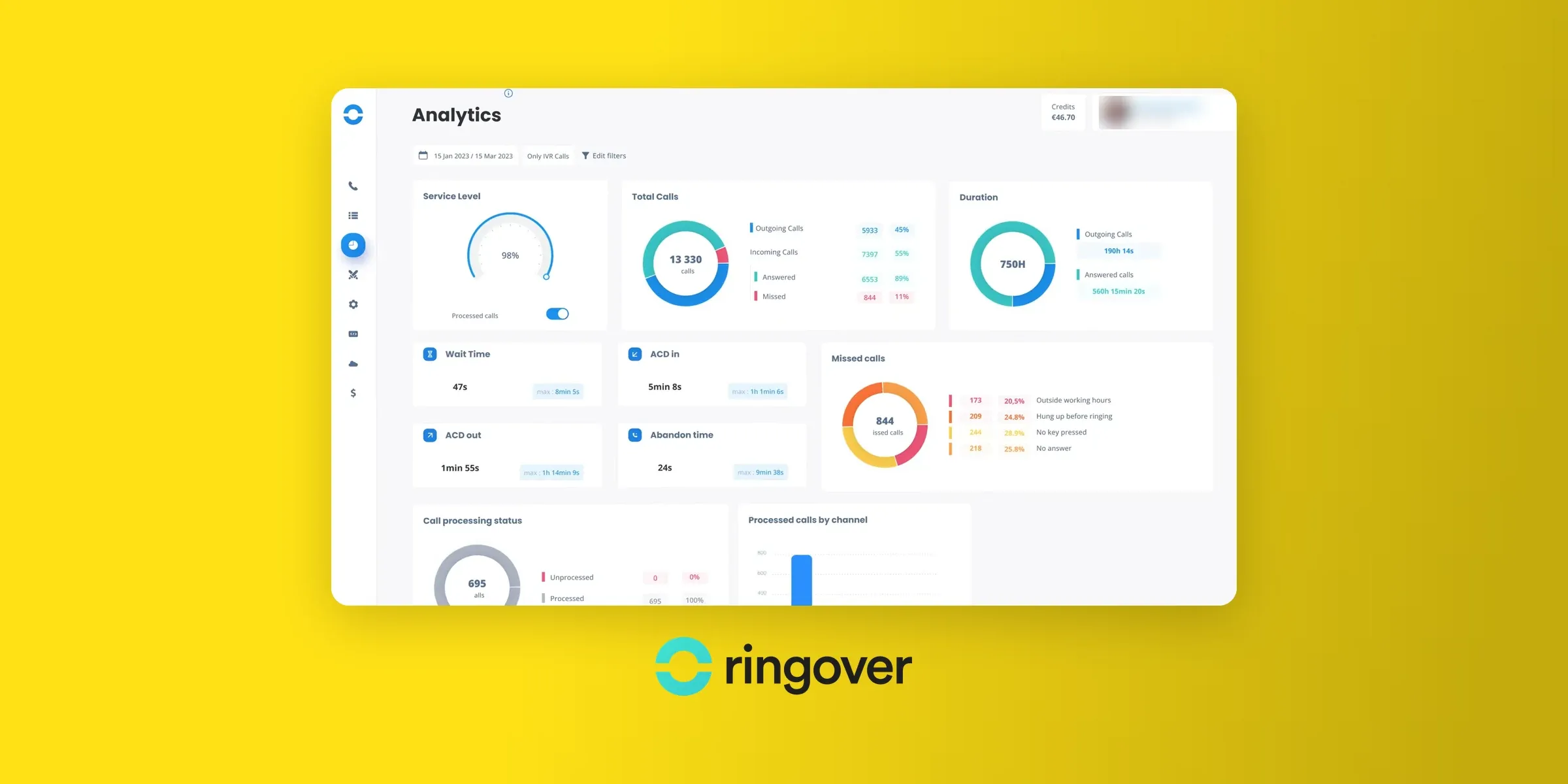
Ringover is a French business phone system with a strong footprint in Europe. On its Business plan, you can get local numbers in 65 countries. European mobile numbers are available too.
It also covers more than voice. Calls, texts, video meetings and team chat sit in one app, and an add-on brings WhatsApp, Instagram, Messenger and email into the same inbox.
AI call transcription and summaries are included on every plan.
Ringover user reviews
On G2, Ringover scores 4.6/5 across 497 reviews. Recent reviewers point to a fast start and CRM integrations that work well, especially with Pipedrive and HubSpot.
When they criticize it, it's usually for onboarding that could be more hands-on or small glitches in the mobile app.
"What I like best about Ringover is how easy it is to use while still offering powerful features. The setup is fast, the interface is clean, and call quality is consistently reliable. The integrations, call analytics, and user management tools make it a very practical solution for day-to-day business operations. [...] That said, there’s still room to further improve integration with Meta channels, particularly to make setup and synchronization smoother [...." – Carlos G., G2 review
Ringover pros and cons
Pros
- Local numbers in 65 countries, plus European mobile numbers.
- AI transcription and call summaries on every plan.
- Calls, texts, video meetings and team chat in one app.
- Supervisor tools like call whispering and live listening on Business.
Cons
- 3-user minimum and a 12-month commitment on Talk and Business.
- CRM integrations start on the Business plan ($47 per user/month).
- WhatsApp, Instagram and email need the $29 omnichannel add-on.
- The Talk plan includes one phone number for the whole company.
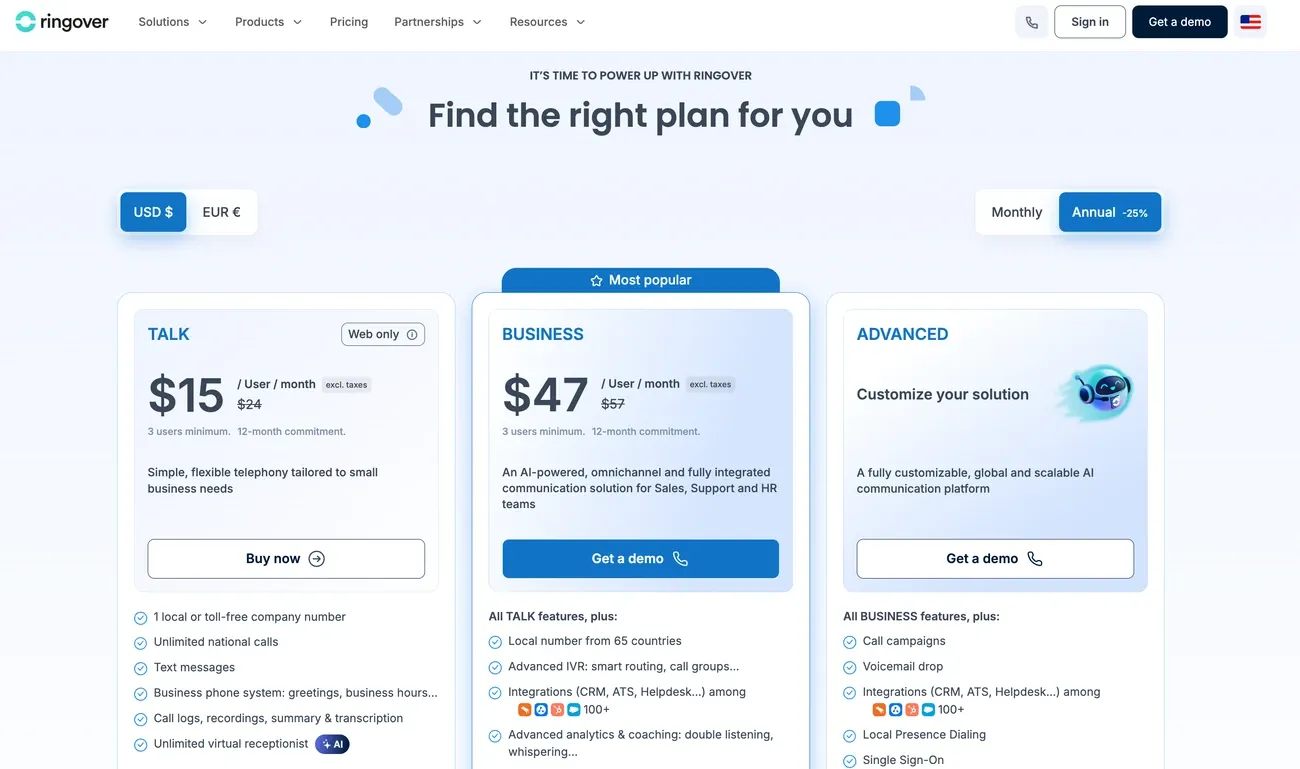
Ringover pricing
Ringover has three plans. Talk and Business require at least 3 users and a 12-month commitment.
- Talk: $15 per user/month billed yearly ($24 monthly), with unlimited national calls, AI summaries, and an AI virtual receptionist.
- Business: $47 per user/month billed yearly ($57 monthly). It adds local numbers in 65 countries, advanced call routing, 100+ integrations, and a power dialer.
- Advanced: custom pricing, with call campaigns, local presence dialing, and SSO.
Ringover's entry plan costs half of Aircall Essentials and already includes AI call summaries. Both require at least 3 users, but Ringover also asks for a 12-month commitment on Talk and Business.
Ringover demo
Want to see more? Check out Ringover's phone system demo.
MightyCall, best for small call centers
Running a small call center, with a handful of agents and a supervisor keeping an eye on the calls? MightyCall was built for that setup.
Why is MightyCall a good alternative?
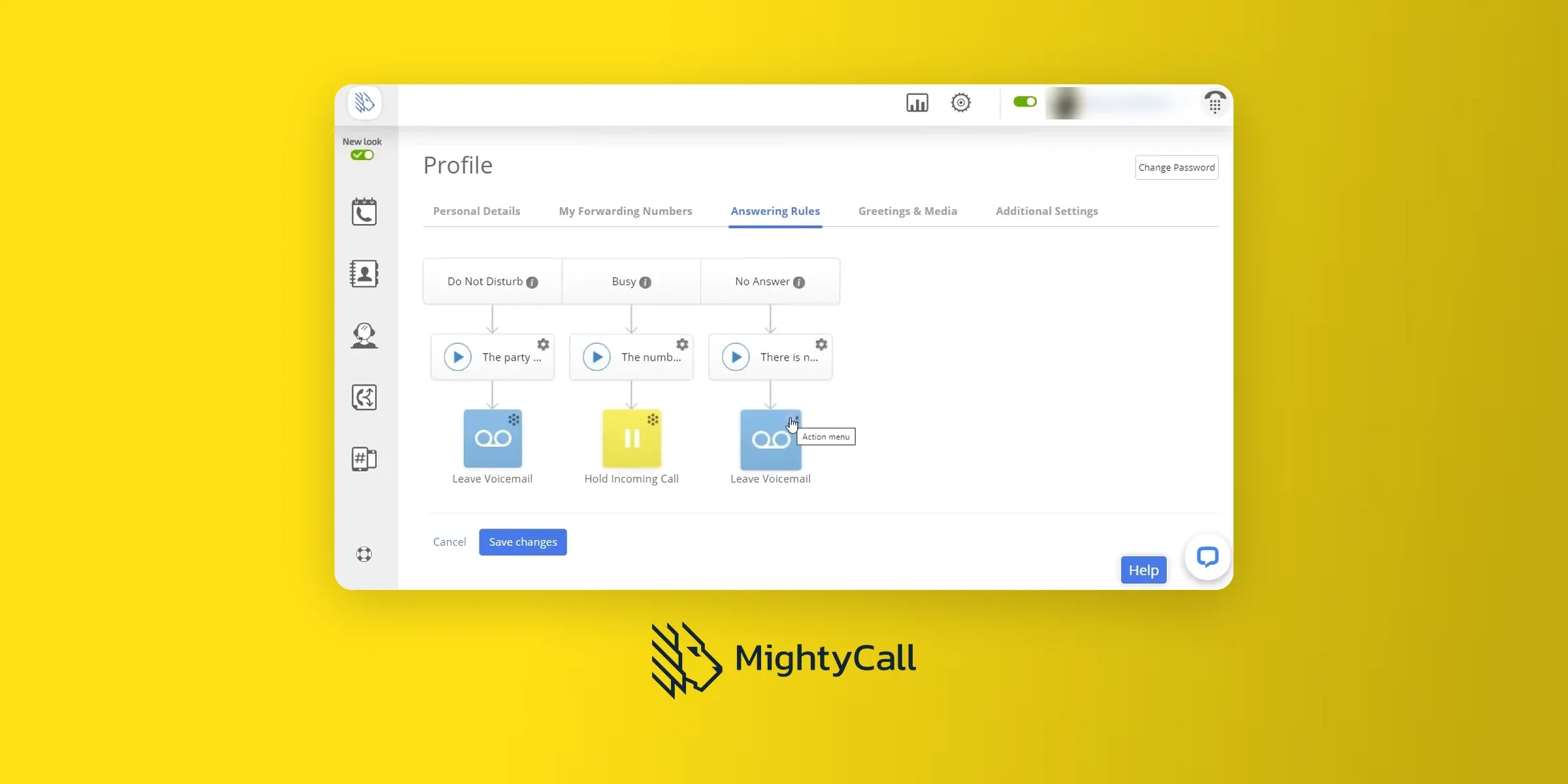
MightyCall is a cloud phone system built for teams that handle a lot of calls. Even the entry plan includes its full set of telephony features, such as IVR, call queues, and ring groups.
From the Pro plan, MightyCall gives managers a supervisor workspace to listen in on live calls, whisper to agents, or barge in.
Outbound teams can move up to the Power plan for preview and progressive dialers, or Enterprise for a predictive dialer.
MightyCall user reviews
MightyCall holds a 4.4/5 G2 rating from about 320 reviews. Price is the thing reviewers mention most, along with being able to work from a phone. Complaints focus on the app, which sometimes fails to show incoming calls or changes settings on its own.
"I appreciate that MightyCall is much more affordable, and it gives us the ability to run a contact center for dialing without the cost of a highly expensive platform. I like that it takes less than three minutes to build a campaign, and I find it very easy to import and export records from each campaign list. [...] I would like an improvement in time zone features. I prefer assignment by record instead of using time zones by campaign." – Lora A., G2 review
MightyCall pros and cons
Pros
- Live call monitoring, whisper and barge from the Pro plan.
- 3 business phone numbers included on every plan.
- Dialers built in on higher plans, up to a predictive dialer.
- Free onboarding and live support on every plan.
Cons
- 3-user minimum on every plan (5 on Enterprise).
- AI call summaries start on the Pro plan.
- Auto dialers start at $54 per user/month.
- The free trial is short: 7 days and 100 minutes.
MightyCall pricing
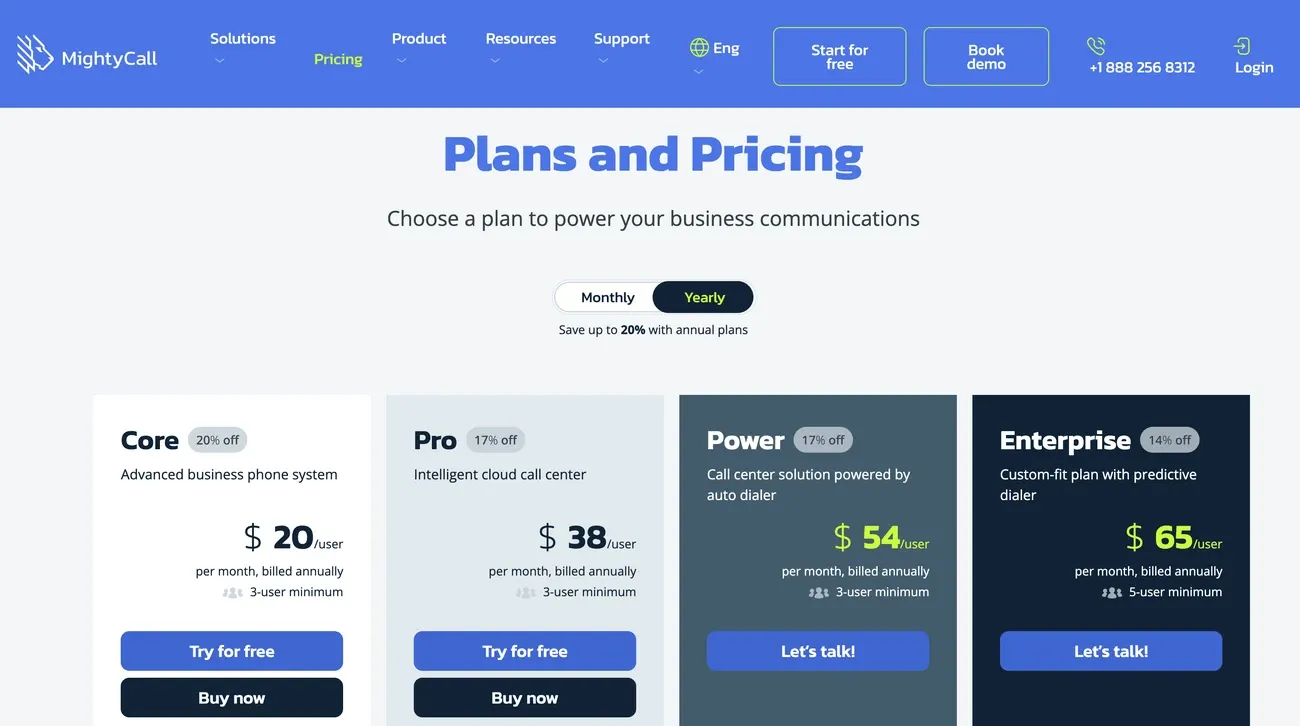
MightyCall has four plans, billed yearly:
- Core: $20 per user/month, with unlimited calls and texts, 3 business numbers, call recording and integrations.
- Pro: $38 per user/month. It adds the supervisor workspace, live call monitoring, AI call summaries and analytics.
- Power: $54 per user/month, with preview and progressive dialers and local presence dialing.
- Enterprise: $65 per user/month (5-user minimum), with a predictive dialer and SIP trunking.
MightyCall costs less than Aircall in every plan.
Core is $10 cheaper per user than Aircall Essentials, and Pro is $12 cheaper than Aircall Professional, with live monitoring and AI call summaries on both. Like Aircall, it needs at least 3 users.
MightyCall demo
Curious to know what MightyCall’s interface looks like? We recommend this demo video:
CloudTalk, best for teams calling worldwide
If your team calls customers in many countries, CloudTalk can give you a local number almost anywhere. The platform covers 160+ countries.
Why is CloudTalk a good alternative?
CloudTalk is a cloud call center platform for sales and support teams. Every plan includes those international numbers, free inbound calls, and unlimited calls to the US and Canada.
It's built for teams that route a lot of calls. From the Essential plan, calls can be routed by skill or by rules you set, and a workflow designer connects CloudTalk to your other tools.
The Expert plan adds a power dialer, custom dashboards, and Salesforce integration.
CloudTalk also sells AI Voice Agents that answer and make calls around the clock.
CloudTalk user reviews
CloudTalk's 4.4/5 G2 rating comes from 1,938 reviews. Ease of use is the most praised point.
Opinions on call quality are split: many reviewers call it reliable, but call and connection problems are also the most common complaint. Recent reviewers add that the desktop call log sometimes won't load.
"What I like most about CloudTalk is how easy it is to use for daily outbound sales. Calling international prospects is straightforward, the call quality is reliable, and I can easily keep track of previous calls and contact history. It saves time and makes our sales workflow much more efficient. The main downside for me is the contact management and importing process. Uploading and updating larger contact lists could be more intuitive. [...]" – Bent K., G2 review
CloudTalk pros and cons
Pros
- Local numbers in 160+ countries on every plan.
- No seat minimum on Starter and Essential.
- Skill-based and rule-based routing from the Essential plan.
- 24/7 chat and email support on every plan.
Cons
- AI summaries and transcripts are a $9 per user/month add-on, even on Expert.
- Expert requires at least 3 users.
- CRM integrations start on the Essential plan.
- The power dialer costs $15 per user/month extra below Expert.
CloudTalk pricing
CloudTalk has three main plans, billed yearly:
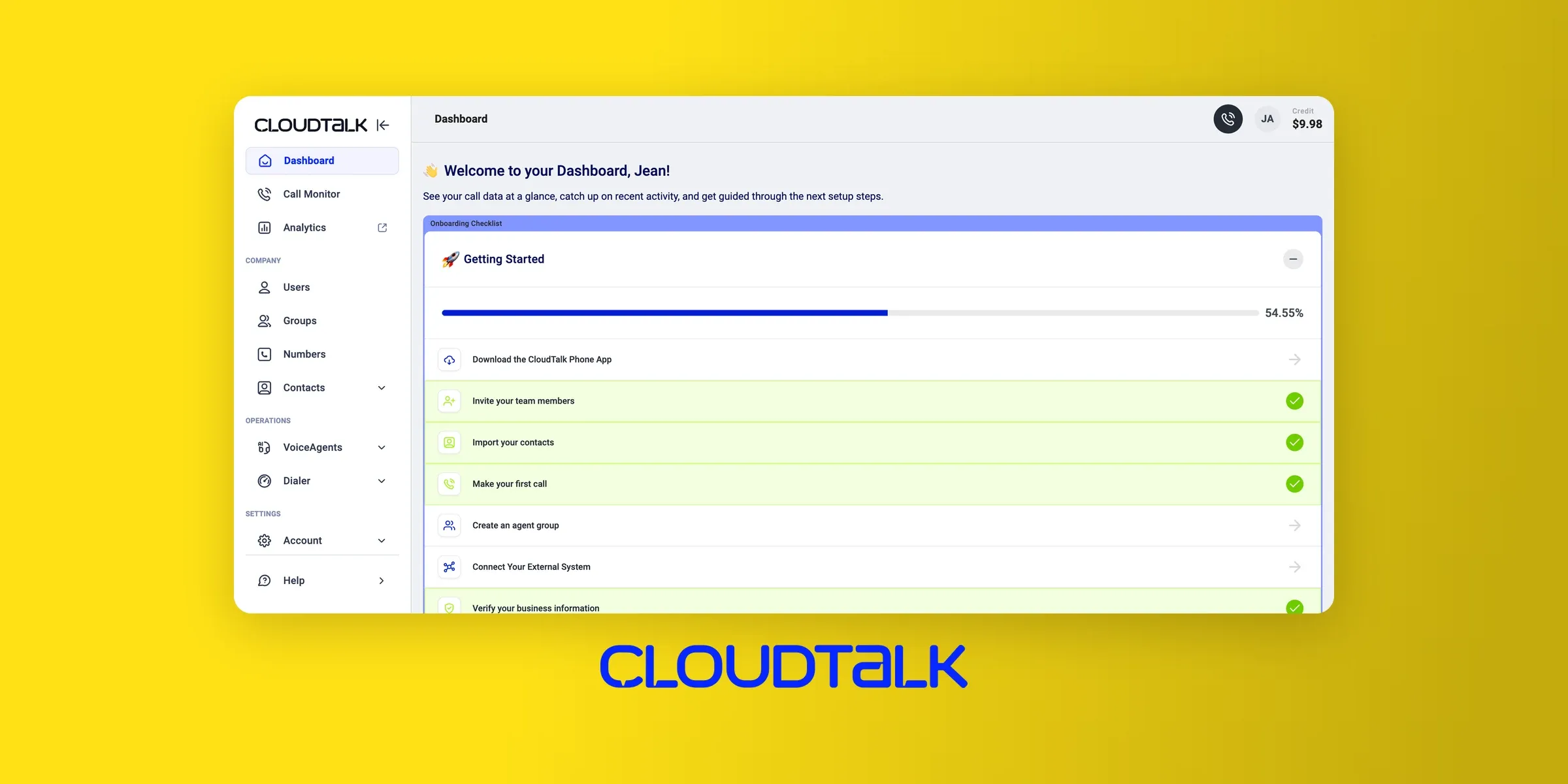
- Starter: $25 per user/month, with multiple ring groups and call queues.
- Essential: $29 per user/month. It adds smart routing, 95+ integrations, the workflow designer and API access.
- Expert: $49 per user/month (3-user minimum), with a power dialer, custom dashboards, real-time wallboards and Salesforce integration.
AI Voice Agents are sold separately, from $99 a month for 200 minutes.
CloudTalk's entry plan costs $5 less per user than Aircall Essentials, and it covers 160+ countries against Aircall's 100+.
Aircall includes AI call summaries on Professional, though, while CloudTalk charges $9 per user for them on every plan.
CloudTalk demo
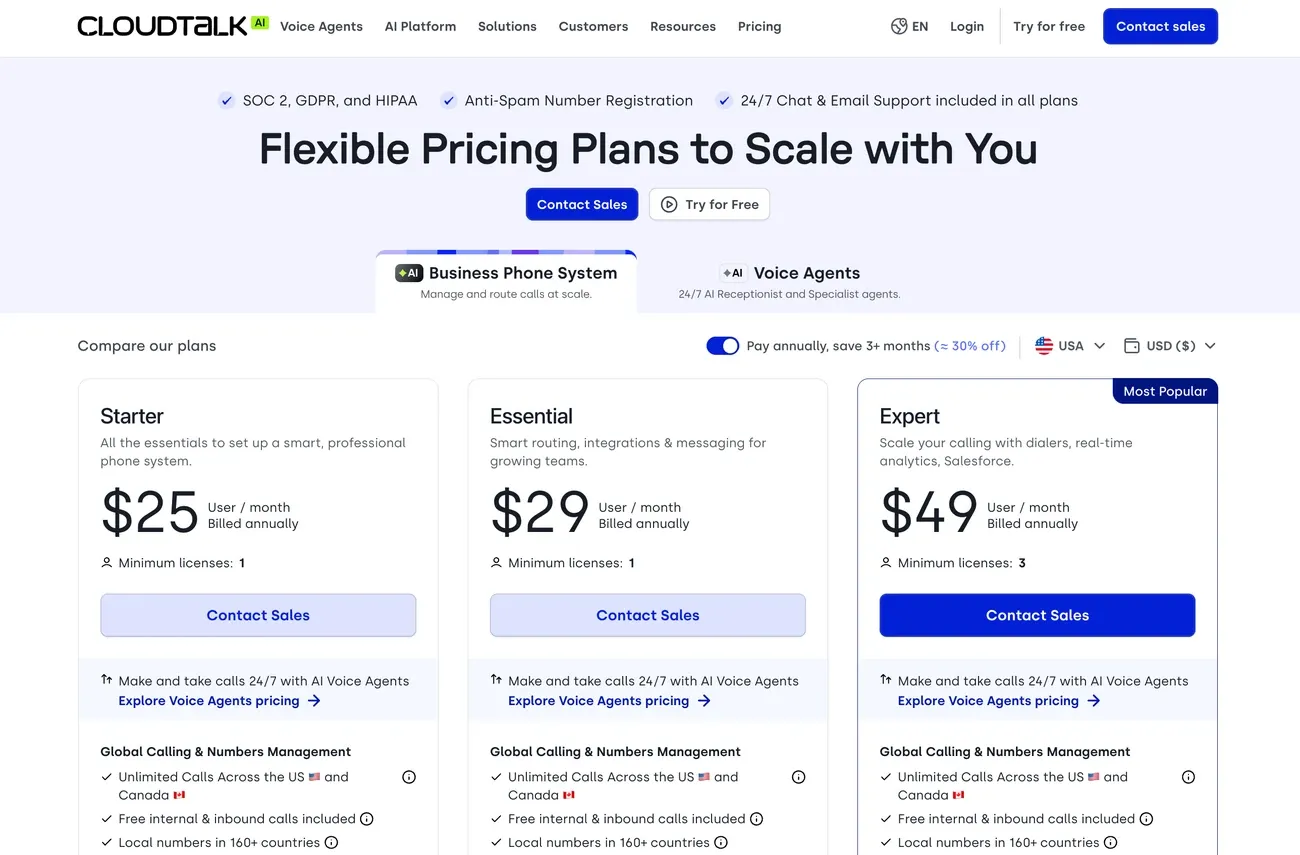
Learn how workflow automation works and more with this CloudTalk demo.
JustCall, best Aircall alternative for outbound sales teams
Sales-led businesses, agencies and startups that live on outbound calls get the most out of JustCall.
Why is JustCall a good alternative?
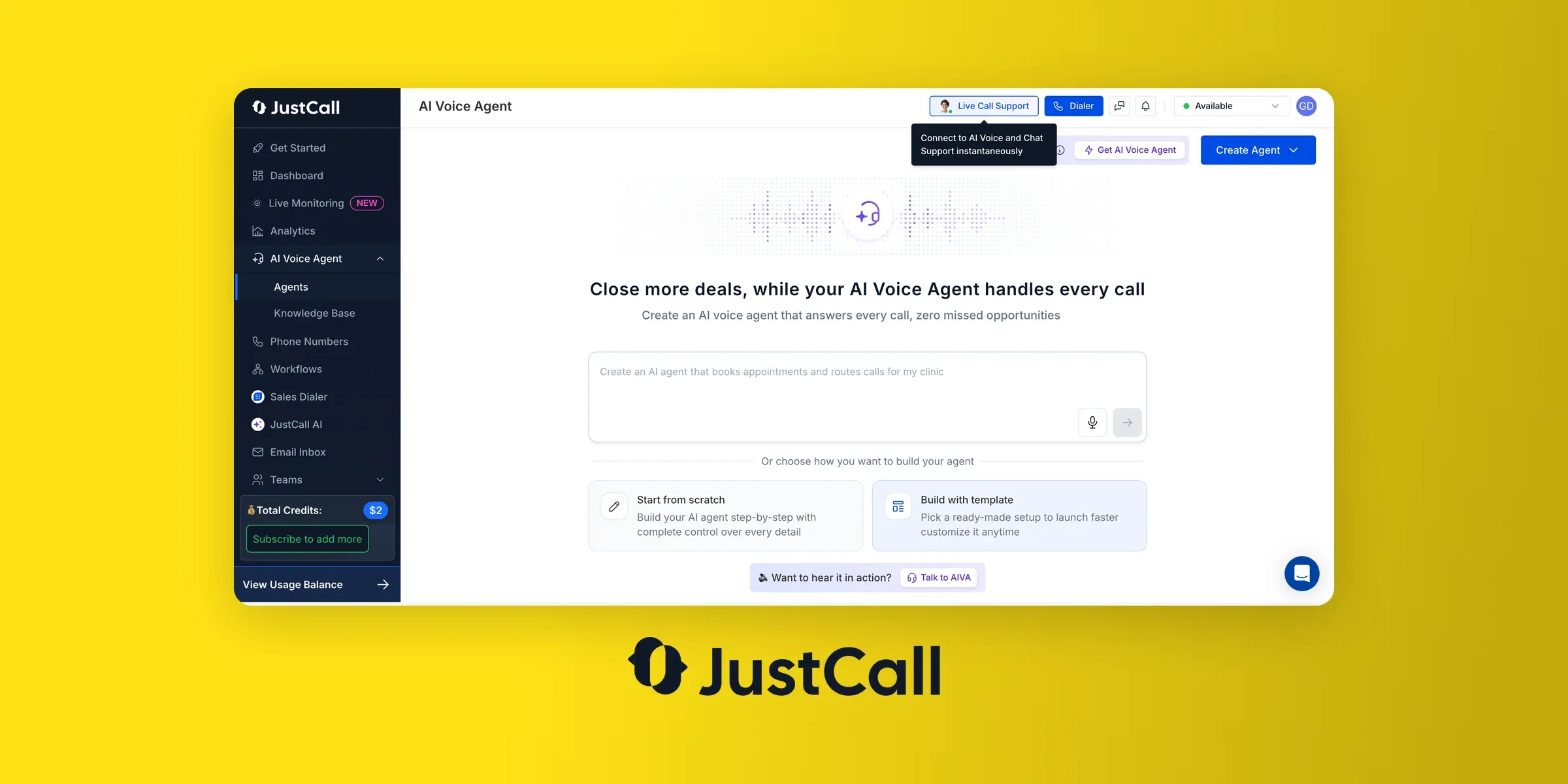
JustCall is designed around outbound selling. All four plans come with unlimited calling in your region, unlimited AI transcription and local numbers in 70+ countries.
The Pro plan adds a power dialer, bulk SMS campaigns, and intelligent call routing.
Teams that dial at high volume can move to JustCall's separate Sales Suite, which includes a predictive dialer that calls up to 10 lines at once.
At the top, Pro Plus brings AI coaching: real-time agent assist, call scoring, sentiment analysis, and script compliance checks.
JustCall user reviews
With 2,395 reviews, JustCall averages 4.3/5 on G2. Reviewers like how easy it is to use and how calls and texts log themselves in HubSpot or Salesforce.
The most mentioned problems are connection drops and poor audio, especially on weaker internet connections. One recent reviewer also warns that "unlimited" calling didn't cover toll-free inbound calls or call forwarding, which cost extra.
"I like that JustCall allows our global sales representatives and customer service team to work asynchronously within a single digital ecosystem. The one-time dashboard is incredibly useful as it consolidates all the information we need, making it easy to understand performance over calls. The AI-generated transcripts are fantastic for streamlining processes and understanding client objections or customer satisfaction levels. [...] I think the pricing approach for JustCall could be improved." – José F., G2 review
JustCall pros and cons
Pros
- Unlimited inbound and outbound calls in your region on every plan.
- Unlimited AI transcription, even on Team.
- Power dialer and bulk SMS campaigns from Pro.
- 14-day free trial, no credit card needed.
Cons
- 2-user minimum on every plan (10 on Business).
- AI summaries and scorecards cost extra below Pro Plus.
- The predictive dialer is sold as a separate product.
- Real-time coaching only comes with Pro Plus.
JustCall pricing
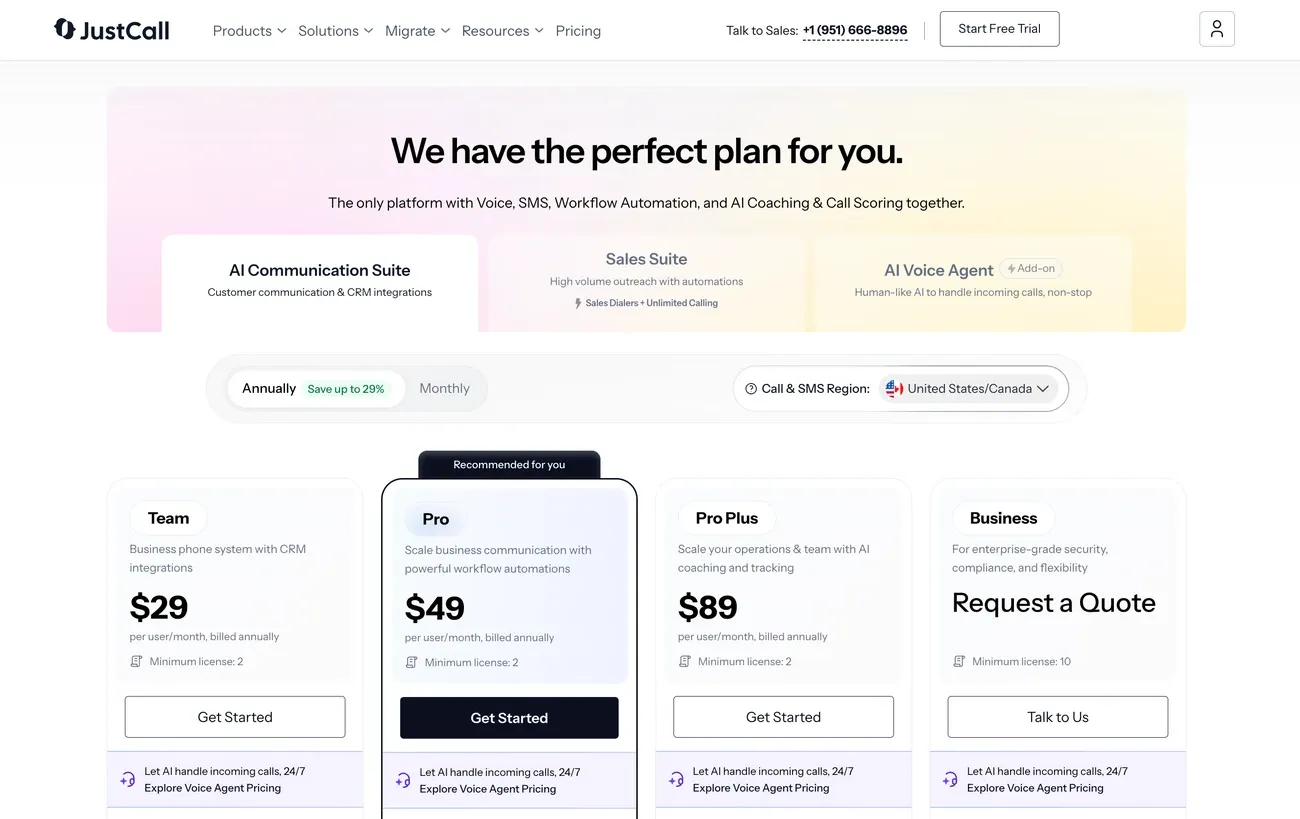
JustCall has four plans, billed yearly:
- Team: $29 per user/month, with unlimited calling in your region, 500 SMS, IVR and 100+ CRM integrations.
- Pro: $49 per user/month. It adds the power dialer, bulk SMS, queue callback and Salesforce CTI.
- Pro Plus: $89 per user/month, with AI Review Assist included, real-time agent assist and AI call scoring.
- Business: custom pricing (10-user minimum), with SSO and an enterprise SLA.
AI Review Assist costs extra on Team and Pro.
JustCall Team costs about the same as Aircall Essentials, but outbound calling in your region is unlimited, while Essentials caps it at 1,000 minutes per user.
On the mid-tier plans, both JustCall Pro and Aircall Professional include a power dialer. Aircall also includes AI call summaries at that level. JustCall Pro doesn't.
JustCall demo
Check how AI Voice Agents work inside JustCall in this demo.
Nextiva, best for multichannel communication
For businesses that want calls, video, chat and customer messages under one roof, Nextiva brings them together in a single platform.
Why is Nextiva a good alternative?
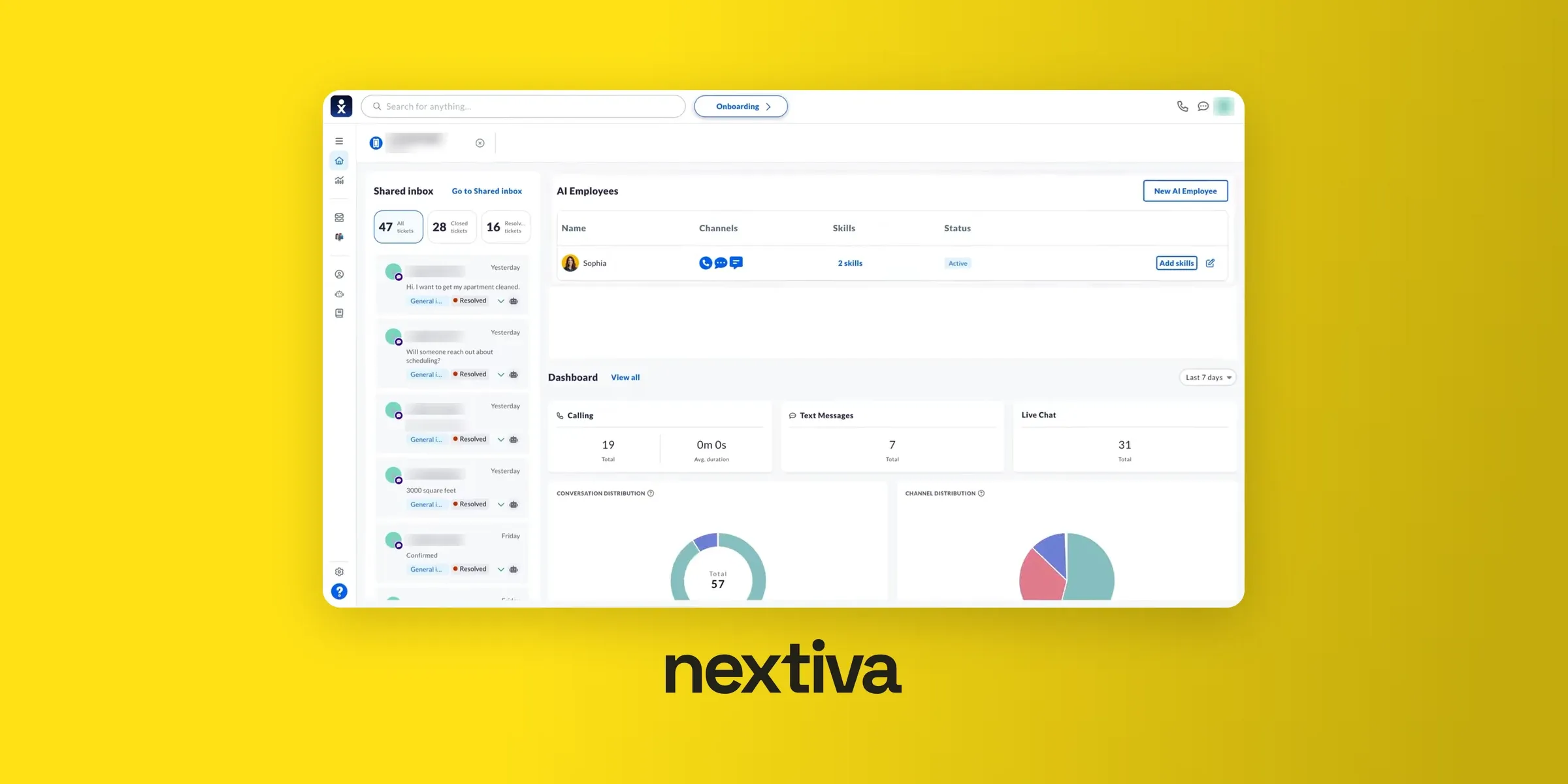
Nextiva is a unified communications platform. Aircall focuses on calls and texts, while Nextiva also bundles video meetings, screen sharing, and team chat into every plan.
The higher plans reach further into customer communication. Engage lets customers text your team directly and adds live chat and a chatbot for your website.
Every plan can also pull in social media accounts and online reviews: 3 accounts on Core, 30 on Engage and unlimited on Scale.
Nextiva also supports desk phones, which matters if part of your team still works from an office.
Nextiva user reviews
Nextiva sits at 4.5/5 on G2, based on 3,652 reviews. Customer support is its most praised point, ahead of ease of use.
Reviewers who dislike something usually point to configuration that takes time to figure out. Several recent reviews also say the newer AI tools still feel unfinished compared with the rest of the platform.
"As an IT professional, what I like most about Nextiva is how easy it is to manage and maintain. The admin portal is straightforward, making it simple to add users, update settings, and troubleshoot issues. The call quality has been consistently reliable, and the platform offers the features our organization needs without being overly complicated. [...] The main drawback is that some advanced administrative features and reporting tools could be more intuitive." – Pablo V., G2 review
Nextiva pros and cons
Pros
- Video meetings, screen sharing and team chat on every plan.
- Channels beyond voice: SMS, live chat, email, social media and reviews.
- Desk phone support for office-based teams.
- 24/7 support on every plan.
Cons
- AI call transcription and summaries only come with Scale.
- Call recording is an add-on on Core.
- Annual pricing needs a 12-month contract.
- The XBert AI Receptionist costs extra on every plan.
Nextiva pricing
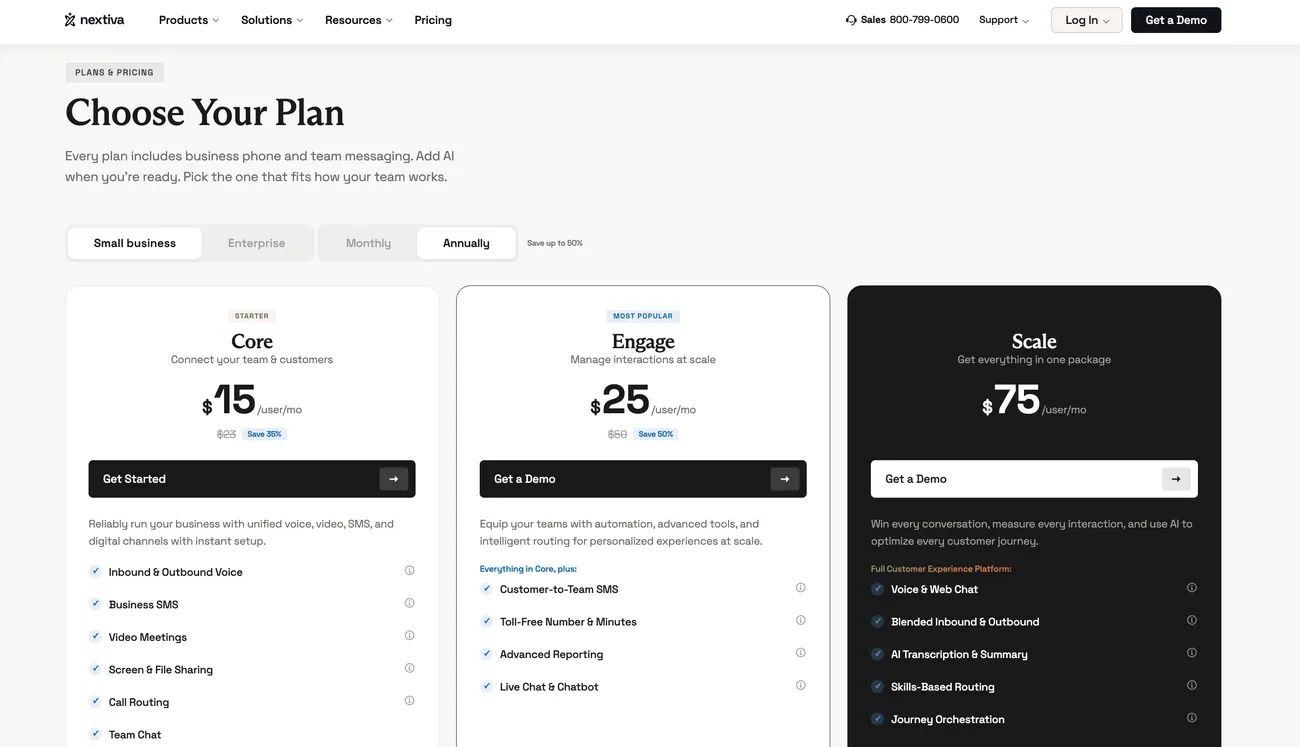
Nextiva has three small business plans:
- Core: $15 per user/month billed yearly ($23 monthly), with calls, 100 texts per user, video meetings and team chat.
- Engage: $25 per user/month billed yearly ($50 monthly). It adds customer texting, a toll-free number, call recording, advanced reporting and live chat.
- Scale: $75 per user/month, with AI transcription and summaries, skills-based routing, and unlimited texts and social accounts.
Nextiva Core costs half as much as Aircall Essentials and includes video meetings, which Aircall doesn't offer.
For AI call summaries, though, Nextiva's Scale plan costs $25 more per user than Aircall Professional.
Nextiva demo
3CX, best for large teams with IT support
Companies with an IT team, lots of users, and a need for control should look at 3CX. It's the only tool on this list you can run on your own servers.
Why is 3CX a good alternative?
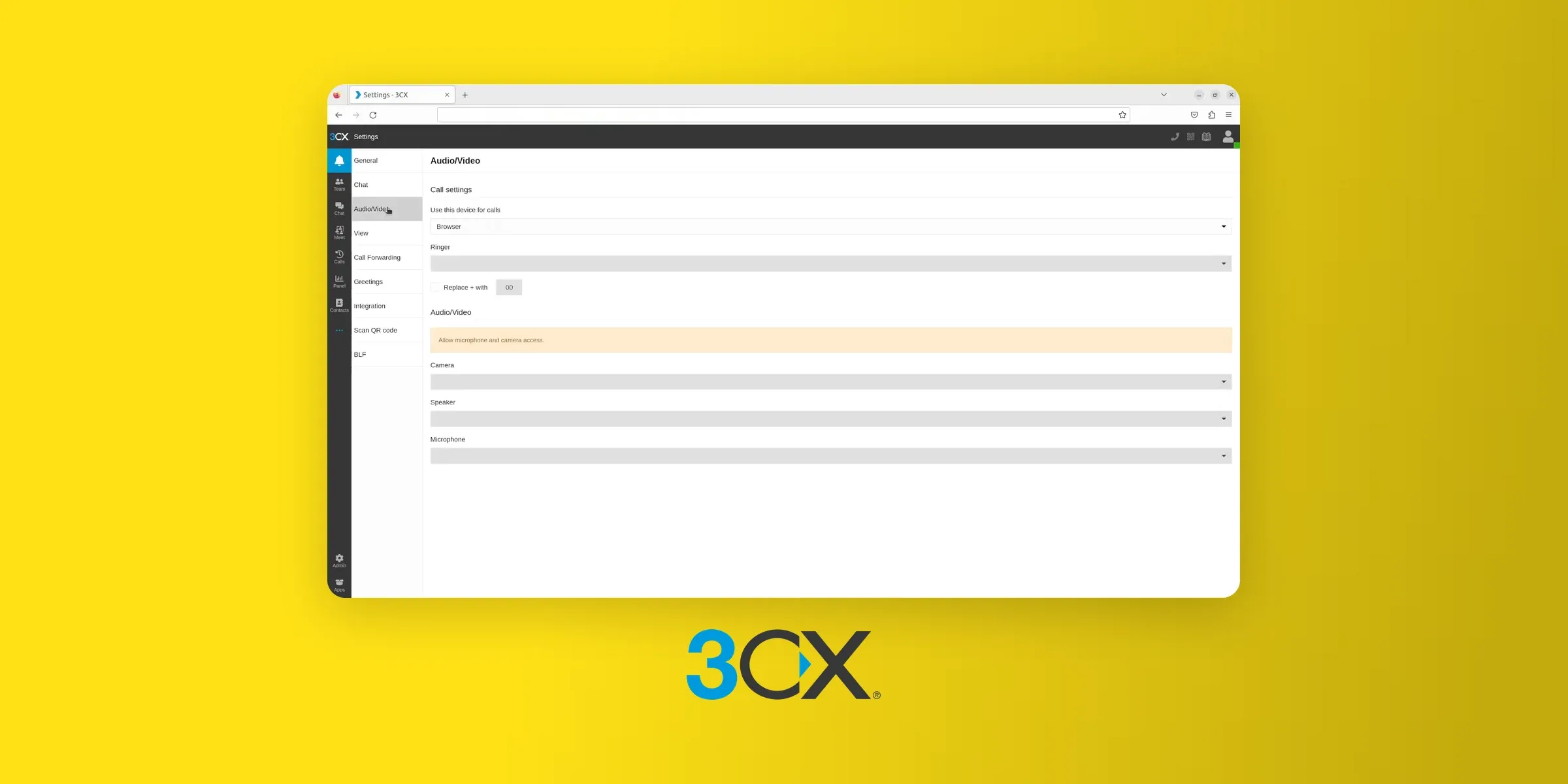
3CX is a phone system (PBX) you can run yourself, on your own servers or in your own cloud account on AWS, Google Cloud or Azure. You can also let 3CX host it for you.
3CX doesn't charge per user. You buy a yearly license based on how many calls can happen at the same time, so adding people doesn't raise the price until you need more simultaneous calls.
Keep in mind that self-hosting takes technical work. Someone has to set up the system, connect phone lines (SIP trunks), and handle updates and security.
In return, you get full control over how calls are routed and where your data lives.
3CX user reviews
3CX has 548 reviews on G2 and a 4.4/5 average. Reviewers value its ease of use and reliability, and many like how flexible it is with phones and SIP providers.
The criticism mostly comes from admins: setup and configuration can be hard to figure out without technical help, and some say the mobile app has connection issues.
"3CX is a solid phone system for organizations that want flexibility and control without the cost of traditional telecom solutions. It offers strong call handling features, softphone options, and integrations that work well for distributed teams. Setup is generally straightforward for users with basic technical knowledge, and once configured, the system is reliable for day-to-day operations. [...] Where 3CX can fall short is usability for non-technical administrators. Some configuration and troubleshooting tasks are not intuitive and may require outside support or documentation." – Evan L., G2 review
3CX pros and cons
Pros
- Priced per system, not per user, so it gets cheaper as you grow.
- Host it on your own servers or cloud, or let 3CX host it.
- Works with desk phones, headsets and SIP trunks from many carriers.
- A free edition for very small setups.
Cons
- Self-hosting needs IT skills to set up and maintain.
- Hosting by 3CX costs extra on top of the license.
- Phone lines (SIP trunks) are bought separately from a carrier.
- AI transcription and summaries need the top AI Edition.
3CX pricing
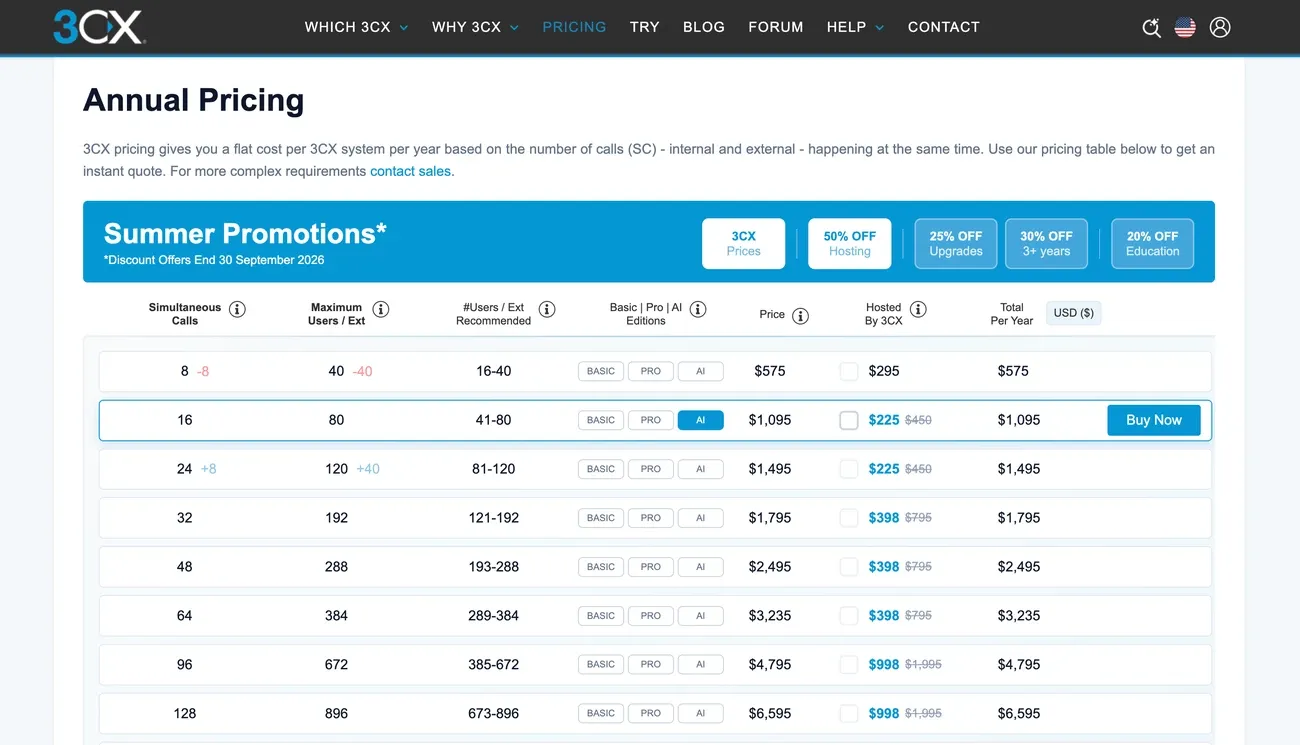
3CX sells three editions, Basic, Pro and AI, each priced per system per year. The price depends on how many simultaneous calls you need.
For a 50-person company, 3CX recommends 16 simultaneous calls. At that size, a yearly license costs $600 for Basic, $795 for Pro and $1,095 for the AI Edition.
There's also a free Basic edition limited to 4 simultaneous calls, but you have to host it yourself.
For the same 50 people, Aircall Essentials would cost $18,000 a year. 3CX's AI Edition costs a fraction of that, even before you add phone lines and hosting.
3CX demo
Ready to move on from Aircall? Here's how to take your numbers with you.
How to switch from Aircall?
You can port your numbers out of Aircall at any time. Aircall doesn't charge a port-out fee, and most providers (Allo included) don't charge to port numbers in.
The transfer usually takes one to two weeks, depending on the number and the country.
Before you begin
Types of numbers you can transfer
- Local US and Canadian numbers
- North American toll-free numbers
- Many international numbers (check with your new provider for eligibility)
Requirements
- An active Aircall account with the numbers you want to transfer
- Admin or owner access on your new provider's dashboard
- The exact company name and address on your Aircall account
Information you’ll need from Aircall
| Requirement | Details | Where to find it |
|---|---|---|
| Company ID | Aircall doesn't use account numbers. Give your Company ID and the main admin's email instead. | Aircall dashboard: Settings > Company |
| Port-out PIN | Some providers ask for a PIN. It isn't your Aircall password. | Ask Aircall support |
| Company name and address | Must match your Aircall account exactly. A mismatch is the most common reason ports get rejected. | Aircall account settings |
| Proof of ownership | Aircall can't issue itemized invoices, but it can provide a proof of ownership document. | Ask Aircall support |
⚠️ Make sure your Aircall account is active and in good standing. Suspended or closed accounts cannot be ported.
Steps to transfer your numbers from Aircall
- Gather your details. Collect your numbers, Company ID, admin email, and company address. If your new provider needs a PIN or proof of ownership, ask Aircall support.
- Check eligibility. Confirm with your new provider that your numbers can be ported to them.
- Submit the porting request. Enter the details in your new provider's dashboard. On Allo, go to Settings > Numbers > Port a number, or follow our step-by-step guide to porting your number to Allo.
- Wait for confirmation. Your new provider contacts Aircall and lets you know if anything else is needed.
- Cancel Aircall. Porting doesn't cancel your Aircall subscription, so cancel it once your numbers are live with the new provider.
Timeline & expectations
- Processing time: usually one to two weeks.
- Service continuity: your numbers keep working on Aircall until the port completes.
- Go-live: your new provider confirms by email once your numbers are live. On Allo, the number shows up in your account about a day early so you can set it up before it goes live.
🚫 Important: Don't cancel your Aircall account until the transfer is complete. If you cancel early, you could lose your numbers for good.
Frequently Asked Questions About Aircall Alternatives
What are Aircall’s top competitors?
Aircall's main competitors are other cloud phone systems for small and mid-sized teams: Allo: AI summaries and CRM sync in every seat, no seat minimum, built for small teams. Dialpad: from business phone system to full contact center on one platform. Ringover: French provider with local numbers in 65 countries. MightyCall: affordable supervision and dialers for small call centers. CloudTalk: call center features, global reach and advanced routing. JustCall: power dialers and SMS automation for outbound sales. Nextiva: voice, video, and team chat in one platform. 3CX: a full PBX you can host yourself, cheaper at scale, but it needs IT resources.
What is better than Aircall?
It depends on your team: If you want AI call summaries without paying for a higher plan, Allo includes them in every seat. If you're building a contact center with queues and live coaching, Dialpad or CloudTalk will serve you better. If you focus on outbound sales and SMS, JustCall has more dialer and texting tools. In short, Aircall works well for mid-sized sales and support teams. If you're very small, very large, or very AI-focused, there are stronger options.
How does Allo compare to Aircall?
Pricing: Allo has no seat minimum. Aircall requires at least 3 licenses, even for a solo user. AI: Allo includes AI call summaries, transcripts and CRM sync in every seat. On Aircall, AI summaries start with the $50 Professional plan, and AI Assist Pro costs $49 per user/month on top. The AI Receptionist is an add-on on both. Apps: Allo runs on mobile, desktop and web, with the same number everywhere. Best fit: Allo suits small teams that want AI included and a simple setup. Aircall is the stronger choice for larger teams that need live call monitoring or routing by team.
Which Aircall alternatives have no seat minimum?
Allo has no seat minimum on any plan, so a one-person business pays for one seat. CloudTalk's Starter and Essential plans also start at one user. Ringover and MightyCall require 3 users, like Aircall, and JustCall requires 2.
Is there a free alternative to Aircall?
Not really, if you need a full business phone system. 3CX offers a free edition, but it's self-hosted and limited to 4 simultaneous calls, so you'll need someone technical to run it. Most other providers offer free trials instead. Allo's lasts 7 days, and Dialpad's lasts 14.
Which Aircall alternative works best with HubSpot or Salesforce?
Allo, Dialpad and Ringover all connect to HubSpot and Salesforce. On Allo, the integration is included on every plan and the AI call summary lands directly on the contact's call record. On Dialpad, CRM integrations start with the Pro plan ($25 per user/month). On Ringover, they start with Business ($47 per user/month).
Can I keep my phone number when I leave Aircall?
Yes. You can port your Aircall numbers to your new provider, usually within 1 to 2 weeks. Keep your Aircall account active until the transfer is done, or you could lose the numbers. The steps are in the "How to switch from Aircall" section above.