
You’re trying to run a growing small business. That means you’re on jobs, in meetings, and on rare occasions, trying to sleep. So it’s not if, it’s when, you miss an incoming call. But thankfully, missing a sales call doesn’t have to mean missing a sale.
This guide explains how to build a missed call follow-up system so you can turn missed conversations into revenue streams. It also explores different ways to automate your phone system and instantly direct leads toward the best next step.
What Happens When You Miss a Sales Call?
- The average small business misses almost two out of every three calls.
- A whopping 85% of them won’t bother calling back.
- For the average small business fielding 50 calls per day, that’s 33 missed calls per day worth thousands in potential revenue.
There are a few other things that can happen whenever you miss a call:
- Leads who try competitors. Speed to lead matters a great deal in sales, especially when customers are deciding between brands. Studies show that you’re 8x more likely to convert a lead when you call them back within five minutes. If you wait 30 minutes, you’re 21x less likely to get them back on the phone.
- Slower pipeline. The longer it takes you to get back to leads, the longer it will take to convert them into customers. Without the right system, it could take days if not weeks to re-engage potential customers. This could push out your sales cycle by an unnecessary degree and hold up thousands of dollars in frozen revenue.
- Frustrated customers. If you have existing customers who need to call your sales team, being met with a generic voicemail message could be frustrating, if not a complete turn-off. Customers might decide that the juice isn’t worth the squeeze. In other words, they might scope out a competitor.
Thankfully, a missed-call follow-up process can help you mitigate many of these problems. You’ll have clear guidelines for everyone on your team, plus a repeatable process for each of your reps to follow.
The good news is, it doesn’t have to stop there. The right phone system can even help you avoid missed calls entirely, meaning you’ll never miss a call or have to play ‘catch-up’ to get back on track.
Below, we explore nine strategies to help manage missed inbound sales calls. We also examine a phone system provider that can help you implement each feature and strategy for your team.
9 Strategies to Reduce Missed Inbound Sales Calls
With the right follow-up process, you might avoid missed calls entirely. You just need a system that makes it quick and easy to respond.
This includes:
Shared Numbers to Split Responsibility for Incoming Calls
One of the biggest reasons why small businesses miss calls is due to not having enough staff to answer incoming messages. You may have several reps with their own numbers, but they’re already on the phone with someone or busy with meetings or after-call work. This could send incoming callers straight to voicemail, even when someone else on your team is available.
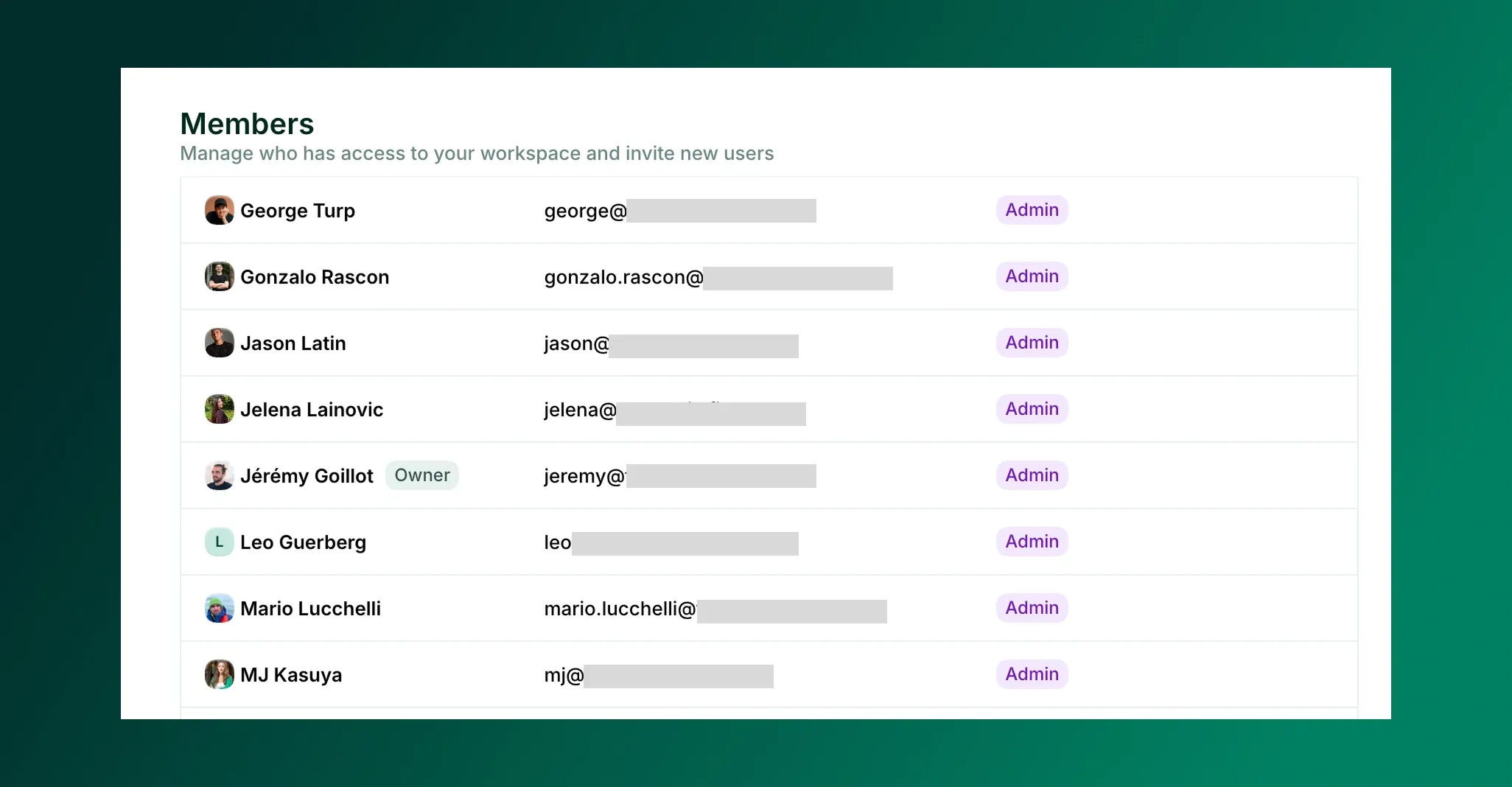
Shared phone numbers, sometimes called a multi-line phone system, can fix this problem by putting all your reps on a single number. All incoming calls will now ring every member of the number until someone picks up the phone.
Many multi-line phone systems also provide shared inboxes. That means all members of the number can see the same conversation threads in the same place, including a customer’s calls, texts, and voicemails. Need to delegate tasks? You can leave internal notes that only your team can see. This makes it easy to hand off calls and follow-ups.
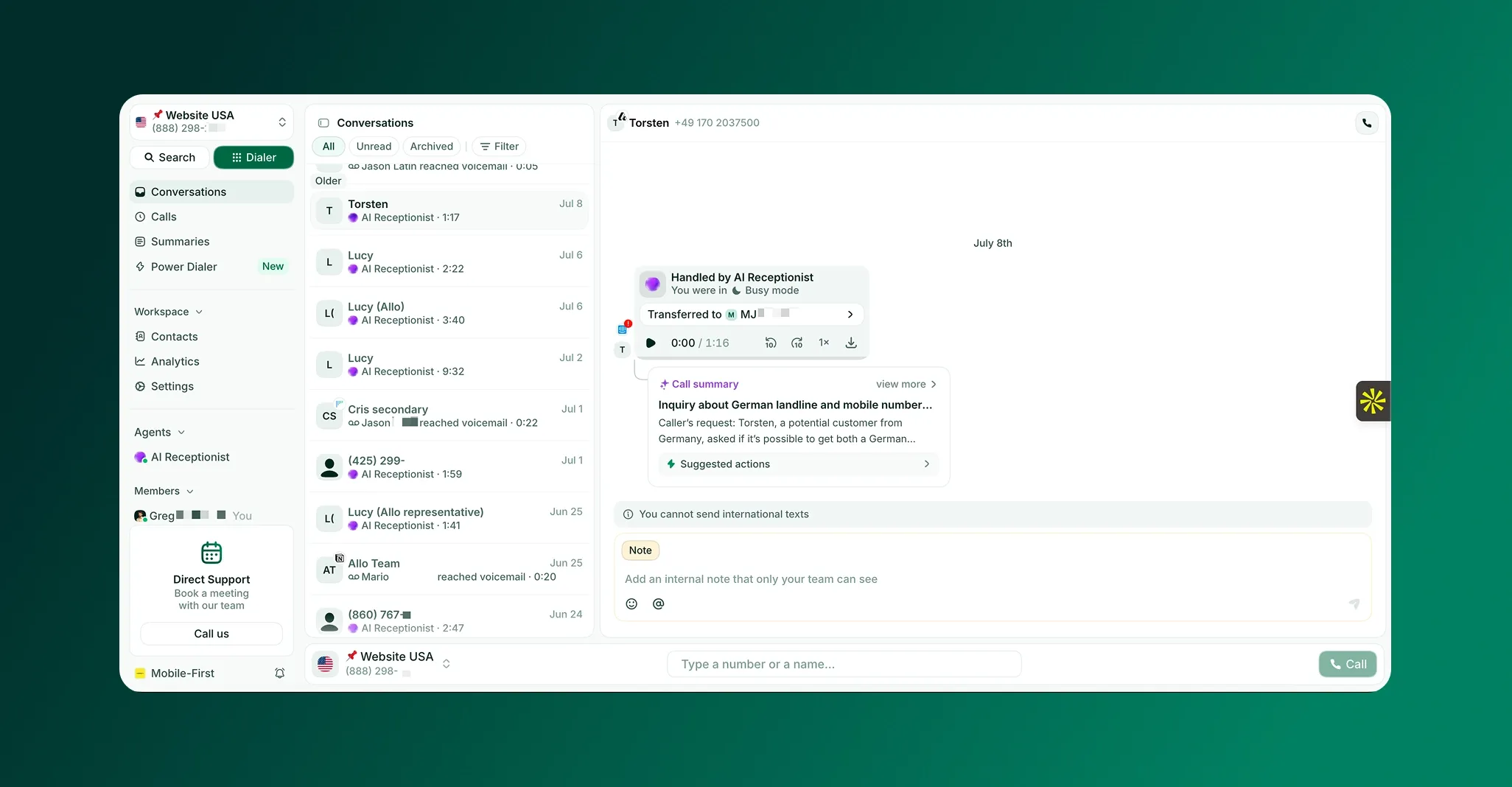
With a business phone system like Allo, you can use your shared numbers on cell phones, tablets, and laptops or desktops. This makes it easy to take calls or reach out for follow-ups from anywhere. You can even use click to call in your browser to call directly from your computer.
So long as you have a device connected to WiFi, you can split responsibility for incoming calls and ensure no single caller falls through the cracks.
Custom Ring Orders to Distribute Calls Evenly
Multi-line phone systems automatically distribute calls to every member of the number. But this isn’t always the most efficient use of their time. For example, what happens if your newest rep picks up a sales call best suited for your top talent?
Ring order features allow you to set who gets which calls first, which keeps your shared line clear while preventing missed or abandoned calls.
This includes settings for:
- Simultaneous ring: Rings everyone on a number at the same time. This encourages friendly competition, since the first rep to pick up is the most likely to complete the deal. With Allo, you can select which members of the number should receive incoming notifications at the same time, and which ones should only have view access to the number. This ensures callers will always reach the most capable reps on your team.
- Cascade ring: Ring specific team members for a custom amount of time (usually 15 seconds) before moving on to the next team member. For example, you could have all calls to your shared sales number ring your top agent first. Then, if they’re unavailable, it could go to your second best, third, fourth, and so on. Cascade ring is the best option for specific call routing
- A fallback option: This could be an AI voice agent, a custom voicemail, an out-of-hours message or an external phone number. For example, if you miss a call that comes in after hours, you could play a short recording letting the caller know you’re out for the day (but will be back in touch soon). Or, if you want callers to reach someone 24/7, you can forward the would-have-been missed call to an on-call agent or a rep in a different timezone.
Some phone systems, like Allo, let you fold in extra customizations. For example, you can create a ring order for VIP or priority callers. This ensures you don’t miss calls from new potential leads, but can send existing customers to a different rep to keep the lines clear.
It takes 15 minutes or less to set up your call flow. Just enable call routing, pick a mode and order, and choose the fallback option that makes the most sense for your team.
A 24/7 Receptionist to Take Calls Whenever You’re Busy
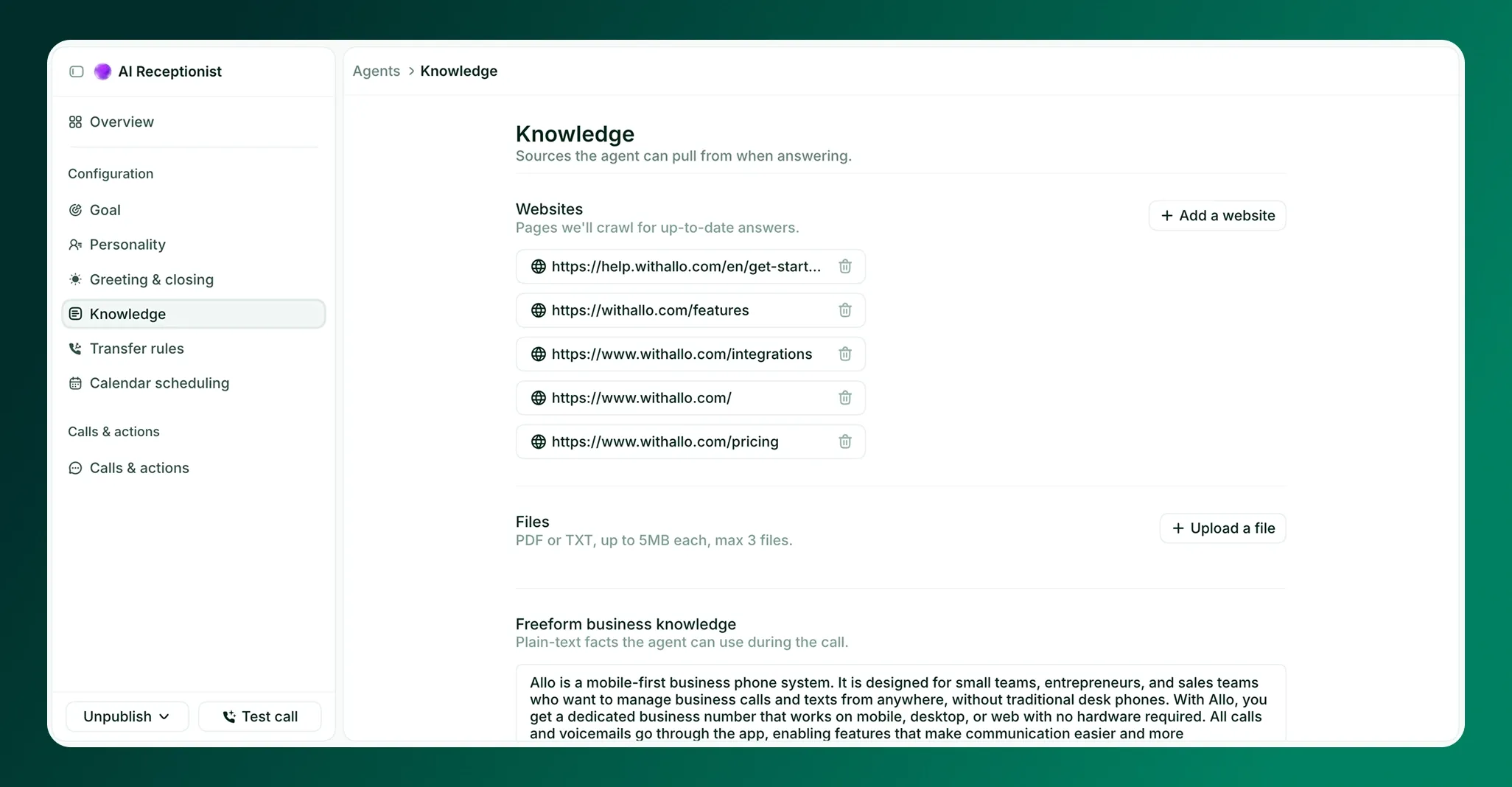
Even with shared numbers and custom ring orders, there’s always a chance someone might call during a holiday, after hours, or when you have an all-hands meeting. AI voice agents help alleviate this by automatically picking up the phone when a call would otherwise go to voicemail.
Allo’s AI receptionist, for example, greets leads whose calls would’ve otherwise been missed. Your AI call answering service can then provide information about your business, answer FAQs, collect messages for reps, and even send text messages during calls. If the AI voice agent can’t answer a question, it uses your custom rules to route the callers to an available rep. This lets AI handle easy or routine questions so your reps can stay focused on closing more deals.
Allo’s AI voice receptionist automatically records and transcribes every discussion. It’s also capable of answering and transcribing in more than five languages. This lets you quickly skim past interactions and see which callers had their needs met versus which ones need a follow-up from your team.
You can also enable AI post-call actions, which automatically perform tasks on your behalf after a phone call has gone through. If a potential lead calls in but doesn’t reach a member of your team, post-call actions can:
- Log the number as a new lead in your CRM
- Mark the call as unanswered in your phone system
- Draft and email and follow-up text for your team to send out immediately
You can even qualify the lead before reaching back out with Allo’s AI Lead Qualifier Agent. This makes it easy to handle calls as they come in. Plus, you can set up other AI Agents for tasks like inbound customer support, sales coaching, and data analysis.
Intuitive Phone Menus That Route Callers to Available Reps
Once you have your shared numbers set up, you can build a phone menu (aka IVR) that does the routing for you.
Allo’s IVR lets you create multi-level menus that guide callers to the right rep or department and avoid giving callers a busy tone (or sending them straight to voicemail if only a single person is unavailable). For example, a caller might press One for sales, Two for support, or Three to hear your business hours.
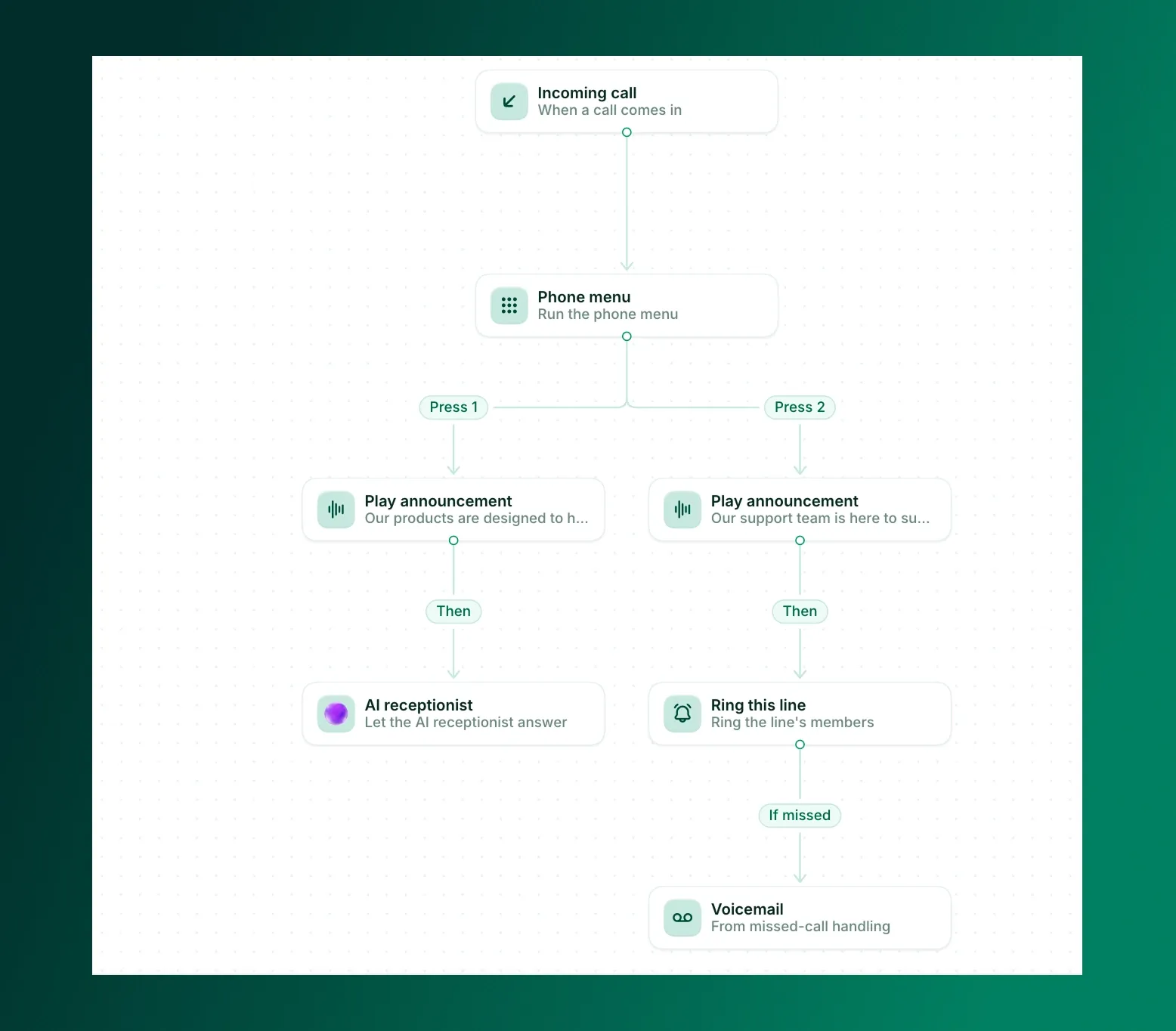
Next, customize the voice your callers hear when they reach your menu. Allo gives you the option to choose from a set of preset AI voices or record a custom greeting in your own voice. This ensures the caller’s experience feels professional from the first ring, and they spend less time wondering if they’ve reached the right place.
Customized Greetings and Voicemails Based on Time of Day
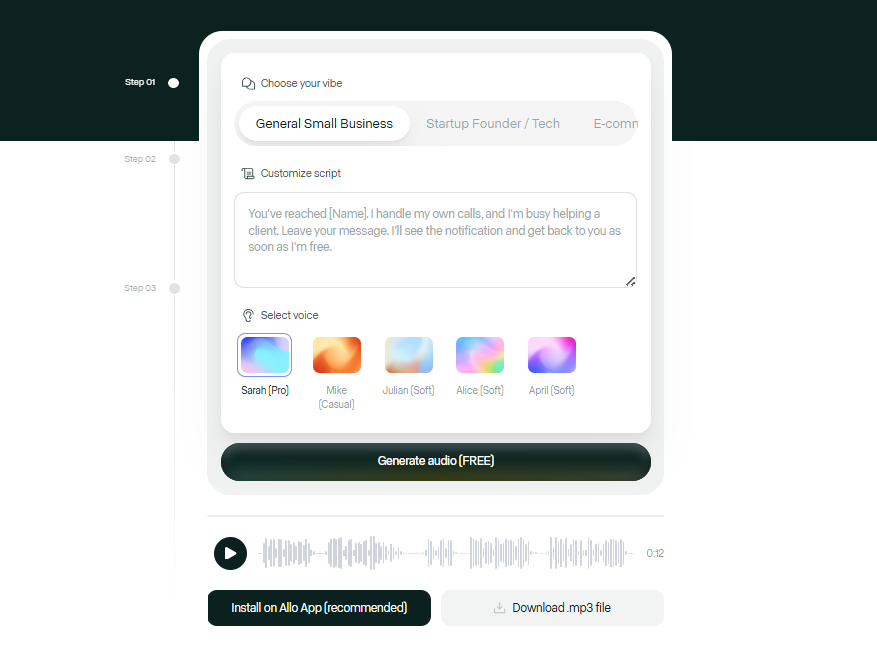
Callers that reach out and leave messages during business hours should be handled much differently from calls that come in after hours or during weekends. Customized greetings let you address callers where they’re at and set a positive tone for whenever you’ll reach back out.
First, set your business hours for a specific number. This creates a range and helps your phone system identify during versus after-hours calls. Then, choose what happens outside of business hours. This could be:
- Sending callers to voicemail
- Forwarding to an on-call number
- Playing a custom announcement
- Routing the caller to your AI Receptionist (so long as you’re on the Business plan)
You can easily create a studio-quality professional voicemail greeting in 30 seconds with Allo’s AI voicemail generator. Or, record your own audio file in a .mp3 or .wav file format. This lets you speak to callers in exactly the way they need to hear.
Text Message Reminders and Auto-Replies to Reengage Missed Leads
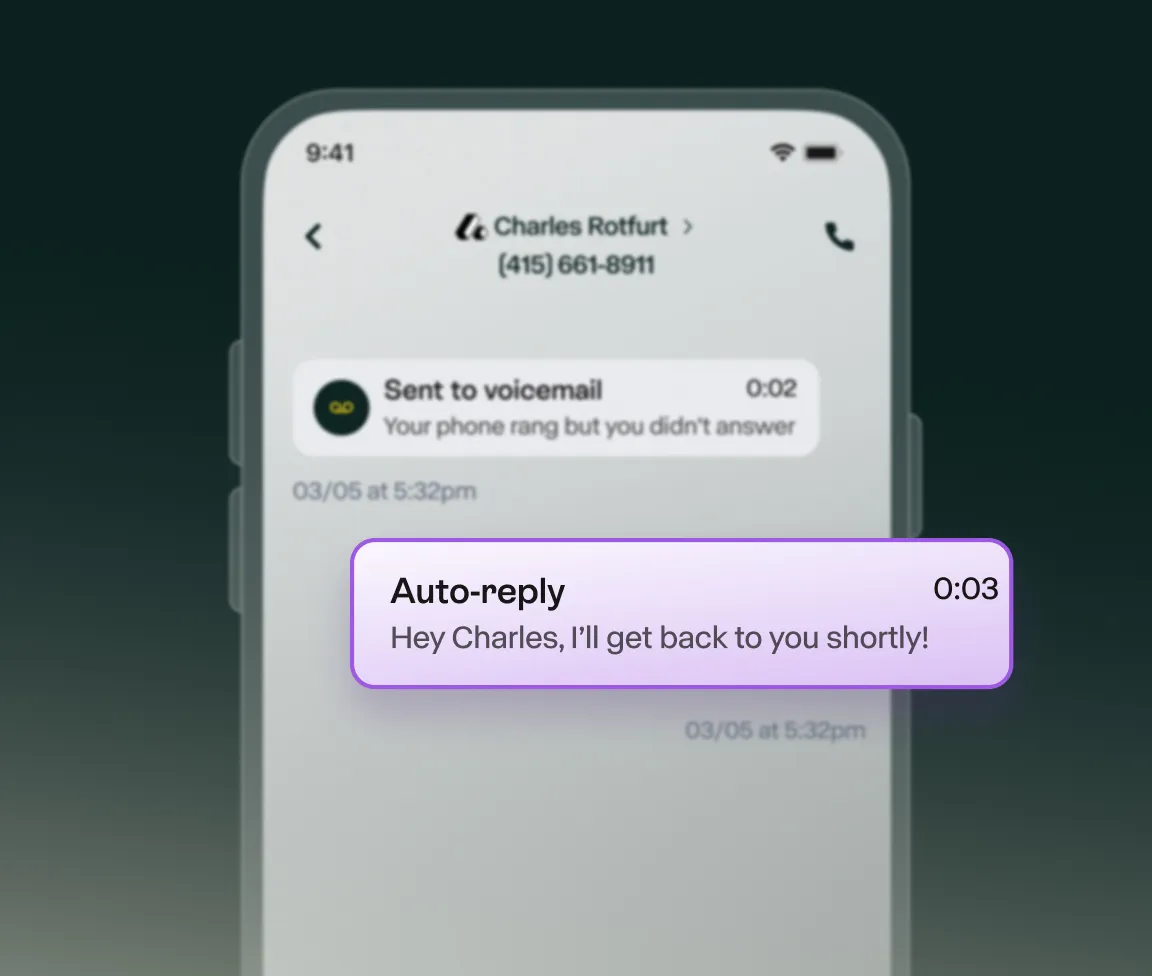
What if a lead reaches your voicemail inbox and listens to your custom voicemail, but still isn’t sure when your team will reach out?
One option is setting up text message auto-replies. These automatically text the caller back from your business number, saying they’ve reached the right place and can text the number at any time. First and foremost, this gives the caller confirmation that they’ve reached the correct person or business. Second, it gives them another channel to get in touch with your team. Considering 90% of customers prefer to do business via texts rather than phone calls, it could serve as a valuable sales channel for your growing business.
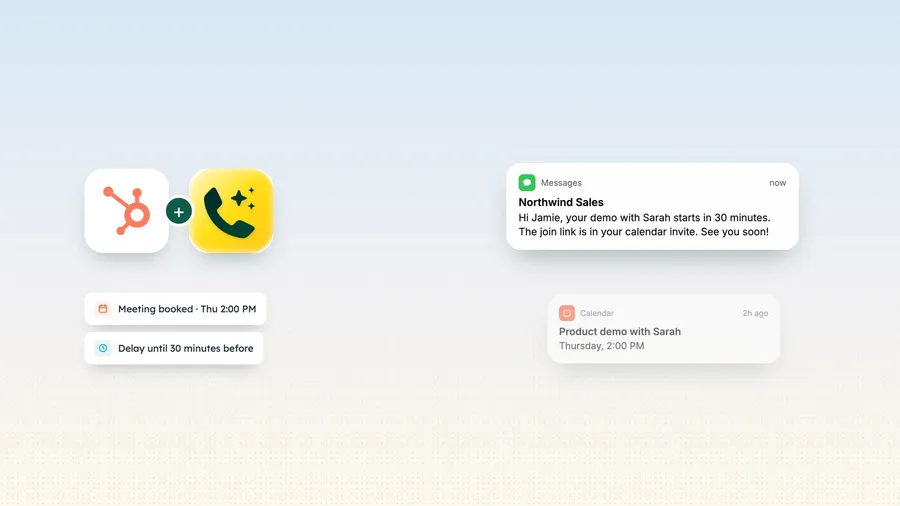
Don’t have time to manually text back? Enable Allo’s AI SDR to prospect, book meetings, and follow up on your behalf. You can also integrate with third-party platforms like Zapier, Make, and CRM systems. This makes it easier to automate messages after leads take specific actions, while also keeping tabs on them in your CRM.
Speaking of integrations…
CRM Integrations for Missed Call Follow-Ups
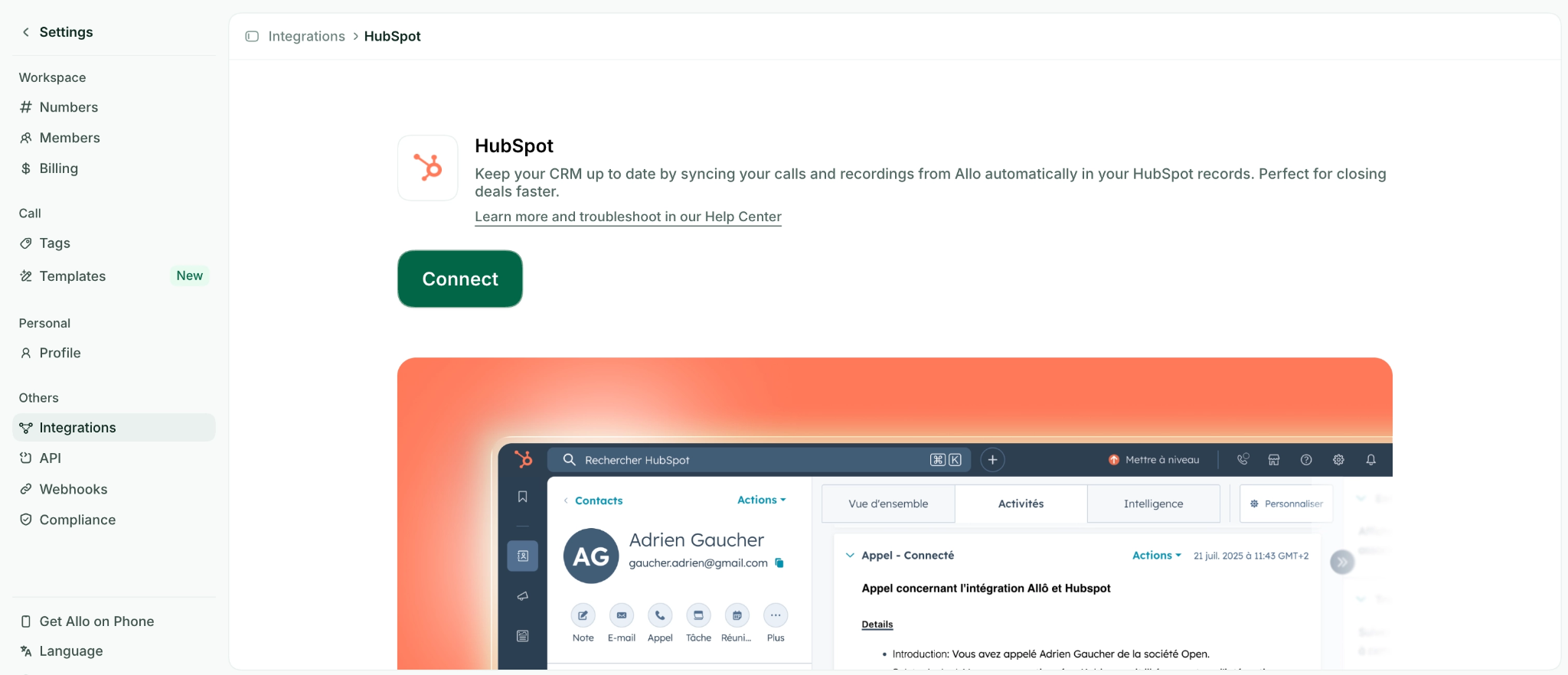
If you’re out for the weekend and miss multiple calls in a row, it might be difficult to remember everything that needs doing when you’re back in the office. Third-party integrations can help you manage this easily by automatically pushing missed call data to the tools you already use.
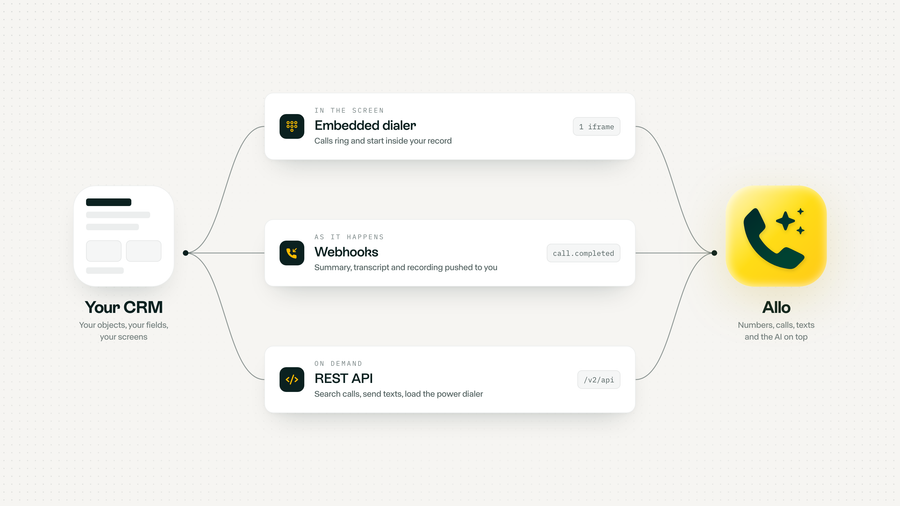
With CRM integrations, for example, you can sync calls, texts, and transcripts/summaries in your CRM the moment a call ends. This allows you to update details immediately, like deal stages or assigned reps. You can also create new CRM contacts, update fields, or generate CRM action items based off a call. That way, missed calls are automatically assigned to a rep with a short list of to-dos.
Allo’s truly native CRM integrations connect with popular options like Pipedrive, folk, Salesforce, HubSpot, and more. You can tap into CRM-friendly features like:
- The AI CRM Manager: An AI agent that automatically cleans up your CRM records after every call. It can create new contacts, update deal stages, assign reps, and log call outcomes directly in your CRM(s) of choice.
- AI Call Tags: Allo automatically tags calls by topic, outcome, or sentiment and syncs those tags directly to the matching CRM record. That way, your team can filter and prioritize missed call follow-ups without listening back on individual records.
- AI Post-call Actions: These trigger follow-up actions whenever a call ends. For example, this could be creating a task, updating a field, or firing off a next step in your CRM (like sending an email or initiating a drop sequence).
Respond to All Missed Callers at Once with the Power Dialer
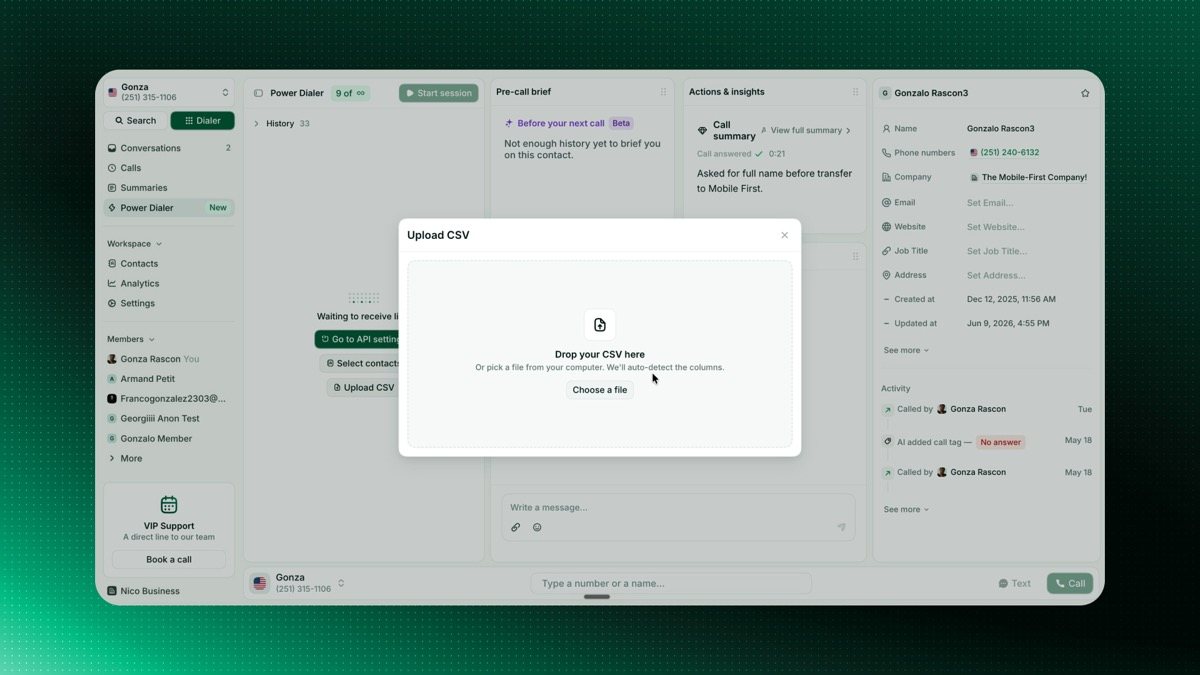
Let’s say you come back from a long weekend to dozens of missed calls. Sifting through all of them will take time, and you don’t want to go hunting for each missed number and its context.
To save some time, you turn to Allo’s power dialer, which turns any contact list into one uninterrupted calling session.
First, grab a filtered list of AI call tags (like, ‘missed’ or ‘needs follow up’) from your CRM. Next, upload your list into the power dialer. The dialer will automatically call each number on your list and skip their voicemail greetings automatically, in case you don’t reach a live person. You can check each contact’s name and company before you connect to get full context on their situations. Then, pause, skip, tag, or note between calls to keep your whole team on the same page. Not only does this eliminate dead time between calls, but it lets you quickly identify missed sales calls and respond to them in one fell swoop.
Each power dialer session comes with action and global analytics. That way, you can drill down calls, connects, and outcomes by rep. You can see which reps are performing follow ups appropriately, versus which ones need extra training or support.
This leads to the last strategy:
Call Reporting for Missed Call Reports
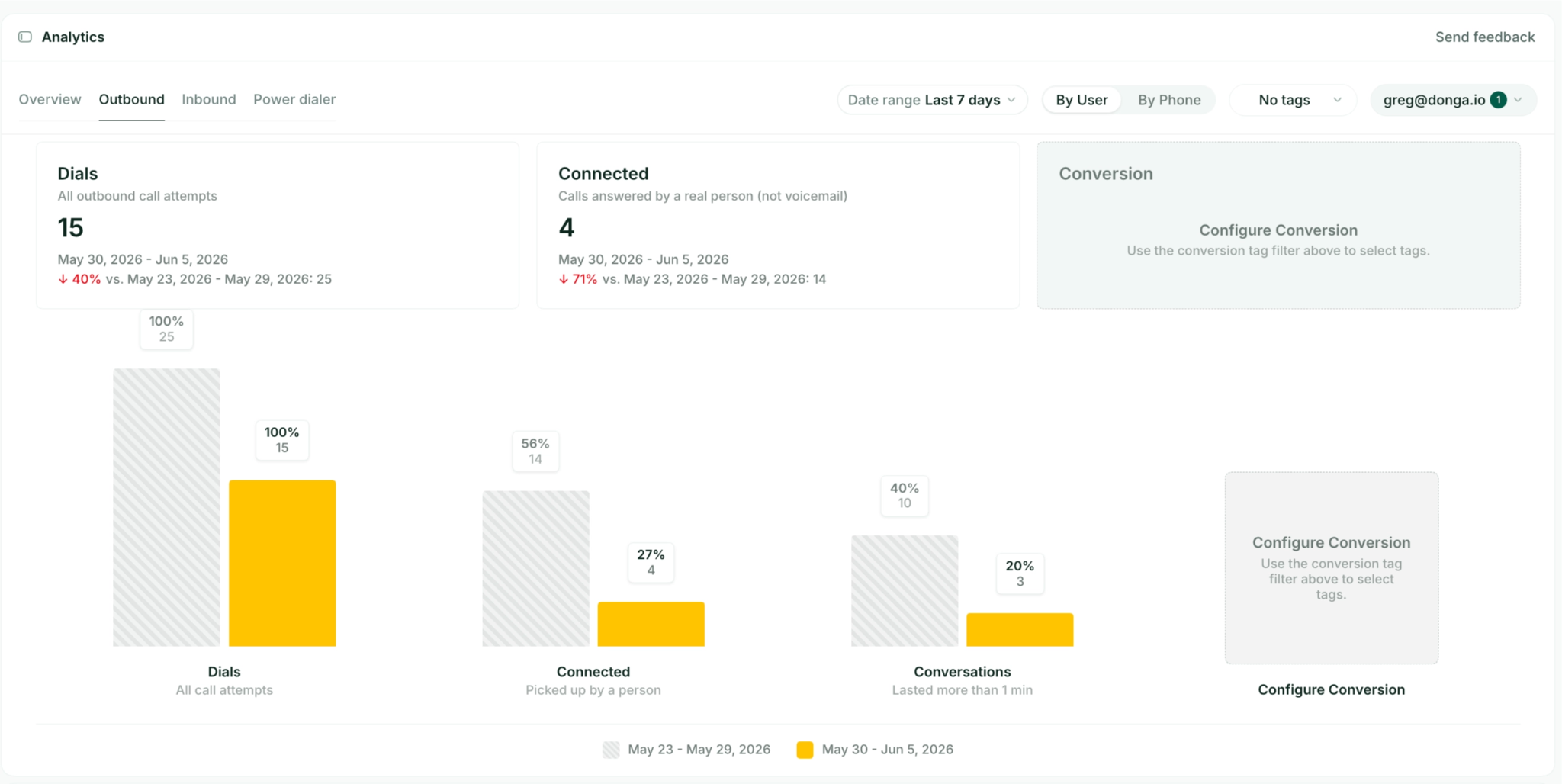
Understanding the patterns behind your most commonly missed calls can help you make informed decisions about how to solve them. For example, you might notice most of your missed calls come in over the weekend, so you set up an AI receptionist or hire a dedicated weekend sales rep. Or, perhaps you find that most of your missed callers occur when a single rep has too much on their plate.
In Allo, you can access call reporting and analytics on any plan. That way, you can easily determine the best possible times to call, view connection heatmaps, and determine which reps do the most follow ups on your team.
You can view these details in one of three ways:
- Global search command center. An AI assistant that helps you find specific moments in past conversations. You can think of it as a universal search bar that lets you pull up any call, contact, transcript, or tag across your entire call history. Rather than digging through call logs to find a specific missed call or customer interaction, just search by keyword, rep, date, or tag. This makes it easy to track down a specific conversation before following up with a customer.
- Call reports. Check on your team’s call coverage during a specific period, including volume, duration, missed call rates, and outcomes by rep or phone number. This lets you drill down into questions like, ‘which days of the week produce the most missed calls?’ ‘Which reps handle the most volume?’ And, ‘Is my missed call rate trending up or down?’
- Call analytics and leaderboards. This is a real-time performance dashboard that shows how individual team members handle inbound calls. You can rank each rep using metrics like call volume, answer rate, and follow-up activity. Now, you can see at a glance who’s following up on missed calls consistently versus who might need additional support.
Allo: The Best Way to Maximize Sales from Missed Calls
Missed calls are a lot like dirty dishes: they’re practically inevitable, especially over the course of a day. That said, missed calls don't have to mean missed revenue. With the right system in place, it’s much easier to follow up on missed calls or even avoid them altogether.
Allo provides all the tools you need for this in one convenient place. Start with shared numbers and inboxes to easily tag team responses with your reps. Then, set up the bells and whistles with automatic follow-up texts, CRM sync, and AI-powered call handling. Easily review your reporting details in one place, then make more informed decisions about how to make your sales calls every better.
Try Allo free for seven days and start turning missed calls into booked jobs.