Key Takeaways
- Orum is best for SDR/BDR teams in tech (10+ seats) that run Salesforce as their system of record and need aggressive parallel dialing — up to 10 simultaneous lines, AI scorecards, and deep Salesforce sync. Budget for $200+/user/month.
- Allo is best for small teams and solo reps that want Salesforce calling with AI built in — the $45/user/month Business plan has no seat minimum, making it the lowest-cost entry to a Salesforce-connected power dialer here.
- Kixie is best for SMB sales teams (5–50 reps) using Salesforce who want a solid multi-line power dialer, local presence in 65+ countries, and CRM-triggered tasks — at a price that's still accessible for smaller teams.
- JustCall is best for cost-conscious sales and support teams (2–100 seats) who want Salesforce access, a parallel dialer, and a growing AI toolkit without paying enterprise rates — available from $69/user/month on the Pro plan.
Introduction
If you're running outbound sales on Salesforce, you already know the problem: reps spend more time clicking between tabs and logging calls than actually talking to prospects. A power dialer plugged directly into Salesforce fixes that. Instead of manually dialing from a contact record, your team loads a call queue, the dialer handles the cadence, and every outcome syncs back to Salesforce automatically.
The catch? "Salesforce integration" is a feature claim almost every dialer makes. What varies wildly is how deep that integration actually goes — does it pull contact data in real time? Does it log call outcomes, recordings, and transcripts back to the right object? Can reps trigger calls directly from a Salesforce record? These details make or break the workflow.
This comparison covers eight power dialers with native Salesforce integrations: Orum, Allo, PhoneBurner, Kixie, Aircall, CloudTalk, JustCall, and Dialpad. For each one, you'll get a clear picture of what it does well with Salesforce, where it falls short, and who it's realistically built for — so you can skip the demo calls that lead nowhere and go straight to the shortlist that fits your team.
| Solution | Dialer type | Price/user/mo | Min licenses | Min monthly cost | G2 rating |
|---|---|---|---|---|---|
| Allo | Progressive dialerSingle line by design, no parallel dialing. | $45Business plan. | 1 | $45/mo$32/mo billed yearly. | 4.7 / 5209 reviews |
| Dialpad | Preview dialerClick-to-call + voicemail drop; imports from Salesforce. | $110Sell Advanced plan. | 1 | $110/mo$95/mo billed yearly. | 4.4 / 54,192 reviews |
| JustCall | All typesPower, predictive and parallel dialing up to 10 lines. | $69Pro plan. | 2 | $138/mo$98/mo billed yearly. | 4.3 / 52,385 reviews |
| PhoneBurner | Progressive dialerNo parallel dialing, one call at a time. | $165Standard plan. | 1 | $165/mo | 4.7 / 5288 reviews |
| CloudTalk | Progressive dialerParallel dialing sold as a $39/user/mo add-on. | $69Expert plan. | 3 | $207/mo$147/mo billed yearly. | 4.4 / 51,847 reviews |
| Aircall | Progressive dialerBasic power dialer, no parallel dialing. | $70Professional plan. | 3 | $210/mo$150/mo billed yearly. | 4.4 / 51,591 reviews |
| Orum | All typesPower + parallel dialing up to 10 lines. | Not publicCommunity discussions suggest $200+/user. | 3 | Not publicEst. $600+/mo for 3 seats. | 4.6 / 5863 reviews |
| Kixie | All typesSingle-line and multi-line dialing up to 10 lines. | Not publicPower dialer requires a PowerDialer plan. | Not stated | Not public | 4.8 / 5865 reviews |
Orum — Best for High-Volume SDR Teams Running Salesforce
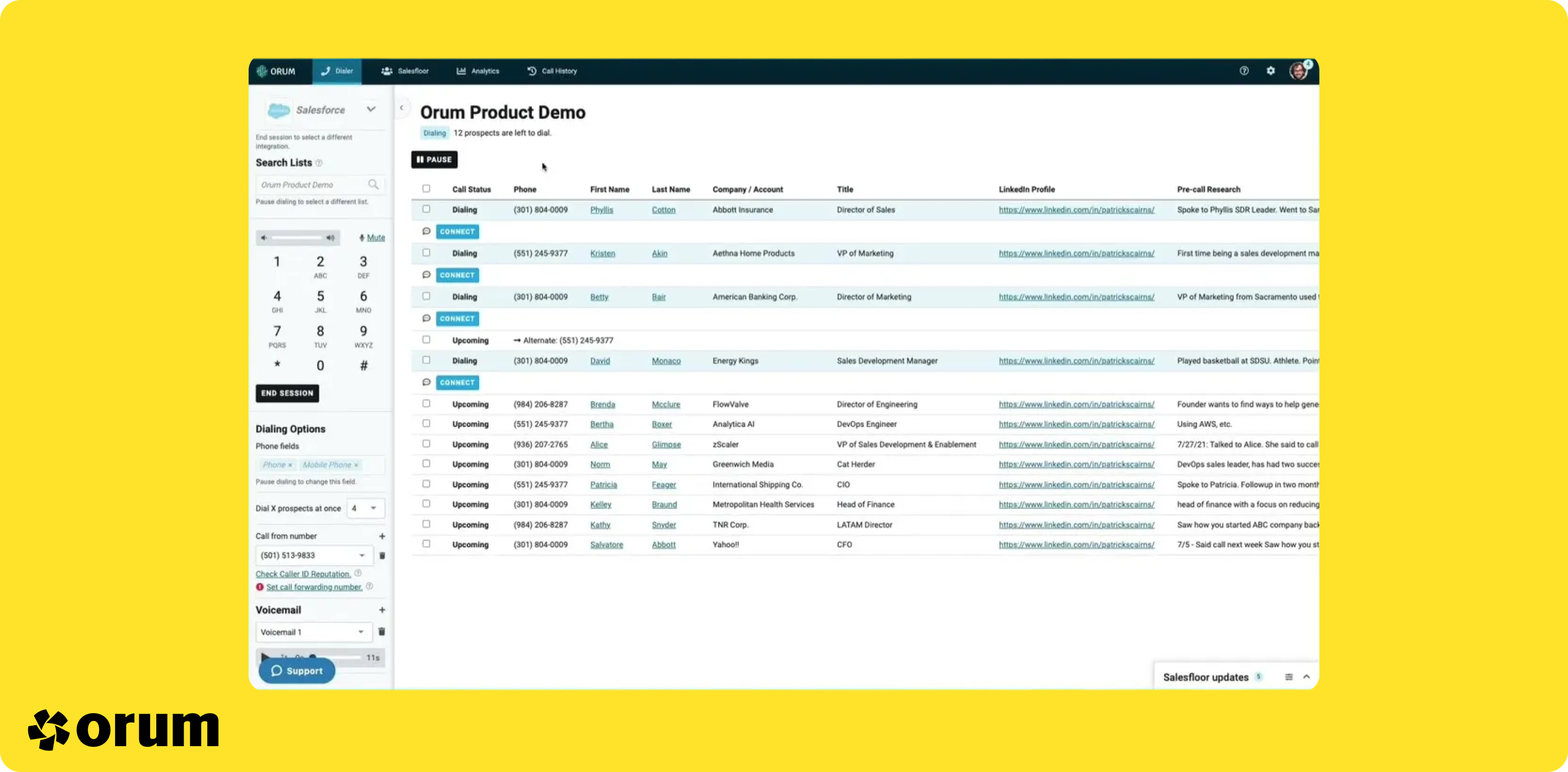
What is Orum?
Orum launched in 2018 with a specific frustration in mind. Its founder Jason Dorfman, a veteran salesman himself, felt that most sales tools were being built for managers — dashboards, monitoring, oversight. He wanted something that made the rep more productive. The result is a platform that's unapologetically built for speed: fast dials, fast connects, fast feedback.
With $51 million raised, Orum has invested heavily in the infrastructure behind its parallel dialer (up to 10 simultaneous lines on the top plan) and in AI features that go beyond basic transcription. The platform skews toward SDR and BDR teams in tech companies — teams where outbound volume is a competitive advantage and where Salesforce is the source of truth for every lead worked.
It doesn't try to serve everyone. There's no built-in CRM, no call center ticketing, no help desk layer. It's a dialer for sales teams that move fast and need their tools to keep up.
Why Orum is a good fit for Salesforce users
Orum's Salesforce integration is a core part of the product, not an afterthought. Contacts are pulled directly from your Salesforce instance into call queues, meaning reps never have to switch tabs or import CSV files. Call outcomes, recordings, and disposition notes sync back automatically — so your CRM data stays accurate without relying on reps to log anything manually.
Where Orum really stands out for Salesforce teams is the feedback loop it creates around call performance. The AI Scorecards feature automatically evaluates every call on criteria like opener quality, discovery depth, and objection handling — and those scores can be tied back to the contact and opportunity records your team cares about. If you're a sales manager trying to coach based on pipeline data in Salesforce, that connection is genuinely useful.
Here's what a G2 reviewer had to say about it:
I like using Orum as a dialer, a sales floor, and for AI coaching. It's great for getting a better connect rate across different geographies like APAC, EMEA, and NA, and it helps increase call volume per rep. My favorite feature is the sales floor, especially as a remote-first business. It's challenging to build a salesfloor culture, but Orum makes it easy and provides live feedback. I love that with Orum, we can achieve twice the rep output compared to other sales engagement platforms. The ability to record one way convos in the EMEA regions where data compliance is strict is also beneficial. The setup is super easy; even I, as a BDR manager, was able to do it. - Source: G2
The downside for some teams is the learning curve. Orum is a feature-dense product, and it takes time to configure properly — especially getting your Salesforce field mappings dialed in. It also doesn't have a mobile app, which rules it out for any team that dials on the go. Pricing is opaque, but community discussions suggest you're looking at $200+/user/month with an annual commitment, and there's a 3-seat minimum. For a 5-rep SDR team with a lean budget, that math gets uncomfortable fast.
Orum Pricing
Pricing is not publicly listed on Orum's website. Based on available information online, expect:
- Launch: Unlimited dials, 5 caller IDs/user/month, parallel dialing up to 5 lines, analytics and reporting. 3-seat minimum.
- Ascend: Adds international calling (160+ countries), data enrichment (200 credits/month), parallel dialing up to 10 lines, 10 caller IDs/user/month, and coaching features. 3-seat minimum.
You'll need to request a quote directly. Community discussions indicate pricing above $200/user/month on annual contracts.
Demo Video of Orum
Allo — Best for Small Teams That Want Salesforce Calling Without the Enterprise Overhead
What is Allo?
Allo is a business phone system that launched in 2024 for a segment most tools on this list have grown past: the small sales team that wants serious calling software without an admin, a rollout project, or a long-term contract. It's mobile-first and AI-native — call transcription in 36 languages, an AI receptionist, summaries, and drafted follow-ups ship in every plan rather than sitting behind an add-on.
Where Orum and Dialpad are built for rooms full of reps, Allo is built for the first few. There's no seat minimum, one number is included, and setup is measured in minutes rather than onboarding calls.
Why Allo is a good fit for Salesforce users
Allo's Salesforce integration logs calls, recordings, and transcriptions straight to the matching record, and keeps contact fields current without a rep touching the CRM. The power dialer pulls its queue from Salesforce directly — or from a CSV, the API, or Allo's MCP connection to AI assistants like Claude — and a session can be paused mid-list whenever a rep needs to step away.
The reason it lands on this list is cost. The power dialer lives on the Business plan at $45/user/month ($32 billed yearly) with no license minimum — so a single Salesforce rep can start dialing for $45, well under the $110–$210 effective entry points elsewhere in this comparison once each vendor's plan gating and seat minimums are applied.
Two caveats worth weighing. The dialer is single-line by design, so teams optimizing purely for dials-per-hour will out-pace it with the parallel dialers in Orum, Kixie, or JustCall. And as a 2024 product with local numbers in 11 countries, it fits domestic-heavy teams better than sprawling international ones.
Allo Pricing
- Solo: $18/month for one user (billed yearly). One business number, unlimited national calls, call recording, SMS, AI transcripts and summaries, unlimited AI Receptionist, core CRM integrations including Salesforce.
- Business: $45/user/month ($32 billed yearly). Adds the power dialer, all integrations, collaborative inbox and notes, custom AI summary templates, AI call tags, Allo MCP, analytics, and team leaderboards.
One local or toll-free number is included on both plans, with pay-as-you-go international rates. A 7-day free trial is available, and you can cancel from settings without a retention call.
Demo Video of Allo
PhoneBurner — Best for US-Based Teams Who Want Salesforce Without the Complexity
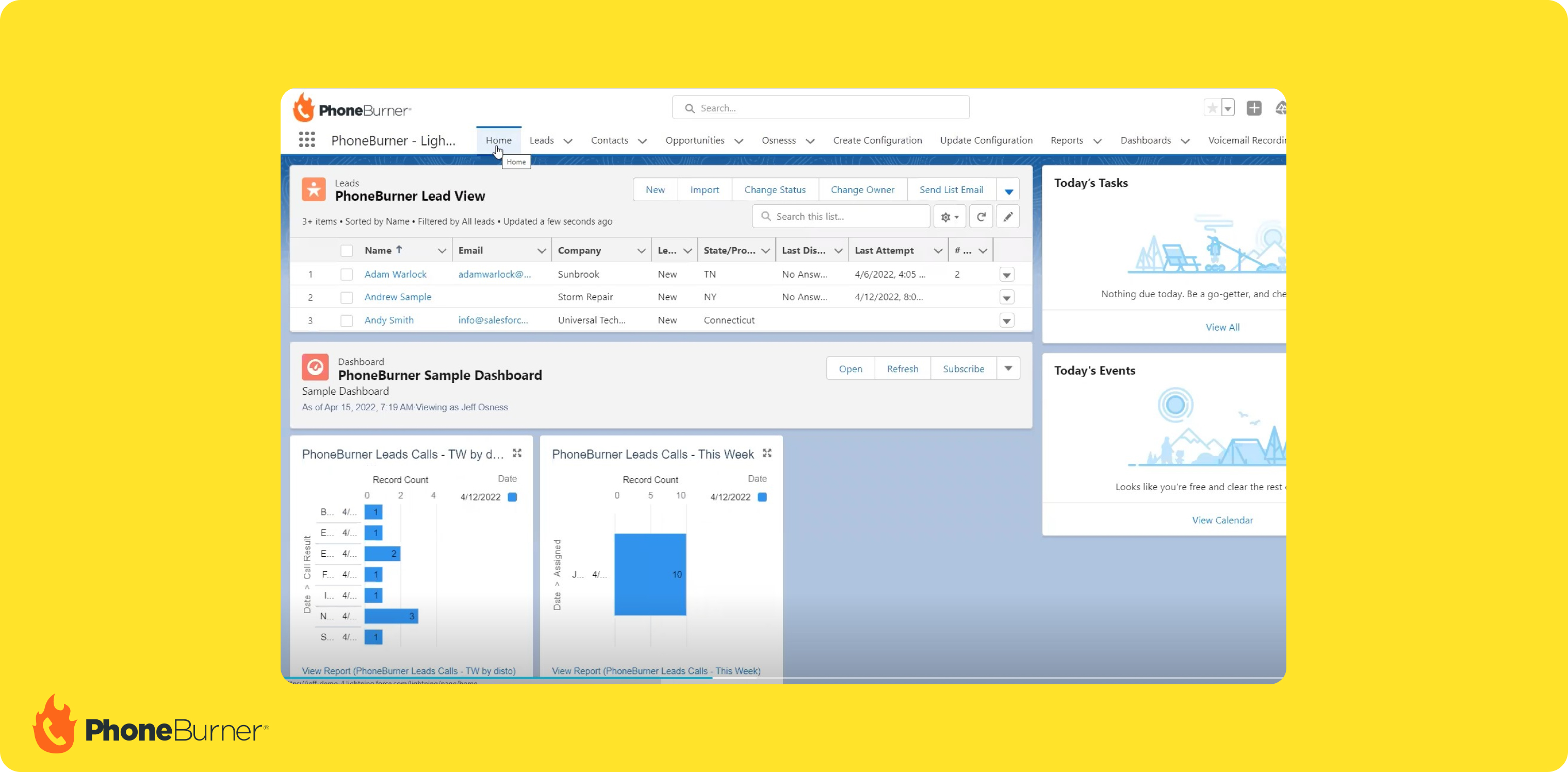
What is PhoneBurner?
PhoneBurner has been around since 2008 — long before "power dialer" became a product category buzzword. The company operates as a remote US-based team and has built a reputation around what it calls Responsible Communications®: the deliberate choice not to offer a parallel dialer. The philosophy is that reaching one real person is worth more than burning through ten voicemails in parallel.
That stance makes PhoneBurner a different kind of product. It's a single-line power dialer focused on keeping reps focused and conversations genuine, with features like voicemail drop, local presence, and automated lead attribution layered on top. It also ships with its own lightweight CRM, making it one of the more self-contained options on this list.
The tradeoff is geography: PhoneBurner currently only supports dialing into the United States and Canada. International teams, or anyone expanding into Europe or APAC, will hit a wall quickly.
Here's what a G2 reviewer shared about them:
I like PhoneBurner because the setup is really easy and the onboarding is fast. I can go from signing up to dialing in a short amount of time. The platform makes a lot of sense and is very logical to use. It's also really easy to add my team, set them up for success, and manage them with reports, data, and everything needed for making outbound phone calls. The PhoneBurner team has always been great with onboarding assistance, making it easy to get started and shortening the time to using the platform. - Source: G2
Why PhoneBurner is a good fit for Salesforce users
PhoneBurner's Salesforce integration is one of its most established features — the company has had years to refine it. Contacts sync bidirectionally, call outcomes log automatically, and reps can trigger dials from within Salesforce records. If your team runs Salesforce as a single source of truth and wants dialing activity captured without manual data entry, the integration holds up well.
The local presence feature is a practical bonus: PhoneBurner automatically matches your outbound caller ID to your prospect's area code, which improves pickup rates for teams working regional territory lists in Salesforce.
Where it gets less compelling is volume. Because there's no parallel dialer, PhoneBurner isn't the right tool for SDR teams trying to maximize connect rate through raw dial volume. It's better suited to account executives or inside sales reps running structured call blocks — people who want a clean, focused workflow rather than maximum throughput. The number enrichment feature is also described as inconsistent, and the steep learning curve at onboarding is a recurring complaint in reviews.
PhoneBurner Pricing
- Standard: $165/user/month. Unlimited calling, call analytics. Requires a hardware phone.
- Professional: $195/user/month. Adds live call monitoring and coaching.
- Premium: $215/user/month. Adds call transcription, text messages, and unlimited call recording storage.
Salesforce integration is available across plans. No parallel dialer on any tier.
Demo Video of PhoneBurner
Kixie — Best for SMB Sales Teams Who Want Deep Salesforce Connectivity
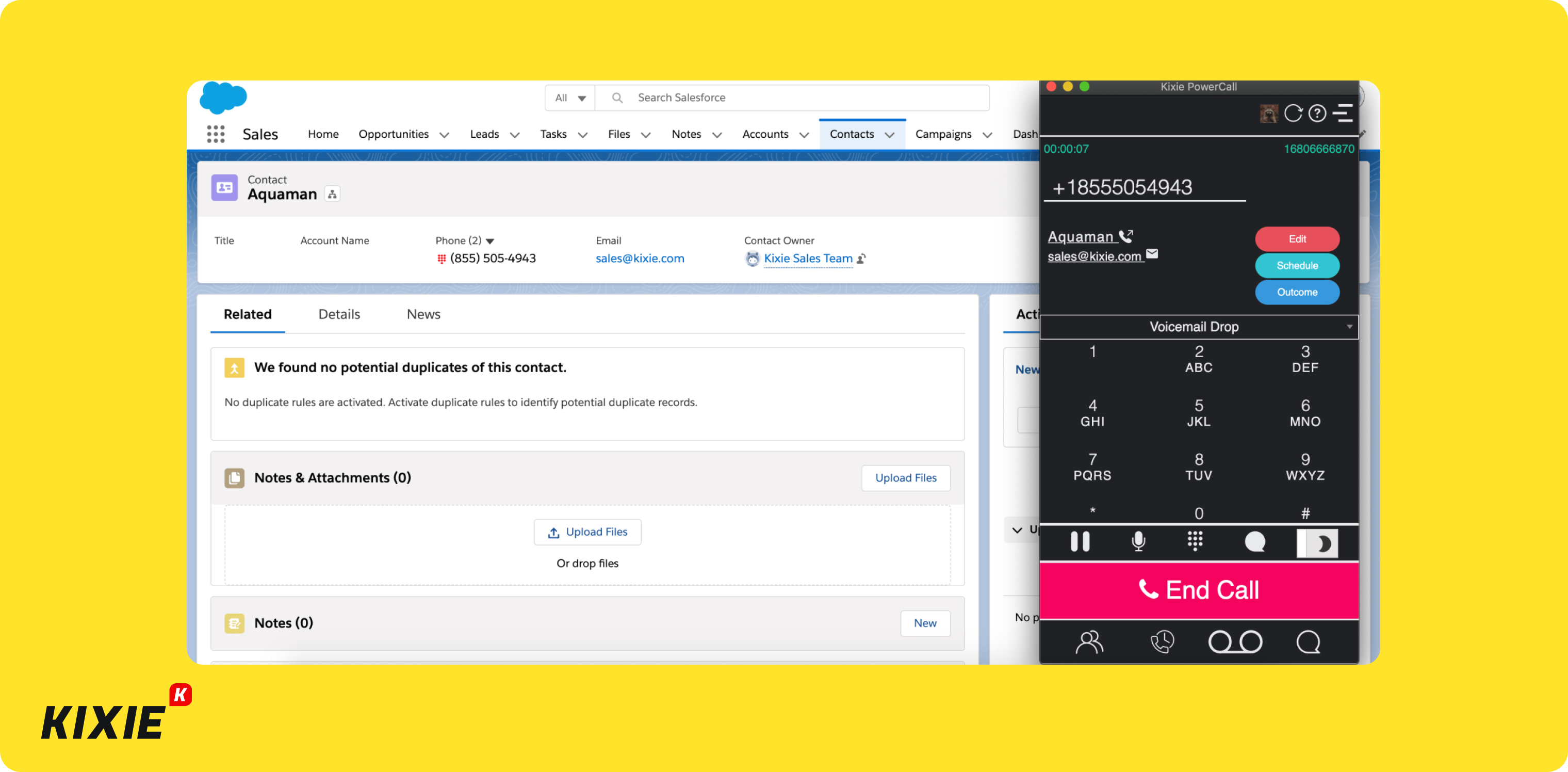
What is Kixie?
Kixie started in Santa Monica in 2013, built around one idea: the dialer should live wherever your reps already work. That means the Kixie dialer is available outside the Kixie app itself — reps can trigger calls directly from Salesforce records, from HubSpot, from any page where a phone number lives. No tab-switching required.
For SMB SDR and BDR teams, that flexibility matters. Kixie hits a sweet spot between power dialer features (up to 10 parallel lines, local presence, voicemail drop) and CRM integration depth — with native Salesforce support that goes beyond basic call logging. Prices were publicly available as of 2023 in the $35–$95/month range per user, though the current pricing page no longer lists figures publicly.
Why Kixie is a good fit for Salesforce users
Kixie's Salesforce integration is one of the deeper ones in this category. Reps can import leads directly from Salesforce into the power dialer queue, meaning they never need to manually curate a call list. After each call, outcomes, recordings, and notes sync back to the correct Salesforce record automatically. The ability to create tasks in Salesforce from within Kixie — like scheduling a callback SMS for a prospect who's out of office — keeps the CRM genuinely up to date rather than just populated with call logs.
Two features stand out for Salesforce-heavy teams specifically. Local number rotation means Kixie switches between caller IDs if you're calling the same prospect multiple times in a day — reducing spam flagging that pollutes your CRM data with low-quality contact attempts. The AI Human Detect feature skips IVRs and voicemail automatically, so only live human connections get logged as meaningful touches in Salesforce.
The main friction point is the Chrome extension dependency. Kixie's browser-based dialing works through Google Chrome, which means your team is locked into that browser. Mobile reviews are also noticeably weaker than the desktop experience (2.1/5 on the Play Store, 2/5 on the App Store), so field-based reps who switch between devices will feel that gap.
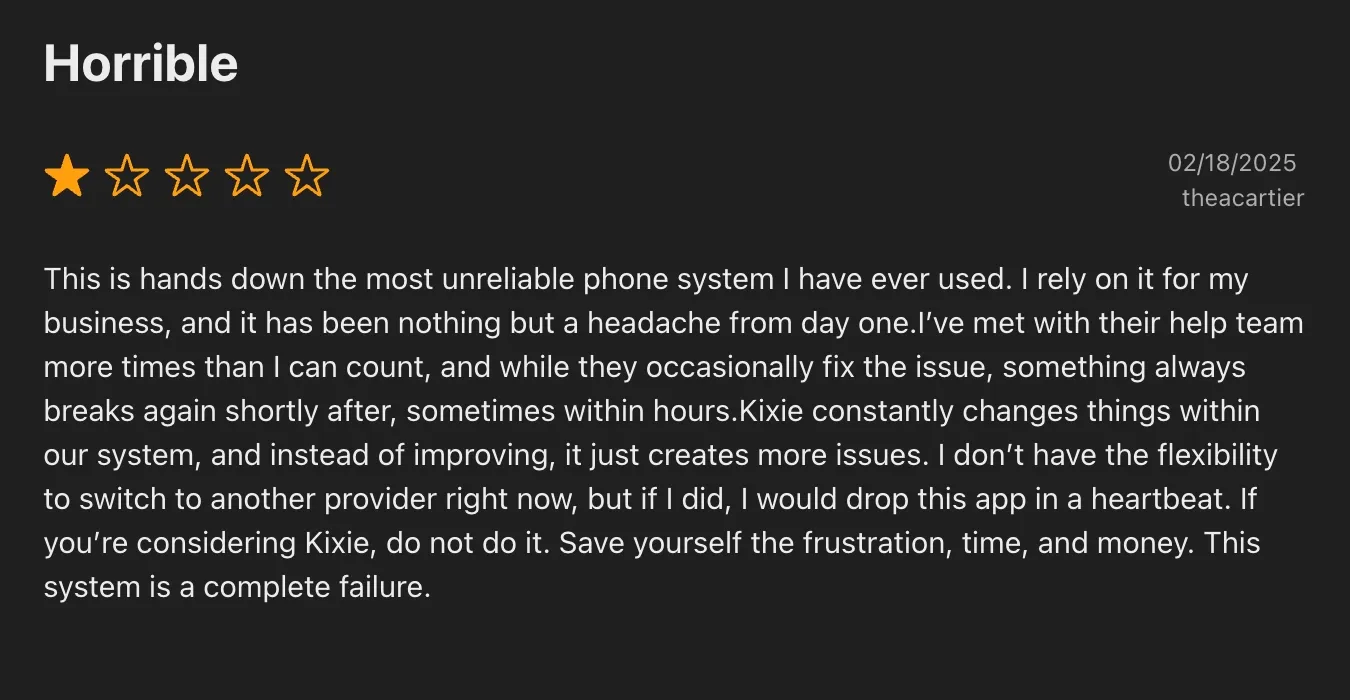
Kixie Pricing
Current pricing is not publicly listed. Based on historical data:
- Professional: Click-to-call, SMS templates, voicemail drop, live call coaching. Unlimited US/Canada minutes.
- Single-Line PowerDialer: Adds a single-line power dialer.
- Multi-Line PowerDialer: Adds up to 10 simultaneous dialing lines.
- ConnectionBoost add-on: Rotates phone numbers and removes flagged numbers automatically.
CRM integrations including Salesforce are available across plans. Request a quote via their website for current figures.
Demo Video of Kixie
Aircall — Best for Mid-Market Teams Who Prioritize Salesforce Reliability Over Dial Volume
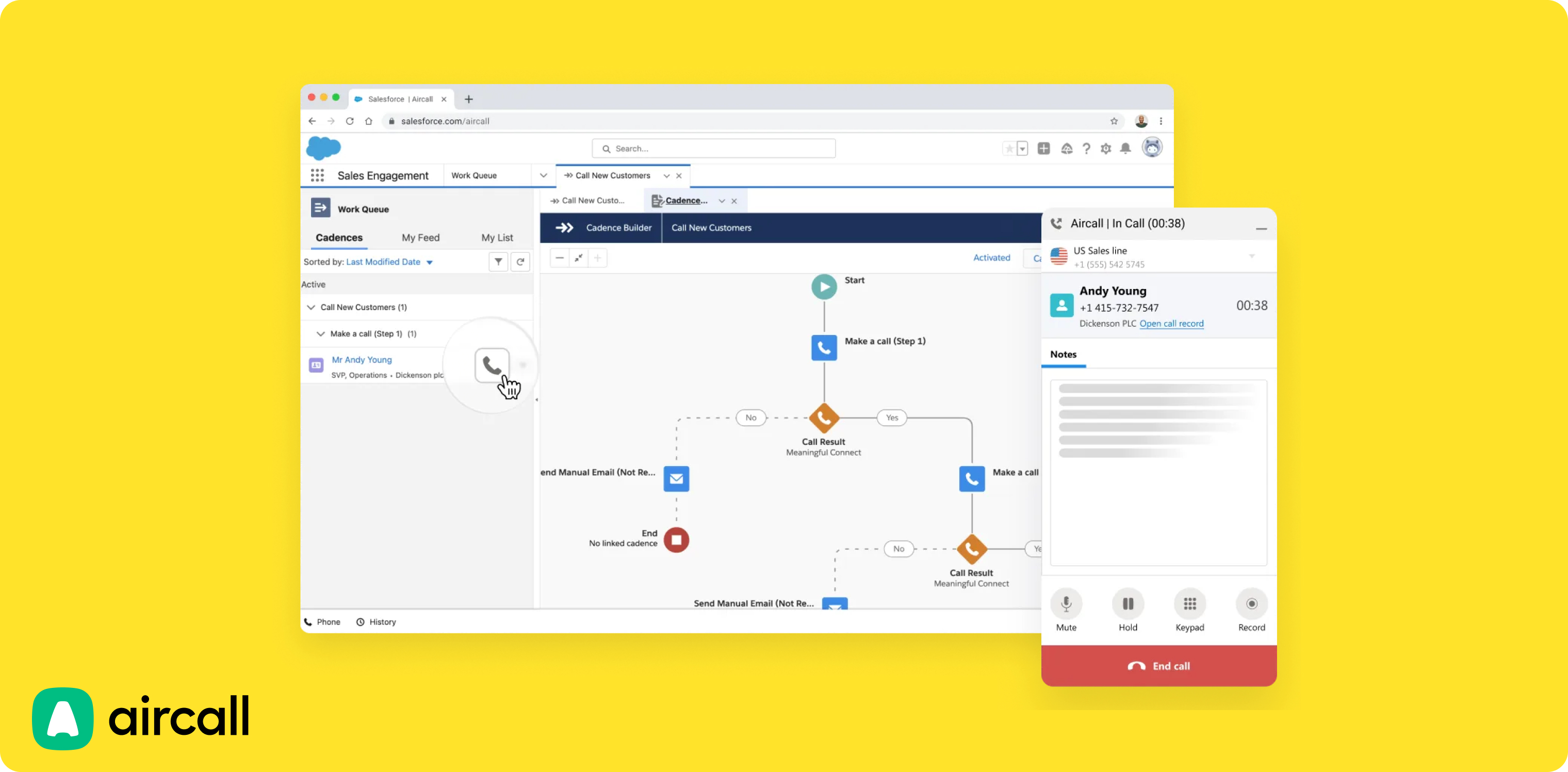
What is Aircall?
Aircall started in Paris in 2014, founded specifically to challenge phone systems that were hardware-heavy and complicated to configure. Within months of launch, the team made a deliberate bet on CRM integrations — recognizing that a phone system connected to your CRM was fundamentally more valuable than a phone system used in isolation.
That orientation shows up in the product today. Aircall is a polished, well-integrated business phone system that takes a principled stance against parallel dialing — they've publicly said outbound is changing, and that responsible cold calling means one rep, one prospect, one real conversation. The power dialer feature they do offer is clean and CRM-connected, but volume-seekers will find it deliberately limited.
Why Aircall is a good fit for Salesforce users
Aircall's Salesforce integration is mature and well-reviewed. The native connector handles bidirectional sync — calls log to the right contact and opportunity records, and Salesforce data surfaces inside the Aircall interface during live calls, so reps have context before they even say hello. For teams that run a Salesforce-centric workflow, the integration feels native rather than bolted on.
This G2 reviews confirms it:
Aircall has a user-friendly interface. It also has a global presence in over 100 countries, which supports international calling capabilities, and it offers extensive integrations with CRM systems like Salesforce and HubSpot, as well as productivity tools like Slack and Zendesk. From a data perspective, I get a lot of useful insights, such as missed_call_reason (for example, agent not available or another clearly mentioned reason), along with call recordings. All of this helps me with more detailed call analytics, plus the real-time dashboard and reporting features. - Source: G2
The power dialer is available on the Professional plan and includes voicemail drop. It's a single-line dialer, which means it's better suited to structured outreach — account executives working a focused prospect list — than to SDR teams trying to maximize daily dial counts.
Aircall covers 38 countries for local numbers, which makes it a reasonable choice for mid-market teams with regional territory coverage across Europe, North America, or Australia. AI features (transcription, summaries, sentiment analysis, call scoring) are available, though pricing for those features isn't public.
The main constraints: no local presence option, no ability to import numbers from Salesforce into a dialer queue, and the power dialer only unlocks on the $70/license Professional plan. There's also a 3-license minimum.
Aircall Pricing
- Essentials: $40/license/month. Local number, unlimited US/Canada calls, IVR, call recording, SMS/MMS. No power dialer.
- Professional: $70/license/month. Adds power dialer, voicemail drop, advanced analytics, unlimited call recordings.
Minimum 3 licenses required. 7-day free trial available. Salesforce integration available on both plans.
Demo Video of Aircall
CloudTalk — Best for International Sales Teams Needing Salesforce Plus Global Coverage
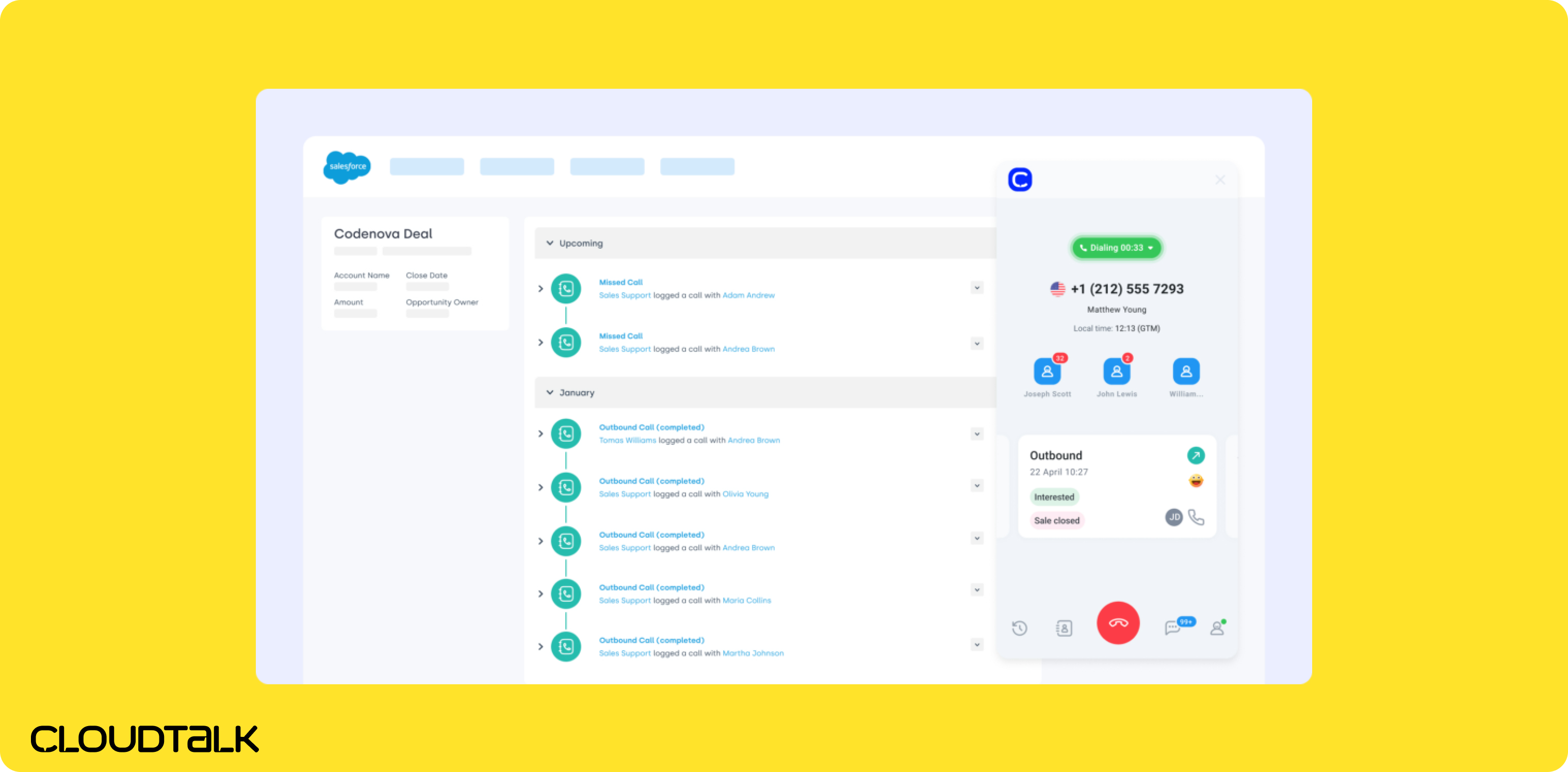
What is CloudTalk?
CloudTalk was founded in Slovakia by Martin Malych and Viktor Vanek in 2016. The company has grown to serve over 4,000 customers across 100 countries, and its geographic reach is one of its most distinctive selling points: local numbers in 160+ countries, with automatic local number switching when calling prospects in a new region.
The product serves sales teams and call centers, and it's built for teams where international coverage is a real operational need, not a checkbox. If your Salesforce instance holds contacts across North America, Europe, and APAC, and you want local presence in each of those markets, CloudTalk's country coverage is hard to match.
Why CloudTalk is a good fit for Salesforce users
CloudTalk's Salesforce integration supports the full call lifecycle: contacts import directly from Salesforce into the power dialer queue, call outcomes and recordings sync back to the right records, and reps see prospect data during live calls. The platform also supports up to 10 simultaneous parallel lines on the Expert plan, which means international teams can run high dial volumes across multiple markets without sacrificing Salesforce data quality.
This G2 user confirms this:
CloudTalk is intuitive and easy to use, and the interface makes day-to-day operations very efficient. Attractive features like the power dialer caught our attention - and have significantly improved our team’s productivity by reducing manual work and allowing us to reach more contacts in less time. - Source: G2
The AI layer (transcripts, summaries, topic extraction, sentiment analysis, and a talk-to-listen ratio tracker) sits on top of the dialing workflow and is available on the Expert plan. For sales managers who want to coach based on call quality data that's tied to Salesforce pipeline, that combination is useful.
Where CloudTalk gets mixed feedback is reliability. Call quality issues show up repeatedly in Trustpilot reviews (3.9/5), and customer support response times are flagged as slow. For teams that need guaranteed uptime for high-volume outreach, those are real concerns worth weighing against the geographic advantage.
CloudTalk Pricing
- Lite: $27/user/month. Unlimited domestic calls, local numbers in 160+ countries. No integrations, limited features.
- Essential: $39/user/month. Adds business hours, IVR, ring groups, and CRM integrations (including Salesforce).
- Expert: $69/user/month (minimum 3 licenses). Adds power dialer, parallel dialing, live monitoring, advanced reporting, WhatsApp support.
14-day free trial, no credit card required. The power dialer and Salesforce integration together require the Expert plan.
Demo Video of CloudTalk
JustCall — Best for Budget-Conscious Teams Who Need Salesforce + AI Without Enterprise Pricing
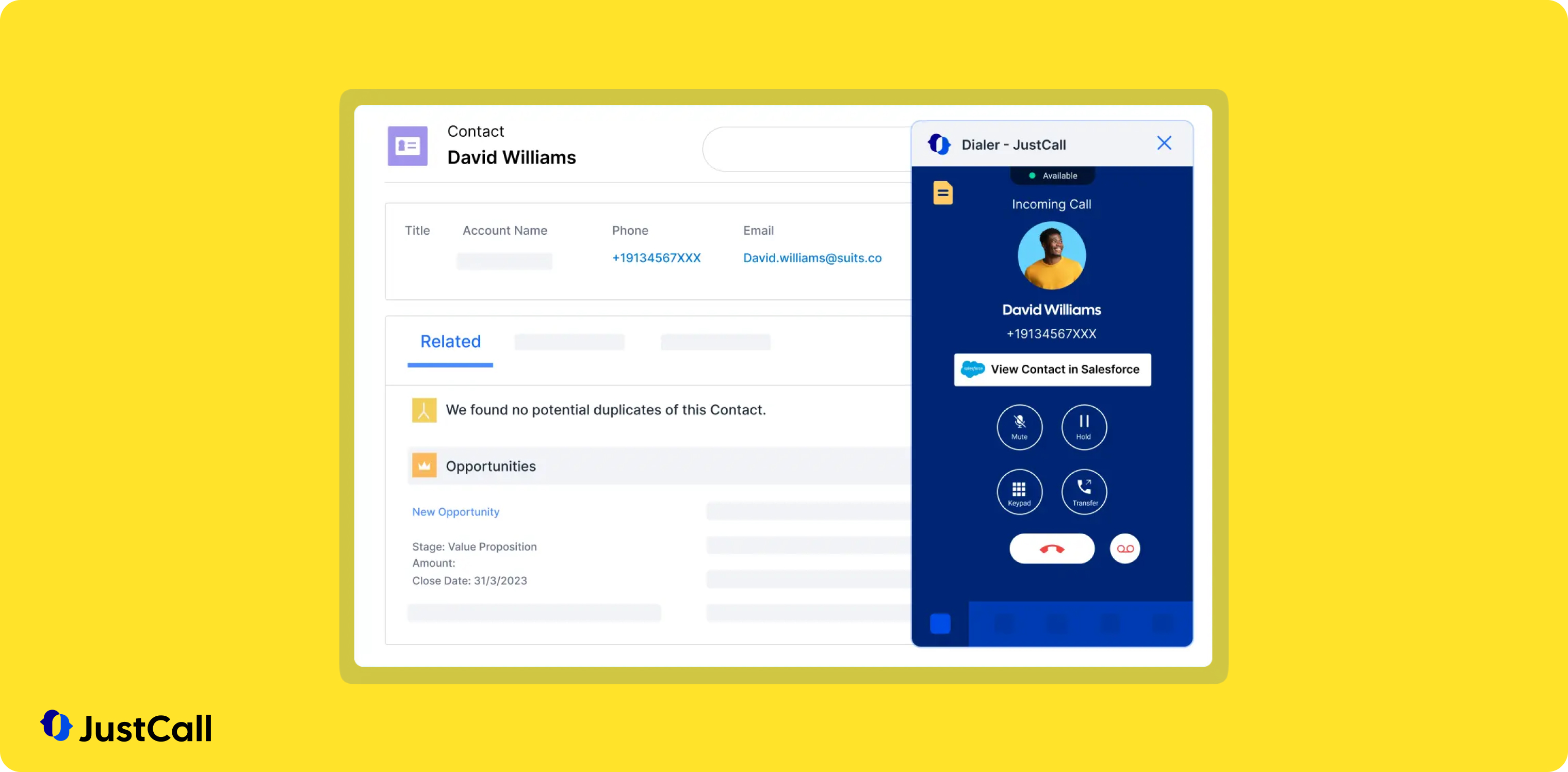
What is JustCall?
JustCall was founded in 2016 by SaaS Labs, an India-based software company. The original mission was practical and specific: help sales teams stop wasting time on repetitive tasks like manually logging calls and keeping CRM records updated. That focus on automation has stayed central to the product as it's grown.
JustCall now serves sales and support teams including call centers, and it positions itself as an affordable alternative to more expensive enterprise dialers — with a growing AI feature set that includes call transcripts, summaries, sentiment analysis, call scoring, and even an outbound AI voice agent that qualifies leads automatically. Those AI features are available as add-ons, which keeps the base plans accessible.
Why JustCall is a good fit for Salesforce users
JustCall's Salesforce integration is available on the Pro plan ($69/user/month) and above, alongside the power dialer. Contacts can be imported directly from Salesforce into dialing queues, and call outcomes, recordings, and AI-generated summaries sync back to your Salesforce records automatically. For sales managers who want to audit call quality without listening to every recording, the AI call summaries and sentiment analysis make that review process much faster.
This G2 user sums it up very well:
The best part about JustCall is its seamless integration with CRMs like HubSpot and Salesforce. It automatically logs every call and text, which saves our team a lot of manual data entry. The interface is very intuitive, and setting up international local numbers for our global outreach was incredibly fast and easy. - Source: G2
The support team gets consistent praise in reviews — JustCall's customer service is staffed by humans, and users note that getting help doesn't involve digging through a chatbot loop. For smaller teams managing their own tech stack without dedicated IT support, that matters.
The friction points: the platform can be glitchy, according to G2 reviewers. Assigned phone numbers occasionally get flagged as spam — a problem that affects connect rates and that doesn't have an obvious self-service fix. And while base pricing is accessible, the AI features that justify much of the platform's value come at an extra cost: the AI Review Assist add-on (call summaries, sentiment analysis, CRM logging) runs $9/user/month on top of your plan.
JustCall Pricing
- Team: $39/user/month (minimum 2 licenses). Unlimited US/Canada calls, AI transcription, local number, SMS and WhatsApp, CRM integrations. No power dialer. No Salesforce integration.
- Pro: $69/user/month (minimum 2 licenses). Adds power dialer, bulk SMS, Salesforce integration, roles and permissions, reporting.
- Pro Plus: $109/user/month. Adds real-time agent assist, sentiment analysis, call scoring.
- AI Review Assist add-on: $9/user/month. Adds call summaries, sentiment analysis, topic extraction, and automated CRM logging.
- AI Voice Agent add-on: $99/month for 100 minutes included.
14-day free trial. Salesforce integration and power dialer both require the Pro plan minimum.
Demo Video of JustCall
Dialpad — Best for Mid-Market Teams Who Want AI-Native Salesforce Calling Out of the Box
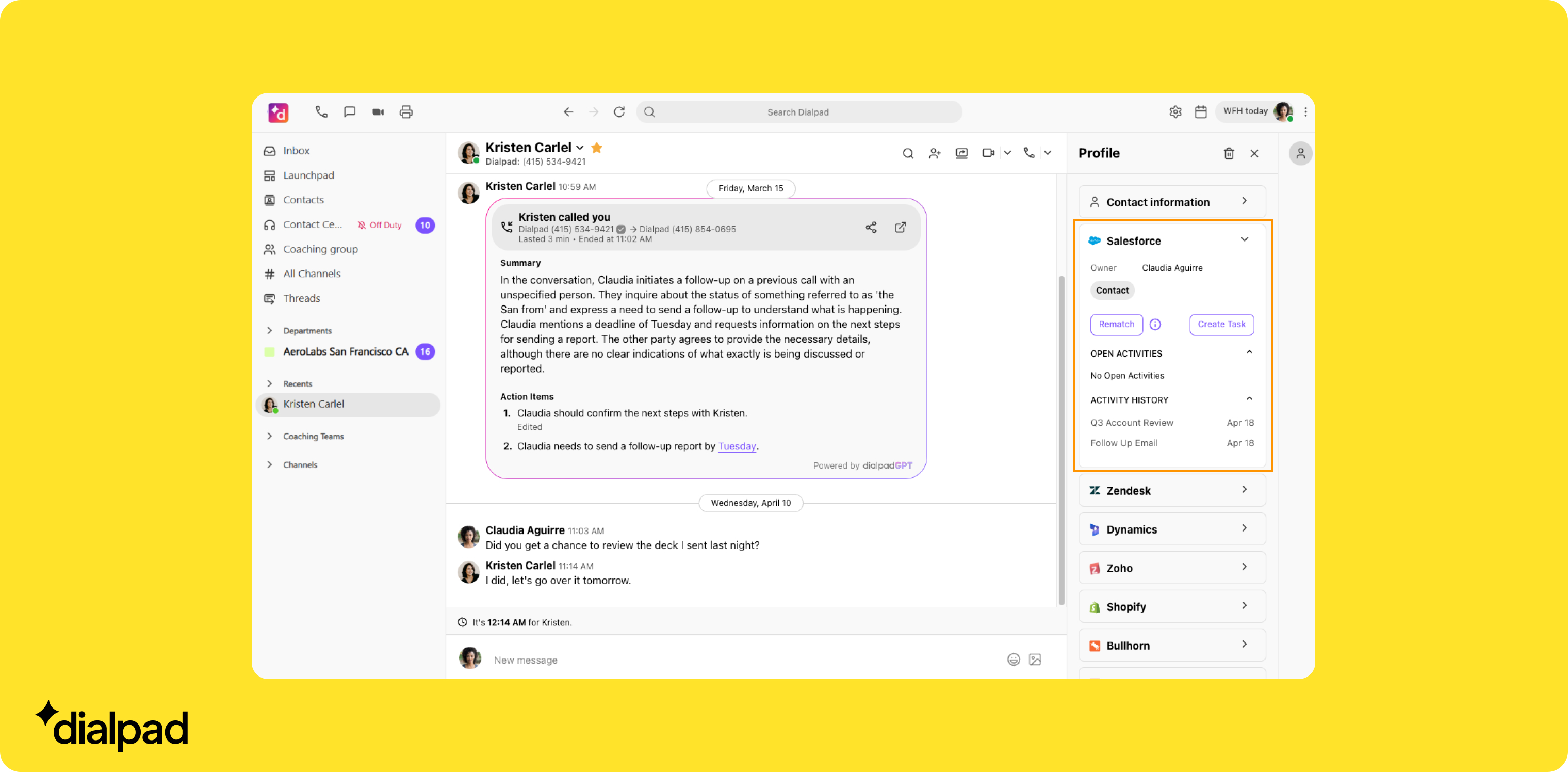
What is Dialpad?
Dialpad has an unusual origin story for a business phone company. Founder Craig Walker had previously built GrandCentral — a VoIP platform sold to Google, where it became Google Voice. Walker started Dialpad in 2011 as an entrepreneur in residence inside Google, and half of the first 30 hires came from the same building.
That Google DNA shows up in the product's AI emphasis. Dialpad has been developing its own AI model since 2018 — not licensing a third-party transcription layer, but building AI into the core of the call experience. Call summaries, live coaching, call scoring, and an AI support agent are all included in every plan at no extra charge. For teams comparing total cost of ownership, that bundling is a meaningful differentiator.
Dialpad serves SMBs to mid-market companies and is positioned as a modern phone system — less specialized as a pure power dialer than Orum or Kixie, but more complete as a business communications platform.
Why Dialpad is a good fit for Salesforce users
Dialpad's Salesforce integration is among the more capable on this list. The connector logs calls, recordings, transcripts, and AI-generated summaries back to Salesforce records automatically — so every rep interaction is captured without any manual data entry. Managers can review call scores and coaching insights directly inside Salesforce, which keeps the feedback loop tight for teams that live in their CRM.
The voicemail drop feature allows reps to pre-record messages and deliver them instantly when a call hits voicemail — keeping call cadences moving without burning rep time on one-off recordings. Dialpad covers 50+ countries for local numbers, which gives it solid international reach. Notably, Dialpad's SFDC Power Dialer imports contacts from Salesforce specifically, so this is one of the few CRMs its dialer draws from directly — though it unlocks on the Advanced plan rather than the entry tier.
The weaknesses worth knowing: Dialpad doesn't offer a parallel dialer, which limits raw outbound volume compared to Orum or Kixie. Call quality complaints show up in reviews, particularly for mobile and international calls. Support wait times are also a recurring theme in negative reviews — teams that need fast resolution when something breaks may find the experience frustrating. There's also a meaningful learning curve given the platform's feature depth.
Dialpad Pricing
Dialpad Sell plans:
- Essentials: $49/user/month. Includes AI call summaries, voicemail drop, Salesforce integration.
- Advanced: $110/user/month ($95 billed yearly). Adds the SFDC Power Dialer, local presence, coaching features, advanced analytics.
- Premium: $170/user/month. Full feature access including real-time agent assist.
AI features (summaries, live coaching, call scoring) are included in all plans at no extra cost. The SFDC Power Dialer requires the Advanced plan. No parallel dialer on any tier.
Demo Video of Dialpad
Conclusion
Picking the right power dialer for Salesforce comes down to two questions: how much volume does your team need, and how sophisticated does the CRM sync need to be?
If you're running a high-velocity SDR team and Salesforce is your command center, Orum is built for that workflow — parallel dialing up to 10 lines, deep Salesforce integration, and AI scorecards that feed directly into coaching. The price tag is real, but so is the output.
For SMB teams who want a solid Salesforce-connected power dialer without the enterprise cost, Kixie and JustCall are the most practical options. Kixie edges ahead on dialer feature depth and local presence; JustCall edges ahead on AI affordability and support quality. Either one covers the core use case well at a fraction of Orum's cost. And if you're a solo rep or small team that wants Salesforce calling at the lowest possible entry price, Allo starts at $45/user/month with no seat minimum and bundles its AI features into every plan.
Aircall and Dialpad are the right call for teams where a polished, reliable single-line experience matters more than raw dial volume — particularly mid-market companies where the Salesforce integration needs to work consistently across a larger rep base. CloudTalk earns a spot on any shortlist where international coverage across 160+ countries is a hard requirement. And PhoneBurner is worth considering for US-focused teams who want a responsible, single-line approach and an integration that's been refined over more than a decade.
Test two or three on this list before committing — most offer free trials, and the gap between a good demo and a tool your reps will actually use every day is wider than it looks.
FAQ About Salesforce Power Dialers
Does Salesforce have a built-in power dialer?
Salesforce does not include a native power dialer out of the box. The platform supports click-to-dial functionality through its standard CTI (Computer Telephony Integration) framework, but automated queuing, voicemail drop, and parallel dialing all require a third-party tool connected via the Salesforce AppExchange or a native API integration. All eight tools in this comparison fill that gap.
What's the best power dialer for Salesforce?
There's no single best option — it depends on team size, budget, and dialing strategy. Orum is the strongest choice for high-volume SDR teams that need parallel dialing and deep Salesforce sync, but it's expensive. Kixie and JustCall offer the best balance of power dialer features and Salesforce integration for SMB teams with tighter budgets. Aircall and Dialpad are the most polished for mid-market teams that prioritize reliability and AI-assisted coaching over raw dial volume. And for solo reps or small teams, Allo is the lowest-cost entry at $45/user/month with no seat minimum and AI included in every plan.
What's the difference between a power dialer and a parallel dialer?
A power dialer automates sequential dialing — it moves from one contact to the next automatically, eliminating the manual work of finding a number and placing a call. A parallel dialer (sometimes called a multi-line dialer) goes a step further and dials multiple contacts simultaneously, connecting the rep to the first person who picks up and dropping the others. Parallel dialers maximize connect rate through volume; power dialers improve efficiency without the ethical and spam-flag risks that come with simultaneous calls to multiple live people. Among the tools reviewed here, Orum, Kixie, CloudTalk, and JustCall all offer parallel dialing. Allo, PhoneBurner, and Aircall have made a deliberate choice to stay single-line.