TL;DR
- For a free personal or solo second line in the US, Google Voice is hard to beat.
- For a small business that needs to grow with AI, CRM integrations, and a shared inbox, Allo is the pick.
- If you live in a low-coverage area and don't want anything VoIP-related, Verizon Second Number runs on your existing cell signal (but you lose transcripts, integrations, and modern AI).
Why you shouldn't use your personal number for business
About to put your personal number on your professional website and business card?
Think again.
You need to draw a line between your clients and you while it's still time.
The minute you hand out your mobile number, you lose control of it. Customers call at 9pm on a Sunday. Spam calls hit the same line your kids use to reach you. There's no way to forward calls when you're on vacation, no auto-attendant, no shared inbox, and no record of who called when.
A second phone number changes the whole dynamic. You can set business hours. You can route calls to a teammate when you're busy. You can have an AI receptionist pick up after three rings. You can log every call to your CRM. And the day you sell the business, you can hand the number over without giving away your personal life.
This article walks through the six options most small businesses actually consider in 2026: Google Voice, Verizon Second Number, Grasshopper, LinkedPhone, Allo, and Quo. For each, you'll find pricing, what's included, AI features, integrations, country coverage, and what real users say in reviews.
At a glance comparison
| Solution | Starting Price | Best For | G2 Rating |
|---|---|---|---|
| Google Voice | $10/user/mo Free for personal Gmail use | Solo operators in the US who want a free or low-cost basic line. Free tier | 4.1 / 5 |
| Verizon Second Number | $15/mo $10/mo with myPlan Unlimited | Verizon customers in low-coverage areas where VoIP is unreliable. Cellular, not VoIP | Not listed on G2 |
| Grasshopper | $18/mo One user, one number | Solopreneurs wanting a virtual number with an auto-attendant. Solo only | 3.9 / 5 |
| LinkedPhone | $19.99/mo Local number, one user | US small teams wanting voice, SMS, email, and video in one app. Multi-channel | 3.5 / 5 |
| Allo | $25/mo AI and integrations included on every plan | Small teams that want AI and CRM logging without paid add-ons. Recommended | 4.7 / 5 |
| Quo | $19/user/mo AI summaries on Business plan | US and Canadian SMBs that want a shared inbox and lightweight CRM. Shared inbox | 4.7 / 5 |
Google Voice
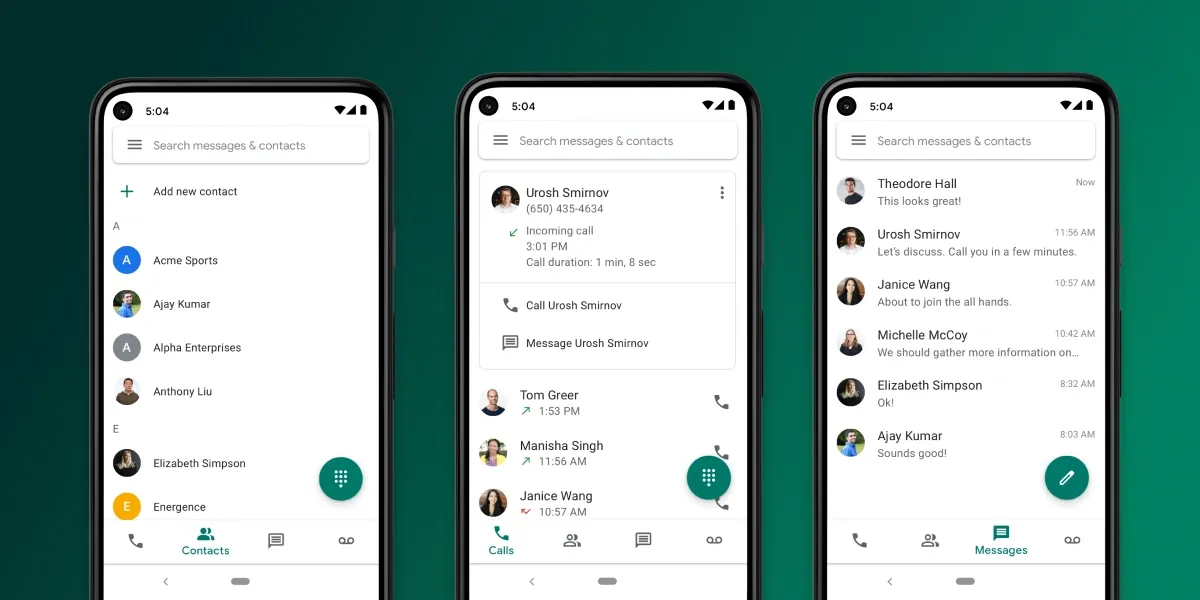
Google Voice is the most popular second number app in the US, and that's mostly because the consumer version is free. If you have a personal Gmail address, you can grab a US number, place calls, and send texts without paying a cent. That's a huge reason it shows up at the top of every "second phone number" search.
But "popular for personal use" and "good for business" are two very different things. Once you try to use Google Voice to run a company, the cracks start to show.
Google Voice pricing
There are really two products hiding under the same name.
If you're a consumer using a @gmail.com address, Google Voice is free. One number, unlimited domestic calls and texts in the US, voicemail transcription. That's it.
If you want to use it for business, you need Google Workspace. There are three plans:
- Starter ($10/user/month): up to 10 users. Unlimited domestic calls, US texting, voicemail transcription. Works in 14 countries.
- Standard ($20/user/month): adds unlimited users, on-demand call recording, and call routing (ring groups).
- Premier ($30/user/month): adds automatic call recording and BigQuery reporting.
Each user gets a local phone number included. There's no free trial of the paid plans (Google's logic is that you can try the free consumer version first).
Google Voice features
The feature set is deliberately bare. You get a clean dialer, voicemail, SMS in the US, and that's about the shape of it. No shared inbox for teams. No SMS auto-reply. No after-hours auto-text. No power dialer. No native CRM logging.
Call routing is the most striking gap on the entry plan: you only get call forwarding, which means you need a separate phone number for each teammate you want to ring. To unlock proper ring groups (round robin, simultaneous, fixed order), you have to jump to Standard at $20/user.
Google Voice AI features
We were curious whether Google had quietly added AI features given how aggressively Gemini ships everywhere else. Nope.
Google Voice has exactly one AI feature: voicemail transcription (voicemails arrive as text). It is supported in 7 languages: English, French, Spanish, German, Dutch, Danish, Portuguese.
There's no call transcription, no call summaries, no AI receptionist, no follow-up email draft. If you compare this to any modern phone system shipped in 2024 or later, Google Voice feels like it was frozen in 2018.
Google Voice integrations
This is the one most business buyers don't expect. Google Voice does not integrate with CRMs. No HubSpot connector, no Salesforce, no Pipedrive, no Attio. The only integration is with the rest of Google Workspace (so calls show up in your Google contacts, Calendar invites embed numbers, etc.).
If logging calls automatically into your CRM is part of your sales workflow, Google Voice will quietly become a frustration.
Google Voice supported countries
You can place outbound calls almost anywhere in the world (paid).
Google Voice reviews
Reviews tell a story that matches what you'd expect from "free product, no support team":
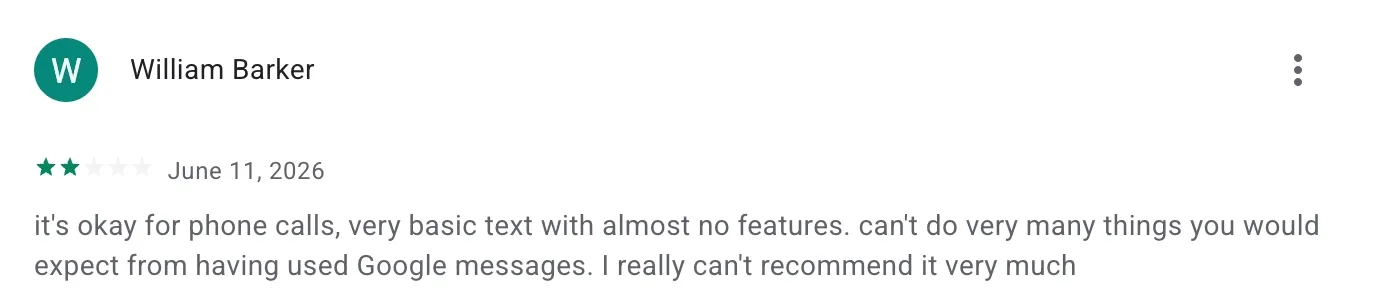
- Play Store: 1.8/5 across 371,000 reviews. One of the lowest scores we've ever seen for a business app.
- App Store: 4.3/5 across 62,000 reviews.
- Capterra: 4.5/5.
- G2: 4.1/5 across 166 reviews.
The split between the Android (1.8) and iOS (4.3) ratings is unusually wide. Most of the Play Store complaints we read were about texts not delivering, calls going straight to voicemail, and numbers getting reclaimed after inactivity, with no support team to escalate to. Google's own community forums are active, but you're often waiting days for an answer from another user, not a Google employee.
Who should use Google Voice
Google Voice is the right pick if all of these are true: you're a solo operator, you're in the US, you only need basic call and text, you live inside Google Workspace, and you don't need to log anything to a CRM. For a side project, a freelancer, or someone who just wants to stop giving out their personal number, the free tier is hard to beat.
For anything resembling a sales team, a support function, or even a two-person business that wants to share a line, you'll outgrow it inside a month.
Verizon Second Number
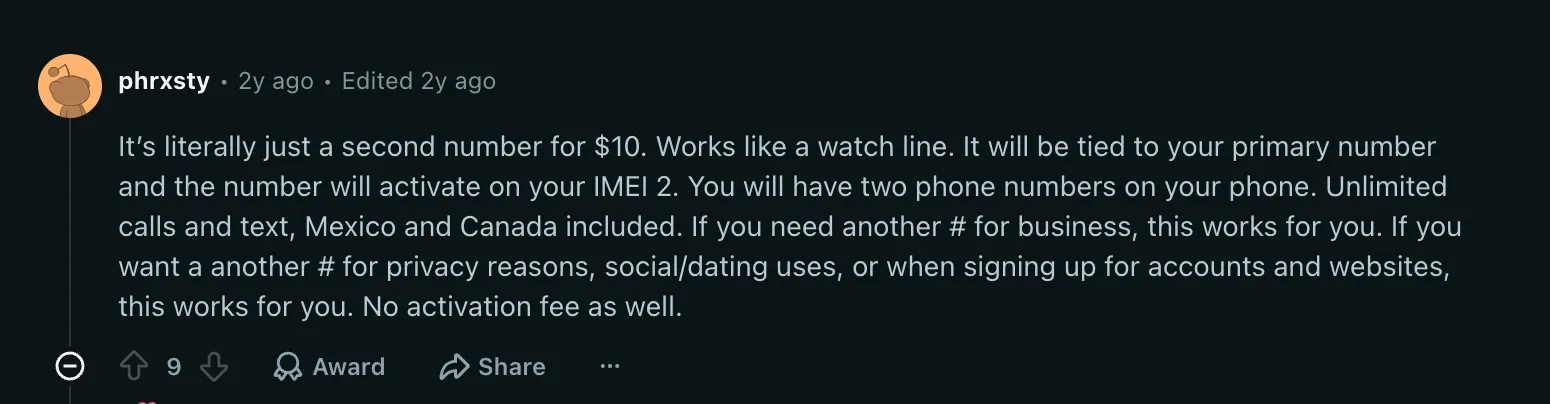
Verizon Second Number is a different kind of beast. It's not a phone system, it's not an app, and it's not VoIP. It's a perk you add to your existing Verizon mobile line, and it gives you a second phone number that runs on the actual cellular network (the same signal that carries your personal line).
That's the key thing to understand: every other product in this article is VoIP, which means a stable internet connection is a prerequisite. Verizon Second Number isn't. If you live or work somewhere with patchy Wi-Fi or weak cellular data, Verizon will still work because it uses voice cellular, not data. The trade-off is that you give up almost everything modern phone systems do: no transcripts, no integrations, no AI, no shared inbox.
Verizon Second Number pricing
There are two pricing options:
- Standard: $15/month, with no fees to activate or cancel.
- myPlan Unlimited perk: $10/month (a $5/month saving) if you're already on a qualifying Verizon myPlan Unlimited plan.
You need an existing Verizon standard monthly mobile plan on the primary line. There's no separate device cost since it uses eSIM on your current phone.
Verizon Second Number features
You get a second phone number on the same physical device, with:
- Unlimited talk and text in the US, Mexico, and Canada.
- A separate voicemail box for each line.
- The ability to assign a specific contact to a specific line.
- Custom labels for each number (e.g. "Business" and "Personal").
- TravelPass included for roaming in 210+ countries.
- iMessage and FaceTime can be configured per line.
Data for apps and the internet still comes from your primary Verizon plan, not from the second line.
Verizon Second Number AI features
There are none.
Verizon Second Number integrations
There are none. The second number behaves like a regular cellular line, so it won't sync with HubSpot, Salesforce, Pipedrive, or any CRM. If you want call logs, you copy them by hand.
Verizon Second Number supported countries
The line itself is a US number. Outbound calling is unlimited to the US, Mexico, and Canada. International roaming is covered via TravelPass in 210+ countries.
Verizon Second Number requirements
- A compatible Verizon monthly mobile plan on the primary line.
- A Dual SIM Dual Standby (DSDS) device with at least one available SIM slot.
- You must be the account owner or account manager to manage it.
Who should use Verizon Second Number
Verizon Second Number is genuinely useful for one specific situation: you already pay Verizon for your phone, you want a second number on the same device, you operate in an area where cellular is reliable but internet isn't, and you don't need any of the software features that modern phone systems offer. Think solo contractors in rural areas, traveling reps, anyone who's lost a call because a VoIP app crashed on weak Wi-Fi.
If you need team features, AI, transcripts, or CRM logging, this isn't the product for you. Pair it with another tool, or skip to the VoIP options below.
Grasshopper
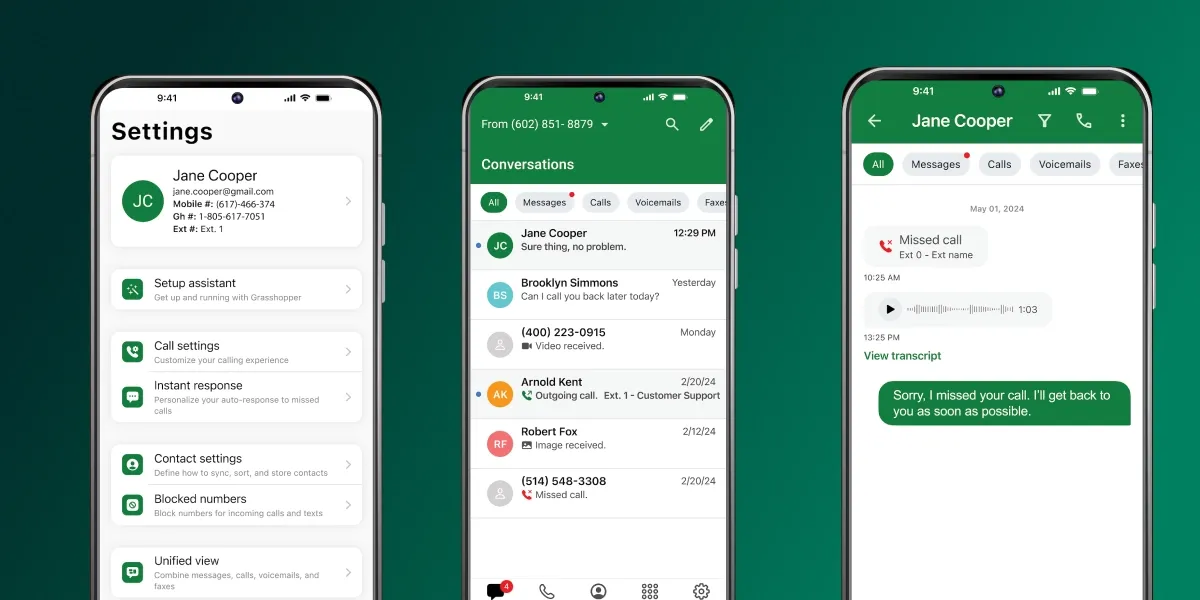
Grasshopper was the benchmark for SMB phone systems for a decade. It now belongs to GoTo, and the product feels its age. It hasn't been meaningfully updated for AI or modern integrations, but it still works fine if all you want is a virtual number with an auto-attendant.
Grasshopper pricing
Three plans, no per-user creep:
- True Solo ($18/month): one user, one toll-free or local number.
- Solo Plus ($32/month): unlimited users, one number, three extensions.
- Small Business ($70/month): four numbers, unlimited extensions.
A 7-day free trial is available, no credit card required.
Grasshopper features
You get a virtual number, voicemail, call forwarding, an auto-attendant, and SMS within the US and Canada. There's no shared inbox, no power dialer, no team chat, and no proper call routing (it can only forward to one number after the other, which means each team member needs their own phone number to ring).
One side feature worth noting: Grasshopper can forward calls to Google Voice, and an external service called Chatdesk deflects some incoming calls to live chat or SMS.
Grasshopper AI features
Almost nothing. Grasshopper transcribes voicemails but not calls. AI is clearly not on their roadmap.
Grasshopper integrations
This is a real weak spot. No native integrations with HubSpot, Salesforce, or any major CRM. No public API.
Grasshopper supported countries
US and Canada only. You can't send or receive SMS on international numbers.
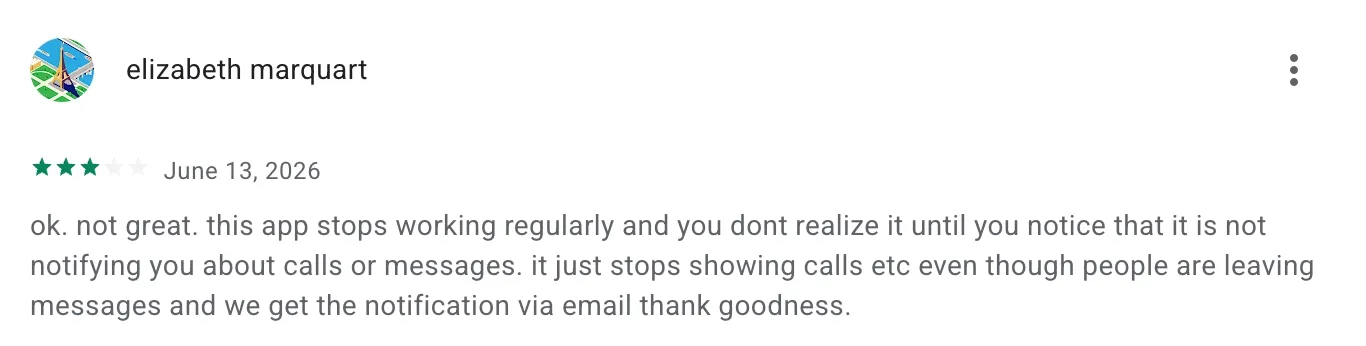
Grasshopper reviews
- Trustpilot: 2.1/5 (mostly because of Grasshopper's billing practices)
- G2: 3.9/5.
- App Store: 4.8/5 across 46,000 reviews.
- Play Store: 4.4/5 across 4,820 reviews.
The mobile app ratings are solid, but the Trustpilot score is below the floor we usually consider acceptable.
Who should use Grasshopper
Grasshopper makes sense for a true solo operator who wants the cheapest possible "real" business phone number with an auto-attendant, and who doesn't care about AI, CRM logging, or sending SMS to international numbers. For everyone else, the lack of integrations and the dated feature set will be a problem.
LinkedPhone
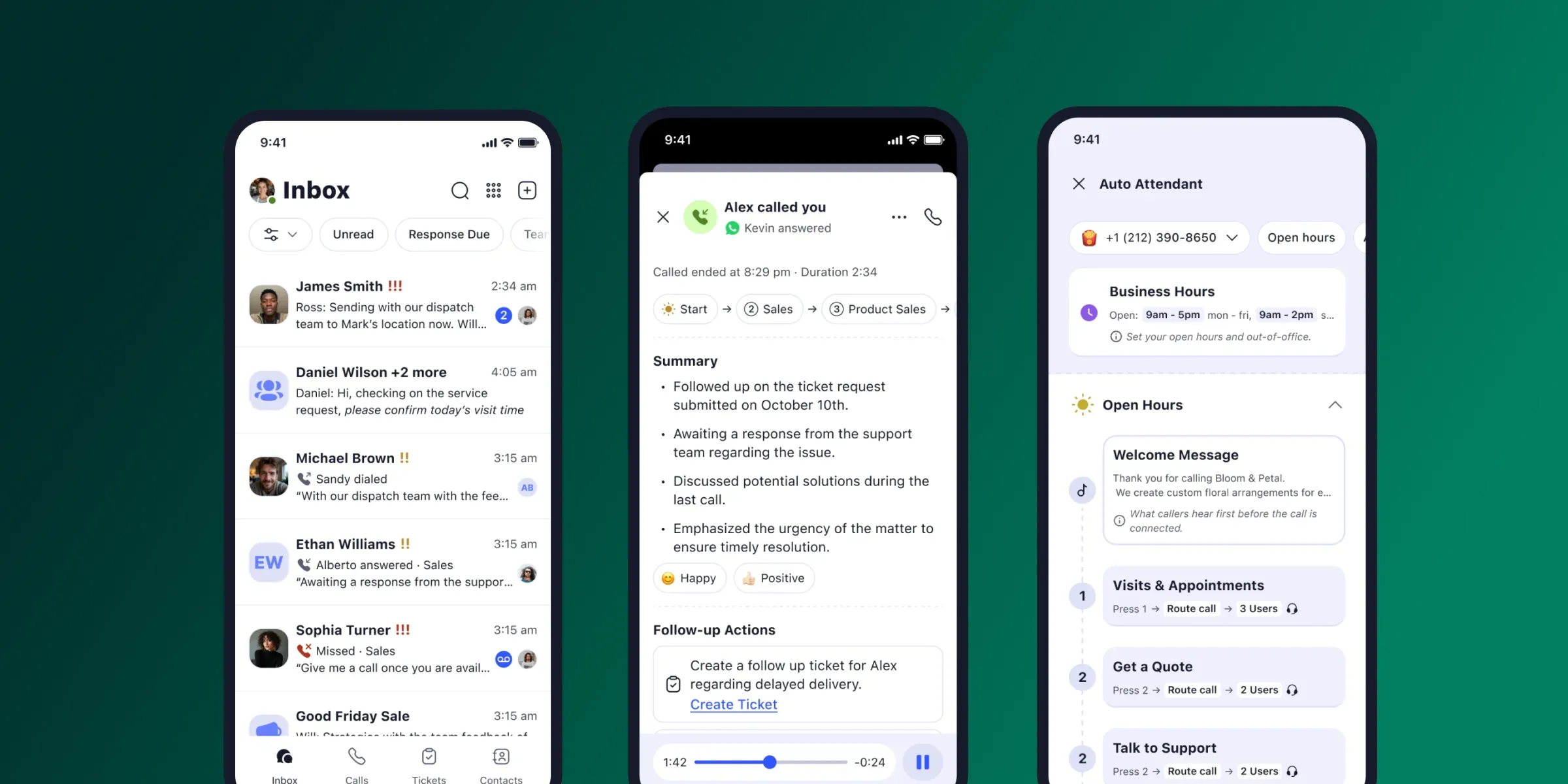
LinkedPhone is a bootstrapped, NYC-based product aimed at small businesses that want voice, SMS, email, and video meetings in one app. The pricing is transparent, and the multi-channel angle is genuinely useful. The execution is hit-and-miss.
LinkedPhone pricing
Two plans, both tied to the type of number you need:
- Local number: $19.99/month for one user. Additional users: $5/user/month.
- Toll-free number: $29.99/month for one user. Additional users: $5/user/month.
10DLC SMS registration is free, and there's no yearly discount.
A 7-day free trial is available. It's worth nothing that there are no paid add-ons.
LinkedPhone features
You get voice, SMS, email, and video meetings in one inbox. A few features worth noting:
- A shared inbox that centralizes calls, texts, voicemails, and emails between team members.
- Text auto-reply and missed-call auto-reply.
- Scheduled texts.
- Office phone (the physical kind) support.
LinkedPhone AI features
Light but present:
- AI reply suggestions on incoming texts.
- Call transcription.
- Voicemail transcription.
All AI features are included at no extra cost on every plan. There's no AI receptionist and no AI call scoring.
LinkedPhone integrations
Only Zapier. That's the entire integration story. If you need calls to log automatically to your CRM, you'll be building Zaps and accepting a few minutes of latency.
LinkedPhone supported countries
US and Canada only.
LinkedPhone reviews
- App Store: 4.7/5 across 3,783 reviews.
- Play Store: 3.8/5 across 853 reviews.
- G2: 3.5/5 across 5 reviews.
- Trustpilot: 3.2/5 across 2 reviews.
The reviews we read repeated a consistent theme: the app gets glitchy after updates. We saw the same on both iOS and Android.
Who should use LinkedPhone
LinkedPhone is a decent fit for a small US-based business that wants voice, SMS, and email in one app, doesn't need a CRM integration, and can tolerate the occasional glitch. The shared inbox is genuinely useful for a 2 to 5 person team.
For anyone with HIPAA requirements, anyone outside the US/Canada, or anyone who needs reliable CRM logging, skip it.
Allo
Disclosure: Allo is our product. We'll keep this section factual; you can verify everything against the public pricing page and the App Store / Play Store listings.
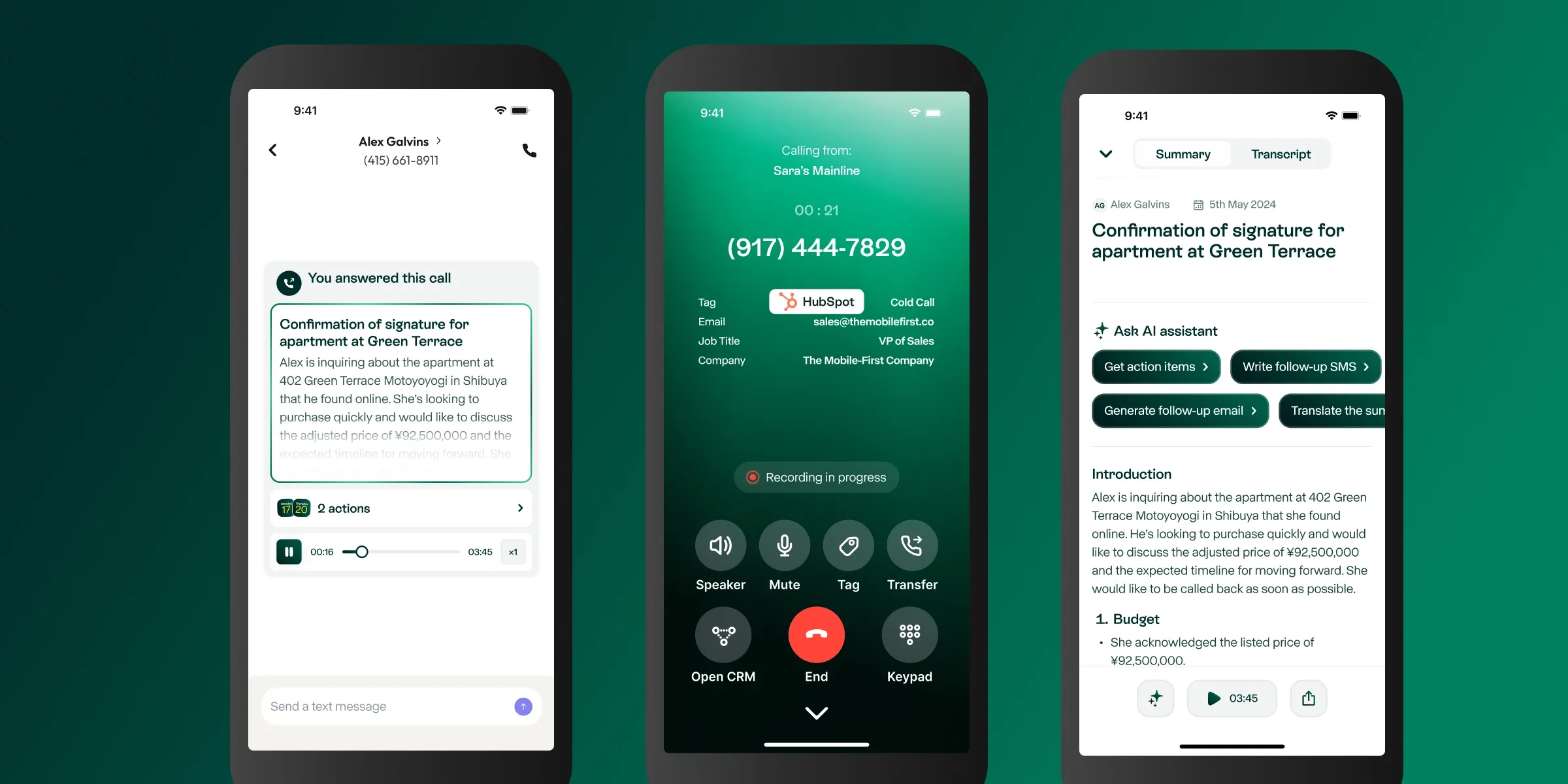
Allo is an AI-first, mobile-first phone system built for small teams and salespeople. It's the product we made because we couldn't find a phone system that combined a clean mobile experience, real CRM integrations, and AI features that actually work, all in one tool.
Allo pricing
Two plans, no add-ons:
- Starter ($25/month): one user, unlimited calls, a local phone number, AI summaries, IVR.
- Business ($45/user/month): unlimited AI answering service, integrations, SMS, international calls.
One local or toll-free number is included with every subscription. Additional numbers are $5/month.
There's a 7-day free trial and no add-ons (AI is included in every plan).
Allo features
- Cascading or simultaneous ring across a team (no need for a number per teammate).
- A shared phone number across teammates.
- A 24/7 AI receptionist that can speak French, Spanish, or English.
- Customizable webhook-driven workflows.
- Mobile-first apps on iOS and Android, plus desktop and a web app.
Allo AI features
- AI answering service that can answer calls, route them, and capture caller info.
- Call transcription and summaries in 36 languages.
- Voicemail transcription.
- AI follow-up email draft after each call.
- MCP server so you can connect Allo to Claude, Codex, Cursor, and other AI tools.
Every AI feature is included in the plan price.
Allo integrations
Eighteen native integrations, including HubSpot, Pipedrive, Salesforce, Attio, Notion, Zoho CRM, Apollo, and Intercom. Zapier is available on top to connect 1,000+ apps. There's also a public API.
The HubSpot integration is rated 4.7/5 on the HubSpot Marketplace across 600+ installs.
Allo supported countries
Local numbers in 11 countries. Outbound international calling is supported on the Business plan.
Allo reviews
- G2: 4.7/5.
- Trustpilot: 3.9/5.
- App Store: 4.3/5 across 101 ratings.
- Play Store: 3.9/5 across 152 reviews.
- HubSpot Marketplace: 4.7/5.
Who should use Allo
Allo is built for small businesses, sales teams, and SMBs that need a real phone system with AI and CRM integrations, without the paid add-ons that bigger competitors layer on. If you're a team of 1 to 50, you want AI included rather than priced as an add-on, and you want your calls to land in HubSpot or Salesforce automatically, this is the product.
If you're a 500-seat enterprise contact center, look at Aircall, Dialpad, or RingCentral instead.
Quo
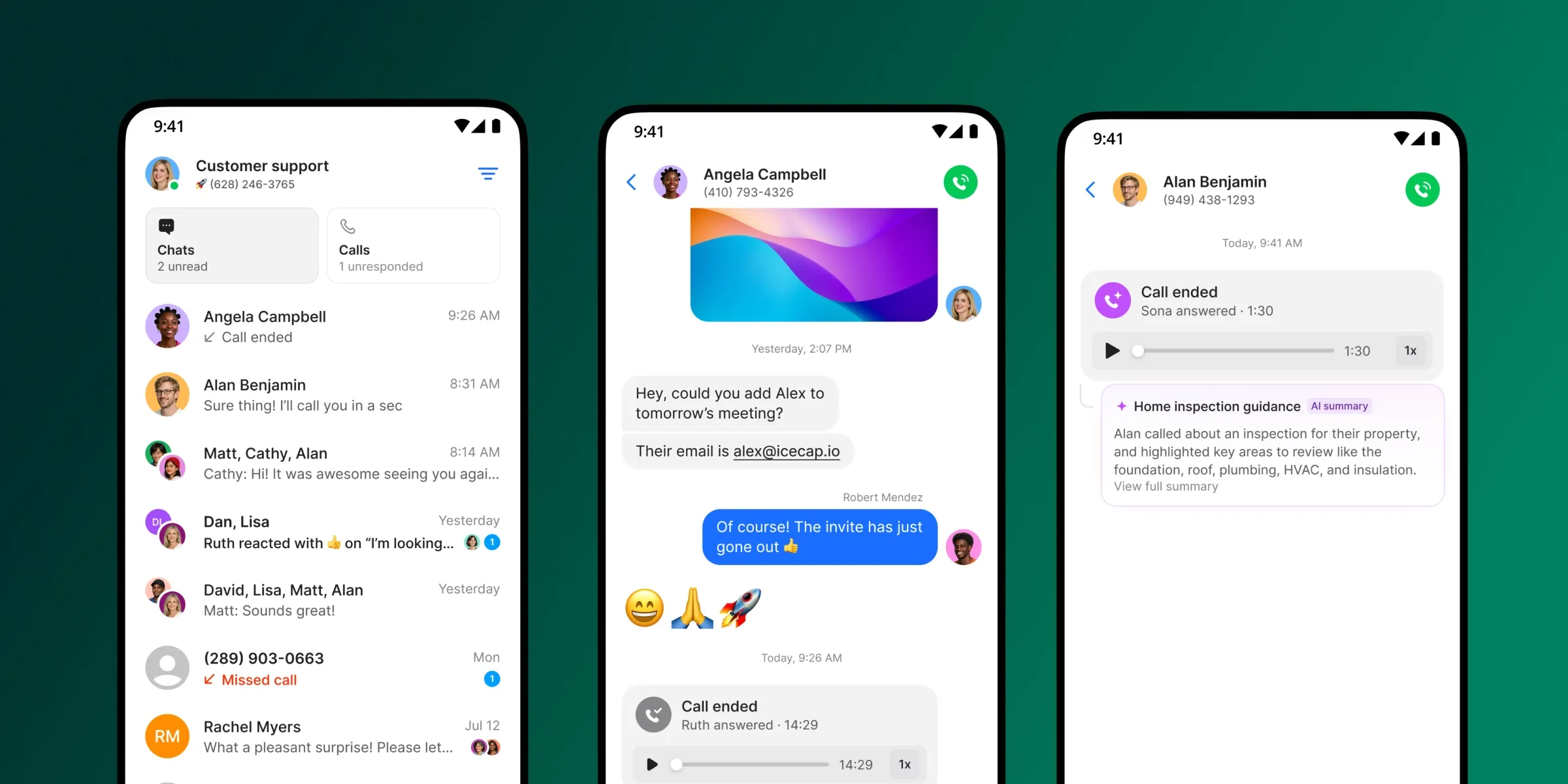
Quo (formerly OpenPhone) rebranded in 2025, but it's the same product underneath: a clean, collaboration-focused phone system for SMBs and small teams.
Quo pricing
Three plans:
- Starter ($19/user/month): a local number, unlimited US/CA calling and messaging, voicemail transcripts, 10 calls handled by Sona (their AI agent).
- Business ($33/user/month): AI call summaries and transcripts, group calling, call transfers, analytics, HubSpot and Salesforce integrations.
- Scale ($47/user/month): dedicated onboarding, priority support, inbound phone support.
One number is included per user. Additional numbers: $5/user/month.
There's a 7-day free trial.
Calls handled by the AI receptionist beyond the 10 included are billed at $0.75/call.
Quo features
- A built-in lightweight CRM including tasks, contacts and notes (a feature most competitors don't have).
- A shared inbox with threads and tagging.
- Internal chat for team members.
- Group calls.
- Caller ID with auto-enriched contact info.
Quo AI features
- Sona, an AI answering service (10 calls included in all plans, $0.75/call beyond).
- Call transcripts and summaries (Business plan only).
- Voicemail transcription (all plans).
- 34 languages supported for transcripts.
- MCP server to connect Quo with Claude, Codex, etc.
Quo integrations
Native integrations with HubSpot, Salesforce, Attio, Jobber, Zapier, Make, Slack, Gong, and Google Contacts.
Quo supported countries
US and Canada only.
Quo reviews
- G2: 4.7/5 across 3,374 reviews.
- Trustpilot: 3.9/5.
- App Store: 4.4/5 across 11,000 reviews.
- Play Store: 4.6/5 across 8,780 reviews.
- HubSpot Marketplace: 3.3/5.
Who should use Quo
Quo is a strong pick if you're a US or Canadian SMB that wants a clean shared inbox, doesn't need to call internationally, and is OK with paying for AI summaries as an upgrade. The built-in CRM is a nice touch for very early-stage teams that don't have HubSpot yet. One thing to know: Quo prohibits cold calling and will suspend accounts that violate it, so it's not the right fit for outbound-heavy sales teams.
Conclusion
If you remember three things from this article:
- Don't put your personal number on your business card. A second number is the cheapest, easiest thing you can do to draw a line between your work and your life.
- The right choice depends on what you need beyond just "a number". If you only want a free, basic, US-only line, Google Voice is fine. If you live somewhere with bad internet but good cellular, Verizon Second Number is the only option that doesn't rely on VoIP. If you want a real phone system with AI, integrations, and a shared inbox, look at Allo or Quo.
- The market has split in two: legacy products like Grasshopper that haven't kept up with AI, and modern AI-first tools like Allo that include AI in the base price. Pick the side you actually want to be on.
For most growing small businesses, the sweet spot is a tool that includes AI in the plan price, integrates natively with your CRM, and has a shared inbox. That's why we built Allo, and that's the recommendation we'd give a friend starting a business this week.
FAQ
Should I get a second phone number for my business?
Yes, almost always. The moment you start handing out a number to customers, suppliers, or colleagues, you lose the ability to control when and how that number rings. A second number lets you set business hours, route calls to teammates, use an auto-attendant, and (most importantly) keep your personal mobile number private. You can also hand a business number over to a buyer or a new owner the day you sell the company, which you can't do with your personal line.
What is the best second number app for business?
It depends on what "best" means for you: Best free option for solo personal use: Google Voice. Best non-VoIP option for low-coverage areas: Verizon Second Number. Best basic virtual number with auto-attendant: Grasshopper. Best multi-channel option (voice, SMS, email, video) for a small US team: LinkedPhone. Best AI-first phone system for a growing small business: Allo. Best shared inbox for a small US/Canadian team: Quo. For most small businesses growing past the solo stage, Allo is the recommendation we'd give: AI is included in every plan, native CRM integrations actually work, and there are no add-ons or per-seat surprises.
Can I get a second phone number on my phone for business?
Can I get a second phone number on my phone for business? Yes. You have three options: A VoIP app like Allo, Quo, or Google Voice. You install an app, get a number, and place calls over Wi-Fi or cellular data. This is the most popular route because it works on any phone and adds modern features (transcripts, integrations, AI). An eSIM second line from your carrier. Verizon Second Number is the most common example. You add a second number to your existing carrier plan and it uses the cellular network, not data. Useful if your internet is unreliable. A separate physical SIM. Some people just buy a second prepaid SIM and put it in a dual-SIM phone. It works, but you give up shared inboxes, transcripts, and integrations. For 90% of businesses, a VoIP app is the right answer.
Can I have a second phone number for free?
Yes, but only for personal use. Google Voice is free for individuals with a personal Gmail address, and gives you a US number with unlimited domestic calls and texts. For business use, you'll need to pay something (Google Voice for business starts at $10/user/month). There is no genuinely free option for business use. Every "free trial" you'll see (Allo's 7-day, Quo's 7-day, Dialpad's 14-day) eventually converts to a paid plan.