TL;DR
- Google Voice is best for solopreneurs and Google Workspace shops on a tight budget, because the personal version is free and business plans start at $10/user/month. The catch: you give up ring groups, CRM integrations, and a shared team inbox.
- Allo is best for small and growing sales teams (roughly 2 to 50 people), because one shared number, AI call answering, transcripts, and native CRM sync all live in a single $45/user/month plan with zero add-ons.
- Dialpad is best for larger teams (20+) juggling several departments, because its four routing strategies and 25-department ceiling scale further than the other two, starting at $27/user/month.
All three let you share one phone number across several people. The right pick comes down to how smart you need the routing, whether you live on mobile, and how much you want to pay per seat.
Introduction
Ever lost a deal because the one person who owned the phone number was on holiday?
That single point of failure is exactly what a shared phone number fixes.
For years, sharing a number meant buying a physical PBX and paying an installer. That era is over. With a VoIP app, phone number sharing now takes a few minutes and a credit card. It really is easier than most people think.
This guide keeps it practical. First, I walk through three battle-tested ways to share a phone number: Google Voice (the cheap option), Allo (the AI option), and Dialpad (the large-teams option). Then I give you a short decision framework so you can pick fast. After that, I show you how to configure your shared business phone number like a pro, from inviting your team to switching on your AI receptionist. Finally, I cover the benefits and answer the questions people ask most.
Let's start with the side-by-side.
| Solution | Starting Price | Best For | G2 Rating |
|---|---|---|---|
| Google Voice | Free / $10 user/mo Ring groups: Standard, $20 user/mo | Solopreneurs and Workspace shops on a tight budget. cheapest | 4.1 / 5 |
| Allo | $16/mo Number sharing: Business, $45 user/mo | Small sales teams that want AI built in, not bolted on. AI included | 4.7 / 5 |
| Dialpad | $27 user/mo Routing included from Standard | Larger teams (20+) juggling several departments. larger teams | 4.4 / 5 |
Three battle-tested ways to share your phone number
I picked these three on purpose.
They cover the three budgets and team profiles I see most often: the bootstrapper who wants free, the small sales team that wants AI, and the bigger org that needs departments.
Google Voice (the cheap option)
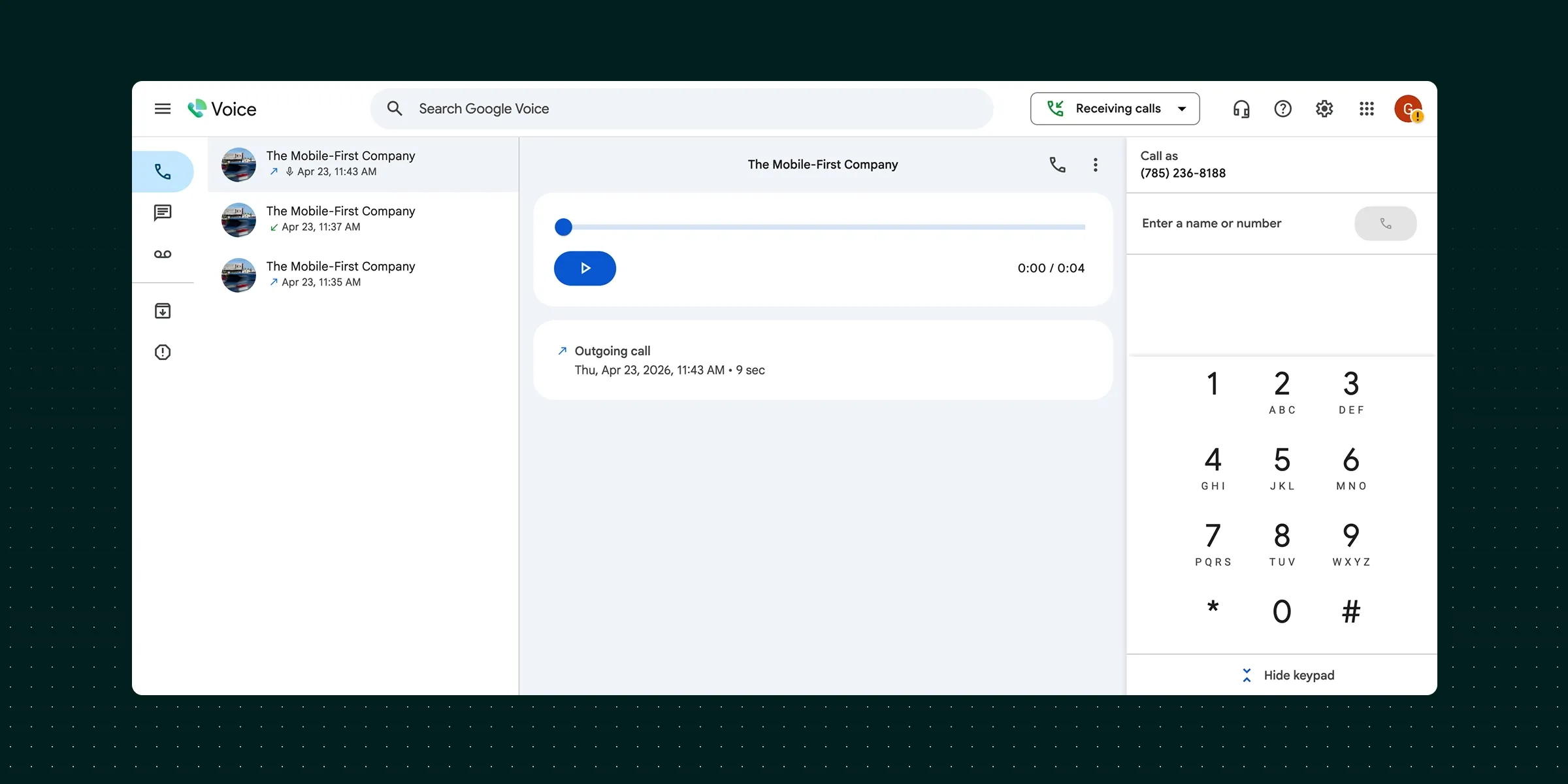
What is Google Voice?
Google Voice is Google's phone system. It gives you a phone number that rings on your devices, plus voicemail and texting, wrapped in the clean interface you would expect from Google.
It is ideal in two situations:
- You are a solo operator with a personal Gmail address and you just want a second number for free.
- Your company already pays for Google Workspace and you want a no-fuss business line that sits next to Gmail and Calendar.
It stops working the moment your needs get team-shaped. There are no CRM integrations, no shared team inbox, and the AI is limited to spam blocking and voicemail transcription. If you want to share a phone number across a real team and route calls intelligently, you will feel the ceiling fast.
How phone number sharing works with Google Voice
Sharing on Google Voice depends entirely on which plan you are on, and this trips people up.
On the free personal version and the entry Starter plan, you don't get true team sharing. You get call rules: forward specific contacts to specific devices, send certain numbers straight to voicemail, set custom greetings, and screen calls. Useful for one person. Not enough for a team. There is no sequential ringing, no menu, and no way to forward from one Google Voice number to another.
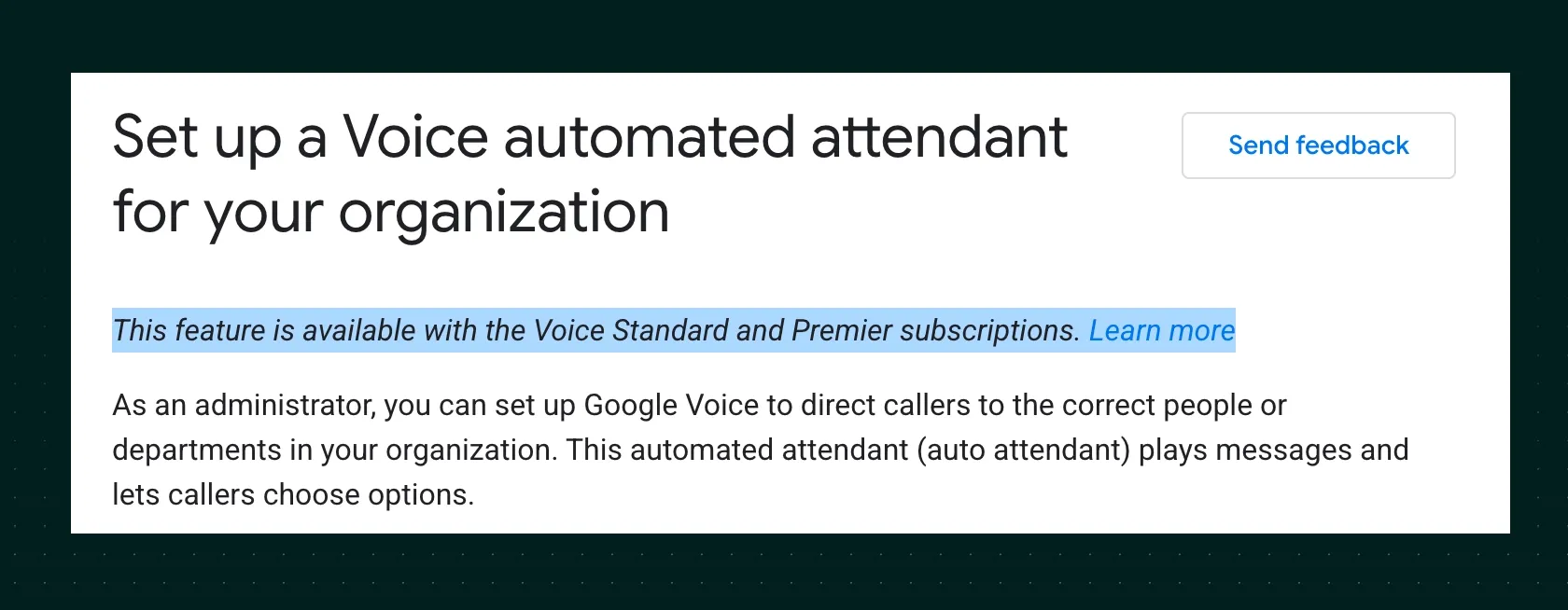
To actually share a phone number across teammates, you need the Standard plan or higher. That unlocks the features that matter: auto attendants (the "press 1 for sales" menu), ring groups so a call rings several people at once or in turn, call queuing, and time-based routing tied to your Google Calendar working hours.
One quirk to watch: if a linked phone is off or out of range, that carrier's voicemail can grab the call and stop every other phone from ringing. Turning on call screening (which forces whoever answers to press 1) prevents it. It is the kind of nitty-gritty detail that decides whether you trust a system with customer calls.
Google Voice pricing
For personal use on a @gmail.com address, Google Voice is free. That is its headline strength.
For business use, you need Google Workspace, and there are three plans:
- Starter: $10/user/month. Up to 10 users, works in 14 countries. No auto attendants or ring groups.
- Standard: $20/user/month. Unlimited users, call recording, and the call routing you need to share a number properly.
- Premier: $30/user/month. Adds automatic call recording and advanced reporting via BigQuery.
So the real entry point for a shared business phone number is $20/user/month, not the $10 headline.
Google Voice demo
My take: Google Voice is the right call when budget is the only thing that matters and your team lives inside Google Workspace already. The 1.8/5 Android app rating (across 371,000+ reviews) is hard to ignore, though. If calls are core to your business, treat Google Voice as a starting point, not a destination.
Allo (the AI option)
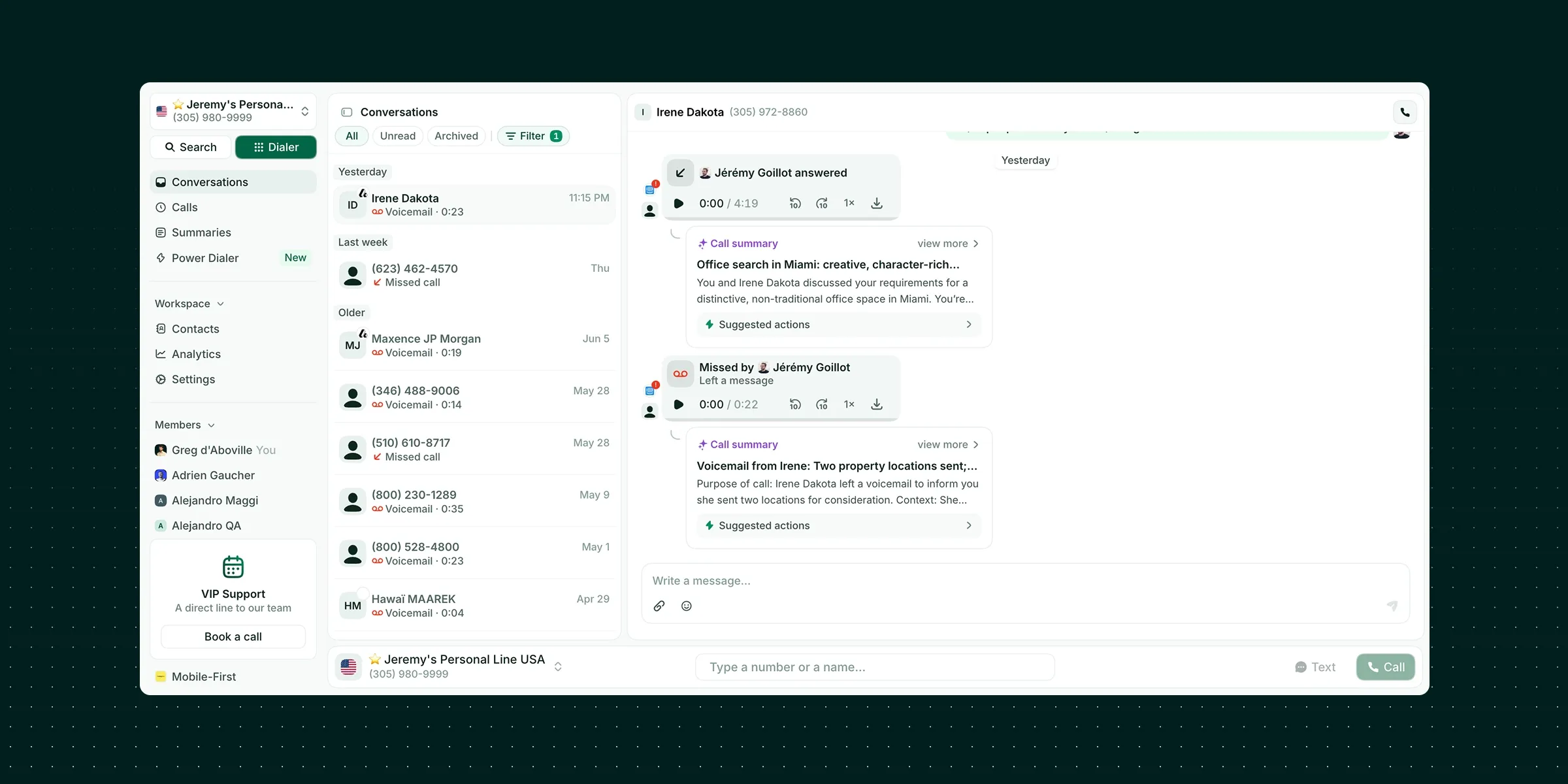
Disclaimer: Allo is our own product.
What is Allo?
Allo is an AI-first, mobile-first phone system built for small teams and salespeople.
Where Google Voice bolts a number onto Gmail, Allo is designed from the ground up so a small team can share one phone number and let AI handle the parts humans dread. The AI answering service picks up when nobody can, every call is transcribed and summarized, and you can ask an AI assistant questions using your own call transcripts and texts as the source. All of it is included, not sold as add-ons.
It is ideal when you are a sales team or SMB that wants the number sharing and the intelligence in one place, on both desktop and mobile. Where it is not the obvious pick: very large enterprises with deeply custom, multi-level call-center workflows. Allo's IVR is single-level today, which is plenty for most small teams but a constraint for a 200-seat contact center.
How phone number sharing works with Allo
This is where Allo earns its keep. You don't buy a phone number for every team member. You share one number, and Allo decides who rings.
There are two layers, and they are refreshingly simple to reason about:
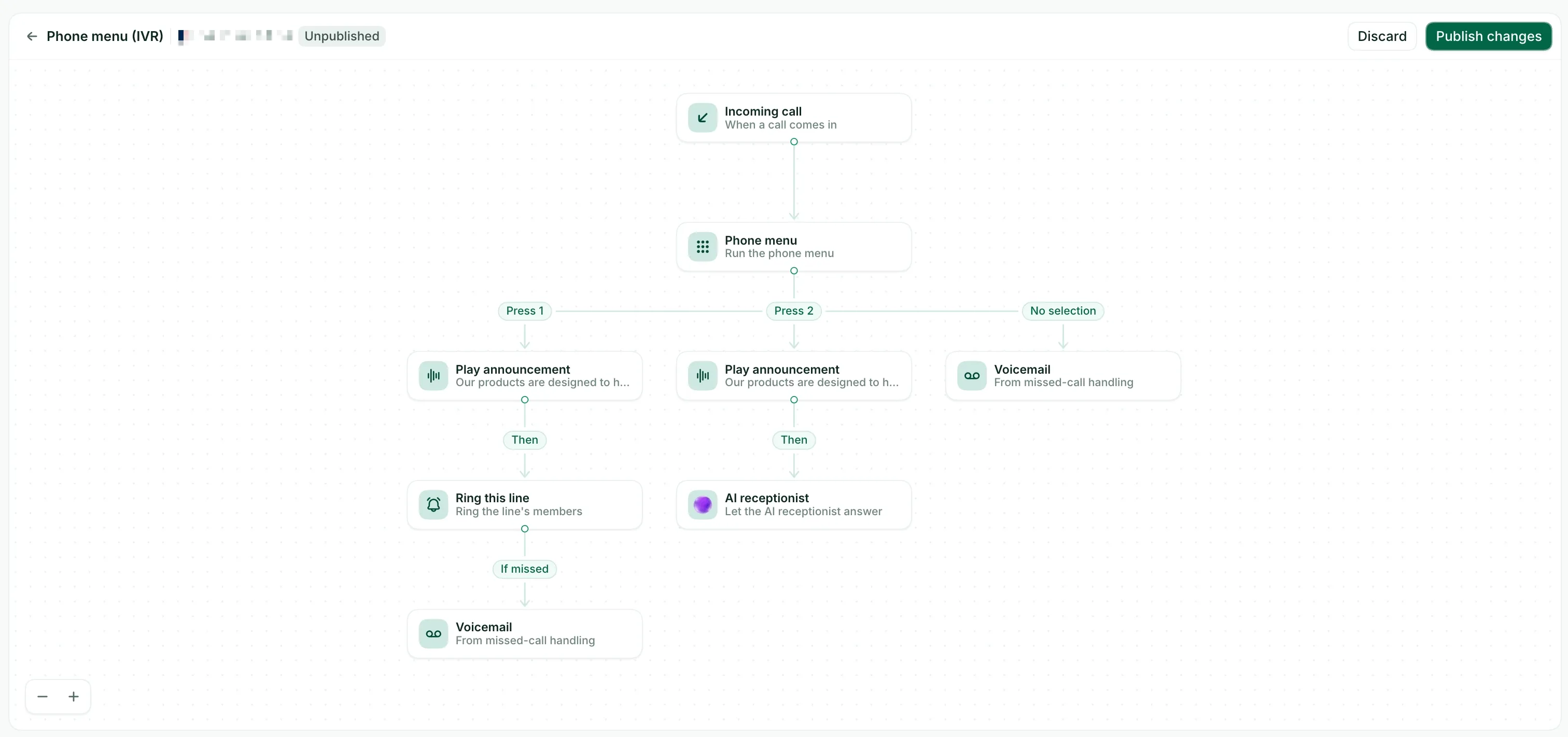
- The IVR (the menu). Callers route themselves with the keypad: "press 1 for sales, 2 for support." You get up to eight options on a single level. Each option does something concrete: play an announcement, ring a line, forward to an outside number, forward to another Allo line, ring one specific person, or hand the call to the AI receptionist. You only write what comes after "press 1"; the AI voice reads the number for you. You also set a default action if the caller presses nothing.
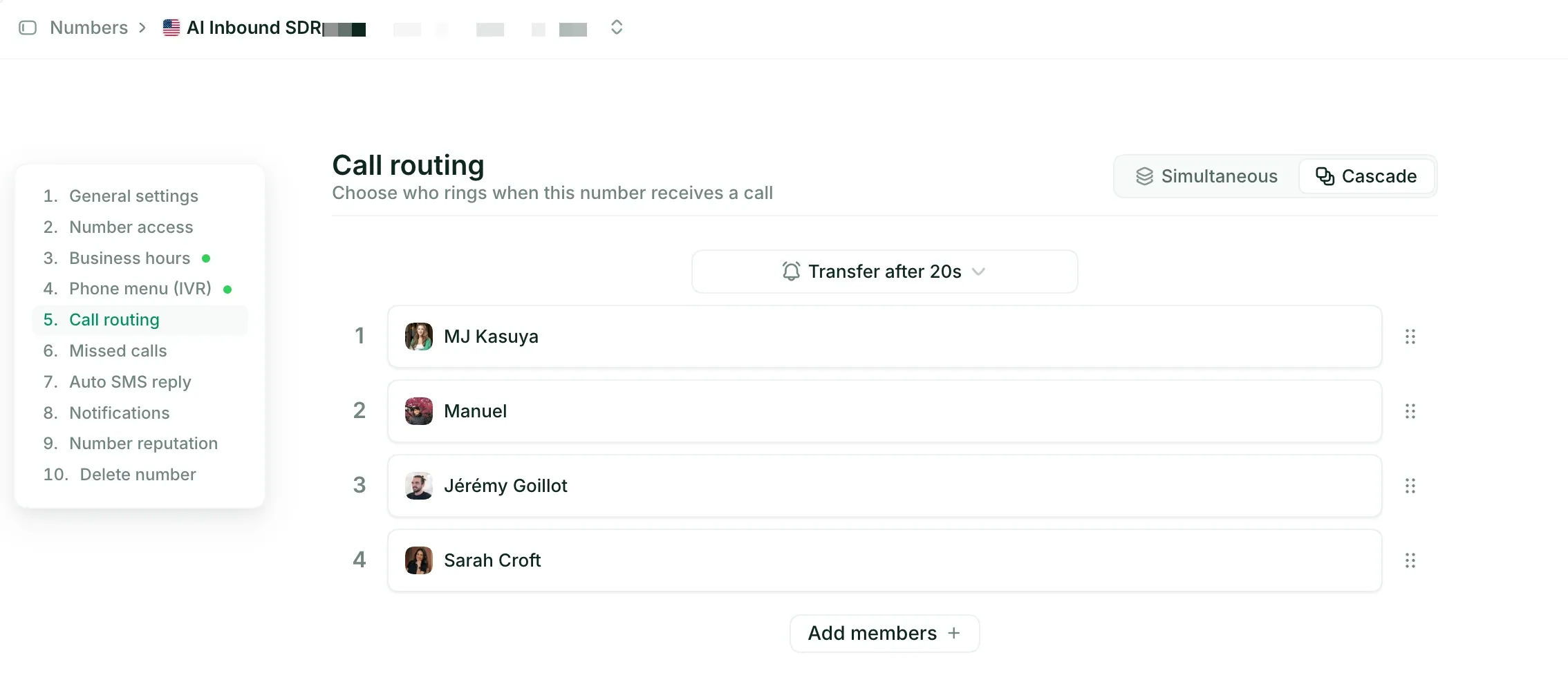
- Call routing (who rings). This controls how a call spreads across your team, and it rings people, not lines. Simultaneous rings everyone at once, and the first to answer takes it. Best for small teams that want speed. Cascade rings people one after another in priority order, each for 5 to 60 seconds, with a final fallback. Best for escalation or on-call rotations. You set it in Settings > Call routing and drag to reorder the cascade.
For natural-language routing ("just tell me what you need"), a voice IVR is in beta through their sales team.
One honest note: call routing lives in the Business plan. You won't find it on the $16 Starter tier.
Allo pricing
Allo keeps pricing refreshingly flat:
- Starter: $16/month. One user max, one-year commitment. Unlimited calls, a local number, AI summaries, and IVR.
- Business: $45/user/month. The plan you want for a shared business phone number. Adds team call routing, native integrations, unlimited AI answering, SMS, and international calls.
A 7-day free trial is included, and there are no add-ons, which is rare in this category. One local or toll-free number comes with your subscription; extra numbers are $5/month.
Allo demo
My take: If you are a small sales team, Allo is the option I'd reach for first. The combination of one shared number, AI that actually answers calls, and CRM sync that logs recordings and transcripts (its HubSpot integration sits at 5/5 on the marketplace) does in one plan what rivals split across three add-ons. The single-level IVR is the main thing to check against your needs before you commit.
Dialpad (the large-teams option)
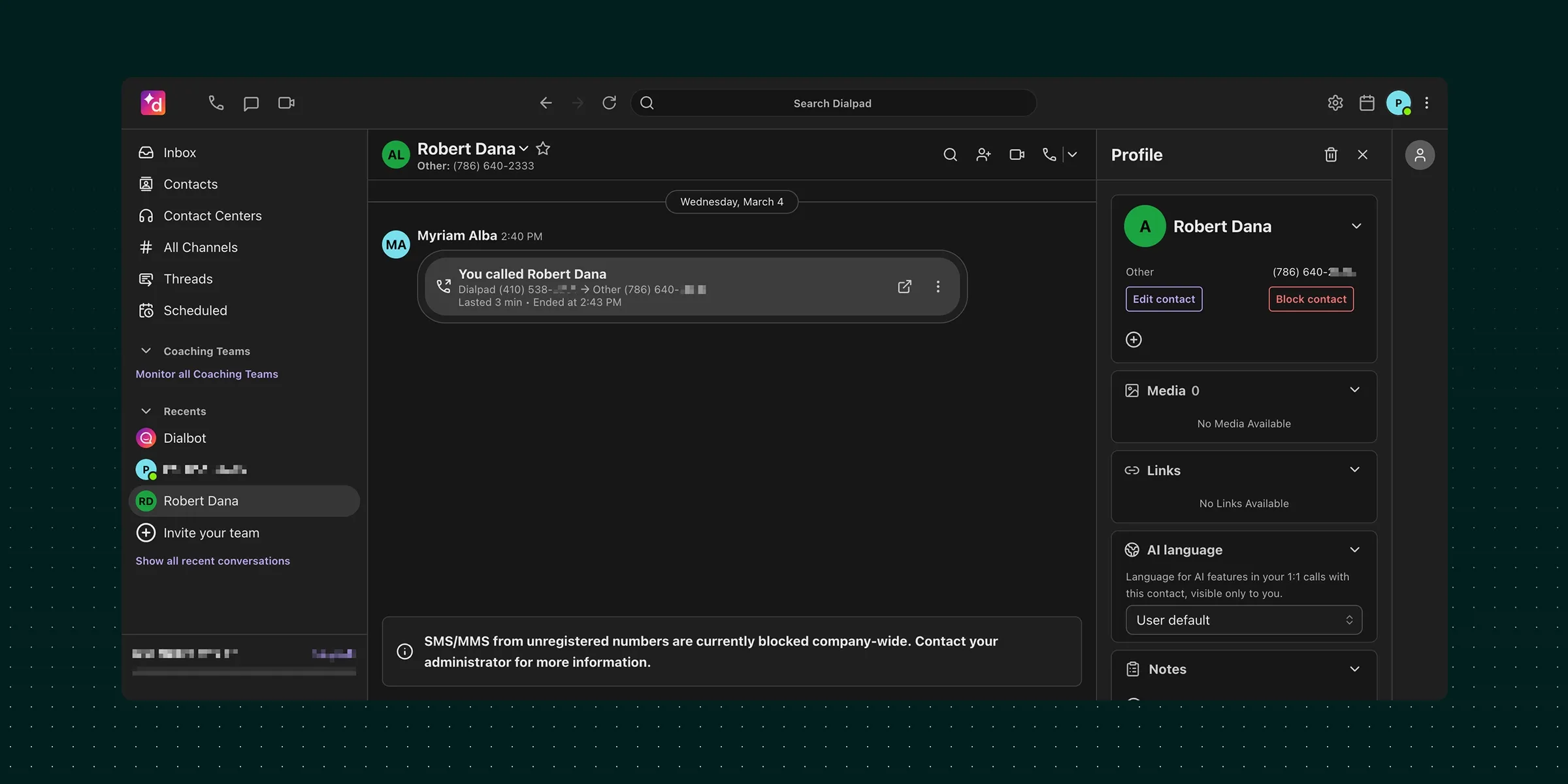
What is Dialpad?
Dialpad is a business phone system founded in 2011 by Craig Walker, who has serious phone-system pedigree: he previously built GrandCentral, which Google bought and turned into Google Voice. So in a sense, Dialpad's founder built the cheap option on this list before he built the scalable one.
Dialpad targets SMBs through mid-market, roughly 20 to 1,000+ employees. It splits into three products with their own pricing: Connect for everyone, Support for support teams, and Sell for sales teams. It runs its own AI model, in development since 2018, which powers call summaries, live coaching, and call scoring across all plans for free.
It is ideal when you have outgrown a simple shared line and need to route calls across several departments with different rules. It is overkill, and a bigger learning curve, for a two-person shop that just wants a number to ring two phones.
How phone number sharing works with Dialpad
Dialpad gives you the most routing strategies of the three, which is exactly why bigger teams like it.
When a call comes in to a department, you choose how it gets distributed:
- Fixed order: always ring people in the same sequence.
- Round robin: spread calls evenly across the team.
- Idle time: ring whoever has waited longest between calls.
- Simultaneous: ring everyone at once.
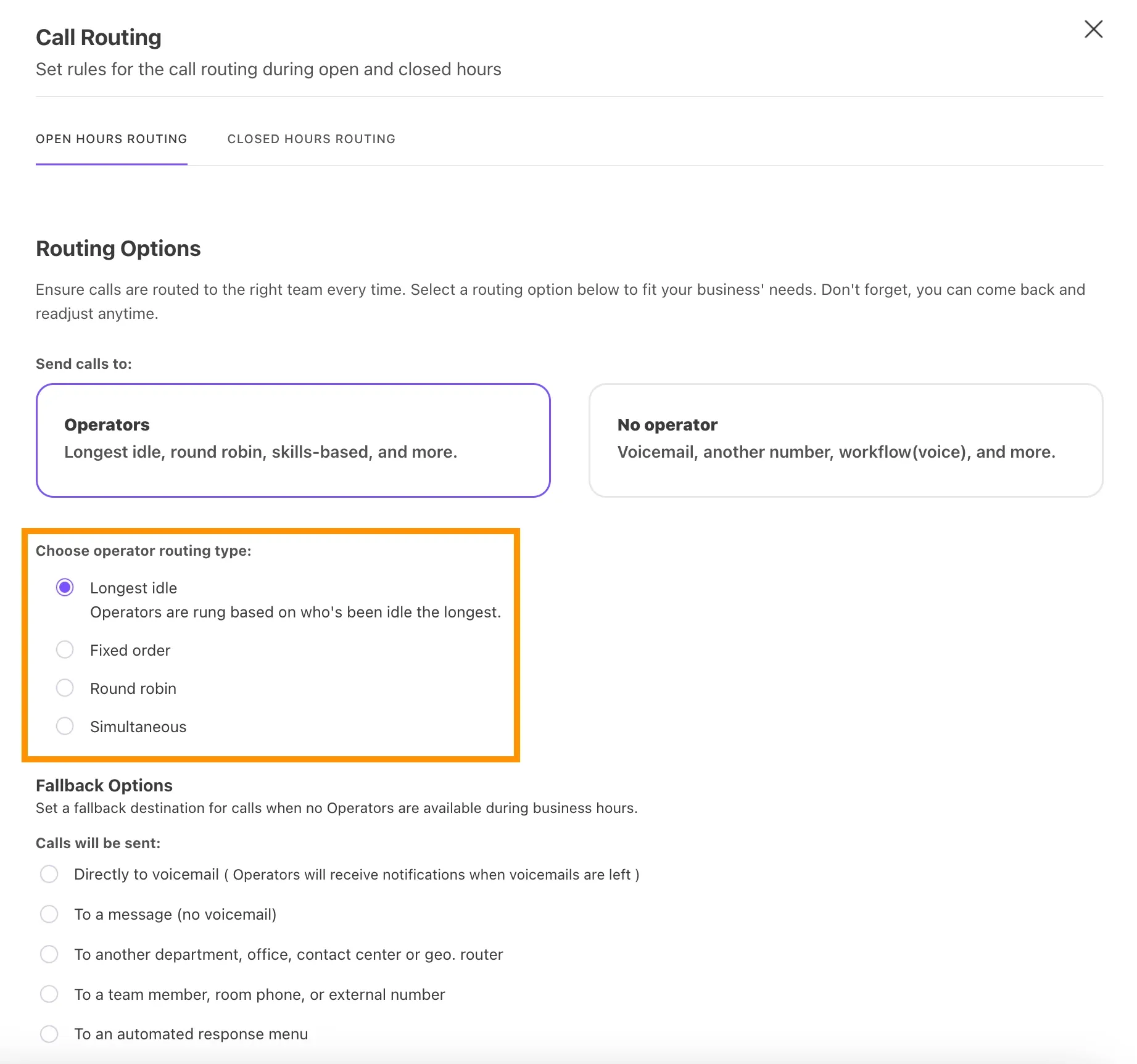
If nobody picks up, the fallbacks are deep: send to voicemail, play a message, push to another department, office, contact center, or geo-router, ring a specific teammate, room phone, or external number, or drop into an automated response menu. You can layer call-forwarding rules on top.
Routing is included from the Standard plan, which gives you 3 departments. The Pro plan lifts that to 25 departments. That department model is the tell: Dialpad is built for organizations, not just teams.
Dialpad pricing
- Standard: $27/user/month. Unlimited calling in your country plus the US and Canada, a local number, call forwarding, call recording, and up to 3 departments.
- Pro: $35/user/month. Adds SSO, phone support, and up to 25 departments.
A 14-day free trial is available. Local numbers cover 50+ countries, the widest reach of the three.
Add-ons exist for Internet Fax, Rooms, and Contact Center.
Dialpad demo
My take: Dialpad is the strongest choice when "team" really means "several departments." The routing depth and 50+ country coverage are genuinely ahead of the field. Just go in clear-eyed: reviewers consistently flag a learning curve and slow support, and its Android app sits at 3.2/5. For a small team, that is a lot of machine to operate.
How to pick the right option
You don't need a spreadsheet. Answer four questions and the choice usually makes itself.
Do you need advanced call routing options?
If yes, pick Allo or Dialpad. Google Voice can only ring groups on its $20 Standard plan, and even then the options are basic. Allo gives you simultaneous and cascade routing plus a keypad IVR. Dialpad goes further with four strategies and deep no-answer fallbacks across departments. For a small team, Allo's two clear modes are usually enough. For many departments with different rules, Dialpad wins.
Do you need a team inbox?
If a shared inbox where the whole team sees calls, texts, and voicemails in one place is non-negotiable, rule Google Voice out as it doesn't have any. Allo is built around shared visibility, so a small team can pick up where a colleague left off. Dialpad offers shared department views, but you are buying a heavier platform to get there.
Do you need a solution that works seamlessly on both desktop and mobile?
This is where Allo's mobile-first design shows. Its iOS app is rated 4.3/5 and the experience is built for people who sell on the move. Google Voice's Android app is a weak point at 1.8/5 across hundreds of thousands of reviews. Dialpad's iOS app is strong (4.6/5) but its Android app lags at 3.2/5. If your team lives on their phones, weigh the mobile rating as heavily as the feature list.
How to configure your shared phone number like a pro
You've made your choice? Good.
Follow these tips to kickstart your phone number sharing and avoid the mistakes I made the first time around.
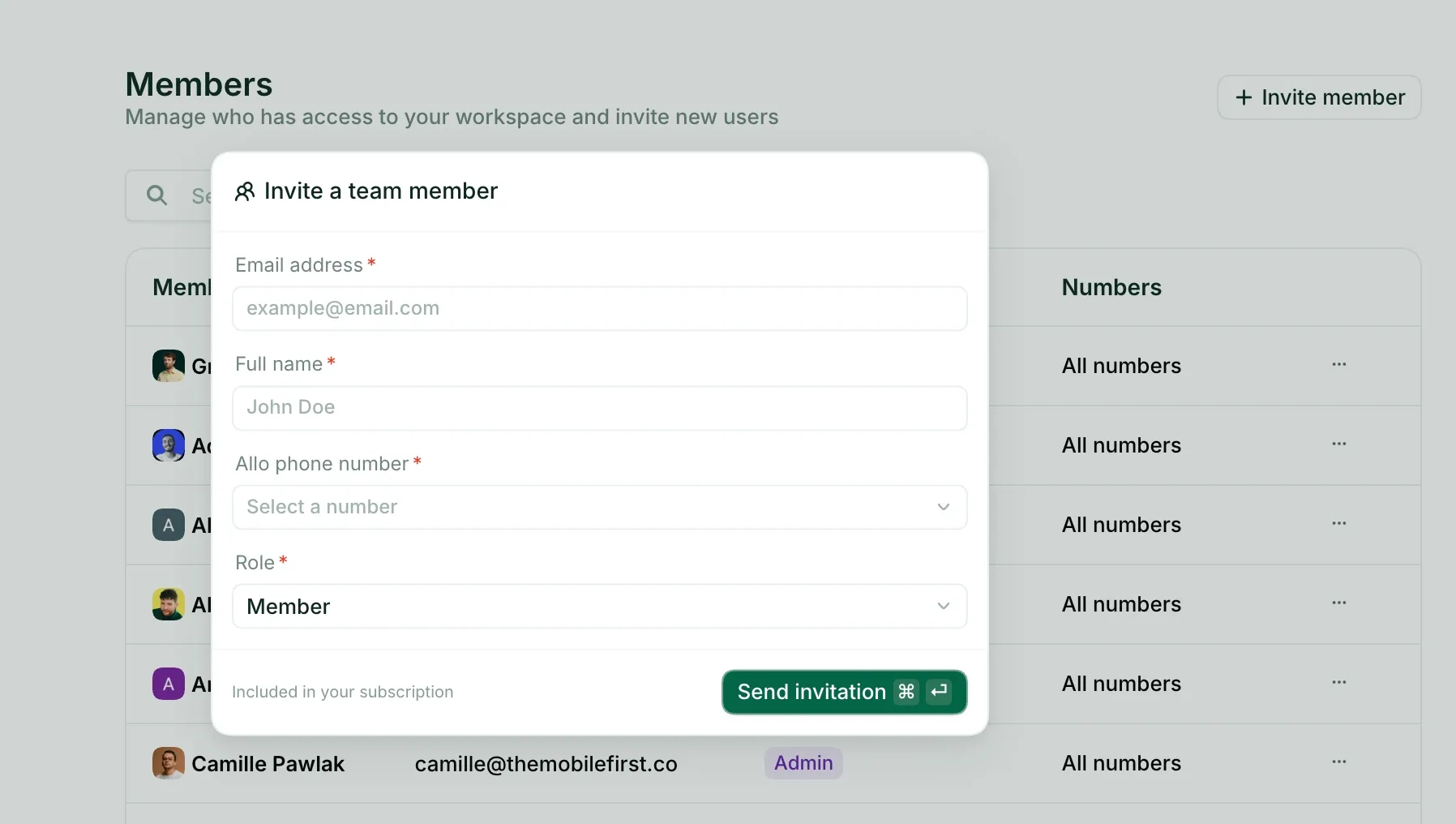
Invite your team members
Start here. Add everyone who should answer the line by email, before you touch any rules. Routing only makes sense once the system knows who is on the team.
Set business hours
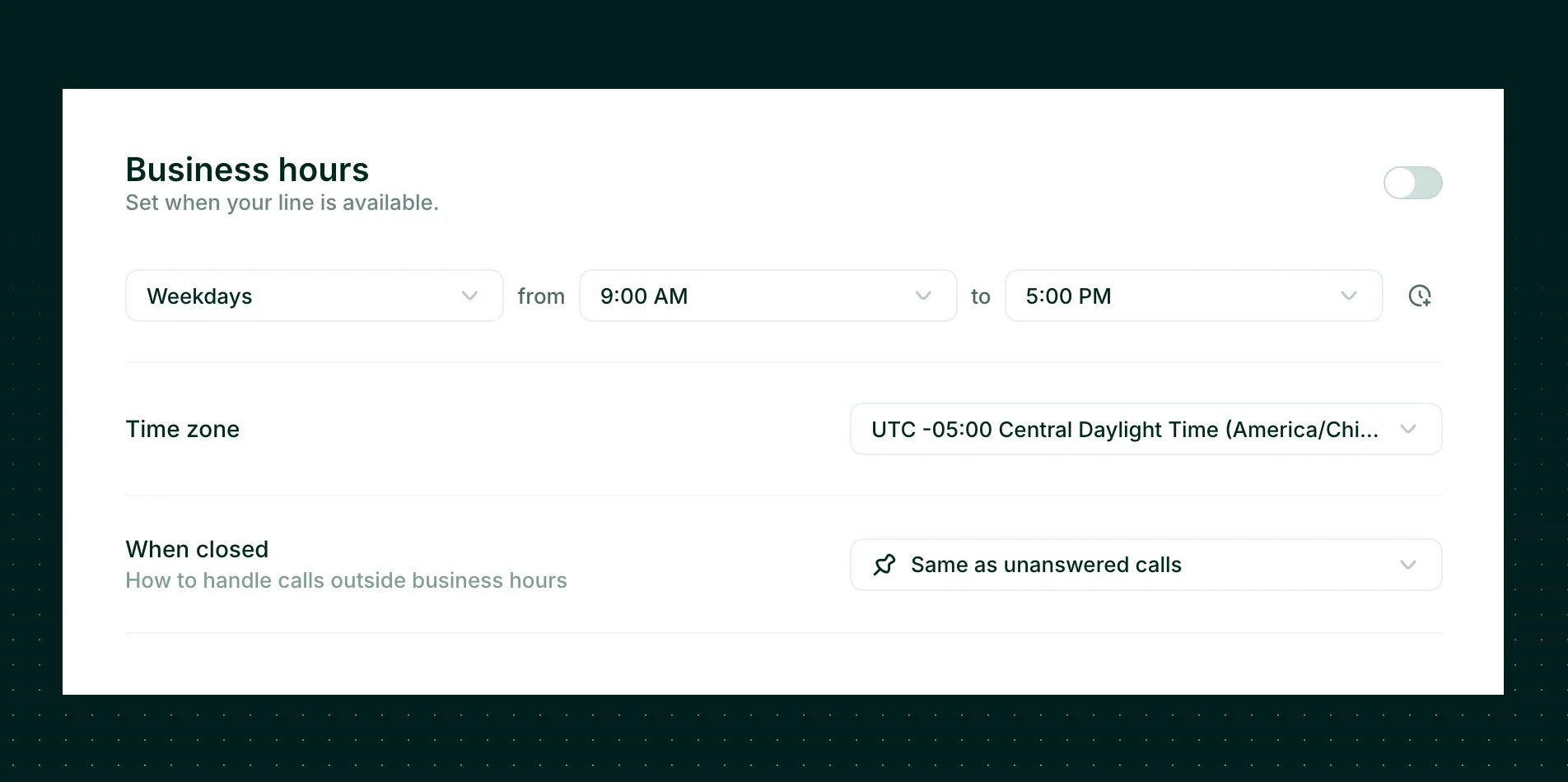
Tell the system when you are open. Calls that arrive during business hours ring your team; calls that arrive after hours go to voicemail or your AI receptionist. This one setting prevents the 11pm call that wakes someone up, and it makes your small team feel professionally staffed.
Create ring groups and set your call routing rules
Now decide who rings, and in what order. For a fast-moving small team, ring everyone at once (simultaneous) so the first available person grabs the call. For an escalation flow, use a cascade or fixed order so calls climb from frontline to senior staff. Map this to how your team actually works, not how you wish it worked.
Activate 10DLC asap to handle texts
If you plan to text customers from your shared number in the US, register for 10DLC right away. It is the carrier registration that keeps your business texts from being filtered as spam, and approval can take a few days. Start it on day one so it is ready when you are. Skip this only if texting isn't part of your plan.
Configure your voicemail and AI receptionist
Finally, decide what happens when no human picks up. Record a clear voicemail greeting, then go one better: switch on an AI receptionist to answer, qualify the caller, and capture details around the clock. This is the single biggest upgrade over a traditional shared line. A missed call stops being a lost lead.
Benefits of phone number sharing
Why go through any of this?
Because a shared phone number quietly fixes a stack of everyday problems:
- One front door. Customers remember and dial a single number. Your brand looks consistent and bigger than it is.
- Fewer missed calls. A shared number can ring several people, so a call rarely dies on one busy line.
- Continuity. When someone is on holiday or leaves the company, the number and its history stay with the team. No more "their cell had all the client relationships."
- Shared context. Transcripts, voicemails, and texts sit in one place, so anyone can pick up a conversation without starting from zero.
- Lower cost. You stop buying a separate number and plan for every person. One shared business phone number covers the team.
Conclusion
Sharing a phone number used to mean hardware and an IT ticket. With VoIP, it is a same-day setup.
Here is who each option suits best:
- Google Voice: the cheapest way in, ideal for solo operators and Google Workspace shops who can live without integrations, a team inbox, or smart routing. Budget for the $20 Standard plan if you actually need to share across a team.
- Allo: the best fit for small and growing sales teams that want one shared number plus AI answering, transcripts, and CRM sync in a single no-add-on plan, on both desktop and mobile.
- Dialpad: the choice for larger, multi-department teams that need the deepest routing and the widest country coverage, and can absorb a steeper learning curve.
My honest summary: match the tool to your team size:
- Solo and cheap, go Google Voice.
- A small sales team that wants to punch above its weight, go Allo.
- A bigger org with departments, go Dialpad.
Start with a free trial before you commit a single seat.
FAQ
Can I have a shared phone number?
Yes. Any modern VoIP service lets you have a shared phone number that several teammates use at once. You sign up, claim a number, and invite your team. There is no special hardware and no carrier paperwork to share the line itself.
Can two phones share the same phone number?
Yes. With a VoIP app like Google Voice, Allo, or Dialpad, the same number rings on multiple phones (and laptops) at the same time. Traditional carrier SIM cards can't do this cleanly, which is the main reason teams move to VoIP for number sharing.
What's the easiest way to share my phone number with my team?
Pick a VoIP app, claim or port a number, and invite your teammates by email. From there you set who rings and when. For a small team that wants the least setup and the most automation, a tool like Allo gets you from sign-up to a shared, AI-answered line in minutes.
How much does a shared number cost?
It ranges from free to about $45/user/month. Google Voice is free for personal use and starts at $10/user/month for business (and $20 for proper team routing). Dialpad starts at $27/user/month. Allo's team plan is $45/user/month with AI and integrations included and no add-ons.