5 creative ways to use the new Allo MCP
Discover how to use the Allo MCP to uncover sales & marketing opportunities while decreasing support tickets.


Key takeaways
- Allo MCP takes a few seconds to set up
- Once set up, it allows you to identify key sales, marketing, or customer success insights.
–––––––––––––
You can now connect Allo with your favorite LLMs using our MCP.
Not sure this is for you?
What if I told you it takes only a few minutes to set up and can help you coach your sales, improve your offer, or increase your SEO traffic…
In this article, we’ll share everything you need to get started and five workflows to inspire you.
MCP basics
Before getting into the actual workflows, let’s take care of the basics.
What is an MCP?
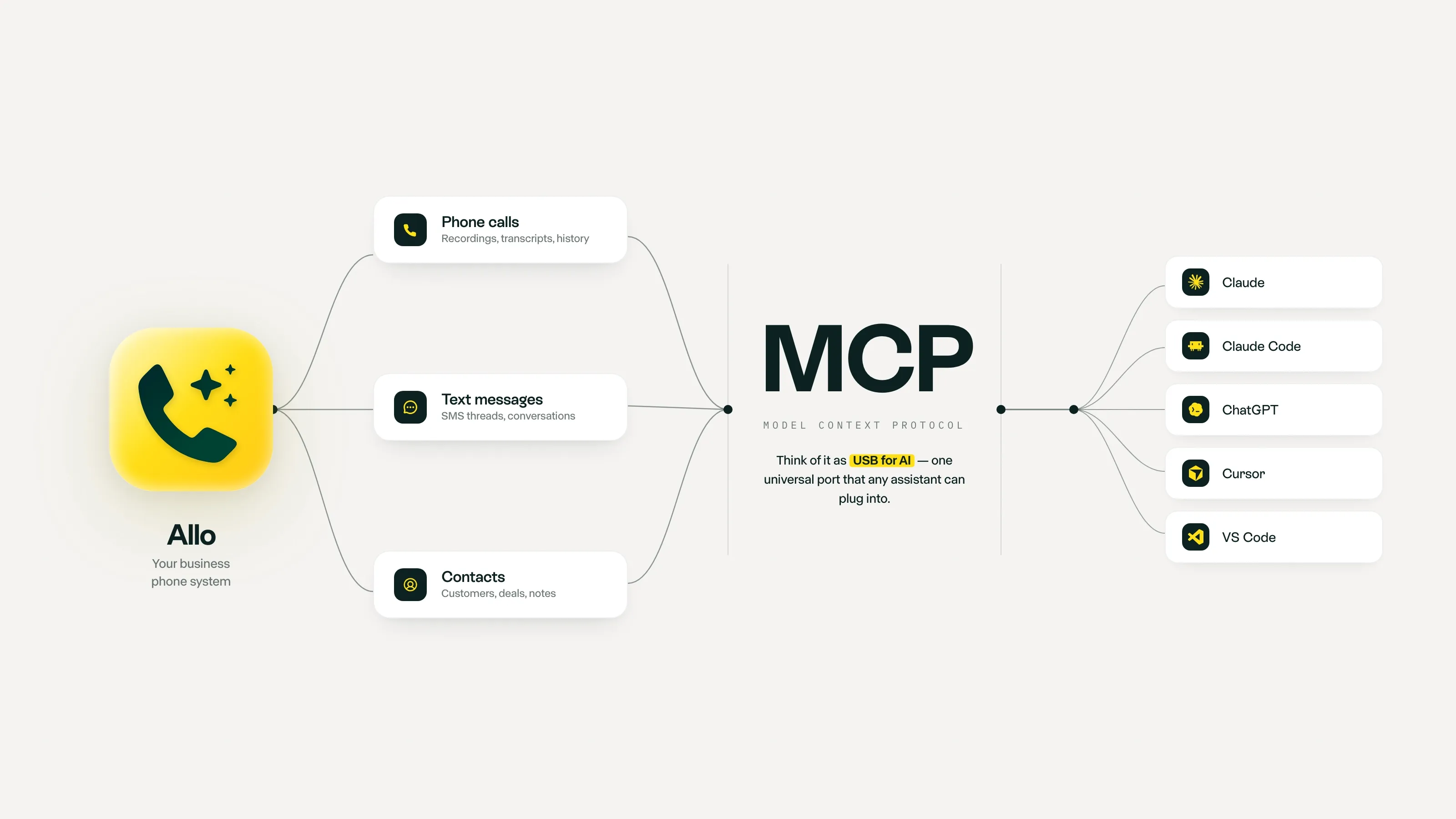
Simply put, MCP is a protocol that allows you to connect your apps with an LLM like Claude.
It allows the LLMs to read the data you have in these apps.
In the context of Allo, the MCP allows Claude to collect information about your calls and texts.
Why use the Allo MCP?
The MCP allows you to leverage your transcripts and extract even more value than what we already surface in Allo.
How to set up the MCP?
Simply read our Help Center article on the topic.
Which LLMs can I connect?
The MCP protocol is currently supported by:
- Claude
- ChatGPT
- Le Chat
- Cursor
- VS Code
What can you do with the Allo MCP?
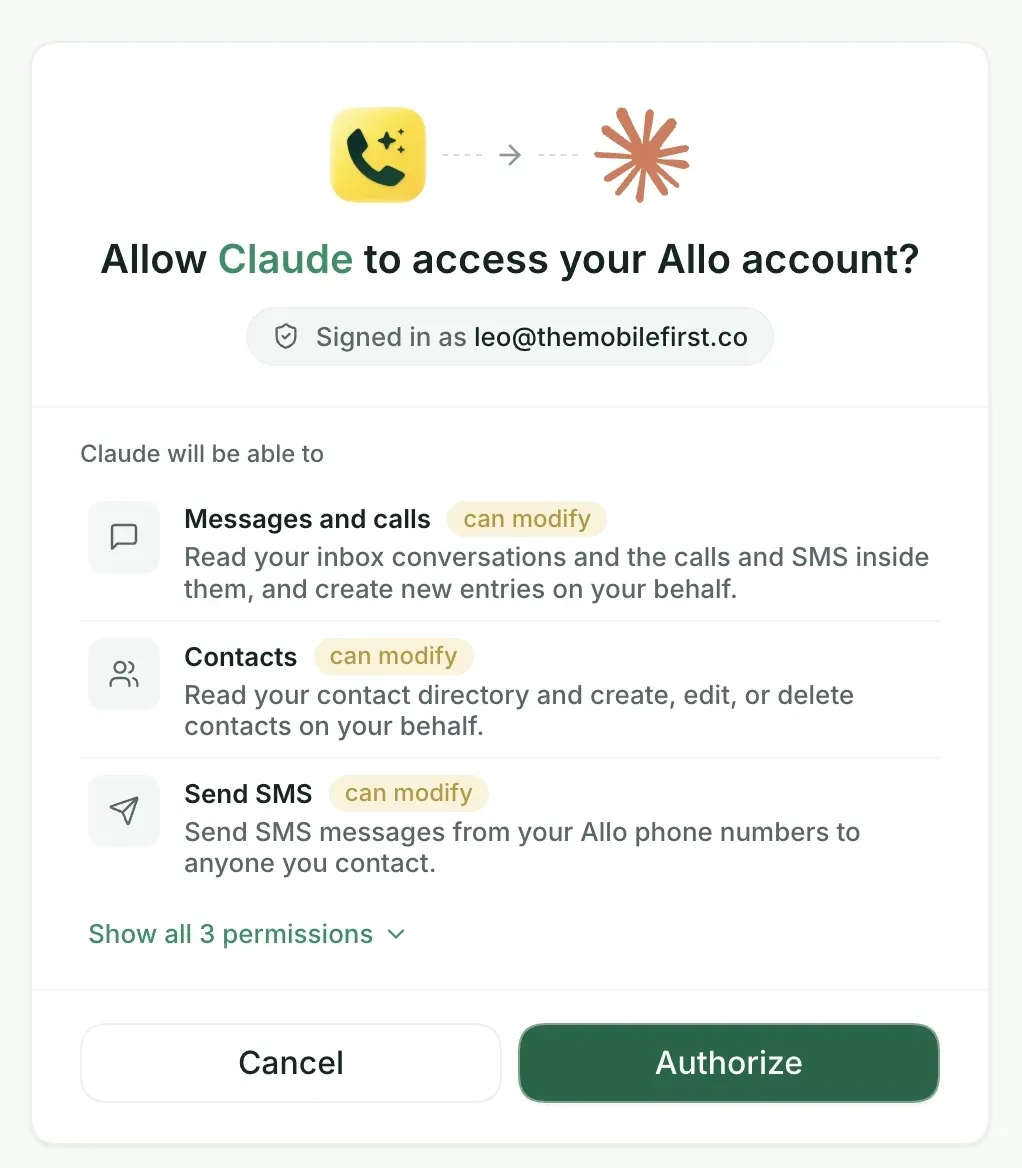
The Allo MCP allows your LLM to:
- Access your call transcripts and SMS
- Read and modify your contacts
- Send SMS
5 creative AI workflows to build on top of Allo
1) Analyze your sales calls to understand what works and what doesn’t [Sales]
What problems does this workflow solve?
Most company owners and C-levels have a hard time tracking what actually happens during sales calls:
- Which arguments win?
- Which fall flat?
- What are the main pain points prospects experience?
This workflow pulls your sales team's call transcripts and analyzes them to extract the most salient pain points, wins and objections.
Prompt to use
2) Analyze your sales calls to understand where your competitors shine and where you beat them [Sales]
What problems does this workflow solve?
Most company owners and C-levels have a hard time tracking what prospects actually think about the competition.
This workflow pulls your sales team's call transcripts and analyzes them to extract the strengths and weaknesses as expressed by your prospects and summarize the competitor’s positioning.
Prompt to use
3) Analyze your support calls to identify top cancellation reasons [Customer Success]
What problems does this workflow solve?
Analyzing churn reasons is usually a manual process where one person goes through all the cancellations of the month and categorizes them.
Not only is the process painful but usually, it lacks original quotes and misses the complexity of cancellation reasons.
Prompt to use
4) Identify your most frequent questions to update your website and help desk
What problems does this workflow solve?
While it’s great to have customers on the phone, it’s even better if you can proactively answer their questions.
This workflow pulls data from your calls to list the most common questions asked by your prospects and leads so that you can answer them directly on your website and FAQ.
Prompt to use
5) Measure the average callback time
What problems does this workflow solve?
Callback time is usually hard to calculate: a customer can reach out to a specific team member while it’s another rep who will call them back.
This workflow allows you to easily calculate the average callback time by adopting a consolidated view: any rep that calls back the customer is included.
On our side, we use it to calculate the average callback time of the phone line featured on the website.