











Maybe you want to upgrade your old on-prem phone system, or maybe you need to purchase your first-ever business phone platform. Either way, you want to find a great provider to help your company grow. And one of the best options is a virtual PBX system.
To help save you time, we’ve rounded up the eight best cloud PBX phone systems to consider for your business. We compared the prices, features, pros, and cons so you can make an informed decision.
P.S., never heard of cloud PBX before? We also explain what it is and how it works in the sections below.
Article Overview
- A cloud PBX phone system is a hosted Private Branch Exchange that allows you to make and receive calls and texts using an internet connection.
- The best cloud PBX phone systems of 2026 are Allo, Google Voice, Nextiva, RingCentral, 3CX, 8x8, Quo, and Dialpad.
- Allo is the best cloud PBX phone system for SMBs that want a sales-focused business solution.
What is a Cloud PBX?
Before we jump into the best possible providers, let’s take a closer look at what a cloud PBX is.
What’s a PBX?
To understand what a cloud PBX is, let’s break it down into two parts: PBX and cloud phone system.
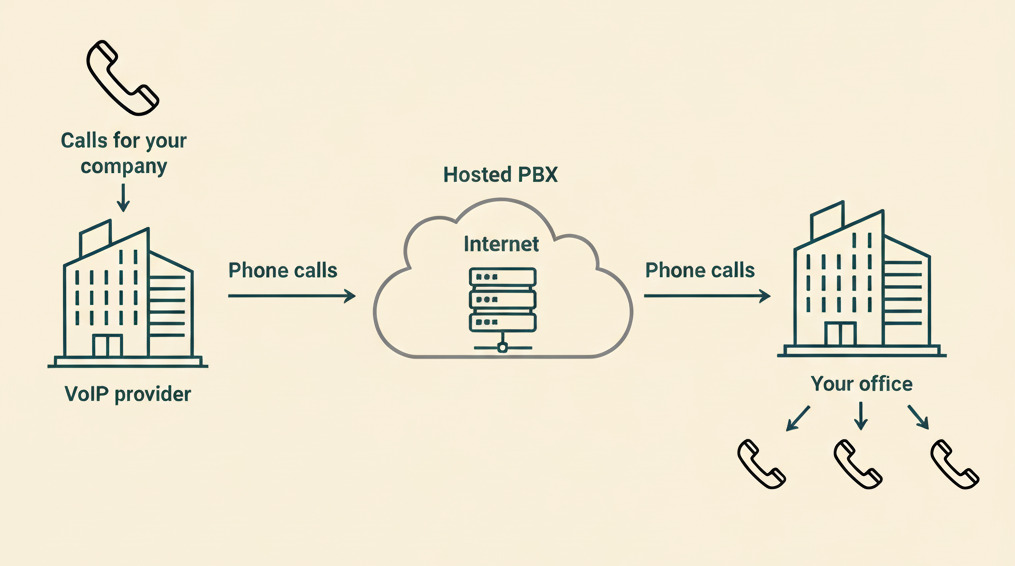
PBX stands for Private Branch Exchange, which is a telephone switchboard that connects multiple users in the same organization. You can think of it like a mini phone company inside your business. It lets you make internal and external calls, forward calls to different numbers, and even set up features like voicemail and caller ID.
In the past, PBX systems needed physical phone lines and physical hardware (like desk phones and handsets) to connect callers. This is what you might call an on-premises PBX or legacy PBX, since it doesn’t connect with outside hardware.
But modern PBX systems use Voice Over Internet Protocol, or VoIP technology, so you can make calls and texts over your internet connection. The vast majority of these business phone systems are also hosted in the cloud by other businesses. That means you don’t need to manage all the technology on-site like you would with a traditional phone system.
To summarize: a cloud-hosted PBX system lets you make and receive phone calls and texts using any device with a WiFi connection.
You may also hear cloud PBX systems referred to by other names, like:
- Cloud-hosted PBX
- Virtual PBX systems
- Hosted PBX
- VoIP (Voice Over Internet Protocol) system
What’s the Difference Between a Traditional PBX and a Cloud PBX?
Here’s a quick breakdown of how these compare:
How Do Virtual PBX Work?
Here’s a step-by-step breakdown of how virtual PBX systems work:
- When you make a call from a WiFi-connected device, your virtual PBX app breaks down your voice into data packets.
- These data packets travel over the internet and are routed to the person on the other end.
- Voice Over Internet Technology then reassembles these data packets into audio/voice.
Keep in mind that legacy/analog PBX systems and on-premise PBX systems work in a slightly different way. But since cloud PBX is what we’re focusing on here, that’s all we’re covering (and all you need to know for now).
Key Benefits of Cloud PBX Systems
Here are some of the biggest positives to choosing a cloud PBX:
- High availability and resiliency: Many companies use cloud PBX because it is extremely dependable for managing incoming calls and texts. The best options boast an extremely high uptime, often as much as 99.9999%.
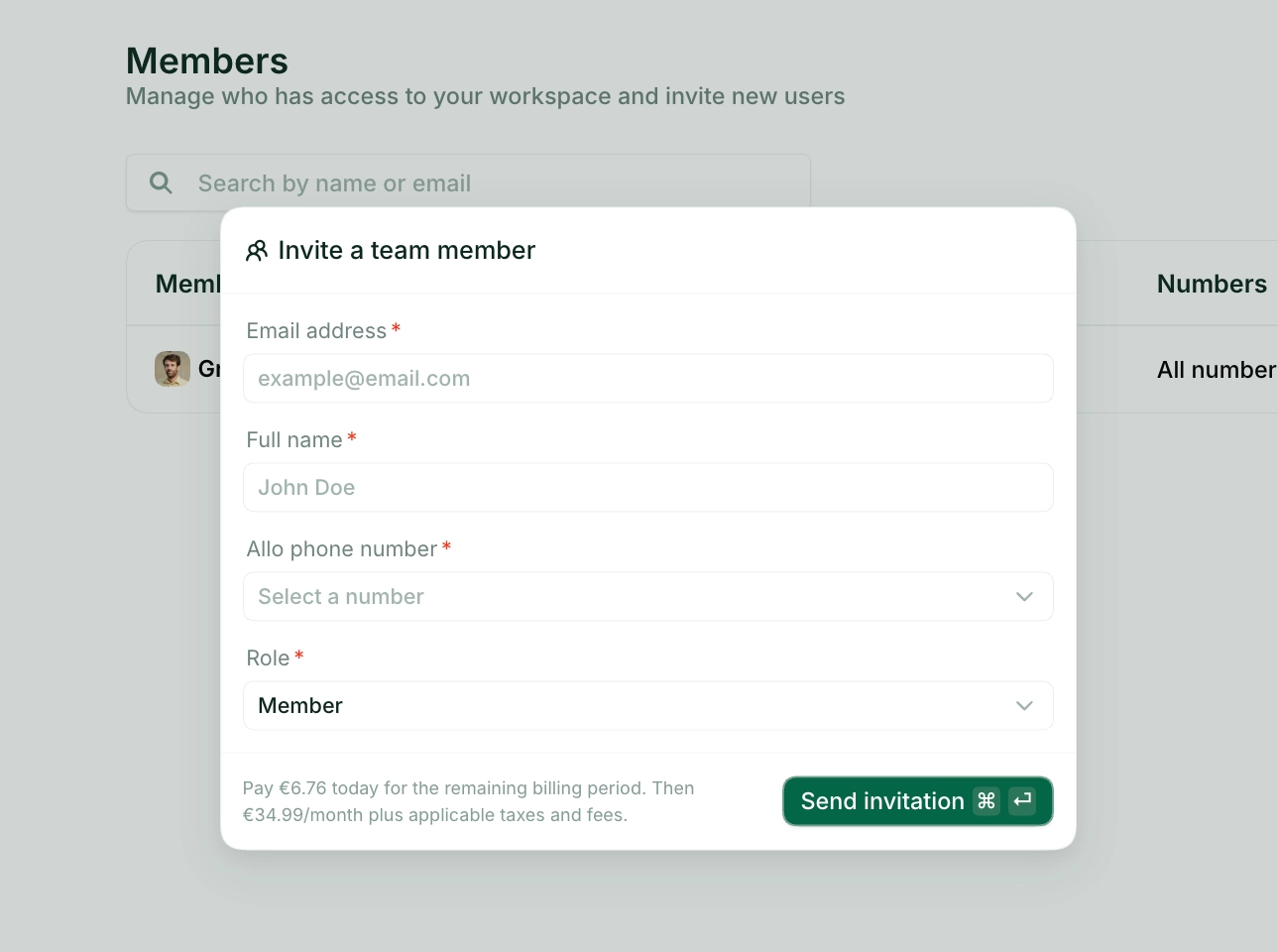
- Simple adoption and change management: As a business phone system, cloud PBX platforms take minutes to get up and running. You don’t need lengthy onboarding or training seminars, either. With Allo, for example, most people get up and running in a matter of minutes.
- Identity and access management tools: Cloud PBX systems let you decide who can do what in your phone database. For example, some users can add or edit contacts, while others can only make phone calls or send texts. These resiliency and profoundly redundant features ensure that your business isn’t exposed to security risks.
- Free number porting and global coverage: Most cloud PBX phone systems let you port in existing local, toll-free, or vanity numbers. You can also (typically) call international locations with world-class audio and video quality.
- Flexible desktop and mobile apps: Most PBX systems hosted in the cloud let you call and desk from desktop and mobile apps. That way, you can make and receive calls on whatever devices you prefer, without needing to purchase expensive desk hardware.
Learn more about the advantages of cloud PBX and cloud-based phone systems.
Best Cloud PBX Providers
Need a cloud PBX to support your business?
Check out this quick comparison list of the eight top providers:
Now, let’s look at each business phone system in detail:
Allo: Best for SMBs
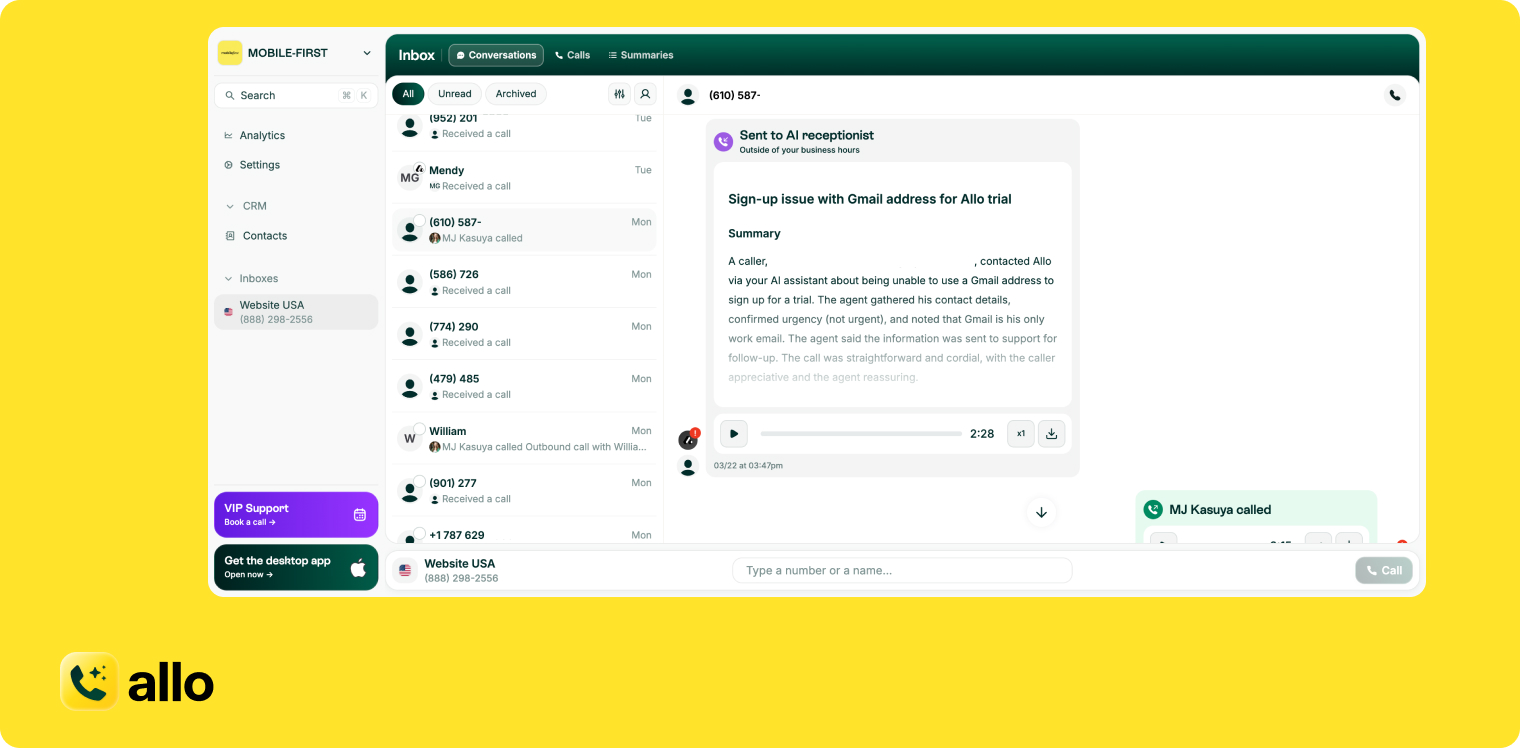
Allo is an AI-native communications platform that helps growing SMBs manage calls from anywhere, without server closers or traditional hardware. Because it runs entirely in the cloud, your team can make and receive business calls from anywhere. You can also access modern features like shared numbers, smart routing, and AI-powered automation. And if you want to connect Allo with your LLM (Claude, ChatGPT, etc.), you can use the MCP connector.
Unlike traditional PBX systems, Allo can help you scale without the frustration of physical infrastructure. You get enterprise-grade call handling without servers, desk phone dependencies, or long IT setup cycles.
With Allo’s cloud PBX, you can:
- Set up local or toll-free business numbers that route calls intelligently to the right person or department
- Use built-in AI features like an AI receptionist, call tagging, call summaries, and automated follow-ups to reduce manual work
- Manage everything from intuitive mobile and desktop apps, including texts, call flows, and inbound and outbound routing
A quick caveat: Allo doesn’t support legacy PBX features like paging or hot desking, unlike some other options on this list. But for remote or hybrid teams wanting the flexibility of an always-on phone system (not to mention modern features), Allo’s competitive pricing is hard to ignore.
Key Features of Allo
- Call routing and auto-attendants
- Dozens of third-party integrations
- AI Assistant
- AI receptionist
- Auto-replies
- Voicemail to text
- Call recording
- Caller ID
- Click to call
- Call forwarding
- AI summaries and transcripts
- IVR phone menus
- Call screening and spam call blocker
- Apps available for iOS Android and tablets
Allo Pricing
Allo comes with two plans:
- Starter: $18/user/month (billed yearly). Includes a local phone number, unlimited domestic calls, call recordings, transcripts and summaries, and 30 minutes of AI receptionist.
- Business: $32/user/month. Adds SMS support, CRM integrations, an unlimited AI receptionist and international calls.
Allo Demo
[[first-button]]
Google Voice: Best for Google Workspace Subscribers
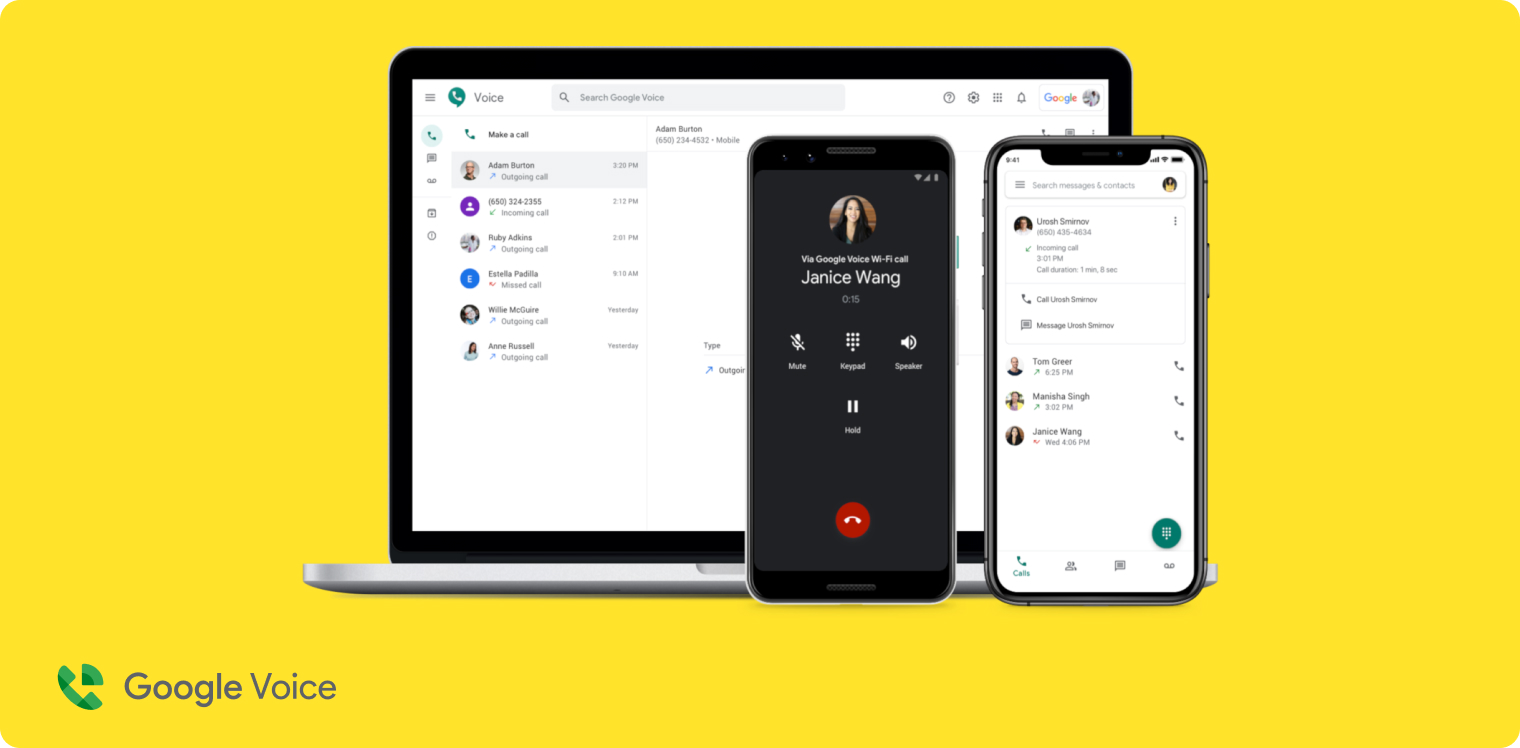
There are two types of Google Voice plans: a freebie for personal users, and a paid plan for businesses. The business plan is leveraged in Google Cloud and lets you connect with other G-Suite integrations, like Meet and Calendar. That way, you can call, text, and video chat with customers in the US and Canada. Like the Google products you already know (Gmail, Google Docs, etc.) Google Voice has a clean interface, and is easy to use and to configure.
But to access all of these features with more than one team member, you’re going to need a Google Workspace account. This costs $7/user/month extra at minimum. More expensive Workspace plans (think: those offering more cloud storage) cost $22/user/month or more.
You should also know Google Voice has arbitrary limits that could be increasingly frustrating as your business grows. For one thing, you can only have 10 users on the base plan at once. More than that, and you’ll need to upgrade. Plus, Google Voice doesn’t support toll-free numbers which is not ideal if you serve international customers. And perhaps most importantly, it’s not what you’d call a ‘modern’ PBX system. There are no third-party integrations, AI tools, or automation workflows available at all.
Key Features of Google Voice
- Unlimited domestic calling and texting
- Voicemail transcriptions
- Three-way calling
- Desk phone support
- Automatic call recording, with upgrade
Google Voice Pricing
Google Voice plans begin at $10/user/month, not including $7/user/month for Google Workspace.
Google Voice Demo
Nextiva: Best for Omnichannel Businesses
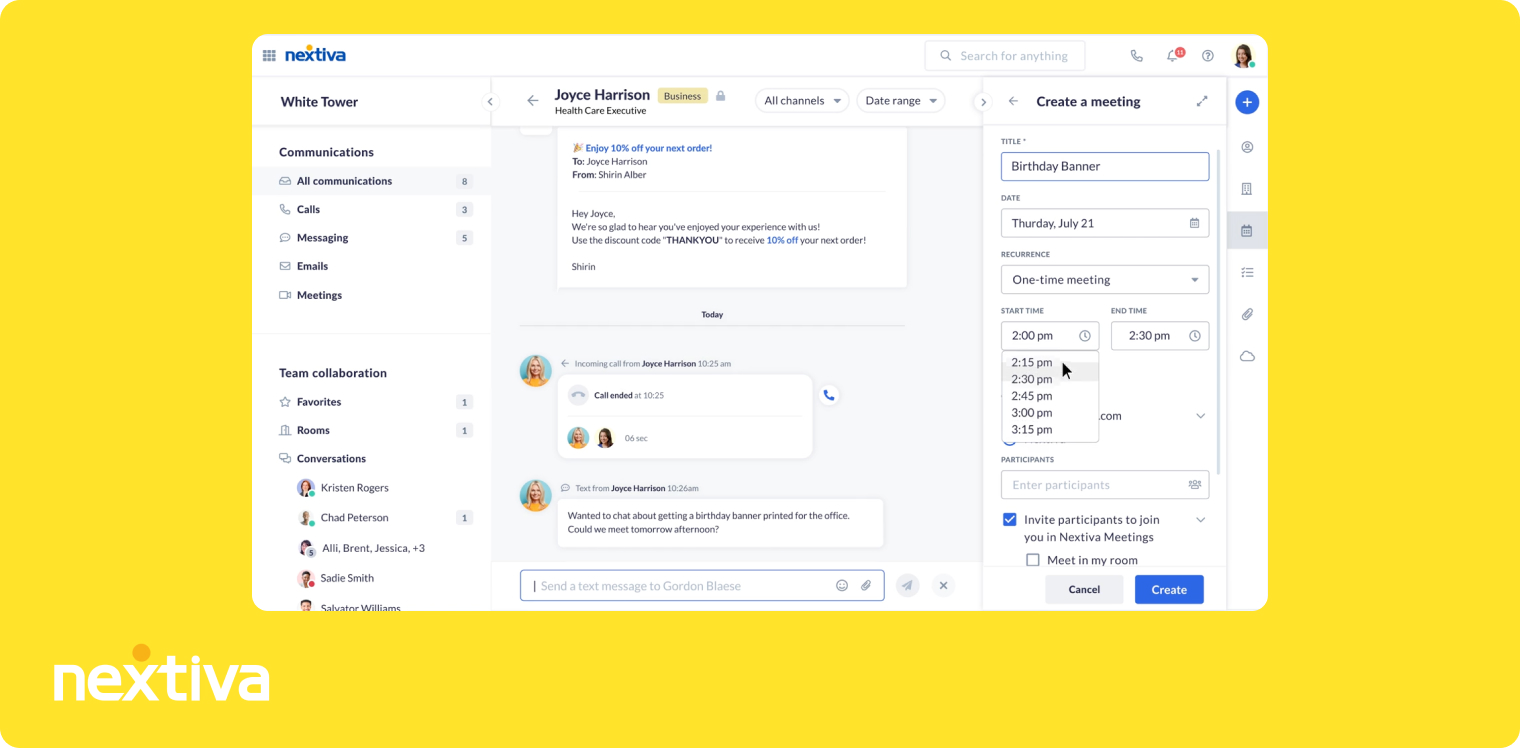
Nextiva’s native communications platform offers unified communications, which means you can get voice, video, and messaging all on the same plan. Nextiva also connects with social media and review management platforms. That way, you can manage all customer communications in one platform: think incoming calls, one-star reviews, social media messages, and more.
But keep in mind Nextiva’s best features require multiple upgrades. You can’t text customers as a team, access toll-free numbers and minutes, or even get AI transcripts and summaries without upgrading one or more times.
You also can’t get access to Nextiva’s AI receptionist on any plan. Instead, you need to purchase a separate add-on. There’s also no public pricing for this, so you need to contact sales for a quote. Compare this to virtual PBX systems like Allo, which offer an AI receptionist on every plan.
Key Features of Nextiva
- Calling, texting, and video meeting support
- Screensharing and file sharing
- Call routing
- Team chat
- XBert AI receptionist, with add-on
Nextiva Pricing
Nextiva plans begin at $15/user/month (billed yearly)
Nextiva Demo
RingCentral: Best for Desk Phone Rentals
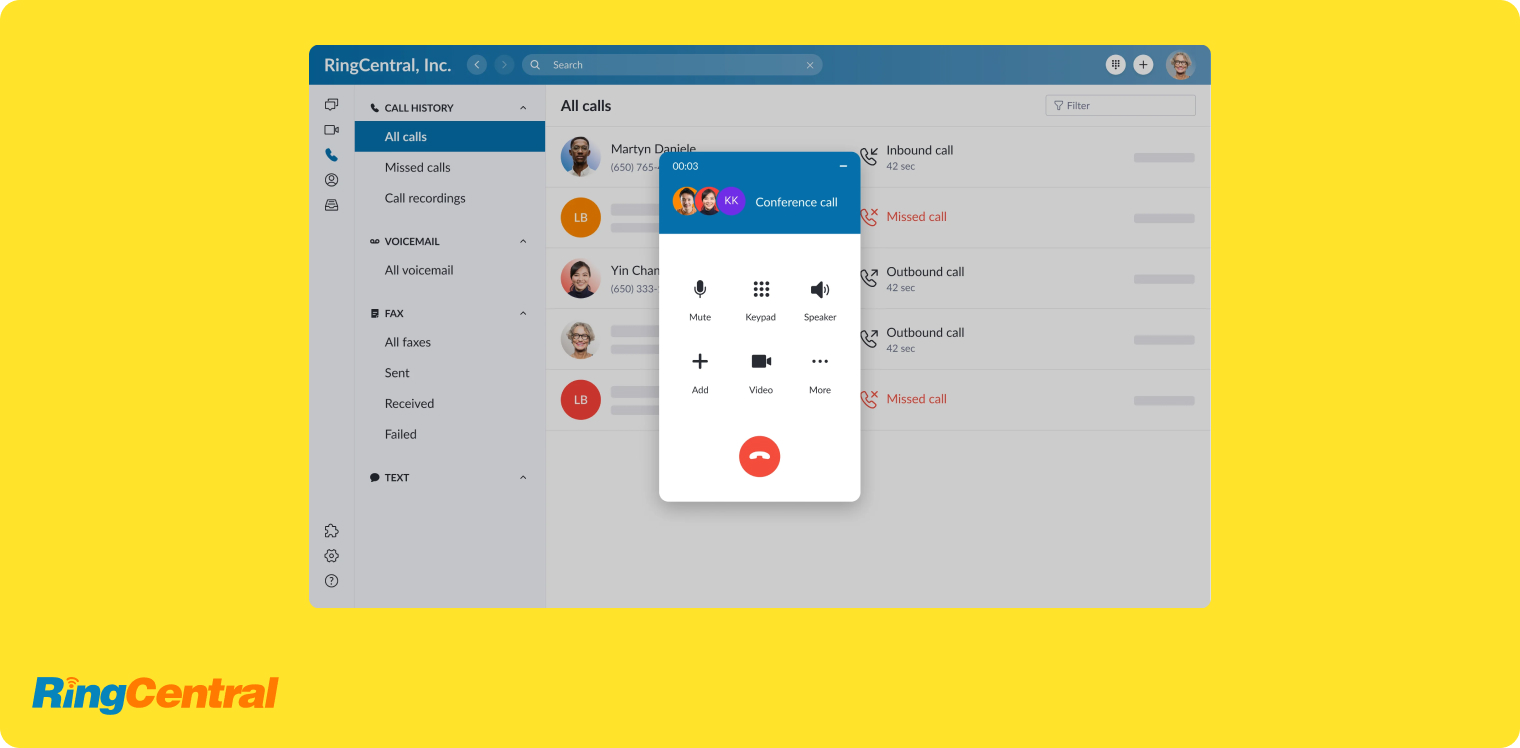
RingCentral bills itself as “a VoIP system UCaaS UC,” meaning it offers unified communications as a service on every plan. Don’t need all those bells and whistles? You can always settle for its simple desk phone rentals. You can either purchase them up-front, or pay a rental fee alongside your monthly bill.
With RingCentral, you can call, text, and set up video conferencing with your customers. You can also purchase add-ons for additional functionality, like shared SMS inboxes and an AI receptionist.
But as you might imagine, that means RingCentral gets expensive fast. For the growing SMB wanting more modernized features, you might feel nickel-and-dimed unlocking everything you need.
Plus, there may be even more pricing requirements if you’re using RingCentral as a cloud-based PBX system. Here’s what one past user had to say:
“I have a small business. 5 Employees. I spent countless hours on the phone with sales reps explaining exactly what I want. After spending two weeks price and feature shopping, I finally pulled the trigger on Ring Central. I then call RingCentral to get our PBX phones connected to the user accounts and they tell me it is an additional $299.88/yr for each desk phone. Note - this is not the cost to buy a phone. It is the additional cost to have the privilege of USING the phone on their system instead of only using their softphone solution. At no point during our conversations did they tell me that it was an additional fee for having desk phones. I even explicitly asked if the PBX phones we currently have could be added to their system.” — Reddit
Key Features of RingCentral
- On-demand call recording (automatic requires upgrade)
- CRM integrations (with upgrade)
- SMS and MMS (with limits)
- Toll-free minutes (with limits)
- AI receptionist (with add-on)
RingCentral Pricing
RingCentral plans start at $20/user/month (billed annually)
RingCentral Demo
3CX: Best for Budget Installations
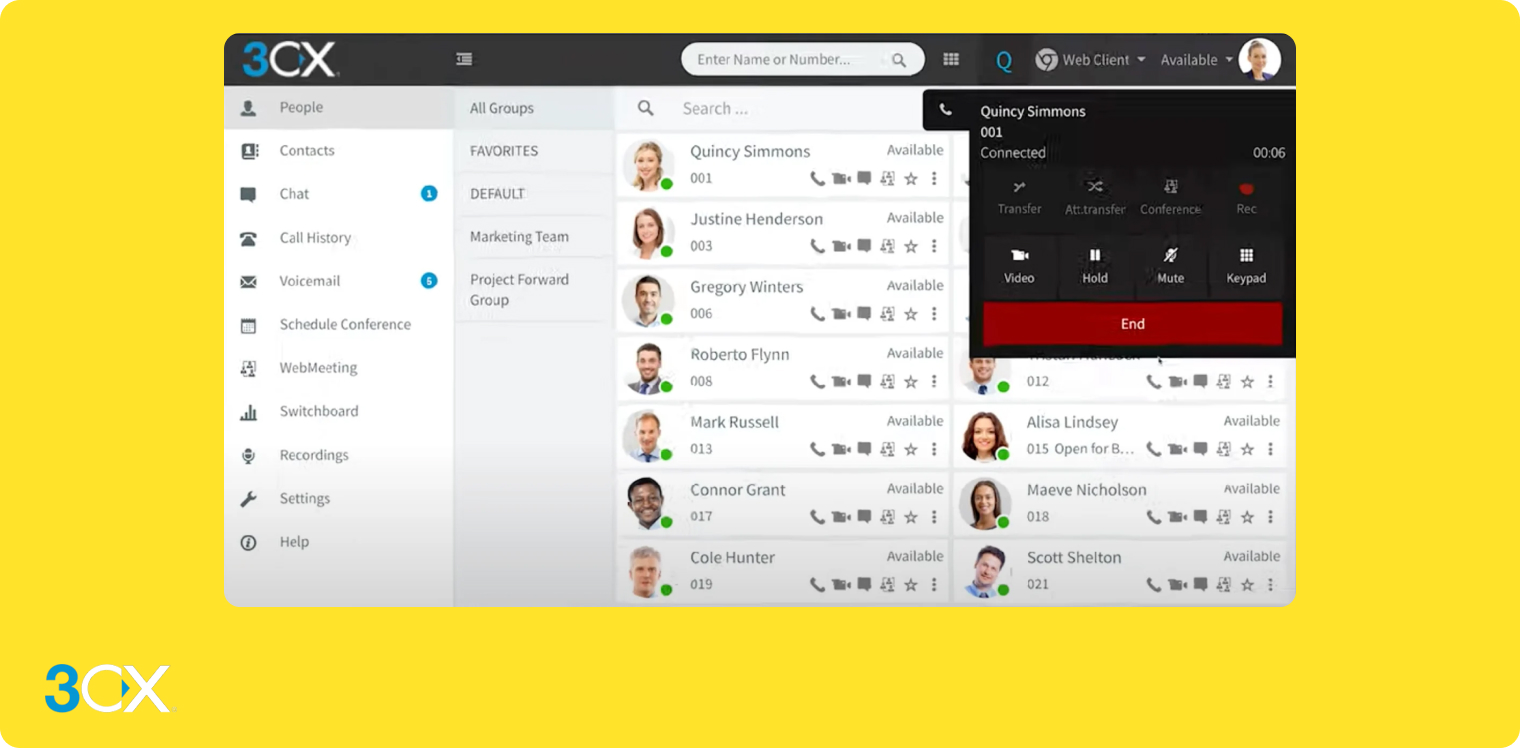
Are you looking for a cloud phone system that still supports more traditional office environments? 3CX is an option to consider. This is a legacy phone system that offers the bare-bones you need to get started, like calling from a mobile app. The best part is, it’s free for up to 10 users max.
But while 3CX certainly gives the idea of ‘modern’ the ol’ college try, it fails to hit the mark for many fast-growing SMBs. For one thing, it’s more of a legacy PBX provider. And many past users say the free SMB plan already comes with many limitations.
Still want to bring your own desk phones to the mix? Keep in mind some users say you can’t create your own SIP trunk. As one user on Reddit states:
“The only downside for us is you cannot use your own SIP trunk, you can only use one of their “preferred” providers. This, unfortunately, meant it was a non-starter for us as we have no desire to change our SIP trunk provider.” — Reddit
You can learn more by contacting the 3CX sales team.
Key Features of 3CX
- Video conferencing
- Live chat
- iOS and Android mobile apps
- A light CRM for contacts
- Click to call
3CX Pricing
3CX offers a free version (that you have to host yourself) and paid plans starting at $300/year for 40 users max.
3CX Demo
8x8: Best for Physical Offices
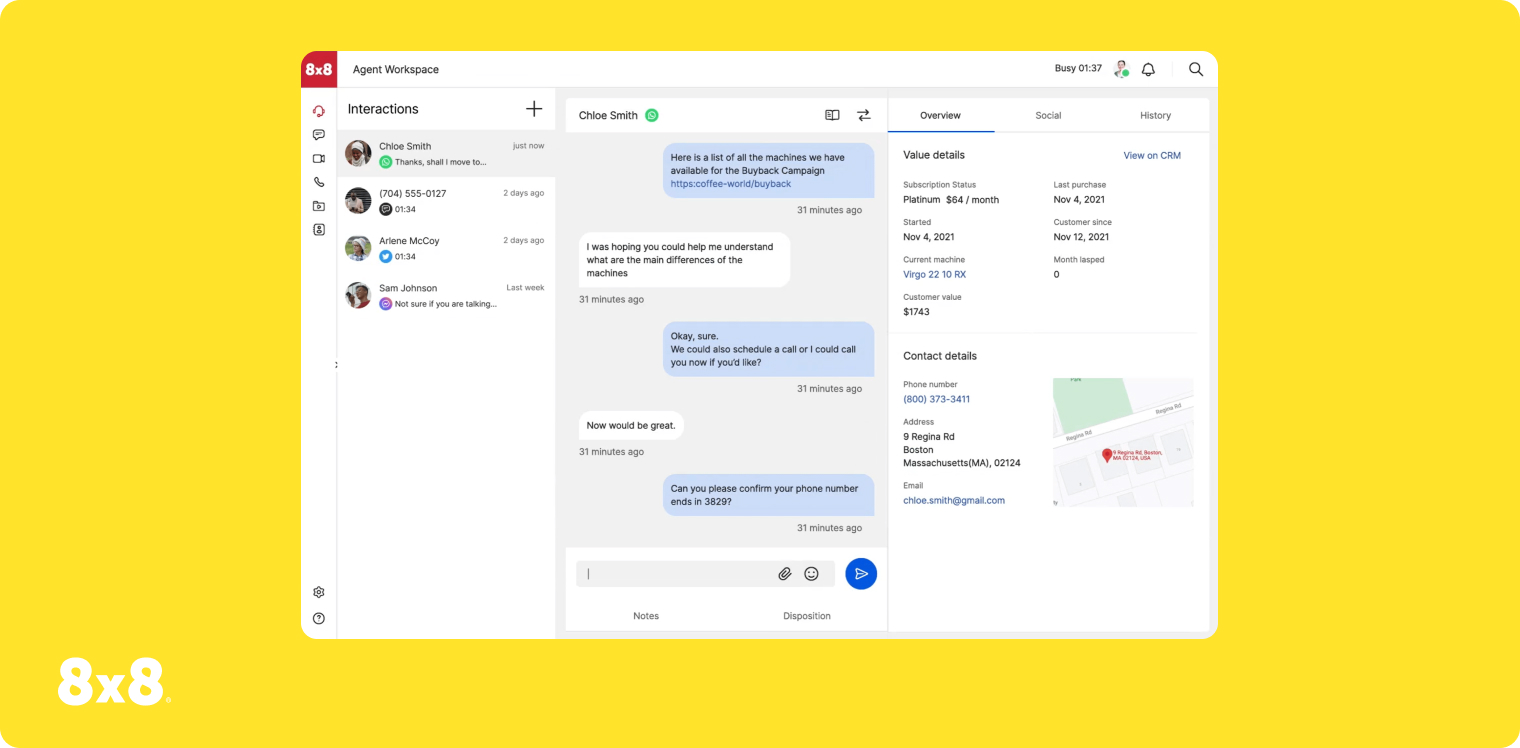
8x8 is another legacy phone system that works well for businesses with physical offices. It supports traditional desk phones, offers intercom features, and even comes with an overhead paging system for employees with their own cubicles. You’ll also have access to a few other modern features. For example, you can build AI self-service workflows to help customers and team members, like a workflow for secure payment processing over the phone.
But bear in mind that 8x8 is an older system, so it can be complex and confusing to set up. This includes connecting with third-party limitations. Although these, unfortunately, are quite limited to begin with.
You should also know 8x8 no longer has any public pricing. If you want more information about tiers and per-user pricing, you’ll need to contact the 8x8 sales team.
Key Features of 8x8
- AI self-service
- Overhead paging system
- Intercom
- Secure payment processing
- Team lead analytics, with upgrade
8x8 pricing
8x8 does not disclose their pricing publicly. You'll have to contact their sales team for a quote.
8x8 demo
Quo: Best for Service-Based Businesses

Quo (formely OpenPhone) is a virtual PBX system that offers unlimited calling and texting in the US and Canada. It uses voice over internet protocol to help you send and receive data from anywhere with a WiFi connection. But it doesn’t support desk phones like other providers. And if you want to set up video conferences, you’ll need a unified communications platform instead.
You might use Quo for some AI-powered features, like AI call tags, auto-replies, workflow automations, and more. But keep in mind almost all of these features require at least one or more upgrades. Plus, you may have to worry about bugs and glitches. And past users complain of outages and very slow customer support.
See for yourself:
“We've been using Quo (formerly OpenPhone) for a year now for our small business and it's been absolutely terrible. At least once a month they have service interruptions where our calls/messages will not go through - today we've been out half the day and have had to start talking to clients via WhatsApp, which is not a good look at all for us. Their customer service is TERRIBLE - they'll do everything they can to get us on AI, and then it's impossible to actually call them, which is ironic considering they're a phone company. We've been stuck speaking on email to their customer service reps, most of whom have been clueless.” — Reddit
Key Features of Quo
- Unlimited calls and texts
- AI transcriptions and summaries
- AI agent
- Shared phone numbers
- Call views
Quo Pricing
Quo plans begin at $15/user/month.
Quo demo
Dialpad: Best for APIs
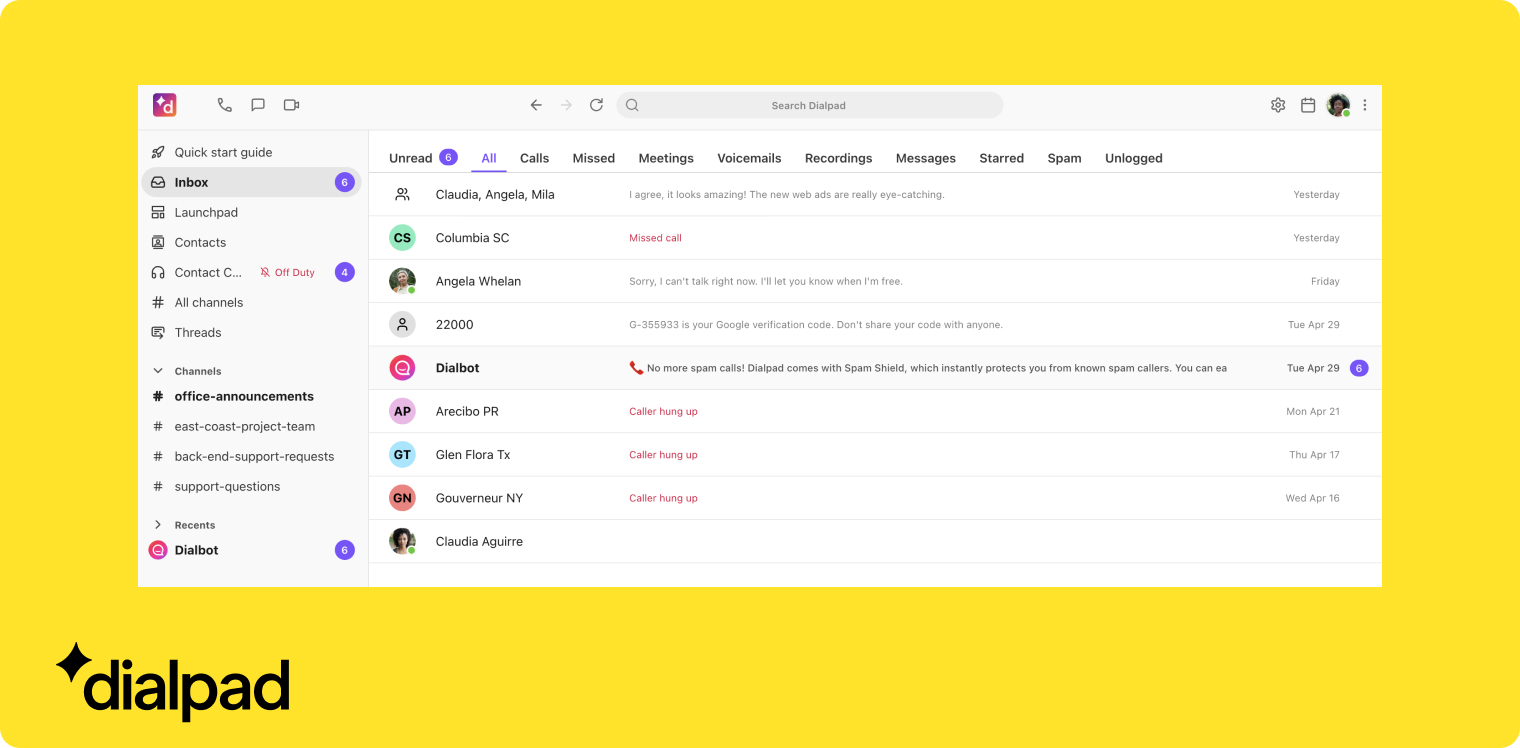
You might have heard Dialpad’s AI native platform offers everything you need for unified collaboration, voice, video, and more. And while that’s true to some degree, its APIs are even stronger (so long as you’re willing to upgrade your plan and have IT resources on staff)
The APIs for cloud PBX on Dialpad offer:
- AI virtual agents
- Digital engagement
- Event subscriptions
- Event subscriptions via Websocket
- App Launch URLs
- Dialpad mini dialer (CTI)
- Call routing
- SMS
- Stats
All that said, however, Dialpad’s native communications platform gives very little other than this. You get many similar features to an alternative like Allo, but without modern tools like AI receptionists, AI call tagging, and others.
Plus, Dialpad’s communication solution imposes user limits. You must have three users minimum to use the Pro plan, and 100 users to unlock the Enterprise plan.
What happens if you stick with its pre-built hosted PBX? You’ll need to upgrade to unlock bare-bones features like additional numbers and number extensions.
Learn more about getting an alternative to cloud PBX with Dialpad.
Key Features of Dialpad
Here’s what you get with Dialpad’s communication platform:
- Three types of communication solutions (calls, texts, and video calls)
- Real-time transcripts
- Call summaries
- CRM integrations
- Extensions, with upgrade
Dialpad Pricing
Dialpad plans start at $15/user/month (billed yearly)
Dialpad Demo
The Bottom Line on Cloud PBX Phone Systems
There are (quite literally) dozens of PBX phone systems on the market. Choosing a cloud PBX can be stressful and overwhelming if you don’t know exactly what you’re looking for.
But there’s no need to pick a system right away, though — just start with some free trials, then compare the platforms and solutions you like best.
Frequently Asked Questions About Cloud PBX Phone Systems
[[faq-blog]]
What’s a cloud-based PBX system?
A cloud-based PBX system is a type of business phone system that lets you route calls and texts through the internet. Traditional PBX acted more like an office phone system, where you could contact team members in different departments, floors, or sister enterprises. But modern hosted PBX systems are managed in the cloud by your service provider. That way, you just need to download an app, connect to your WiFi signal, and start making calls from your new business phone number.
What’s the best cloud PBX provider?
We’re biased, but we genuinely believe that Allo is the best cloud PBX system for SMBs. We offer unlimited phone calls in the US and Canada, text messages and message automations, and all the features you need from a modern cloud PBX.
What is a cloud phone system?
A cloud phone system lets you call and text customers without needing to own any equipment yourself (like server rooms, desk phones, or expensive cabling). You just need a laptop or a mobile phone and a WiFi connection. Your cloud phone system provider takes care of updates, security, and other management requirements on your behalf.
You may also hear cloud phone systems referred to as:
- Cloud PBX phone systems
- Cloud-based Private Branch Exchange
- Cloud VoIP phone system
- Voice Over Internet Protocol provider
Is there a free cloud PBX phone system?
There are a few free cloud PBX phone systems out there, but none that are designed for business use (like Google Voice for personal use). Plus, keep in mind you get what you pay for. It’s worth investing in a business phone solution that offers the features and bandwidth you need. You can also start for free before signing on the dotted line, like trialing Allo free for seven days.
What are the common challenges of cloud PBX?
Some problems with cloud PBX include:
- Cloud PBX relies on your internet connection, so if you have poor bandwidth, your call quality may suffer.
- Some UC, cloud-hosted PBX systems offer more features than your business needs. Dialpad’s AI native communications, for example, might make you pay for video conferencing even if your team doesn’t need it.
- Not all cloud PBX providers are built alike. Before investing in a solution, carefully investigate your available options with a trial or demo.
What’s the difference between a PBX and a cloud PBX?
A traditional PBX, or Private Branch Exchange, uses wires, Ethernet, and desk phones to connect your phone system to the rest of the world. But a cloud-hosted Private Branch Exchange lets you use devices you already own, plus your WiFi signal, to call and text your customers from anywhere.
To summarize: a Private Branch Exchange is a legacy phone system you need to set up yourself in your business. A cloud-hosted Private Branch Exchange is a plug-and-play business phone solution that you can use from anywhere with a WiFi connection, without any legacy hardware required.
.jpg)