











Article Overview
- The best cloud phone systems of 2026 are Allo (best for AI features), Unitel Voice (best value for money), RingCentral (best for omnichannel communications), and Microsoft Teams Phone (best for Microsoft users).
- We evaluated each provider based on their pricing, features, and demos, as well as an extensive research process.
Introduction
So you’re thinking about switching to a cloud phone system to make and receive phone calls more efficiently. The question is, which platform do you choose? And how do you sort the great from the good?
To save you time, we’ve collected the eight best cloud phone systems and compared their prices, features, and video demos. We also explain how to whittle down your shortlist and choose the perfect fit for your business.
Why You Can Trust Our Research
Our product managers test existing business phone solutions all day, every day. We get our hands on lots of different systems, so before making any verdicts, we run all platforms through an extensive evaluation process.
Here’s a quick version of our methodology at a glance:
- User reviews: We only selected providers with G2 scores above 4.0. We also scoured public forums like Trustpilot and Reddit to get a better idea of the users’ overall sentiment.
- Feature set: We looked for a robust set of features included specifically on the base plan. We also evaluated whether or not each plan offered more than ‘bare bones’ phone features, like AI receptionists and call summaries.
- App availability: Many providers offer desk phones and rentals so you can make and receive calls over traditional phone lines. But we specifically focused on more flexible providers letting you handle incoming calls on your laptop, tablet, or cell phone.
Allo
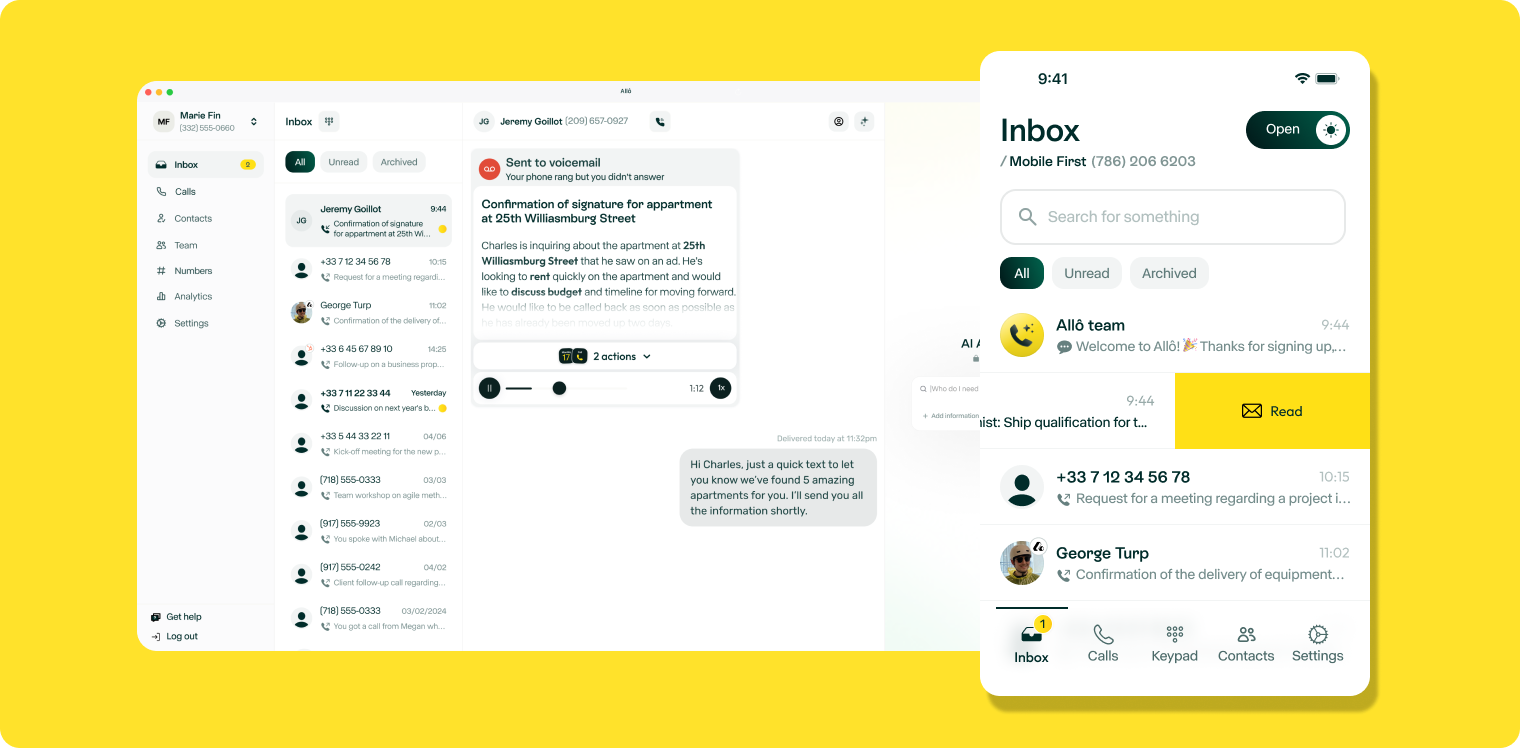
- Best for: Growing sales teams
- G2 Rating: 4.7/5 (200 reviews)
- Key features of Allo: Unlimited calling in the US and Canada, local and toll-free numbers, advanced call management features such as call whispering, voicemail transcriptions, AI-generated post-call summaries, mobile and desktop app, route calls via AI, advanced reporting, business hours, and enterprise-grade reliability
What is Allo?
Allo is a cloud-phone system designed for growing sales teams wanting an easier way to manage everyday conversations. Unlike other business phone systems, Allo wasn’t designed for contact centers. Each feature on our platform was designed for SMBs wanting easier ways to scale their business.
Here’s how Allo can improve your bottom line and your customer experience:
- Local and toll-free business phone numbers so customers can reach you however they need
- Access to AI features like a receptionist, AI call tagging, call summaries, action items, and other items that require automation
- Intuitive mobile apps so you can text, set up phone menus, and direct inbound and outbound calls to specific team members and departments
But because Allo was designed for more modern workflows, it doesn’t support features like paging or hot desking. But if you're a remote or hybrid sales team wanting an easier way to close more deals, Allo can help you build relationships, save time, and increase sales.
Who does Allo work best for?
Allo is the cloud-based phone system for sales teams and entrepreneurs who want to manage business communications. Each plan offers advanced features and AI workflows, which let you automate customer touchpoints so you can effortlessly scale. Now, you can spend more time selling and less time fixing issues with phone features, hardware, or call controls.
You can put this to the test in a seven-day free trial.
Allo pricing
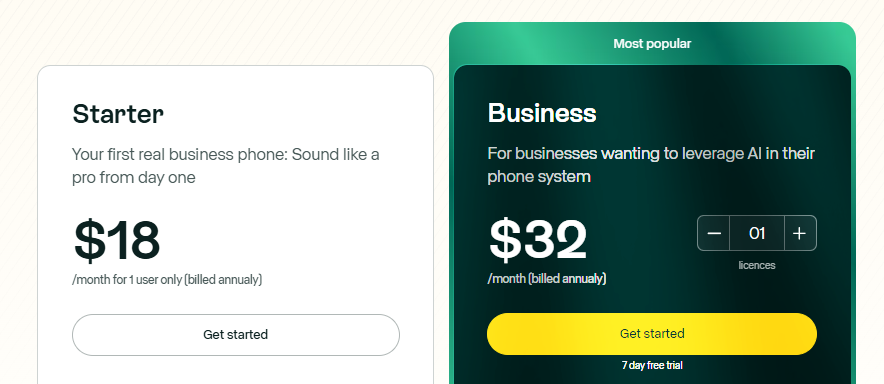
Pick from one of two Allo pricing plans:
- Starter: $18/user/month for unlimited calls and texts in Canada and the US, smart call routing, one local business number, call recording, AI search, personalized greetings, call transfers, an AI receptionist, and AI call tags
- Business: $32/user/month for international calls, third-party integrations, call whispering, ask AI, intelligent call distribution, shared phone numbers, call statistics and insights, personalized onboarding, and user roles/permissions
Demo of Allo
[[first-button]]
Unitel Voice
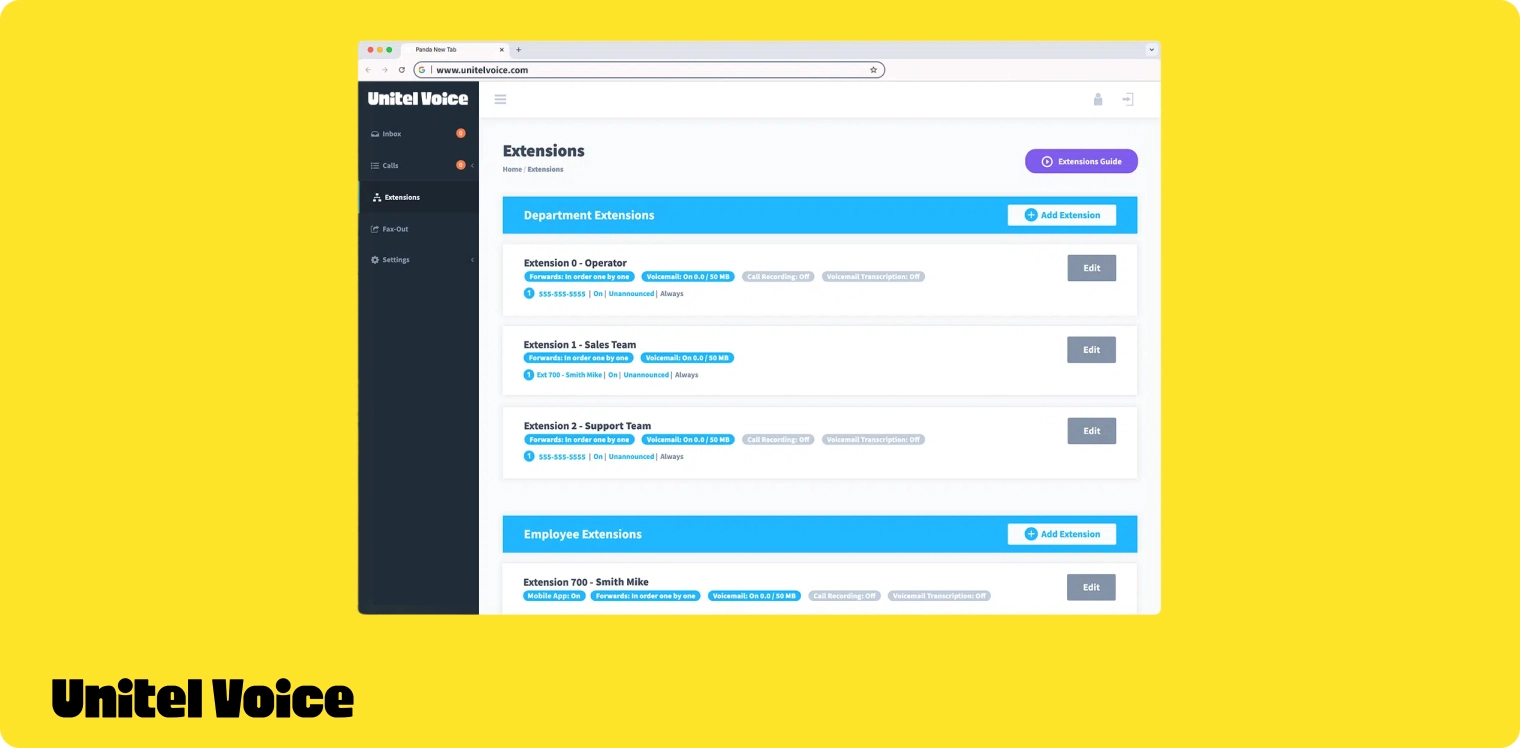
- Best for: Freelancers, entrepreneurs, and small businesses in the US and Canada
- G2 Rating: 4.6/5 (9 reviews)
- Key features of Unitel Voice: Free number porting, department extensions, custom greetings, business voicemail, call recording, conference calling, team presence indicator
What is Unitel Voice?
Unitel Voice is a small business phone system that helps startups and small businesses look more professional without any complicated setup infrastructure. The base plan offers one phone, three users, and up to 500 monthly minutes.
Users also get access to all the power features of a small business phone system including a virtual auto-attendant, business call recording, call forwarding, custom greetings, department extensions, and on-hold music.
Unitel Voice also offers unlimited plans that provide the users with unlimited minutes and users. Users across all the plans get access to a mobile app that lets them make and answer calls from anywhere in the world.
Who does Unitel Voice work best for?
Unitel Voice lets users port their own number for the platform or pick from hundreds of local numbers from the US and Canada. Users could also go with vanity or toll-free numbers. This is ideal for entrepreneurs and small businesses based in the United States or Canada.
Unitel Voice is not billed around the headcount of your organization. You could get unlimited extensions with their ‘Unlimited’ plan. This makes it suitable for growing teams that want to minimize corresponding increase in overheads.
But Unitel Voice is not suited for organizations looking for AI-powered solutions. Also, the platform does not have an API solution which makes it less ideal if you want to integrate it with your CRM solution.
Unitel Voice pricing

Unitel Voice’s pricing plans start at $9.99/month.
- Start-up Plan: $9.99/month for 500 monthly minutes, 3 user extensions, mobile app based calling, free number porting, call recording, auto-attendant, call forwarding, on-hold music, and business voicemail.
- Unlimited Plan: $24.99/month for unlimited minutes, unlimited extensions, and all other features on the Start-up plan
- Office Plan: $29.99/month for unlimited minutes, 3 user extensions, and access to desk phones, desktop softphone, team presence indicator, and team messaging. Additional users are charged at $9.99/user/month
- Office-Max plan: $69.99/month for unlimited minutes and up to 10 user extensions, and all the other features on the Office plan
Demo of Unitel Voice
RingCentral
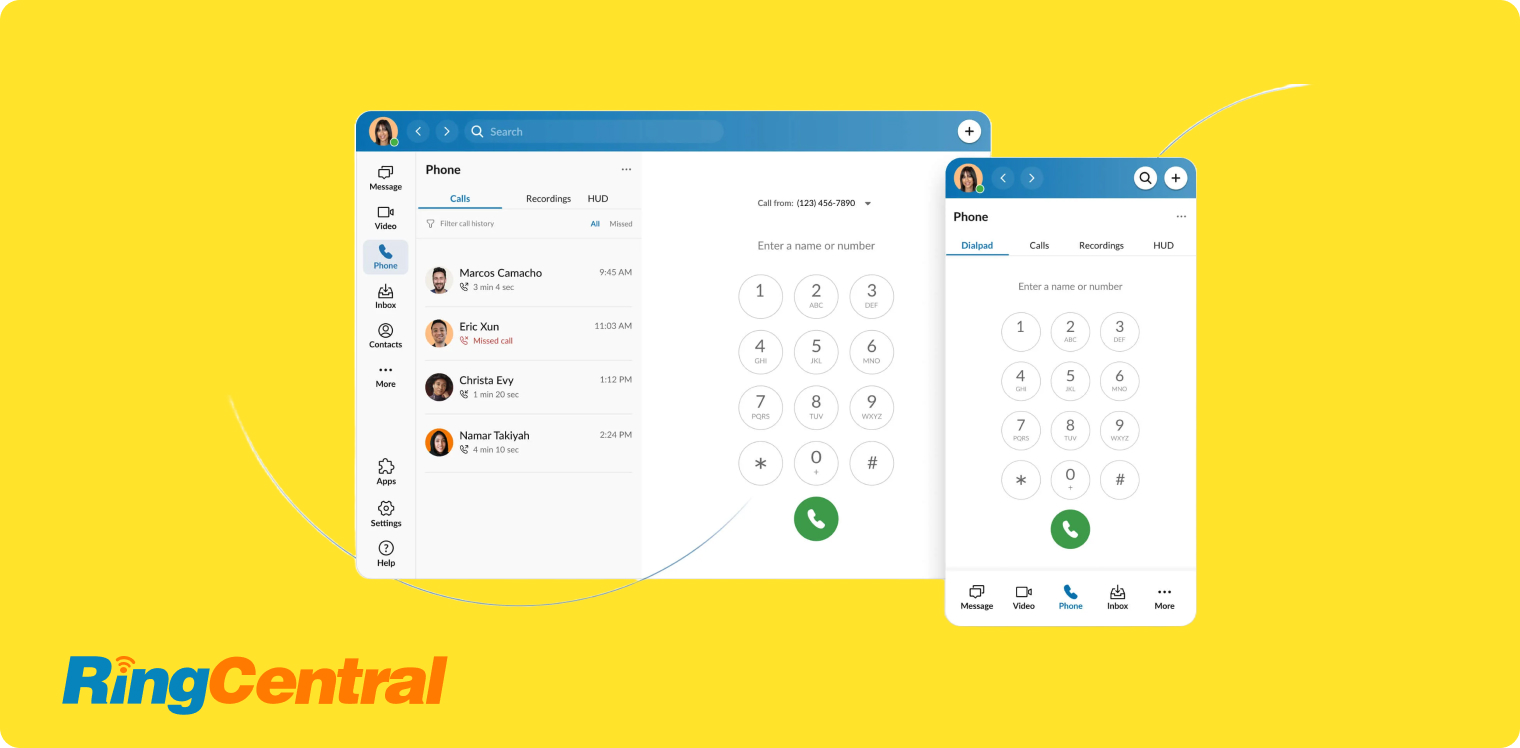
- Best for: Businesses seeking a unified communications platform
- G2 Rating: 4.5/5 (2,900 reviews)
- Key features of RingCentral: Instant messaging for teams, visual call flows, auto-attendant, ring groups, apps for desktop and mobile devices, voicemail to email
What is RingCentral?
RingCentral is a unified communications provider, which means it supports voice calls, text messaging, and video calls on every plan. But keep in mind you don’t get unlimited amounts: you’re limited to 100 toll-free minutes, 25 text messages, and 200 video call members on the base plan.
You can use RingCentral’s desktop app or mobile app to route calls manually or automatically, such as sending your callers through a specific ring group. There’s also a built-in team messaging function so you can communicate with co-workers in real time.
But keep in mind you can’t get unlimited storage, no matter how many times you upgrade. The ‘unlimited’ storage option on the highest tier is still subject to time-based deletion policies.
Who does RingCentral work best for?
RingCentral can help you create an omnichannel presence across multiple business communication channels (think SMS, video meetings, and business calls). It also offers some AI features if all you’re looking for is a slightly smoother customer experience.
But RingCentral isn’t a fit for AI-driven teams: many of its best features require multiple add-ons. This includes its AI Receptionist, Conversation Intelligence, AI Email Draft Generator, and AI summaries.
If you want AI features without added costs, an alternative like Allo may be more up your alley.
RingCentral pricing
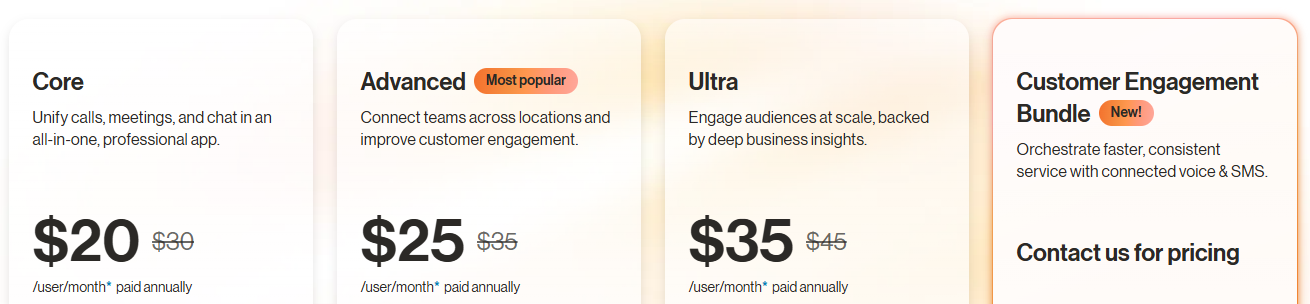
RingCentral’s pricing plans start at $20 per month:
- Core: $20/user/month for 25 texts, 100 toll-free minutes, and unlimited interactive voice response (IVR), basic call queues, basic video conferencing with 100 participants, and limited storage for team messaging
- Advanced: $25/user/month for 100 texts, 1,000 toll-free minutes, advanced call routing, automatic call recording, multi-site management, and CRM integrations
- Ultra: $35/user/month for video conferencing with 200 participants, whiteboards, 200 texts, 10,000 toll-free minutes, unlimited storage for files and team messaging, and access to a personal AI assistant for SMS
- Customer Engagement Bundle: Contact for pricing to get add-ons like the Business SMS Booster, the Call Queues Booster, the AI Receptionist, and all Personal AI Assistant features
Keep in mind you’ll pay extra to access other RingCentral AI features. This includes:
- Live reports
- Push-to-talk
- AI receptionists
- RingSense for Sales
- Business analytics Pro
- RingCentral Rooms connectors
- RingSense for AI-powered conversation intelligence
Demo of RingCentral
Dialpad
- Best for: Customer support teams
- G2 Rating: 4.4/5 (3,949 reviews)
- Key features of Dialpad: Custom call routing, contact center add-ons, local and toll-free phone number support, auto-attendants, support for video conferencing, business hours, unlimited voice calls, and advanced features like no-code call flows
What is Dialpad?
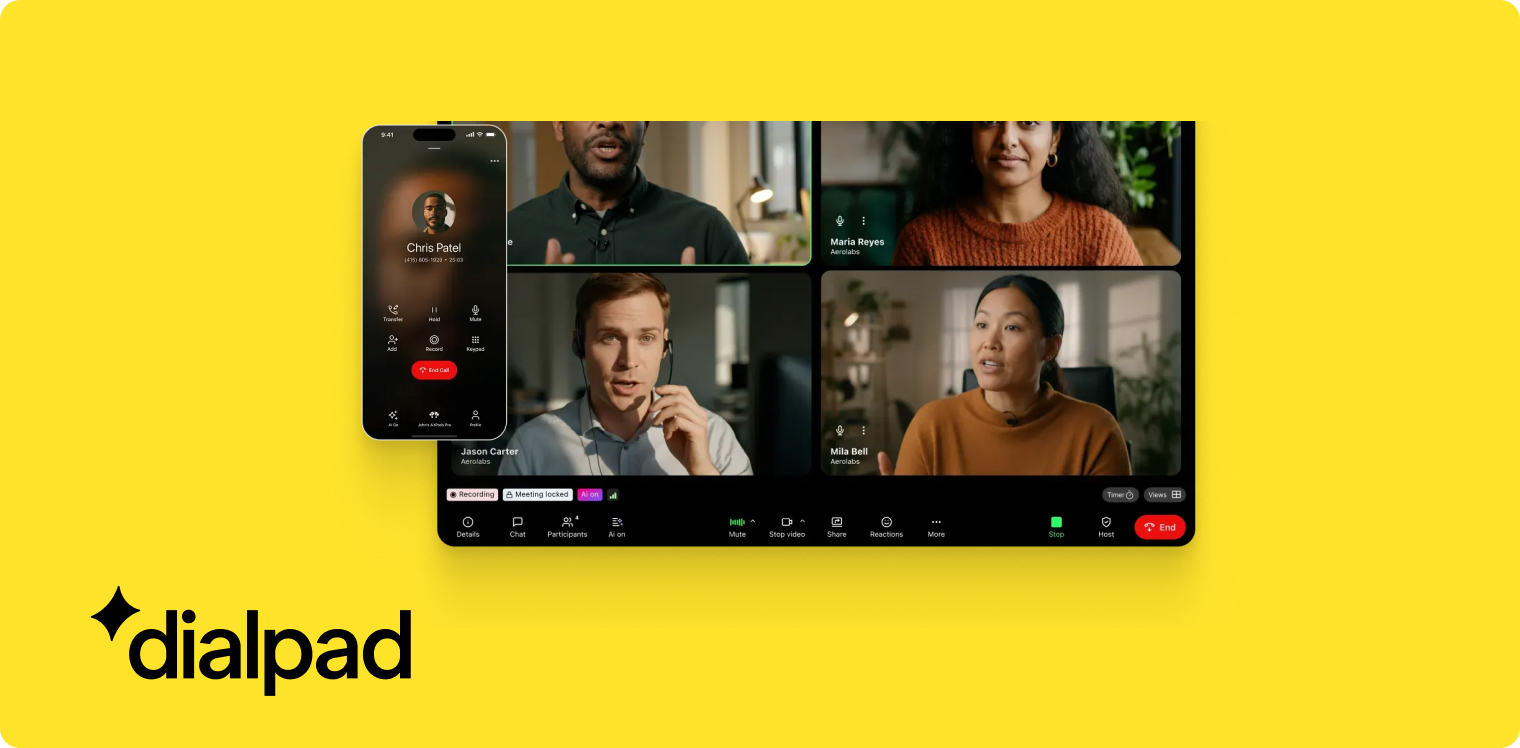
Dialpad is a cloud-based VoIP provider that offers proprietary AI on every plan. The base plan offers voicemail, meeting, and real-time call transcriptions, plus features like call summaries without add-on costs. Just keep in mind there are very few automation features (which we’ll cover later on).
One of Dialpad’s biggest claims to fame is its ability to support numbers in more than 50 countries. This makes it an excellent fit for international businesses looking to reach customers overseas.
But these features, among others, require you to upgrade your plan. International numbers are only available on the Pro plan, which costs nearly double the base plan.
Who does Dialpad work best for?
Unlike Allo, which is specifically designed for sales teams, Dialpad was built with support teams in mind. It’s an excellent fit for transcribing support phone calls, capturing action items, and reporting real-time analytics for supervisors.
But Dialpad isn’t a fit for fast-growing teams wanting more automation in their daily call flows. Automation isn’t the same as AI, after all, and you’ll notice very few features that can help you put customer communications on complete autopilot (think: no auto-replies or AI receptionist).
Thankfully, these are available for no add-on cost with other Dialpad alternatives.
Dialpad pricing

There are three levels of Dialpad Connect:
- Standard: $15/user/month for unlimited calls in your country plus the US and Canada, a local number, call recording, call forwarding, real-time transcripts, instant call summaries, voicemail transcripts, real-time analytics, and three-ring groups
- Pro: $25/user/month for sign-on (SSO), 25 ring groups, quality-of-service reports, and integrations with Google Workspace
- Enterprise: Custom pricing for phone number extensions, unlimited ring groups, CRM integrations, and more
Keep in mind Platinum Support requires a separate add-on. Plus, plans for Dialpad Sell and Dialpad Support come with separate pricing.
You can learn about both of these in our deep dive into Dialpad.
Demo of Dialpad
Zoom Phone
- Best for: Businesses already using Zoom
- G2 Rating: 4.6/5 (2,639 reviews)
- Key features of Zoom Phone: Team chat, desktop and mobile app, ring groups, and other business tools like long-distance call support
What is Zoom Phone?
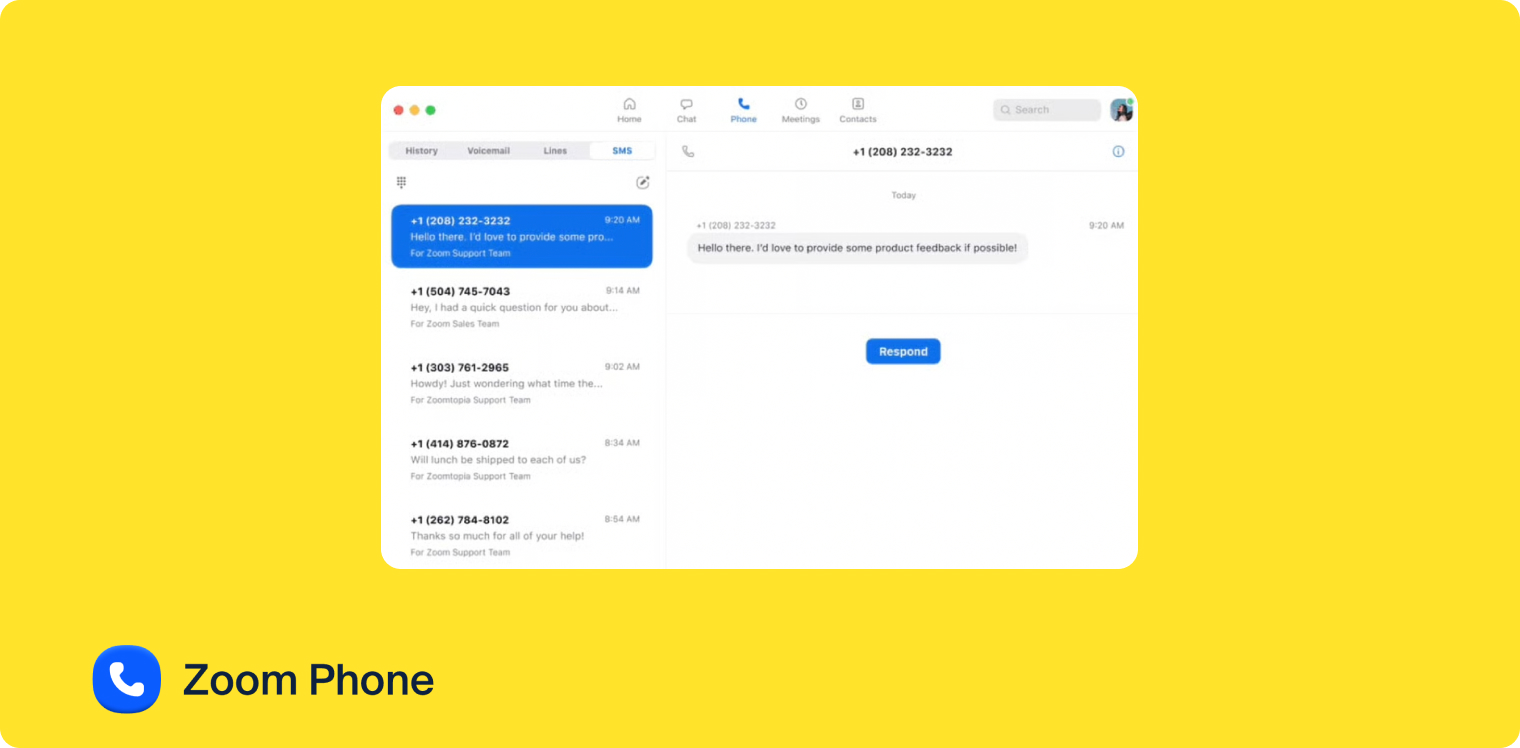
You can think of Zoom Phone as the Voice Over Internet Protocol (VoIP) branch of Zoom’s video meeting suite. With it, you can make phone calls with your team — and even transform calls into video meetings — without purchasing an entirely different system. But keep in mind this isn’t available on the base plan: you’ll need to upgrade to the Pro Plus plan first.
Zoom Phone also offers an AI Companion that helps you take notes, record action items, and generate documents based on the videos you record. But that’s about all the AI you get with this provider. There are no AI search functions, AI receptionists, or other AI tools that can help take inbound calls.
Another benefit of Zoom Phone is its support for desk phones and headsets (although keep in mind this may require an upgrade). You’ll need to get in touch with sales for more information about these possible add-ons, as well as integrations.
Who does Zoom Phone work best for?
Zoom Phone plans make the best sense for businesses already relying on the Zoom ecosystem. If you rely more on video meetings than you do phone calls, and you only need to make a few calls every once in a while, it could be a decent fit.
But if you rely heavily on third-party integrations, or need more support for incoming calls, you may want to consider a Zoom Phone alternative like Allo.
Zoom Phone pricing
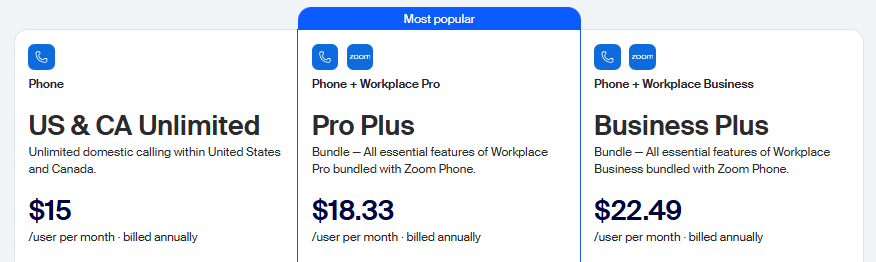
There are now four tiers of Zoom Phone plans:
- US & CA Metered: $10/user/month for metered domestic calling within the US and Canada, domestic text messaging, international calls, call recording, and access to the desktop and mobile apps
- US & CA Unlimited: $15/user/month for everything in Metered, plus unlimited domestic calling within the US and Canada
- Pro Plus: $18.33/user/month for unlimited docs, three editable whiteboards, instant messaging, workflow automations, 10 GB of cloud storage, and free premium Zoom apps for one year
- Business Plus: $22.49/user/month for access to the Zoom scheduler, unlimited whiteboards, and 15 GB of cloud storage
Demo of Zoom Phone
GoTo Connect
- Best for: International calls
- G2 Rating: 4.4/5 (1,386 reviews)
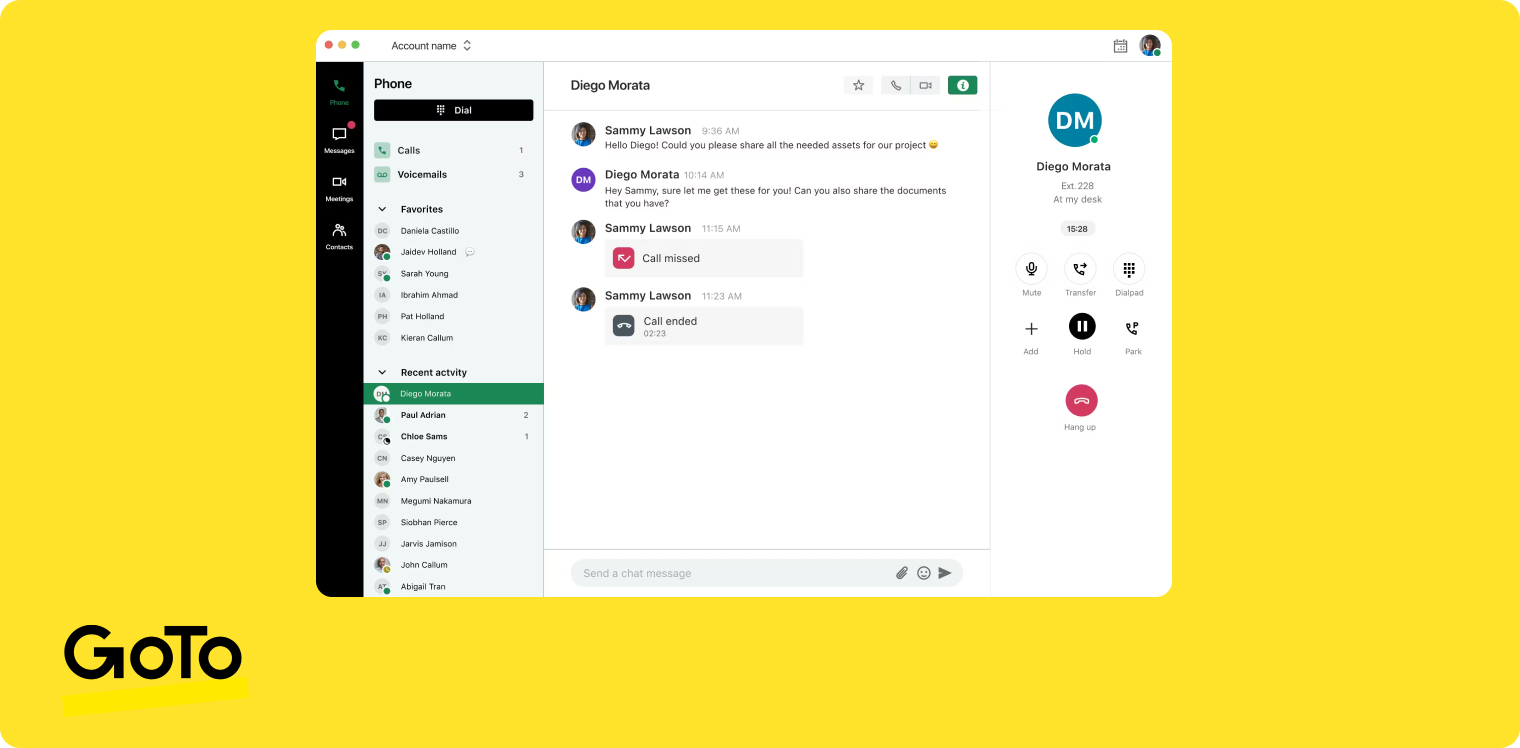
- Key features of GoTo Connect: Instant messaging, video meetings, call controls, call forwarding, automated attendants, and voicemail transcriptions (with upgrade)
What is GoTo Connect?
GoTo Connect is an international cloud phone system designed for businesses reaching overseas customers. The base plan offers free calls to 50 countries, plus unlimited auto-attendants, call queues, and video meetings with up to 250 participants.
But since GoTo Connect doesn’t publicly list its pricing, it may be prohibitively expensive to small and growing brands. It may also impose limits on texting and calling. The only way to know for sure is to contact sales.
Who does GoTo Connect work best for?
You can use GoTo Connect to reach international clients without paying extra per-minute fees. It also offers video meetings on the base plan, which isn’t always available with other providers.
But GoTo Connect is not a good fit for businesses requiring heavy teamwork. Shared numbers require upgrades, and the integrated softphone is only available on the most expensive plan.
With Allo, shared numbers and softphone access are available on the Business plan.
GoTo Connect pricing

GoTo Connect no longer lists public pricing. If you want a custom quote, you’ll need to get in touch with sales.
Demo of GoToConnect
8x8
- Best for: Physical offices
- G2 Rating: 4.2/5 (1,239 reviews)
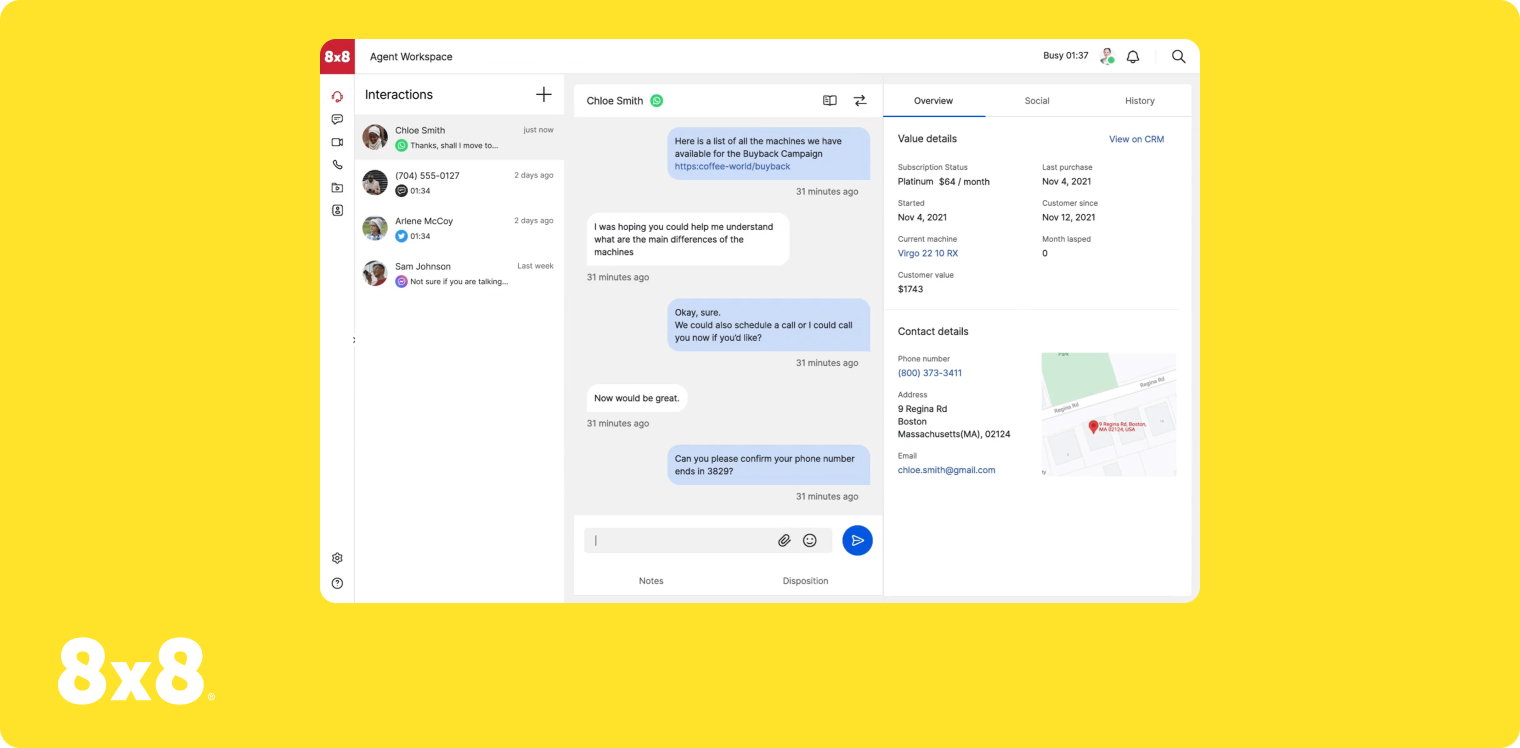
- Key features of 8x8: Unlimited domestic calling, video conferencing, SMS, payment processing, advanced queue management, and conversational intelligence.
What is 8x8?
8x8 is a cloud-based unified communications platform that offers self-service workflows to fast-growing businesses. In addition to payment processing and self-service call flow managers, you can integrate with third-party platforms that reinforce your business’s ability to serve customers autonomously.
But there are a few drawbacks to keep in mind:
- There is no public pricing, so you’ll have to contact sales for more details
- There’s no detailed feature comparison, so you can’t tell what you get on which plan
- The setup process may be relatively complex, according to recent user reviews
If none of these limitations bother you much, 8x8 could be a fitting cloud phone system for your business.
Who does 8x8 work best for?
8x8 offers features like overhead paging, intercom, faxing, and desk phone support — ideal for businesses with physical offices or cubicles. You can also overhaul existing PBX phone systems without purchasing new legacy hardware, which ultimately leads to cost savings.
But these cost savings are heavily dependent on what you pay for 8x8, which as of right now, isn’t publicly listed online. Between the plan itself, setup costs, and possible hidden fees, 8x8 may be an expensive tool for the average SMB.
8x8 pricing
As of January 2026, 8x8 no longer lists public pricing. You’ll need to get in touch with sales for a custom quote.
Demo of 8x8
Microsoft Teams Phone
- Best for: Microsoft ecosystem users
- G2 Rating: 4.4/5 (17,639 reviews)
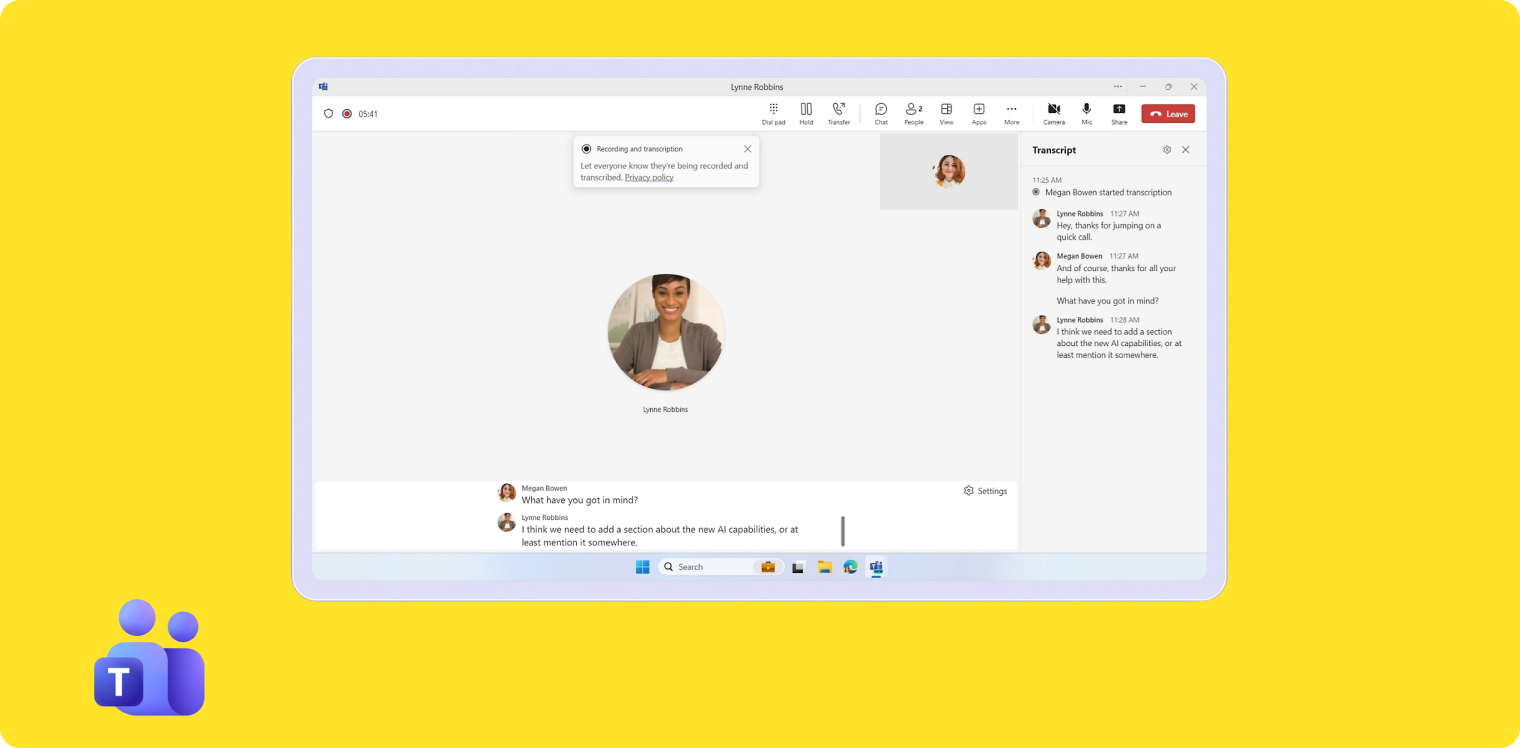
- Key features of Microsoft Teams Phone: AI personal assistant, collaborative (group) calling, customer engagement software, desktop and mobile apps, PSTN connectivity, and shared numbers
What is Microsoft Teams Phone?
Like Zoom Phone, Microsoft Teams Phone is the telephony arm of your MS Teams subscription. This allows you to easily call anyone within your organization. Just keep in mind the base plan doesn’t allow you to call outside your internal network. If you want to call external users, you’ll need to upgrade your plan multiple times.
You can also use Zoom Phone to send text messages, set up audio conferences, and schedule video meetings with other members of your team. There are also built-in team chat features if you want to communicate with your coworkers without sending a full email or making a call.
But other than that, Microsoft Teams Phone offers almost no other business phone features. If you want more AI, prepare to pay for Microsoft Copilot. Looking for features like AI call tags and cascade ringing? These aren’t available on Microsoft Teams Phone.
Who does Microsoft Teams Phone work best for?
As you might imagine, Microsoft Teams Phone makes the most sense for existing Microsoft Teams users. If you have a large or sprawling team, and don’t want to install desk phones on every desk, it’s a viable way to keep all your departments connected.
That said, Microsoft Teams Phone wasn’t expressly designed for external calls. You’ll also need to upgrade multiple times for basic features, like international minutes.
If you plan on calling customers or clients (including those overseas), it will be cheaper and easier to swap to a Microsoft Teams Phone alternative.
Microsoft Teams Phone pricing

You can pick from one of four Microsoft Teams Phone plans.
Here are the prices paid annually:
- Standard: $10/user/month for PSTN capabilities, 99.999% uptime SLA, and access to the mobile app. This allows you to make calls through Teams, but you can’t call externally. Instead, you'll need a Microsoft-certified external service provider
- Teams Phone (Pay-As-You-Go): $13/user/month for pay-as-you-go external calling
- Teams Phone (with Calling Plan): $17/user/month for 3,000 outbound domestic calling minutes in the US, UK, and Canada, plus 1,200 outbound domestic calling minutes for the rest of the world
- Teams Phone (Domestic and International Calling): $34/user/month for everything in Teams Phone Calling Plan, plus 600 outbound international calling minutes
Demo of Microsoft Teams Phone
How to Choose the Right Cloud Phone System for Your Business
Now that you’ve whittled down a shortlist of providers, here’s how to select the best cloud phone system for your business:
- Does the pricing offer value? This doesn’t necessarily mean it’s the lowest price on your list. For example, how much do you get for what you’re spending? All the basics, plus extra? Or are you paying for things you don’t need and won’t grow into?
- How easy is it to scale? Can you easily upgrade your plan whenever you need more features? Perhaps more importantly, how many add-ons and upgrades do you need for basic features?
- Do they offer all basic features on the base plan? Speaking of paying extra, you shouldn’t have to upgrade multiple times for basic features. Are you required to upgrade for call forwarding, call queues, and auto-attendants? If so, will you be paying for features you don’t yet need (like video conferencing or overhead paging).
- Can you access truly unlimited features? You should at least have access to unlimited domestic calling in your area. Keep an eye out for other arbitrary limits, like thresholds for SMS messages and toll-free minutes.
- Does it offer CRM and app integrations? If there aren’t any third-party integrations, or if the platform doesn’t connect to your existing CRM, it may be a basic business phone system. Readjust your selection accordingly.
- Is there a free trial offered? Or at least a demo? You should be able to try before you buy, or at least without committing to a paid plan up-front.
Frequently Asked Questions About Cloud Phone Systems
[[faq-blog]]
What is a cloud phone system?
A cloud phone system lets you call and text customers without needing to own any equipment yourself (like server rooms, desk phones, or expensive cabling). You just need a laptop or a mobile phone and a WiFi connection. Your cloud phone system provider takes care of updates, security, and other management requirements on your behalf.
You may also hear cloud phone systems referred to as:
- Cloud PBX phone systems
- Cloud-based Private Branch Exchange
- Cloud VoIP phone system
- Voice Over Internet Protocol provider
What is the best cloud phone system?
We’re biased, but we genuinely believe that Allo is the best cloud phone system for growing brands. We offer unlimited domestic calling in the US and Canada, as well as AI-powered features such as Search, an AI receptionist, an AI assistant for note-taking, and more.
Can I use a cloud phone on my cell?
Yes, cloud-based business phone systems typically offer mobile apps so you can make outbound calls and take incoming calls from your own devices. Some apps also offer desktop and web apps. That means you can make and receive calls from your laptop, desktop computer, or internet browser.
How reliable are cloud phone services?
Cloud phone services are known to be extremely reliable, often reaching uptimes reaching 99.999% or higher. By having a backup power source, and by using your own devices, it’s possible to stay in touch with customers from almost anywhere with a WiFi connection.
How much does a cloud phone system cost?
Most cloud phone systems range between $20 and $150 per user per month. With Allo, you get an all-inclusive business phone system with call recording, smart routing, and an AI receptionist starting at $45 per user per month.
Is a cloud phone cheaper than a landline?
Most cloud phone systems offer significantly more cost savings than traditional phone systems (i.e., landline phones). Instead of paying for IP phone lines and expensive cables tying you to the Public Switched Telephone Network (PSTN), you can use your existing internet connection and a laptop or cell phone to make and receive inbound calls.
Is there a monthly charge for a VoIP phone?
Most business phone system providers charge monthly rental fees in return for your VoIP phone(s). But other providers charge up-front pricing. With Allo, you can avoid this pricing altogether by simply using your own personal devices. Allo works on mobile devices, computers, and tablets so you can make and receive calls from anywhere with an internet connection.
What are the disadvantages of cloud phones?
Cloud phone systems rely on the internet, so if you lose power or have an unstable connection, you may not be able to make business calls. Plus, not every business phone solution offers the same advanced features. There may be gaps in their security protocols, or hidden fees for basic features like post-call summaries, call queues, and voicemail transcriptions.
Can I just plug a VoIP phone into my router?
Yes, if you have an active subscription to a VoIP phone system, and your VoIP phones have an Ethernet port. Plugging a VoIP phone into your router typically offers a more stable internet connection as well.
Can I use my existing number with a cloud phone?
Yes, you can port most existing business phone numbers to a cloud VoIP provider. You can do this with Allo by purchasing a plan, submitting a port request form, and waiting two to 10 business days for your number to port in.
Keep in mind that some business phone systems ‘lock down’ existing phone numbers, so you may have to pay your current provider to initiate number porting. Plus, some cloud-based phone services only support local phone numbers, and not toll-free numbers, like Google Voice.
A VoIP phone system like Allo supports number porting for US, Canadian, and international numbers. And best of all, it’s 100% free.
.jpg)