Key Takeaways
- Google Voice is the cheapest entry point at $10/user/month, but it has no CRM integrations and no AI beyond voicemail transcription, so it only works for solo operators already living inside Google Workspace.
- Allo is the best value for small sales teams of 1 to 20 users, starting at $18/user/month billed annually. It is the only system on this list that bundles AI call summaries, CRM sync for both mobile and desktop calls, and an unlimited AI receptionist with no add-on fees.
- Annual billing changes the ranking. Dialpad drops from $27 to $15/user/month, Nextiva from $23 to $15, and RingCentral from $30 to $20. If you are comparing sticker prices only, you are comparing the wrong numbers.
Introduction
Here's a question worth asking before you sign another annual contract: does your phone system actually know who called, what was discussed, and what happens next, or does it just connect two numbers and leave the rest to you?
The bar for a good business phone system has moved. Crystal-clear call quality is table stakes. What separates a genuinely useful cloud-based business phone system from an expensive dialing widget is how well it handles everything around the call: does it transcribe automatically? Does it push summaries to your CRM, not just a log entry but the actual transcript and key points? Does it work equally well on your laptop and your iPhone? And can you afford it without a procurement team?
In this guide, we compared seven of the most popular internet business phone systems on exactly those dimensions: AI features, integration depth, mobile experience, and pricing that scales. Whether you're a sales manager frustrated by manual CRM updates, a founder trying to keep overhead lean, or an ops lead evaluating a hosted business phone system for a growing team, this breakdown gives you a straight read on which solution fits your situation.
We have ordered the seven systems from the cheapest starting plan to the most expensive: Google Voice, Allo, Quo, Nextiva, Dialpad, RingCentral, and Aircall.
One note on how we quote prices. Every provider on this list except Google Voice charges two different rates for the same plan depending on whether you pay month to month or commit to a year. The gap is large, often 40% or more, so we give both figures every time.
| Solution | Starting Price | Best For | G2 Rating |
|---|---|---|---|
| Google Voice | $10/user/moNo annual discount published. Google Workspace subscription required, billed separately from $6/user/mo | Solo operators or micro-teams on Google Workspace who need a basic US business number.Budget pick | 4.1 / 5 |
| Allo | $18/user/moSolo plan, annual billing only, 1 user. Business: $32/user/mo yearly or $45/user/mo monthly | Sales teams of 1 to 20 users who want AI call summaries and CRM sync with no add-ons.Best value | 4.7 / 5 |
| Quo | $19/user/mo$15/user/mo billed yearly. AI summaries need Business: $33/user/mo or $23 yearly | Small US and Canada teams of 2 to 15 users who want a lightweight built-in CRM.SMB-focused | 4.7 / 5 |
| Nextiva | $23/user/mo$15/user/mo billed yearly. AI needs Power Suite CX at $75/user/mo, no annual discount | US mid-market teams of 20 to 200 users wanting voice, video and chat in one platform.UCaaS | 4.5 / 5 |
| Dialpad | $27/user/mo$15/user/mo billed yearly. AI summaries and CRM sync included from Standard | SMB teams of 10 to 200 users who want AI call summaries without an add-on bill.AI included | 4.4 / 5 |
| RingCentral | $30/user/mo$20/user/mo billed yearly. CRM integrations need Advanced: $35/user/mo or $25 yearly | Established companies with 50+ users needing global reach and 500+ integrations.Enterprise-ready | 4.2 / 5 |
| Aircall | $40/user/mo$30/user/mo billed yearly. 3-license minimum. AI summaries need AI Assist from $9/user/mo | Sales teams of 10 to 100 users needing deep Salesforce and HubSpot integrations.10+ seats | 4.4 / 5 |
Google Voice: Best for Google Workspace Users Who Need a Simple Virtual Business Phone Number
What is Google Voice?
Google Voice has been around since 2009 and remains one of the most widely used phone systems, mostly because the consumer version is free.
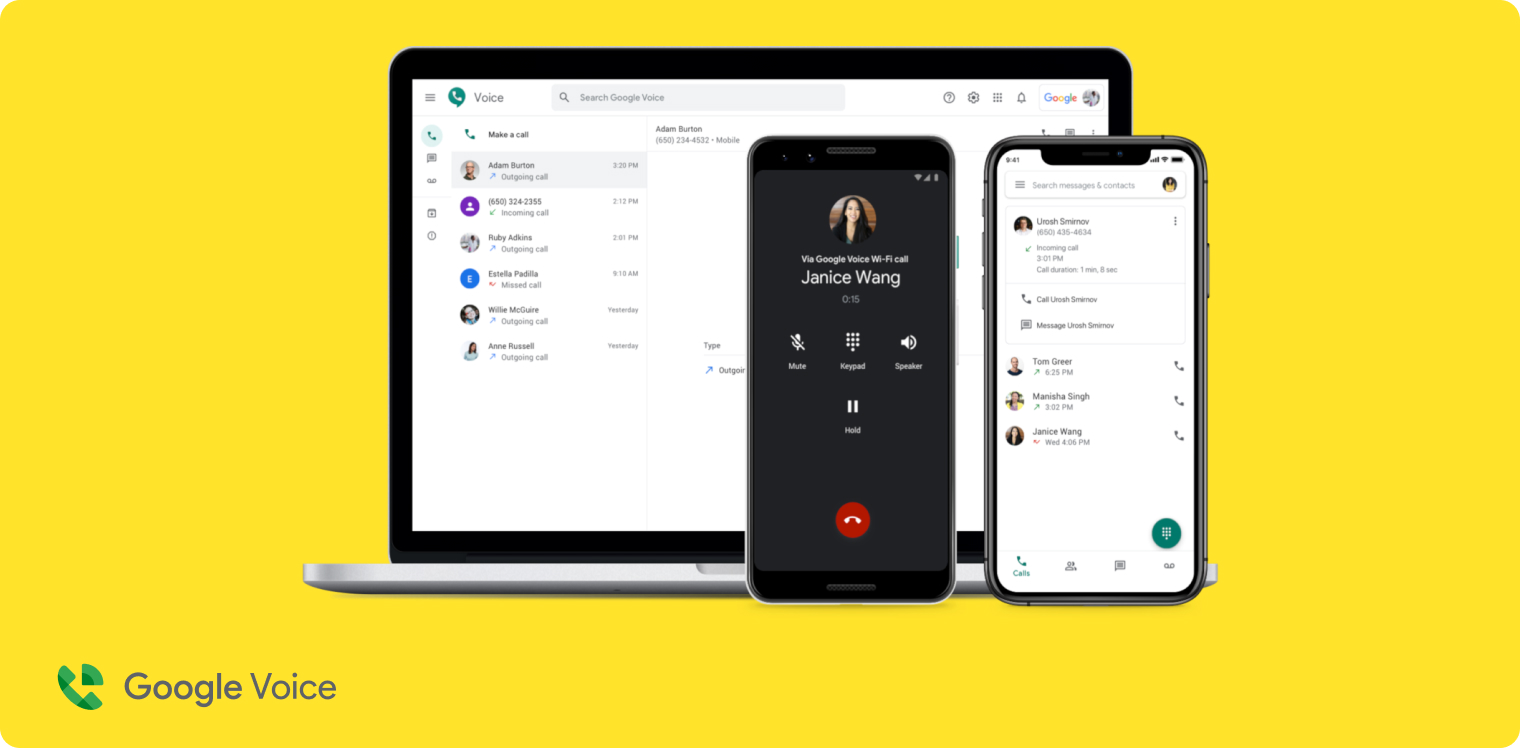
For business use, it is a stripped-down cloud phone system that lives inside the Google Workspace ecosystem. Its appeal is straightforward. If your team already runs on Gmail, Google Meet, and Google Calendar, adding a business phone number through Voice feels seamless and costs almost nothing. There is no steep learning curve, no long setup process, and no surprises on your bill.
Why Google Voice is a good choice
The value proposition for very small teams or solo operators is clear. At $10/user/month you get unlimited domestic calling in the US and Canada, voicemail transcription, and a clean mobile app. It is genuinely one of the easiest internet business phone systems to get started with, and the Google brand offers a level of reliability and trust that smaller providers cannot match.
The limitations are significant for anyone with serious business communication needs. Google Voice has zero native CRM integrations. No HubSpot, no Salesforce, no Pipedrive. AI features stop at spam blocking and voicemail transcription, and that transcription only covers seven languages. Local numbers are limited to the US and Canada. Call recording requires the Standard plan at $20/user/month, and even then it is on demand rather than automatic. If you are evaluating Google Voice for a sales team, you will likely hit a wall quickly. Our comparison of Google Voice alternatives for business covers where other platforms pick up the slack.
Google Voice Pricing
Google Voice is the one system here with no annual discount. The monthly rate is the rate.
- Starter, $10/user/month: up to 10 users, unlimited domestic calling in the US and Canada, unlimited US texting, voicemail transcription. Works in 14 countries for Workspace subscribers.
- Standard, $20/user/month: unlimited users, on-demand call recording, call routing.
- Premier, $30/user/month: automatic call recording, advanced BigQuery reporting.
An active Google Workspace subscription is required for business use and is billed separately, from $6/user/month, which makes the real entry cost closer to $16/user/month than the headline $10. There is no free trial, though you can test the free consumer version first.
Demo Video of Google Voice
Allo: Best for Small Sales Teams Who Want AI Without the Add-Ons
What is Allo?
Allo launched in 2024 out of Paris with a clear thesis: business phone systems shouldn't force sales teams to choose between mobility and intelligence. Most virtual business phone systems were either desktop-first tools dressed up for mobile, or legacy PBX systems with AI bolted on after the fact. Allo set out to build the opposite: a mobile-native, AI-first phone system designed from the ground up for the way small sales teams actually work. With offices in the US, France, and Argentina, it's grown quickly by targeting the gap legacy providers leave open: teams under 50 users who still need enterprise-grade CRM sync.
Why Allo is a good choice
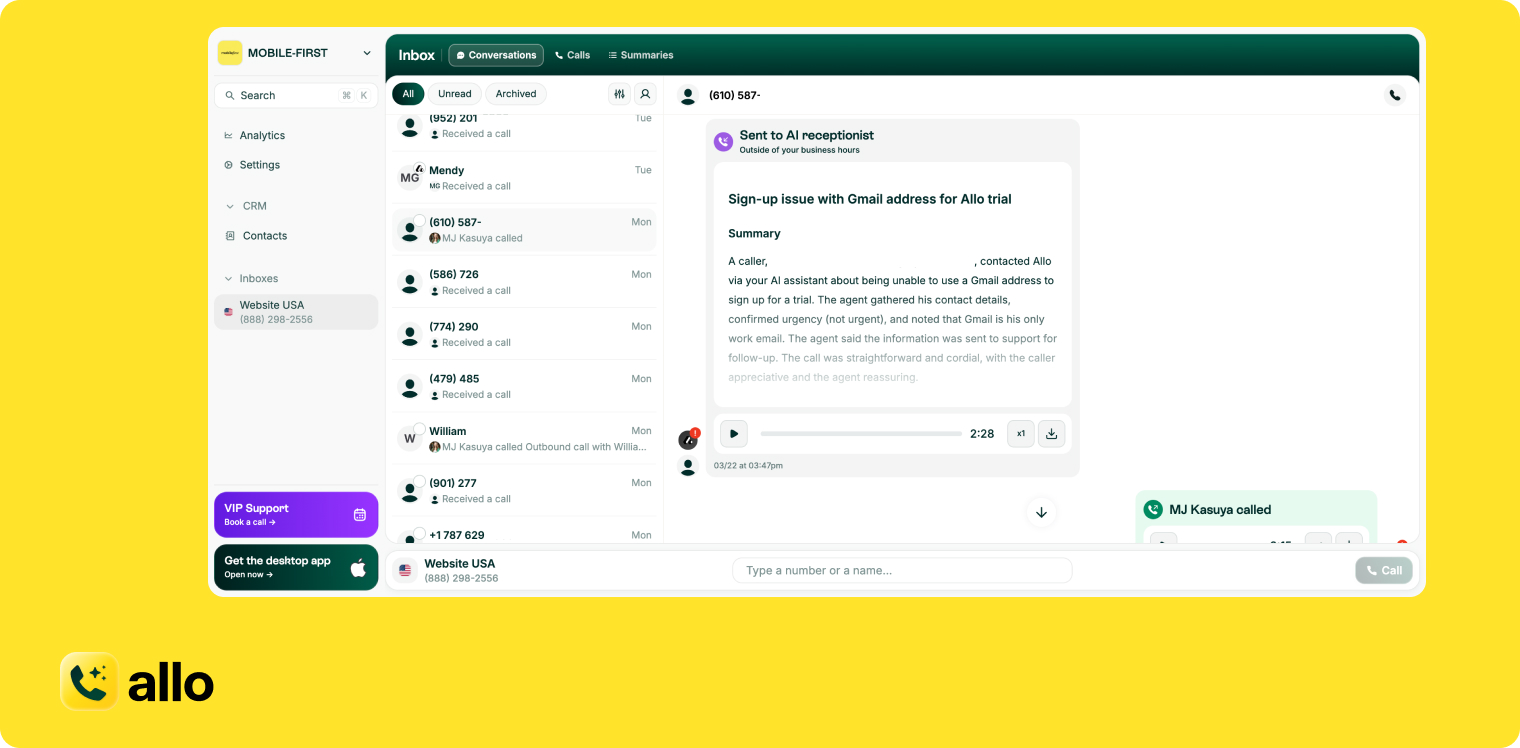
The standout feature is integration depth. Most business phone systems log a call to your CRM. Allo logs the call, the recording, the full transcript, and the AI-generated summary, and it does this for both mobile and desktop calls. That distinction matters. Plenty of cloud phone systems sync desktop calls to HubSpot or Salesforce just fine, but break down the moment a rep takes a call on their iPhone. Allo's HubSpot integration is rated 4.7/5 on the HubSpot Marketplace with over 200 installs, a meaningful signal when Dialpad sits at 3.8, Quo at 3.3, and RingCentral at 2.5. There are 18 native integrations in total, plus Zapier for another 1,000 apps and an API for custom connectors.
The AI receptionist handles inbound calls, qualifies callers, and routes them intelligently, with no extra monthly charge on any plan. The AI assistant also lets users ask questions across their entire call history, turning past conversations into a searchable knowledge base, and call memory lets the agent pick up a conversation where the last one left off. AI transcription covers 36 languages. An MCP server connects Allo to Claude, Codex, and other AI clients.
The power dialer, previously the main gap in the product, now ships with the Business plan alongside AI call tags, custom summary templates, and team leaderboards. The remaining limitations are geographic and organisational: local numbers are available in 11 countries, which is narrower than RingCentral or Dialpad, and the product is not designed for enterprises with complex multi-department workflows. For a small sales team that wants to spend less time on admin and more time selling, the value-to-price ratio is hard to match. No add-ons. No hidden fees.
Allo Pricing
- Solo, $18/user/month billed annually: 1 user maximum, annual billing only. One business number, unlimited national calls, call recording, SMS, native CRM autofill, AI summaries and transcripts, unlimited AI receptionist, missed-call text-back.
- Business, $45/user/month, or $32/user/month billed annually: everything in Solo plus full CRM sync, all integrations, collaborative inbox and notes, power dialer, custom AI summary templates, AI call tags, the Allo MCP server, call analytics, and team leaderboards.
- Ultra, $120/user/month, or $100/user/month billed annually: everything in Business plus AI agents (AI SDR, AI customer support agent, AI lead qualifier, AI CRM manager, AI sales coach, AI data analyst), granular admin controls, and a dedicated account manager.
Every plan includes a local phone number or a toll-free number and pay-as-you-go international calling. Additional numbers cost $5/month. Allo offers a 7-day free trial and charges nothing for AI features on any plan.
Demo Video of Allo
Quo: Best for Small US and Canada Teams That Want a Modern Phone System
What is Quo?
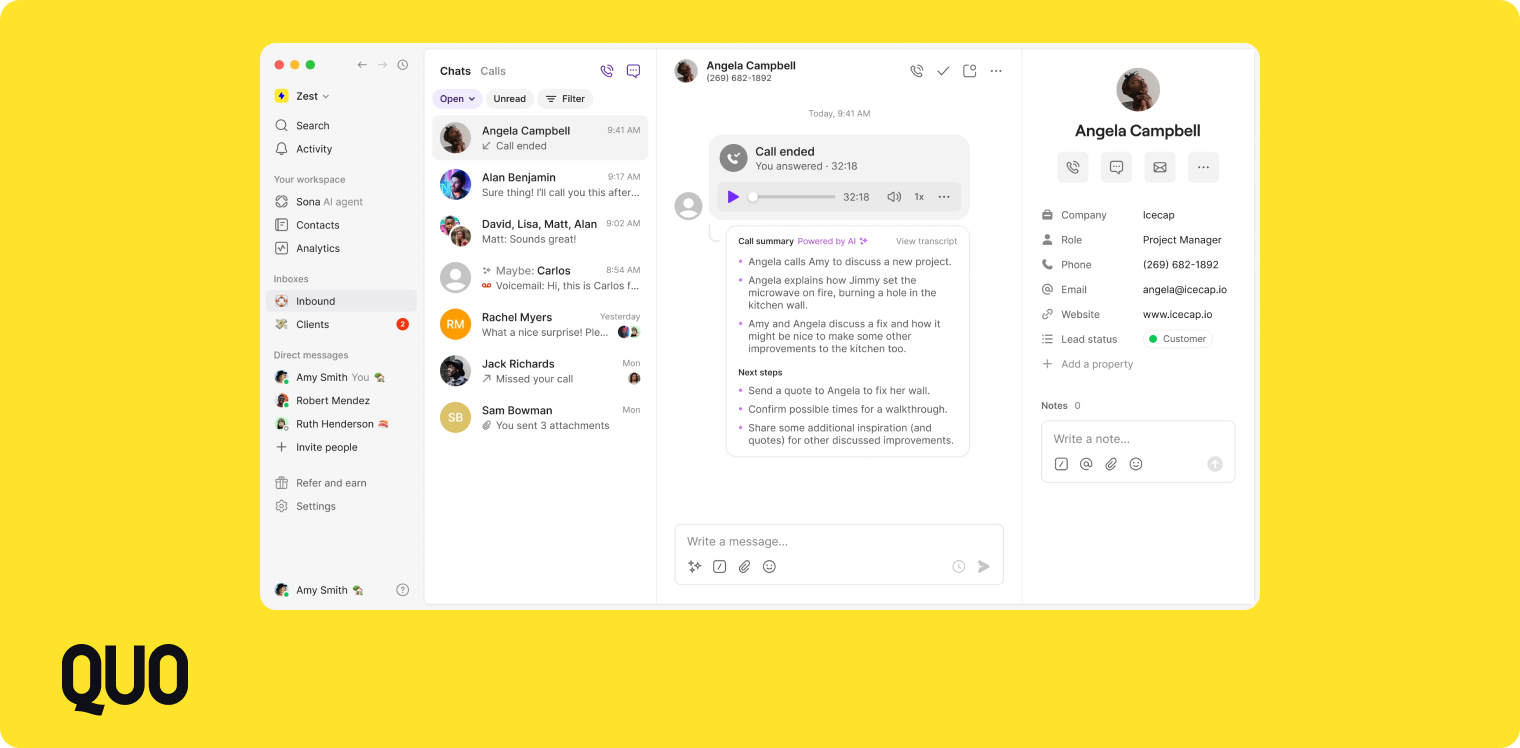
Quo, formerly OpenPhone, was started in 2018 by Mahyar Raissi and Daryna Kulya to solve a problem they had lived firsthand: business owners routing calls through personal numbers. The philosophy from day one was simplicity, making it easy for a two-person startup to look and operate like an established company. Quo has since grown into a broader phone system for small teams, with a built-in lightweight CRM, shared inboxes, team threads, and an AI answering service called Sona.
Why Quo is a good choice
Quo's standout feature is its collaboration-first design. A shared inbox where team members can see, tag, and comment on calls and messages makes it genuinely easy for small teams to stay aligned without a dedicated CRM. The UI is consistently praised for being clean and intuitive, and you do not need an IT department to configure it. The Business plan includes AI call summaries and transcripts in 34 languages.
The main constraint is geography. Quo only supports US and Canadian numbers, so if your team needs local numbers in Europe, Asia, or Latin America you will need to look elsewhere. Cold calling is also restricted, and Quo has been known to flag and suspend accounts it suspects of outbound spam, which is a problem for sales-heavy teams. Sona is metered rather than unlimited: 10 calls are included per month on every plan, then it costs $0.75 per call. CRM integration depth is decent, but HubSpot marketplace reviews sit at 3.3/5, which suggests the sync does not go as deep as some alternatives. If you have already tested it and want to compare, here is our list of the top Quo alternatives in 2026.
Quo Pricing
- Starter, $19/user/month, or $15/user/month billed annually: local number, unlimited US and Canada calling and messaging, voicemail transcripts, 10 free Sona AI calls per month.
- Business, $33/user/month, or $23/user/month billed annually: AI call summaries and transcripts, HubSpot and Salesforce integrations, group calling, call transfers, analytics and reporting.
- Scale, $47/user/month, or $35/user/month billed annually: dedicated onboarding, priority live chat and email support, inbound phone support.
Each plan includes one phone number per user, with additional numbers at $5/user/month. International calling and messaging is a paid add-on. Quo offers a 7-day free trial.
Demo Video of Quo
Nextiva: Best for Mid-Market Teams That Want Voice, Video, and Chat in One Platform
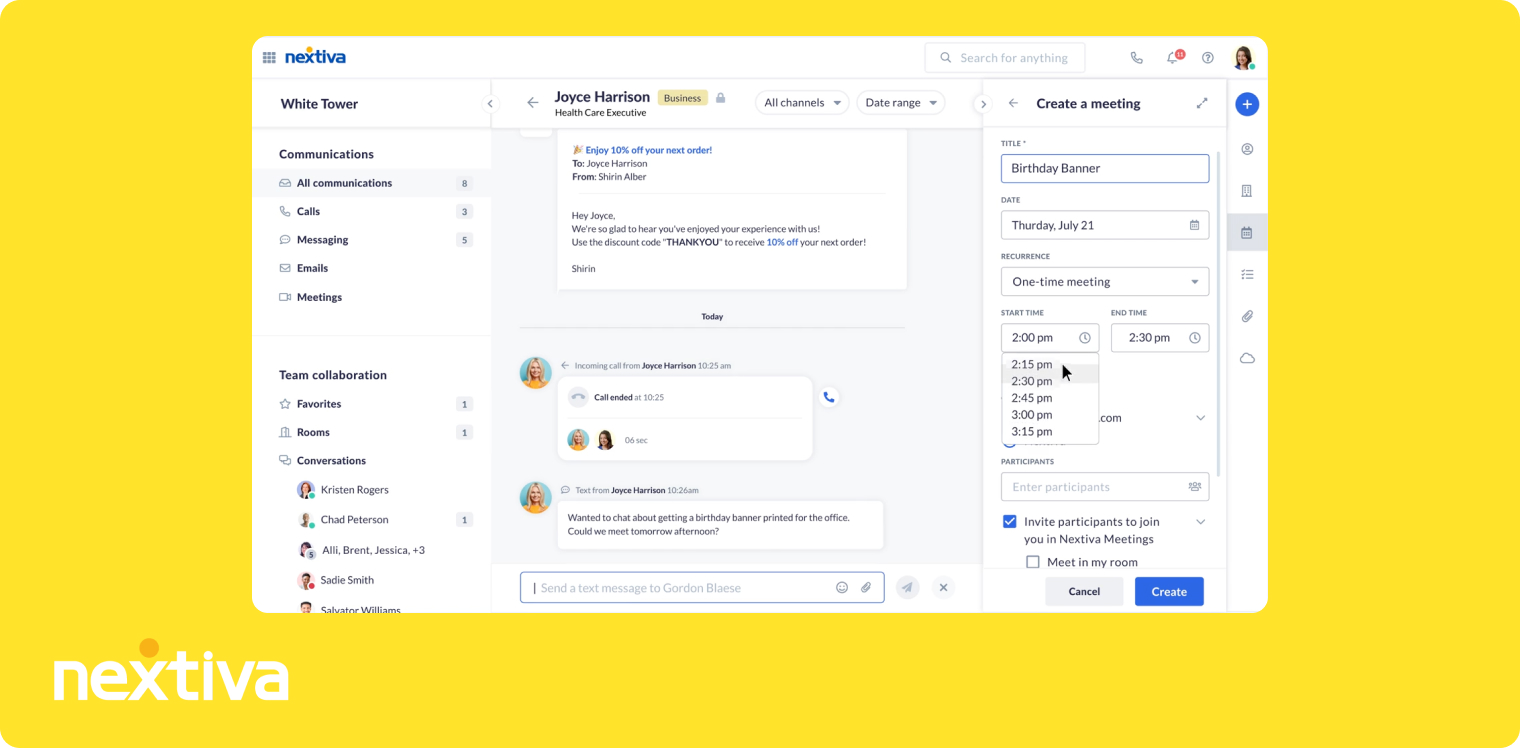
What is Nextiva?
Nextiva was founded in 2008 in Scottsdale, Arizona by Tomas Gorny, a Polish immigrant whose stated mission was to give every business, regardless of size, the communication infrastructure of a Fortune 500 company. That ambition shaped a product that went broad rather than deep. Nextiva bundles voice, video conferencing, team chat, SMS, WhatsApp, Instagram messaging, and even a lightweight CRM into a single platform. It is a full unified communications platform (UCaaS), not just a cloud-based business phone system. That scope makes it attractive for mid-market companies that want one vendor to consolidate multiple communication tools.
Why Nextiva is a good choice
Nextiva's UCaaS approach means fewer tools, fewer logins, and one support team. The platform is strong on reliability and collaboration: detailed analytics, physical phone support, and a solid mobile app rated 4.1/5 on the App Store across nearly 7,000 reviews. AI features exist, including voicemail transcription, real-time transcription, emotion scoring, and an AI IVR, but the deployment model deserves a careful look. Voicemail transcription is the only AI feature included on every plan. Everything else requires Power Suite CX at $75/user/month, which is a steep jump from Core's $23. The AI IVR has no public pricing at all and requires a sales conversation, and the AI receptionist (XBert) is billed at $99/month per 100 interactions, then $0.99 per interaction after that.
Nextiva is also US-only for local phone numbers, with partial Canadian coverage, which limits international teams. SMS registration can take several weeks, which frustrates teams that need to start texting quickly. For a team that genuinely needs UCaaS, Nextiva is a strong contender. But if your primary need is AI-powered calling and CRM sync rather than unified communications, the pricing structure does not scale well. See how it compares in our guide to the top Nextiva alternatives.
Nextiva Pricing
- Core, $23/user/month, or $15/user/month billed annually: phone number, SMS, video meetings, call routing, team chat.
- Engage, $50/user/month, or $25/user/month billed annually: advanced reporting, web chat, toll-free number.
- Power Suite CX, $75/user/month on both billing cycles: AI transcription and summarization, intelligent routing, up to 100 agents.
Power Suite CX is the one plan here with no annual discount, which is worth noting because it is also the plan you need for AI. The AI receptionist is billed separately at $99/month per 100 interactions. Nextiva offers a 14-day free trial.
Demo Video of Nextiva
Nextiva demo videos are only available behind a form on their website.
Dialpad: Best for SMBs That Want AI-Powered Calls Without an Extra Add-On Bill
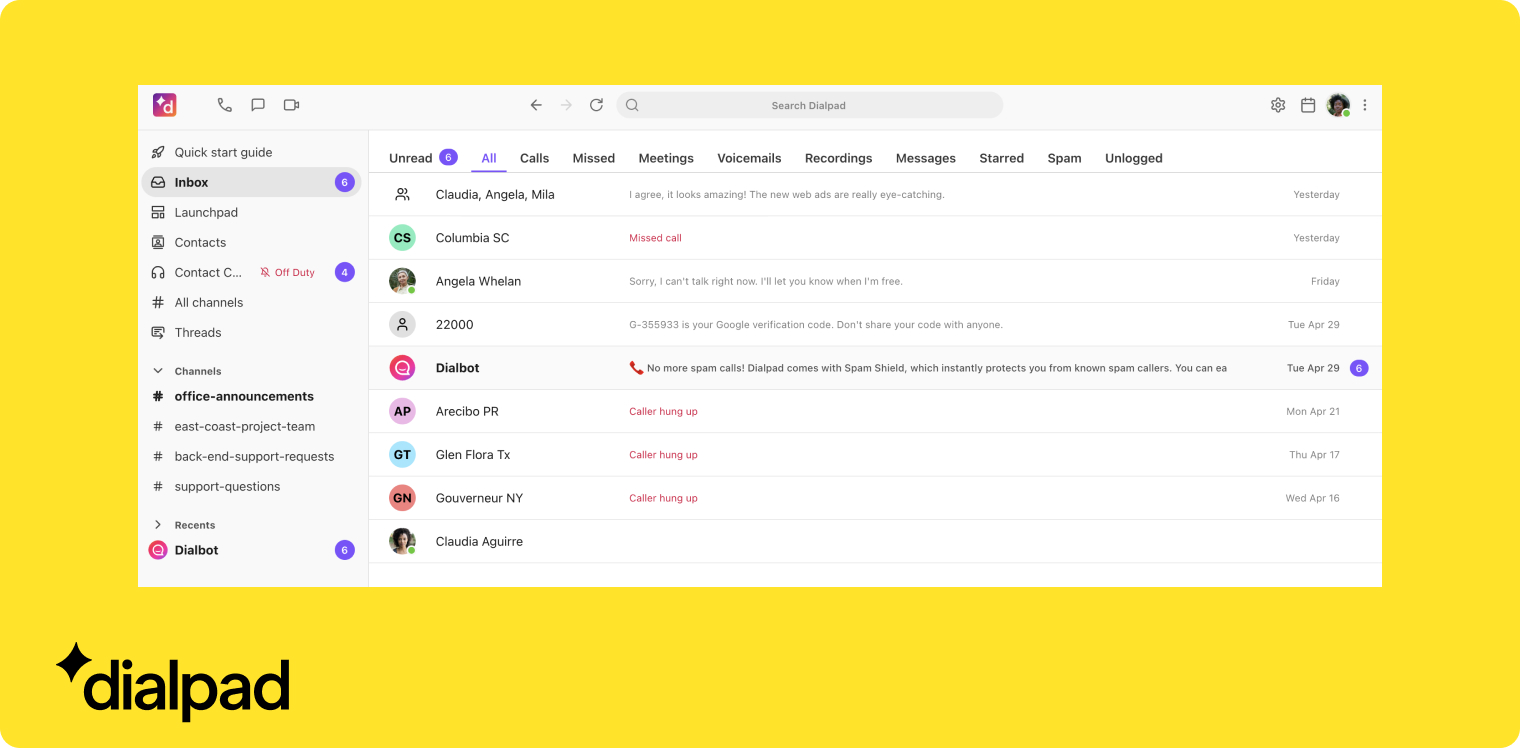
What is Dialpad?
Dialpad has an interesting origin story. Its founder, Craig Walker, previously built GrandCentral, a VoIP product Google acquired and turned into Google Voice. Walker started Dialpad in 2011, initially inside Google as an entrepreneur in residence. What sets Dialpad apart today is that it built its own AI model back in 2018, years before most business phone systems started treating AI as more than a buzzword. That head start shows in the product. AI call summaries, live coaching, call scoring, and an AI support agent are all included in the base plan, with no separate AI subscription.
Why Dialpad is a good choice
The AI-inclusive pricing is genuinely differentiated. At $27/user/month, or $15/user/month on annual billing, you get call summaries, live coaching, and CRM integrations, functionality that would cost significantly more on RingCentral or Nextiva once add-ons are stacked on top. That annual rate makes Dialpad the cheapest way on this list to get AI summaries and CRM sync in the same plan. Dialpad also supports local numbers in 50+ countries and integrates with Salesforce, HubSpot, Outreach, Microsoft Dynamics, Zoho, and Copper. AI features work in nine languages. The tool is generally praised for ease of use, and the mobile app scores 4.6/5 on the App Store.
The downsides are real. Call quality inconsistencies appear in reviews more often than they should for a primary business phone system, and the Play Store rating of 3.2/5 across 3,350 reviews tells a rougher story than the iOS one. Support response times draw regular criticism. The SMS approval process is reportedly slow. And while Dialpad's AI is solid for summarization and coaching, it does not match Allo or Aircall for syncing full transcripts into CRM records. Note too that Dialpad Sell, the sales-focused product, is priced separately and starts at $49/user/month, or $39 annually, which is where teams that want a power dialer end up. If you are comparing options, our guide to Dialpad alternatives is worth a read.
Dialpad Pricing
Dialpad Connect, the business phone product:
- Standard, $27/user/month, or $15/user/month billed annually: unlimited calling in your country plus the US and Canada, local number, call forwarding, call recording, CRM integrations, AI call summaries, up to 3 departments.
- Pro, $35/user/month, or $25/user/month billed annually: adds SSO, phone support, up to 25 departments.
Dialpad Sell, priced separately:
- Essentials, $49/user/month, or $39/user/month billed annually: call recording and transcription, monitor, whisper, barge, video meetings, IVR.
- Advanced, $110/user/month, or $95/user/month billed annually: local presence, voicemail drop, Salesforce power dialer, AI live coaching.
- Premium, $170/user/month, or $150/user/month billed annually: screen recording, in-queue callback, AI scorecards, AI CSAT, AI playbooks, automatic call distribution.
Dialpad offers a 14-day free trial. Internet fax, Rooms, and the contact centre product are billed as separate add-ons.
Demo Video of Dialpad
RingCentral: Best for Larger Teams That Need a Battle-Tested Cloud Phone System
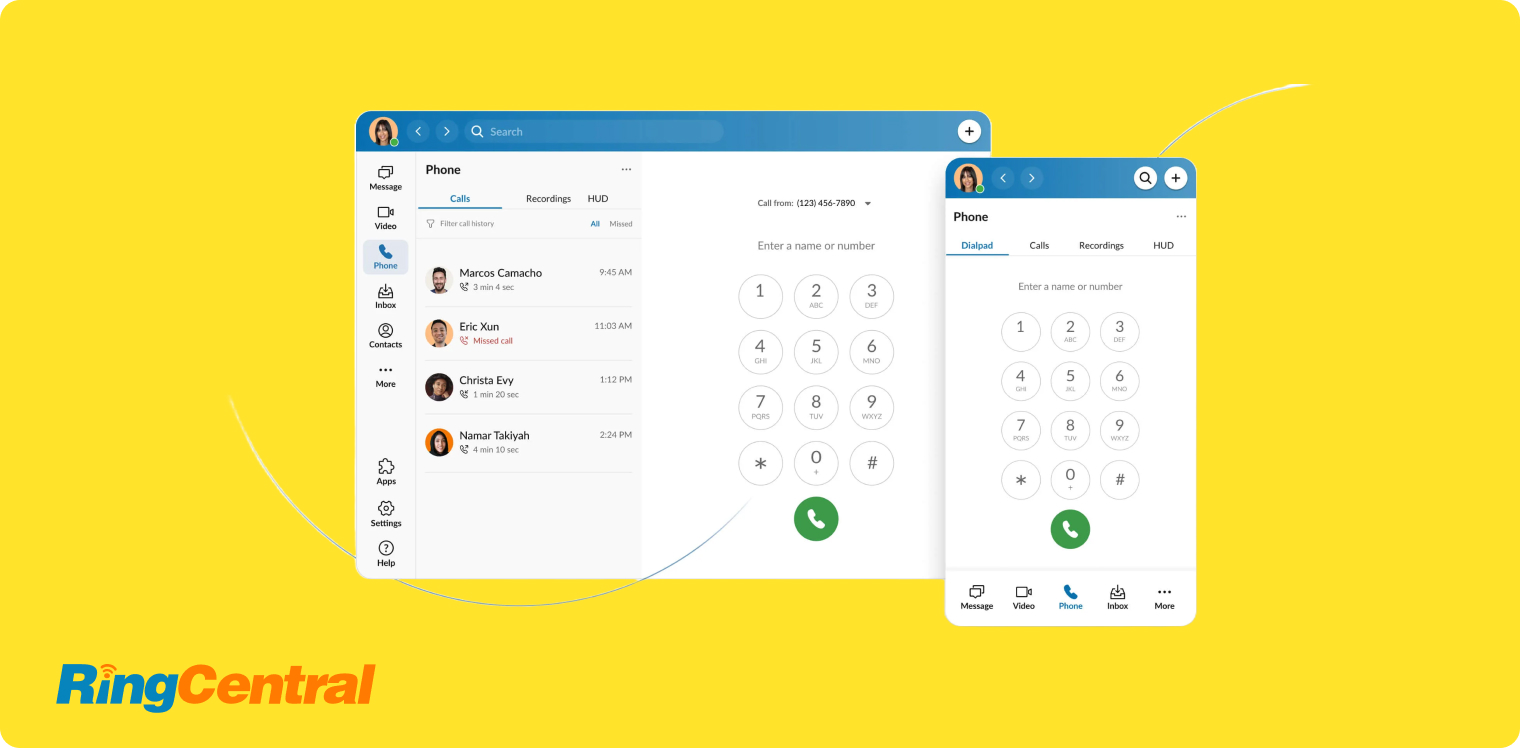
What is RingCentral?
RingCentral has been in the business phone system space since 1999, which makes it one of the oldest players still actively competing. It is not a scrappy startup, it is infrastructure. The company built its reputation on reliability, broad integration support, and global coverage, and it still dominates enterprise shortlists because of those three things. RingCentral is a safe, proven choice, especially for teams that need a hosted business phone system with a long track record and an enormous user community to tap into when things go wrong.
Why RingCentral is a good choice
The integration catalog is genuinely impressive: over 500 native integrations including Salesforce, HubSpot, Microsoft Teams, Google Workspace, Attio, and Pipedrive. If your team uses a niche CRM or a custom workflow tool, there is a reasonable chance RingCentral already connects to it. The AI assistant, AVA, handles call summaries, email drafts, and questions across your call data, and most base AI features are included in the Core plan. Local numbers are available in 100 countries, the broadest coverage on this list.
The friction comes at the edges. RingCentral is legacy software, and it shows. The interface can feel overwhelming for small teams. Trustpilot reviews are brutal at 1.8/5 across nearly 2,000 reviews, with support response times the recurring complaint, especially for SMBs who do not get priority access. The AI Receptionist is add-on only, starting at $49/month for 100 minutes, and Conversation Intelligence runs $60/user/month on top of your base plan, numbers that add up fast for small teams. Cancellation is notoriously difficult, phone-only with long wait times. If you are considering switching away from RingCentral, take a look at our full breakdown of the best RingCentral alternatives in 2026.
RingCentral Pricing
RingEx, the business phone product:
- Core, $30/user/month, or $20/user/month billed annually: unlimited domestic calling, call recordings, video meetings.
- Advanced, $35/user/month, or $25/user/month billed annually: adds CRM integrations and advanced reporting.
- Ultra, $45/user/month, or $35/user/month billed annually: unlimited storage, webinars, device analytics.
RingCX, the contact centre product, is priced separately from $75/user/month, or $65 annually, and goes up to $165/user/month, or $145 annually, for the Elite tier.
One local or toll-free number is included, with additional numbers at $4.99/month. The AI Receptionist (from $49/month) and Conversation Intelligence ($60/user/month) are billed as separate add-ons. RingCentral offers a 14-day free trial.
Demo Video of RingCentral
Aircall: Best for Mid-Sized Sales Teams That Need Deep Salesforce and HubSpot Integrations
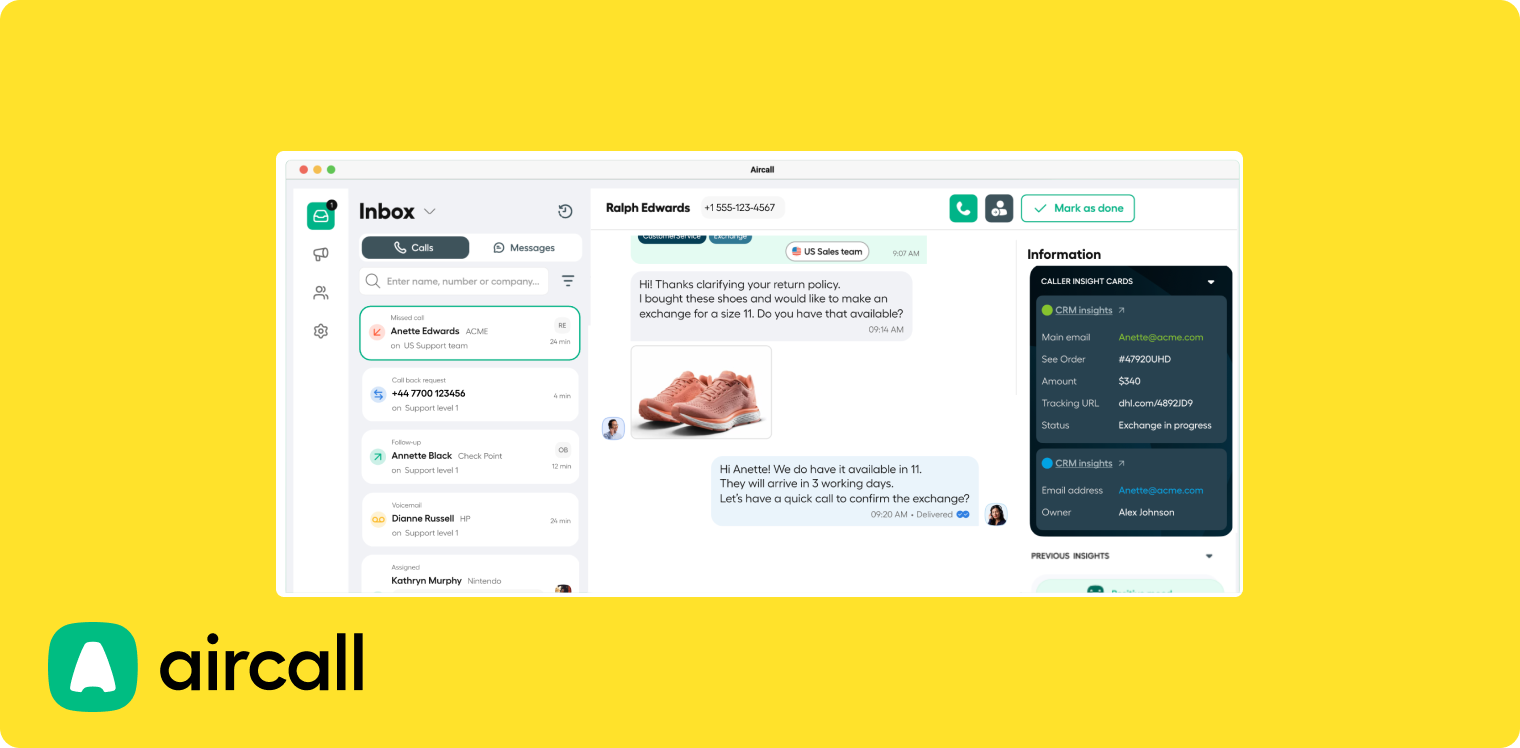
What is Aircall?
Aircall started in Paris in 2014 as a direct challenge to hardware-heavy, slow-to-configure phone systems. A few months in, the founding team recognised something important: the value of a business phone system is not just in the call, it is in what happens after. That insight drove Aircall to prioritise CRM integrations above almost everything else. By 2025 the company surpassed $175 million in ARR, cementing its place as one of the most recognised cloud business phone systems in the sales stack. It is a brand name that shows up on enterprise shortlists and feels safe to choose for a sales VP who needs to justify the decision to a CFO.
Why Aircall is a good option
Aircall's Salesforce integration is particularly strong, one of the few on this list that goes meaningfully beyond basic call logging. HubSpot, Pipedrive, Attio, Microsoft Dynamics, Odoo, Zoho, Intercom, and HighLevel are all supported natively. The platform covers 38 countries for local numbers, includes unlimited US and Canada calling and SMS, and ships call transcription and voicemail transcription on every plan. Call monitoring features (listen, whisper, barge) make it popular with sales managers who coach reps on live calls.
There are real trade-offs for smaller teams. The 3-license minimum means you are spending at least $120/month on monthly billing, or $90/month annually, before you place a single call. More importantly, the AI story has changed: call summaries, topic recognition, sentiment analysis, and call scoring are no longer in the base plan. They now require AI Assist at $9/user/month, and the advanced tier with live transcription, playbooks, and automated CRM updates costs $49/user/month through AI Assist Pro. AI features are also limited to English and French, a notable gap for international teams. Several former Aircall customers have noted that once your team falls below 50 users, support becomes minimal and the platform shifts its attention to enterprise accounts. For teams exploring alternatives, check out our roundup of the best Aircall alternatives.
Aircall Pricing
- Essentials, $40/license/month, or $30/license/month billed annually: local number, unlimited US and Canada calls, IVR, call recording, SMS and MMS, call transcription.
- Professional, $70/license/month, or $50/license/month billed annually: advanced analytics, power dialer, voicemail drop, unlimited call recordings.
Both plans require a minimum of 3 licenses. AI Assist ($9/user/month) and AI Assist Pro ($49/user/month) are billed on top. Aircall offers a 7-day free trial.
Demo Video of Aircall
Which Business Phone System Should You Choose?
The right cloud-based business phone system depends on where the current bottleneck in your team's workflow actually sits.
If your team is losing time to manual CRM updates and post-call admin, and you're running a lean sales team under 20 people, Allo is the most focused solution on this list. Full transcript and summary sync to your CRM, an unlimited AI receptionist, a power dialer on the Business plan, and no add-ons means the price you see is the price you pay: $32/user/month annually, or $45 month to month.
If budget is the only constraint and your CRM needs are close to zero, Google Voice at $10/user/month is the cheapest way to get a real business number, provided you already pay for Google Workspace, which is billed separately from $6/user/month.
For teams that want AI call summaries without a separate AI subscription and are willing to commit to a year, Dialpad at $15/user/month annually is the best value on this list, though the $27 month-to-month rate is far less compelling.
If you're a larger organization that needs proven infrastructure, broad integration coverage, and numbers across 100 countries, RingCentral is the mature choice at $20/user/month annually or $30 monthly. Go in with eyes open about the add-on pricing for AI features and the reputation for complex cancellations.
And for mid-sized sales teams where Salesforce sync is non-negotiable, Aircall remains one of the strongest options at $30/user/month annually, provided the 3-license minimum fits your headcount and you budget for AI Assist on top.
Every system on this list except Google Voice offers a free trial. Start with the one that maps most directly to your team's biggest pain point, and test the CRM integration on day one. That's where most business phone systems either prove their worth or fall apart.
Want to see how Allo handles CRM sync, AI summaries, and mobile calls, all in one place?
Frequently Asked Questions About Business Phone Systems
How much is a business phone system?
Entry plans run from $10 to $40 per user per month, and full-featured plans from $32 to $75. Google Voice is the cheapest at $10/user/month, Aircall the most expensive entry point at $40/user/month with a 3-license minimum. The plans most teams actually buy, the ones that include CRM integrations and AI, land between $15 and $45 per user per month depending on the billing cycle. Annual billing is the biggest lever: Dialpad falls from $27 to $15, Nextiva from $23 to $15, RingCentral from $30 to $20, and Allo Business from $45 to $32. Budget for add-ons separately, because an AI receptionist costs $49/month at RingCentral and $99 per 100 interactions at Nextiva, and Aircall's AI tiers run $9 or $49 per user per month on top of the base plan.
Is annual billing worth it for a business phone system?
For most teams, yes, and the gap is larger than the usual two-months-free framing suggests. Dialpad charges $15/user/month annually versus $27 monthly, a 44% saving. Nextiva Core drops from $23 to $15, RingCentral Core from $30 to $20, Quo Starter from $19 to $15, Aircall Essentials from $40 to $30, and Allo Business from $45 to $32. Across a 10-person team, choosing annual billing on Dialpad saves $1,440 a year. The trade-off is lock-in, so it is worth running a monthly plan or a free trial for the first month, confirming the CRM sync works the way you need, and only then switching to annual.
Which business phone systems include AI features at no extra cost?
Allo, Dialpad, and Quo include AI in the plan price rather than charging for it separately. Allo includes AI summaries, transcripts in 36 languages, and an unlimited AI receptionist on every plan, including the $18 Solo plan. Dialpad includes call summaries, live coaching, and call scoring from the $27 Standard plan, using a model it has developed since 2018. Quo includes AI summaries and transcripts on its Business plan, though its Sona answering service is capped at 10 calls per month before charging $0.75 per call. RingCentral, Nextiva, and Aircall all charge extra: $49/month, $99 per 100 interactions, and $9 to $49 per user per month respectively. Google Voice offers no AI beyond voicemail transcription and spam blocking.
What is the cheapest business phone system?
Google Voice at $10/user/month, but only if you already pay for Google Workspace, since a Workspace subscription is required and billed separately from $6/user/month. If you need CRM integration or AI, the cheapest real options are Dialpad at $15/user/month on annual billing and Allo's Solo plan at $18/user/month billed annually. Below those, the savings usually come from features that were not included in the first place.
Which business phone system integrates best with a CRM?
It depends on the CRM and on whether you need mobile calls synced too. Allo pushes the call, the recording, the full transcript, and the AI summary into HubSpot, Salesforce, Pipedrive, and Attio from both desktop and mobile, and its HubSpot listing is rated 4.7/5 across 200+ installs. Aircall has the deepest dedicated Salesforce integration. RingCentral has the broadest catalogue at 500+ integrations, though its HubSpot listing sits at 2.5/5, which suggests breadth rather than depth. Google Voice has no CRM integrations at all. Check the marketplace rating for your specific CRM before committing, because a native integration that only logs call metadata solves a different problem than one that syncs full transcripts.
Is it worth getting a business phone?
Yes, and the case becomes stronger if your team makes or receives more than a handful of calls per week. A dedicated business phone system keeps your personal number private, gives your business a professional identity, and, in the case of modern virtual business phone systems, automatically logs calls, generates summaries, and syncs activity to your CRM. For sales teams especially, the admin time saved by automatic CRM updates typically pays for the subscription within the first month. Even for solo founders or micro-teams, separating personal and business calls is worth the cost of an entry-level plan, which now starts at $10 to $18 per user per month.
What is the best phone system for business?
There is no single answer, but the best business phone systems share three qualities: reliable call quality, deep integrations that sync not just call logs but full transcripts and summaries to your CRM, and AI features that reduce post-call admin without requiring a separate subscription. For small sales teams, Allo currently offers the strongest combination of those three at a transparent price, $32/user/month on annual billing for the Business plan with no add-ons. For larger teams or enterprise environments, RingCentral and Aircall offer more scale and broader integration libraries. If budget is the top priority and you can commit to annual billing, Dialpad offers the best AI features relative to price at $15/user/month.