Key takeaways:
- Click to call lets anyone start a phone call with a single click, from a website button or directly inside a CRM. For visitors, it removes the friction of dialing. For sales teams, it eliminates manual logging and keeps every call, recording, and transcript tied to the right contact automatically.
- The best click-to-call solutions in 2026: Allo for small and mid-sized teams that want deep CRM sync and AI included without add-ons; Quo for budget-conscious teams that need a clean, collaborative setup; Cloudtalk for high-volume sales teams that rely on a power dialer; Aircall for mid-to-large teams that want a mature, widely integrated platform; Nextiva for US-based businesses that want voice, video, and chat in one tool.
What is click-to-call?
Click to call is a feature that lets someone start a phone call with a single click, no dialing required. The caller clicks a number or button, and the call starts immediately. It sounds simple, but the underlying experience differs a lot depending on whether you're a website visitor or a salesperson.
From a website visitor's perspective, click to call is a convenience feature. They see your phone number on a contact page, a pricing page, or a landing page. They click it, their phone app opens, and the call connects. On mobile especially, this removes real friction. Visitors who have to manually copy and dial a number often don't bother.
From a salesperson's perspective, click to call means something more powerful. Inside a VoIP platform or CRM, reps see a clickable phone icon next to every contact. One click places the call. The conversation gets logged automatically, the recording syncs to the contact record, and the rep moves to the next call without leaving their workflow. At scale, this adds up to hours saved per week, and far fewer things falling through the cracks.
How to implement click-to-call
1) Implement click-to-call on a website
The simplest option is a tel: link. You wrap your phone number in a standard HTML anchor tag, and clicking it opens the dialer automatically.
<a href="tel:+15550001234">Call us</a>
It takes a few minutes to set up and works on any device. For a more advanced setup, use a click-to-call widget or plugin. These add a floating button to your site, let visitors request a callback, and connect both parties through the browser. Most CMS platforms have plugins for this.
Benefits:
- Reduces friction on contact and pricing pages
- Increases inbound call volume, especially on mobile
- No software required on the visitor's side
2) Implement click-to-call in your CRM
For sales teams, a tel: link is not enough. You need a VoIP solution that connects directly to your CRM.
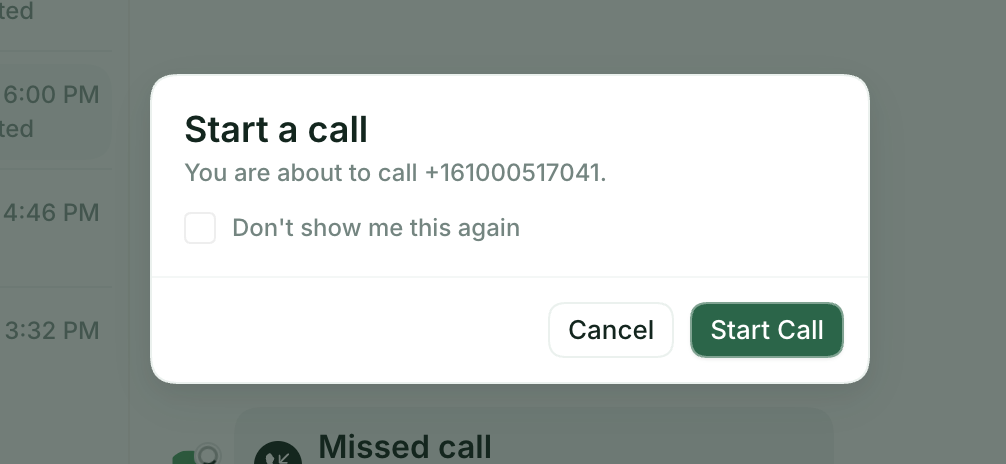
Once integrated, reps see a call button next to every contact. One click places the call. The recording, transcript, and outcome sync to the contact record automatically. No manual data entry.
Benefits:
- Faster outreach with fewer missed follow-ups
- Calls logged automatically in your CRM
- Recordings and transcriptions tied to every contact
- Better pipeline visibility for managers
The VoIP solution you choose determines how well all of this works in practice.
Here are the best click-to-call services to consider in 2026.
Best click-to-call providers in 2026
Not all click-to-call solutions are built the same. Some prioritize deep CRM sync, others focus on high call volumes or AI features.
Allo, best for AI features
Allo is built for small and mid-sized teams that want strong CRM integrations without the enterprise price tag. It stands out for bundling AI into every plan at no extra cost.
- CRM integrations: 18 native integrations, including HubSpot, Salesforce, Pipedrive, Attio, Zoho CRM, and Apollo. Calls, recordings, and transcriptions sync automatically to contact records. Integrations are available from the Business plan.
- Sales features: Call recording, AI transcription, AI call summaries, power dialer, and an AI-powered receptionist that handles inbound calls autonomously.
- Pricing: Starter at $25/month (1 user max), Business at $45/user/month. No add-ons. 7-day free trial.
Quo, best for collaboration features
Quo (formerly OpenPhone) is a good fit for small teams that want an affordable click-to-call solution with a clean interface. It includes a built-in lightweight CRM and a shared inbox, which makes it easy to manage calls collaboratively.
- CRM integrations: HubSpot, Salesforce, Attio, Gong, Slack, and Zapier. Integrations are available from the Business plan.
- Sales features: Call transcription and summaries (Business plan), voicemail transcription, and Sona, an AI answering service. Sona includes 10 calls on all plans; additional calls cost $0.75 each. No power dialer. Note that Quo does not permit cold calling and may restrict accounts that violate this policy.
- Pricing: Starter at $19/user/month, Business at $33/user/month, Scale at $47/user/month. 7-day free trial.
Cloudtalk, best for high-volume calling
Cloudtalk is designed for sales and support teams that handle high call volumes and need advanced dialing features. It is one of the few providers in this list with a dedicated power dialer.
- CRM integrations: 70+ native integrations, including Salesforce, HubSpot, Pipedrive, Zoho, and Odoo. Note that integrations are not available on the Lite plan.
- Sales features: Power dialer, voicemail drop, call transcription and summaries, sentiment analysis, and talk-to-listen ratio tracking. An AI Voice Agent is available separately.
- Pricing: Lite at $27/user/month (no integrations), Essential at $39/user/month, Expert at $69/user/month with a 3-license minimum. 14-day free trial.
Aircall, best for CRM integrations
Aircall is a well-established choice for mid-sized and larger teams. It has a mature feature set, broad CRM coverage, and one of the more complete AI offerings in this category. If you are considering it, it is worth comparing alternatives before committing, as pricing adds up quickly with add-ons.
- CRM integrations: HubSpot, Salesforce, Attio, Pipedrive, Zoho, Microsoft Dynamics, Intercom, and more.
- Sales features: Power dialer and voicemail drop (Professional plan), call recording, AI transcription, sentiment analysis, call scoring, and live call coaching. AI features are available in English and French only.
- Pricing: Essentials at $40/user/month, Professional at $70/user/month. 3-license minimum required. 7-day free trial.
Nextiva, best for multi-channel communications
Nextiva is a unified communications platform that combines voice, video, team chat, and SMS in one product. It suits US-based teams that want an all-in-one system rather than a dedicated sales calling tool.
- CRM integrations: Limited compared to others on this list. The HubSpot integration requires a Windows computer. Also supports Zendesk, Microsoft Teams, Outlook, and Act! CRM.
- Sales features: Voicemail transcription on all plans; real-time transcription, AI summaries, and emotion scoring require the Power Suite plan at $75/user/month. The AI IVR requires a custom quote. No power dialer.
- Pricing: Core at $23/user/month, Engage at $50/user/month, Power Suite CX at $75/user/month. Available in the US only.
FAQ about click-to-call solutions
Do I need special software for click-to-call?
It depends on what you want to do. For a website, a simple tel: link is all you need. No additional software required. For CRM-based click-to-call, you need a VoIP solution that integrates with your CRM. This is what makes it possible to place calls, log them, and sync recordings automatically.
What are the best click-to-call providers?
The best click-to-call providers in 2026 are Allo, Quo, Cloudtalk, Aircall, and Nextiva. The right choice depends on your team size and priorities. Allo and Quo work well for small teams that want straightforward CRM sync at an affordable price. Cloudtalk and Aircall are better suited for larger sales teams that need a power dialer and advanced call features. Nextiva is a good fit for US-based businesses that want voice, video, and team chat in a single platform.
How much does a click-to-call service cost?
Prices vary depending on the plan and features you need. Entry-level plans start between $19 and $25 per user per month. Mid-tier plans with CRM integrations and AI features typically range from $33 to $50 per user per month. High-volume or enterprise plans can exceed $70 per user per month. Watch out for add-ons; some providers charge separately for AI features, analytics, or messaging, which can raise the real cost significantly.
What's the difference between click-to-call and VoIP?
VoIP, short for Voice over Internet Protocol, is the underlying technology that lets you make calls over the internet instead of a traditional phone line. Click-to-call is a feature built on top of VoIP. It simply means you can start a call with a single click, from a website or a CRM. Every click-to-call solution uses VoIP, but not every VoIP system has click-to-call built in.