Key Takeaways
- Allo is the best AI-first alternative for small and sales teams because AI ships in every plan: call summaries, transcripts in 36 languages, an AI receptionist, and an MCP that connects your phone to Claude, Codex and other AI tools. Pricing is transparent ($18–45/user/month) with no add-ons, unlike Phone.com's per-feature charges.
- RingCentral is best for established businesses needing enterprise features because it offers advanced call management, 500+ integrations, and deep analytics. It costs more than Phone.com, but you get a full unified-communications platform that scales.
- Zoom Phone is best if your team already runs on Zoom because voice, video and chat live in one app, AI Companion is included, and plans start at $18/user/month ($16 billed annually).
Introduction
Searching for phone.com alternatives that actually fit how your team works?
This guide breaks down eight alternatives to phone.com that teams are adopting in 2026. We'll cover what makes each one different, who benefits most, and the exact pricing (monthly and annual) so you can budget accurately. Whether you want deeper CRM sync, transparent costs, or AI that isn't a paid add-on, one of these phone.com competitors will fit your workflow.
You'll walk away knowing which system matches your team size, your budget, and how your sales process actually runs day-to-day.
What Are the Main Limitations of Phone.com?
Phone.com is a low-cost, long-standing VoIP provider, and plenty of small businesses are happy with it. But it holds a modest 3.3/5 on G2, and the same handful of complaints come up again and again. Here's what to weigh before you renew.
1. A buggy app and unreliable calls
The most common gripe: the mobile and desktop apps crash, and calls sometimes fail outright: people can't hear each other, or the app stops working altogether.
2. A dated, clunky interface
Phone.com's console still reflects its early-2000s origins. Reviewers describe it as ancient, cluttered and hard to navigate.
3. Hit-or-miss customer support
Support is a coin flip. Some users praise named reps; others describe it as dismissive, slow or unresponsive when something breaks.
4. It doesn't scale with a growing team
Just five native integrations, no real CRM sync on the lower plans, and advanced call flows that are hard to configure. Sales-led or growing teams hit the ceiling fast, and the AI receptionist is a paid add-on ($29.99/month for 100 minutes), not something that's included.
Our Methodology
We didn't rank every phone system on the market. We focused on tools that clear three bars:
- Solid third-party ratings: a healthy score across G2, Trustpilot and the app stores, not a handful of cherry-picked reviews.
- A real track record: enough years and customers to trust the product won't disappear or buckle under load.
- A robust phone system: the fundamentals you'd expect, like dependable call quality, the integrations teams actually use (CRMs, Slack, calendars), and modern AI features.
A note on bias: yes, Allo is our product. We tried to provide a fair opinion of the different systems by testing every tool ourselves and leaning on independent reviews (the G2 and Trustpilot feedback quoted throughout) rather than our own opinion. Where a competitor is genuinely the better fit, we say so.
The 8 Best Phone.com Alternatives at a Glance
Here's how the eight alternatives compare. Scores are from G2; “best for” is the team each tool serves best.
| Solution | G2 Rating | Best For |
|---|---|---|
| Allo | 4.6 / 5 | Small and sales teams that want AI built into every call. AI-first |
| RingCentral | 4.2 / 5 | Established businesses needing enterprise-grade unified comms. Enterprise |
| Vonage Business | 4.3 / 5 | Teams making and taking calls across many countries. Global coverage |
| Zoom Phone | 4.6 / 5 | Teams already running on Zoom for meetings and chat. Zoom-native |
| Nextiva | 4.5 / 5 | Customer-service teams that want a built-in CRM. Support teams |
| Quo | 4.7 / 5 | Startups that share numbers and want a simple setup. Startups |
| CloudTalk | 4.4 / 5 | High-volume outbound sales teams that live on the dialer. Outbound sales |
| Dialpad | 4.4 / 5 | Distributed teams that work entirely from the browser. Remote teams |
Allo, Best AI-First Alternative for Small Teams
What is Allo?
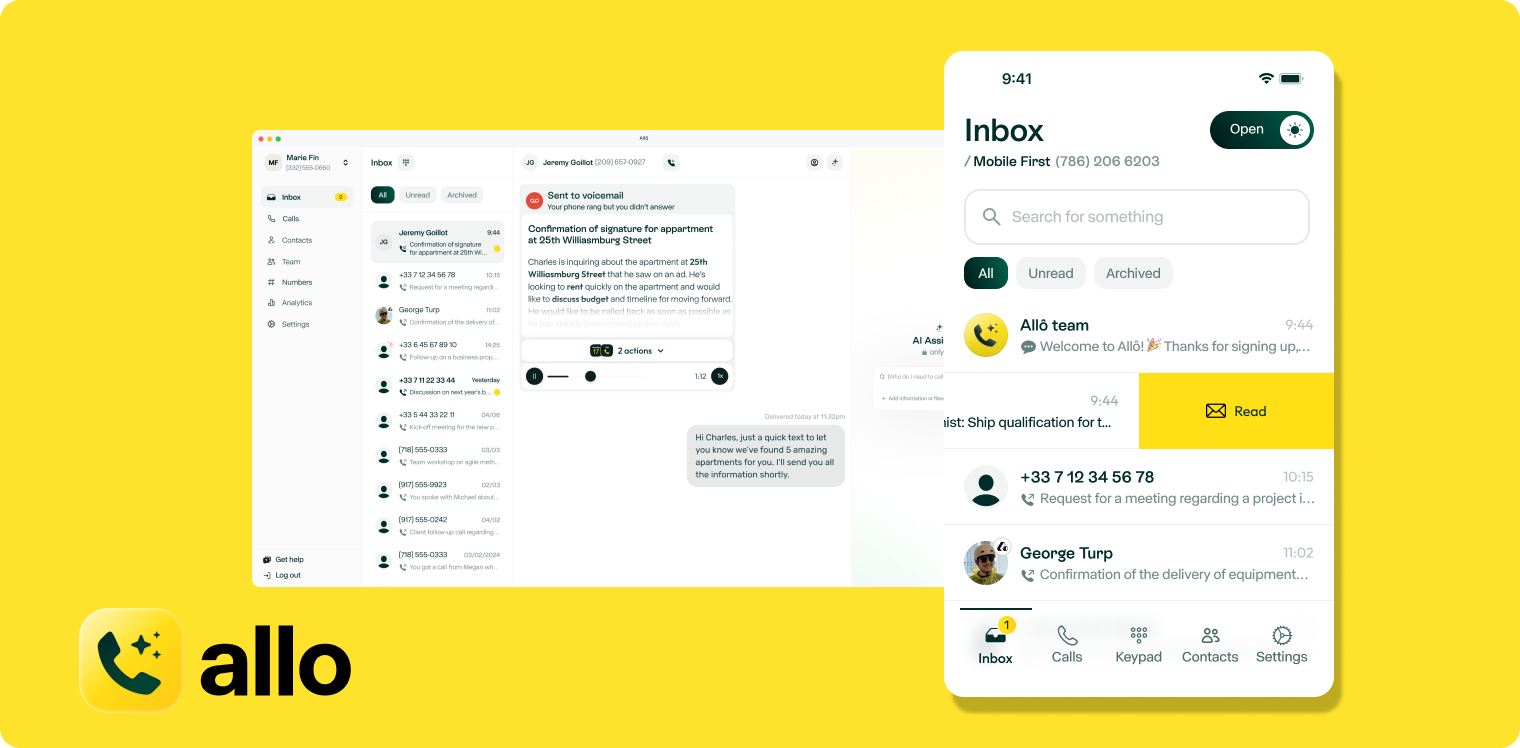
Allo launched in 2024 with one goal: give small sales teams a phone system that's genuinely AI-native, not a legacy platform with AI bolted on. Where older providers optimized for enterprise call centers, Allo built for teams of 1–50 who want professional phone capabilities without the complexity or an IT department.
AI runs through the whole product, and it's included on every plan. Allo transcribes and summarizes calls in 36 languages, drafts follow-up emails, and answers your phone with an AI receptionist that speaks English, Spanish or French. Its “call memory” even lets the AI read past calls and texts to pick up a conversation exactly where it left off, something no other tool on this list does.
The differentiator for AI-forward teams is the Allo MCP: it connects your phone system to Claude, Codex and other AI assistants. Pull transcripts, search conversations, update your CRM or trigger workflows just by asking. Your call data becomes something your AI tools can act on, not a silo.
Why Allo is a Good Alternative to Phone.com
Phone.com is a dependable budget line. Allo is an AI phone system. Why teams switch:
- AI is included, not an add-on. Summaries, transcripts and the AI receptionist ship on every plan. Phone.com charges $29.99/month for its AI receptionist.
- It plugs into your AI stack. The Allo MCP connects your phone to Claude, Codex and other assistants. Phone.com has nothing like it.
- CRM sync that logs everything. Native integrations with HubSpot, Salesforce, Attio and Pipedrive push every call, recording and transcript into your contact records automatically.
- Transparent pricing, no surprise fees. Recording, CRM sync and international calling are built in: the things Phone.com bills separately.
- A clean, modern interface your team figures out in minutes, not the dated console Phone.com reviewers complain about.
Allo Pricing
Allo keeps pricing simple, with AI included on every tier:
- Solo: $18/user/month (billed annually): one business number, unlimited national calls, call recording, SMS, native CRM autofill, AI summaries and transcripts, unlimited AI receptionist, and missed-call text-back.
- Business: $45/user/month ($32 billed annually): adds all integrations, the Allo MCP, power dialer, custom AI summary templates, AI call tags, analytics and team leaderboards.
- Ultra: adds AI agents (AI SDR, customer support, lead qualifier, CRM manager, sales coach) and a dedicated account manager.
Both paid plans include pay-as-you-go international calling and one local or toll-free number; extra numbers are $5/month. There's a 7-day free trial and a 30-day money-back guarantee.
Allo Demo
See how Allo handles incoming calls, generates transcripts, and syncs with your CRM:
RingCentral, Best for Established Businesses
What is RingCentral?
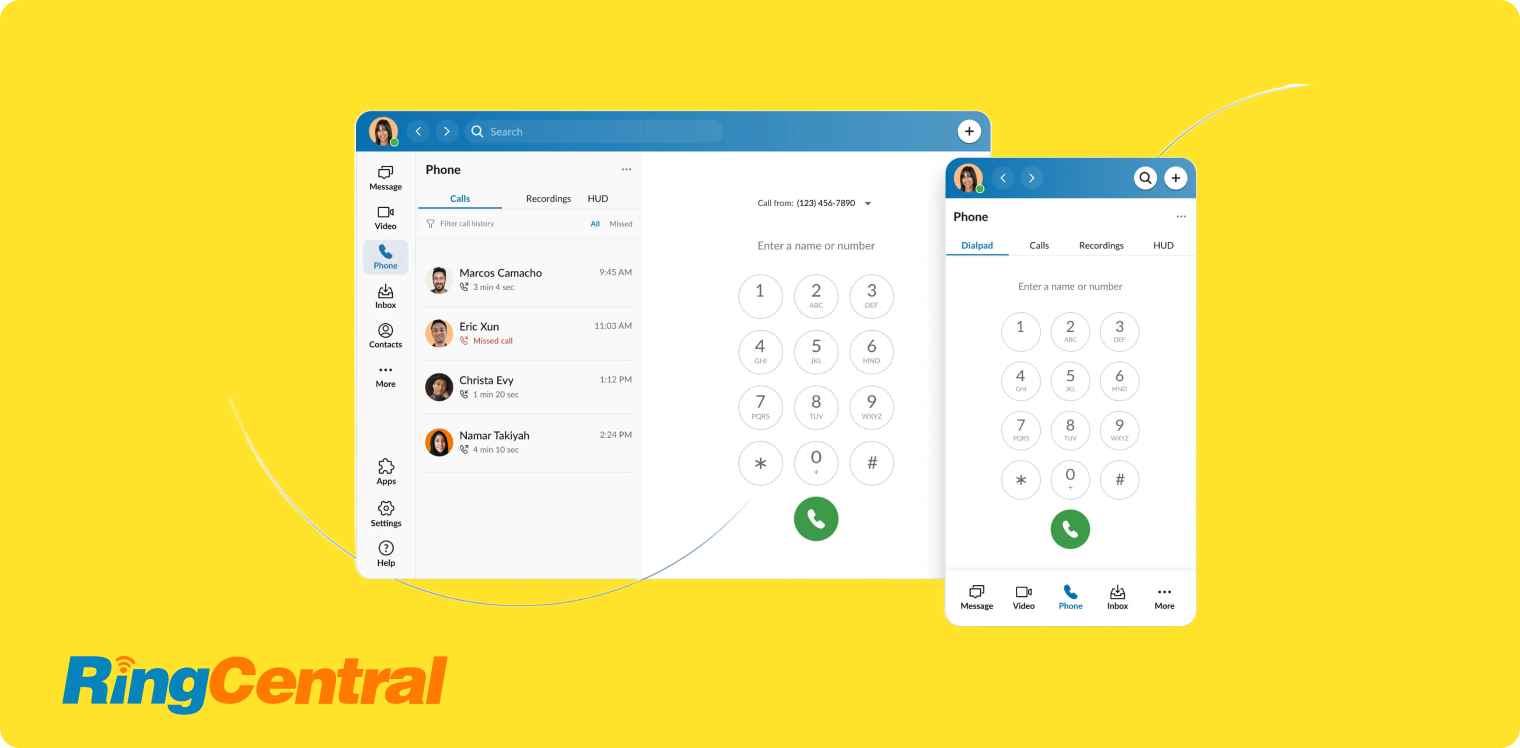
RingCentral has been in business communications since 1999 and is one of the largest unified-communications providers around. Where Phone.com sticks to core phone service, RingCentral runs an entire ecosystem (voice, video conferencing, team messaging and contact-center) that now supports over 400,000 businesses globally.
It targets medium and large organizations that want sophisticated features: detailed analytics, collaboration tools, and deep integrations with enterprise software. RingCentral's strength is breadth: if a feature exists in business communications, RingCentral probably offers it, though finding and configuring it can take some effort.
Operating in 100+ countries with local number support in many markets, RingCentral works for teams with international operations. It connects to 500+ business applications natively, spanning CRMs, helpdesks, productivity tools and industry software.
Why RingCentral is a Good Alternative to Phone.com
Phone.com covers the basics. RingCentral is a full unified-communications suite. Why teams graduate to it:
- Everything in one platform: voice, video meetings, team chat, file sharing and fax, versus Phone.com's phone-only service.
- 500+ integrations with deep two-way sync (far beyond Phone.com's five), keeping your CRM and helpdesk updated automatically.
- Built-in AI: live transcription, call summaries and sentiment analysis Phone.com doesn't offer.
- Enterprise-grade scale: analytics, admin controls and global coverage for teams that have outgrown a simple line, plus deep links to your sales tools.
RingCentral Pricing
RingCentral's RingEX plans (its business-phone product) come in three tiers:
- Core: $30/user/month ($20 billed annually): unlimited US/Canada calling, call recording and video meetings.
- Advanced: $35/user/month ($25 billed annually): adds CRM integrations and reporting.
- Ultra: $45/user/month ($35 billed annually): adds unlimited storage, webinars and device analytics.
One local or toll-free number is included; extra numbers are $4.99/month. The AI receptionist is an add-on starting at $49/month for 100 minutes.
RingCentral Demo
Watch how RingCentral's AI receptionist handles incoming calls and routes them intelligently:
Vonage Business, Best for International Teams
What is Vonage Business?
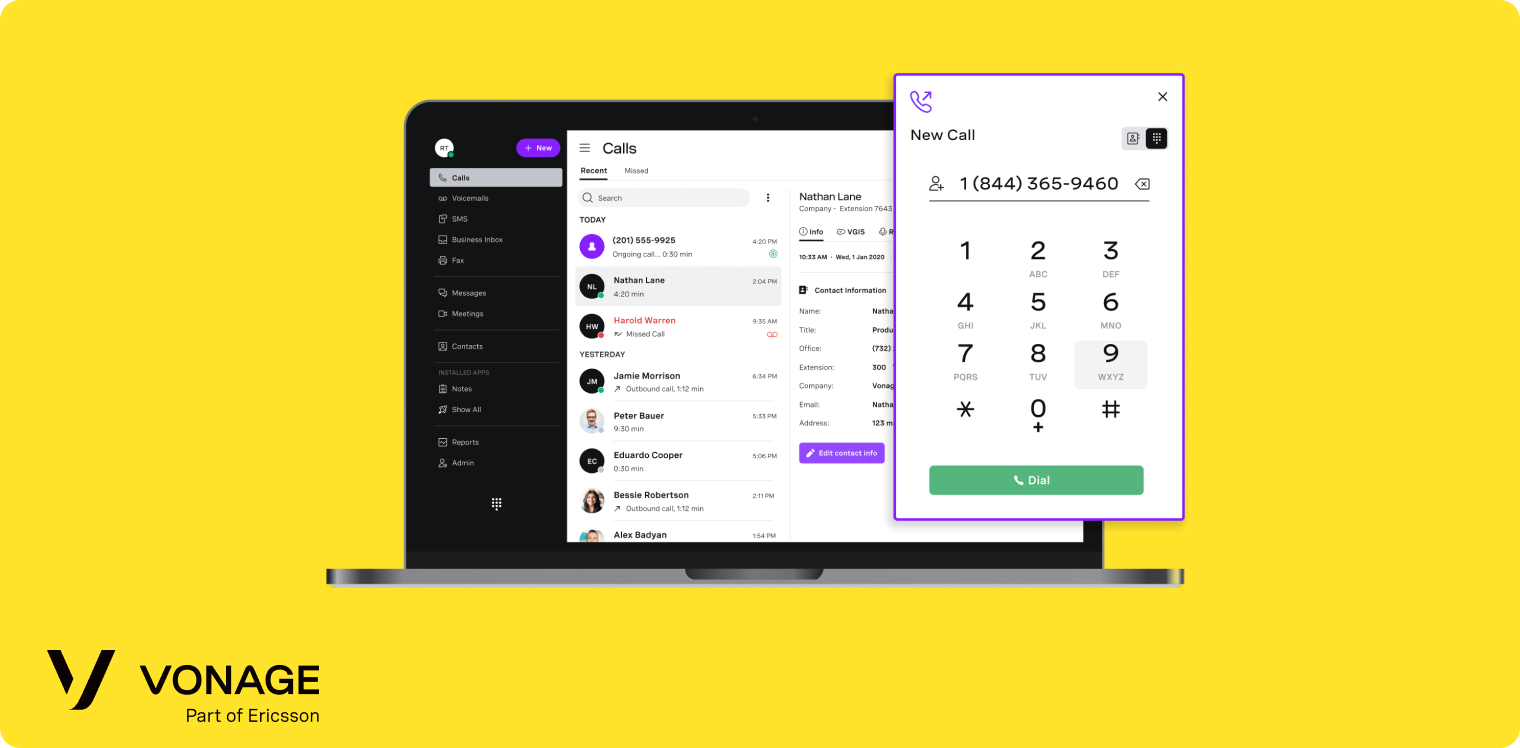
Vonage started as a VoIP pioneer in 2001, initially targeting residential customers before pivoting to business communications. Today it's a unified-communications provider serving medium to large organizations, particularly those running call centers and customer-service operations across multiple countries.
Its architecture prioritizes flexibility. Teams can mix and match features, pay only for the phone lines they need regardless of headcount, and scale components like call recording or receptionist consoles independently. That modular approach suits organizations with complex needs that don't fit standard packages.
Why Vonage is a Good Alternative to Phone.com
Phone.com keeps it simple. Vonage goes wide, especially across borders:
- Local numbers in 90+ countries and reasonable international rates, versus Phone.com's narrower reach.
- Deep call management: announce, block, conference, flip, park, queue, reroute, screen, tag and more.
- One unified platform for voice, video, messaging and file sharing.
- A receptionist console (US and UK) for teams handling high call volumes, something Phone.com doesn't offer.
Just budget for add-ons: recording, transcription and the Salesforce integration are billed separately on lower plans.
Vonage Pricing
Vonage Business Communications has three plans:
- Mobile: $19.99/user/month ($13.99 billed annually): unlimited US/Canada calling, SMS/MMS and voicemail.
- Premium: $29.99/user/month ($20.99 billed annually): adds video meetings (up to 200), team messaging and desk-phone support.
- Advanced: $39.99/user/month ($27.99 billed annually): adds on-demand call recording (15 hrs/month) and visual voicemail with transcription.
Watch the add-ons: call recording ($4.99/user/month), voicemail transcription ($4.99/user/month) and the Salesforce integration ($4.99/user/month) are billed separately on lower tiers.
Vonage Demo
See Vonage's unified communications platform in action:
Zoom Phone, Best for Zoom Users
What is Zoom Phone?
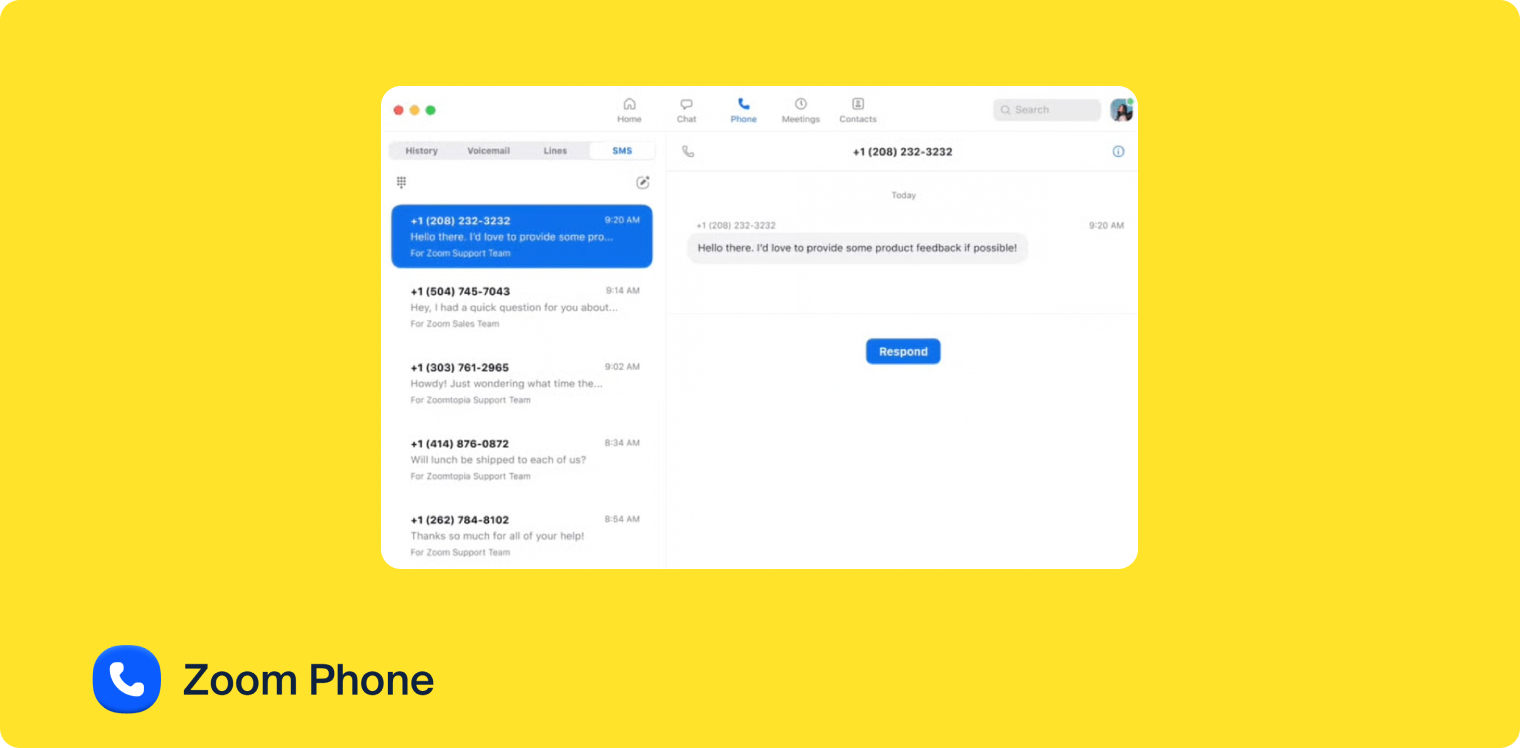
Zoom launched Zoom Phone in 2019 to complement its video-conferencing platform. Born in the modern cloud era with mobile-first thinking, it feels clean and straightforward, especially if your team already uses Zoom for meetings.
Zoom Phone targets small and medium businesses that want professional phone capabilities without complexity. The interface mirrors Zoom's meeting platform, so if your team can start a Zoom call, they'll figure out Zoom Phone in minutes. It operates in 49 countries and offers 195 native integrations, including HubSpot and Salesforce.
Why Zoom Phone is a Good Alternative to Phone.com
If your team already lives in Zoom, Zoom Phone is the obvious step up from Phone.com:
- One app for calls, video and chat: flip a phone call into a video meeting with a click.
- AI Companion included: post-call summaries, voicemail transcription and task extraction on every plan, in 32 languages.
- Reliable call quality built on the same infrastructure that runs millions of Zoom meetings.
- Simple, predictable pricing from $18/user/month, with no per-minute charges for standard features.
Zoom Phone Pricing
Zoom Phone has four plans; the ones most teams weigh:
- US & CA Metered: $12/user/month ($10.50 billed annually): pay-as-you-go calling, a number, SMS and AI features.
- US & CA Unlimited: $18/user/month ($16 billed annually): unlimited US/Canada calling, call recording, IVR and AI Companion (summaries, voicemail prioritization, task extraction).
- Pro Plus: $24/user/month ($20.50 billed annually): bundles Zoom Phone with the full Zoom Workspace (meetings, chat, docs, mail).
- Business Plus: $29/user/month ($24.50 billed annually): adds more storage, larger meetings and SSO.
AI features are included on every plan.
Zoom Phone Demo
Watch Zoom Phone's features and interface:
Nextiva, Best for Customer Service Teams
What is Nextiva?
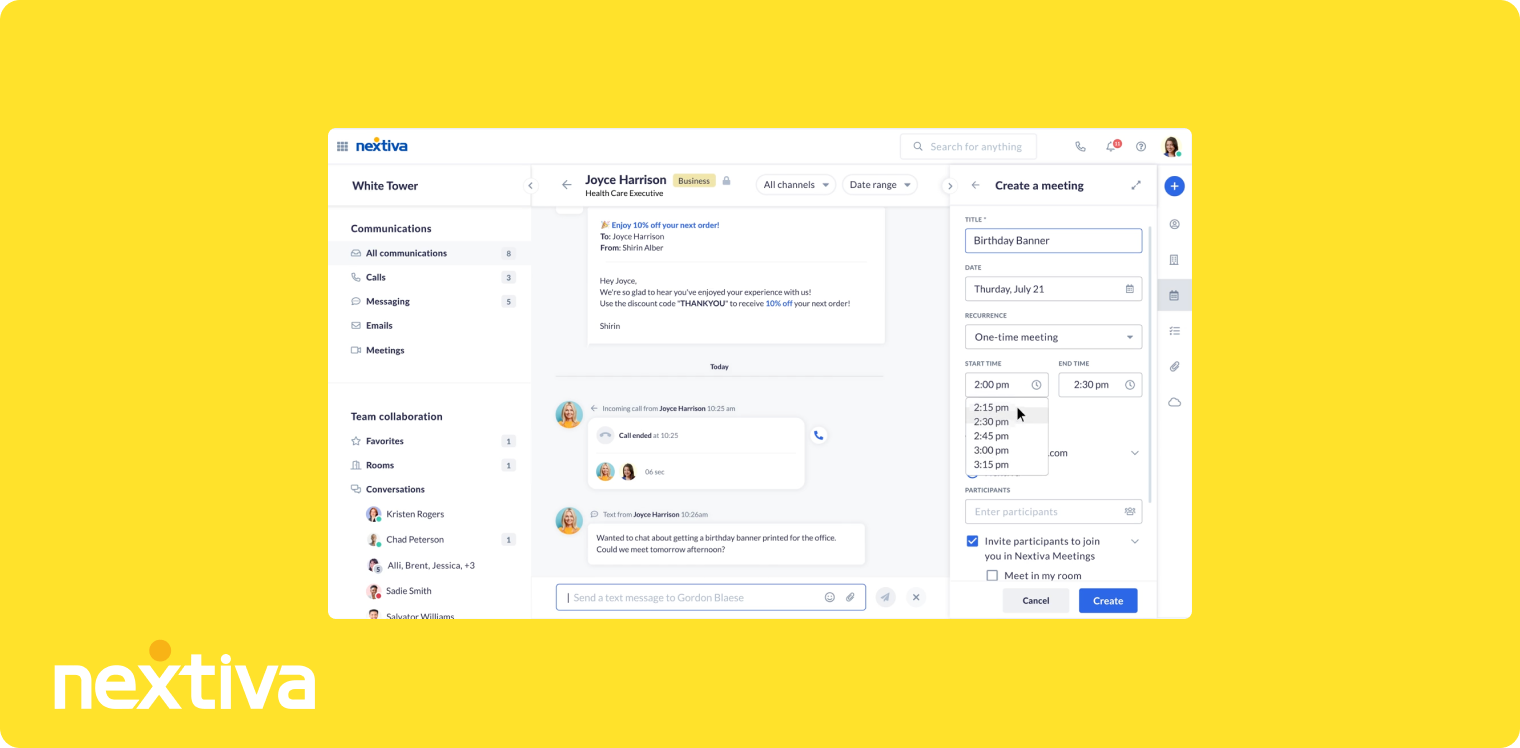
Nextiva launched in 2008 with a focus on delivering enterprise-quality phone systems to businesses of all sizes, and grew by emphasizing customer service, both in the product and in how it supports clients. Unlike Phone.com's more basic offering, it's a comprehensive business phone system built for teams that spend serious time on customer calls.
The platform serves small businesses through large enterprises, with particular strength in customer-service operations: advanced call management, team collaboration, built-in CRM functionality and analytics on call patterns and agent performance. It operates across the US and Canada with reliable, multi-data-center infrastructure.
Why Nextiva is a Good Alternative to Phone.com
Phone.com provides phone service. Nextiva is a customer-communication platform with a CRM built in:
- Built-in CRM: manage contacts, histories and interactions inside the phone system, no external tool required.
- Call pop surfaces caller history and notes the moment the phone rings.
- Advanced analytics on agent performance, call patterns and satisfaction that Phone.com can't match.
- 99.999% uptime backed by redundant data centers, reassuring for support-heavy teams.
The catch: most AI features sit in the pricier Power Suite CX plan, and coverage is US/Canada only.
Nextiva Pricing
Nextiva structures plans across three tiers:
- Core: $23/user/month ($15 billed annually): a number, SMS, video meetings, call routing and team chat.
- Engage: $50/user/month ($25 billed annually): adds advanced reporting, web chat and a toll-free number.
- Power Suite CX: $75/user/month (up to 100 agents): adds AI transcription and summaries plus intelligent routing.
Most of Nextiva's AI lives in the top plan, and the AI receptionist is billed separately ($99/month per 100 interactions). One local or toll-free number is included.
Nextiva Demo
Nextiva doesn't provide a public demo video. Visit their website to request a personalized demonstration.
Quo, Best for Startups
What is Quo?
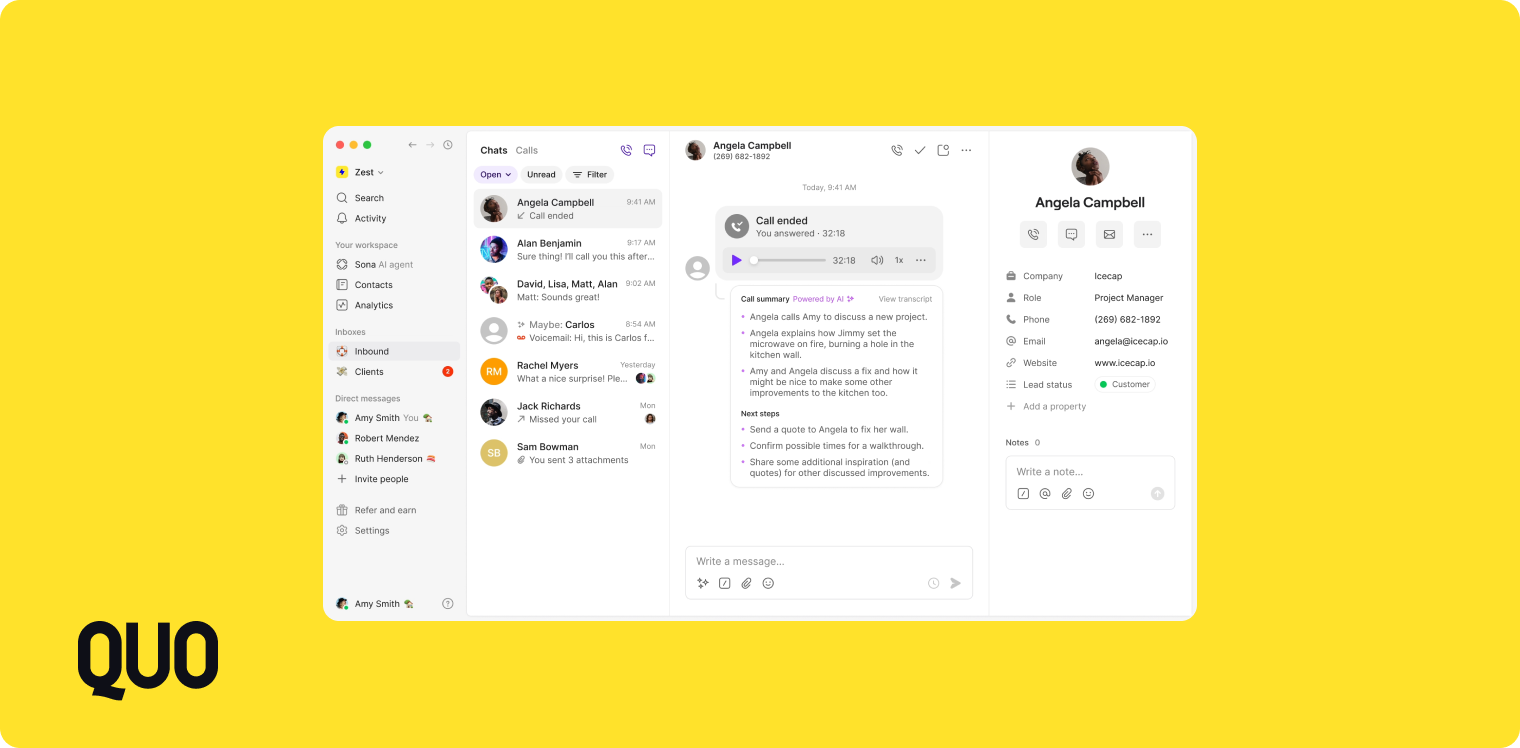
Quo (formerly OpenPhone) emerged in 2018 to solve a specific pain point: startups and small teams needed professional phone capabilities but found existing solutions too complex or expensive. It's a modern alternative that prioritizes simplicity without dropping essential features.
The platform focuses on teams of 1–50 who need shared phone numbers, collaborative calling and integration with the tools they already use. Multiple team members can manage the same number, see conversation histories, collaborate on responses and keep continuity when someone's away. It supports numbers in the US and Canada and works entirely through smartphone and desktop apps.
Why Quo is a Good Alternative to Phone.com
Phone.com treats numbers as individual lines. Quo makes them collaborative, ideal for lean startups:
- Shared numbers by default: the whole team sees calls, texts and notes on one line.
- A messaging-app-simple interface new hires learn in minutes.
- Snippets, auto-replies and business hours without complex IVR setup.
- Sona, its AI answering service, plus call summaries, and, like Allo, an MCP to connect Quo to AI tools.
- Startup-friendly pricing from $19/user/month with no surprise add-ons.
Quo Pricing
Quo (formerly OpenPhone) has three tiers:
- Starter: $19/user/month ($15 billed annually): a local number, unlimited US/Canada calling and texting, voicemail transcripts, and 10 calls handled by Sona (its AI agent).
- Business: $33/user/month ($23 billed annually): adds AI call summaries and transcripts, group calling, analytics, and HubSpot/Salesforce integrations.
- Scale: $47/user/month ($35 billed annually): adds dedicated onboarding and priority support.
Each plan includes one number per user; extra numbers are $5/user/month, and Sona runs $0.75/call beyond the included 10. There's a 7-day free trial.
Quo Demo
See how Quo handles shared numbers and team collaboration:
CloudTalk, Best for Outbound Sales Teams
What is CloudTalk?
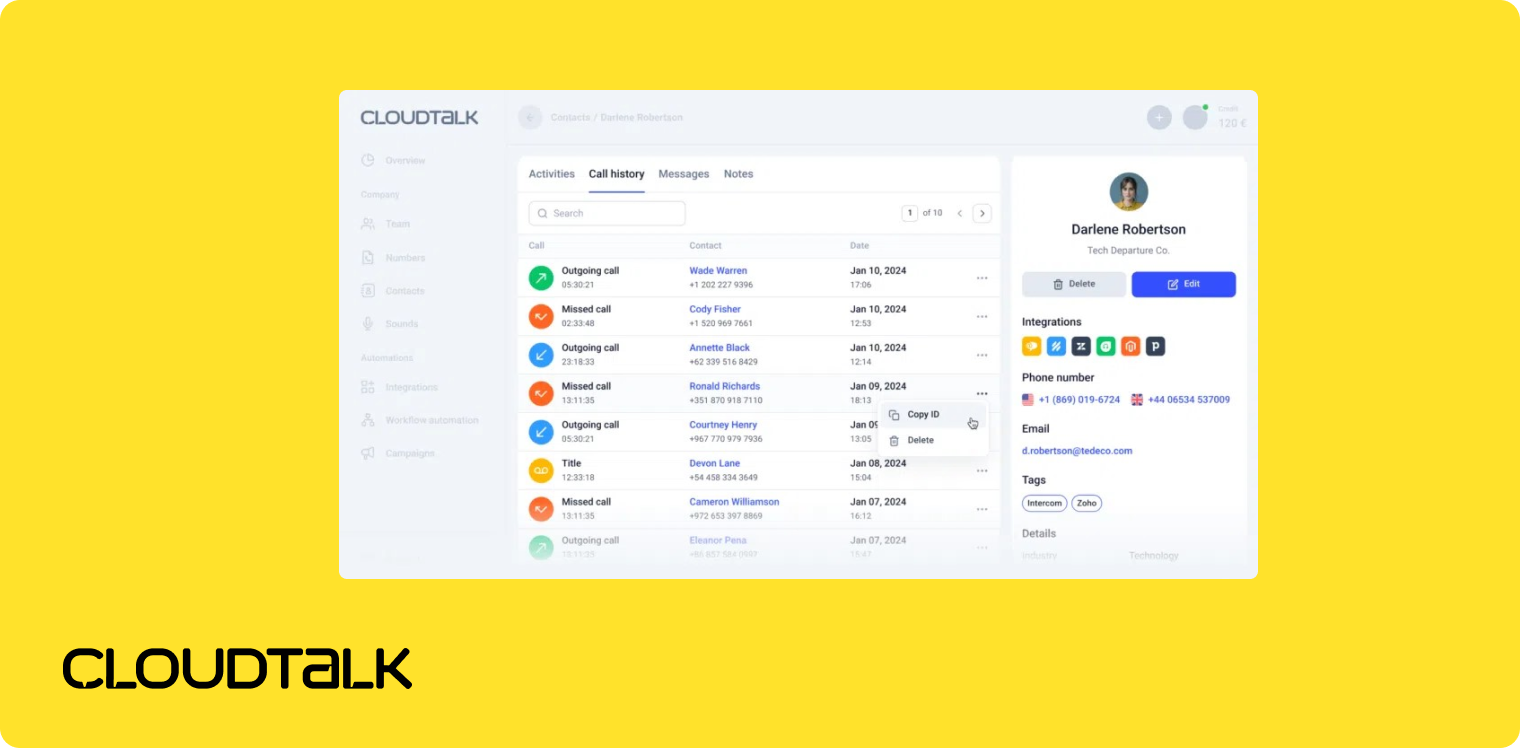
CloudTalk launched in 2016 specifically for sales and support teams that spend serious time on outbound calls. Where Phone.com serves general business communications, CloudTalk optimized every feature for teams dialing dozens or hundreds of calls a day: power dialers, call-flow designers, real-time analytics and deep CRM integrations built for sales processes.
It serves small and medium businesses globally, with strong adoption among CRM-using sales teams, and operates in 160+ countries with local-number support in 140+ markets. The specialization shows in features like automated dialing, call scripting, and analytics that track conversion and performance rather than just call volume.
Why CloudTalk is a Good Alternative to Phone.com
Phone.com handles business calls. CloudTalk is built to accelerate outbound sales:
- Power dialer that auto-dials lists and connects reps only on a live answer, no manual dialing.
- A visual call-flow designer for sophisticated routing without code.
- Local numbers in 140+ countries for global prospecting.
- Live monitoring and coaching: listen, whisper or barge into calls in real time.
- Deep CRM sync that logs calls, recordings and outcomes to HubSpot, Salesforce and Pipedrive automatically.
CloudTalk Pricing
CloudTalk structures plans for different team needs:
- Starter: $34/user/month ($25 billed annually): unlimited domestic calls, a local number, call recording, ring groups and call queues.
- Essential: $39/user/month ($29 billed annually): adds routing options (IVR, business-hours and skill-based), reporting and integrations.
- Expert: $69/user/month ($49 billed annually) (min. 3 licences): adds the power dialer, live monitoring and advanced reporting.
The parallel dialer and the AI receptionist (from $99/month for 200 minutes) are paid add-ons. There's a 14-day free trial.
CloudTalk Demo
Watch how CloudTalk's power dialer and sales features work:
Dialpad, Best for Remote Teams
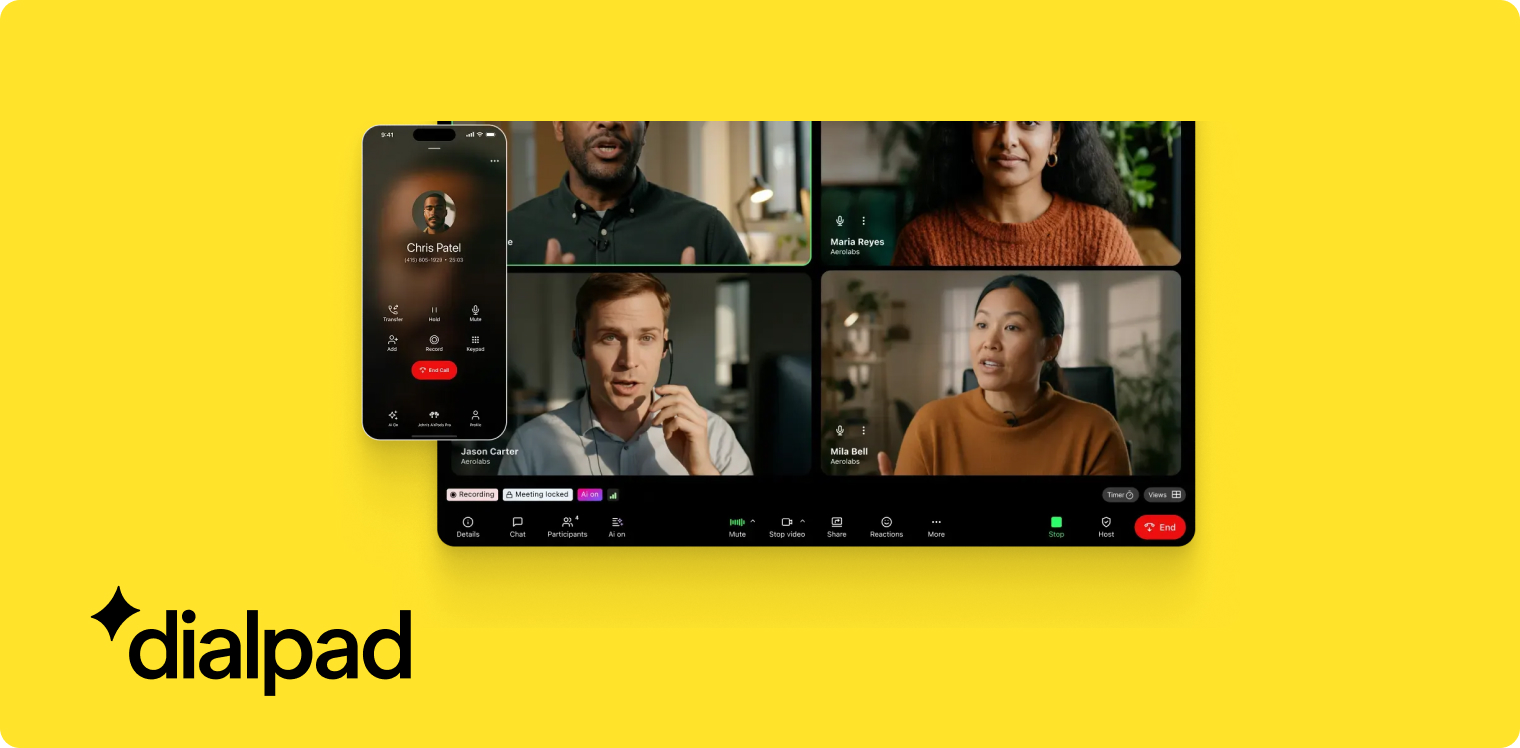
What is Dialpad?
Dialpad began in 2011 as a cloud-native communications platform, founded by engineers who previously worked on Google Voice. That DNA shows in its design: make business communications as simple as consumer apps while delivering enterprise reliability. It now supports over 30,000 businesses worldwide, with strong adoption among remote and distributed teams.
The platform runs entirely in the cloud through web browsers and mobile apps (no desk phones required), which fits teams working from home, coworking spaces or anywhere with internet. Dialpad operates in 70+ countries, and AI (“Dialpad Ai”) permeates the product: real-time transcription, automatic notes, sentiment analysis and suggested next actions, included rather than sold as an extra.
Why Dialpad is a Good Alternative to Phone.com
Phone.com needs setup. Dialpad works the minute you log in, a fit for distributed teams:
- Browser- and app-based, no desk phones, productive on day one from anywhere.
- Real-time transcription you can search and share while the call is still happening.
- Built-in AI: sentiment tracking, automatic action items and talk-time analysis.
- Deep Google Workspace and Microsoft 365 integration: call from Gmail or Outlook and log data automatically.
Dialpad Pricing
Dialpad Connect (its business-phone product) has two core plans, with sales-specific tiers on top:
- Standard: $27/user/month ($15 billed annually): unlimited US/Canada calling, a local number, call recording and AI call summaries.
- Pro: $35/user/month ($25 billed annually): adds SSO, phone support and up to 25 departments.
Teams that need a power dialer and live coaching move to Dialpad Sell, which starts at $49/user/month ($39 billed annually) and climbs to $170/user/month for the top tier. AI features are included across plans.
Dialpad Demo
See Dialpad's AI features and real-time transcription in action:
Conclusion
Phone.com's competitors in 2026 win on specialization. Allo brings AI-first features (summaries, an AI receptionist and an MCP for your AI stack) with transparent pricing for small sales teams. RingCentral delivers enterprise breadth. Vonage excels internationally. Zoom Phone is the natural pick for Zoom shops. Nextiva bundles a CRM for customer-service teams. Quo simplifies shared communications for startups. CloudTalk accelerates outbound sales. Dialpad optimizes for remote work.
The right alternative depends on how your team actually works. Sales teams making 50+ calls a day want CloudTalk's power dialer. Distributed teams want Dialpad's browser-based flexibility. Zoom shops benefit from Zoom Phone. Growing support teams lean on Nextiva's reliability and built-in CRM. And teams that want AI woven through every call (at a price they can predict) start with Allo.
Price matters, but read past the headline number. A $45/month plan that includes AI transcription and CRM sync (Allo) can cost less overall than a cheaper plan that charges extra for both. Add up the total cost of the features you'll actually use.
List the features your team genuinely needs, match them against each tool's strengths, and use the free trials to test two or three with your real workflow before committing. The best phone.com alternative is the one your team will actually use.
FAQ About Phone.com Alternatives
Who are phone.com competitors?
Phone.com's main competitors include Allo, RingCentral, Vonage, Zoom Phone, Nextiva, Quo (formerly OpenPhone), CloudTalk and Dialpad. Each targets a different segment. Allo focuses on small sales teams with AI-first features (call summaries, an AI receptionist and an MCP that connects your phone to AI tools), RingCentral serves enterprises needing unified communications, CloudTalk specializes in outbound sales, and Quo suits startups sharing a number. The competitive landscape has shifted from simple price comparisons to feature specialization, with competitors differentiating through AI capabilities, CRM integrations and pricing transparency.
Which VoIP system is better than Phone.com?
"Better" depends entirely on your needs. For small sales teams prioritizing AI and CRM integration, Allo offers strong value with transparent pricing and included features (AI summaries, an AI receptionist and an MCP for your AI tools). For established businesses needing comprehensive unified communications, RingCentral provides deeper enterprise capabilities and integrations. For international operations, Vonage's 90+ country coverage exceeds Phone.com's reach. For startups that share a number, Quo keeps setup simple and affordable. The best VoIP system matches your team size, workflow and budget rather than offering the most features overall.