Best phone systems for construction firms (2026 guide)
Five phone systems tested for construction crews, so you never lose a job to a missed call again.


TL;DR
A construction firm phone system has one job above all others: catch the call that turns into a contract.
Here is who each tool serves best.
- Allo is best for small and mid-size construction crews because it puts the office and the jobsite on one shared number, with an AI receptionist that answers when hands are full.
- Grasshopper is best for solo contractors and one-van operations because it gives you a cheap, simple business line that keeps work calls off your personal cell.
- Dialpad is best for growing firms that want AI baked in because call summaries, transcripts, and routing ship with the entry plan.
- Nextiva is best for established US firms with a busy back office because it bundles voice, video, and team chat on infrastructure built for uptime.
- RingCentral is best for large, multi-site general contractors because it connects every line, location, and integration you could ever ask for.
If you run a crew of 2 to 50, start with Allo.
If you are a solo operator, Grasshopper is enough.
If you are a 500-person GC with three offices, RingCentral earns its keep.
–––––––
Here is an uncomfortable truth about running a construction business: the deal often goes to whoever picks up first. A homeowner with a flooded basement does not leave three voicemails. They call the next number on the list. So when your foreman is forty feet up on a roof and your office manager is already on another line, that missed call is not a missed call. It is a missed job.
This is the core problem a good construction firm phone system solves. Your team is split between two worlds. There is the office, where quotes get written and schedules get juggled. And there is the jobsite, where the actual work happens and where most of your people actually are. The old fix was two systems duct-taped together: a desk phone at HQ and everyone's personal mobile in the field. It works until it doesn't.
The better model is one system that follows the work. One number for customers to call. Smart construction call routing that finds whoever is free, office or field. And an AI safety net that answers when nobody can.
In this guide, we tested five phone systems against the realities of construction work. We graded each on mobile reliability, routing, pricing, and how well they bridge the office-jobsite gap. By the end, you will know exactly which one fits your crew.
Construction firm phone systems at a glance
| Solution | Starting Price | Best For | G2 Rating |
|---|---|---|---|
| Allo | $25/mo Shared-number routing & unlimited AI receptionist on Business, $45/user/mo | Small to mid-size crews that want the office and the jobsite on a single number. Office + jobsite | 4.7 / 5 |
| Grasshopper | $18/mo Team features & extra numbers need Small Business, $70/mo | Solo contractors and one-van operations on a tight budget. Solo-focused | 3.9 / 5 |
| Dialpad | $27/user/mo Routing and AI included from the Standard plan | Growing firms that want AI call summaries and routing built in. Best AI value | 4.4 / 5 |
| Nextiva | $23/user/mo AI transcription & receptionist need Power Suite CX, $75/user/mo | US firms with a busy back office wanting voice, video, and chat in one place. All-in-one | 4.5 / 5 |
| RingCentral | $30/user/mo AI Receptionist is an add-on from $39/mo | Large, multi-site general contractors that need everything, everywhere. Enterprise | 4.3 / 5 |
How to pick the right construction phone system
Construction is not an office job, so an office-first phone system rarely fits. We judged every tool below against the five criteria that actually matter on a jobsite.
- Mobile-first reliability. Your people are in trucks, in basements, and on rooftops, not at desks. The app has to be the main event, not an afterthought bolted onto a desk phone. A clunky mobile experience means a VoIP for contractors that nobody actually uses.
- Smart call routing and a shared number. One published number should reach whoever is free. Good construction call routing rings the office first, then cascades to the field, so a single dispatch phone system covers both worlds without forcing a separate line per person.
- An AI answering safety net. When the whole crew is heads-down, a missed call should still get answered. An AI receptionist that takes the caller's name, number, and job details turns a lost lead into a callback.
- Simple, honest pricing. Margins in construction are thin. You want a clear per-seat price, not a base plan padded with surprise add-ons for the features you actually need.
- Integrations that match your stack. If you run HubSpot, Pipedrive, or a field service platform like Jobber, your phone system should log calls there automatically.
We tested each solution against this checklist. Here is how they stacked up.
Grasshopper, best for solo contractors and very small crews
Grasshopper in a nutshell
Grasshopper was once the benchmark for SMB phone systems. Founded in 2003 and now owned by GoTo, it does one thing reliably: it gives a solo operator a professional business line that keeps work calls off a personal cell. If you are a one-person painting outfit or a single-van plumber, that might be all you need. Be warned, though: the product feels old school, and it shows its age next to newer tools.
Why Grasshopper works great for construction
| Main pros | Main cons |
|---|---|
| Ruby virtual receptionist add-on for auto-attendant and live answering | Very few features for teams; built for one person, not a crew |
| Affordable entry price for a solo operator | The basic plan allows only a single user |
| Simple to set up and use | No SMS on international numbers, and auto-replies only go to new customers |
| No native CRM integrations and no public API | |
| AI is clearly not a priority: voicemail transcription only, no call transcription |
For a solo contractor, Grasshopper is genuinely useful. It separates business from personal, handles auto-replies, and offers a virtual receptionist through its Ruby partnership. But the moment you add a second crew member, the cracks appear. Routing is limited to basic call forwarding, which requires a separate number for each person, and it only forwards to one number after another.
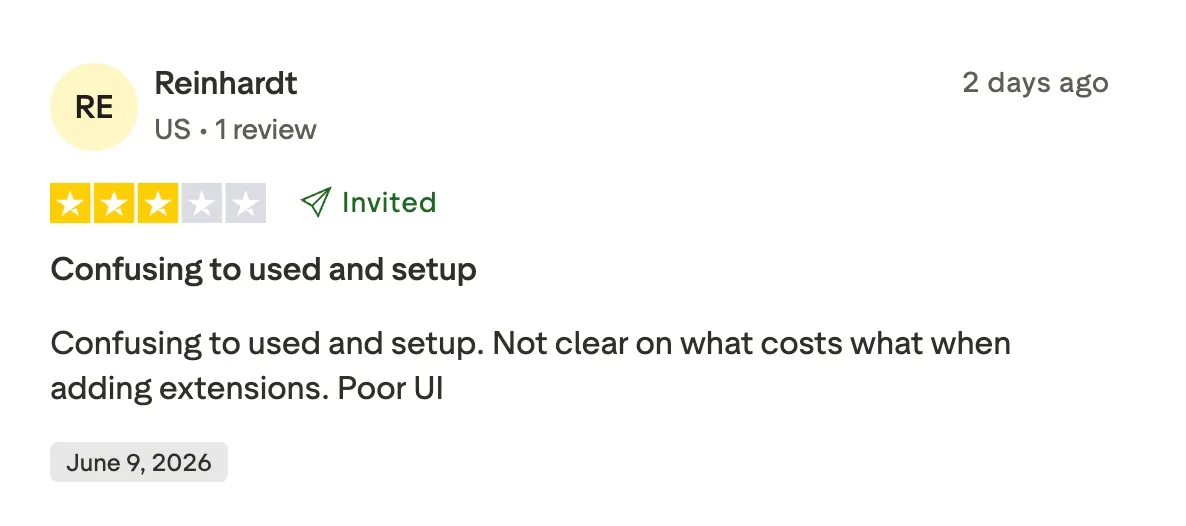
In plain terms, Grasshopper is a fine VoIP for contractors working alone. As a dispatch phone system for a growing crew, it falls short. Its Trustpilot score sits at 2.1/5, which tells you the honeymoon is over for many users.
Grasshopper pricing
Pricing is straightforward, though add-ons can creep up.
- True Solo, $18/month: one user and one toll-free or local number.
- Solo Plus, $32/month: unlimited users, one number, and three extensions.
- Small Business, $70/month: four numbers and unlimited extensions.
Grasshopper offers a 7-day money-back guarantee rather than a traditional free trial.
Note the jump to $70/month the moment you need more than one number for a team, which makes it pricey for what you get.
Demo video of Grasshopper
Grasshopper has no official, up-to-date demo video of its own, which is telling for a product this established.
Allo, best for connecting the office and the jobsite
Allo in a nutshell
Allo is an AI-first, mobile-first phone system built for small teams and the people who are rarely at a desk. That description fits a construction crew almost perfectly. Founded in 2024, Allo set out to do one thing well: give a small team a serious phone system that lives on a phone. The headline feature for contractors is the shared number. Your whole crew works from one line, so there is no juggling a dozen personal mobiles and no customer ever wondering which number to dial.
Why Allo works great for construction
| Main pros | Main cons |
|---|---|
| Robust native CRM integrations that sync call recordings, transcriptions, and contact updates automatically | Newer product, so it lacks the decade-long track record of legacy vendors |
| AI receptionist answers, qualifies callers, and gathers job details when the crew is unavailable | May not suit very large enterprises with highly complex, multi-department workflows |
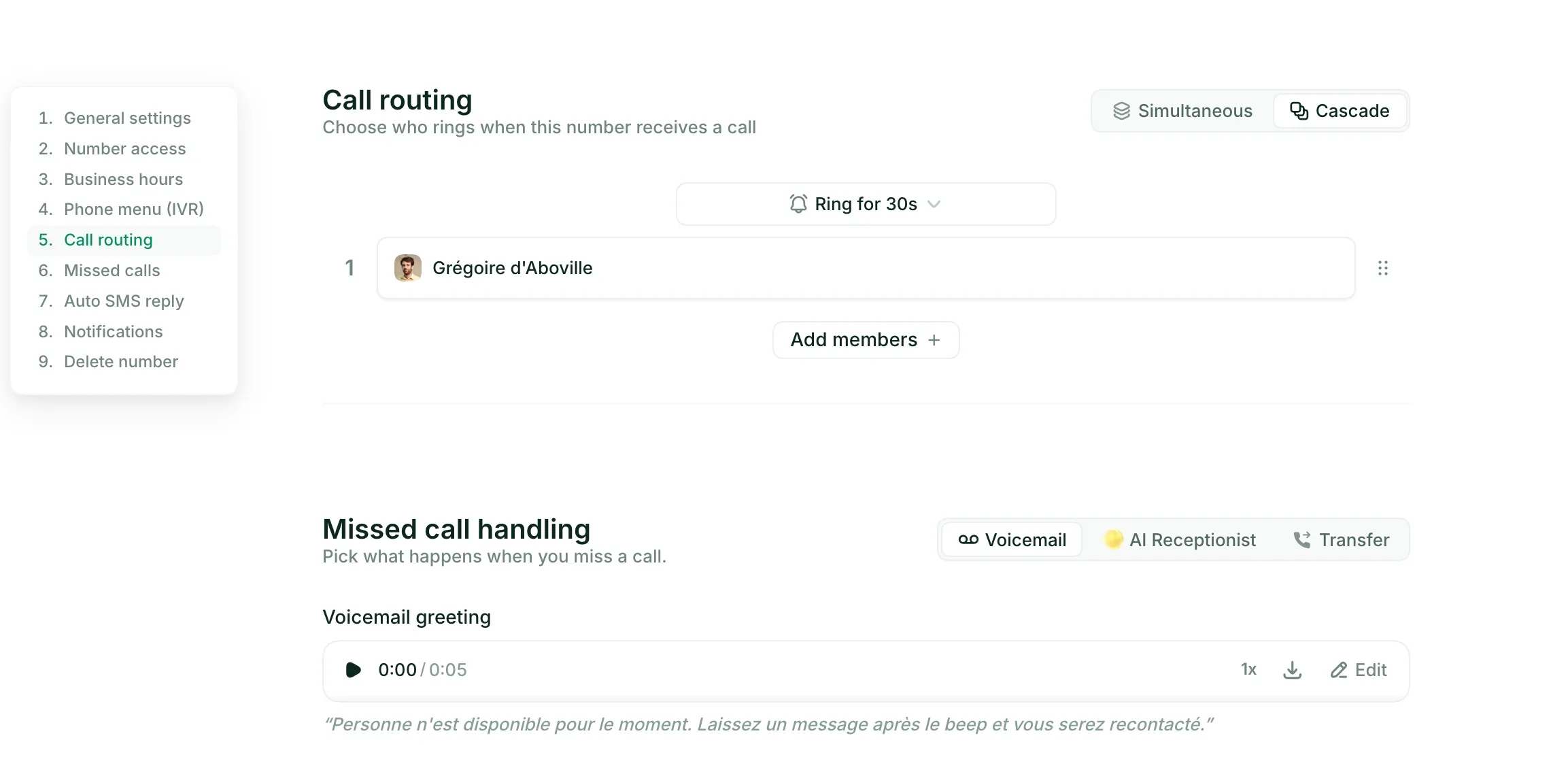
| Flexible routing: cascading or simultaneous ring, plus announcements and voicemail fallback | |
| Customizable webhook-driven workflows for your own automations | |
| Transparent, affordable pricing with no add-ons |
The office-and-jobsite split is exactly the problem Allo was designed around. A call comes in, rings the office, and if nobody grabs it, it cascades to the field on a delay you set. If everyone is busy, the AI receptionist picks up, gathers the details, and you get a clean summary. That is a real dispatch phone system without the call-center price tag. Allo also integrates with the most popular CRMs and Zapier in case you want to connect it with your field service platform.
Cancelling is refreshingly painless too. You do it yourself from the app settings, no questions asked. After you read the RingCentral section below, you will understand why that matters.
Allo pricing
Allo keeps it simple with two plans and zero add-ons.
- Starter, $25/month: one user, unlimited calls, a local number, AI call summaries, and IVR. Good for testing the waters or a true solo operator.
- Business, $45/user/month: this is the construction plan. It unlocks call routing, the unlimited AI answering service, SMS, international calls, and all 18 native integrations.
Your subscription includes one local or toll-free number; extra numbers run $5/month each.
There is a 7-day free trial, and crucially, no surprise charges for AI or integrations later.
Demo video of Allo
Dialpad, best for AI-powered call handling on a budget
Dialpad in a nutshell
Dialpad has serious pedigree. Founder Craig Walker previously built GrandCentral, the VoIP product Google bought and turned into Google Voice.
The company has been building its own AI model since 2018, well before it was fashionable, and that head start shows. For a construction firm that wants every call summarized and searchable without paying extra, Dialpad is a strong value play.
Why Dialpad works great for construction
| Main pros | Main cons |
|---|---|
| Strong AI features (summaries, transcription, scoring) included free on all plans | Call quality can be inconsistent, a real problem on a jobsite with patchy signal |
| Generally easy to use once configured | Noticeable learning curve during setup |
| Flexible routing included from the entry Standard plan | Support can mean long wait times or vague answers |
| 50+ countries for local numbers | SMS approval process can be bumpy |
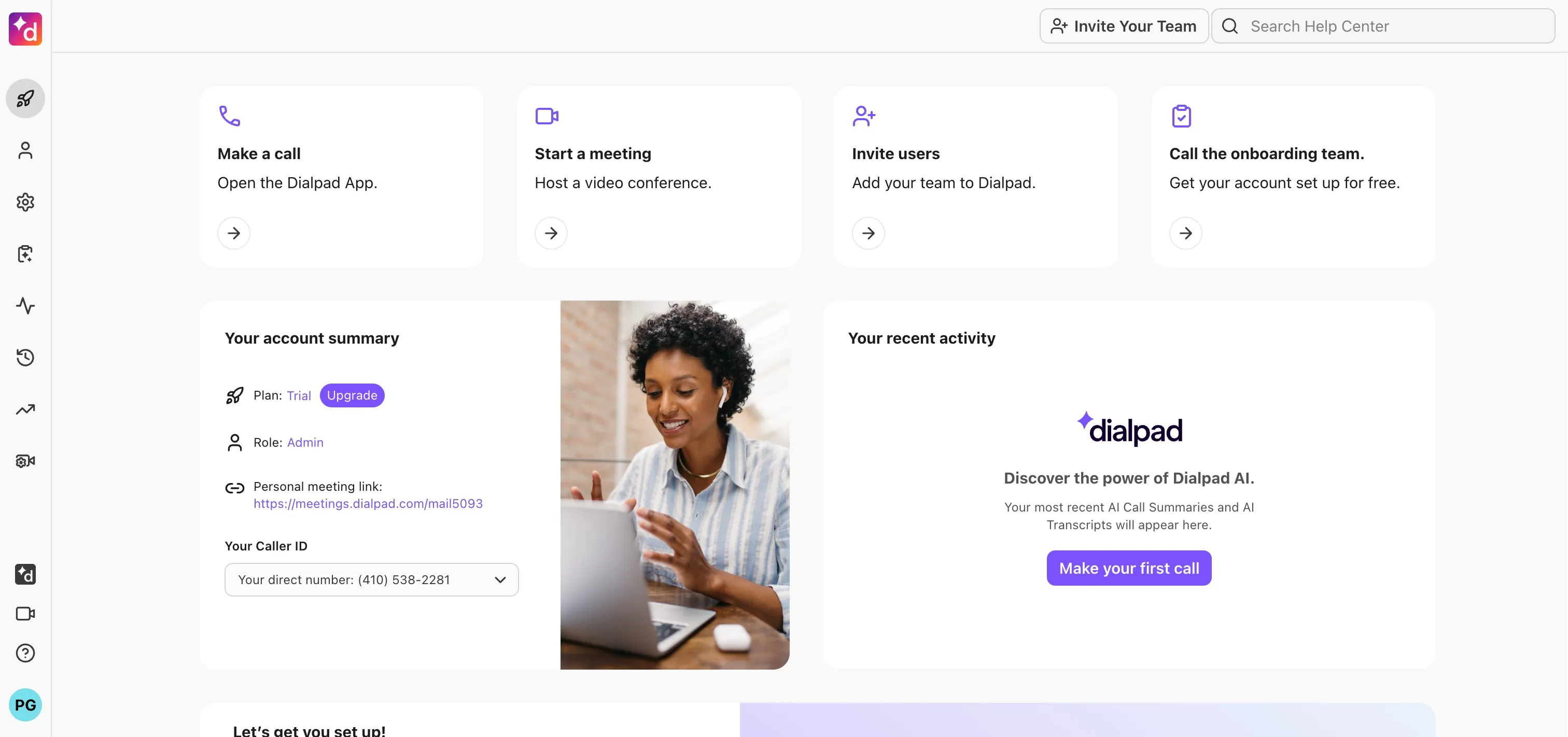
The appeal here is AI for free. Call summaries, transcripts, and live coaching come standard on every plan, no upsell. Routing is robust too, with fixed order, round robin, idle-time, and simultaneous options, plus deep fallback rules when no one answers. That is more than enough construction call routing for most firms.
The call-quality complaints are worth taking seriously for construction. If your crew already battles weak signal in basements and remote sites, you do not want the phone system adding its own static.
Dialpad pricing
Dialpad's main business line, Connect, has two accessible tiers.
- Standard, $27/user/month: unlimited calling in your country plus the US and Canada, a local number, call recording, AI features, and routing across up to 3 departments.
- Pro, $35/user/month: adds SSO, phone support, and up to 25 departments.
Overall, the included AI makes the per-seat price feel generous compared to rivals that gate those features behind a $75 tier.
Demo video of Dialpad
Nextiva, best for established firms with a busy back office
Nextiva in a nutshell
Nextiva launched in 2008 in Scottsdale, Arizona with a clear mission: help any business feel and operate like a Fortune 500 company.
For a construction firm with a real back office (estimators, schedulers, an accounts team), that ambition translates into a genuinely capable all-in-one platform. Voice, video meetings, team chat, and SMS live under one roof, and the infrastructure is built for reliability.
Why Nextiva works great for construction
| Main pros | Main cons |
|---|---|
| Voice, video, team chat, SMS/MMS, and light CRM tools in one platform | Works in the US only (and some parts of Canada) |
| Strong call reliability and platform uptime | Steep learning curve and a UI that reviewers find confusing |
| Advanced configuration for routing and call flows | Core plan lacks call routing extras and CRM integrations |
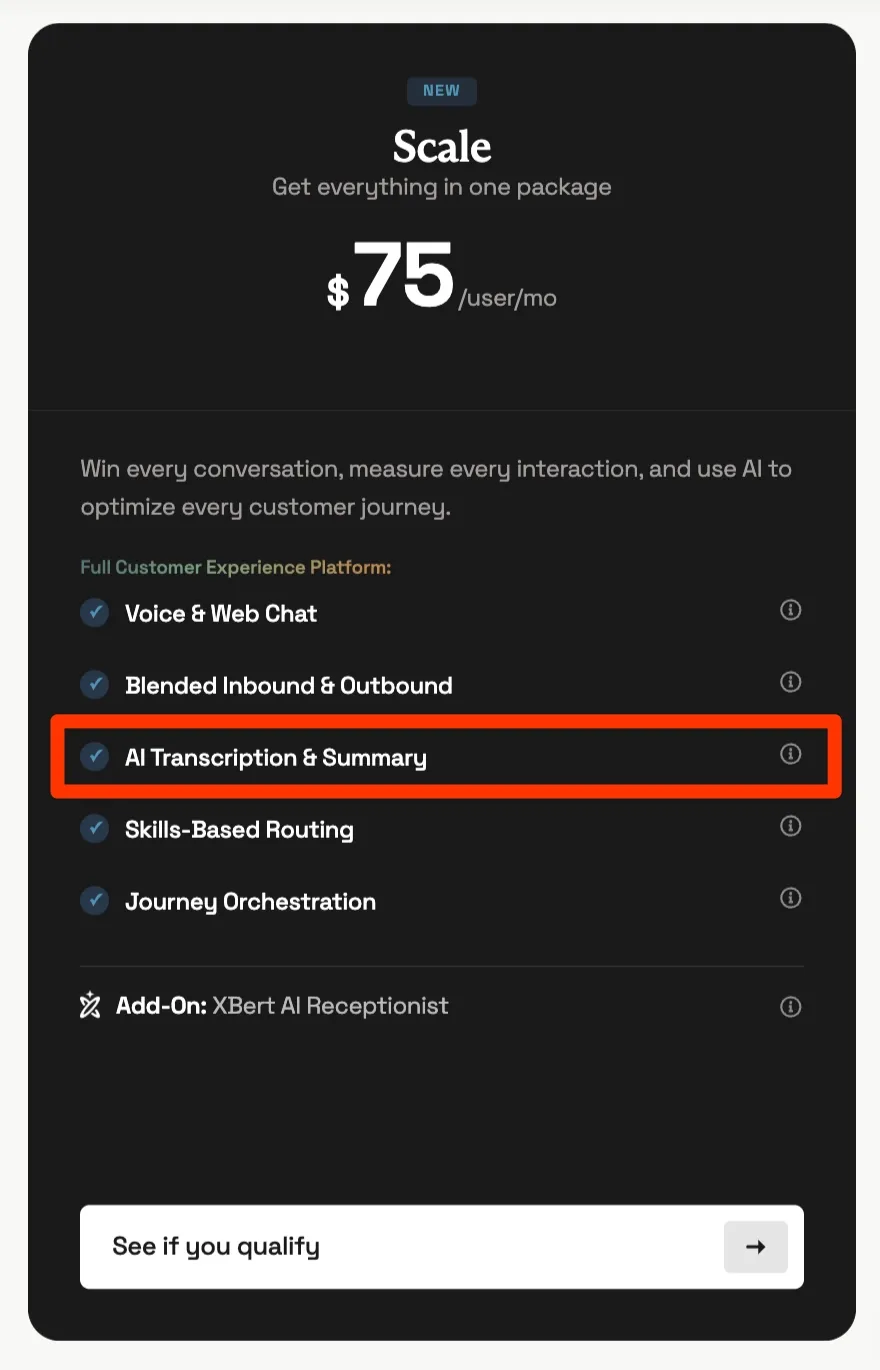
| Support for desk phones | AI receptionist and transcription cost a lot (Power Suite CX at $75/user/mo) |
If your office is the nerve center of the operation, Nextiva gives it a serious upgrade. Uptime and call reliability are consistent strengths in reviews, and it supports physical desk phones, which still matter at a front desk. The trade-off is complexity. Setup has a steep learning curve, and the AI features that make this list compelling sit behind the pricey Power Suite CX plan.
Be honest about your needs here. A 6-person framing crew does not need Nextiva. A 40-person firm with two offices and a steady stream of inbound calls might find it the most polished mobile business phone and office platform of the bunch.
Nextiva pricing
Nextiva's plans climb steeply as you add intelligence.
- Core, $23/user/month: a number, SMS, video meetings, basic routing, and team chat.
- Engage, $50/user/month: advanced reporting, web chat, and a toll-free number.
- Power Suite CX, $75/user/month: AI transcription, summarization, and intelligent routing, for up to 100 agents.
The AI receptionist is billed separately at $99/month per 100 interactions, then $0.99 each after that. One local or toll-free number is included.
The takeaway: Nextiva has the AI, but it charges a premium for it.
Demo video of Nextiva
RingCentral, best for large, multi-site general contractors
RingCentral in a nutshell
RingCentral is everywhere, and it has been since 1999. It is a bit like the Salesforce of phone systems: clunky, old school in places, but it works, and it scales to companies that need everything.
For a large general contractor running multiple offices, fax lines, and a long list of software, RingCentral's 500+ native integrations and multi-location support are hard to beat. Just know what you are signing up for.
Why RingCentral works great for construction
| Main pros | Main cons |
|---|---|
| Fax and video tools that stand out from competitors | Pricey for small businesses |
| Multiple phone and fax lines across multiple office locations | Unlimited calling is limited to the US and Canada |
| Huge user community and a deep self-help knowledge base | Support is hard to reach |
| 500+ native integrations (Salesforce, HubSpot, Teams, Pipedrive) | Notoriously difficult to cancel |
| Reliable, battle-tested platform | Reports of aggressive commercial and contract practices |
At enterprise scale, breadth wins, and nobody has more breadth. You can run multiple phone and fax lines across several office locations, lean on a huge support community, and integrate with almost any tool in your stack. For a national GC, that is genuinely valuable. For a small crew, it is overkill wrapped in a long-term contract.
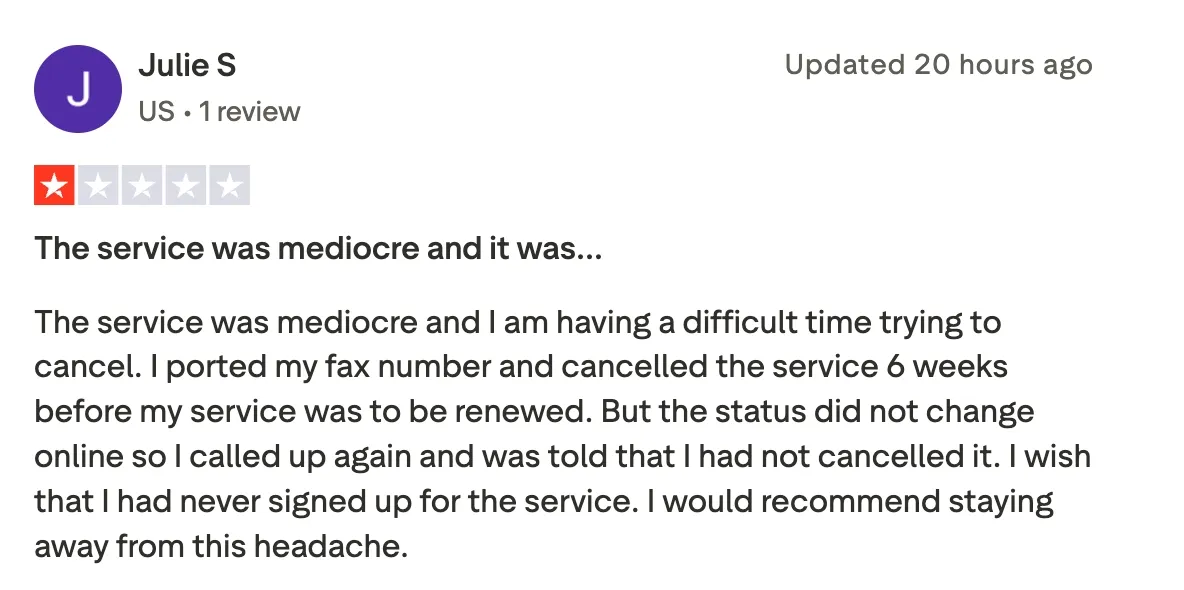
Now, the cancellation. This is not a minor gripe. To leave RingCentral you have to call or chat with support, provide your account's security answer and the last four digits of the card on file, and give 30 days' notice. One user on Reddit reported it took a full hour to get out. Its Trustpilot score of 1.9/5 reflects that friction.
RingCentral pricing
RingCentral's business phone tiers are priced for organizations, not solo operators.
- Core, $30/user/month: unlimited domestic calling, call recording, and meetings.
- Advanced, $35/user/month: adds CRM integrations and reporting.
- Ultra, $45/user/month: adds unlimited storage, webinars, and device analytics.
The AI Receptionist is an add-on starting at $39/month for 100 minutes, and the RingCX contact center starts at $65/agent/month billed annually. One number is included; extras are $4.99/month. Read the contract length carefully before you commit.
Demo video of RingCentral
Conclusion
The right construction firm phone system depends on one thing: the size and shape of your crew. Here is the short version.
- Run a crew of 2 to 50 split between office and field? Allo is the clearest fit. One shared number, cascading routing, and an AI receptionist that answers when everyone is busy, all at a flat price with no add-ons.
- Work solo or with one helper? Grasshopper gives you a cheap, simple business line, as long as you do not plan to grow much.
- Want top-tier AI without a premium bill? Dialpad includes summaries and transcripts on every plan, just test call quality first.
- Running a busy back office in the US? Nextiva bundles voice, video, and chat on reliable infrastructure, if you can stomach the setup and the AI pricing.
- Operating at enterprise scale across multiple sites? RingCentral has the integrations and reach, with a contract to match.
For most growing construction firms, the office-and-jobsite problem is the one that actually loses you money. That is the exact gap Allo was built to close.
Start a 7-day free trial and put your whole crew on one line this week.
FAQ
What is the best phone system for a small construction company?
For most small construction firms, Allo offers the best balance of price and capability. It shares one number across your whole crew, routes calls from the office to the field automatically, and answers with an AI receptionist when nobody is free. At $45/user/month for the Business plan, it covers the office-and-jobsite gap without enterprise complexity.
Can a construction phone system route calls from the office to the field?
Yes, and this is the feature to prioritize. Tools like Allo and Dialpad offer cascading or simultaneous ringing, so a call hits the office first, then moves to field crews if no one picks up. This is the heart of a good dispatch phone system and the main reason a contractor upgrades from personal cell phones.
Do I need a separate phone number for every crew member?
No, and you should avoid it. Modern systems like Allo or Quo let your whole team share a single business number, which is simpler for customers and cheaper for you. Older tools like Grasshopper still tie routing to a separate number per person, which gets clunky fast as you add crew.
What happens to calls when my whole crew is on a jobsite?
This is exactly what an AI receptionist solves. When no human can answer, the AI picks up, greets the caller, collects their name, number, and the reason for the call, then sends you a transcript and summary. You call back knowing the context, instead of staring at a blank missed-call log.
How much does a construction firm's phone system cost?
Expect roughly $18 to $45 per user per month for the plans that actually fit a crew. Entry tiers start around $18 to $30, but the routing and AI features that matter for construction usually sit one tier up. Watch for add-ons: some vendors charge extra for AI, integrations, or extra numbers, while others, like Allo, include them.